
Cities never stop growing. Roads expand. Bridges rise. Metro lines extend. Utilities evolve. Meanwhile, budgets tighten, deadlines shrink, and stakeholders demand transparency at every stage.
If you are still managing infrastructure projects through scattered spreadsheets and manual reports, you are losing visibility — and potentially losing money.
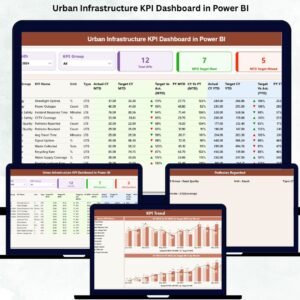
That is why we created the Urban Infrastructure Dashboard in Power BI — a powerful, ready-to-use analytical solution designed to bring clarity, control, and confidence to urban development projects.
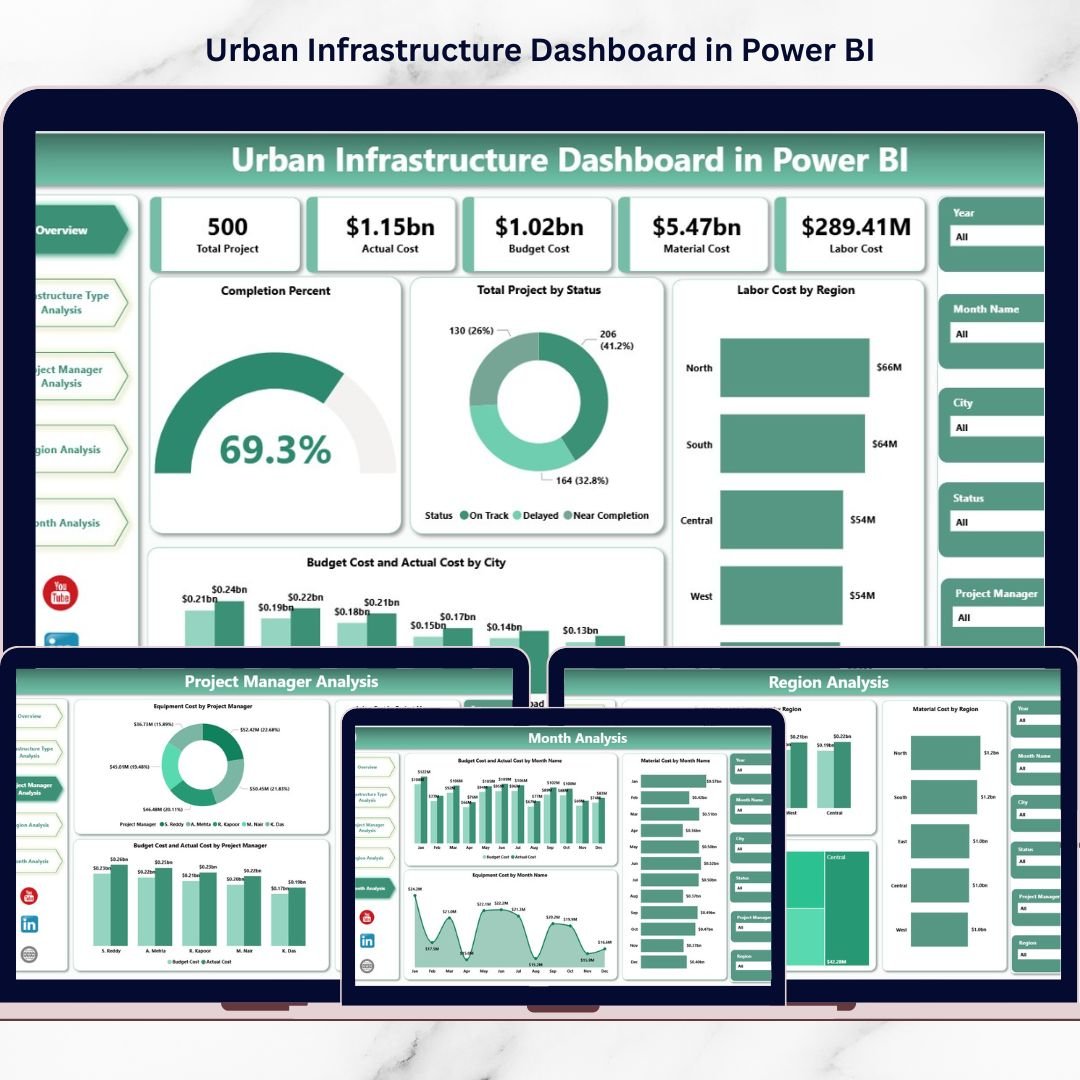
This interactive dashboard transforms raw infrastructure data into meaningful visuals. As a result, city planners, government agencies, and construction leaders can instantly monitor project completion, compare budget vs actual costs, analyze regional performance, and detect overruns before they escalate.
If you want smarter cities built with smarter decisions, this dashboard is built for you.
🚀 Key Feature of Urban Infrastructure Dashboard in Power BI
This dashboard includes 5 powerful analytical pages, each designed to monitor a critical dimension of infrastructure performance:
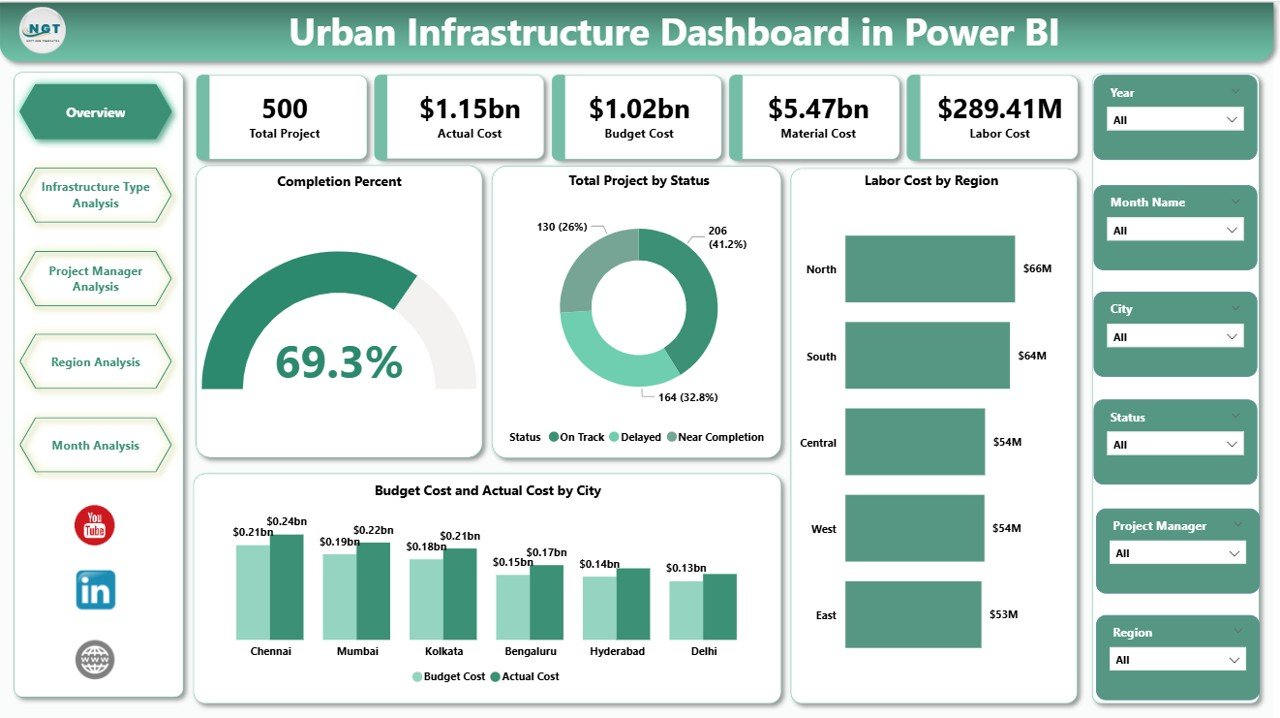
📊 Overview Page – Track completion %, project status, labor cost by region, and budget vs actual by city.
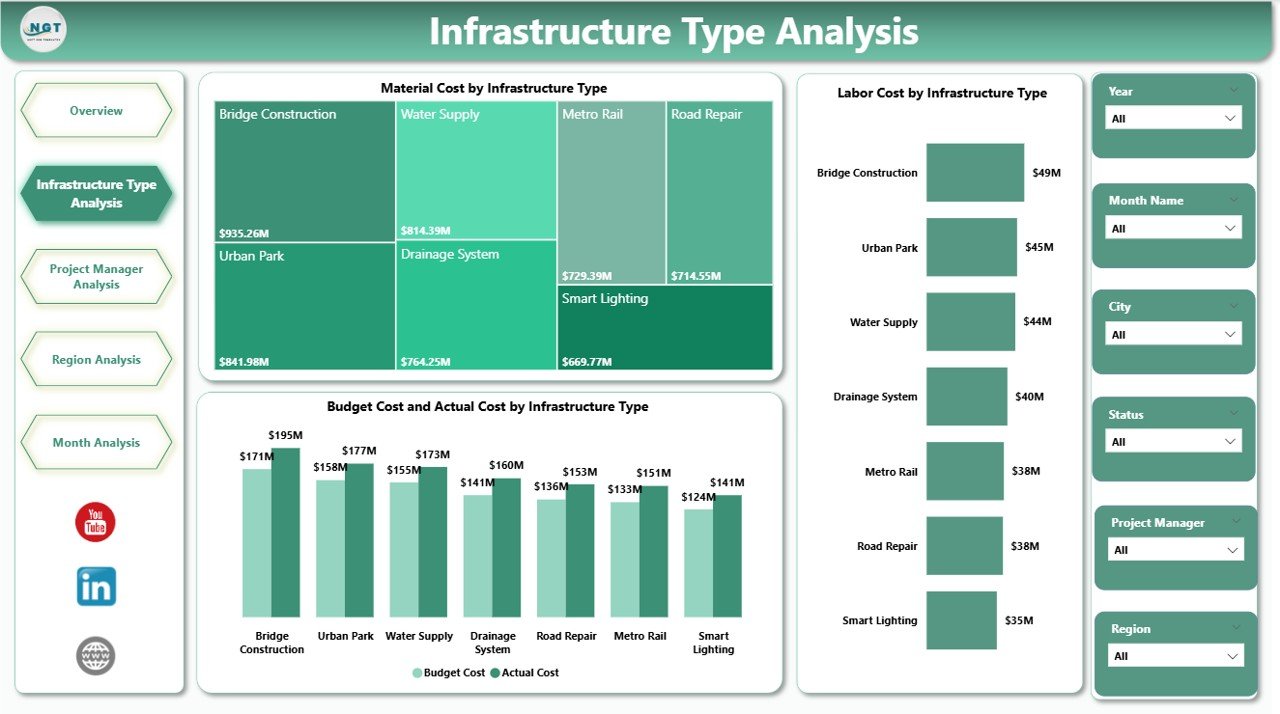
🏗 Infrastructure Type Analysis – Compare material, labor, and budget variance across roads, bridges, metro systems, utilities, and more.
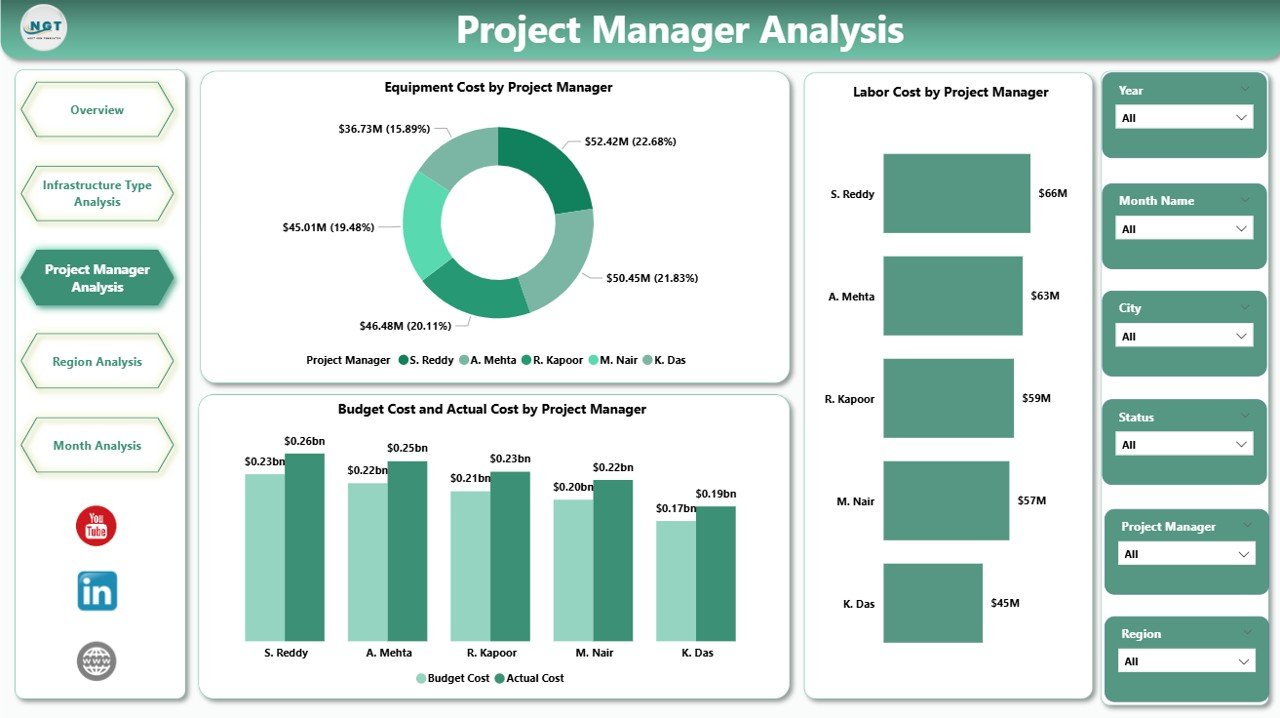
👷 Project Manager Analysis – Evaluate manager-level cost control and performance.
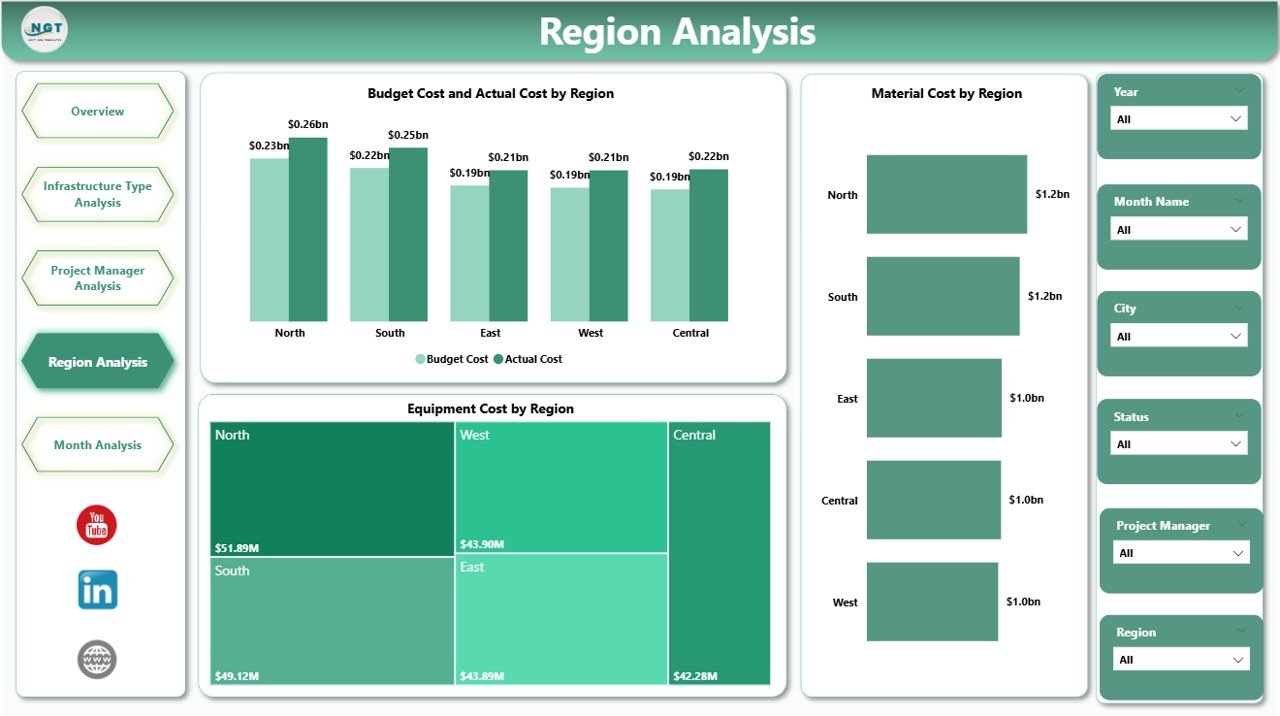
🌍 Region Analysis – Identify high-cost zones and optimize funding allocation.
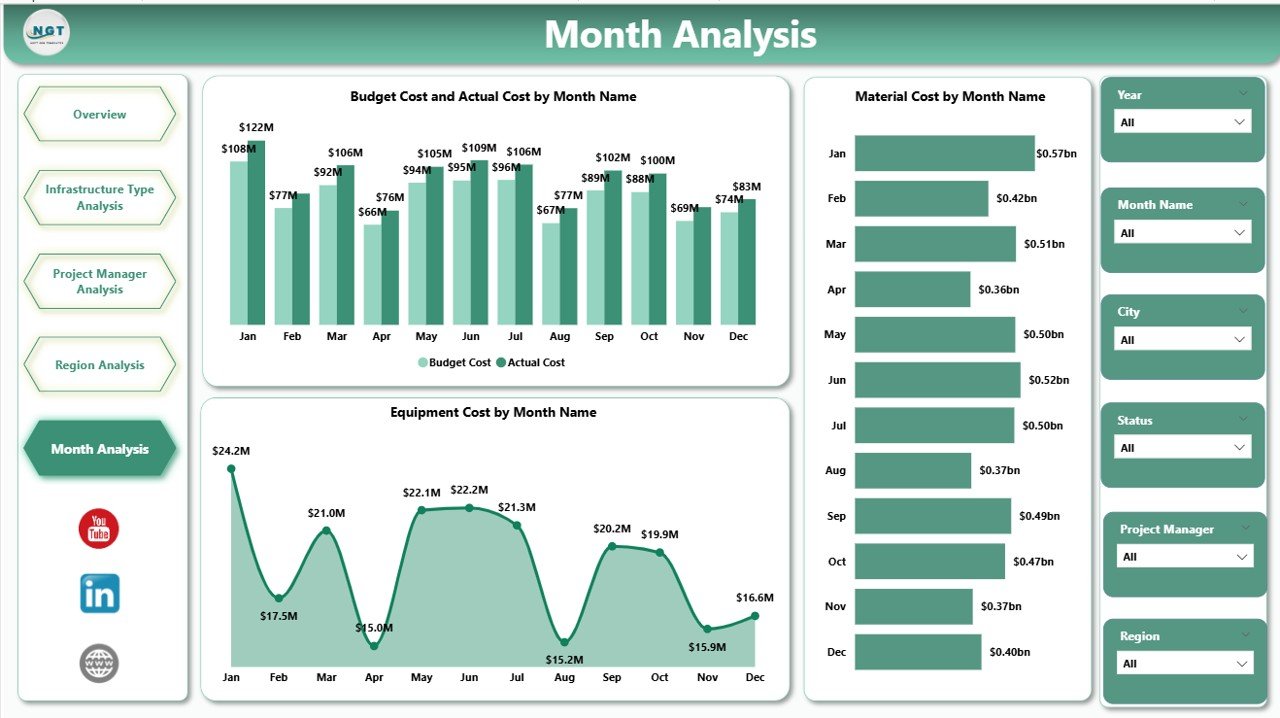
📅 Month Analysis – Monitor cost trends and seasonal patterns over time.
✨ Advanced Power BI capabilities include:
Interactive slicers
Drill-down analysis
Dynamic filtering
Real-time data refresh
Clear cost comparison visuals
Because everything updates dynamically, you move from reactive reporting to proactive planning.
📦 What’s Inside the Urban Infrastructure Dashboard in Power BI
This professionally designed Power BI file includes:
✔ 5 fully structured analytical pages
✔ KPI cards for completion % and project status
✔ Budget vs Actual comparison visuals
✔ Labor, Equipment & Material cost tracking
✔ Infrastructure-type cost distribution
✔ Region-wise performance insights
✔ Project manager accountability charts
✔ Monthly trend analysis
✔ Interactive filters for city, region, manager, and month
You don’t need complex setup. Simply connect your data and start analyzing instantly.
🛠 How to Use the Urban Infrastructure Dashboard in Power BI
Using this dashboard is simple and practical:
1️⃣ Import your project data into Power BI.
2️⃣ Refresh the dashboard weekly or monthly.
3️⃣ Use slicers to filter by city, region, infrastructure type, or manager.
4️⃣ Compare Budget vs Actual instantly.
5️⃣ Identify cost spikes, delays, and inefficiencies early.
For example:
If one city exceeds budget by 12%, you can investigate immediately.
If bridge projects show higher material cost than expected, you adjust procurement.
If a region reports increasing labor expenses, you review workforce planning.
Because decisions are data-driven, financial surprises reduce significantly.
👥 Who Can Benefit from This Urban Infrastructure Dashboard in Power BI
This dashboard is ideal for:
🏛 Urban Development Authorities
🏗 Infrastructure Construction Companies
📊 Government Agencies
🏙 City Planning Departments
💼 Infrastructure Consultants
🚇 Smart City Project Managers
Whether you manage roads, bridges, metro systems, utilities, or residential infrastructure, this dashboard supports both operational monitoring and strategic planning.
It improves:
✔ Cost transparency
✔ Budget discipline
✔ Resource allocation
✔ Manager accountability
✔ Regional performance control
When infrastructure data becomes centralized and visual, decision-making becomes faster and smarter.
💰 How This Dashboard Improves Financial Control
Urban projects involve massive investments. Without real-time monitoring, overspending grows unnoticed.
This dashboard helps you:
Detect budget variance early
Monitor cost-heavy infrastructure types
Optimize labor and equipment deployment
Track project completion progress
Forecast expenses using monthly trends
Instead of reacting to financial damage, you prevent it.
And prevention is where profitability begins.
Click hare to read the Detailed blog post
Visit our YouTube channel to learn step-by-step video tutorials
Watch the step-by-step video tutorial:
Compatibility and Requirements
- Works in Power BI Desktop, which is free to download from Microsoft.
- Connect your own project data and refresh the dashboard weekly or monthly. Microsoft explains the install in Get Power BI Desktop.
Frequently Asked Questions
How many pages does the dashboard have?
Five pages: Overview, Infrastructure Type Analysis, Project Manager Analysis, Region Analysis and Month Analysis.
Which costs can I track?
Labor, equipment and material costs, plus budget vs actual by city, region, infrastructure type and project manager.
Can I filter the data?
Yes. Interactive slicers filter by city, region, infrastructure type, project manager and month, and you can drill down into the visuals.
How do I update it with my own numbers?
Import your project data into Power BI, then refresh the dashboard weekly or monthly. The visuals update when the data refreshes.
Is there an Excel version?
Yes. See the Urban Infrastructure Dashboard in Excel.
Related Infrastructure Templates
- Urban Infrastructure KPI Dashboard in Power BI: a KPI-focused view for the same topic
- Urban Infrastructure Dashboard in Excel: the Excel edition
- Housing & Urban Development Dashboard in Power BI: housing and city development tracking
- Urban Development KPI Dashboard in Power BI: KPIs for urban development programs
- Power BI Dashboard Mega Collection: 15 Power BI dashboards in one download
Browse all Power BI dashboards.