



Keeping up with incoming sales orders can be chaotic—missed payments, late deliveries, or unassigned reps can lead to lost revenue and unhappy customers. Enter the Sales Order Tracker in Google Sheets, a ready-to-use, all-in-one template that empowers your business to track orders, monitor payments, analyze sales performance, and keep operations running smoothly.
Whether you’re managing a small shop or leading a large e-commerce team, this template will help you stay organized, save time, and make smarter business decisions based on real-time insights.
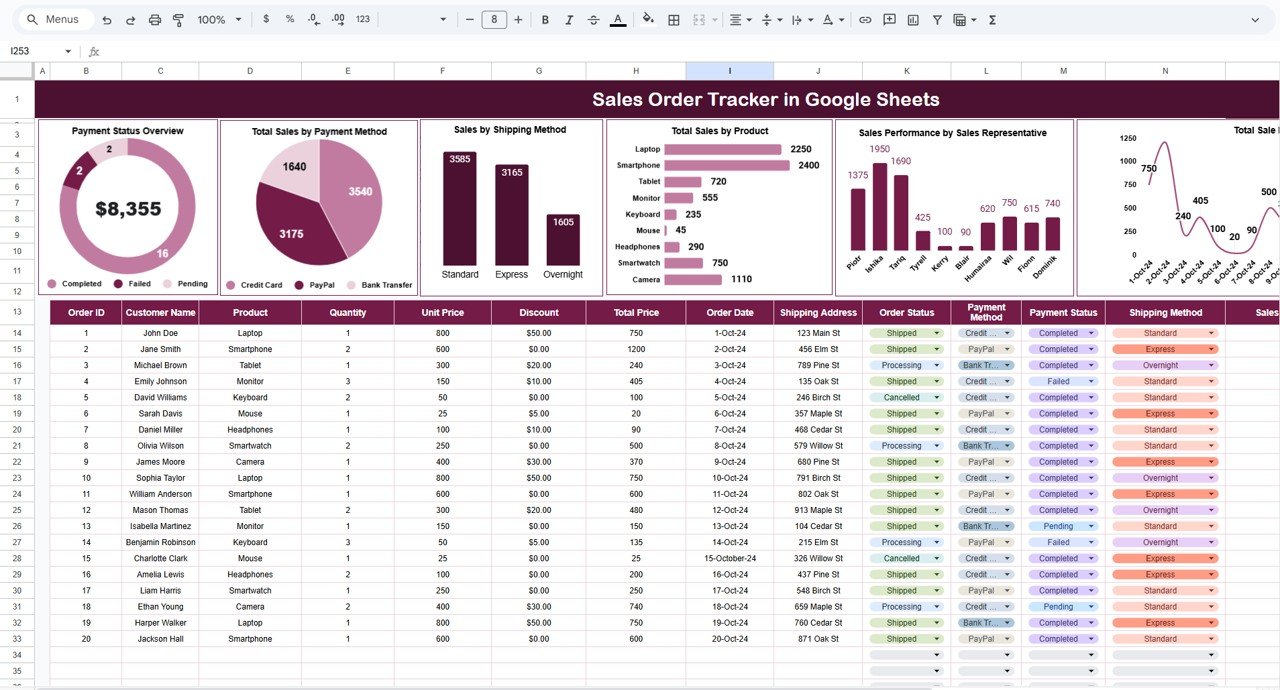
🚀 Key Features of the Sales Order Tracker
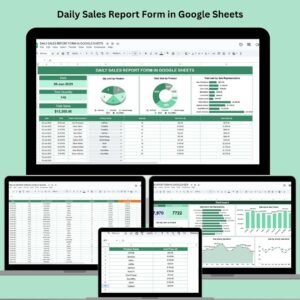
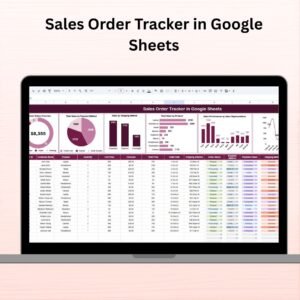
📊 Interactive Dashboard with Auto-Updating Charts
Get instant visuals to understand your sales performance at a glance:
Payment Status Overview – See how many orders are Paid, Pending, or Overdue.
Total Sales by Payment Method – Understand which payment methods are driving revenue (Credit Card, Bank Transfer, etc.).
Sales by Shipping Method – Know which shipping options your customers prefer (Standard, Express, Pickup).
Total Sales by Product – Identify your top-selling items.
Performance by Sales Representative – Evaluate each rep’s contribution to total sales.
Sales Trend by Order Date – Spot daily trends and seasonal spikes.
📋 Streamlined Data Section
Track every critical detail for each order using these fields:
Order ID
Order Date
Customer Name
Product
Quantity & Unit Price
Total Price
Payment Method & Status
Shipping Method
Sales Representative
Order Notes
Everything’s centralized—so there’s no more juggling multiple tabs or platforms.
📦 What’s Inside the Sales Order Tracker Template?
📝 Tracker Sheet Tab
One powerful tab does it all: data entry, real-time calculations, and KPI visualizations. The charts automatically refresh as you update your entries.
🎨 Built-in Chart Visuals
All visuals are built with Pivot Charts and update based on the underlying data. You can customize the visuals to match your business focus—whether that’s payment compliance, product analytics, or team performance.
💡 Fully Editable Format
Add new fields (like region, SKU, delivery date) or change currency symbols, color themes, or logos to fit your brand.
📈 How to Use the Sales Order Tracker
Enter Sales Orders – Log new orders as they come in, including payment and shipping details.
Assign Sales Reps – Attribute each order to the right salesperson to track performance.
Track Payment Status – Use the Payment Status chart to identify pending or overdue payments.
Analyze Trends – Use charts to monitor sales by product, date, and method.
Customize to Fit Your Business – Modify columns and chart filters to match your business type or scale.
👤 Who Can Benefit from This Sales Order Tracker?
🛒 E-commerce Store Owners – Track product performance and customer orders
🧾 Sales Managers – Monitor sales rep contributions and payment follow-ups
🏢 Wholesale Businesses – Manage bulk orders, shipping, and payment details
💻 Freelancers/Service Providers – Log service orders, payment modes, and delivery timelines
📦 Logistics Teams – Keep shipping and delivery data transparent and organized
💼 Why This Tracker Will Elevate Your Sales Workflow
✅ Centralized Order Data – All your sales records in one simple, searchable place
✅ Performance Visibility – Make decisions with data, not guesswork
✅ Reduced Errors – Minimize missed orders or duplicate entries
✅ Time-Saving Automation – Let formulas and charts do the number crunching
✅ Customizable & Shareable – Easily adjust for team collaboration in real-time
📘 Click here to read the detailed blog post
Watch the step-by-step video Demo:
📺 Visit our YouTube channel to learn step-by-step video tutorials
👉 Neotech Navigators YouTube Channel
Compatibility and Requirements
- Works in Google Sheets with a free Google account and a web browser.
- Make a copy to your own Google Drive, then share it with your team if you want to work on it together.
- New to Sheets? Google’s guide How to use Google Sheets covers the basics.
- Google’s guide Add & edit a chart or graph explains how to edit the charts.
Frequently Asked Questions
How many tabs does the Sales Order Tracker have?
One. The Tracker sheet holds data entry, the calculations and the charts, so you work in a single tab.
Which details do I record for each order?
Order ID, order date, customer name, product, quantity, unit price, total price, payment method, payment status, shipping method, sales representative and order notes.
Which charts are included?
Payment status overview, total sales by payment method, sales by shipping method, total sales by product, performance by sales representative and the sales trend by order date.
Do the charts update when I add orders?
Yes. The charts read from the order data, so they refresh as you add or edit entries.
Can I add my own columns?
Yes. You can add fields such as region, SKU or delivery date, and change the currency symbol, colors or logo.
Related Sales and Order Templates
- Monthly Sales Tracker and Report in Google Sheets: monthly sales totals and a report view
- Purchase Order Tracker in Google Sheets: track orders you place with suppliers
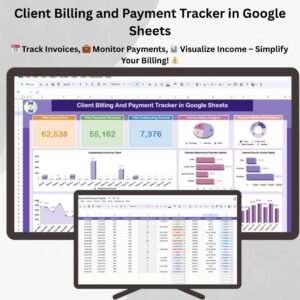
- Client Billing and Payment Tracker in Google Sheets: follow up on invoices and payments
- Online Order Tracker Data Entry System in Excel: an Excel option for logging orders
- Google Sheets Business Pack (Pro): 14 Google Sheets business templates in one bundle
Browse all Google Sheets sales and marketing templates or the Google Sheets trackers.
















Reviews
There are no reviews yet.