

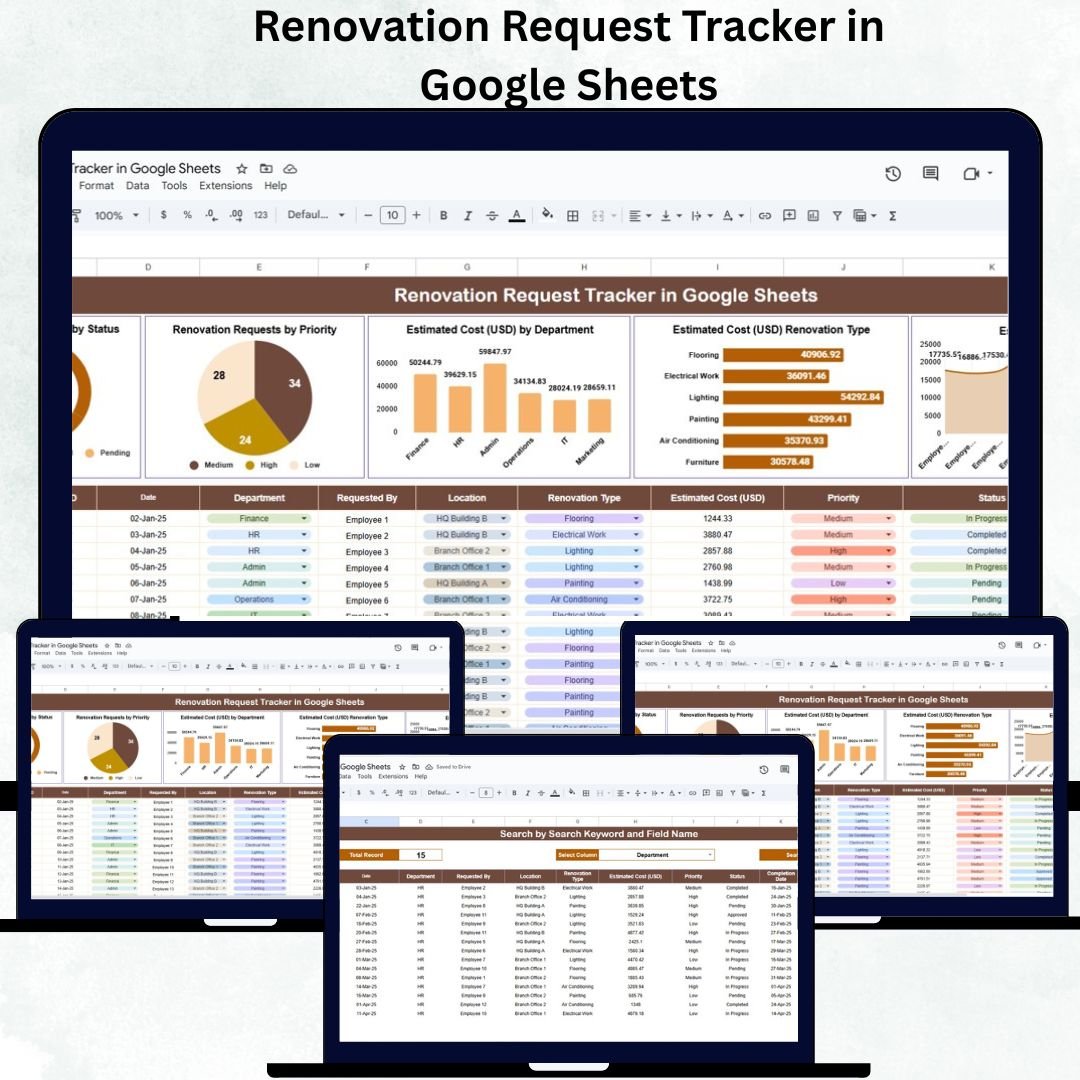
Managing renovation projects efficiently across departments, buildings, or campuses can be a daunting task — especially when requests come in from multiple sources. The Renovation Request Tracker in Google Sheets offers a smart, centralized solution to track every renovation request, monitor budgets, and visualize progress with ease.
This ready-to-use tracker provides a complete project management system for facility teams, administrators, and finance departments who want transparency, accountability, and real-time visibility into all renovation activities — without needing expensive project management software.
🏗️ What Is a Renovation Request Tracker in Google Sheets?
The Renovation Request Tracker is an interactive spreadsheet template designed to record, track, and analyze renovation requests within your organization. It helps streamline workflows — from request submission to project completion — ensuring no renovation gets overlooked or delayed.
Built entirely in Google Sheets, this tracker is:
✅ Cloud-based and shareable in real time
✅ Compatible with all devices (desktop, tablet, mobile)
✅ Fully customizable with zero coding required
Whether you manage office repairs, facility upgrades, or departmental improvements, this tool makes tracking smoother, faster, and more transparent.
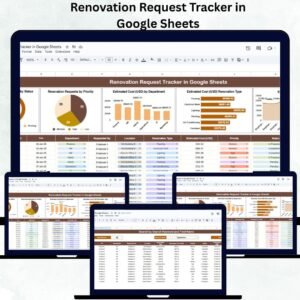
📊 Key Charts and Visual Insights
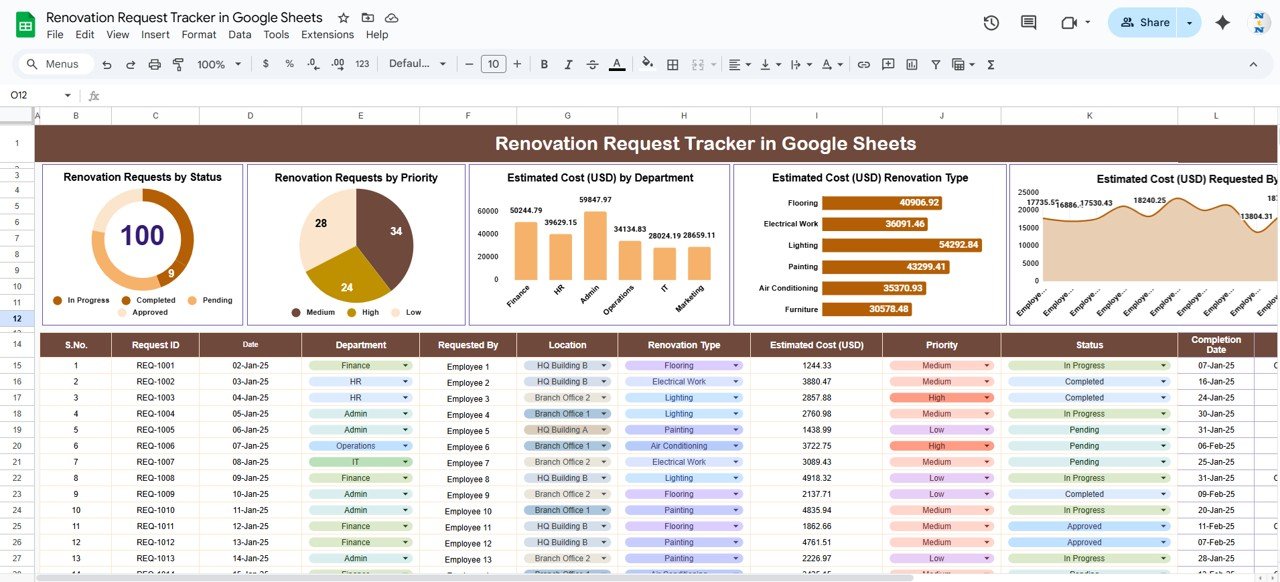
The dashboard is packed with insightful visuals that automatically update as you enter data:
🟢 Renovation Requests by Status: Shows pending, in-progress, and completed projects.
🔴 Requests by Priority: Highlights which renovation tasks are urgent (High, Medium, or Low).
💰 Estimated Cost by Department: Visualizes budget allocation across HR, Admin, IT, Finance, etc.
🧱 Estimated Cost by Renovation Type: Breaks down costs for Electrical Work, Painting, Flooring, Plumbing, etc.
👤 Estimated Cost by Requested By: Displays which employees or departments are requesting the most renovations.
These visuals give stakeholders a clear financial and operational overview at a glance — perfect for quick reporting or leadership presentations.
📋 Sheet Tabs Overview
The Renovation Request Tracker includes several organized sheets to make data entry and reporting effortless.
🏠 1. Dashboard Sheet Tab
Provides a visual summary of renovation activities with dynamic charts and KPIs like:
Total Requests
Completed vs. Pending Requests
Total Estimated Cost
Average Cost per Request
All metrics auto-refresh as new requests are added, ensuring up-to-date insights.
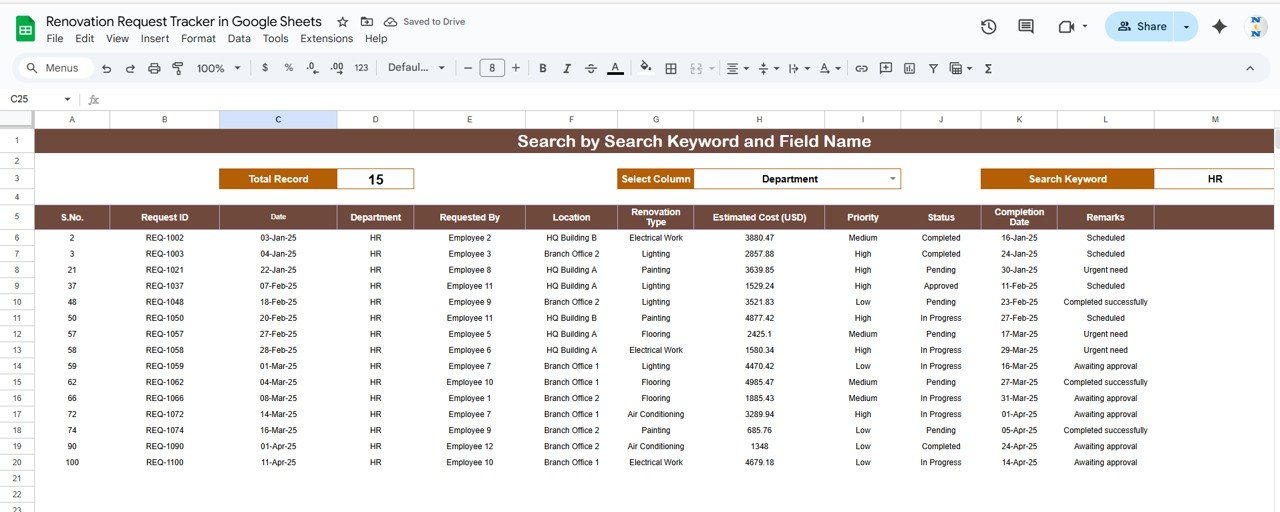
🔍 2. Search Sheet Tab
Quickly locate specific renovation records using keywords or filters.
You can search by:
Department (e.g., “Finance”)
Renovation Type (e.g., “Electrical”)
Request Status or Priority
This feature helps users save time by avoiding manual scrolling through lengthy lists.
📑 3. Data Sheet Tab
The backbone of the tracker where all renovation details are recorded.
Typical fields include:
Request ID
Requested By
Department
Renovation Type
Estimated Cost (USD)
Priority (High/Medium/Low)
Status (Pending/In Progress/Completed)
All charts and metrics in the dashboard are powered by this sheet.
🌟 Advantages of Using the Renovation Request Tracker
🧭 Centralized Data: Store all renovation requests and costs in one organized file.
⚙️ Automated Insights: Charts and KPIs update automatically.
💬 Transparency: Everyone can see request status and budget utilization.
🕒 Real-Time Collaboration: Multiple users can work simultaneously.
📈 Informed Decisions: Identify costly departments or frequent repair areas.
🧩 Fully Customizable: Add new columns, filters, or charts as your needs grow.
🚧 Opportunities for Improvement
While powerful out-of-the-box, you can enhance this tracker further with:
✉️ Email Alerts: Use Google Apps Script to notify managers about pending approvals.
💵 Actual Cost Columns: Compare estimated vs. real costs.
📆 Timeline Tracking: Add start/end dates to monitor delays.
✅ Approval Workflows: Include drop-downs for managerial review status.
🧾 Google Form Integration: Allow employees to submit renovation requests directly.
📱 Mobile Dashboard: Connect to Google Looker Studio for on-the-go insights.
💡 Best Practices
✅ Keep Data Updated: Refresh costs and statuses regularly.
✅ Use Conditional Formatting: Highlight high-priority or overdue requests automatically.
✅ Backup Monthly: Export data for long-term record-keeping.
✅ Define Priority Rules: Maintain consistency in High/Medium/Low ratings.
✅ Assign Responsibility: Allocate ownership for each renovation request.
✅ Review Trends Quarterly: Spot recurring maintenance issues early.
👥 Who Can Use This Tracker
🏢 Facility Managers: Monitor ongoing renovations and costs.
🧑💼 Admin Teams: Manage employee requests and set priorities.
💰 Finance Departments: Evaluate spending and cost distribution.
🔧 Maintenance Teams: Track completion timelines and contractor efficiency.
✅ Conclusion
The Renovation Request Tracker in Google Sheets is a complete, data-driven solution for managing renovation operations efficiently. It enhances visibility, accountability, and control — ensuring every request is tracked from start to finish.
With its real-time charts, keyword search, and collaborative structure, it empowers organizations to save time, reduce costs, and make smarter facility management decisions.
🔗 Click here to read the detailed blog post
Watch the step-by-step video Demo:


























Reviews
There are no reviews yet.