


In today’s competitive real estate market, success depends on speed, clarity, and data-driven decisions. Property prices fluctuate, customer preferences change, and regional demand shifts constantly. However, when data remains scattered across Excel files, CRMs, and reports, real estate professionals lose visibility and control.
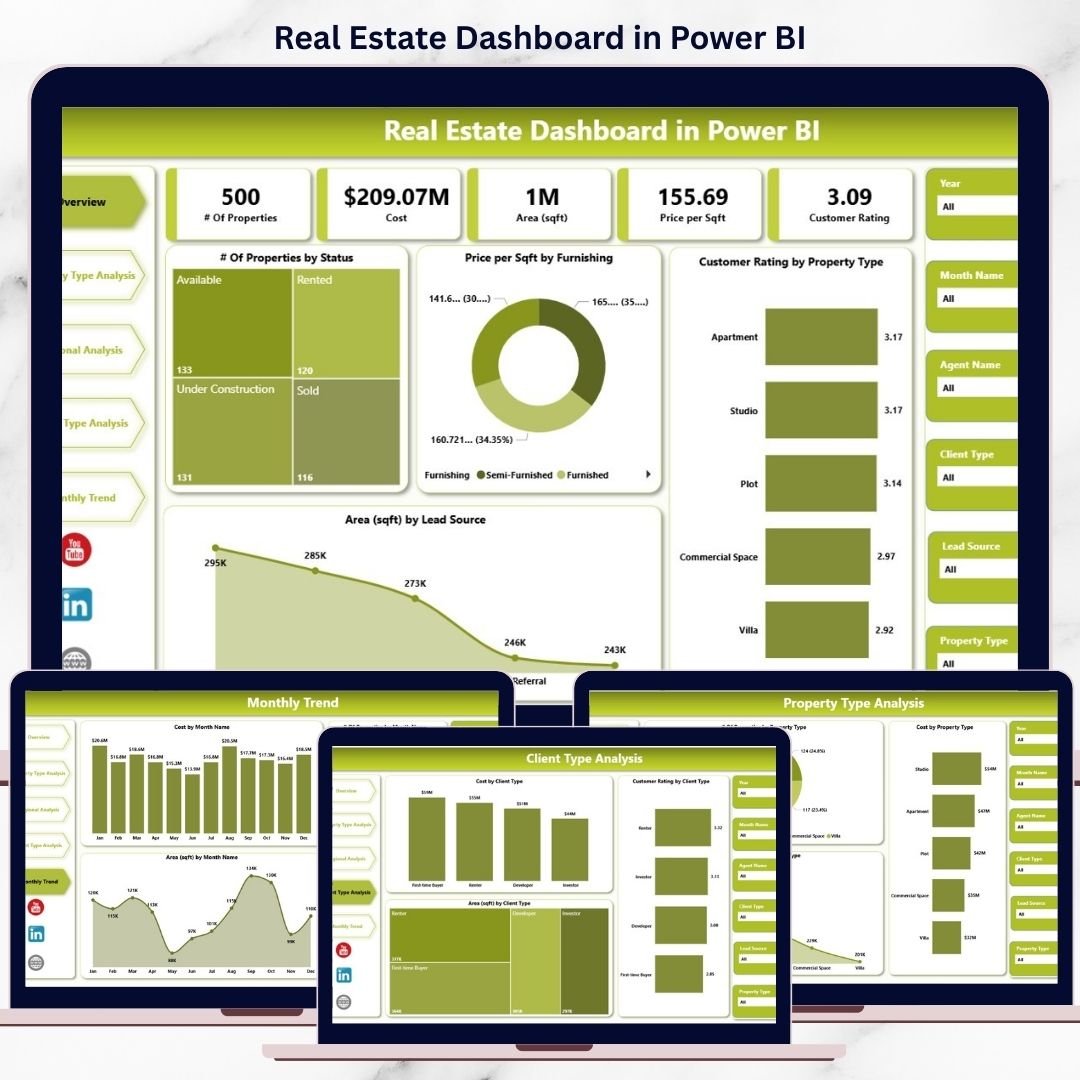
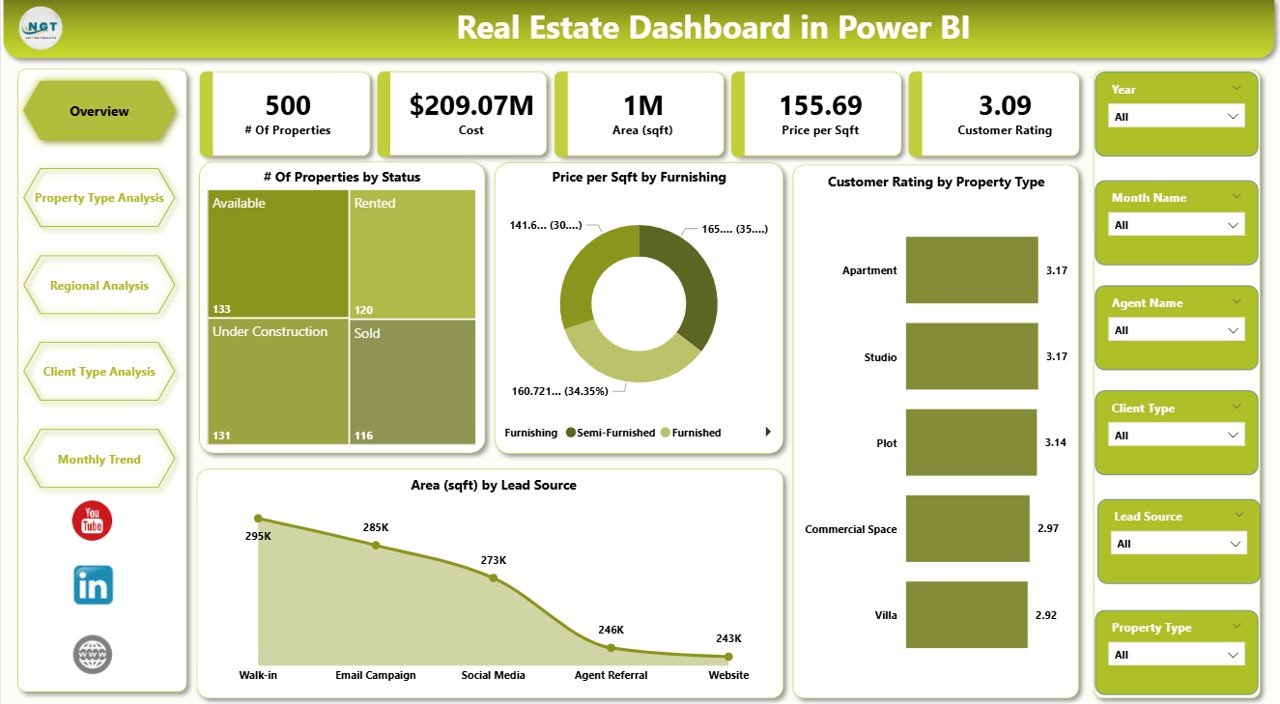
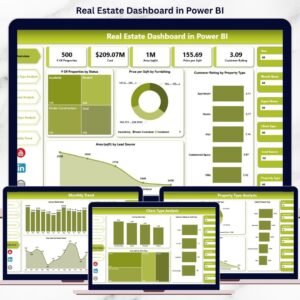
The Real Estate Dashboard in Power BI is a ready-to-use, interactive analytics solution that transforms raw real estate data into clear, visual, and actionable insights. Instead of manual reporting and guesswork, this dashboard gives you one centralized Power BI view to monitor property status, pricing efficiency, customer ratings, regional performance, client segments, and monthly trends.
This dashboard helps developers, brokers, investors, and managers make confident decisions backed by real data.
🚀 Key Features of Real Estate Dashboard in Power BI
📊 Centralized Property Analytics – One dashboard for complete real estate visibility
🎯 Interactive Slicers – Filter by region, property type, client type, funding, and month
🏠 Property Status Tracking – Available, Sold, Booked, Under Construction
💰 Price per Sqft Analysis – Compare pricing efficiency by funding type
⭐ Customer Rating Insights – Measure buyer satisfaction across properties
🌍 Regional Performance Analysis – Identify high-value locations
👥 Client Type Segmentation – Understand buyer behavior clearly
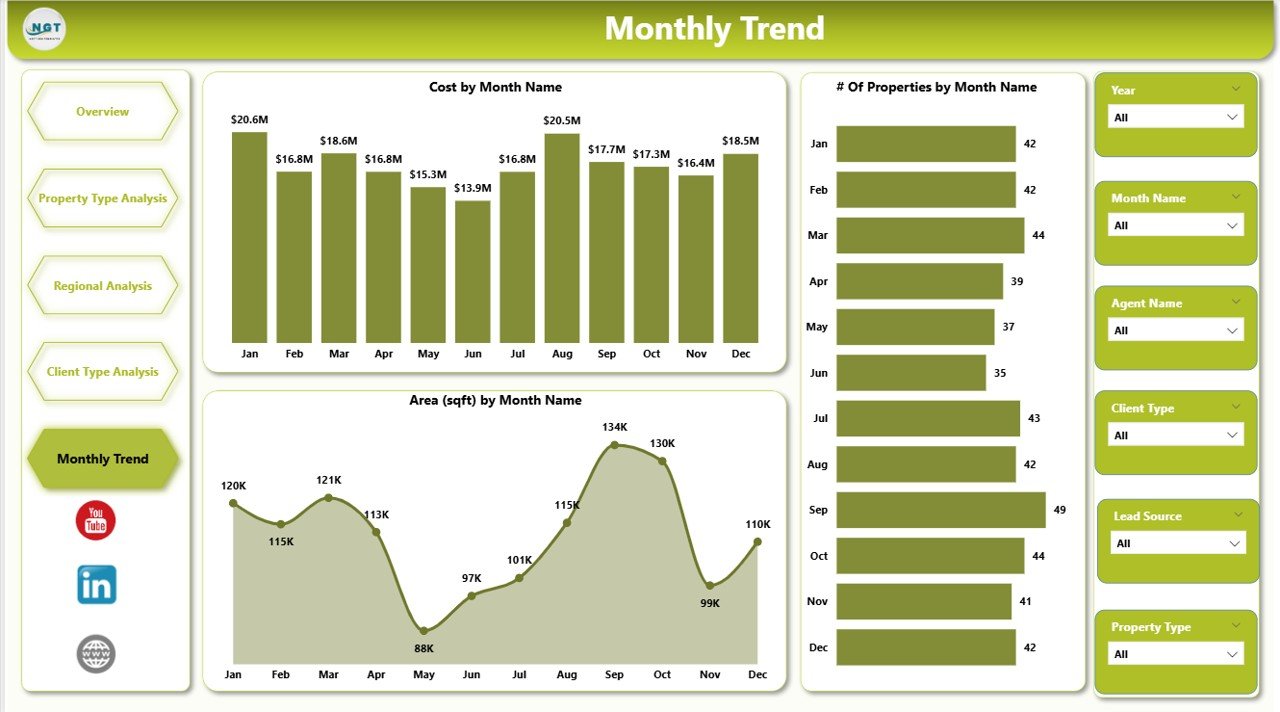
📅 Monthly Trend Analysis – Track cost, demand, and area trends
⚡ Fully Interactive Power BI Visuals – Faster, smarter decision-making
🔄 Excel / Database Ready – Easy data refresh and scalability
📦 What’s Inside the Real Estate Dashboard in Power BI
📁 Power BI (.pbix) File with professional, real-estate-ready design
📊 Overview Page – High-level KPIs and performance snapshot
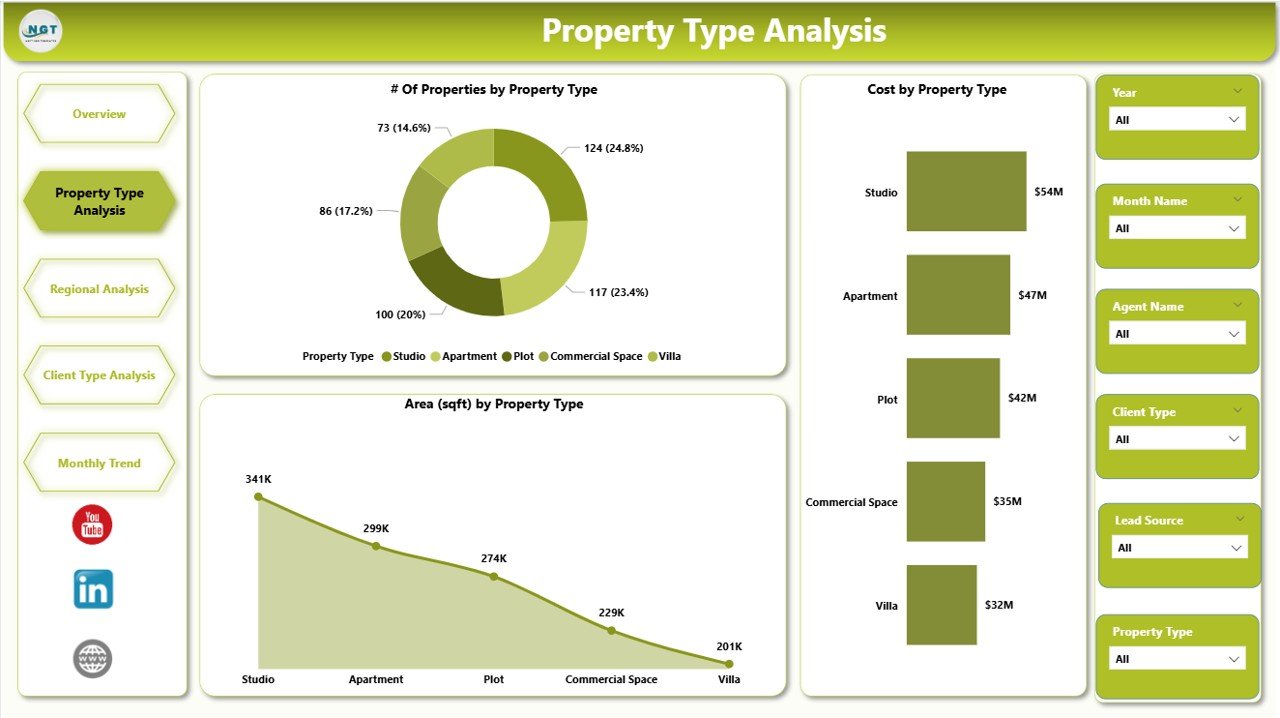
🏠 Property Type Analysis Page – Demand and satisfaction by property category
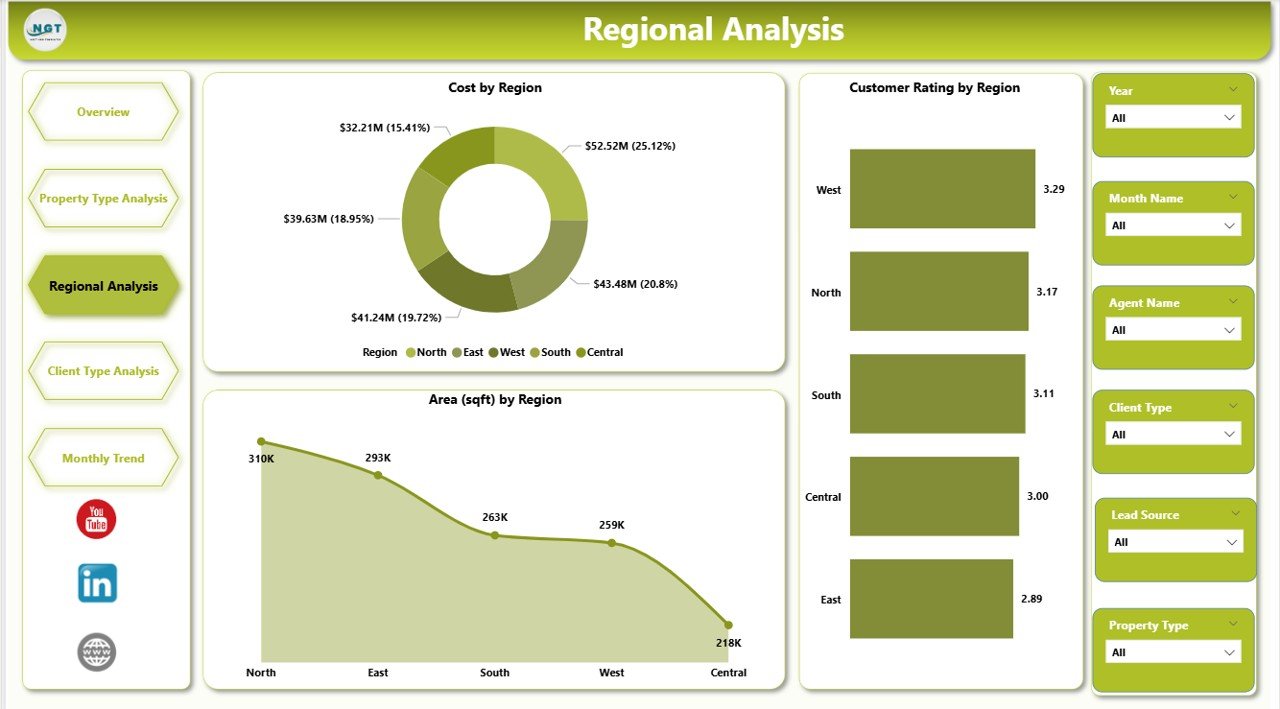
🌍 Regional Analysis Page – Location-wise cost, area, and rating insights
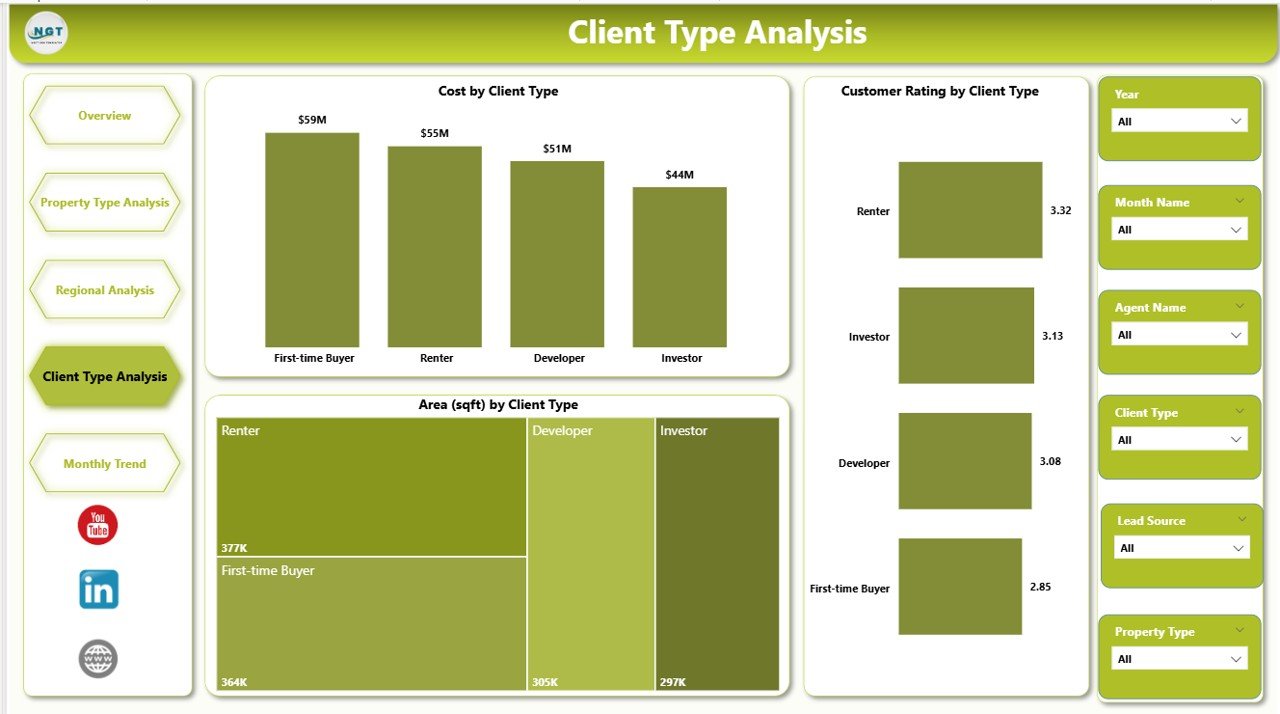
👥 Client Type Analysis Page – Segment-wise performance view
📆 Monthly Trends Page – Time-based business performance analysis
📄 Structured Data Model – Clean, scalable, and easy to maintain
This dashboard is designed to deliver clarity, speed, and strategic insight.
🧠 How to Use the Real Estate Dashboard in Power BI
1️⃣ Update property, cost, area, rating, and client data
2️⃣ Connect Excel, CRM, or database data to Power BI
3️⃣ Refresh the dashboard
4️⃣ Use slicers to filter by region, property type, or time
5️⃣ Review KPIs and charts on each page
6️⃣ Identify trends, opportunities, and risks instantly
No advanced Power BI skills required. If you can click slicers, you can use this dashboard.
👥 Who Can Use This Real Estate Dashboard in Power BI
🏢 Real Estate Developers – Track demand, cost, and area utilization
🏠 Brokers & Agents – Analyze property and client performance
💼 Investors – Monitor high-value regions and trends
📊 Sales & Marketing Teams – Segment clients and leads
🧑💻 Executives & Decision-Makers – Get KPI-driven insights instantly
Suitable for small real estate firms, developers, agencies, and large property portfolios.
🎥 Visit our YouTube channel to learn step-by-step video tutorials
https://www.youtube.com/@PKAnExcelExpert
🔗 Click here to read the Detailed blog post
Watch the step-by-step video tutorial:
Compatibility and Requirements
- Opens in Power BI Desktop, which is free to download from Microsoft. See Get Power BI Desktop.
- Your data can come from Excel, a CRM or a database. Update it and refresh the report to see the changes.
Frequently Asked Questions
Which pages are in the report?
Overview, Property Type Analysis, Regional Analysis, Client Type Analysis and Monthly Trends, delivered as a .pbix file.
Which filters can I use?
Slicers for region, property type, client type, funding and month.
Which property statuses does it track?
Available, sold, booked and under construction.
Is there an Excel or Google Sheets version?
Yes. See the Real Estate Dashboard in Excel and the Real Estate Dashboard in Google Sheets.
Related Real Estate Templates
- Real Estate Dashboard in Excel: the same topic in Excel
- Real Estate Dashboard in Google Sheets: the online edition
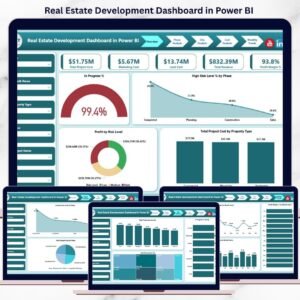
- Real Estate Development Dashboard in Power BI: for development projects
- Real Estate Investment Trusts (REITs) Dashboard in Power BI: for REIT portfolios
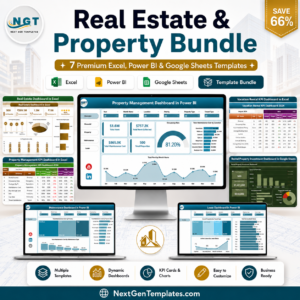
- Real Estate & Property Bundle: 7 real estate templates in one download
Browse all Power BI dashboards or the Power BI KPI dashboards.






























Reviews
There are no reviews yet.