



The Quality Control Documentation Checklist in Excel is an essential tool for quality control teams, ensuring that all critical steps in the quality control process are systematically documented and monitored. This easy-to-use Excel-based checklist helps businesses maintain consistent quality standards, comply with regulations, and streamline their quality management processes.
Whether you are conducting product inspections, performing audits, or maintaining regulatory compliance, this checklist simplifies the documentation process, helping to track each step and ensure that nothing is overlooked. By organizing key quality control tasks, it empowers teams to monitor product quality at every stage of production and beyond.
Key Features of the Quality Control Documentation Checklist in Excel
📋 Comprehensive Checklist
Track all aspects of the quality control process, from material inspections to final product quality verification. Ensure every task is completed and documented correctly.
🔍 Inspection Criteria & Standards
Define clear inspection criteria and quality standards for each stage of production. This helps maintain consistent product quality and ensures compliance with industry standards.
✅ Task Completion Tracking
Easily track the completion of each task with checkboxes. This ensures that all necessary quality control steps are completed before the product moves to the next stage.
📊 Real-Time Documentation
Capture essential documentation related to product quality in real-time, keeping all necessary information updated and easily accessible for audits, reports, or improvement actions.
📅 Time-Based Tracking
Track when each inspection or quality control step was completed. This feature helps ensure that tasks are performed on time, avoiding delays in production or delivery.
⚙️ Customizable for Your Needs
Customize the checklist to fit your specific quality control needs. Add or remove steps, update inspection criteria, and adjust the document according to the nature of your products or industry.
Why You’ll Love the Quality Control Documentation Checklist in Excel

✅ Ensure Consistency & Quality
Track all quality control processes to ensure that each product meets your quality standards before it moves through production or to the customer.
✅ Easily Track Progress
With a simple checkbox system, monitor task completion and identify areas where the quality control process may be falling behind or need attention.
✅ Simplify Documentation & Reporting
Generate clear and organized reports to support audits, inspections, and internal quality reviews. Keep all your documentation in one place for easy access and accountability.
✅ Maintain Compliance
By following the checklist and ensuring proper documentation, maintain compliance with industry regulations and internal quality standards.
✅ Customizable for Any Industry
Whether in manufacturing, food production, or pharmaceuticals, customize the checklist to reflect the specific quality control requirements for your industry.
What’s Inside the Quality Control Documentation Checklist in Excel?
Comprehensive Task List: Track all quality control tasks, from inspections to final product checks.
Inspection Criteria & Standards: Define clear guidelines for each inspection stage.
Completion Tracking: Monitor the status of each task with simple checkboxes.
Real-Time Documentation: Capture key information immediately during inspections.
Time-Based Tracking: Ensure that tasks are performed on schedule with time tracking.
Customizable Layout: Adjust the checklist to suit your specific needs and industry.
How to Use the Quality Control Documentation Checklist in Excel
1️⃣ Download the Template: Access the Quality Control Documentation Checklist instantly.
2️⃣ Customize the Checklist: Adjust the checklist to fit your quality control processes and criteria.
3️⃣ Track Task Completion: Use checkboxes to track the completion of each quality control task.
4️⃣ Capture Inspection Data: Input real-time data as inspections are completed and progress is made.
5️⃣ Generate Reports: Create reports based on task completion and inspection data to support audits and performance reviews.
Who Can Benefit from the Quality Control Documentation Checklist in Excel?
🔹 Quality Control Teams
🔹 Production & Manufacturing Managers
🔹 Compliance & Regulatory Teams
🔹 Operations & Audit Teams
🔹 Small & Medium Enterprises (SMBs)
🔹 Large Enterprises with Quality Control Departments
🔹 Industries such as Manufacturing, Food Production, Pharmaceuticals, and more
Ensure top-notch product quality with the Quality Control Documentation Checklist in Excel. Stay organized, track tasks efficiently, and maintain compliance with a streamlined and customizable approach to quality control.
Click here to read the Detailed blog post
Visit our YouTube channel to learn step-by-step video tutorials
Youtube.com/@PKAnExcelExpert
Compatibility and Requirements
- Works in Microsoft Excel desktop (Excel 2016 or later, or Microsoft 365).
- New to Excel? Microsoft has a free guide: Excel for Windows training.
Frequently Asked Questions
What does the checklist cover?
It covers the quality control process from material inspections to final product checks, with clear inspection criteria and standards for each stage.
How do I mark a task as done?
Each task has a checkbox. Tick it when the step is complete so nothing moves on before it is checked.
Can I record when each check was done?
Yes. Time-based tracking records when each inspection or quality step was completed.
Which industries can use it?
Manufacturing, food production, pharmaceuticals and other industries. You can add or remove steps and update the inspection criteria for your products.
Related Quality Control Templates
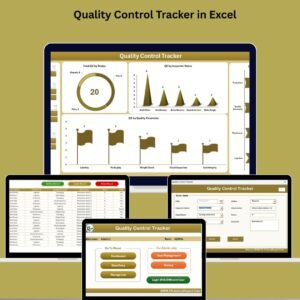
- Quality Control Tracker in Excel: log quality checks in an Excel tracker
- Quality Control Tracking Checklist in Excel: track quality control tasks with a checklist
- Quality Control Review Checklist in Excel: review quality control work
- Quality Control Checklist in Google Sheets: a quality control checklist in Google Sheets
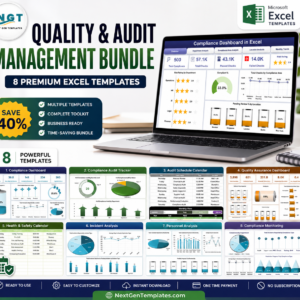
- Quality & Audit Management Bundle: 8 quality and audit templates in one download
Browse all Excel checklists or the Excel quality control templates.































Reviews
There are no reviews yet.