

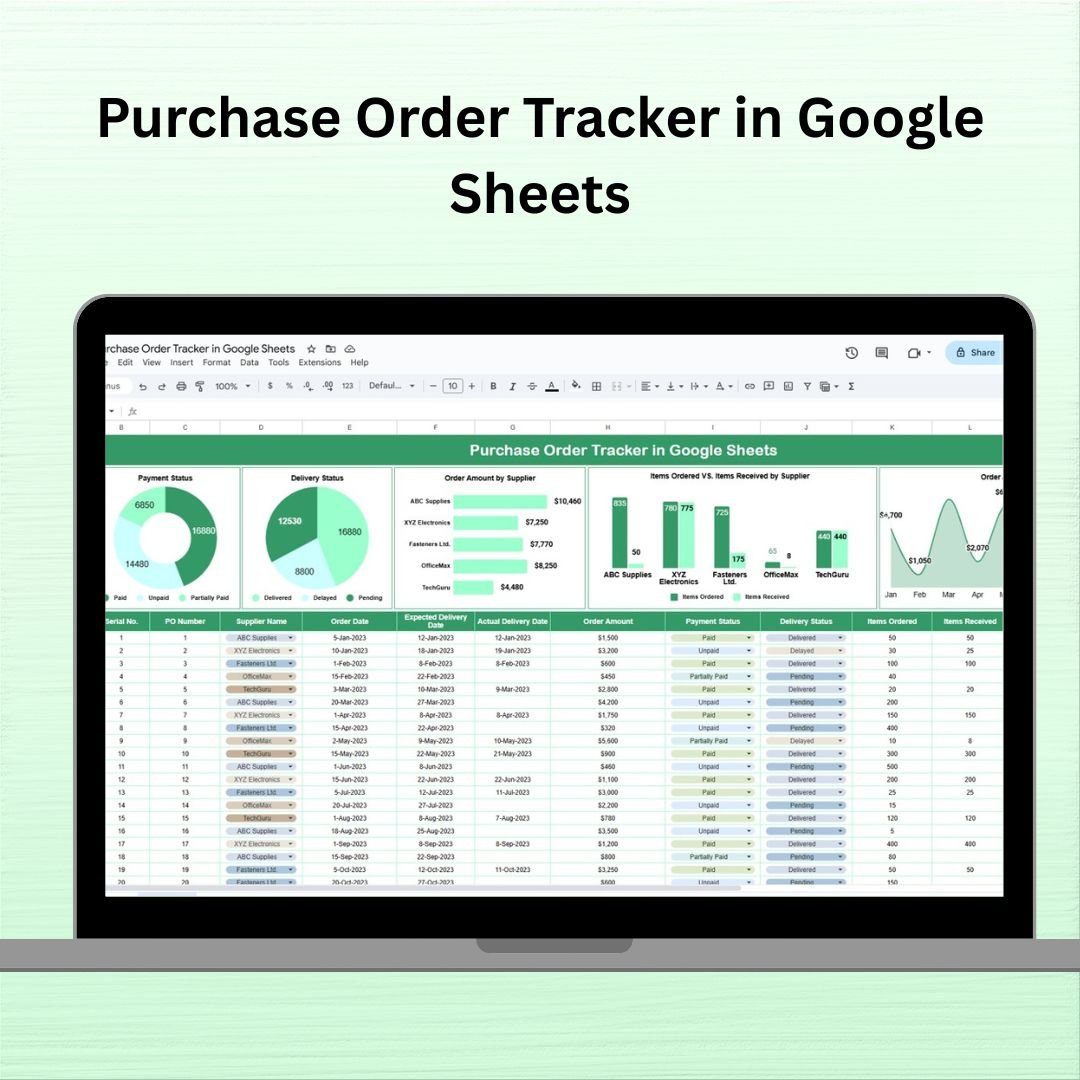
The Purchase Order Tracker in Google Sheets organizes purchase orders and charts in one spreadsheet. Record supplier names, order and delivery dates, amounts, quantities, payment status and delivery status, then review supplier spending and fulfillment trends from the entered records.
This ready-to-use tracker includes smart charts, detailed columns, and intuitive structure that help you track orders from creation to delivery.
⚙️ Key Features of the Purchase Order Tracker in Google Sheets
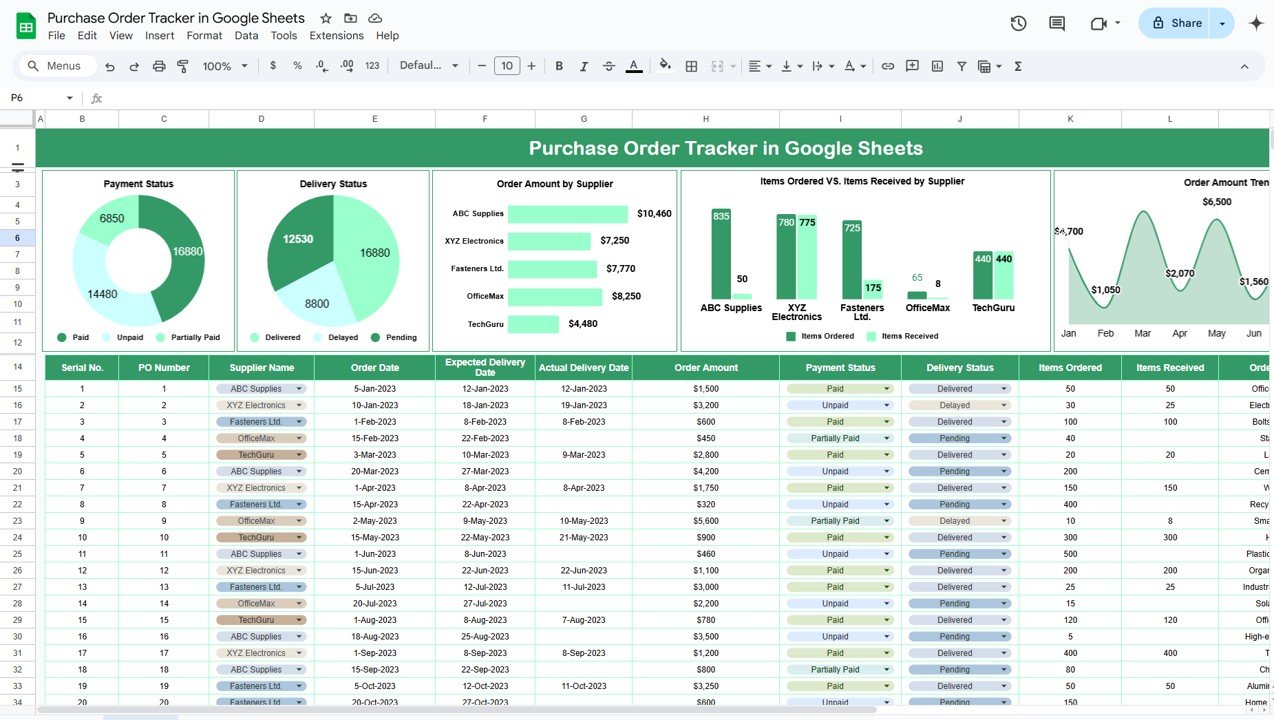
📋 Tracker Sheet Tab – All Orders, One View
This is your central command center to manage purchase orders.
Essential Fields Include:
🔢 Serial No. & PO Number – Unique identifiers for each order
🏢 Supplier Name – Who you’re buying from
📅 Order & Delivery Dates – Track expected vs actual delivery
💰 Order Amount – Total value of the order
📦 Items Ordered vs Received – Monitor fulfillment accuracy
💳 Payment Status – Paid, Pending, etc.
🚚 Delivery Status – Delivered, In Transit, or Pending
📝 Order Details – Notes or custom instructions
🗓 Month – For trend tracking and filtering
📊 Charts Section – Visual Insights in Real-Time
Get quick answers and performance highlights with powerful, auto-updating visuals:
💳 Payment Status Chart – See which orders are paid or pending
🚚 Delivery Status Chart – Know what’s been delivered or delayed
📊 Order Amount by Supplier – Spot your top vendors by spend
📦 Items Ordered vs Received – Compare delivery accuracy
📈 Order Amount Trends Over Time – Track monthly purchasing behavior
🧩 What’s Inside the Purchase Order Tracker
Everything is organized in a single, structured Google Sheet:
✅ Tracker Table – Enter and manage purchase order details
✅ Charts Section – Automatically visualizes trends and statuses
✅ Fully Editable Columns – Add new fields, change layout, or adapt for your workflow
✅ Drop-downs & Consistent Formatting – Designed for clean inputs and quick filtering
Perfect for small to mid-sized businesses, procurement teams, or inventory managers.
📌 How to Use the Purchase Order Tracker
📥 Step 1: Open the Google Sheets Template
No special tools required—just open in your browser.
📝 Step 2: Enter Purchase Orders
Log order details like supplier, date, amount, delivery info, and payment status.
📊 Step 3: Review Charts & Trends
Use the built-in visuals to monitor payment and delivery statuses.
🔁 Step 4: Update Regularly
Whenever an order is placed, paid, or delivered, update the relevant row.
🧠 Step 5: Analyze and Improve
Use trend and supplier charts to renegotiate deals, manage cash flow, and identify delays.
🎯 Who Can Benefit from This Tracker?
🏢 Procurement Teams – Keep track of all orders from various suppliers
📦 Inventory Managers – Monitor deliveries and ensure items are received
💰 Finance Departments – Stay on top of payment statuses
🛒 Operations Managers – Ensure timely delivery for critical stock
📊 Small Business Owners – Streamline purchasing without expensive software
This template works across industries—retail, services, manufacturing, and beyond!
💡 Why Choose This Google Sheets Tracker?
✅ Centralized order tracking
✅ Real-time delivery & payment monitoring
✅ Visual charts for quick decisions
✅ Cloud-based & collaborative
✅ Fully customizable layout & formulas
✅ No coding or additional tools needed
🔗 Click here to read the Detailed blog post
Click here to read the Detailed blog post
Watch the step-by-step video Demo:
🎥 Visit our YouTube channel to learn step-by-step video tutorials
Youtube.com/@NeotechNavigators
Questions about this template
Which fields should I update when an order arrives?
Review the delivery date, delivery status and items received for that order. Update payment status when the payment changes so the payment and delivery charts reflect the current record.
For help comparing reporting tools for this area, see our supply chain and logistics template guide.























Reviews
There are no reviews yet.