

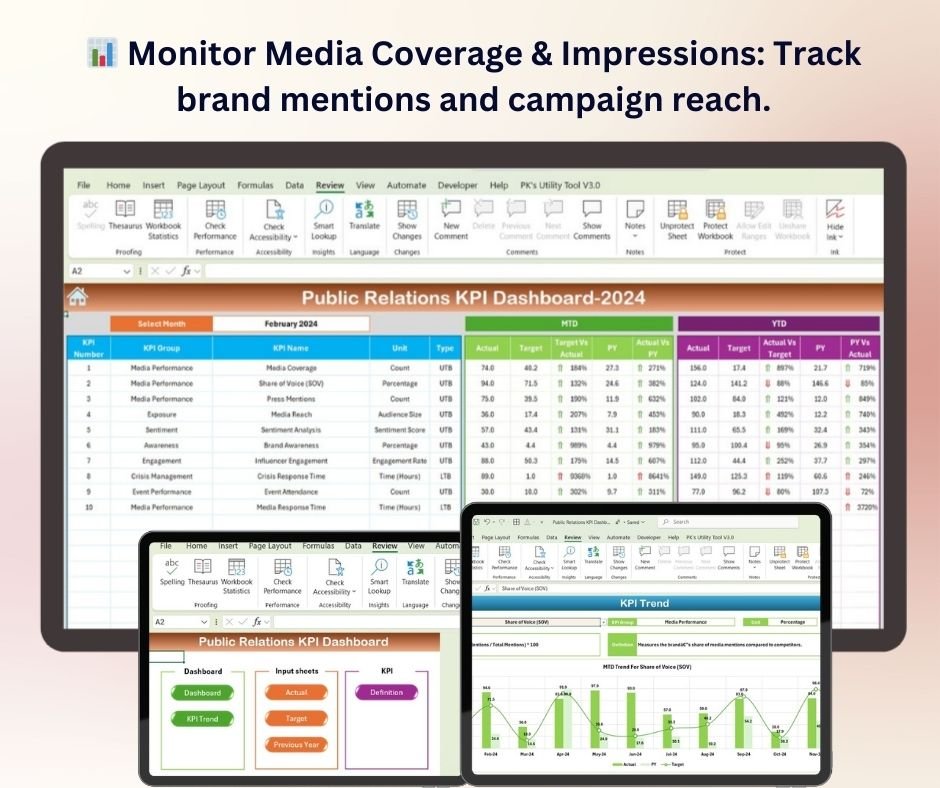
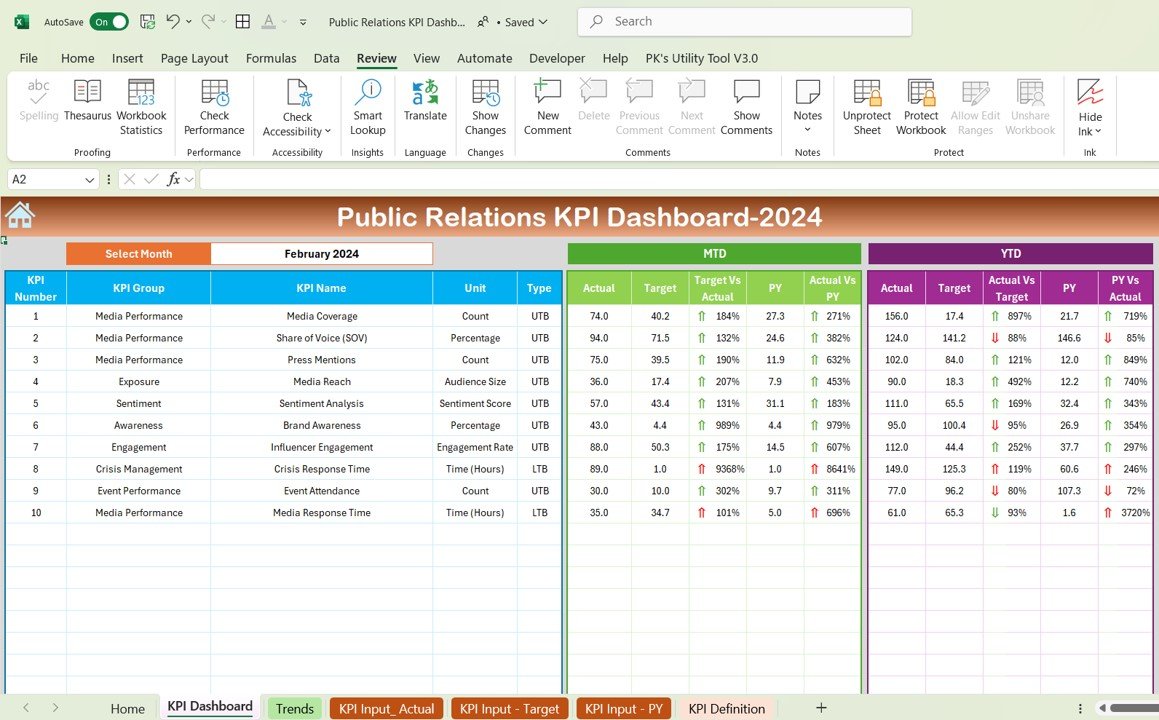
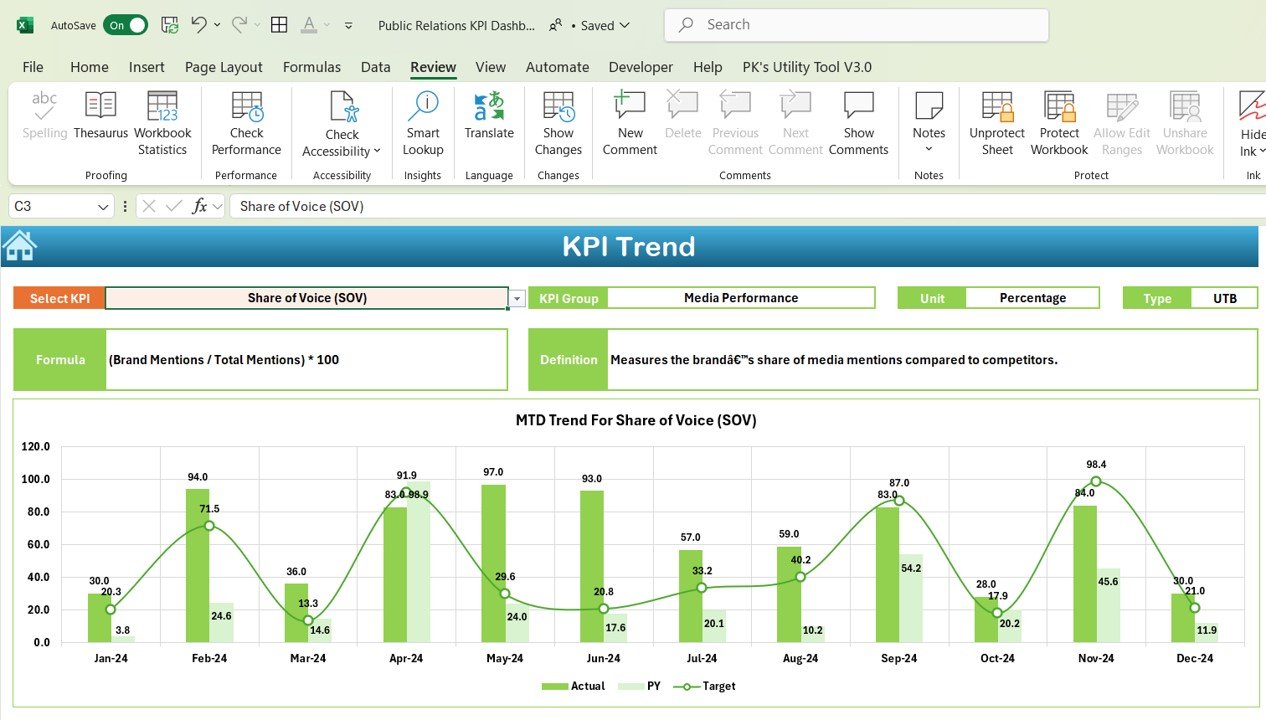
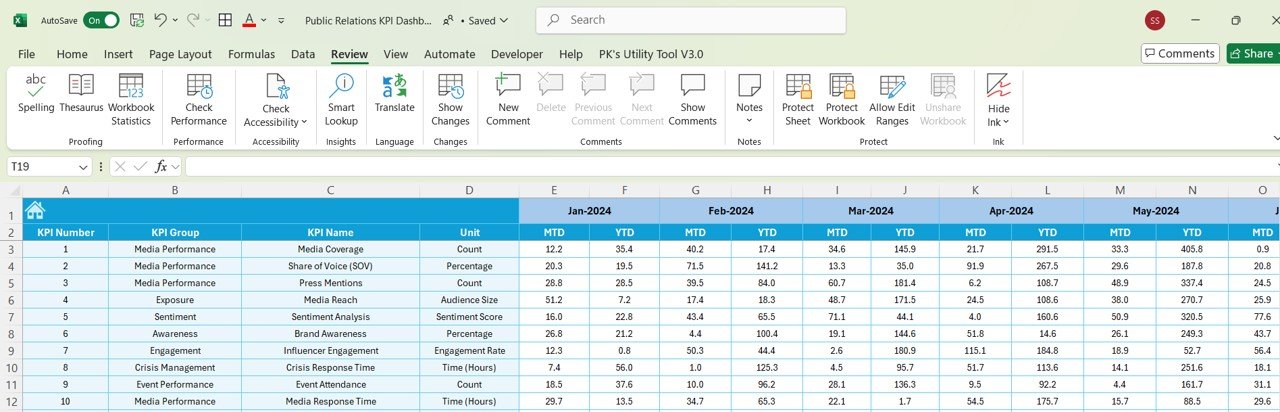
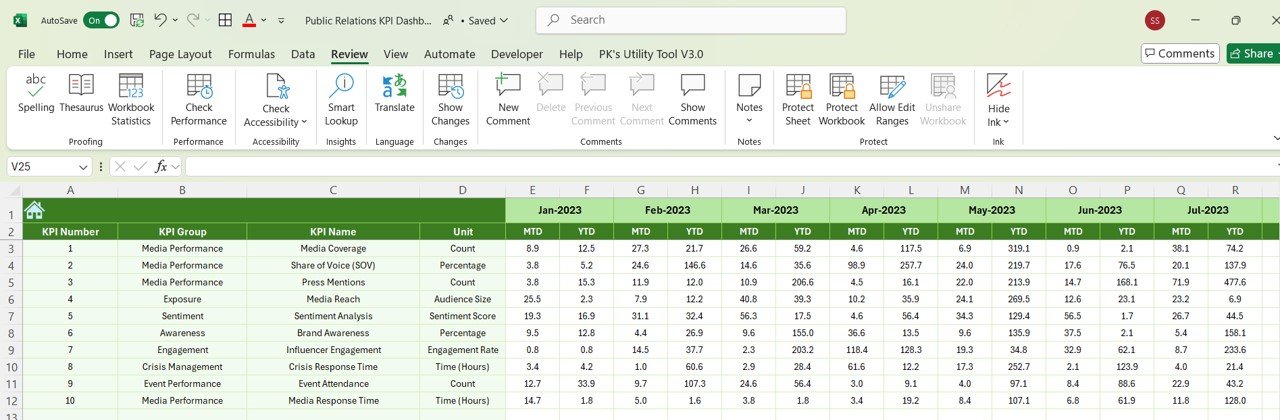
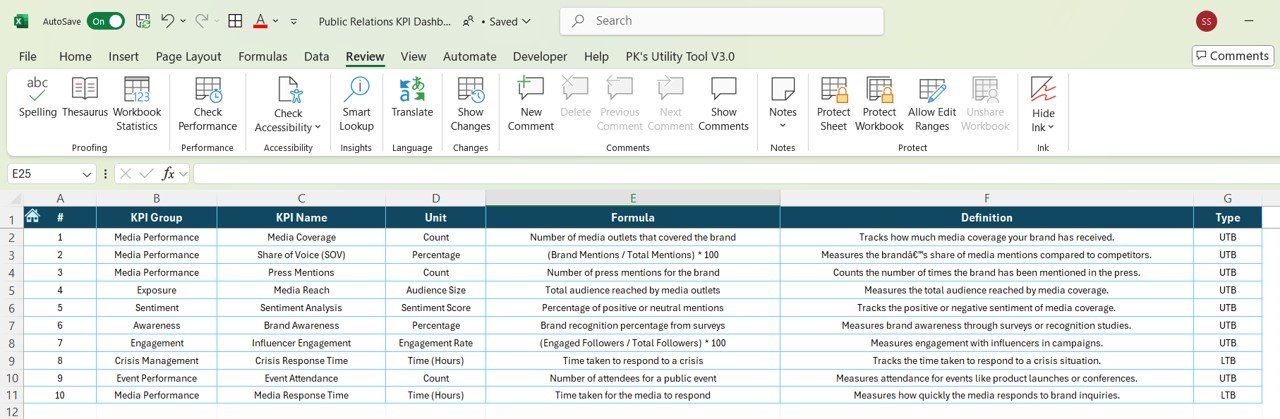

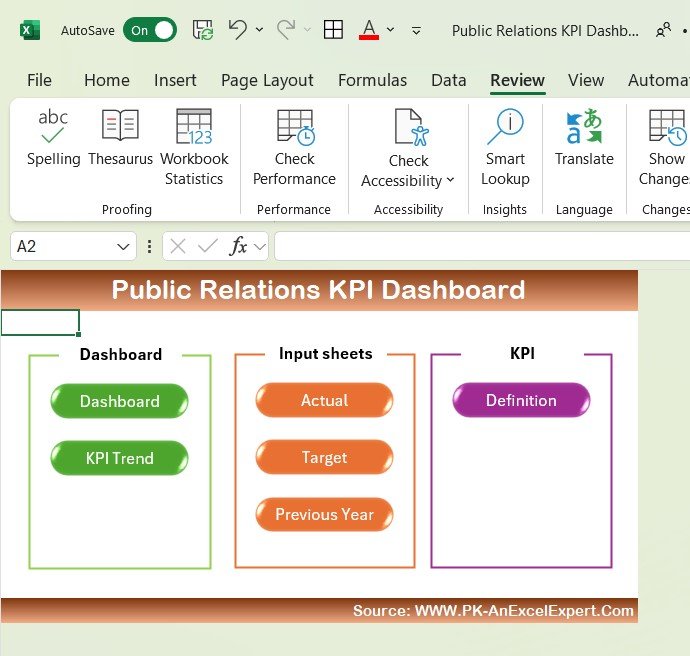
The Public Relations KPI Dashboard in Excel is a vital tool for PR professionals, marketing teams, and business owners to track and measure the effectiveness of their public relations efforts. This Excel-based dashboard allows you to monitor key performance indicators (KPIs) related to media coverage, audience engagement, brand reputation, and PR campaign success. By providing real-time insights into your PR activities, this dashboard helps you make data-driven decisions that improve your PR strategies and drive stronger brand visibility.
Whether you’re working on media relations, influencer partnerships, or overall brand communications, the Public Relations KPI Dashboard in Excel enables you to track campaign progress, measure media exposure, and assess audience sentiment. With this dashboard, you can identify successful strategies, address potential issues, and ultimately improve the effectiveness of your PR initiatives.
Key Features of the Public Relations KPI Dashboard in Excel
📊 Track Media Coverage & Impressions
Monitor the amount of media coverage your PR campaigns generate and the number of impressions they receive. Track how often your brand is mentioned in the media and assess the reach of your PR efforts.
⚡ Audience Engagement Metrics
Measure audience engagement by tracking metrics such as social media interactions, website traffic, and comments. Understand how your audience is responding to your PR campaigns and refine your messaging to improve engagement.
📈 Brand Reputation Analysis
Monitor brand sentiment through media mentions, customer feedback, and sentiment analysis. Track how your brand’s reputation is evolving over time and identify potential PR issues before they escalate.
📰 Campaign Success & ROI Tracking
Evaluate the success of your PR campaigns by tracking key metrics such as earned media value, media coverage, and return on investment (ROI). Understand the impact of your PR activities on your business goals and adjust strategies accordingly.
🖥️ Interactive & Real-Time Insights
The Excel dashboard provides real-time data on all your PR KPIs. Use dynamic charts, slicers, and filters to analyze trends, measure success, and make informed decisions to improve future PR campaigns.
Why You’ll Love the Public Relations KPI Dashboard in Excel
✅ Track Media Coverage & Impressions
Monitor how often your brand is mentioned in the media and assess the reach and visibility of your PR efforts. Use the data to refine media strategies and increase brand awareness.
✅ Boost Audience Engagement
Measure social media interactions, website traffic, and audience engagement to evaluate how your PR messages are being received. Optimize your strategies to increase audience participation and interest.
✅ Analyze Brand Reputation
Keep track of brand sentiment by analyzing media mentions, customer feedback, and sentiment trends. Stay ahead of potential PR crises and enhance your brand image over time.
✅ Evaluate PR Campaign Success & ROI
Measure the effectiveness of your PR campaigns by tracking key performance metrics. Evaluate earned media value, campaign reach, and ROI to understand what’s working and what needs improvement.
✅ Make Data-Driven PR Decisions
Leverage real-time insights from the dashboard to adjust your PR strategies, improve campaign results, and drive better brand visibility and reputation.
What’s Inside the Public Relations KPI Dashboard Template?
- Media Coverage & Impressions Tracking: Track media mentions, coverage, and impressions to gauge campaign reach.
- Audience Engagement Metrics: Measure interactions on social media, comments, and traffic driven by PR campaigns.
- Brand Reputation Analysis: Monitor sentiment and track brand mentions to analyze reputation.
- Campaign Performance & ROI Tracking: Track earned media value, coverage success, and ROI of PR campaigns.
- Real-Time Data Insights: Stay up-to-date with live data on PR performance and make informed decisions.
- Customizable KPIs: Tailor the dashboard to track the KPIs most relevant to your PR objectives.
How to Use the Public Relations KPI Dashboard in Excel
1️⃣ Download the Template: Get instant access to your Public Relations KPI Dashboard in Excel.
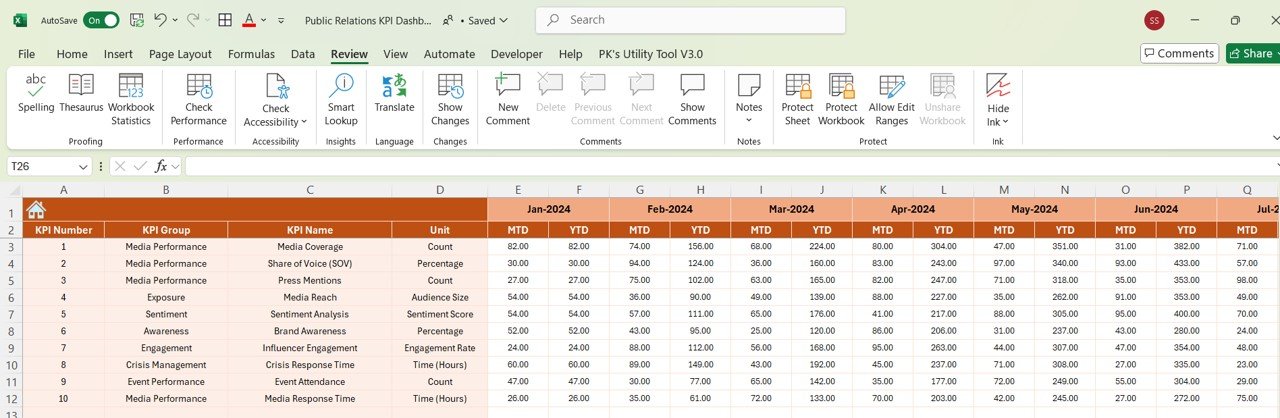
2️⃣ Input Your Data: Enter your media coverage, audience engagement, and brand reputation data into the dashboard.
3️⃣ Track & Monitor KPIs: Use the dashboard to track key PR metrics in real-time.
4️⃣ Analyze & Optimize: Use insights from the dashboard to optimize your PR strategies and improve campaign results.
Who Can Benefit from the Public Relations KPI Dashboard in Excel?
🔹 PR Professionals & Agencies
🔹 Marketing & Communications Teams
🔹 Brand Managers & Business Owners
🔹 Media Relations & Influencer Marketing Teams
🔹 Anyone Involved in Managing & Measuring PR Campaigns & Brand Visibility
Optimize your public relations efforts and improve campaign performance with the Public Relations KPI Dashboard in Excel. Track media coverage, audience engagement, brand reputation, and campaign ROI to enhance your PR strategies and drive better results.
Click here to read the Detailed blog post
Visit our YouTube channel to learn step-by-step video tutorials
Youtube.com/@PKAnExcelExpert































Reviews
There are no reviews yet.