

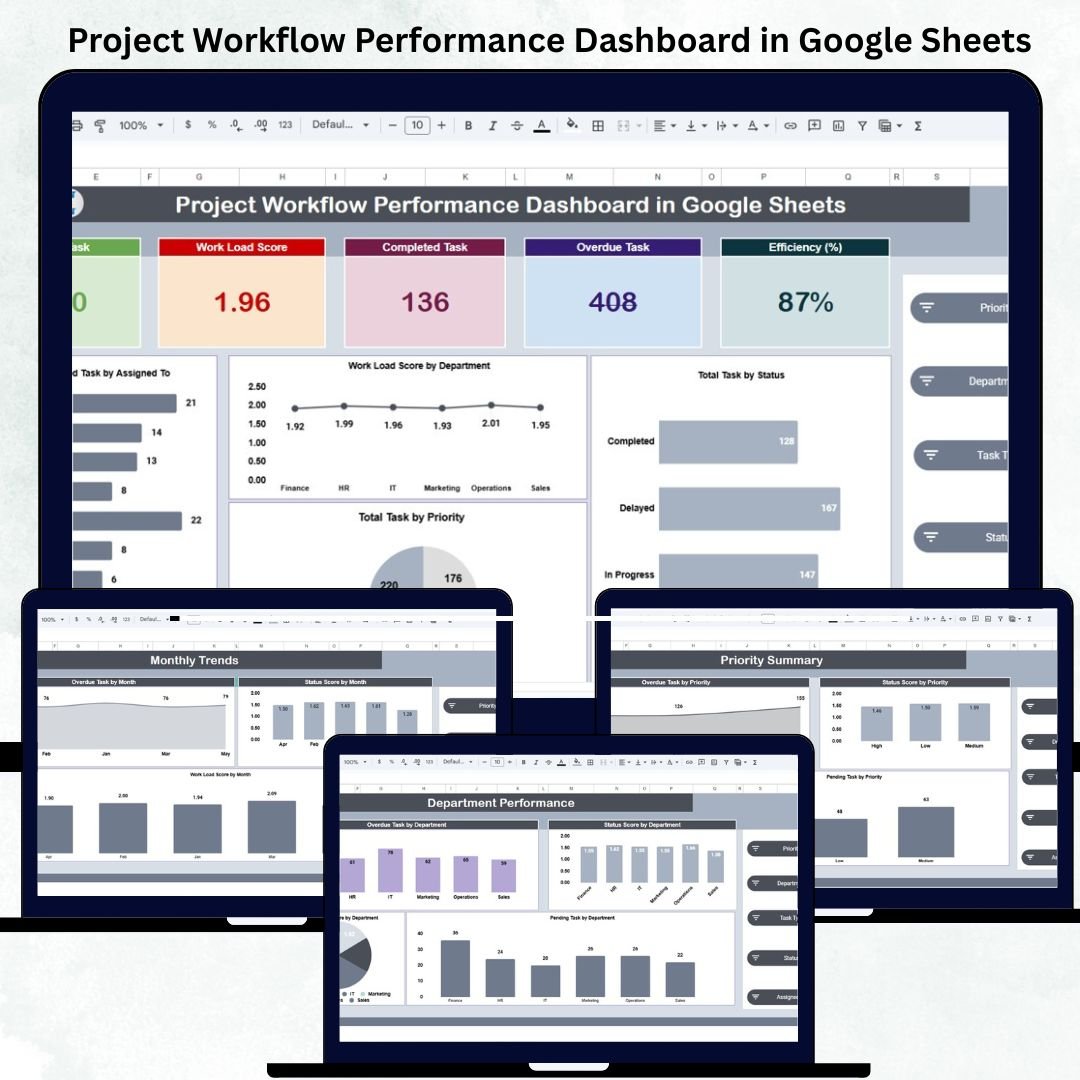

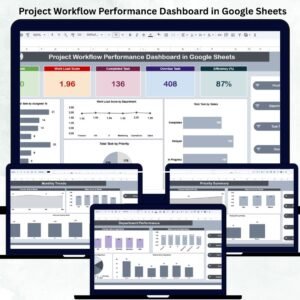
Efficient project management depends on visibility — knowing what’s on track, what’s delayed, and where workloads are piling up. The Project Workflow Performance Dashboard in Google Sheets is a ready-to-use, all-in-one analytics solution that gives teams complete control over tasks, efficiency, and workload distribution. 📈📊
Designed for project managers, department heads, and team leads, this dynamic dashboard turns data into actionable insights, helping you monitor total tasks, overdue work, performance efficiency, and department-level workload — all through automated visuals.
Built entirely in Google Sheets, it’s simple to use, customizable, and collaboration-ready — making it the ultimate productivity companion for organizations of any size. ⚙️✅
🔑 Key Features of the Project Workflow Performance Dashboard in Google Sheets
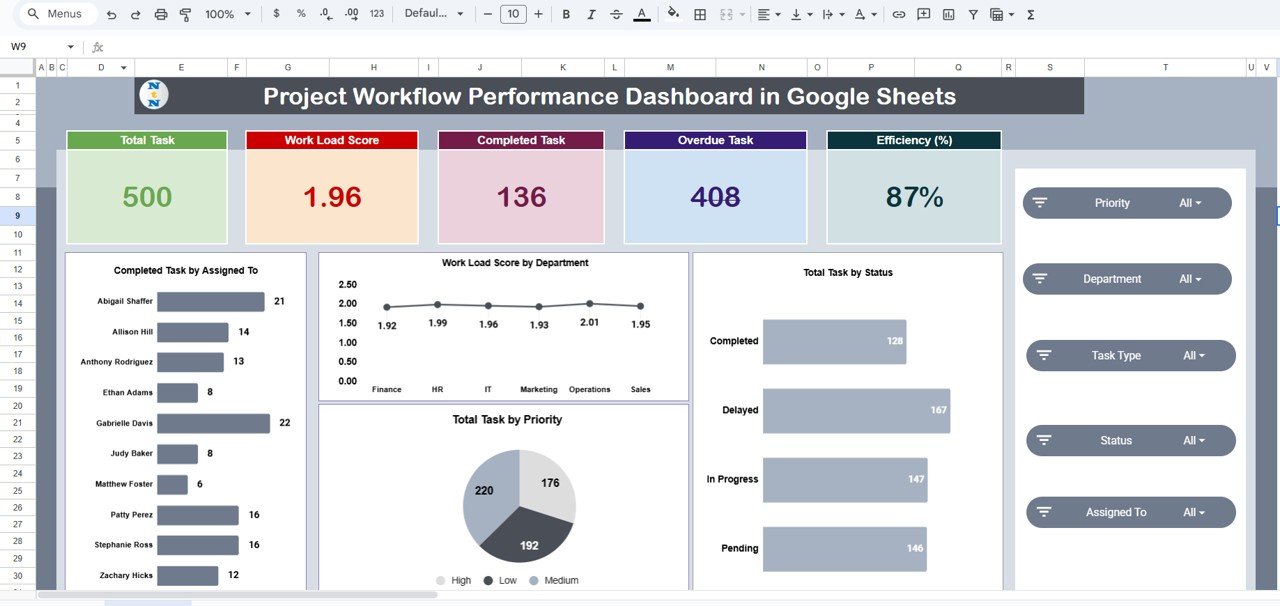
📋 Overview Sheet Tab (Main Dashboard)
The central control panel for all performance metrics.
Displays KPI Cards and visual charts that auto-update as you enter data.
KPI Cards:
Total Tasks
Workload Score
Completed Tasks
Overdue Tasks
Efficiency (%)
Charts Included:
Completed Task by Assigned To
Workload Score by Department
Total Task by Status
Total Task by Priority
Instantly visualize project health and identify performance trends.
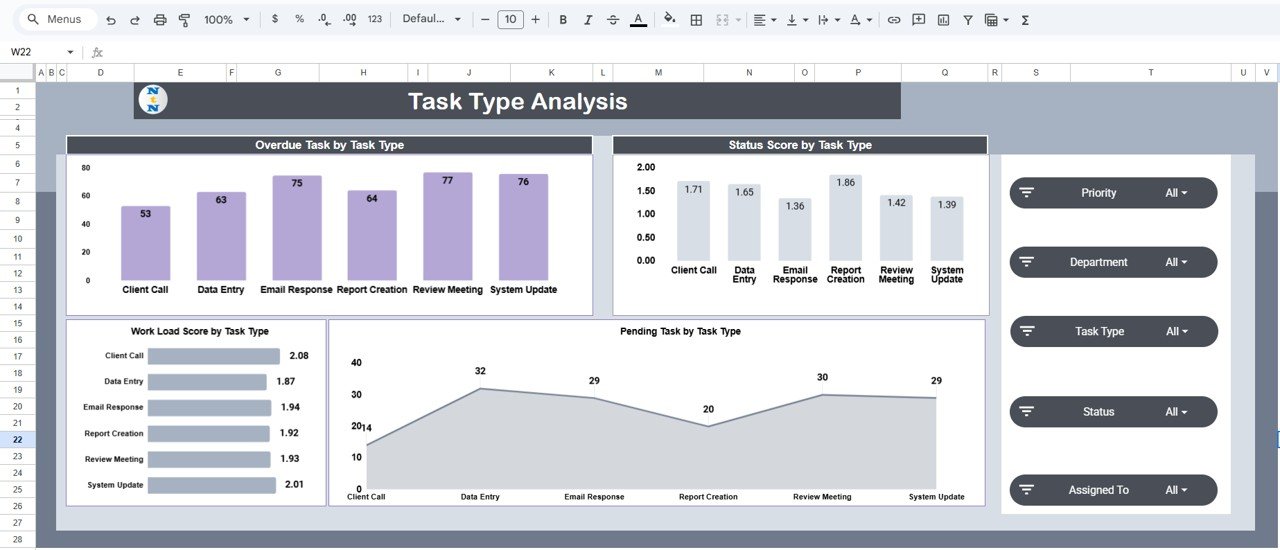
🧩 Task Type Analysis Tab
Evaluates performance across different task categories.
Charts Included:
Overdue Task by Task Type
Status Score by Task Type
Pending Task by Task Type
Workload Score by Task Type
Perfect for identifying bottlenecks and reallocating resources efficiently.
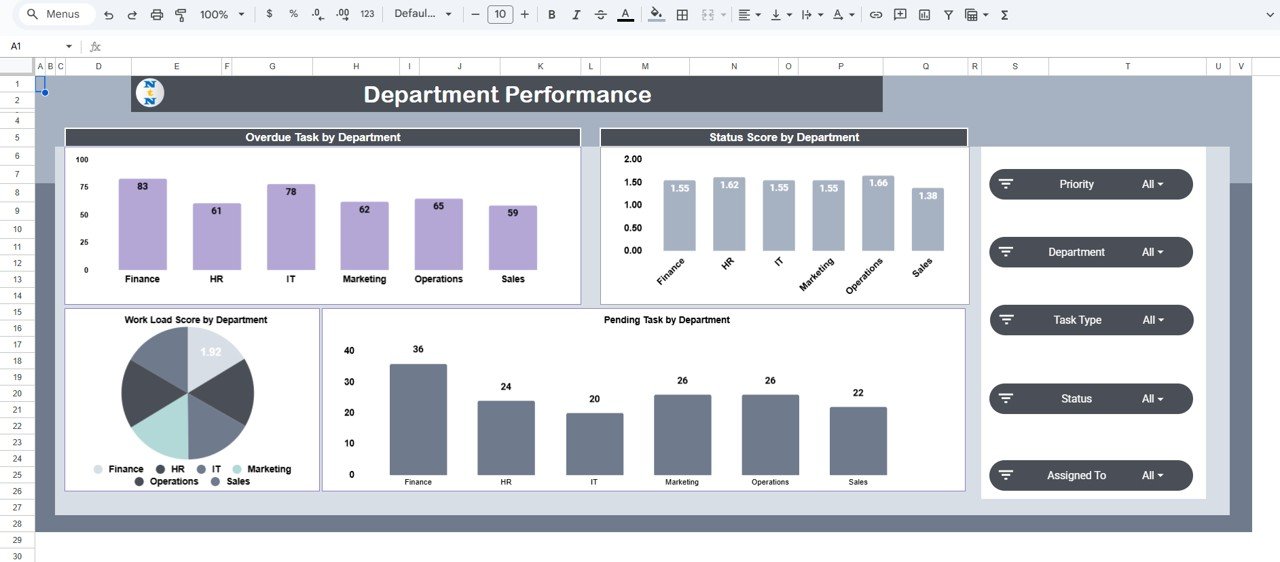
🏢 Department Performance Tab
Provides team-level performance breakdowns.
Charts Included:
Overdue Task by Department
Status Score by Department
Pending Task by Department
Workload Score by Department
Pinpoints which departments are excelling and which need attention.
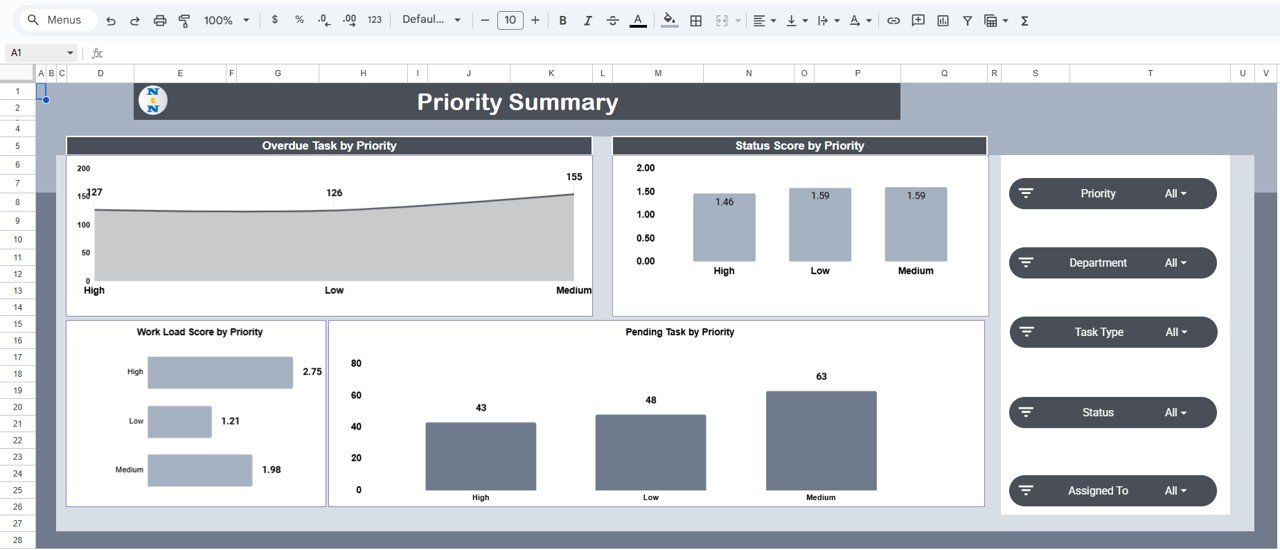
🚩 Priority Summary Tab
Analyzes project performance by task urgency (High, Medium, Low).
Charts Included:
Overdue Task by Priority
Status Score by Priority
Pending Task by Priority
Workload Score by Priority
Helps teams focus on high-priority tasks and mitigate risk early.
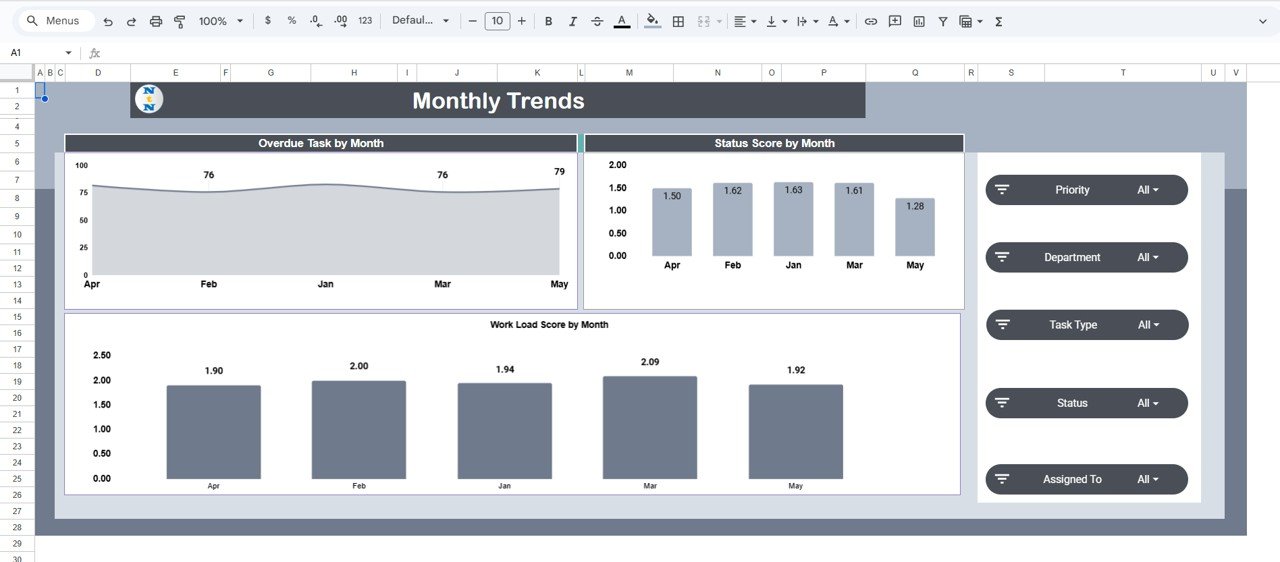
📅 Monthly Trends Tab
Displays long-term workflow and performance trends.
Charts Included:
Overdue Task by Month
Status Score by Month
Workload Score by Month
Enables proactive planning and improvement tracking over time.
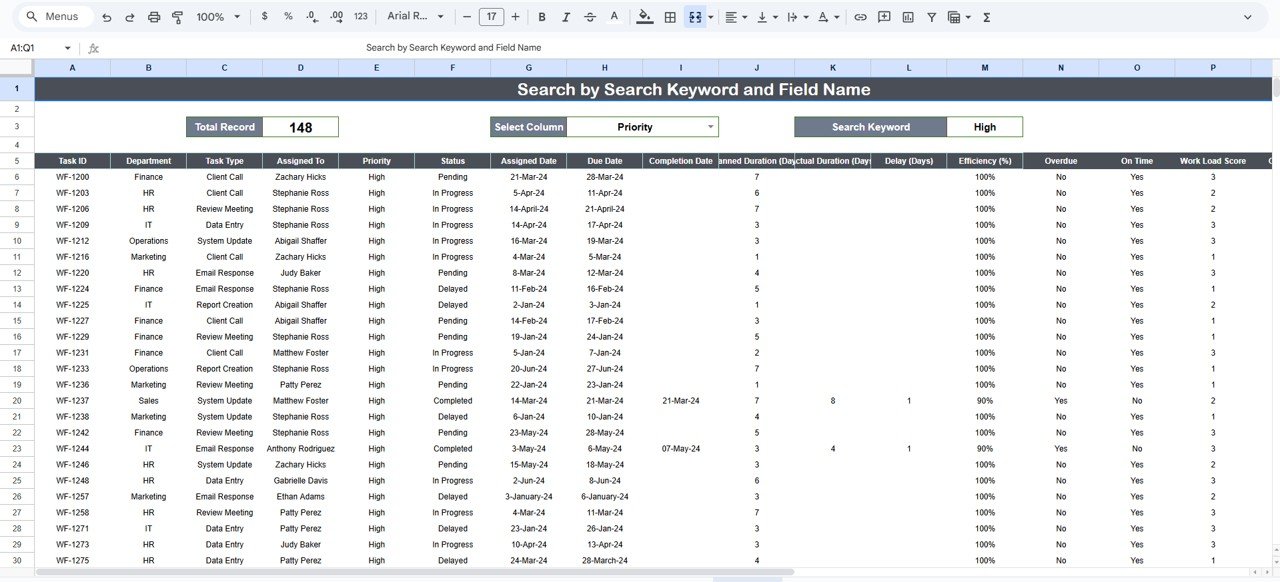
🔎 Search Sheet Tab
Smart search system for locating records instantly.
Search by Keyword (e.g., “Marketing”, “Design Task”) or Field Name (e.g., Department, Priority, Assigned To).
Example searches:
“High Priority” → Displays all critical tasks.
“HR” → Filters all HR department tasks.
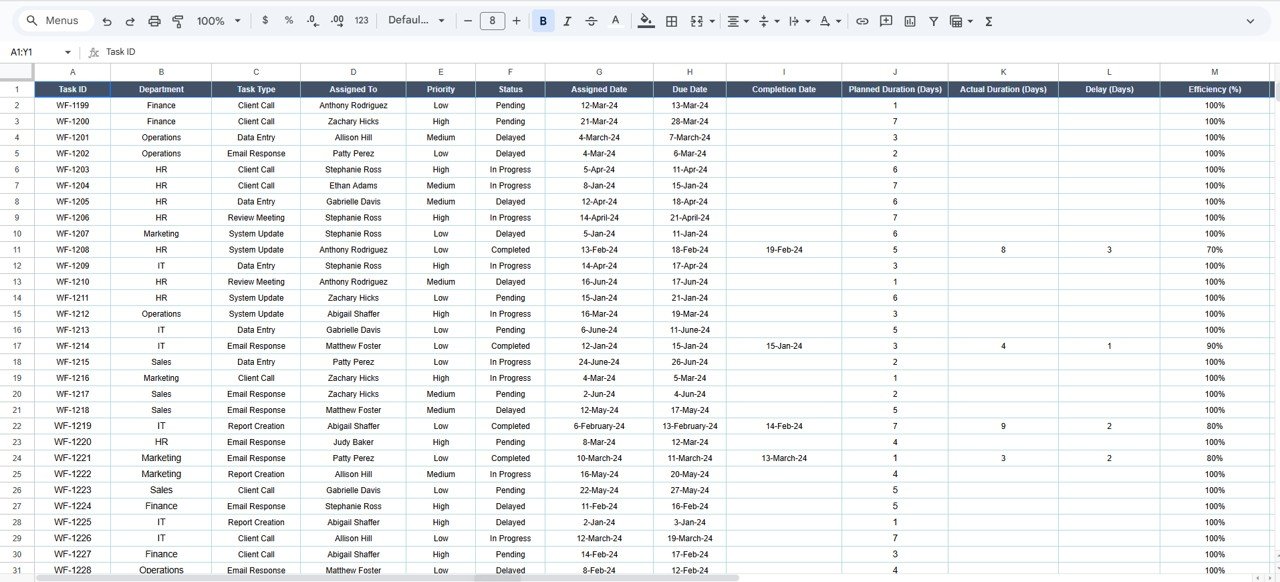
🧾 Data Sheet Tab
Centralized data input sheet that powers all visuals.
Includes task details such as Department, Task Type, Priority, Assigned To, Status, Progress %, and Due Date.
Automatically updates all dashboard charts upon entry.
📦 What’s Inside the Dashboard
✅ Pre-built Google Sheets dashboard with 7 analytical tabs
✅ Auto-calculated performance metrics (efficiency, workload, overdue rate)
✅ Dynamic charts and KPI summaries
✅ Search-enabled record finder for quick lookup
✅ Fully editable sheet layout
✅ Real-time cloud collaboration support
✅ Plug-and-play usability — no coding required
This dashboard gives teams everything they need to track performance, identify inefficiencies, and maintain productivity — all within one organized workspace.
🧑💼 Who Can Benefit from This Dashboard
👨💼 Project Managers – Gain real-time visibility into project performance.
👩💻 Team Leaders – Track workload distribution and identify overburdened staff.
🏢 Department Heads – Monitor overdue tasks and optimize efficiency.
📈 Executives – Evaluate organizational productivity and resource usage.
💡 Operations Teams – Improve cross-department coordination and workflow clarity.
It’s the perfect solution for companies managing multiple projects or departments with varied workloads.
🧪 How to Use the Project Workflow Performance Dashboard
1️⃣ Input Task Data: Add project details to the Data Sheet.
2️⃣ Review KPIs: See real-time efficiency, workload, and overdue stats.
3️⃣ Analyze Trends: Explore department, priority, and task type charts.
4️⃣ Search Easily: Use the Search Tab to find records in seconds.
5️⃣ Review Monthly: Use the Monthly Trends tab for long-term performance tracking.
💡 Pro Tip: Use conditional formatting to highlight overdue tasks automatically and connect Google Forms for task submissions.
🌟 Why Choose This Dashboard
Complete visibility into projects and workloads
Smart automation for progress and efficiency tracking
Cloud-based collaboration for seamless teamwork
Scalable structure — suitable for all industries
Fully customizable to match your workflow
With the Project Workflow Performance Dashboard in Google Sheets, you can stay informed, improve accountability, and lead your team toward higher productivity and timely project delivery. 🌟
🔗 Click here to read the Detailed blog post
Watch the step-by-step video Demo:
🔗 Visit our YouTube channel to learn step-by-step video tutorials
Compatibility and Requirements
- Works in Google Sheets. You need a free Google account and a web browser.
- The dashboard shows its results as charts. Google explains how charts work in Add and edit a chart or graph.
Frequently Asked Questions
Which tabs are included?
Seven tabs: Overview, Task Type Analysis, Department Performance, Priority Summary, Monthly Trends, Search Sheet and Data Sheet.
Which KPIs does the Overview tab show?
Five KPI cards: Total Tasks, Workload Score, Completed Tasks, Overdue Tasks and Efficiency (%). Charts next to them show completed tasks by assignee, workload score by department, and total tasks by status and by priority.
Where do I enter my project data?
Add each task to the Data Sheet tab. It holds Department, Task Type, Priority, Assigned To, Status, Progress % and Due Date. All charts update when you enter data.
Can I find tasks for one department or priority?
Yes. The Search Sheet tab searches by keyword or by field name, so you can look up all High Priority tasks or all HR tasks.
Is there an Excel version for project tracking?
Yes. See the Project Management Dashboard in Excel.
Related Project Templates
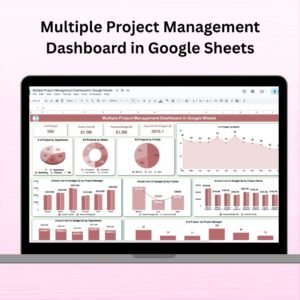
- Multiple Project Management Dashboard in Google Sheets: a dashboard for several projects at once
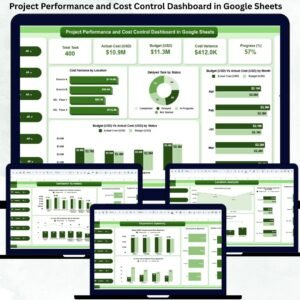
- Project Performance and Cost Control Dashboard in Google Sheets: adds cost control to performance tracking
- Project Task Assignment Tracker in Google Sheets: a task assignment log
- Project Management Dashboard in Excel: a project dashboard for Excel
- Project Management Pro Bundle: 9 project templates in one download
Browse all Google Sheets dashboards.




























Reviews
There are no reviews yet.