

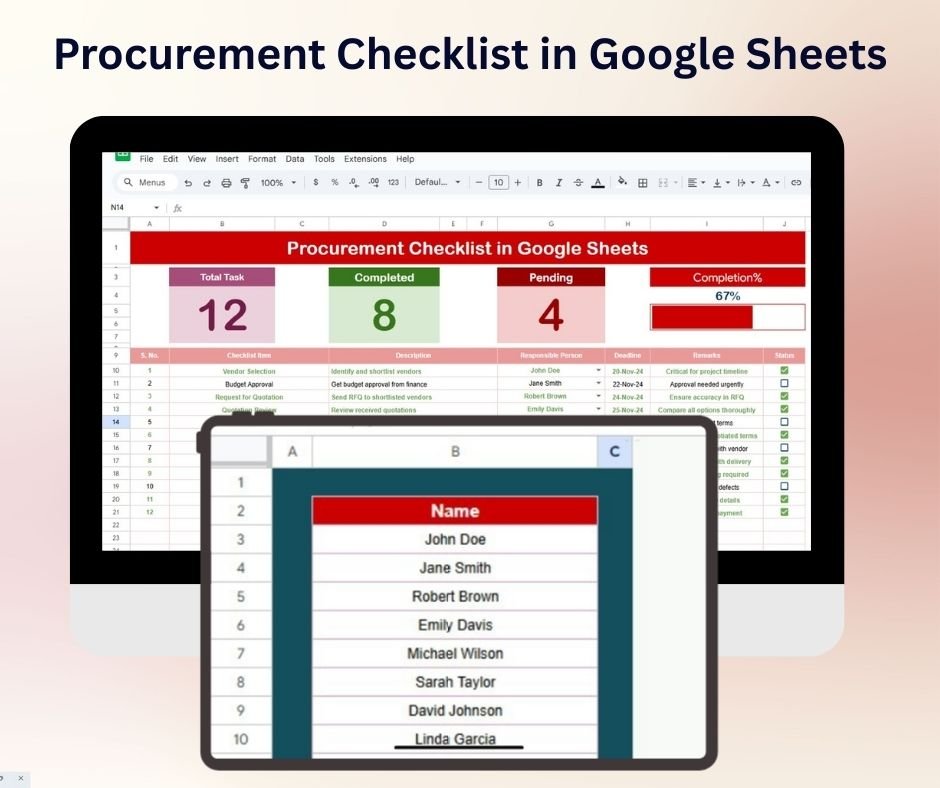
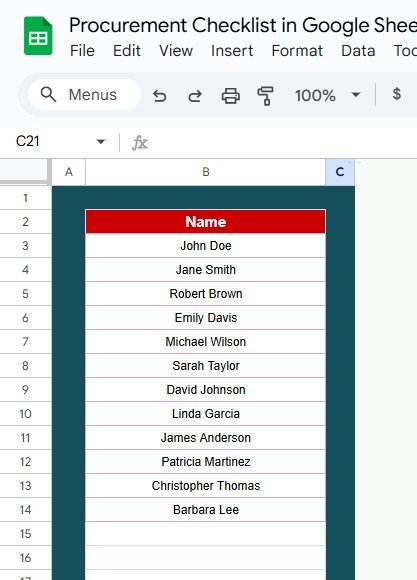

The Procurement Checklist in Google Sheets is a streamlined, efficient tool designed to help businesses manage their procurement process with ease. Whether you’re handling purchases for a large corporation, managing supply chains for a retail business, or overseeing operations for a service provider, this checklist will ensure that your procurement process runs smoothly and efficiently.
This customizable and user-friendly Google Sheets template enables you to track essential steps in the procurement cycle, from identifying suppliers to ensuring timely delivery and maintaining accurate records. With an intuitive design and real-time updates, this checklist will help procurement teams stay organized, meet deadlines, and maintain compliance.
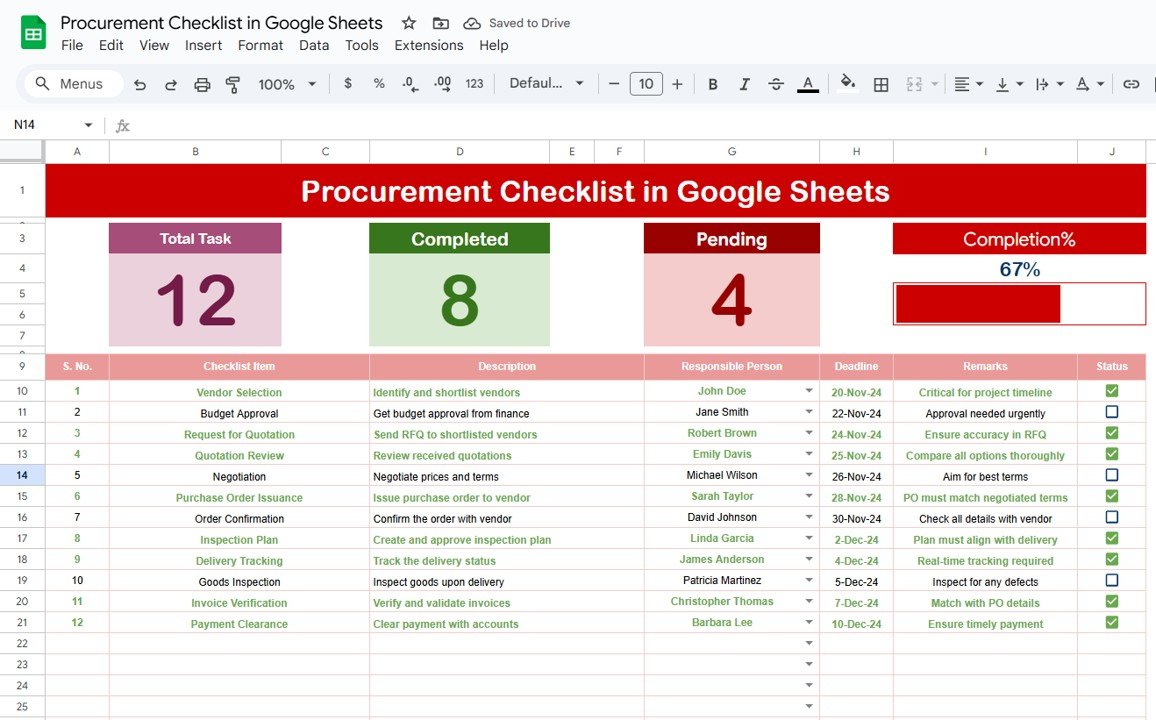
Key Features of the Procurement Checklist in Google Sheets:
📊 Comprehensive Procurement Tracking
Track every step in the procurement process, including supplier identification, order placement, delivery tracking, and payment processing, all in one centralized checklist.
📈 Real-Time Updates
Stay updated on your procurement progress in real-time, helping you identify delays and take proactive measures to ensure timely delivery.
📅 Task Deadlines and Timelines
Set clear deadlines and timelines for each task, ensuring the entire procurement cycle stays on track and that key milestones are met.
🎯 Goal Setting and Performance Monitoring
Define procurement targets and monitor progress against these goals, ensuring that the procurement process remains aligned with company objectives.
🛠 Customizable Inputs
Easily adjust the checklist to suit your specific procurement needs, from adding custom tasks to tracking additional procurement stages.
🔔 Conditional Formatting Alerts
Set up color-coded alerts to highlight overdue tasks, delays, and critical issues, enabling your team to take action quickly and efficiently.
💼 Supplier and Vendor Insights
Track vendor performance, including delivery times, quality of products, and service satisfaction to ensure you’re working with the right suppliers.
🚀 Why You’ll Love the Procurement Checklist in Google Sheets:
✅ Streamline Procurement Processes – Keep track of all procurement tasks in one place, reducing time spent on administrative work and boosting team productivity.
✅ Improve Supplier Management – Monitor supplier performance, ensuring that you maintain strong and reliable supplier relationships.
✅ Enhance Efficiency – Track every stage of the procurement process to avoid delays and ensure seamless operations from purchase to delivery.
✅ Increase Transparency – Have a clear overview of the procurement status with a visually intuitive checklist that’s easy to understand.
✅ Fully Customizable – Tailor the checklist to your company’s specific procurement needs, whether you’re managing single or multiple projects.
What’s Inside the Procurement Checklist in Google Sheets:
- Supplier Identification: Track potential suppliers and their contact details for easy reference.
- Order Placement: Ensure that every step in placing an order is completed on time, including budget approval and order confirmations.
- Delivery Tracking: Keep track of delivery dates, product quality, and supplier communication throughout the process.
- Payment Processing: Monitor payments to suppliers and ensure invoices match the orders placed and products delivered.
- Task Deadline Tracking: Set and track deadlines for each step in the procurement process, ensuring tasks are completed on time.
- Risk Management: Identify and mitigate any potential risks, such as delayed shipments or quality concerns.
How to Use the Procurement Checklist in Google Sheets:
1️⃣ Download the Template – Get instant access to the Google Sheets checklist template upon purchase.
2️⃣ Input Your Procurement Data – Enter supplier details, order information, and delivery schedules into the provided fields.
3️⃣ Set Deadlines and Milestones – Define key deadlines for tasks like order placement, product delivery, and payment processing.
4️⃣ Track Procurement Progress – Monitor the status of every task in real-time and stay ahead of delays or issues.
5️⃣ Generate Reports – Use the checklist to generate procurement progress reports for meetings, audits, or vendor evaluations.
Who Can Benefit from the Procurement Checklist in Google Sheets:
- Procurement Managers
- Supply Chain Coordinators
- Operations Managers
- Purchasing Teams
- Business Owners
- Inventory Managers
- Vendor Relationship Managers
The Procurement Checklist in Google Sheets is the perfect tool for any business looking to streamline its procurement process, improve efficiency, and ensure timely deliveries and vendor compliance.
Click here to read the Detailed blog post
https://neotechnavigators.com/procurement-checklist-in-google-sheets/
Visit our YouTube channel to learn step-by-step video tutorials
Youtube.com/@PKAnExcelExpert
Watch the step-by-step video Demo:
Compatibility and Requirements
- Needs a free Google account and a web browser. Google’s How to use Google Sheets guide covers the basics.
- Your team can open and update the same checklist from any computer with a browser.
Frequently Asked Questions
What does the Procurement Checklist cover?
Supplier identification, order placement, delivery tracking, payment processing, task deadlines and risk management, so each step of the procurement cycle has its own place in the sheet.
Can I add my own procurement steps?
Yes. You can add custom tasks or extra procurement stages to fit your own process.
How are overdue tasks flagged?
Conditional formatting adds color-coded alerts for overdue tasks, delays and critical issues.
Can I track supplier performance?
Yes. The checklist has room to record vendor delivery times, product quality and service satisfaction.
Is there an Excel version?
Yes. The Procurement Tracking Checklist in Excel covers the same topic in Excel.
Related Procurement Templates
- Procurement Tracker and Dashboard in Google Sheets: track purchases with a dashboard
- Purchase Order Tracker in Google Sheets: log every purchase order
- Vendor Invoice Submission Tracker in Google Sheets: follow supplier invoices after delivery
- Procurement Dashboard in Excel: report on procurement spend in Excel
- Procurement and Vendor Management Kit: 7 procurement templates in Excel, Power BI and Google Sheets
Browse all Google Sheets checklist templates or the Google Sheets financial tools.

































Reviews
There are no reviews yet.