

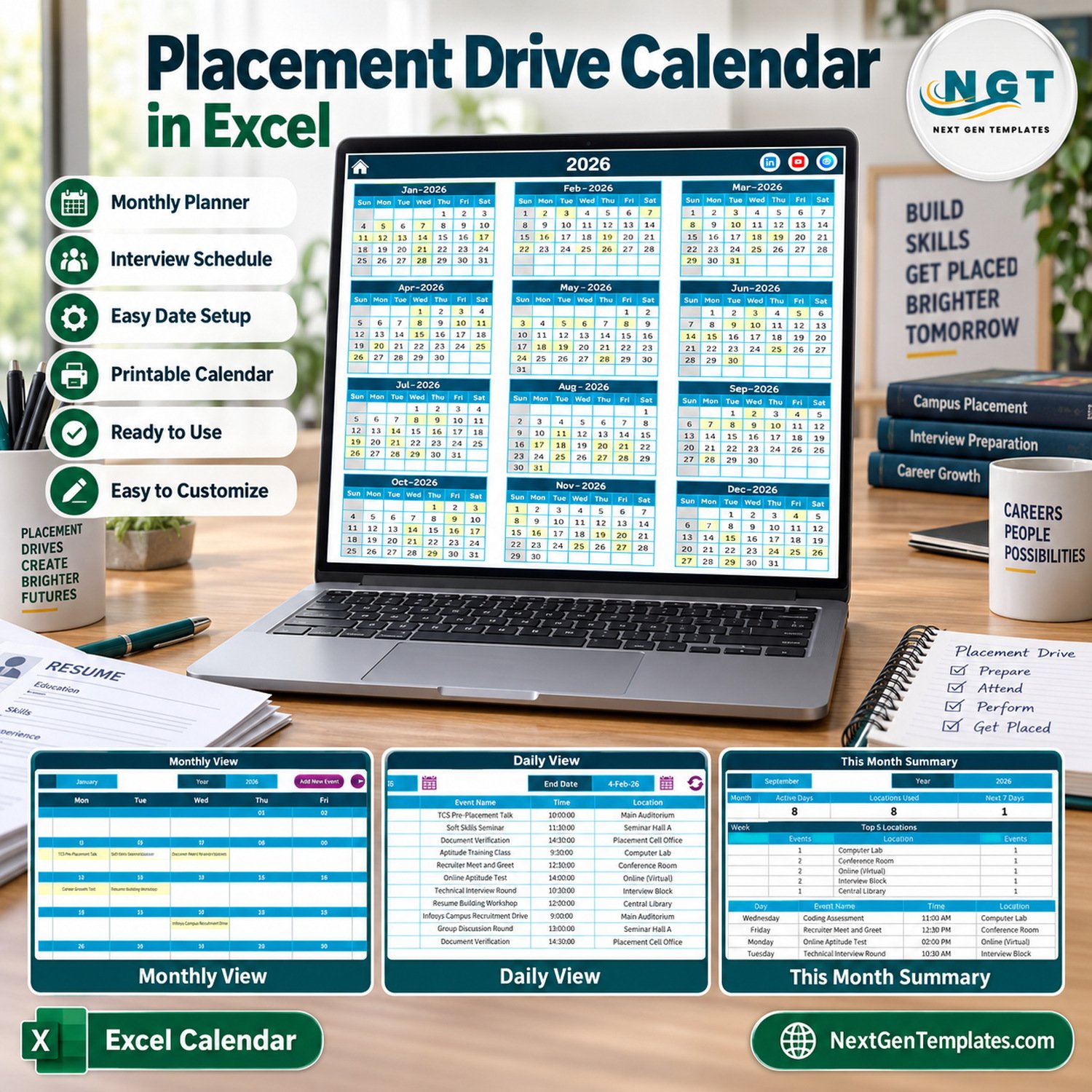
The Placement Drive Calendar in Excel plans a full year of campus recruitment activity in one macro-enabled workbook: pre-placement talks, aptitude tests, group discussions, interview rounds, document verification and offer letter days. It ships with 100 sample placement events dated 5 January to 29 December 2026, spread over 8 campus locations and 32 event names, and shows them on five linked pages: Annual View, Monthly View, Daily View, This Month and Events.
🌍 Built by NextGenTemplates, the store behind more than 7,000 Excel, Google Sheets and Power BI templates for small teams that prefer a one-time file to a monthly subscription.
✅ Instant download · One-time payment · No subscription · No per-user fees · Lifetime access
⚠️ Requirements: desktop Microsoft Excel for Windows with macros enabled. The entry form, record buttons, Daily View and This Month summary are driven by VBA macros, so Excel for the web, Mac, iPad and phones cannot run them.
🔑 Key Features of the Placement Drive Calendar in Excel
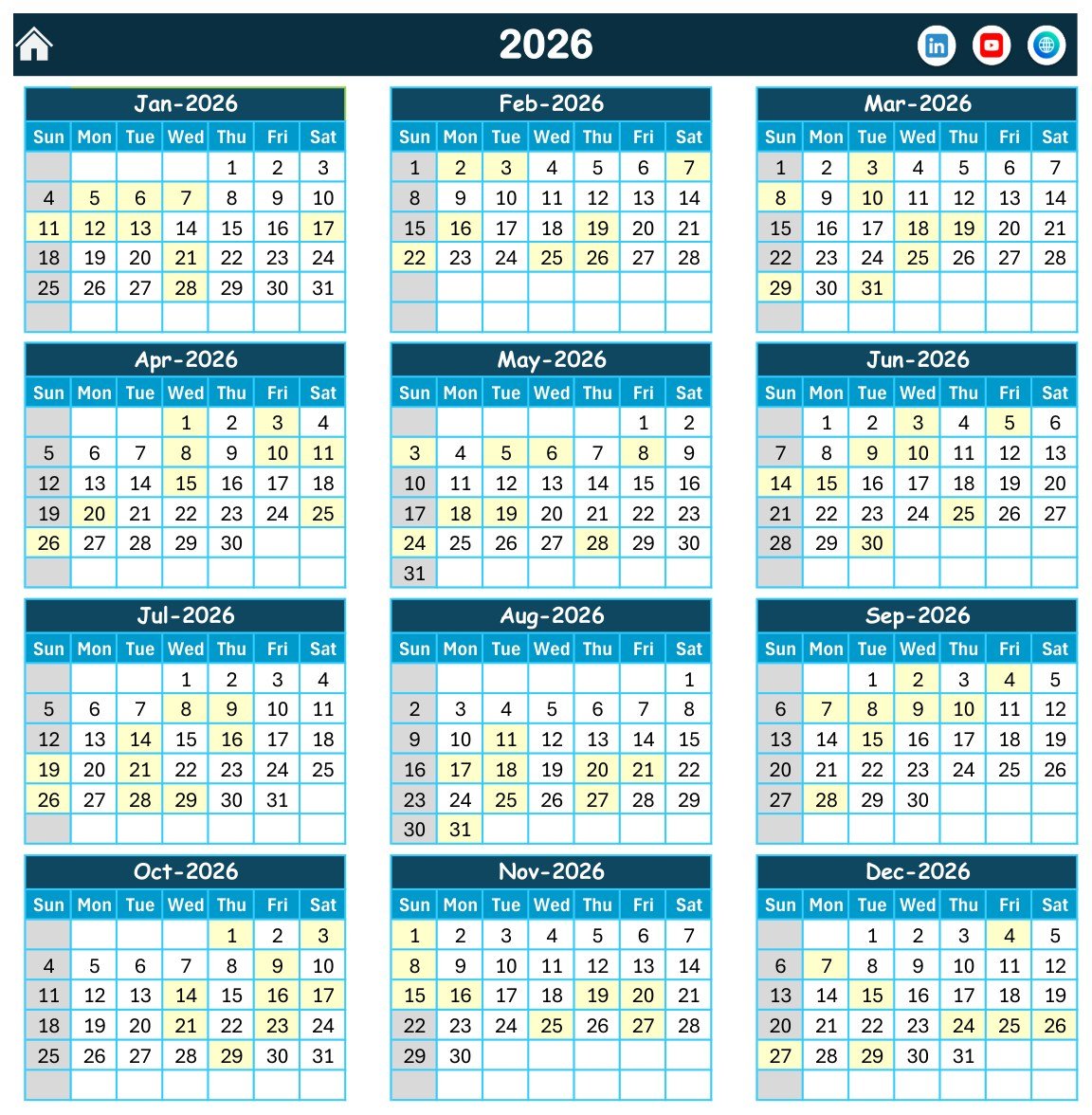
📅 Annual View for the whole placement season. All twelve months of 2026 sit on one page, with every date that holds a placement event shaded so you can see busy recruitment weeks at a glance. Sunday is greyed out as the highlighted weekday.
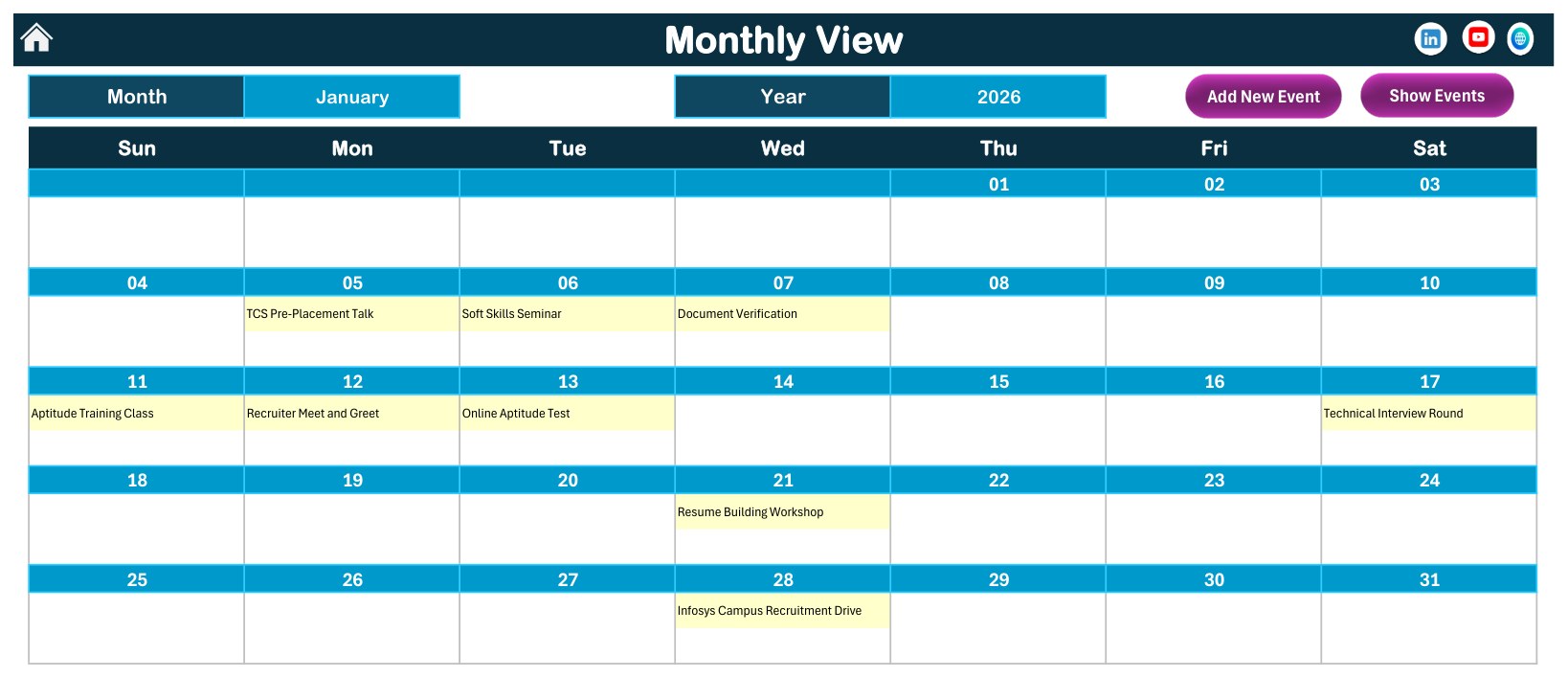
🗓️ Monthly View with the event name in each day. Pick a month and a year from the two selectors and the grid writes in the name of every event booked that month, for example Soft Skills Seminar on Tuesday 6 January and Technical Interview Round on Saturday 17 January.
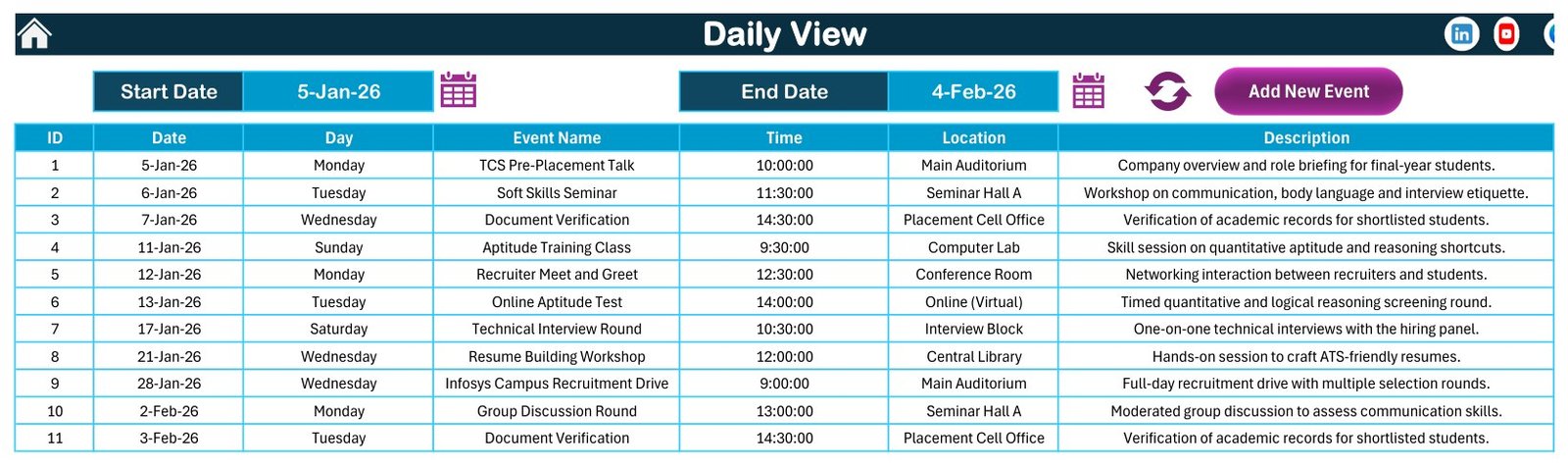
📋 Daily View between any two dates. Choose a Start Date and an End Date, press refresh, and the page lists each event in that window with its ID, date, weekday, event name, time, location and description.
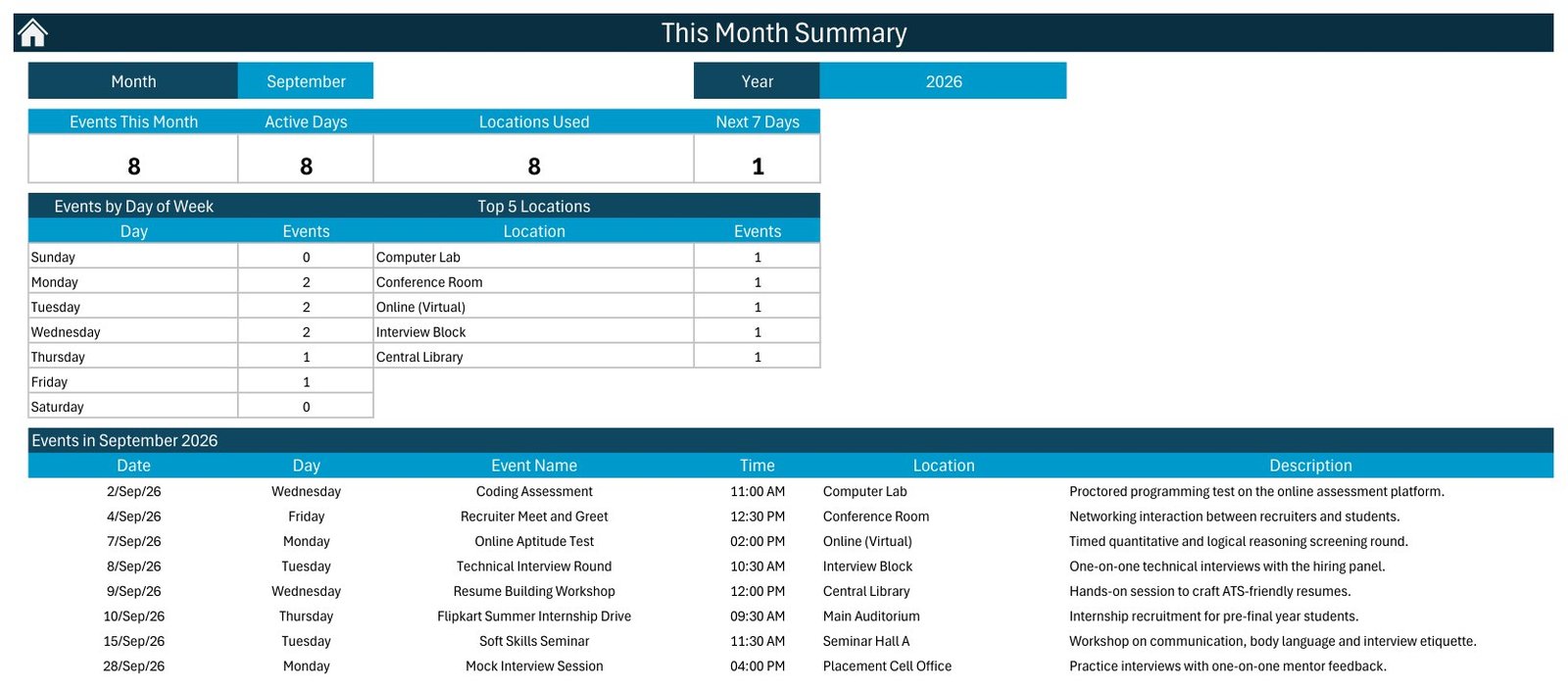
📊 This Month summary. Four counters show Events This Month, Active Days, Locations Used and Next 7 Days, next to an Events by Day of Week table, a Top 5 Locations table and the full list of the month’s placement events.
📝 Events sheet with Add, Update and Delete buttons. The master list keeps seven columns, and a data-entry form with a date picker and a time picker fills the weekday for you, so records stay consistent.
🎨 Setting sheet. Change the calendar year, the starting month, the first day of the week, two highlighted weekdays, event highlighting on or off, and one of five colour themes (Default, Blue, Red, Black and Orange).
📦 What’s Inside the Workbook
The download is a ZIP with one macro-enabled workbook (.xlsm) of seven sheets plus the Excel Calendar user manual in PDF. Here is every page you will use.
Page 1: Home
The Home sheet is a simple menu with five buttons that jump to Annual View, Monthly View, Daily View, This Month and Events, plus links to the NextGenTemplates channels.
Page 2: Annual View
Twelve month grids for 2026 in a Sunday-to-Saturday layout. Every date with a placement event is highlighted, and each month carries 8 or 9 events in the sample, so the season looks evenly paced.
Page 3: Monthly View
Month and Year selectors drive a full calendar grid that writes the event name into each day. January 2026 opens with a TCS Pre-Placement Talk on the 5th and closes with an Infosys Campus Recruitment Drive on the 28th. The Add New Event and Show Events buttons open the entry form and the event list without leaving the page.
Page 4: Daily View
Set a Start Date and an End Date with the calendar icons, press refresh, and the table lists every event in that range. The sample window of 5 January to 4 February 2026 returns 11 events, from the opening pre-placement talk to a Group Discussion Round.
Page 5: This Month Summary
Pick a month and year to see the four counters, Events by Day of Week, Top 5 Locations and the event list. September 2026 in the sample shows 8 events on 8 active days across 8 locations, including a Coding Assessment on the 2nd and a Flipkart Summer Internship Drive on the 10th.
Page 6: Events
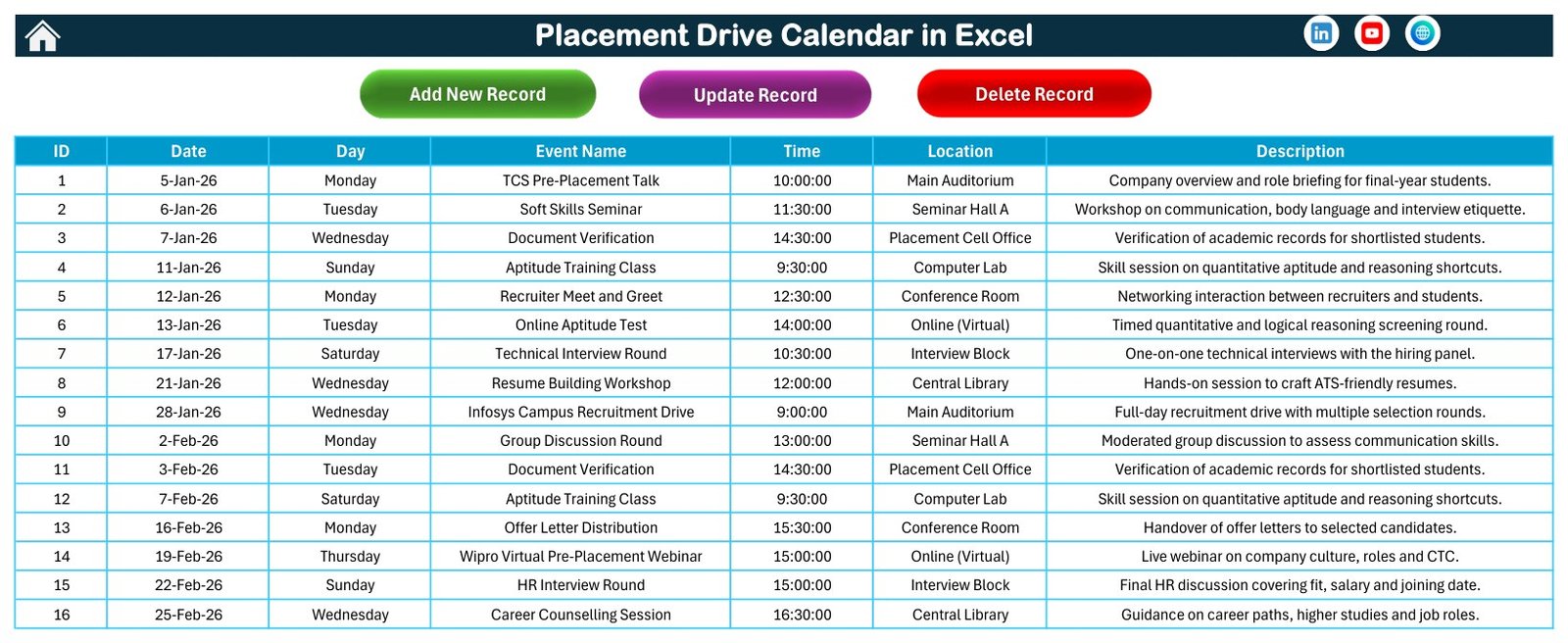
The master table behind every view, with Add New Record, Update Record and Delete Record buttons. The sample holds 100 events with IDs 1 to 100, each weekday matches its date, and no two events share a day.
Page 7: Enter Data Form
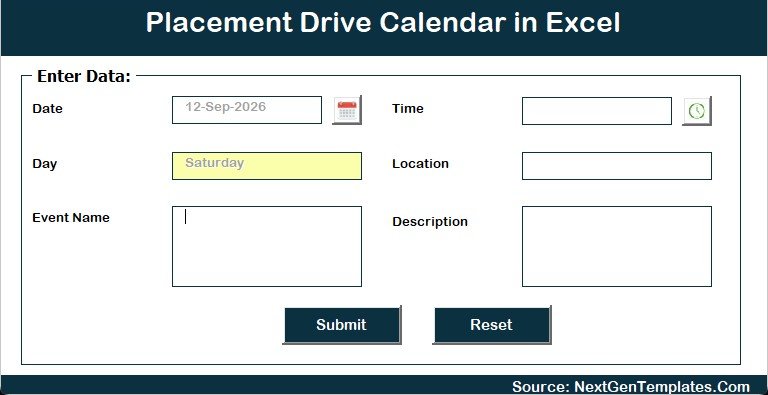
The form asks for Date, Time, Event Name, Location and Description. The date and time pickers reduce typing errors and the Day field fills itself from the date. Submit saves the record and Reset clears the form.
The sample data at a glance: Soft Skills Seminar, Recruiter Meet and Greet and Career Counselling Session (9 events each), Aptitude Training Class (8), Document Verification and HR Interview Round (7 each), Online Aptitude Test (6), Technical Interview Round and Coding Assessment (5 each), plus group discussions, mock interviews, resume workshops, registrations and offer letter days. The 8 locations are Main Auditorium, Seminar Hall A, Placement Cell Office, Computer Lab, Conference Room, Online (Virtual), Interview Block and Central Library. Times run from 9:00 AM to 4:30 PM.
Company names in 19 of the sample events (TCS, Infosys, Wipro, Google and others) are illustrative placeholders only. NextGenTemplates is not affiliated with those companies, and the dates are not real recruitment schedules.
📊 Comparison: This Excel Template vs. a Google Sheets Calendar vs. Paid Placement Software
| Feature | This Excel placement calendar | Google Sheets calendar template | Paid campus placement software |
|---|---|---|---|
| Cost | ✅ $4.99 one-time | One-time template price | Recurring subscription, priced per plan or per user |
| Platform | Excel for Windows desktop | Any browser | Web and mobile apps |
| Setup time | ✅ Minutes: replace the sample rows | Minutes | Days to weeks of onboarding |
| Works offline | ✅ Yes | Limited | Varies |
| Real-time team collaboration | No, one file at a time | ✅ Yes | ✅ Yes |
| Student registrations, eligibility and results | No | No | ✅ Usually |
| Annual, monthly and date-range views | ✅ All three plus a monthly summary | Depends on the template | Usually |
| Reminders and notifications | No | No | ✅ Usually |
| Year-1 cost for 5 staff | ✅ $4.99 | One template price | Several times the template price |
If your placement cell wants a clear yearly recruitment plan without paying for placement software, this Excel calendar is the low-cost, offline choice.
👥 Who This Template Is For, and Who It’s Not For
✅ This template is built for:
- Training and placement officers at colleges and universities who plan one campus’s recruitment season
- Placement coordinators scheduling pre-placement talks, aptitude tests, group discussions and interview rounds
- Career services teams who also run soft skills, resume and career counselling sessions for final-year students
❌ This template is NOT for:
- Cells that need student registrations, eligibility filters, shortlists, results or offer tracking per student
- Teams that must edit together in real time, or who work on Mac, the web or phones
- Anyone who needs automatic reminders, recurring events or end times
⚙️ How to Use the Template
- Unzip the download and open the .xlsm file in Excel for Windows. Click Enable Content so the macros can run.
- On the Setting sheet, choose the year, starting month, first day of the week and colour theme.
- Open Events and delete the 100 sample rows, or keep a few as a pattern.
- Click Add New Record and enter each event’s date, time, name, venue and a short note.
- Review the season on Annual View and each month on Monthly View.
- Use Daily View for a date range, and This Month to brief students and faculty on the month ahead.
💼 Real-World Use Cases
A training and placement officer at an engineering college books pre-placement talks, online aptitude tests and technical interview rounds for the final-year batch, then prints the Monthly View for the notice board at the start of each month.
A placement coordinator uses the Location column to balance the Main Auditorium, Interview Block, Computer Lab and virtual rounds, and checks the Top 5 Locations table on This Month so one venue is not double-booked in spirit.
A career services lead runs Daily View for the fortnight before a recruitment drive to confirm the resume workshop, mock interviews and document verification are already scheduled.
❓ Frequently Asked Questions
What does the Placement Drive Calendar in Excel include?
It includes a Home menu, Annual View, Monthly View, Daily View, This Month summary, an Events sheet with an entry form, and a Setting sheet. It ships with 100 sample placement events for 2026 that you can replace with your own schedule.
Do I need to enable macros?
Yes. The entry form, the Add, Update and Delete buttons, the Daily View refresh and the This Month summary are VBA macros. Open the file in desktop Excel for Windows and click Enable Content.
Does it work on Mac, Excel for the web or mobile?
No. The workbook is built for desktop Excel for Windows. Excel for the web, iPad and phone apps do not run VBA forms, and the Mac version is not supported, so the buttons and forms will not work there.
Does it track students, shortlists or offers?
No. It is a scheduling calendar only. It stores date, weekday, event name, time, location and description. There are no student records, eligibility criteria, shortlists, results, offer tracking, reminders, end times or recurring events.
Are the company drives in the sample real?
No. Names such as TCS, Infosys or Google appear in sample events only to show how a drive might be labelled. They are placeholders, not real or confirmed recruitment dates, and there is no affiliation with those companies.
How long does setup take?
Most users are ready in a few minutes: set the year on the Setting sheet, clear the sample rows and add events through the form. Every view reads from the same Events table, so there is nothing else to link.
How does it compare with paid placement software?
Paid placement portals add student registrations, eligibility checks, reminders and team access for a recurring fee. This calendar costs $4.99 once and works offline, but it is a single-user Excel file for planning dates rather than managing candidates.
👤 About the Author
Built by PK, a Microsoft Certified Professional with 15+ years of Excel, Google Sheets and Power BI experience and the founder of NextGenTemplates, whose YouTube channels (@PKAnExcelExpert, @NextGenTemplates, @NeoTechNavigators) teach spreadsheet templates. Every template is built and tested before release.
🔗 Explore Related Templates
📅 Schedule exam papers and rooms with the Exam Timetable Calendar in Excel, plan lectures with the Class Timetable Calendar in Excel, and organise student transport with the School Bus Route Calendar in Excel.
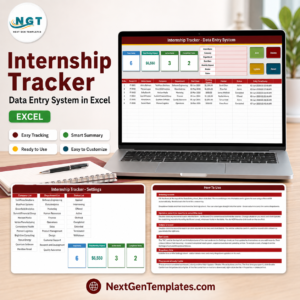
📝 Record student internships in the Internship Tracker Data Entry System in Excel.
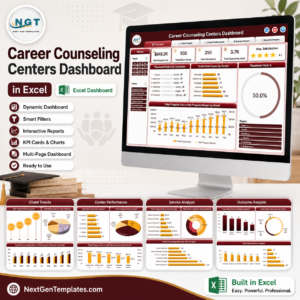
📈 For analysis rather than scheduling, see the Career Counseling Centers Dashboard in Excel.
🗂️ Browse every Excel calendar template or the full Excel education templates collection.
🔧 New to macros? Read Microsoft’s guide to enabling or disabling macros in Microsoft 365 files.
📖 Read the detailed Placement Drive Calendar in Excel blog post
🎥 Visit our YouTube channel for step-by-step video tutorials
👉 YouTube.com/@NextGenTemplates
📅 Last updated: September 2026
Watch the demo video:































Reviews
There are no reviews yet.