

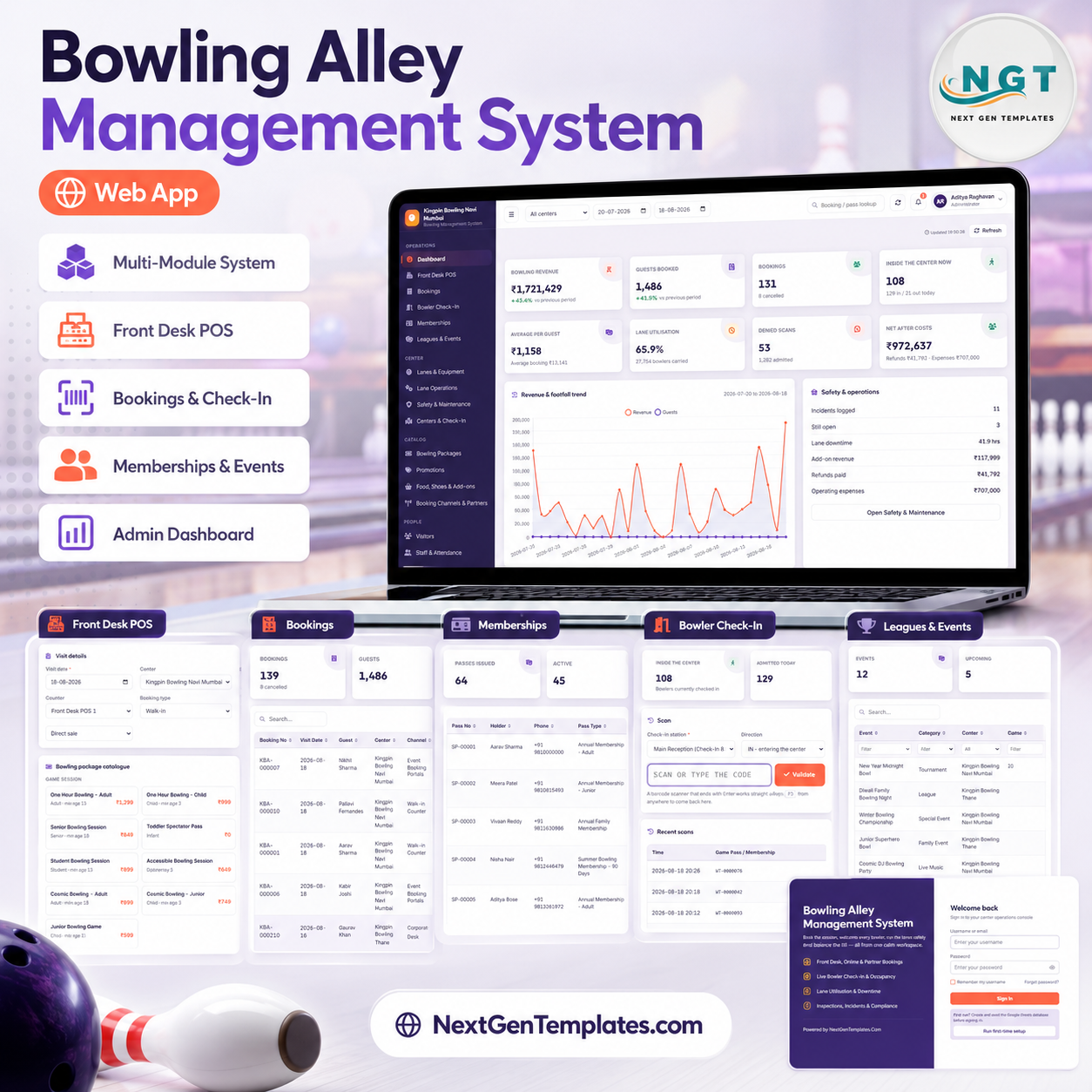
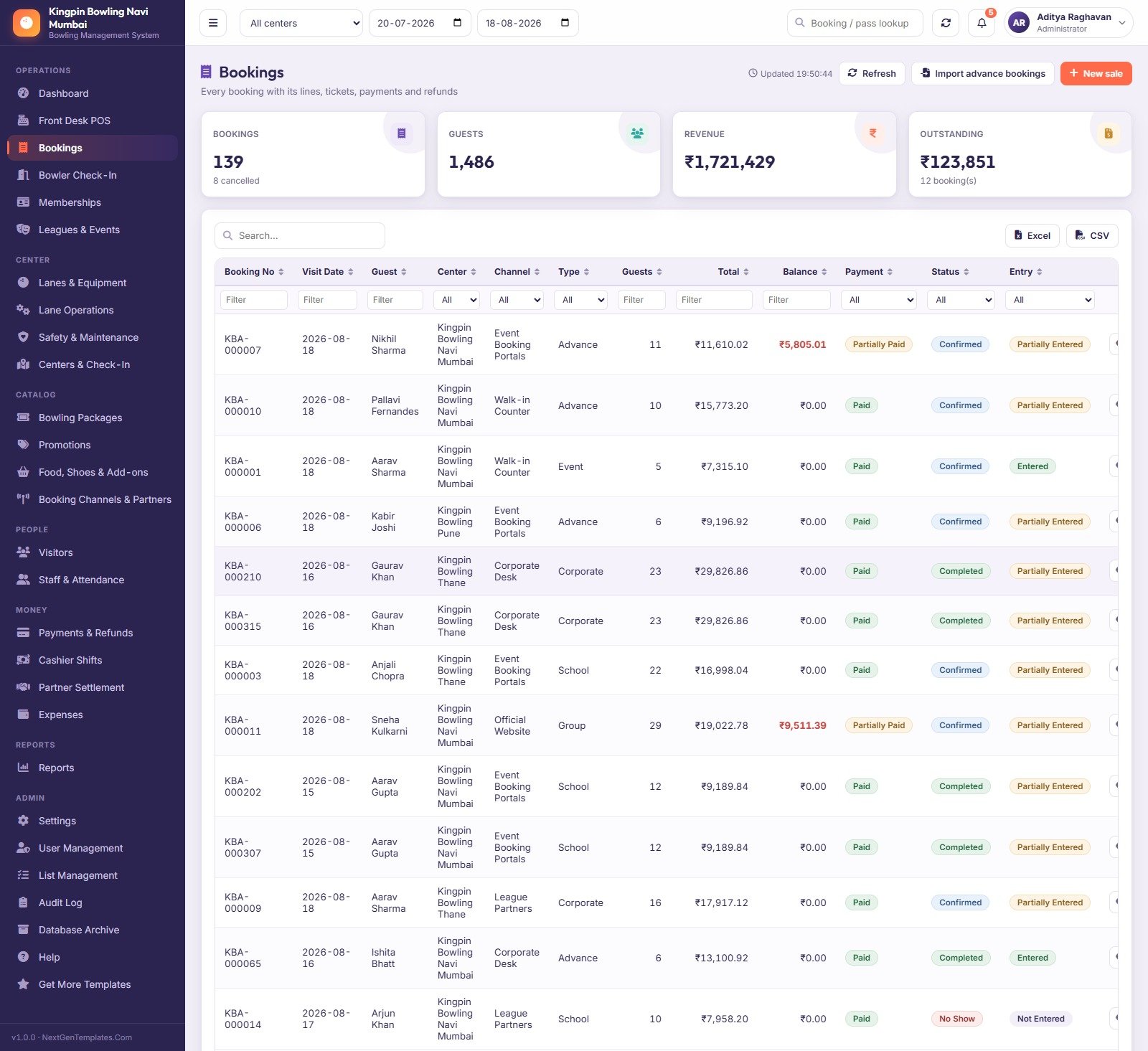
The Bowling Alley Management System Web App is a 27-screen Google Apps Script application that runs a bowling centre end to end — front-desk selling, lane bookings, bowler check-in, memberships, leagues, lane maintenance and the money that ties them together. It ships as Code.gs + Index.html, deploys into your own Google account in about 15 minutes, and seeds 34 sheets with roughly 13,000 demo rows so every screen, chart and report is populated the first time you sign in. No monthly fee, no per-terminal licence, no vendor holding your data. Try the live demo below before you spend a rupee or a dollar.
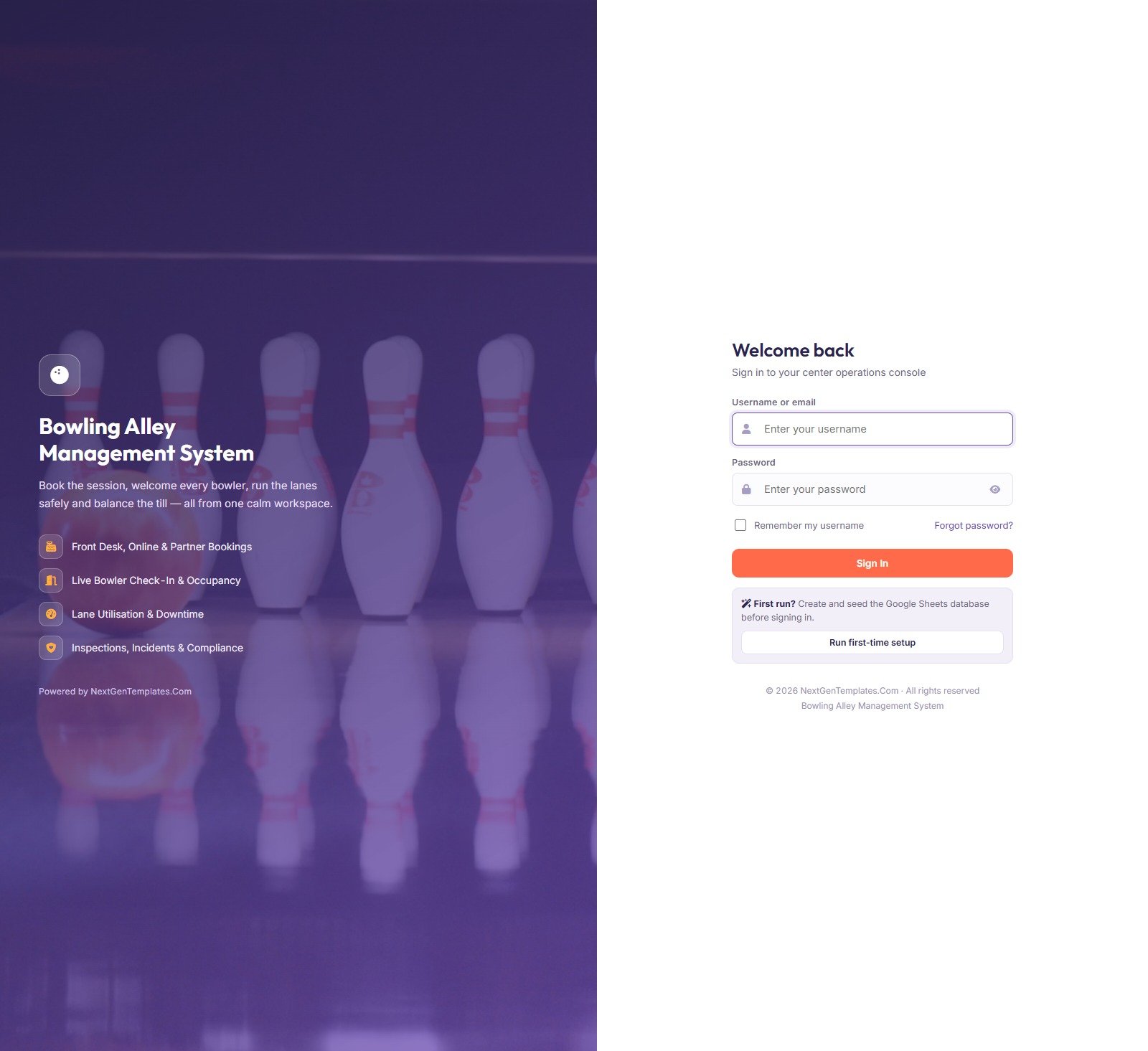
🚀 Try the Live Demo Before You Buy
We have deployed this web app in our own Google account so you can test every page, every role and every report — with real sample data — before purchasing. No signup, no email required.
🔑 Test Login Credentials
Sign in as admin to see every module including Settings and the Audit Log, or as gate to see how little a check-in host can reach. The role separation is the product — five accounts are seeded, and each one is worth ten seconds of your time.
💡 These credentials are public on purpose. This is a shared demo instance that we reset periodically, not anybody’s live centre. What you get after purchase: the full source code (Code.gs + Index.html) plus a step-by-step deployment guide, so you can run your own private instance in your own Google account — with your own passwords — in under 15 minutes.
Key Features of the Bowling Alley Management System Web App
- Twenty-seven screens across six groups — Operations, Center, Catalog, People, Money and Admin — all in one left rail, all cached so switching pages is instant.
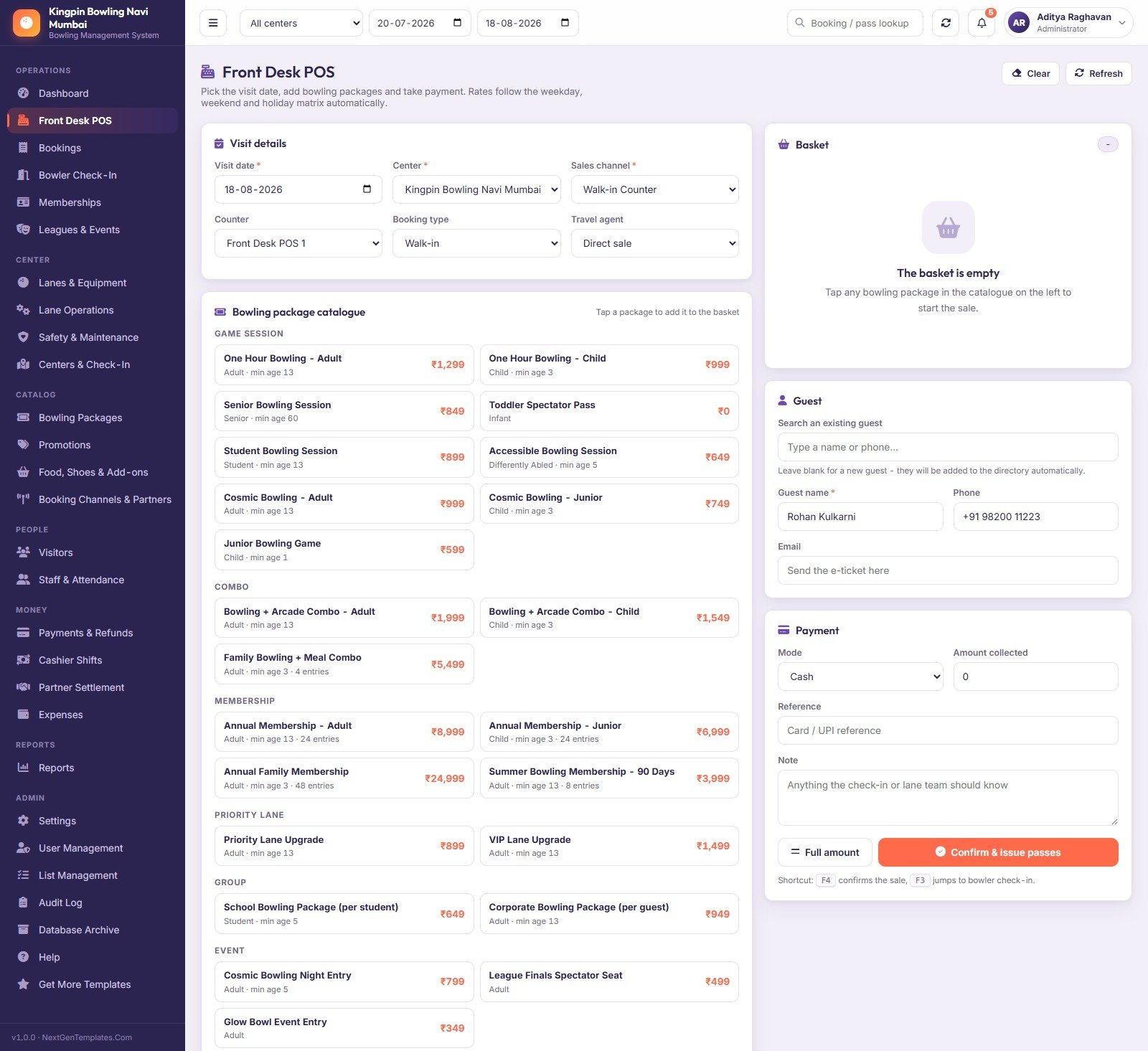
- Front Desk POS that prices on the server. Tap a package, the weekday / weekend / holiday matrix applies itself, capacity is checked, payment is taken and one ticket is issued per person.
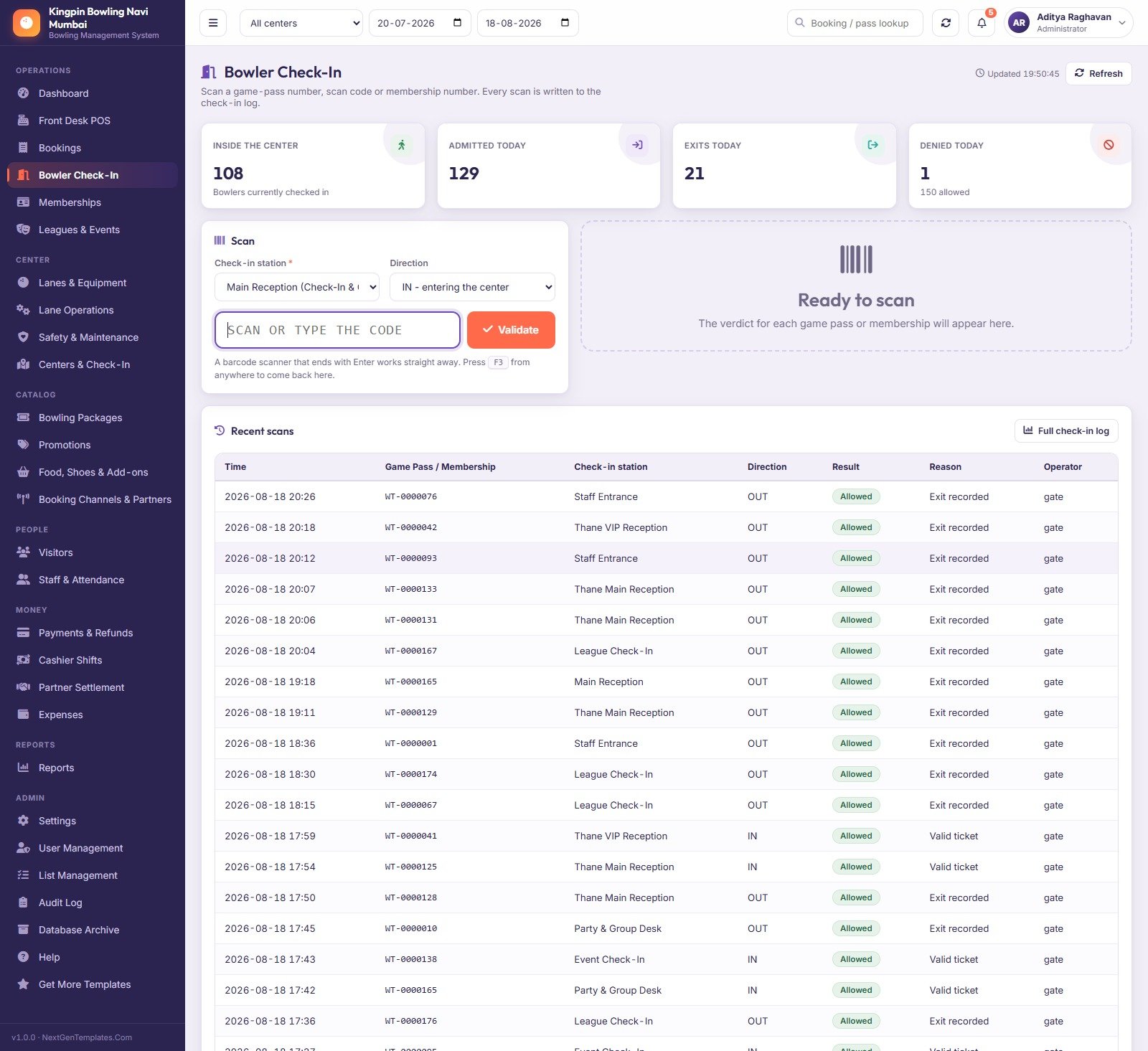
F4confirms the sale,F3jumps to the scanner. - Bowler Check-In with a real verdict. Scan or type a game pass, scan code or membership number and the server returns Allowed or Denied with a reason, writes the scan to the log and updates live occupancy. A barcode scanner that ends with Enter works with no configuration.
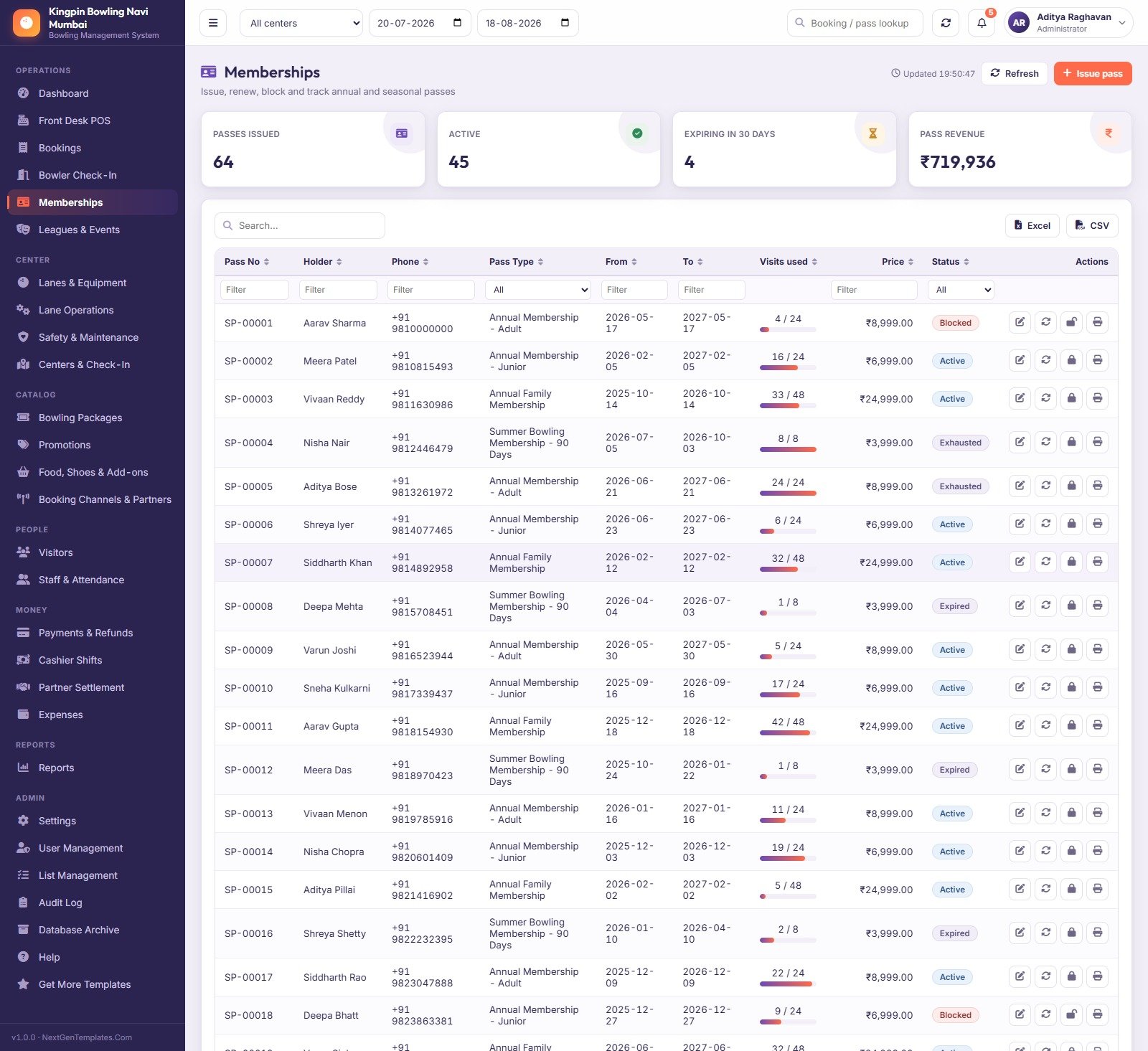
- Memberships that count. 64 seeded passes across Adult, Junior, Family and 90-day Summer types, each with a visits-used bar, a validity window and Active / Expired / Exhausted / Blocked states the counter cannot talk its way past.
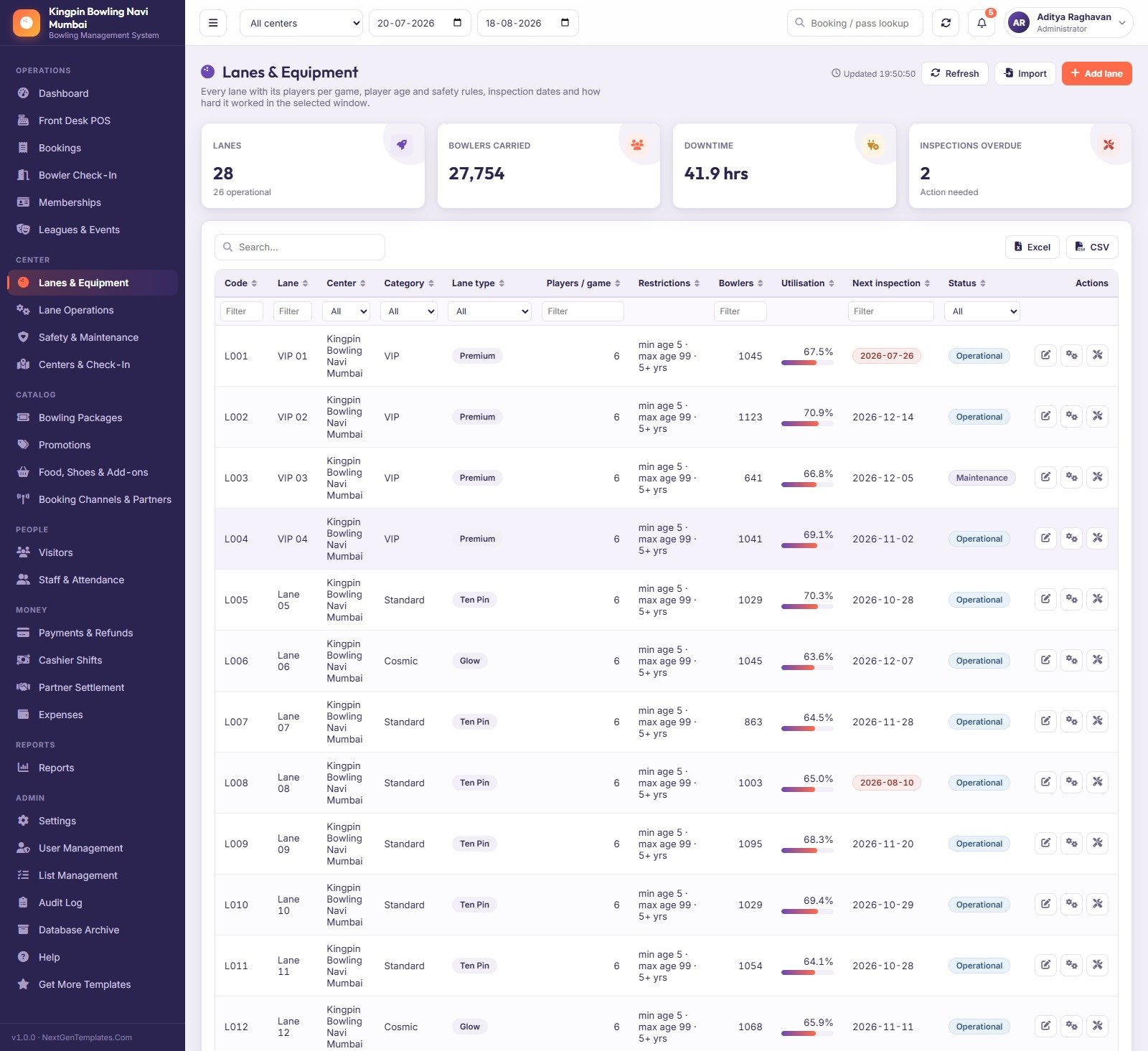
- Lanes, sessions and safety in one chain. 28 lanes with players-per-game, age and safety rules and inspection dates; 547 logged lane sessions with games, bowlers and downtime reasons; a maintenance log, a statutory inspection queue and a guest incident register.
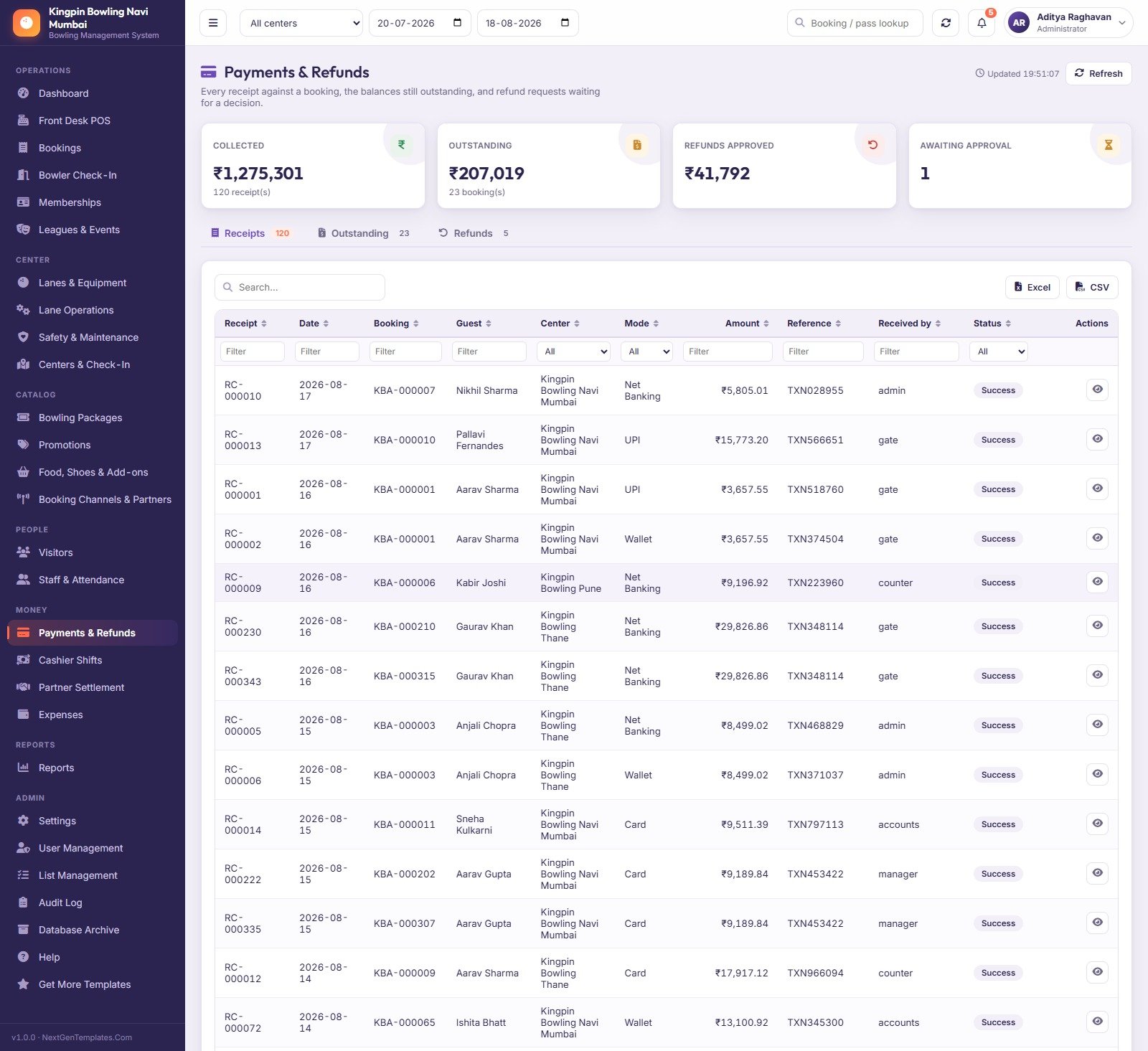
- Money that reconciles. 120 receipts, outstanding balances, refund approvals, 90 cashier shifts recomputed from the payments actually taken on that counter, agent commission settlement and a categorised expense book.
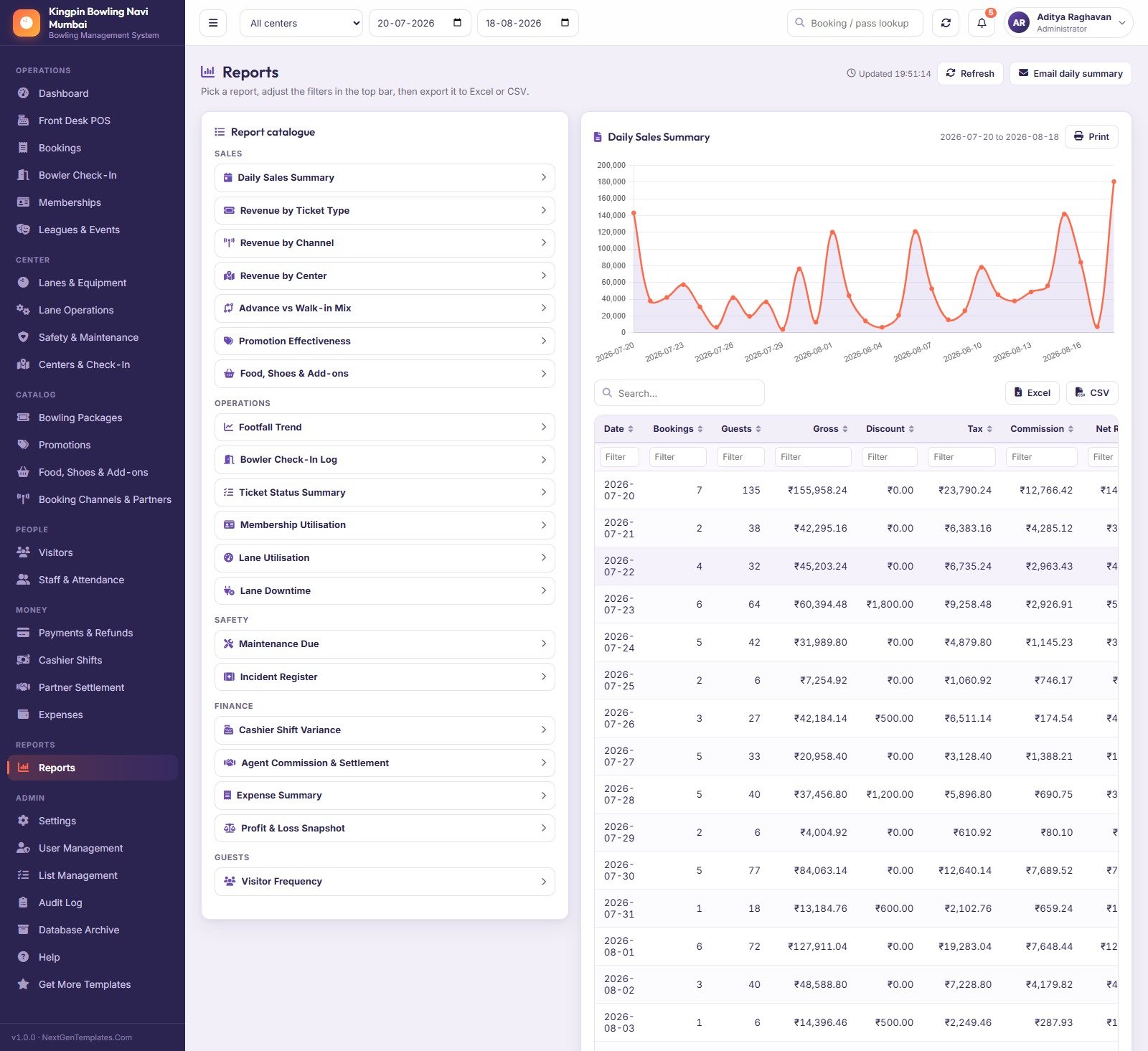
- Twenty built-in reports across Sales, Operations, Safety, Finance and Guests, each filtered by the top-bar centre and date range and each exportable to Excel or CSV.
- Five roles enforced on the server, not just hidden in the menu — plus salted SHA-256 passwords, lockout after five failed sign-ins and a 60-minute session timeout.
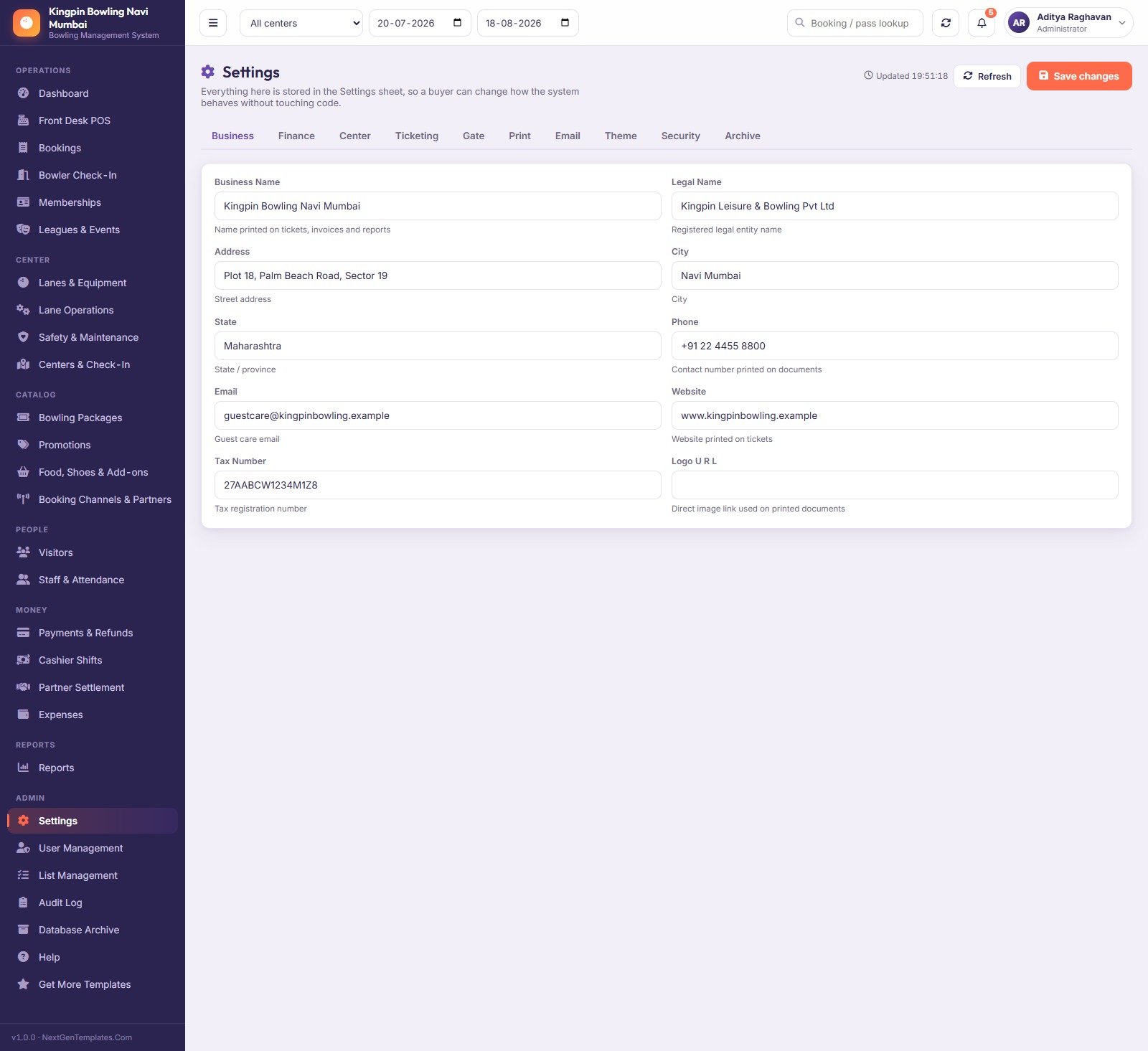
- 51 settings across ten tabs (Business, Finance, Center, Ticketing, Gate, Print, Email, Theme, Security, Archive) and 201 dropdown values you rename yourself in List Management. No code editing to rebrand it.
- Multi-centre from day one — three seeded centres with their own capacity, hours, check-in stations, zones and counters, and an “All centers” roll-up on every screen.
What’s Inside the Bowling Alley Management System Web App
The download is a ZIP holding Code.cs.txt, Index.txt and a 30-page PDF user manual. Paste the two files into a new Apps Script project, deploy as a web app, click Run first-time setup, and the script builds a 34-sheet Google Sheets database and fills it. Setup runs in stages and saves its place, so Google’s six-minute execution limit on a free account cannot break it — it tells you “Setup 58% complete” and carries on by itself.
| Group | Screens | What the seeded data holds |
|---|---|---|
| Operations | Dashboard, Front Desk POS, Bookings, Bowler Check-In, Memberships, Leagues & Events | 320 bookings, 561 booking lines, 4,279 tickets, 5,567 check-in scans, 64 memberships, 12 events |
| Center | Lanes & Equipment, Lane Operations, Safety & Maintenance, Centers & Check-In | 28 lanes, 547 lane sessions, 68 maintenance records, 34 incidents, 3 centres, 8 check-in stations |
| Catalog | Bowling Packages, Promotions, Food & Shoes & Add-ons, Booking Channels & Partners | 26 packages, 10 promotions, 260 add-on sales, 6 channels, 8 agents |
| People | Visitors, Staff & Attendance | 130 guests with visit counts and lifetime spend, 30 staff, 870 attendance marks |
| Money | Payments & Refunds, Cashier Shifts, Partner Settlement, Expenses | 347 payments, 17 refunds, 90 shifts, 28 settlements, 88 expenses |
| Admin | Reports, Settings, User Management, List Management, Audit Log, Database Archive, Help | 20 reports, 51 settings, 201 list values, 5 users across 5 roles |
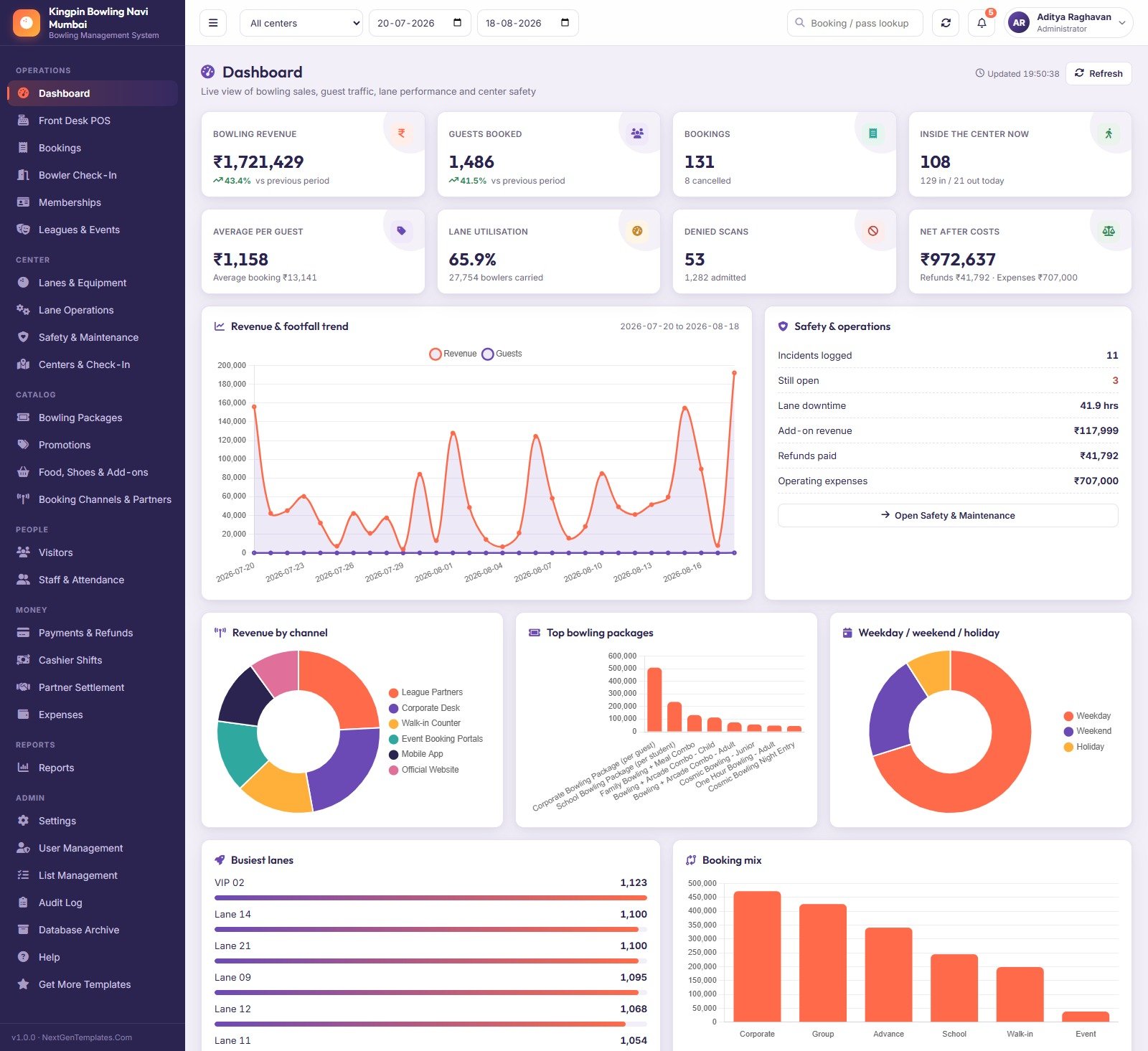
Every figure in the demo reconciles: booking totals equal the sum of their lines, issued tickets equal the pax on the booking, visits used never exceed the pass allowance, and each partner settlement equals the commission on its own bookings. That matters, because it means the reports you evaluate are arithmetically honest rather than random numbers.
Bowling Alley Management System vs. a Google Sheets Tracker vs. Paid Bowling SaaS — Where This Fits
| This Web App | A Google Sheets tracker | Paid bowling-centre SaaS | |
|---|---|---|---|
| Cost | $59.99 one-off (on sale $39.99) | $10–$20 one-off | $150–$400 per month, per centre |
| Platform | Google Apps Script web app on your own Google account | A spreadsheet | Vendor cloud |
| Setup time | ~15 minutes, self-seeding | Minutes | Days to weeks, often paid onboarding |
| Real-time team collaboration | Yes — multiple staff signed in at once, server-side permissions | Yes, but everyone sees everything | Yes |
| Mobile access | Yes, browser on any device | Yes, clumsy on a phone | Yes, usually a native app |
| Customisable fields | Yes — 51 settings, 201 list values, full source code | Yes | Only what the vendor exposes |
| Share with link | Yes — your own /exec URL | Yes | Vendor login |
| Year-1 cost at 5 users | $59.99 | ~$15 | $1,800–$4,800 |
| Role-based permissions enforced server-side | Yes, 5 roles | No | Yes |
| Pinsetter / scoring-system integration | No | No | Sometimes, at a price |
| Card processing | No — it records the payment mode and reference | No | Usually included |
Who This Template Is For — and Who It’s Not For
It is for independent bowling centres and small two- or three-site chains that are running the front desk on a paper diary, a whiteboard and a spreadsheet, and want one console for selling, admitting, lanes and cash without signing a subscription. It also suits family entertainment centres, corporate-event venues and coaching clubs that sell sessions, passes and add-ons the same way.
It is not for you if you need the system to talk to your lane hardware. This app does not connect to pinsetters, automatic scorers, lane displays or bumper controls, and it does not read scores. It is not a payment gateway — it records the mode, amount and reference of a payment somebody else took. It does not certify lane safety, file tax returns, or issue statutory inspection certificates; the Safety & Maintenance module is a register and a reminder, not a compliance authority. If you need any of those, buy the SaaS. If you need the operational and financial spine and want to own it, this is the cheaper answer by a factor of thirty.
How to Use the Bowling Alley Management System Web App
- Try the demo first. Open the green box above, sign in as
admin, then sign out and come back asgate. If the role separation and the reports suit how your centre runs, buy it. If they don’t, you have lost five minutes and nothing else. - Deploy your own copy. Unzip the download. New Google Sheet → Extensions → Apps Script. Paste
Code.cs.txtintoCode.gs, add an HTML file named exactlyIndexand pasteIndex.txtinto it. Deploy → New deployment → Web app, Execute as: Me, Who has access: Anyone. - Run first-time setup from the sign-in card. It builds 34 sheets and loads the demo data in stages — leave the tab open and watch it fill.
- Change all five passwords in User Management, then set your own business profile, currency, tax and print sizes in Settings. The seeded demo is priced in Indian rupees; one field in Settings → Finance switches the symbol.
- Load your real catalogue. Bowling Packages is the pricing matrix — a weekday, weekend and holiday rate per ticket plus validity, entry allowance and the age/safety rules the counter enforces. Get this right and the POS looks after itself.
- Clear the demo transactions before your first real sale, then run the day: sell at the POS, admit at Bowler Check-In, log lane sessions, close the drawer in Cashier Shifts and read the Daily Sales Summary.
Real-World Use Cases
Meera runs a 28-lane centre in Navi Mumbai. Friday nights used to mean a paper diary and an argument at 11pm about whether lane 14 was double-booked. Now the counter sells from one screen, the host scans passes at the door, and at close she opens Cashier Shift Variance and sees three shifts short by ₹50, ₹250 and ₹400 instead of a missing ₹700 nobody can explain.
Karan is a front-desk associate on the evening shift. He signs in as counter, presses F2, and sells. He cannot delete a booking, cannot export the guest list and cannot see the expense book — and nobody had to trust him not to, because the server refuses, not just the menu.
Vivek is the accountant for a three-centre group. He never touches an operational record. He signs in as accounts, pulls Agent Commission & Settlement for the month, marks Skyline Holidays paid, exports the Profit & Loss Snapshot to Excel and is done before lunch.
Frequently Asked Questions
Can I try it before buying?
Yes — that is the point of the green box above. The demo is a full deployment with all five roles and all 13,000 seeded rows. Those credentials are public on purpose: it is a shared instance we reset, not a customer’s centre.
Does it connect to my pinsetters, scorers or lane displays?
No. It does not read scores and does not control lane hardware of any kind. It manages the business around the lanes — selling, admitting, occupancy, downtime, safety and money.
Does it process card payments?
No. It records that a payment happened, in what mode (cash, card, UPI, wallet, net banking), for how much and against which reference. Taking the money is still your terminal’s job.
Where is my data stored?
In a Google Sheet in your Google Drive, created automatically the first time setup runs. We never see it. There is no vendor account and nothing to cancel.
Can it run more than one centre?
Yes. The demo ships with three — Navi Mumbai, Thane and Pune — each with its own capacity, hours, check-in stations and counters, plus an “All centers” view on every operational screen.
What if the database gets too big?
Database Archive copies the whole spreadsheet to Drive first, then moves only closed transactions older than your cutoff date. Master data and open bookings always stay put, and you can reconnect an archive read-only whenever you need to look back.
Can I change the currency, the branding and the dropdown values?
Yes, without touching code. Settings has 51 fields across ten tabs; List Management holds 201 dropdown values you can rename, reorder or retire. And you own the source, so anything beyond that is editable too.
About the Author
Built by PK – Microsoft Certified Professional with 15+ years of Excel, Google Sheets, and Power BI experience. Founder of NextGenTemplates, reaching 300K+ subscribers across YouTube channels. Every template is hand-built and tested before release.
Explore Related Templates
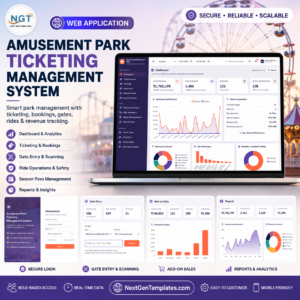
- Amusement Park Ticketing Management System Web App — the closest sibling: gates, passes and ride capacity instead of lanes.
- Adventure Sports Booking Management System Web App — slot-based activity booking with instructors and equipment.
- Sports and Recreation Dashboard in Google Sheets — a lighter, read-only analytics view if you are not ready for a full system.
- Gym Membership Tracker in Google Sheets — if passes and renewals are the only part you need.
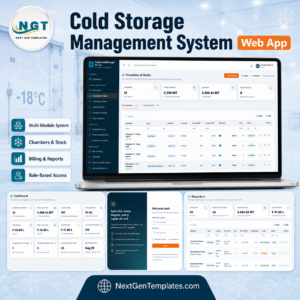
- Cold Storage Management System Web App — another Apps Script system built on the same 34-sheet architecture.
- Browse the full Web Apps category or the Google Sheets category.
Ready to run the centre from one screen? Open the live demo, sign in as admin, and look at the Dashboard, the POS and the Cashier Shift Variance report. If those three convince you, the download is a one-off $39.99 and it is yours — source code included — forever. Full walkthrough on the blog: Bowling Alley Management System Web App: a screen-by-screen review.
Last updated: 23 August 2026.





























Reviews
There are no reviews yet.