

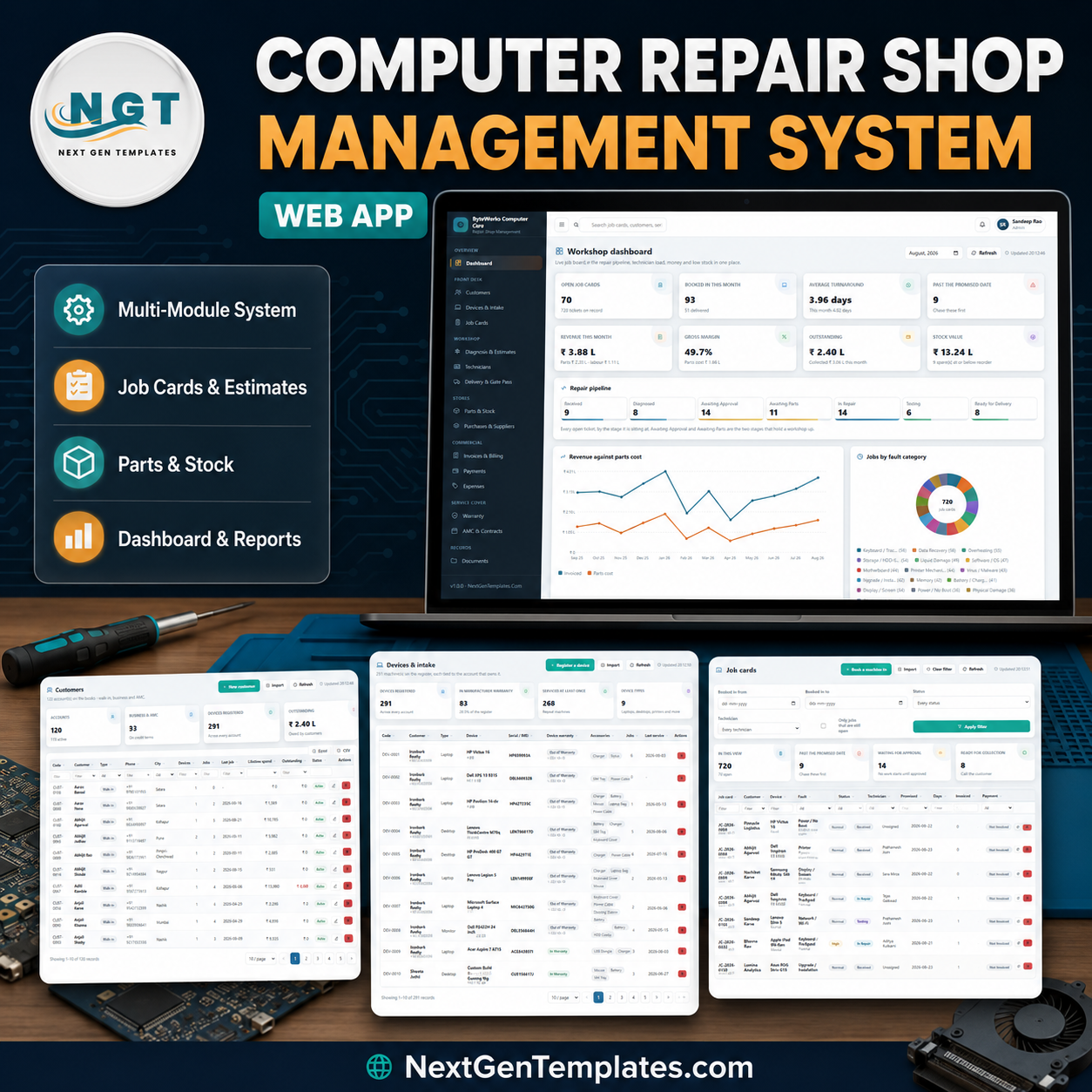
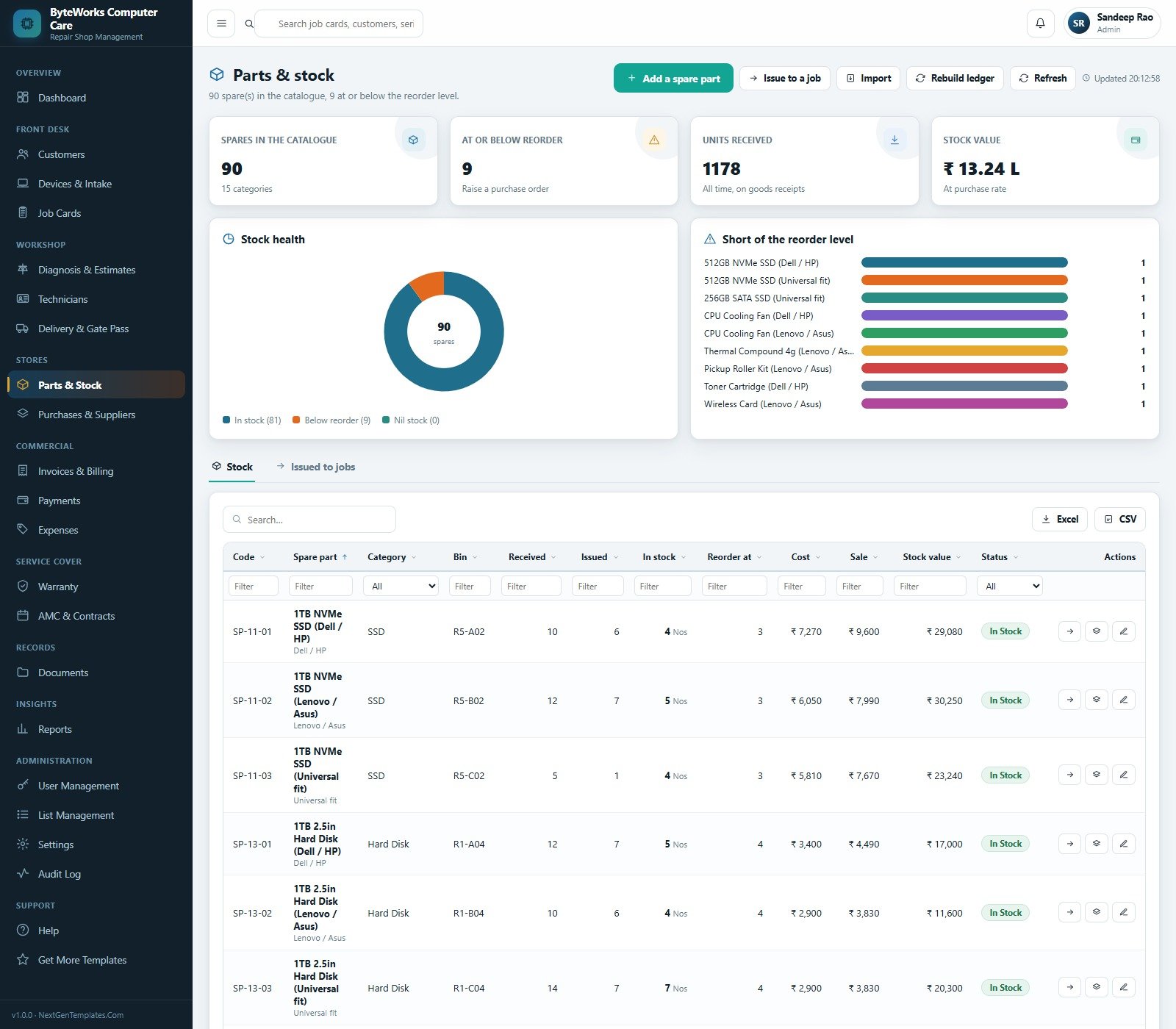
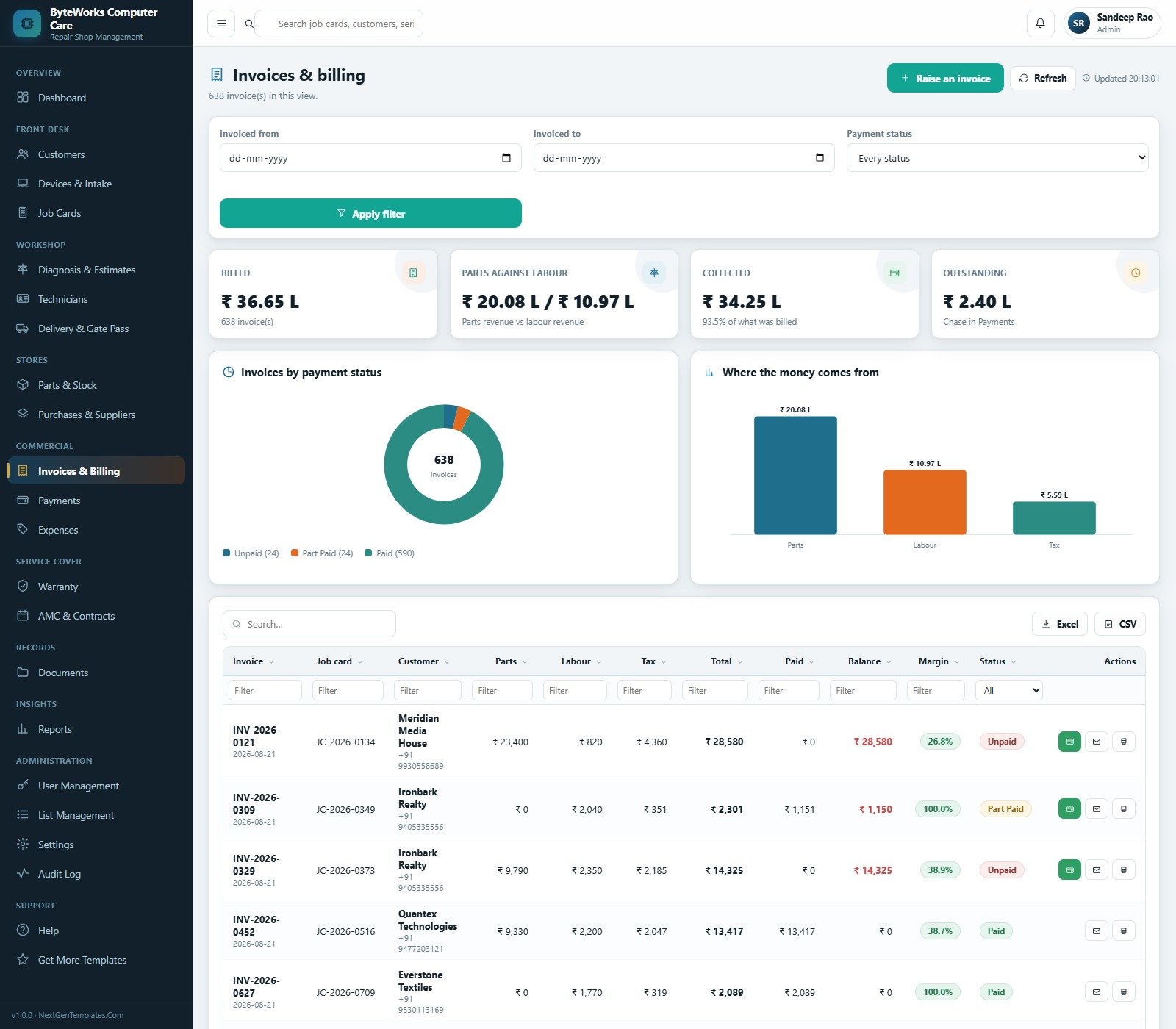
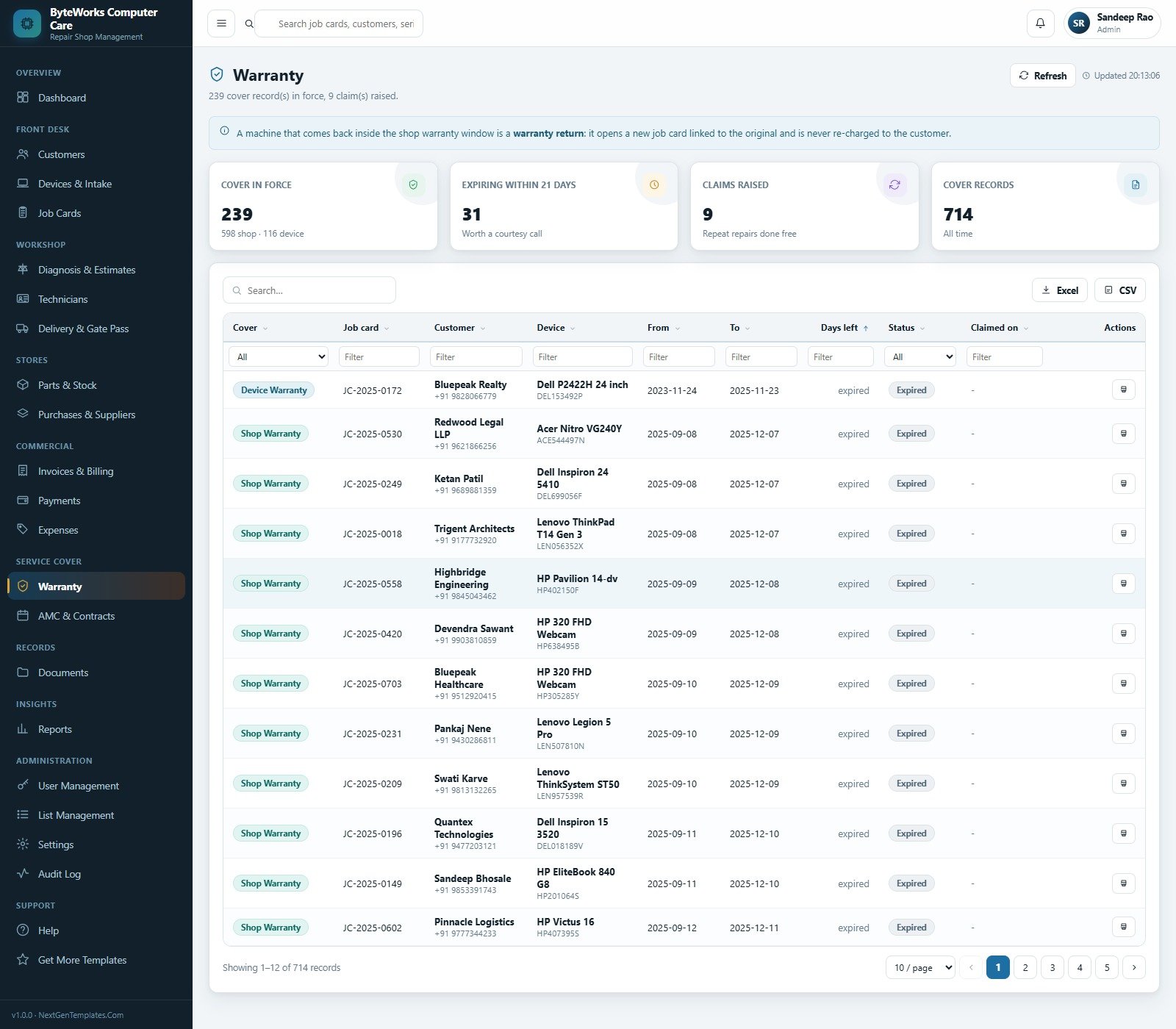
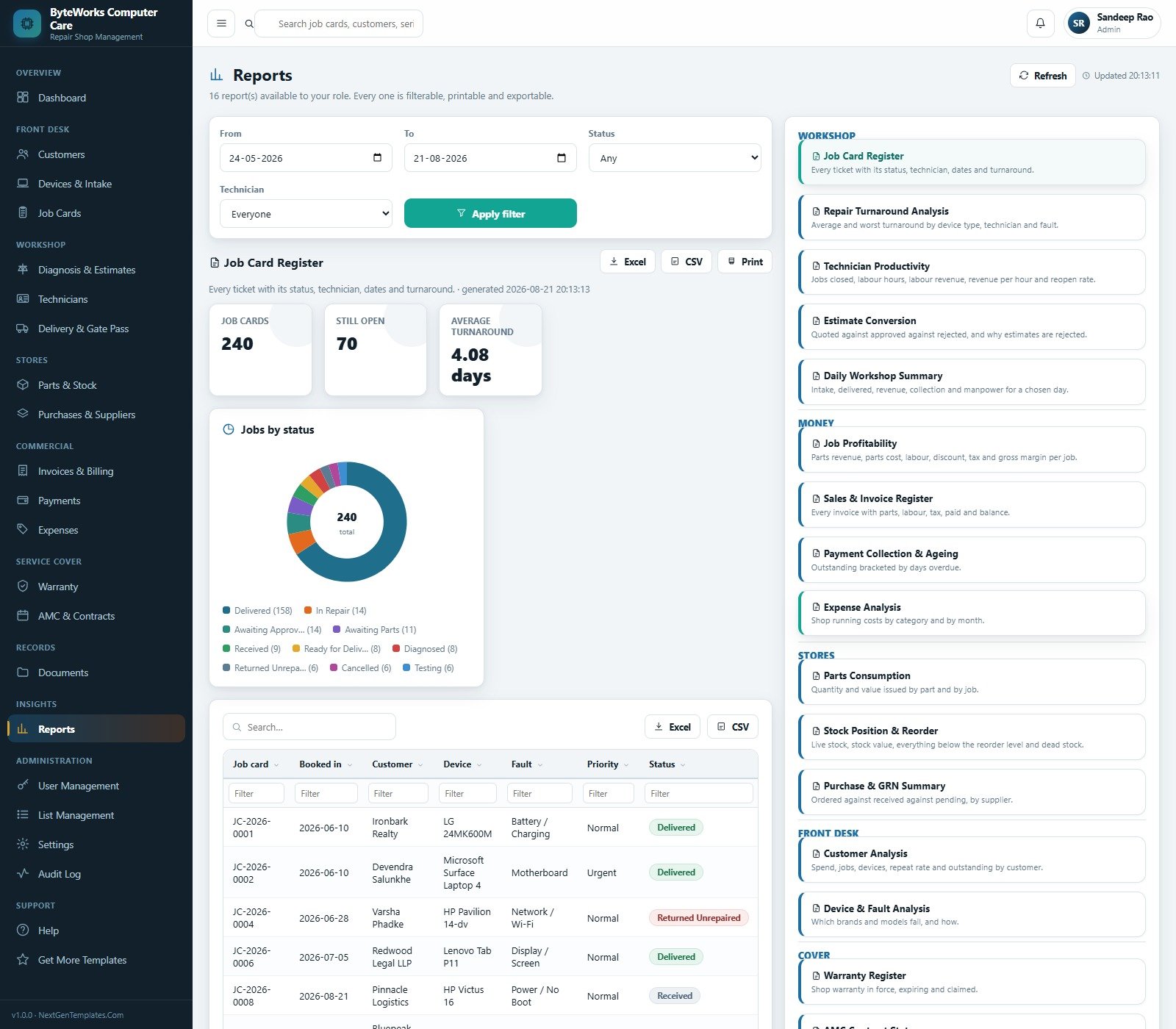

The Computer Repair Shop Management System Web App is a complete Google Apps Script service desk for a computer and laptop repair workshop. It ships with 23 working screens, 29 database sheets, 16 exportable reports, 6 sign-in roles and a seeded demo of 14,326 rows – 720 job cards, 291 registered machines, 120 customer accounts, 90 spare parts, 638 invoices and 714 warranty records – so every screen, chart and report is populated the first time you open it. You own the source outright: no subscription, no per-seat licence, no data leaving your own Google account. Try the live demo below before you spend anything.
Try the Live Demo Before You Buy
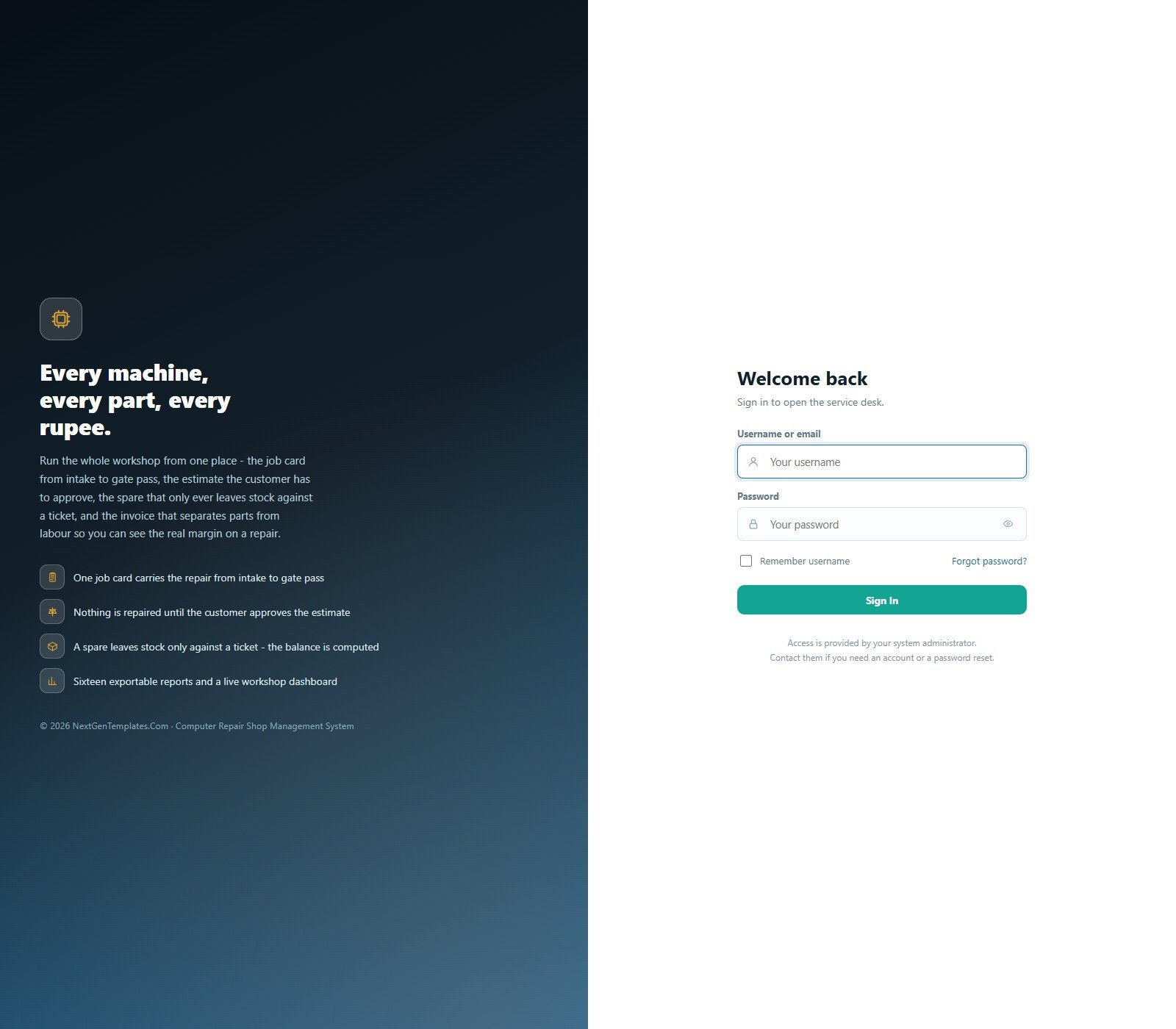
We have deployed this web app in our own Google account so you can test every page, every role and every report – with real sample data – before purchasing. No signup, no email required.
Test Login Credentials
Sign in as admin to see the whole system, then sign back in as techlead to watch every price, invoice total and margin disappear from the same pages – that server-side role filtering is the point of the product.
These credentials are public on purpose. They belong to a shared demo instance that is reset periodically, not to anybody’s live shop. What you get after purchase: the full source (Code.gs + Index.html) plus a step-by-step deployment guide, so your own private instance runs in your own Google account in about 15 minutes.
Key Features of the Computer Repair Shop Management System Web App
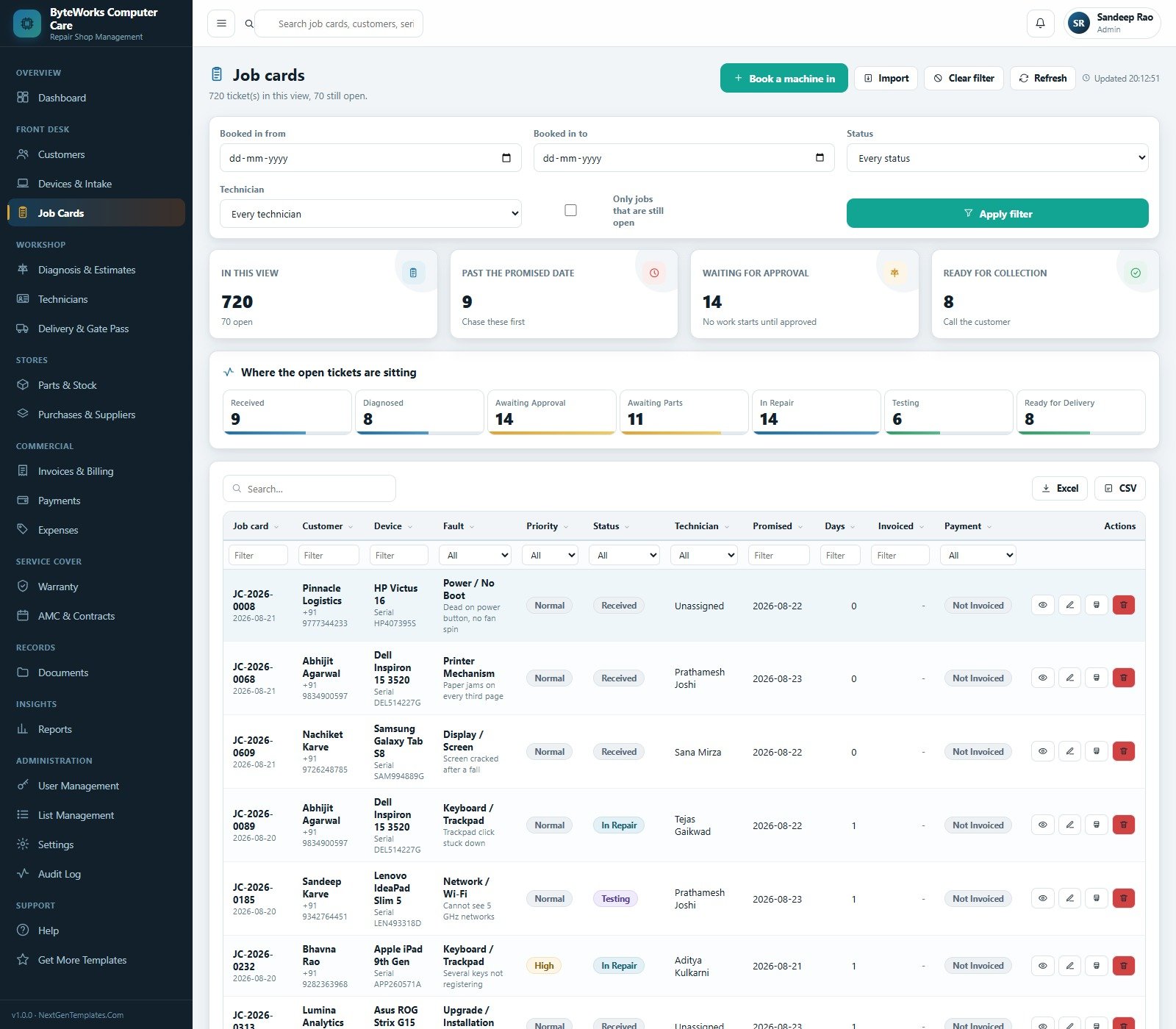
- One job card carries the whole repair – intake, diagnosis, estimate, parts issued, labour hours, testing, invoice, payment and gate pass all hang off a single ticket, with a seven-stage pipeline (Received, Diagnosed, Awaiting Approval, Awaiting Parts, In Repair, Testing, Ready for Delivery) shown live on the dashboard.
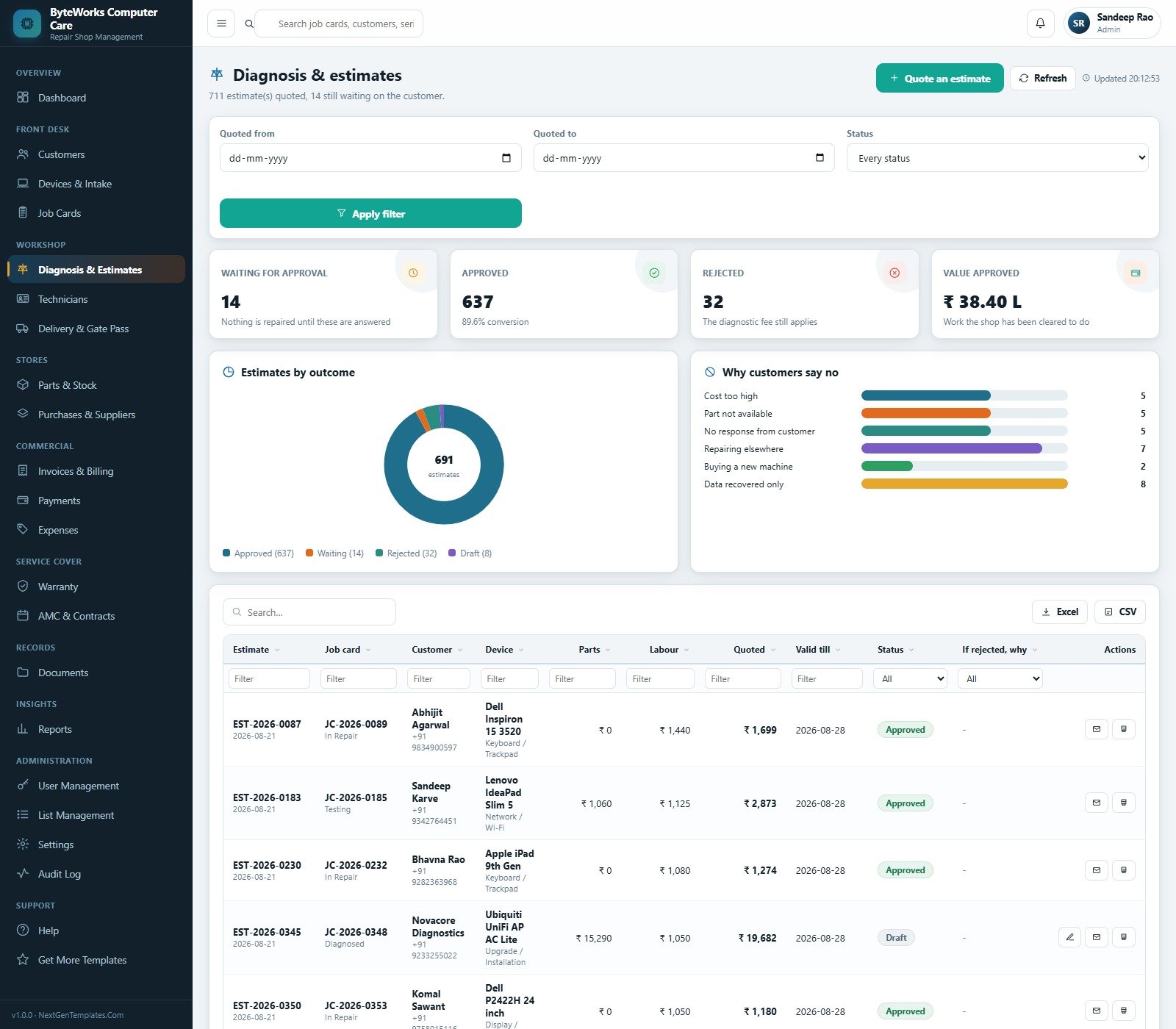
- Nothing is repaired without an approved estimate. A quote sits at Awaiting Approval until the customer answers. Reject it and the job closes as Returned Unrepaired with the diagnostic fee still charged, and the reason recorded against six tracked rejection causes.
- A spare only leaves stock against a ticket. Stock arrives on a goods receipt and goes out to a job; the balance is computed from those two movements, never typed, and you cannot issue more than the shop holds.
- Parts revenue, parts cost and labour are kept apart on every invoice, so the gross margin on each repair is a real number rather than a guess.
- Six roles enforced on the server. The permission map builds the sidebar the browser receives and is re-checked on every request, so editing the page in a browser cannot reach a module the role does not hold. Money is stripped out of the technician payload before it leaves the server.
- Warranty and AMC are built in – shop warranty, device warranty, 21-day expiry warnings, and annual contracts with visit counters across Comprehensive, Labour Only and Preventive Only cover.
- Sixteen filterable, printable, exportable reports grouped into Workshop, Money, Stores, Front Desk and Cover – from Repair Turnaround Analysis and Technician Productivity to Job Profitability, Stock Position & Reorder and Device & Fault Analysis.
- Configurable without code – 24 dropdown lists holding 186 values, 56 settings across 8 areas, five theme colours, and A4 / 4-inch / 3-inch print sizes.
What Is Inside the Computer Repair Shop Management System Web App
The download is a ZIP holding three files: Code.cs.txt (the Apps Script back end), Index.txt (the single-page front end) and the User Manual PDF. Deployment is paste, save, deploy – and the manual covers every click.
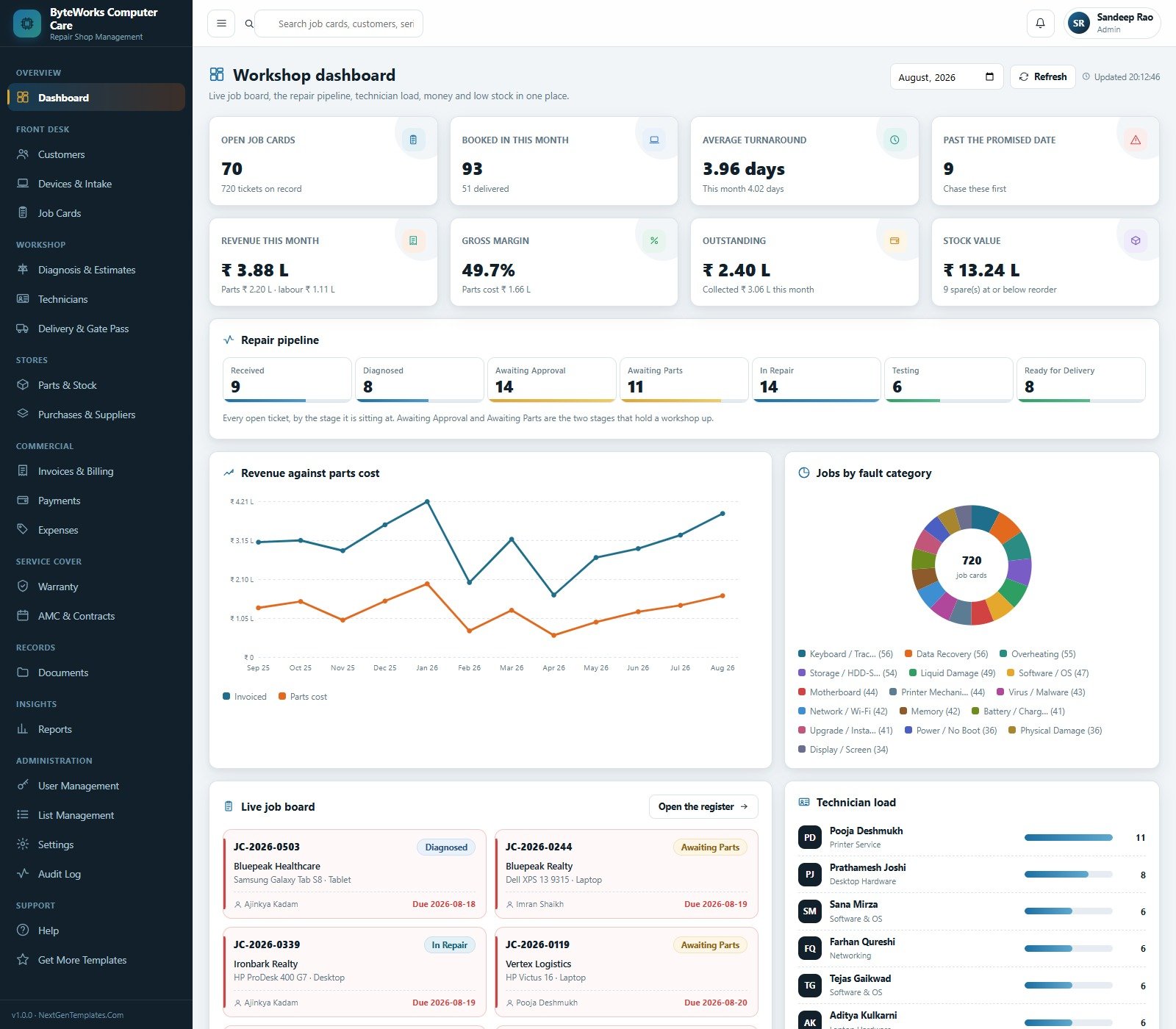
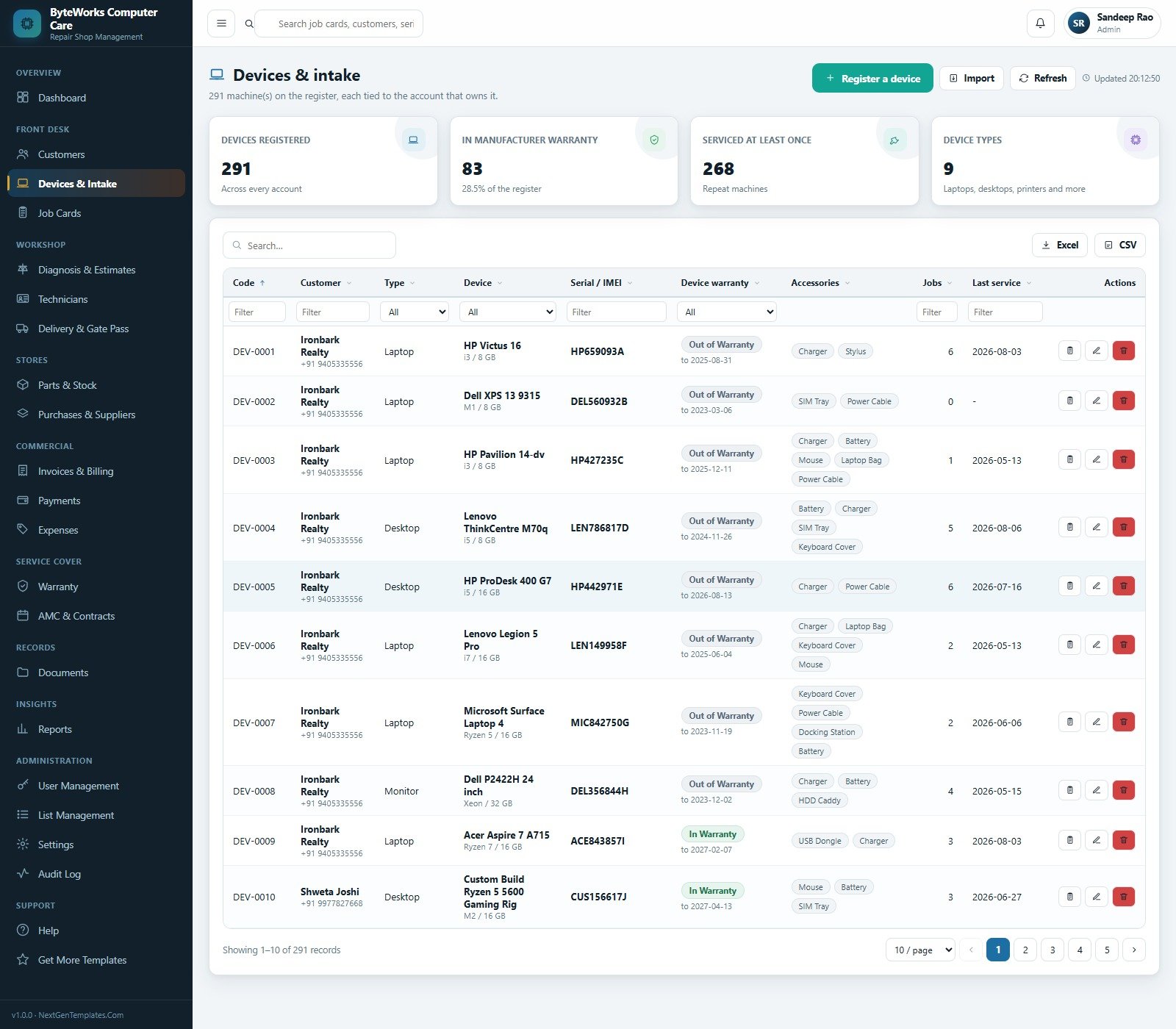
- Front desk – Customers (walk-in, business and AMC accounts, with lifetime spend and outstanding per account), Devices & Intake (serial or IMEI, warranty window, accessories checked in) and Job Cards.
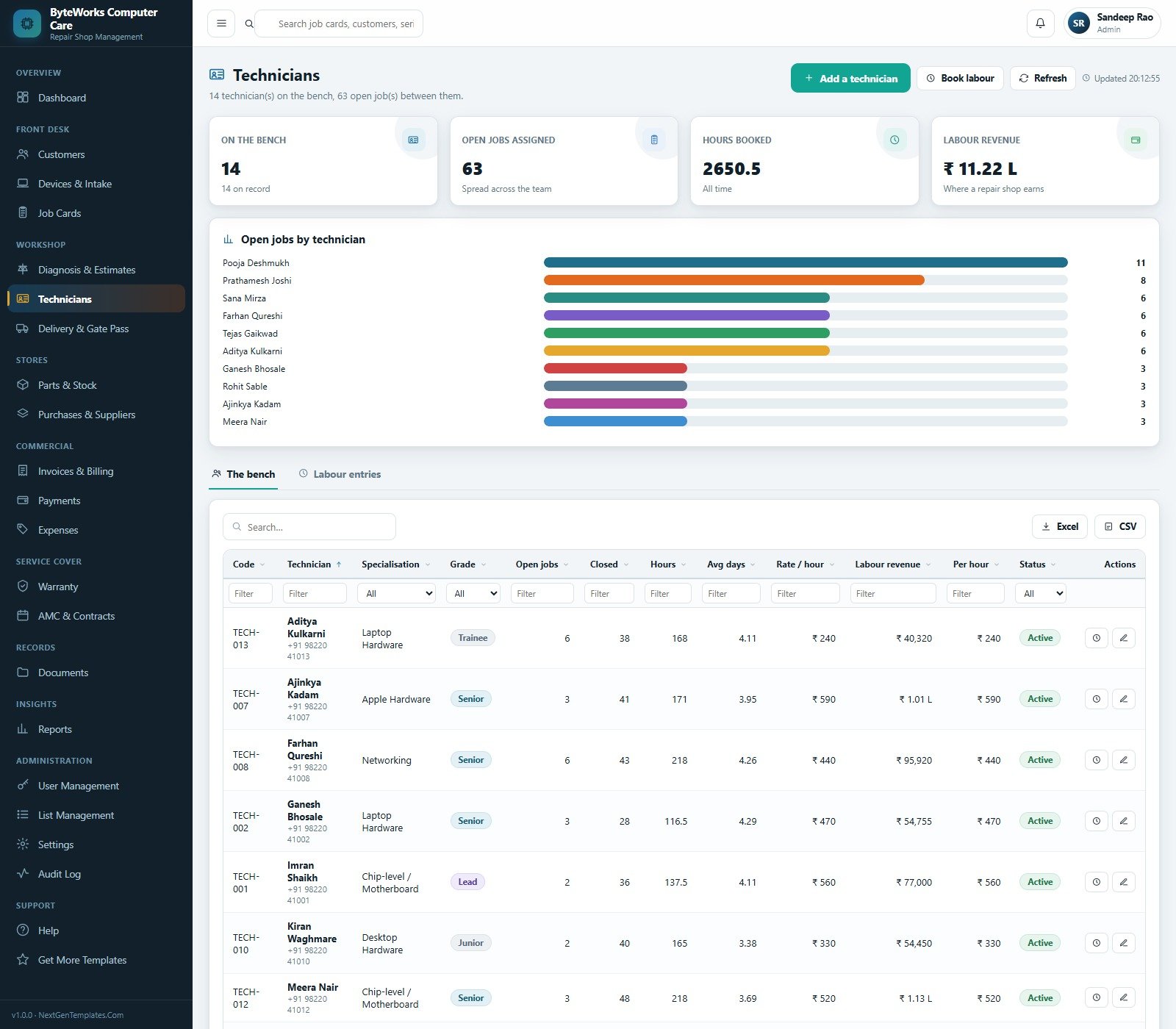
- Workshop – Diagnosis & Estimates with an approval workflow, Technicians with a bench view, labour booking, rate per hour and revenue per hour, and Delivery & Gate Pass with the final test result, accessories returned, the ID of whoever collected the machine and a counter rating.
- Stores – Parts & Stock with reorder levels, bin locations and issue-to-job; Purchases & Suppliers with orders, goods receipts and a pending column.
- Commercial – Invoices & Billing, Payments with a six-bracket ageing chart, and Expenses across twelve categories with an approval flag.
- Service cover – the Warranty register and AMC & Contracts.
- Records and administration – Documents filed into eight Google Drive folders, Reports, User Management, List Management, Settings, an Audit Log and an in-app Help section.
This Web App vs. a Repair-Shop Spreadsheet vs. Paid Repair SaaS – Where This Fits
| This Web App | Spreadsheet or Sheets tracker | Paid repair-shop SaaS | |
|---|---|---|---|
| Cost | One-time, source included | Low or free | Roughly 30 to 80 USD per user per month |
| Platform | Google Apps Script web app in your own Google account | Excel or Google Sheets | Vendor cloud |
| Setup time | About 15 minutes, seeded on first run | Minutes | Days, plus onboarding |
| Real-time team collaboration | Yes, six concurrent roles | Yes, but with no permissions | Yes |
| Mobile access | Yes, responsive in any browser | Limited | Yes, native apps |
| Customisable fields | 24 editable lists, 56 settings, full source | Fully, but you build it | Vendor-defined |
| Share with a link | Yes, your own /exec URL | Yes | Vendor login |
| Year-1 cost at 5 users | The purchase price, once | Near zero plus your build time | 1,800 to 4,800 USD |
| Stock enforced against job cards | Yes, the balance is computed | No | Usually |
| Money hidden from bench technicians | Yes, stripped server-side | No | Depends on the plan tier |
| You own the data and the code | Yes, both | Yes | No |
Who This Template Is For – and Who It Is Not For
It fits a single-location or two-bench computer and laptop repair shop, a campus or corporate IT service desk that repairs its own machines, a printer and peripheral service centre, a reseller running out-of-warranty repairs, or a data-recovery and upgrade specialist who needs job cards, approvals and margin in one place.
It does not fit if you need certified accounting. This is not accounting software, it does not file GST returns, e-invoices or e-way bills, and it is not a card terminal or a payment gateway. It reads nothing from any manufacturer’s warranty API, does not order parts from a distributor automatically, does not diagnose hardware for you, and makes no claim about data-recovery success rates. If you run several branches with separate stock ledgers, or you need a customer-facing self-service portal, this is the wrong starting point.
How to Use the Computer Repair Shop Management System Web App
- Open the live demo first and click through as
admin, then astechlead. Ten minutes there tells you more than any feature list. - Create a new project at script.google.com, paste
Code.cs.txtintoCode.gs, add an HTML file named exactlyIndexand pasteIndex.txtinto it. - Deploy as a Web app – Execute as Me, Who has access Anyone – and accept the Google permission prompts.
- Open the URL and click Set up the database. Setup is staged and resumable, so a free Google account’s six-minute script limit cannot break it.
- Sign in as
admin, change the password, then work through Settings – Company, Financial, Workshop, Printing and Theme – for your shop name, tax percent, diagnostic fee, promised days, warranty period, print size and currency symbol. - Create your real users in User Management, delete the demo accounts, then adjust every dropdown under List Management to match how your counter actually talks.
Real-World Use Cases
Rakesh, who owns a four-bench laptop shop. He used to lose two or three machines a month to “waiting for the customer to call back”. The Awaiting Approval count on the dashboard, sitting right beside Awaiting Parts, is now the first thing his advisor clears every morning.
Sana, a service advisor. She books a machine in with its serial and the accessories it arrived with, and hands it back on a gate pass that lists exactly those accessories, the final test result and who collected it – which ended the “my charger was in the bag” argument for good.
Vikram, a manager who never trusted his margin. Because parts revenue, parts cost and labour sit in three separate columns on every invoice, he can see that the shop earns most of its money on labour, and price his diagnostic fee accordingly.
Frequently Asked Questions
Can I try it before buying?
Yes. The green box above carries a live /exec URL and all six sign-ins. Test every page and every role first – nothing is held back behind the purchase.
Is this accounting or GST software?
No. It raises invoices and records payments for your own workshop, and it prints a GSTIN on the tax invoice if you enter one, but it does not file returns, generate e-invoices or e-way bills, and it is not a substitute for your accountant or your accounting package.
Where does my data live?
In a Google Sheet inside your own Google account, created by the setup routine. Nothing is sent to us or to any third party, and there is no vendor who can lock you out of it.
Do my technicians see customer pricing?
Not if you give them the Senior Technician role. Pricing, invoice totals, margins and shop revenue are removed from the payload on the server before it is sent, so they are not merely hidden in the browser.
How many users can sign in?
As many as you create. The demo ships six accounts across six roles; User Management lets you add more, set Create, Edit, Delete, Export and Approve rights per role, and deactivate anyone who leaves.
Can I change the currency and the wording of the labels?
The currency symbol, tax percent, credit days and print size are all in Settings. The seeded demo data is in Indian Rupees – change the symbol in Settings > Company and your own records follow. Labels live in Index.txt and can be edited directly, because you own the source.
What exactly is in the download?
A ZIP containing Code.cs.txt, Index.txt and the User Manual PDF. There is no installer and no licence key.
About the Author
Built by PK – Microsoft Certified Professional with 15+ years of Excel, Google Sheets, and Power BI experience. Founder of NextGenTemplates, reaching 300K+ subscribers across YouTube channels. Every template is hand-built and tested before release.
Explore Related Templates
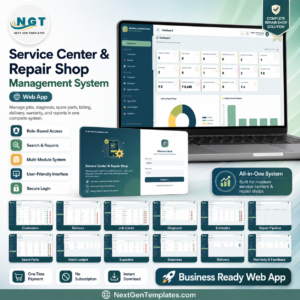
- Service Center and Repair Shop Management System Web App – the broader, multi-trade version of this workflow.
- Auto Garage Job Card Management System Web App – the same job-card spine, for vehicles.
- Auto Parts Store Management System Web App – if your counter sells more parts than it repairs.
- Appliance Service Data Entry System in Excel – a lighter, offline alternative.
- Browse every Web App or every Google Sheets template.
Launch the demo, sign in as techlead, and watch the money vanish from the screen. If that role separation and the job-card spine are what your workshop is missing, the source is yours for a single payment – try it first, then add it to your cart. A full walkthrough is on the blog: Computer Repair Shop Management System Web App.
Last updated: 27 August 2026.



























Reviews
There are no reviews yet.