

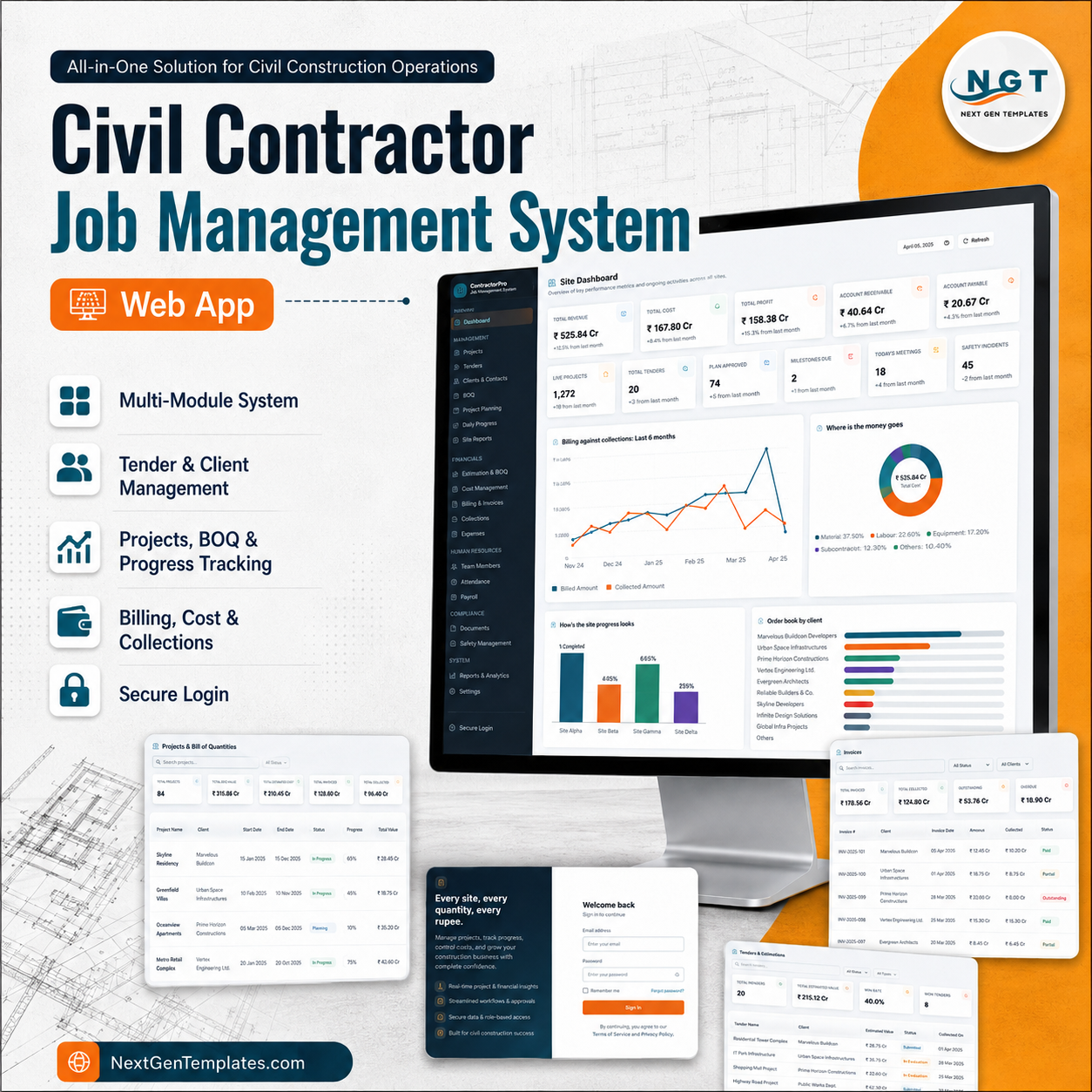
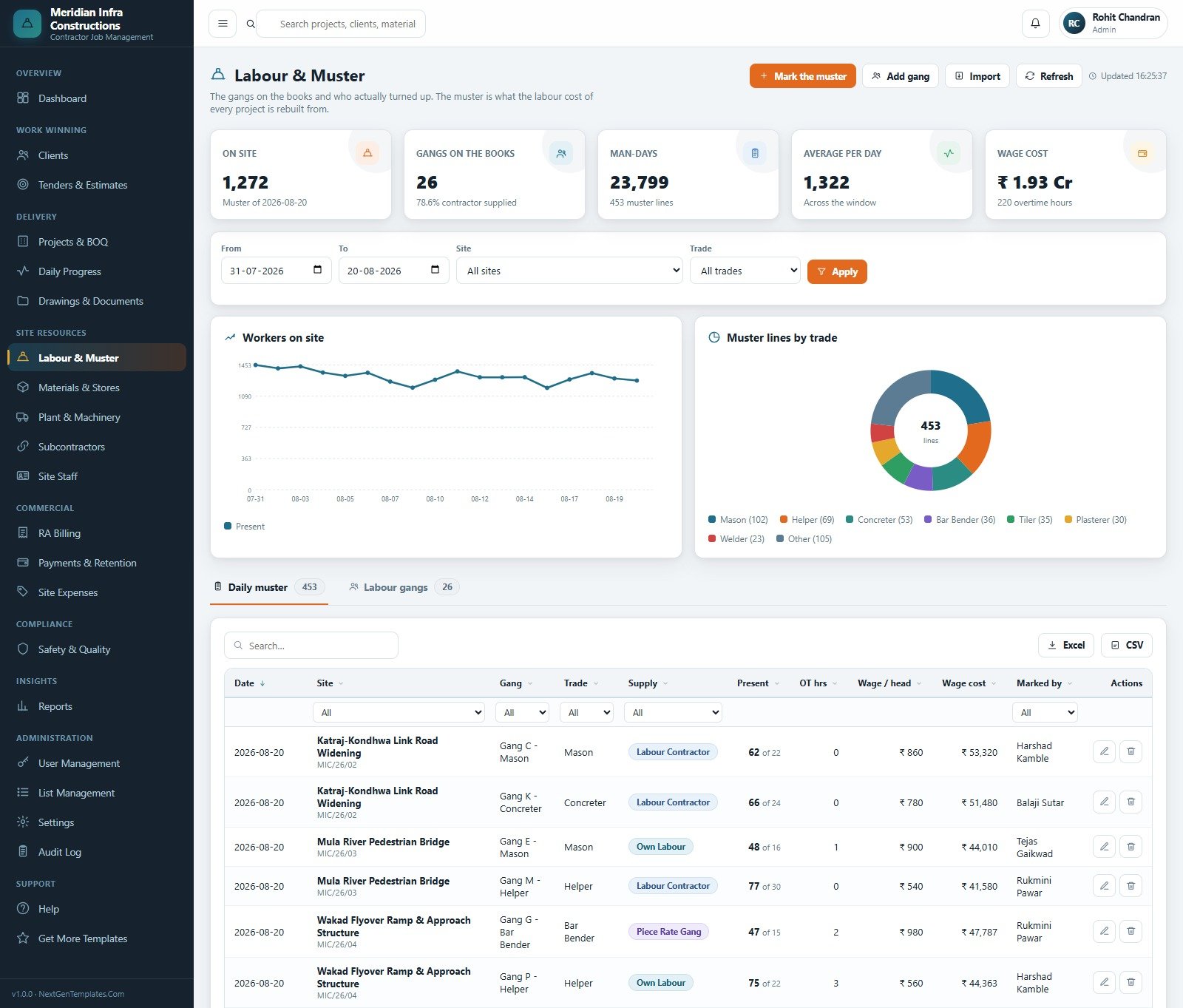
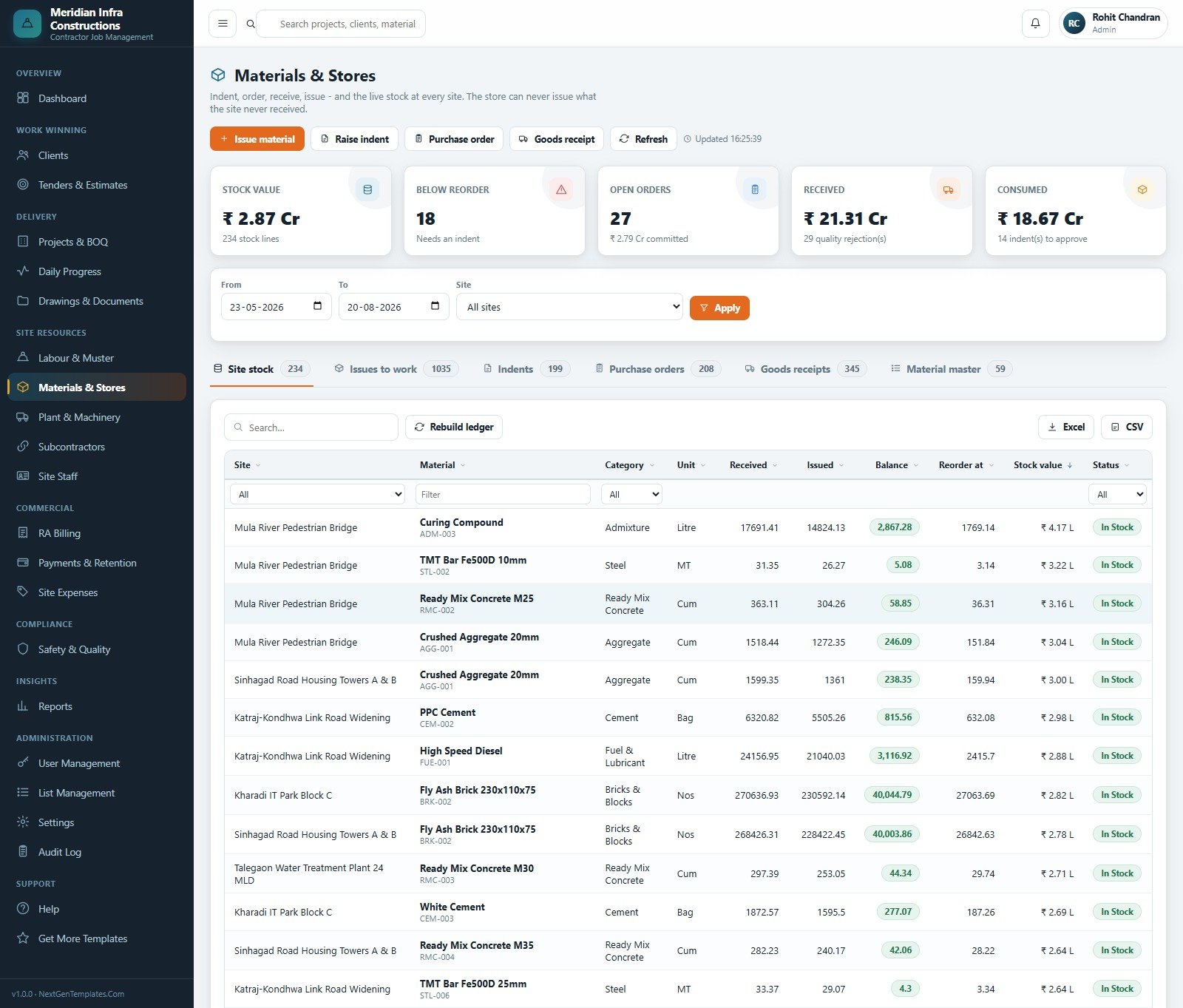
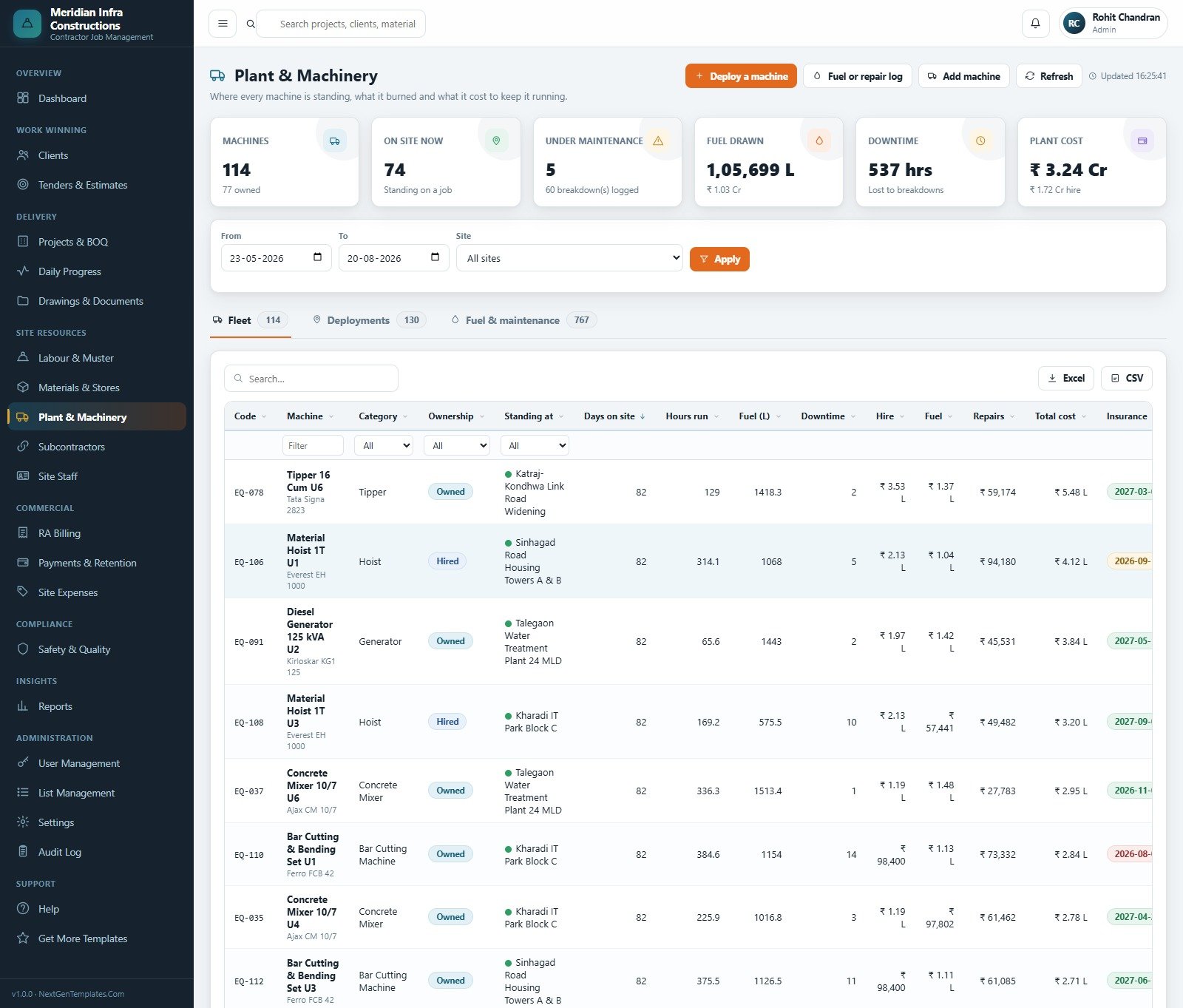
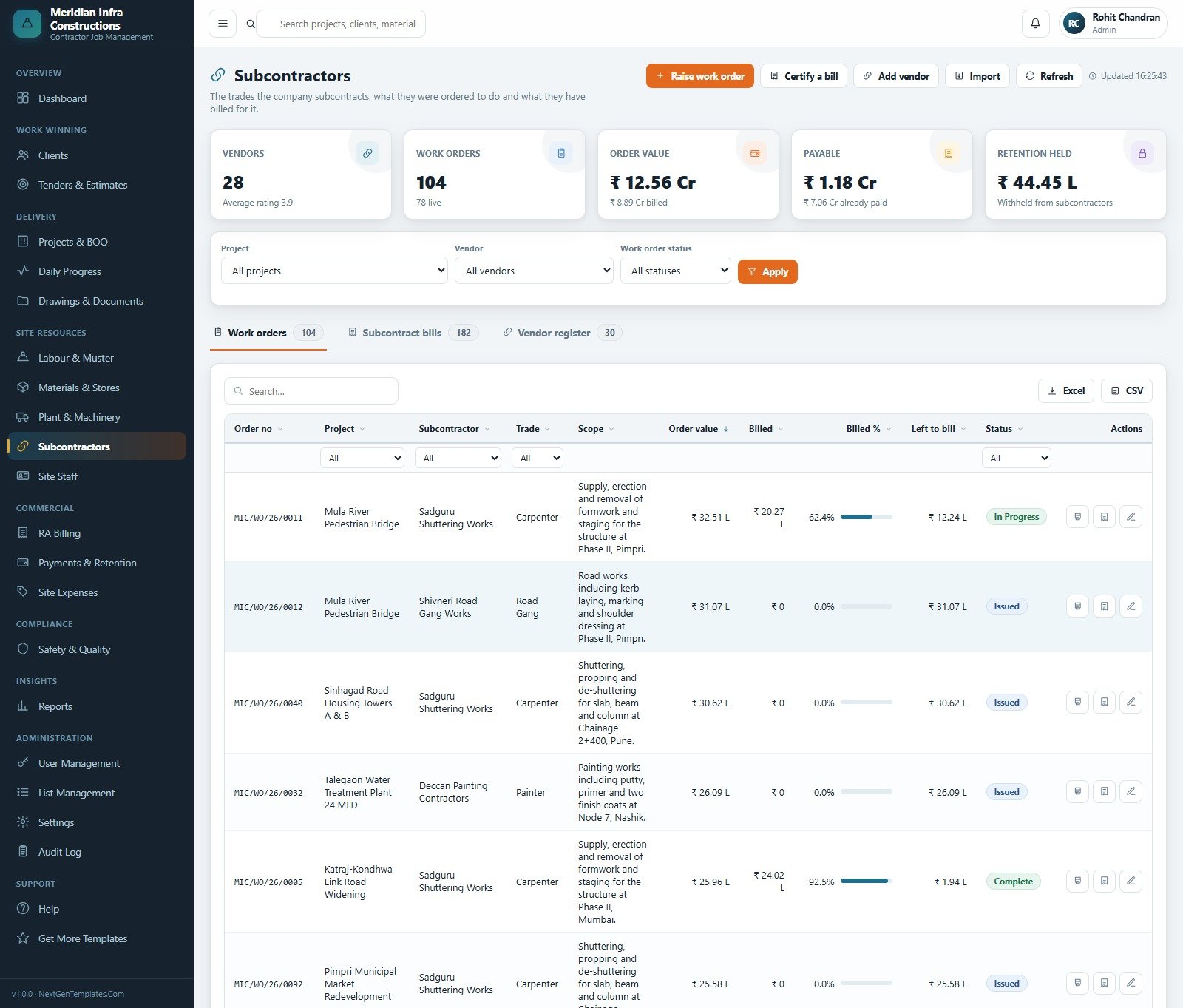
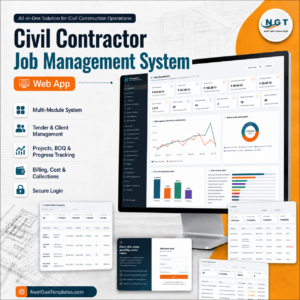
The Civil Contractor Job Management System Web App is a ready-to-deploy Google Apps Script system that runs a contracting business end to end: tenders, projects and their bill of quantities, daily site progress, the labour muster, stores, plant, subcontractors, running account billing, receipts and retention. It ships with a seeded demo database of 10,869 rows across 35 sheets – 26 projects, 52 tenders, 352 BOQ lines, 1,757 daily progress reports, 2,188 muster lines and 101 RA bills – so every screen, chart and report has real data behind it the moment you sign in. Twenty working modules, six roles, sixteen exportable reports. You can test the whole thing in the live demo below before you spend anything, and after purchase you get the complete source code so the system runs inside your own Google account, on your own Drive, with nobody else holding your data. Civil Contractor Job Management System Web App
🚀 Try the Live Demo Before You Buy
We have deployed this web app in our own Google account so you can test every page, every role and every report – with real sample data – before purchasing. No signup, no email required.
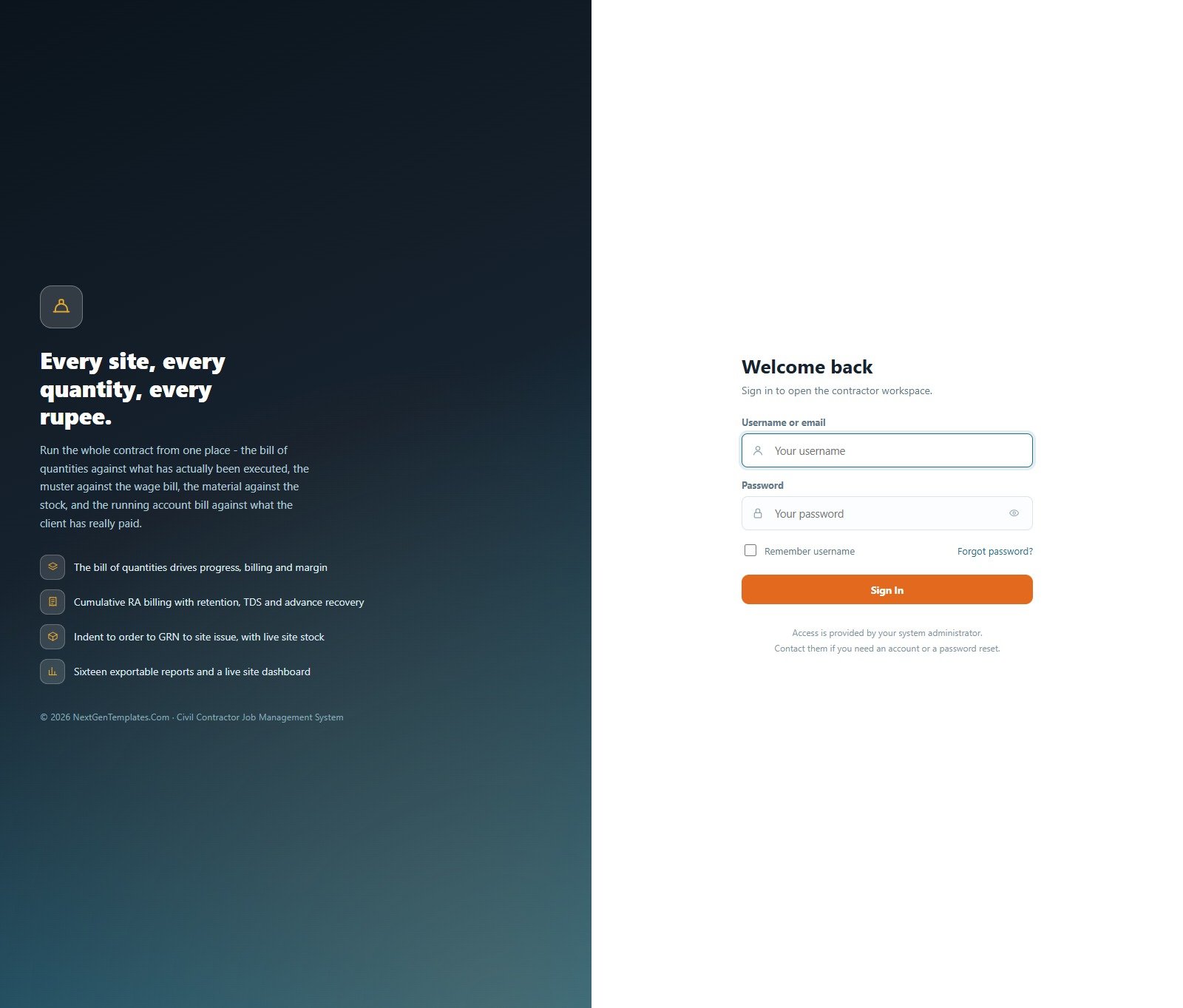
🔑 Test Login Credentials
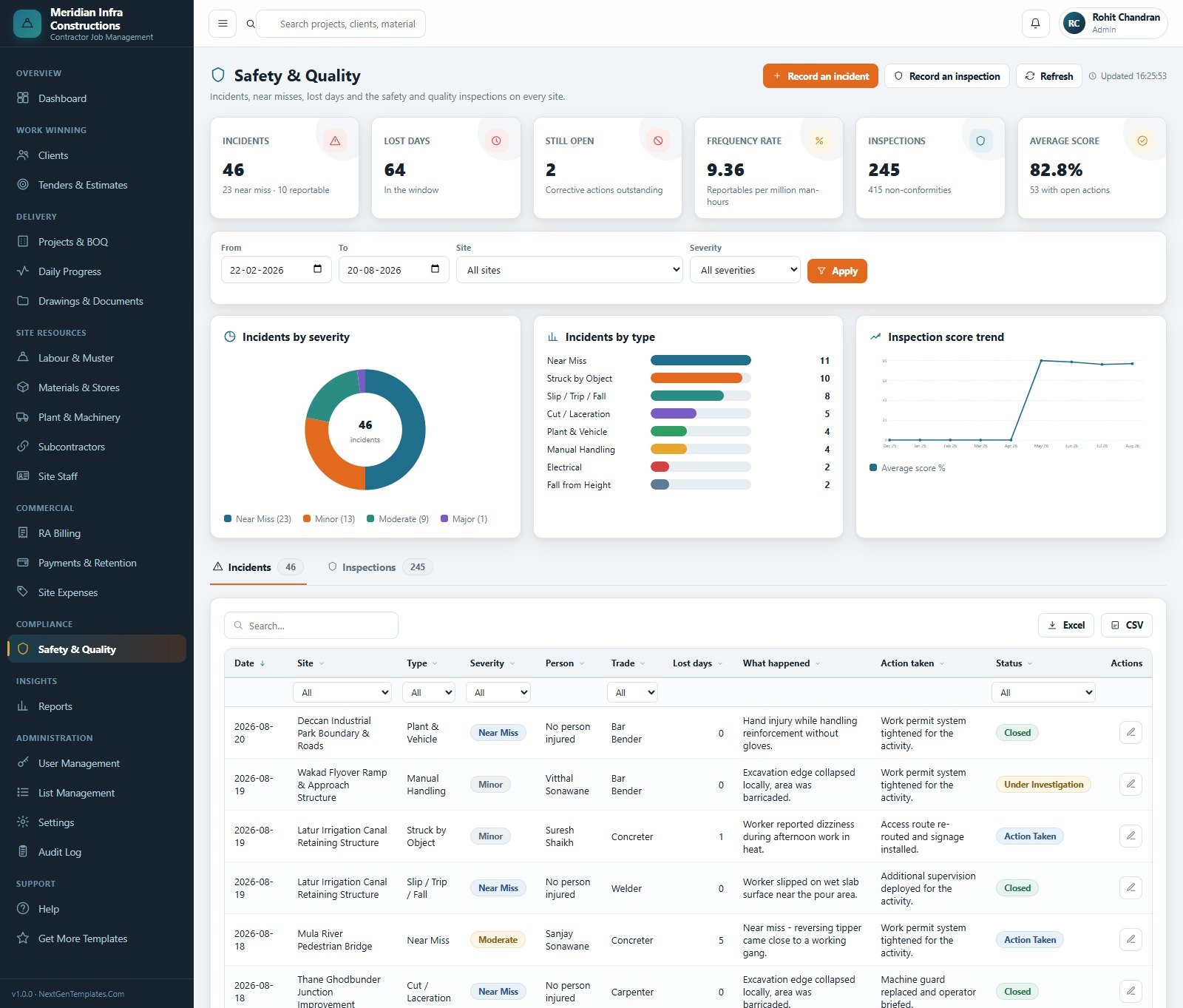
Sign in as admin to see everything including users, settings and the audit log, then sign out and come back as engineer – the Site Engineer sees daily progress, the muster, material issues and safety, but no rates, no bills and no margin. That contrast is the whole point of the role model, and it takes ten seconds to see.
💡 These credentials are public on purpose. They belong to a shared demo instance that resets – not to anybody’s live system. What you get after purchase: the full source code (Code.gs + Index.html) plus a step-by-step deployment guide, so you can deploy your own private instance in your own Google account in under 15 minutes.
Key Features of the Civil Contractor Job Management System Web App
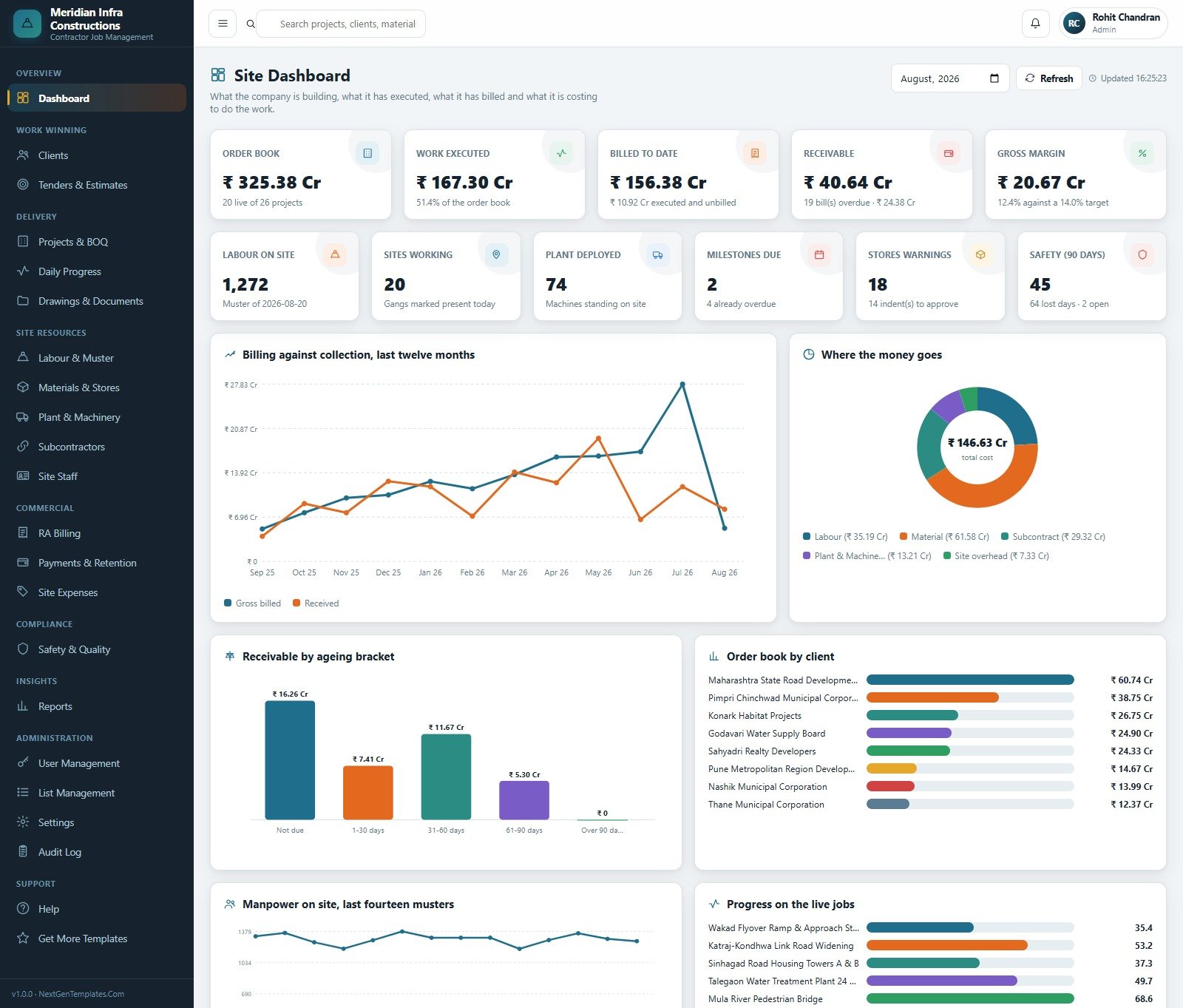
- The bill of quantities drives everything. Contract value is the sum of the BOQ, progress is quantity executed against tendered quantity, and billing is measured against the same lines – so the numbers on the dashboard reconcile with the numbers on the bill. Civil Contractor Job Management System Web App
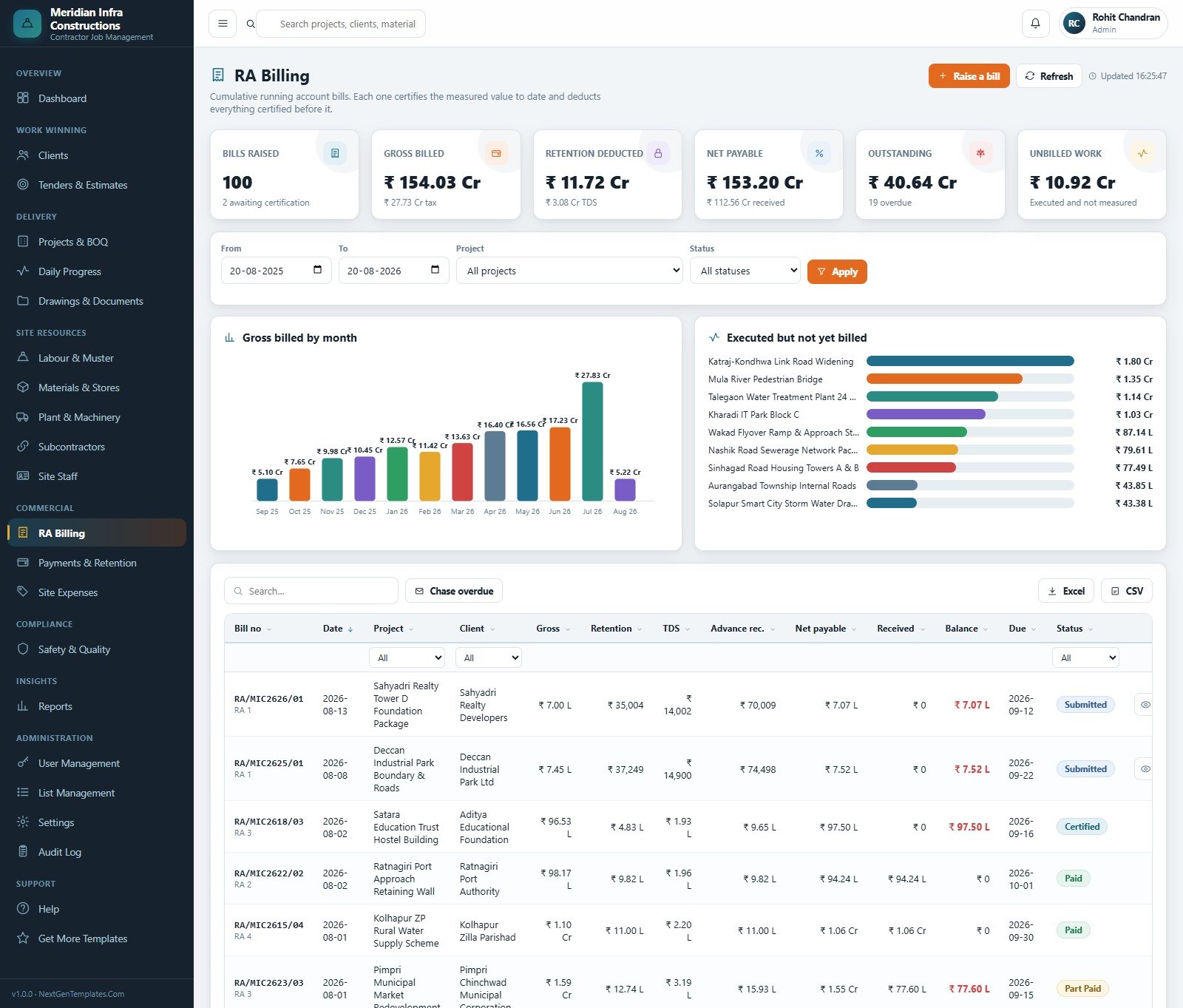
- Cumulative running account billing. Each RA bill certifies the measured value to date and deducts everything certified before it, with retention, tax deduction and advance recovery handled as separate columns and a net payable at the end.
- A stores chain that cannot be short-circuited. Indent to purchase order to goods receipt to site issue, with live site stock, reorder levels and a rebuildable ledger. The store cannot issue what the site never received.
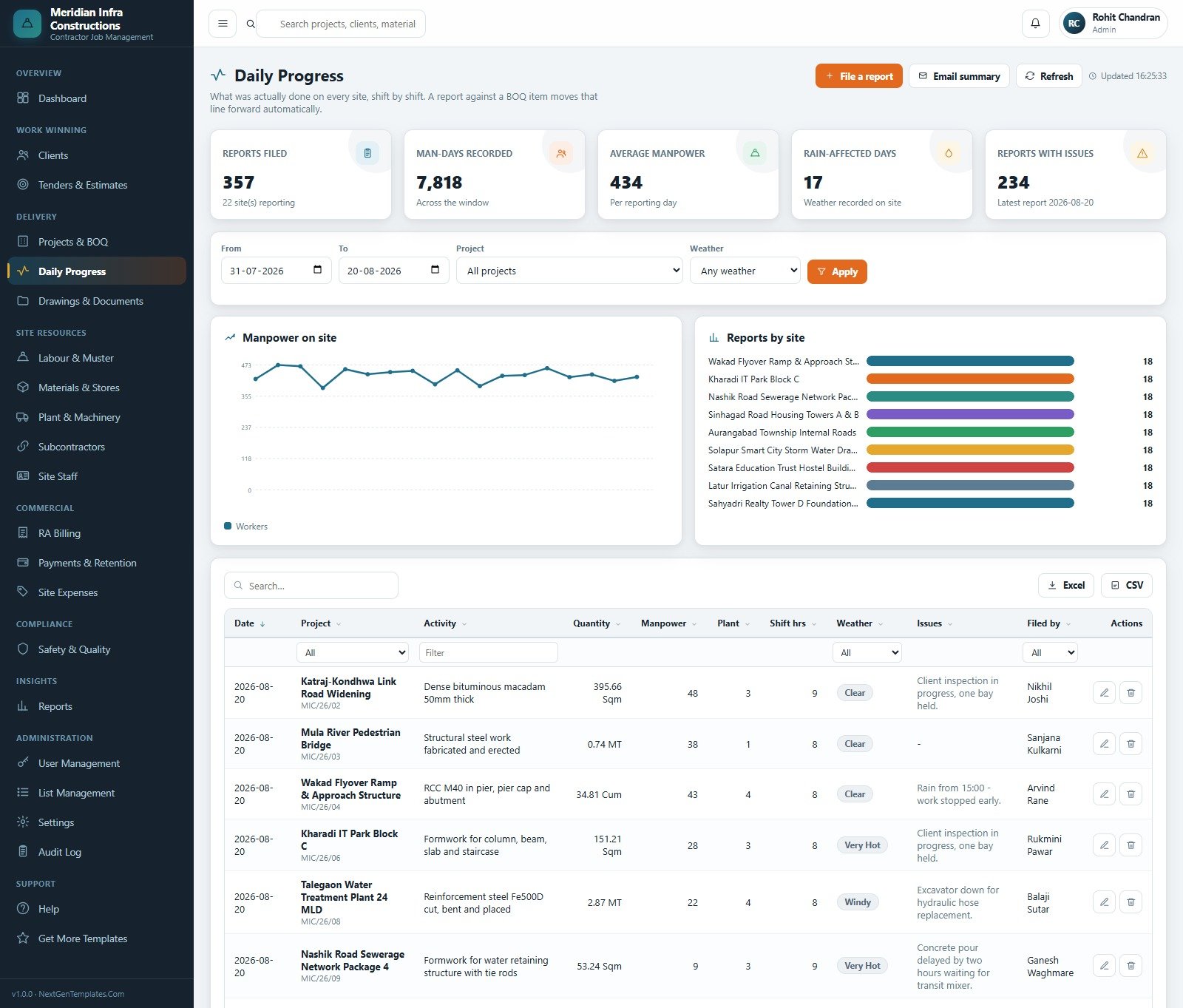
- Daily progress against the muster. Every shift is logged with activity, quantity, manpower, plant, shift hours, weather and issues, and the muster it sits beside is what the labour cost of each project is rebuilt from.
- Six roles with server-enforced permissions. Module access and the five action rights – Create, Edit, Delete, Export, Approve – are checked on the server, not just hidden in the sidebar. One tick in Roles & Permissions changes both.
- Sixteen filterable reports. Project Progress & Value, Project Profitability, BOQ Execution, RA Bill Register, Receivables Ageing, Retention Held & Due, Labour Cost & Attendance, Material Consumption, Material Stock Position, Purchase & GRN Summary, Machinery Utilisation, Subcontractor Bills, Site Expense Analysis, Safety & Inspection, Tender Pipeline & Win Rate, and Milestone & Schedule – each one prints and exports to CSV or Excel. Civil Contractor Job Management System Web App
- A database archive that keeps the numbers honest. Choose a cutoff, preview exactly what moves, and the system copies the database to Drive, carries the cost of the trimmed rows forward into the project’s brought-forward columns, and only then removes them – so cost to date and margin read the same after the archive as before it.
- Drive-backed documents and templated email. Drawings, site photographs, receipts, orders, bills and safety reports go to sub-folders in your own Drive, and seven notification emails (RA bill, purchase order, overdue reminder, daily summary, safety alert, milestone reminder, welcome) are switched on or off individually in Settings.
- A full audit log. Every create, change, deletion, approval, bill, receipt, sign-in and archive, with who did it and when – filterable by user, module and action.
What’s Inside the Civil Contractor Job Management System Web App
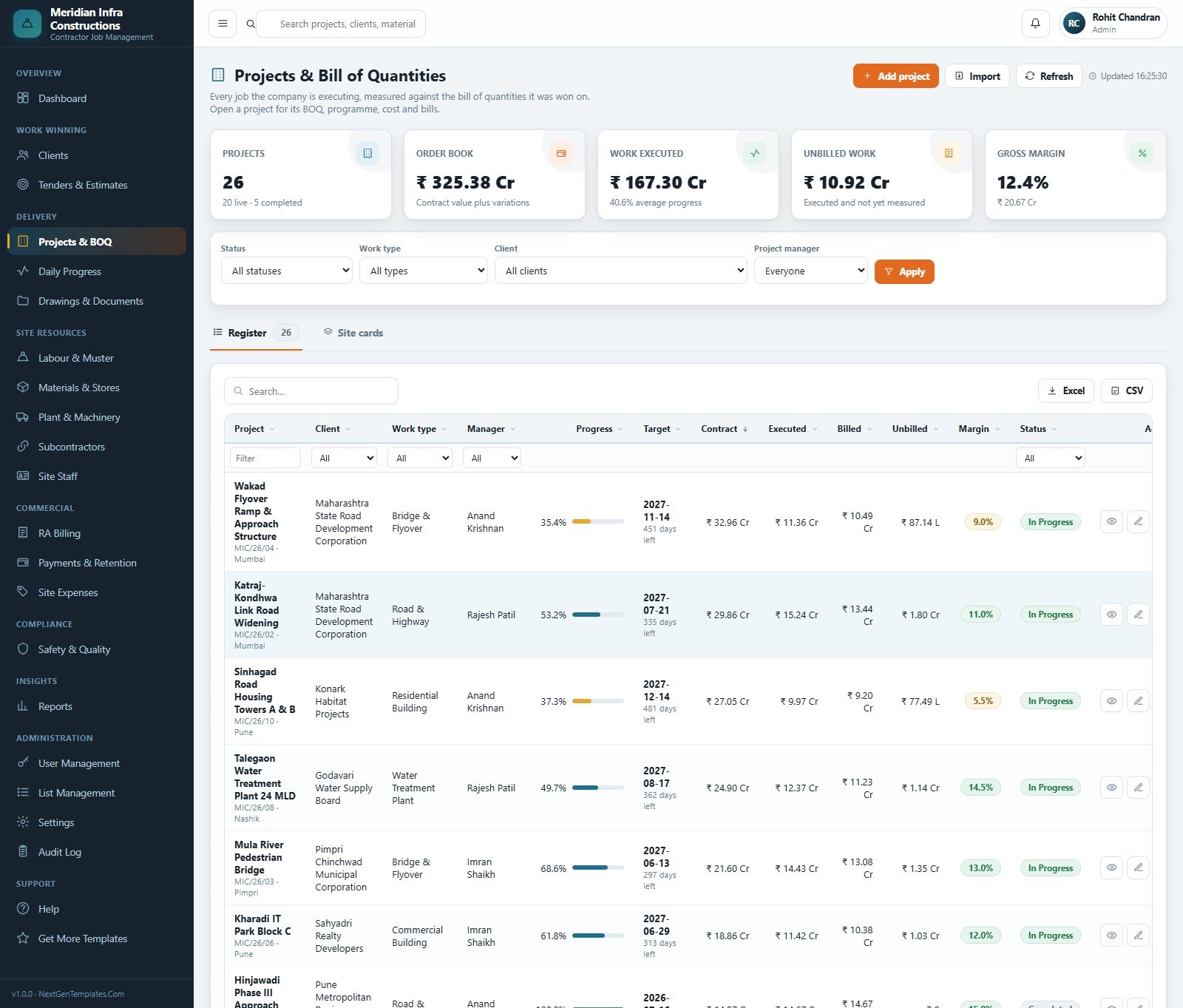
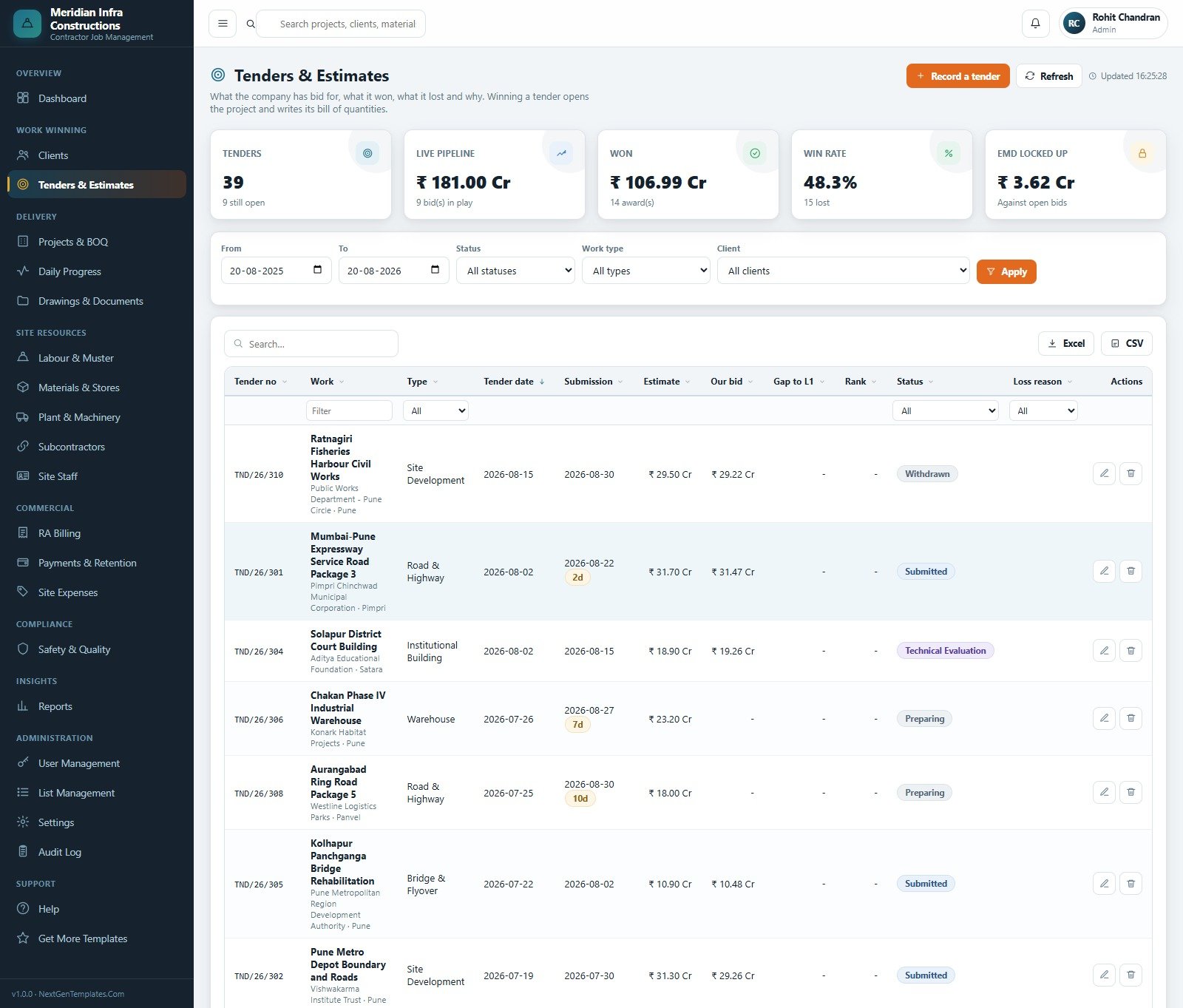
Twenty working modules sit in the sidebar, grouped the way a contractor actually thinks: Work Winning (Clients, Tenders & Estimates), Delivery (Projects & BOQ, Daily Progress, Drawings & Documents), Site Resources (Labour & Muster, Materials & Stores, Plant & Machinery, Subcontractors, Site Staff), Commercial (RA Billing, Payments & Retention, Site Expenses), Compliance (Safety & Quality), Insights (Reports) and Administration (User Management, List Management, Settings & Archive, Audit Log), plus Help and a Get More Templates link.
The download is a ZIP containing Code.gs, Index.html and a formatted user manual PDF. There is no installer and no external service: you paste two files into a new Apps Script project, deploy it as a web app, run setup once, and the system builds its own Google Sheets database – 35 sheets, seeded with the sample contracting company so you can learn the flow before you clear it and enter your own jobs. Setup is staged across fourteen named steps and resumes itself if a free Google account hits its six-minute script limit, and it is idempotent, so you can re-run it safely.
Civil Contractor Job Management System vs. a Spreadsheet Stack vs. Paid Construction SaaS – Where This Fits
| This Web App | Excel / Sheets stack | Paid construction SaaS | |
|---|---|---|---|
| Cost | One-time purchase | Free, but you build and maintain it | Per-user subscription, billed monthly |
| Platform | Google Apps Script web app on your own Google account | Workbooks on a shared drive | Vendor-hosted cloud |
| Setup time | About 15 minutes, then one seeded setup run | Weeks of building, then constant repair | Days to weeks, often with paid onboarding |
| Real-time team collaboration | Yes – six named roles signing in at once | File locking and merge conflicts | Yes |
| Mobile access | Any browser, including a site phone | Awkward on phones | Yes, usually a native app |
| Customisable fields and lists | Yes – List Management plus the source code | Yes, if you maintain the formulas | Only what the vendor exposes |
| Share with a link | Yes – your deployment URL, access controlled by role | Share the file and hope | Yes, per seat |
| Year-1 cost at 5 users | The purchase price, once | Free plus your team’s time | Five seats, twelve months |
| BOQ-driven progress and RA billing | Built in and reconciled | Manual, and the first thing to drift | Usually yes, on higher tiers |
| Who holds the data | You – it is your Google Sheet and your Drive | You | The vendor |
Who This Template Is For – and Who It’s Not For
It is for small and mid-sized civil contracting firms running several sites at once – roads, bridges, buildings, water works, industrial sheds, site development – where the BOQ, the muster, the stores register and the RA bill currently live in four different files. It suits a firm of roughly 5 to 60 office and site staff who want one shared record with roles, and who already work inside Google Workspace or a personal Google account.
It is not for you if you need structural or engineering calculation – this system records quantities and money, it does not design anything or check any structure. It does not check building codes or planning rules, it is not a CAD or BIM tool and it does not open drawings for markup (it stores and versions the files in Drive). It is not accounting or payroll software: it records site expenses, bills, receipts and wage cost against the muster, but it does not post to a ledger, file returns or run payroll. It makes no claim about site-safety compliance, licensing or statutory certification – the Safety & Quality module is an incident, near-miss and inspection register, nothing more – and it takes no position on contract or lien law. If you need a single-site snag list and nothing else, this is more system than you want.
How to Use the Civil Contractor Job Management System Web App
- Open the live demo first. Sign in as
admin, walk the sidebar, then sign in asengineerand see what disappears. Decide it fits before you buy. - Deploy your own copy. Create a new Apps Script project, paste
Code.gs, add an HTML file named exactlyIndex, pasteIndex.html, then Deploy > New deployment > Web app, executing as you, accessible to anyone with the link. - Run setup once. Either click “Set up the database” on the first-run panel or run
setupfrom the editor. It builds all 35 sheets and the sample data, and resumes itself if it runs out of script time. - Change the six seeded passwords the same day. Sign in as admin, open User Management, and reset every account. Then add your own people and set their roles.
- Set up your company in Settings. Company name, address and footer for printed documents, print size (A4 is the shipped default because this product is bill and report heavy), the currency and regional settings, and which of the seven notification emails you want switched on.
- Load your lists, then your live jobs. List Management holds work types, trades, material categories and statuses. Add clients, then tenders, then convert a won tender into a project so it writes its bill of quantities.
- Run the daily loop. Site engineers file daily progress and the muster, stores raise indents and issue material, the surveyor books measurements and raises the RA bill, accounts records receipts and retention – and the dashboard, the reports and the margin follow automatically.
Real-World Use Cases
Ramesh runs a nine-site road and bridge contracting firm. His site engineers were filing progress on WhatsApp and his surveyor rebuilt the RA bill from photographs every month. Now progress is booked against BOQ lines as it happens, the measurement sheet feeds the bill, and the Receivables Ageing report tells him which clients to chase before the month closes instead of after.
Farida is the quantity surveyor for a mid-sized building contractor. She lives in Projects & BOQ, the measurement sheet and RA Billing. Because each bill is cumulative and deducts everything certified before it, she stopped reconciling by hand, and the “executed but not yet billed” panel shows her exactly which jobs are carrying unbilled work this month.
Anand manages four sites and no longer approves indents blind. The stores chain shows him what was ordered, what was received, what was issued to the work and what is sitting below reorder level per site, and the Machinery Utilisation report tells him which hired plant is standing idle and should go back.
Frequently Asked Questions
Can I try it before buying?
Yes. The live demo above is a real deployment with the seeded database behind it, and all six role logins are published in the credentials table. Nothing is hidden behind a signup form. The demo is shared and resets periodically, so treat anything you enter there as temporary.
Where does my data live?
In your own Google account. When you deploy the web app it creates its own Google Sheets database in your Drive, and uploaded documents go into a folder called “Civil Contractor Job Management System – Files” in the same account. We never see it.
Do I need a paid Google Workspace account?
No. It runs on a free Gmail account. Free accounts stop any Apps Script run at six minutes, which is why the initial setup is staged across fourteen steps and schedules itself to continue – you may see it finish in two or three passes.
How many people can use it at once?
The seeded demo ships six accounts, one per role, but you can add as many users as you need in User Management. Each user gets a role, and the role controls both which modules appear and what the server will answer.
Can I change the fields, the modules or the branding?
Yes. Dropdown lists, work types, trades, material categories and statuses are edited in List Management without touching code. Company name, address, print size, currency and email switches live in Settings. Beyond that you own the full source, so anything else is editable in the Apps Script editor.
What happens when the database gets large?
A civil site books a muster line for every gang every working day, so Settings includes an admin-only archive. You pick a cutoff, preview exactly what would move, and the system copies the database to Drive, carries the cost of those rows into the project’s brought-forward columns, then trims them – so cost to date and gross margin are unchanged. Master data, running projects, unpaid bills, open milestones and open safety actions are never archived.
Does it do estimating, structural design or accounting?
No. It records tenders, bids and outcomes, but it does not price work for you or perform any engineering calculation, and it is not a CAD or BIM tool. It records bills, receipts, retention and site expenses, but it is not an accounting or payroll package and does not post to a ledger.
What exactly is in the download?
A ZIP with Code.gs, Index.html and the user manual PDF. That is everything needed to deploy – there are no external dependencies and no licence key.
About the Author
Built by PK – Microsoft Certified Professional with 15+ years of Excel, Google Sheets, and Power BI experience. Founder of NextGenTemplates, reaching 300K+ subscribers across YouTube channels. Every template is hand-built and tested before release.
Explore Related Templates
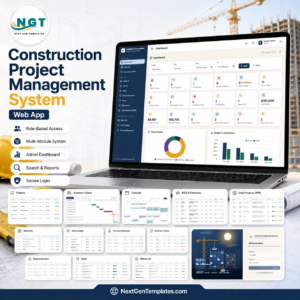
- Construction Project Management System Web App – the broader project-management sibling, if programme and task management matter more to you than BOQ, muster and RA billing.
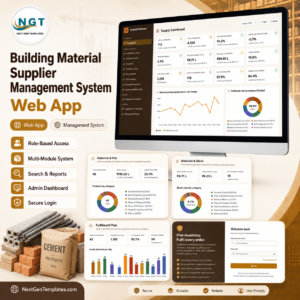
- Building Material Supplier Management System Web App – the other side of the same transaction, for the merchant supplying your sites.
- Architecture Firm Project Management System Web App – for the design consultancy on the same job.
- Architect Drawing Approval Management System Web App – drawing issue and approval workflow, a natural companion to this system’s Drawings & Documents module.
- Cement and Steel Dashboard in Google Sheets – a lighter reporting-only option for material spend.
- Browse everything in the Web Apps category.
A companion system, Cement & Concrete Supplier Management System Web App, is being prepared for release – it covers materials supply where this one covers contracting jobs, so the two sit either side of the same delivery note.
Open the live demo, sign in as the Site Engineer, and see how much of your site paperwork this replaces. Then add the Civil Contractor Job Management System Web App to your cart – you get the source, the manual and a system that lives in your own Google account, permanently, for one payment. A full walkthrough is on the blog: Civil Contractor Job Management System Web App.
Last updated: 21 August 2026.




























Reviews
There are no reviews yet.