

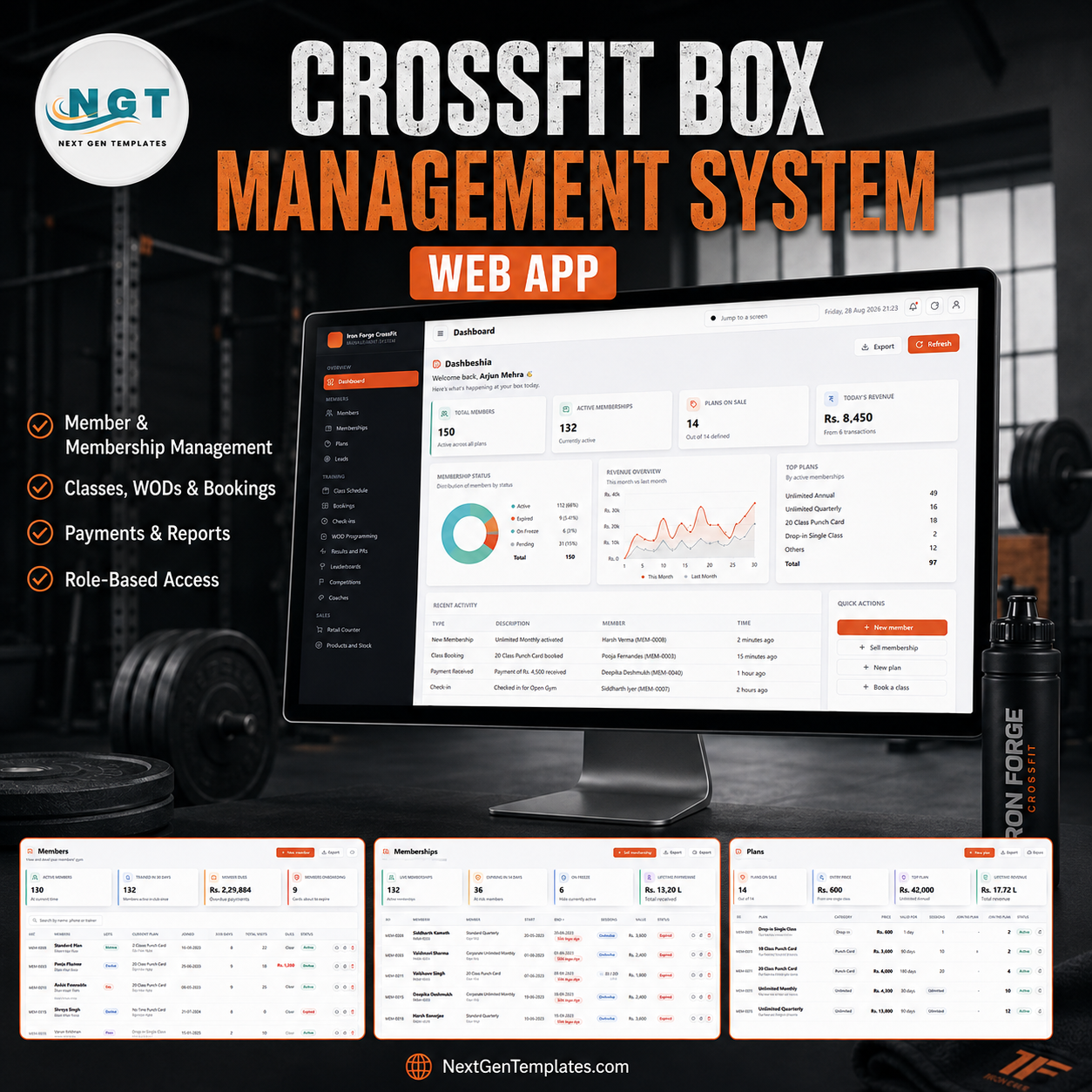

The CrossFit Box Management System Web App puts the whole box on one screen: 30 working screens, 5 server-enforced roles, 33 database tables and 21 owner reports, running inside your own Google account as a single Apps Script web app. The demo instance ships with a full year of data for a 150-member box – 187 memberships, 614 scheduled classes, 4,366 bookings, 3,300 check-ins, 1,084 WOD scores, 551 personal records, 540 invoices and 228 expense bills – so every screen and every report is populated the moment you sign in. You pay once, you get the source code (Code.gs + Index.html), and there is no per-member fee, no seat licence and nothing to cancel. Try the live demo below before you spend a rupee. CrossFit Box Management System Web App
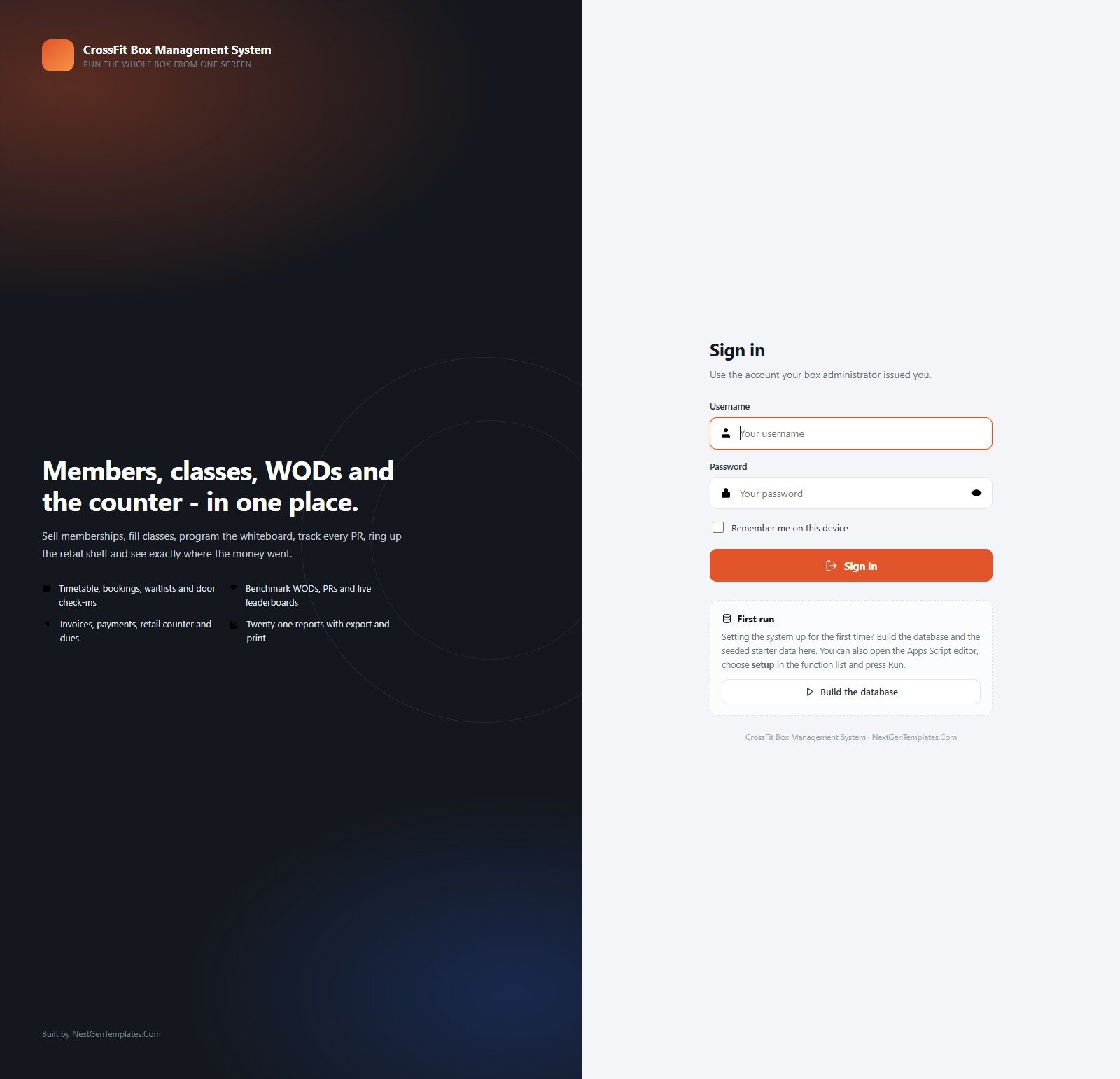
🚀 Try the Live Demo Before You Buy
We have deployed this web app in our own Google account so you can test every page, every role, every report and the retail counter – with real sample data – before purchasing. No signup, no email required.
🔑 Test Login Credentials
Sign in as admin to see everything including Users, Settings and the Database Archive, or as coach.vikram to see how little a coach can reach – the timetable, rosters, check-ins, programming, results and leaderboards, and nothing else. The role separation is the product, so it is worth signing in twice.
💡 These are the public seeded logins of a shared demo instance that resets – not a customer’s live box, and not the accounts you will run on. Change every one of them after you deploy. What you get after purchase: the full source code (Code.gs + Index.html) plus a step-by-step deployment guide so you can build your own private instance in your own Google account in under 15 minutes.
Key Features of the CrossFit Box Management System Web App
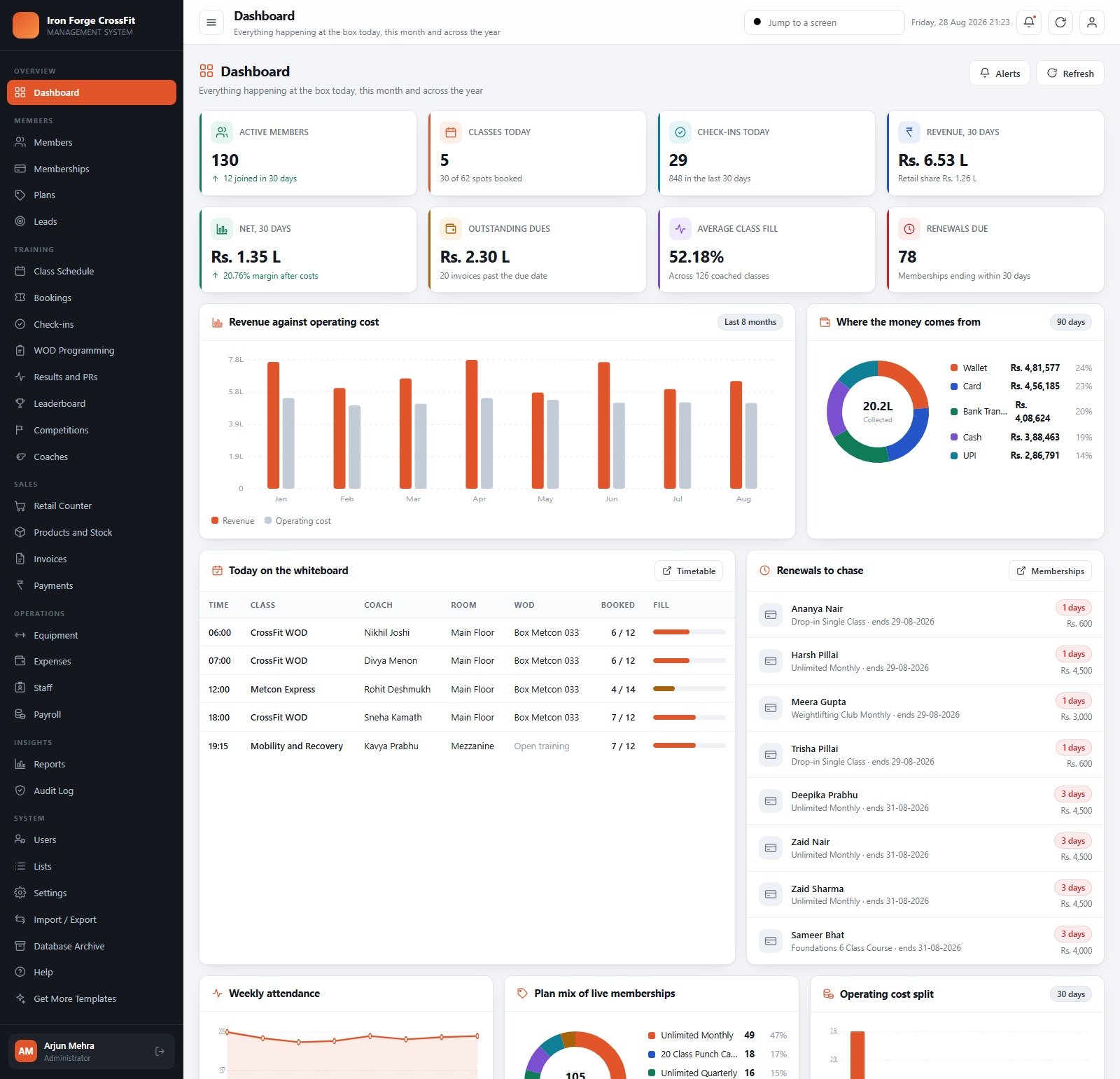
- One dashboard that answers “how is the box doing?” – active members, classes today, check-ins today, 30-day revenue, net after costs, outstanding dues, average class fill and renewals due, plus revenue-against-operating-cost bars, a payment-mode donut, today’s whiteboard and a renewals-to-chase list.
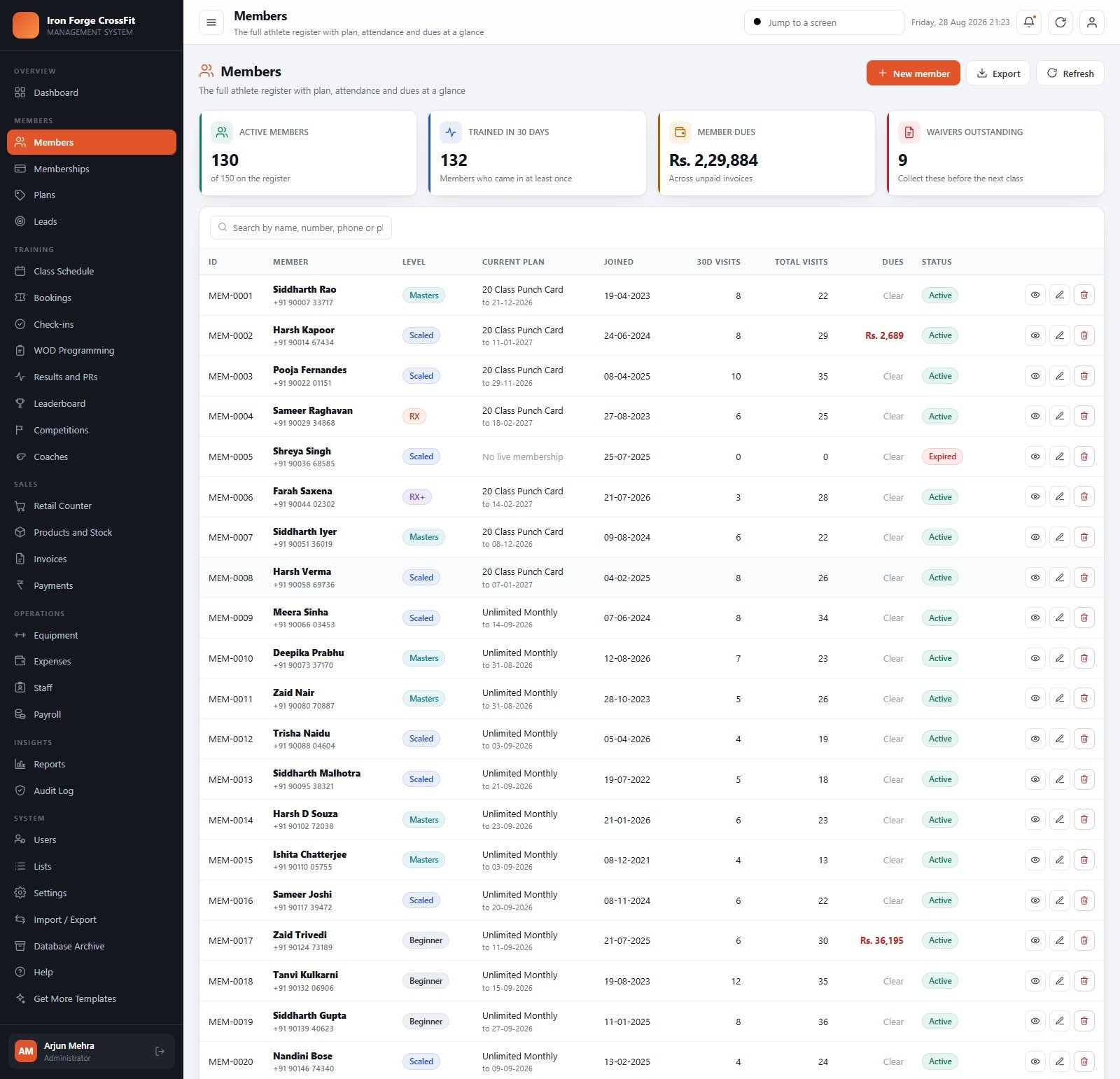
- Member register with the training detail attached – level (Beginner, Scaled, RX, RX+, Masters), current plan and expiry, 30-day visits, lifetime visits, dues and waiver status on one row.
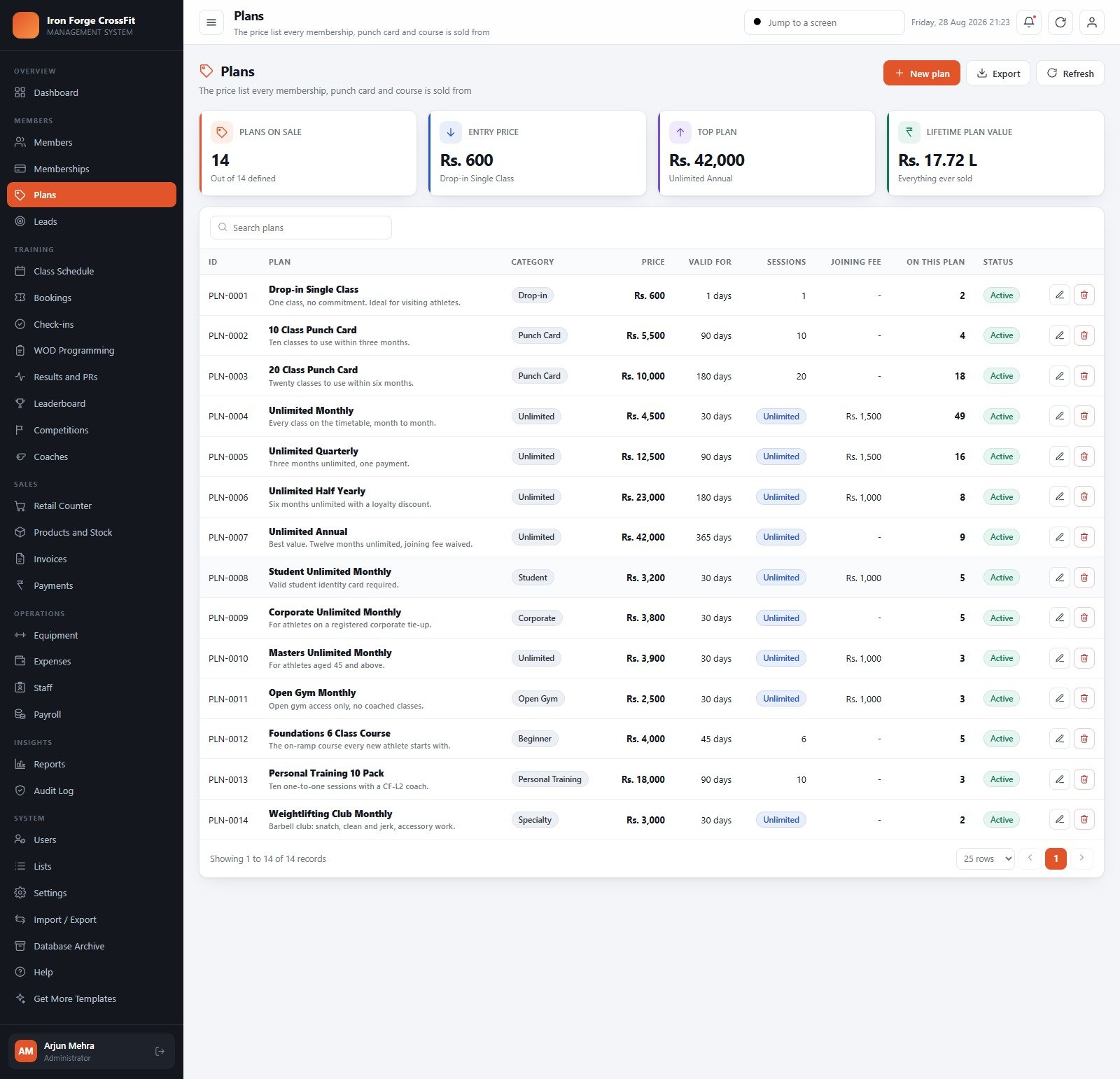
- 14 plans, every commercial shape a box actually sells – drop-in, 10 and 20 class punch cards, unlimited monthly / quarterly / half-yearly / annual, student, corporate, masters, open gym, a Foundations on-ramp course, personal training packs and a barbell club add-on, each with its own validity, session count and joining fee.
- Memberships that handle the awkward cases – renewals, freezes and holds, sessions used against punch cards, live contract value and a 14-day expiry list.
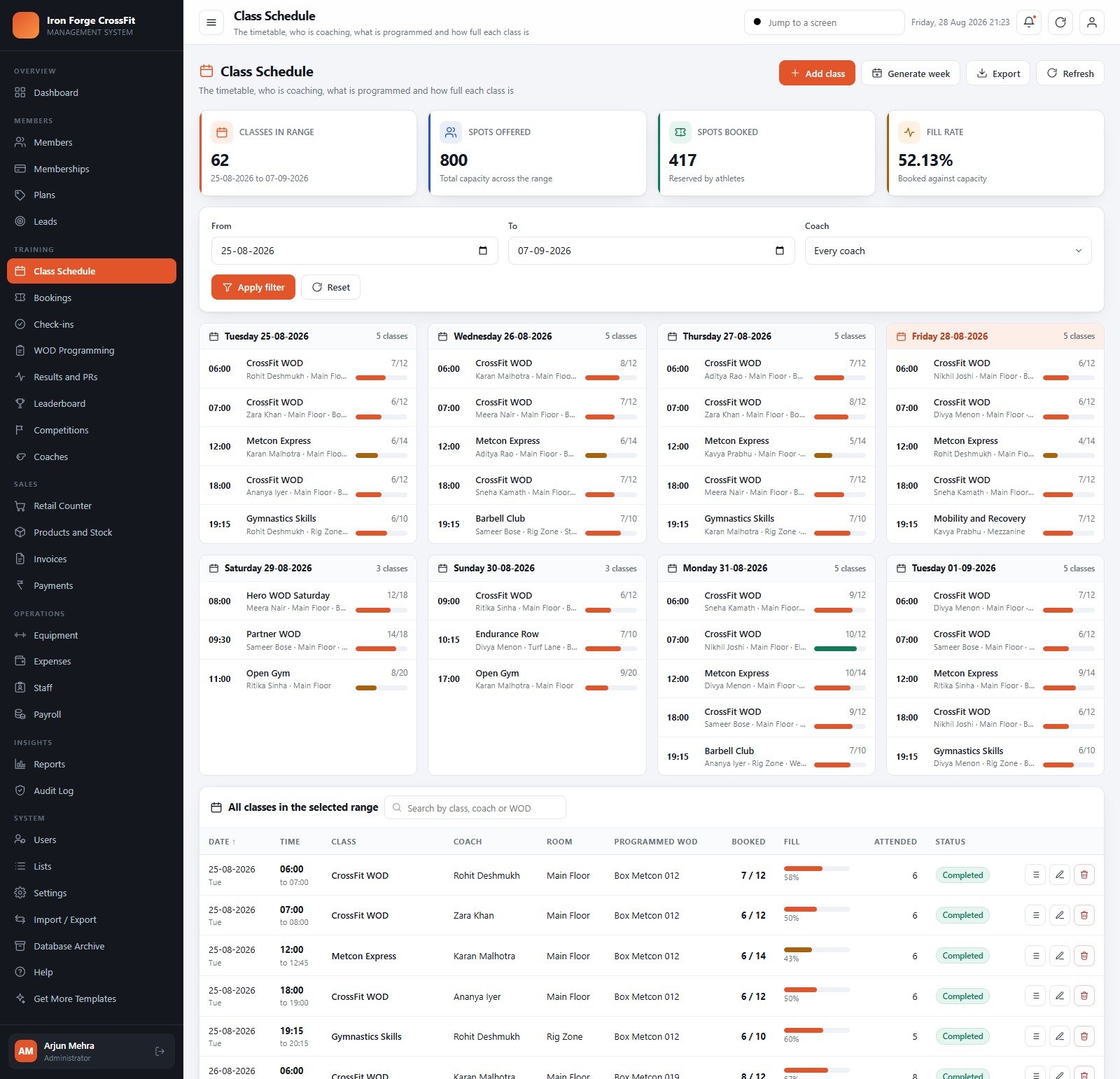
- Timetable, bookings, waitlists and door check-ins – generate a week in one click, see fill rate per class, and log entry from a door kiosk, the front-desk tablet or a coach tablet.
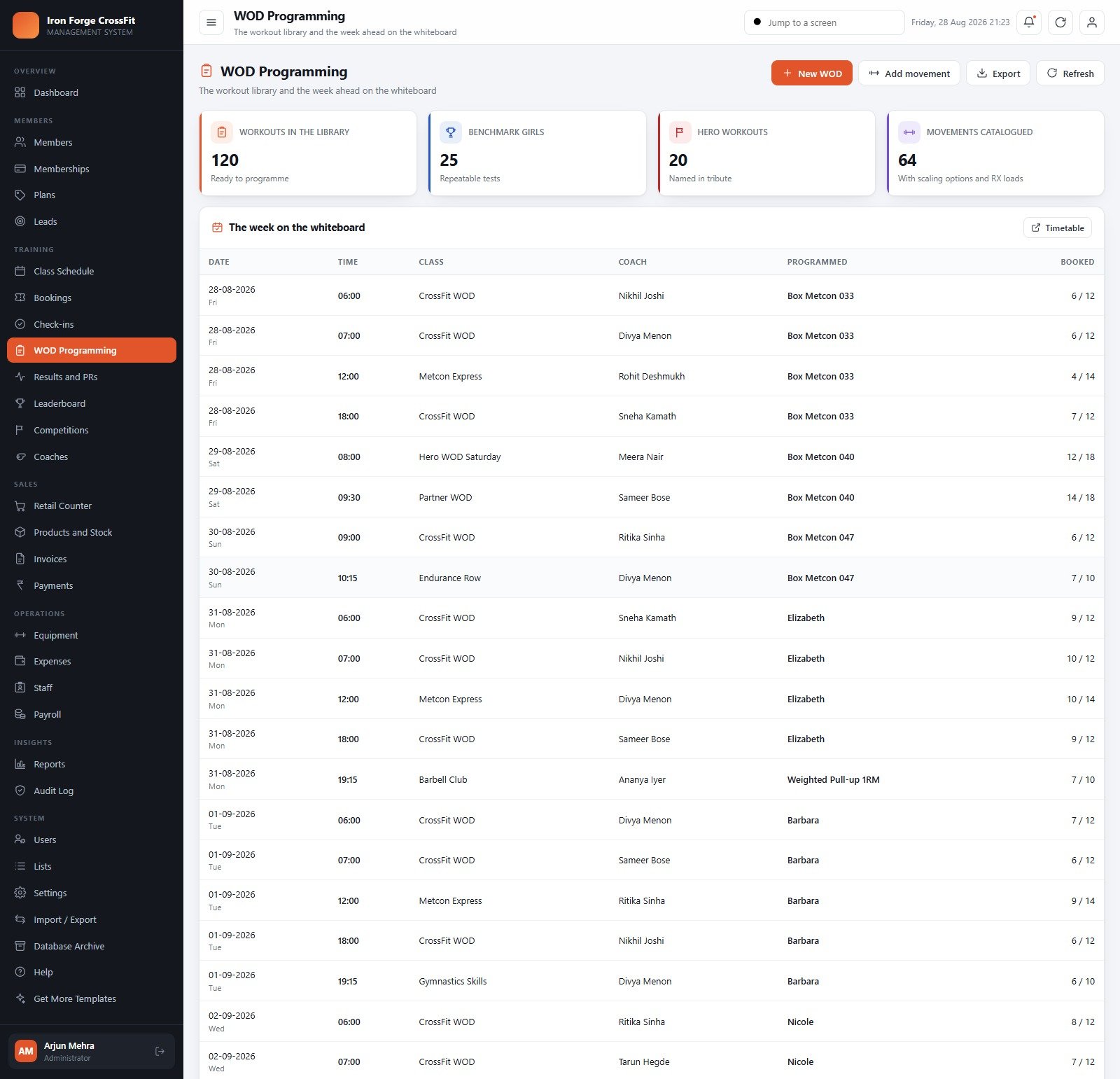
- Real CrossFit programming, not a generic calendar – a 120-workout library including 25 benchmark Girls and 20 Hero workouts, 64 catalogued movements with scaling options and RX loads, and a whiteboard view of the week ahead.
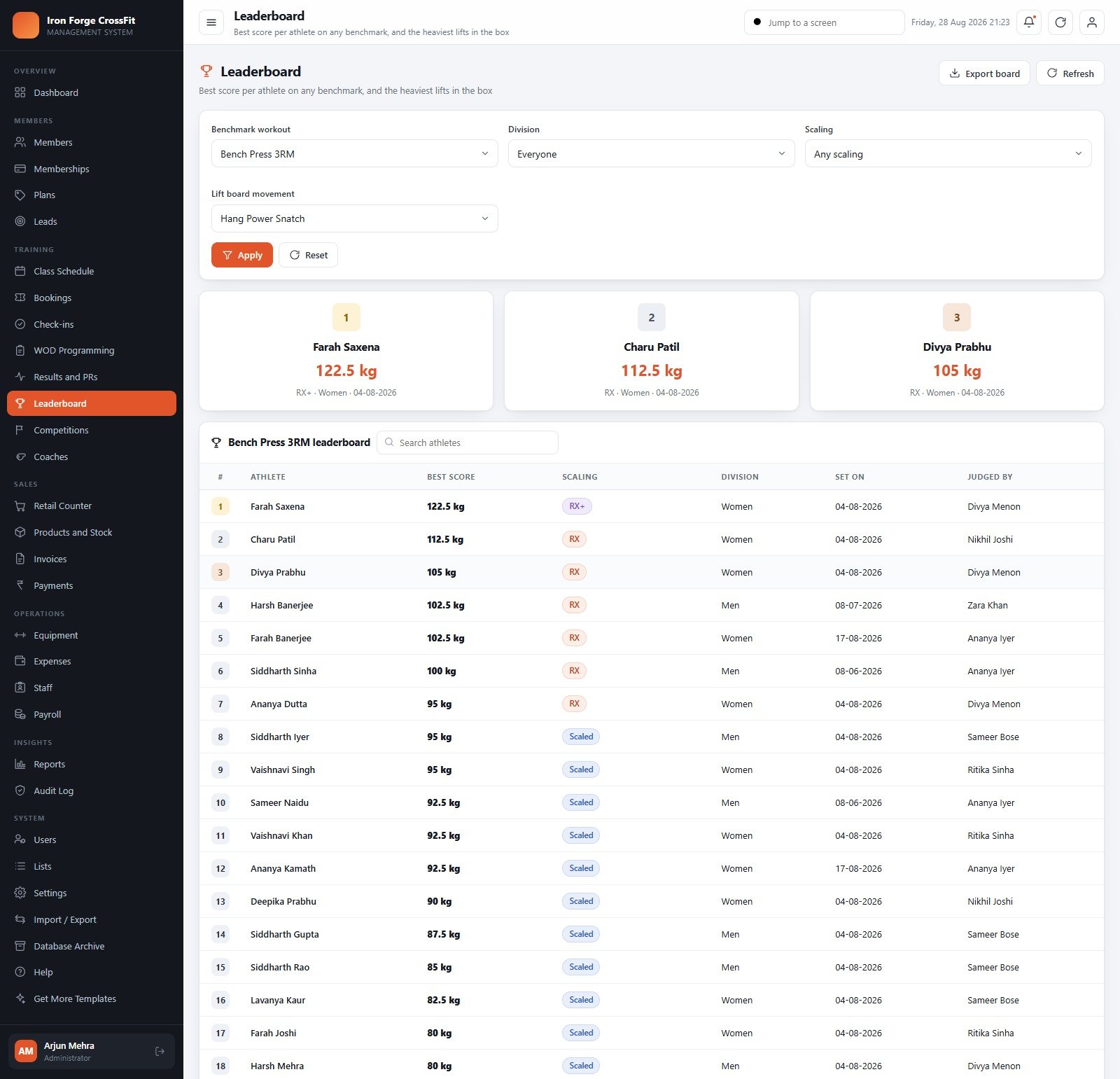
- Scores, PRs and live leaderboards – score For Time, EMOM or Rounds + Reps, at RX+, RX, Scaled or Foundations, split by division, with a lift board per movement and an exportable board. CrossFit Box Management System Web App
- Competitions – in-house throwdowns, Open events and external comps with divisions, entry fees, registration counts and money collected.
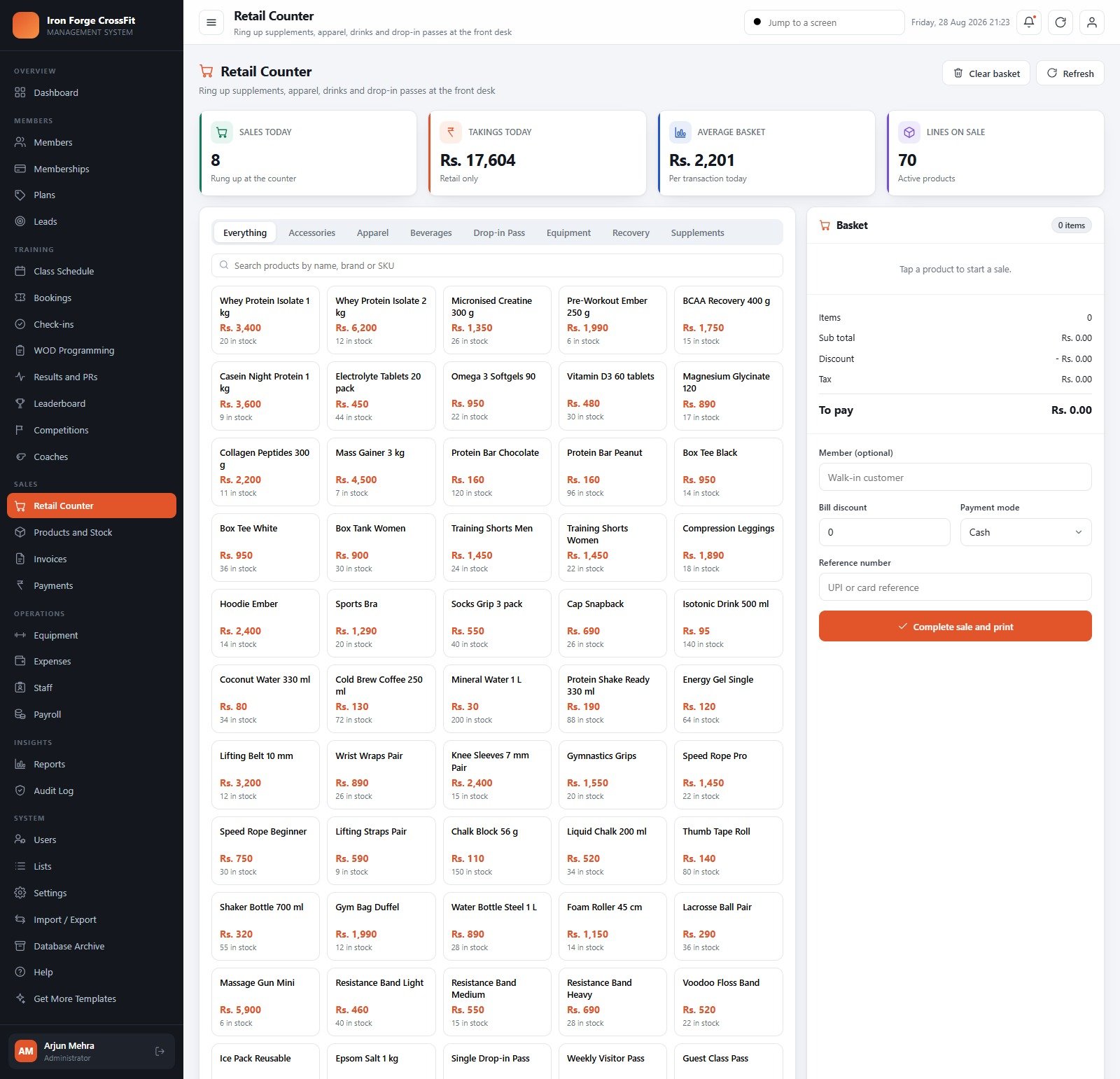
- Retail counter and stock – a 70-line shelf across supplements, apparel, drinks, recovery and drop-in passes, with basket, discount, payment mode, printed receipt, cost-vs-price margin, reorder points and expiry dates.
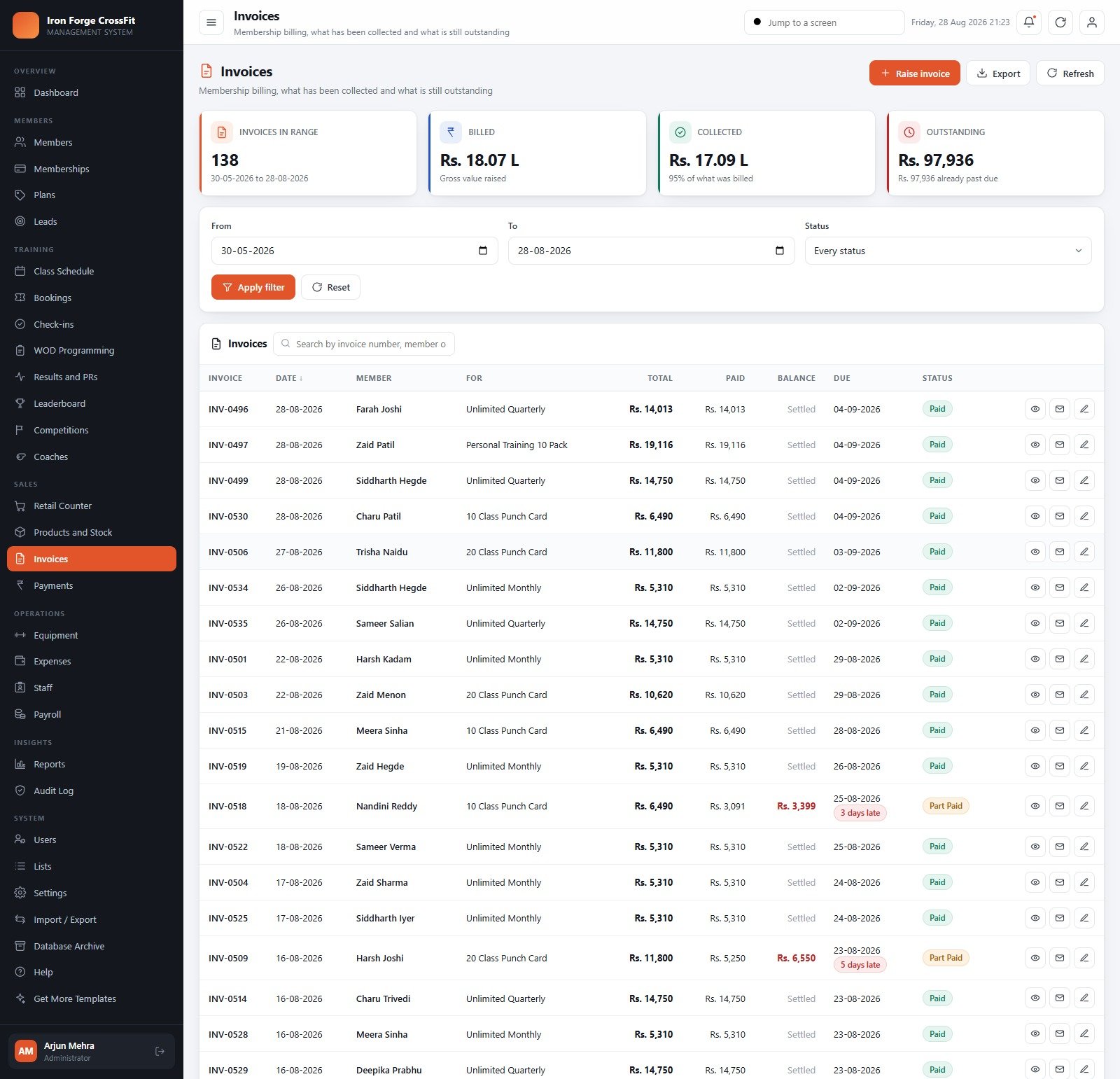
- Money end to end – invoices with ageing, part payments, receipts by mode, expense ledger with bill upload and approval, equipment asset register with service due dates, staff records and a payroll run with printable payslips.
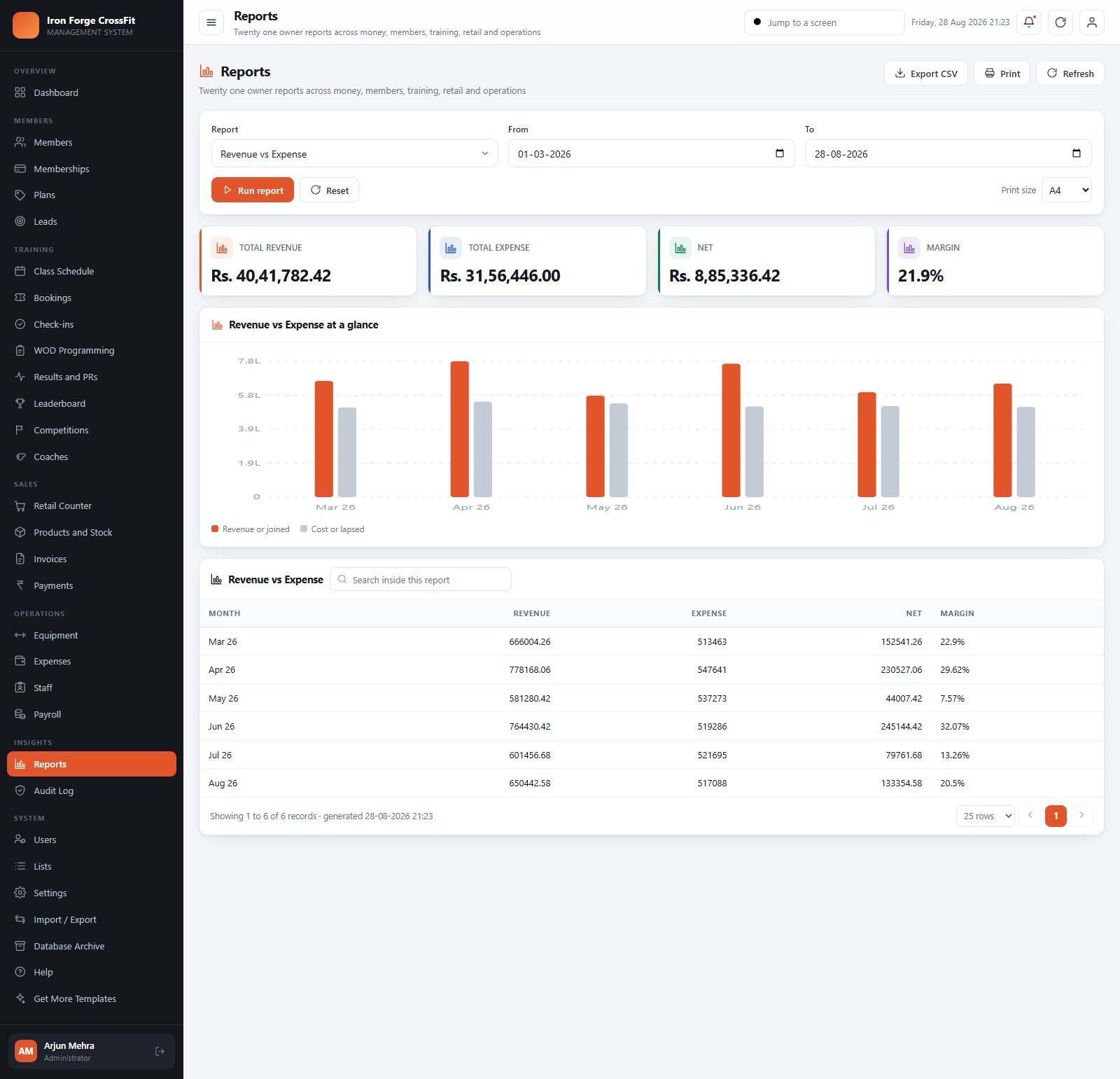
- 21 built-in reports across Finance, Members, Training, Retail and Operations, each exportable to CSV and printable at A4.
- 5 roles enforced on the server, not just in the menu – Administrator (50 permissions), Manager (46), Front Desk (28), Accountant (21) and Coach (19). A screen a role cannot see cannot be reached by any other route either.
What’s Inside the CrossFit Box Management System Web App
The download is a ZIP holding Code.cs.txt (the server code), Index.txt (the single-page front end) and a PDF manual. Paste the two files into a new Apps Script project, deploy as a web app, press Build the database once and the system creates its own Google Sheets database and Drive folder tree – Waivers, Member Photos, Bills, Backups, Archives, Exports and Competition Media – and seeds it. CrossFit Box Management System Web App
The 30 screens are grouped as the box works: Overview (Dashboard) · Members (Members, Memberships, Plans, Leads) · Training (Class Schedule, Bookings, Check-ins, WOD Programming, Results and PRs, Leaderboard, Competitions, Coaches) · Sales (Retail Counter, Products and Stock, Invoices, Payments) · Operations (Equipment, Expenses, Staff, Payroll) · Insights (Reports, Audit Log) · System (Users, Lists, Settings, Import / Export, Database Archive, Help, Get More Templates).
Behind them sit 54 settings and 24 master lists with 150 dropdown values, so class categories, rooms, lead sources, expense heads, payment modes and booking statuses are all editable without touching code. Import / Export covers 31 tables with CSV templates and a validation preview for the 10 you can import into, and the Database Archive keeps the live workbook light by copying the whole book into Drive before it removes closed rows – master data and anything still open always stays.
CrossFit Box Management System vs. Spreadsheets vs. Paid Gym SaaS – Where This Fits
| This web app | Google Sheets / Excel workbook | Paid gym SaaS (Wodify, PushPress, Zen Planner class) | |
|---|---|---|---|
| Cost | One-off 59.99 (39.99 on sale) | Usually 10-30 one-off | Typically a monthly fee that scales with member count |
| Platform | Google Apps Script web app on a Sheets database, in your own Google account | A spreadsheet file | Vendor-hosted, vendor-owned |
| Setup time | Under 15 minutes – paste two files, deploy, press Build the database | Minutes, then weeks of formula work to make it multi-user | Days, plus a data migration and onboarding call |
| Real-time team collaboration | Yes – front desk, coaches and accountant work in the same live database at once | Fragile – one shared file, easy to overwrite | Yes |
| Mobile access | Responsive browser UI – works from a phone or a door kiosk tablet | Poor | Yes, native apps |
| Role-based permissions | 5 roles, enforced server-side on every write | Sheet protection at best | Yes |
| Own the source code | Yes – edit anything, rebrand it, add a module | Yes | No |
| Year-1 cost, 5 staff logins | 59.99, once | ~30, plus your time | Commonly several hundred to a few thousand, billed monthly |
| WOD library, PRs and leaderboards | 120 WODs, 64 movements, 551 seeded PRs, lift board per movement | Manual | Yes – this is what the category is known for |
| Member-facing app and payment gateway | No – staff-side system; it records payments, it does not process cards | No | Yes |
Who This Template Is For – and Who It’s Not For
It is for an owner-operated CrossFit box, strength gym, barbell club or small functional-fitness studio – roughly 50 to 400 members – that is running on a spreadsheet plus WhatsApp and wants one place for memberships, the timetable, the whiteboard, the shelf and the money. It suits a box that already pays an affiliate fee and does not want a second recurring bill, and any owner who wants the code in their own Google account rather than a vendor’s. CrossFit Box Management System Web App
It is not for you if you need a member-facing mobile app where athletes book and pay themselves – bookings here are taken by staff or recorded against a member-app source, and there is no public booking portal. It is not for you if you need card processing, auto-debit or recurring billing: the system raises invoices and records the payment you took elsewhere. It is not a multi-location franchise console – one deployment is one box. It makes no claim about tax, labour-law or insurance compliance in your country, and nothing in it is a substitute for a signed waiver or an insurance policy. CrossFit Box Management System Web App
How to Use the CrossFit Box Management System Web App
- Try the demo first. Open the live demo above, sign in as
admin, then sign out and sign back in ascoach.vikramandaccounts. Ten minutes there will tell you more than any feature list. - Deploy your own copy. Open script.new, paste Code.cs.txt into Code.gs, add an HTML file named exactly Index and paste Index.txt into it. Deploy > New deployment > Web app, execute as Me, access Anyone.
- Build the database. Open your web app URL and press Build the database on the sign-in card, or run
setupfrom the editor. Setup is staged and resumable, and running it twice never duplicates data. - Sign in and lock it down. Sign in as admin, change the password immediately, then create real accounts for your team in Users and disable the seeded ones you do not need.
- Set the box up. Settings > Box Profile (name, address, tax number), Regional (currency, date format, timezone), Billing (tax percent, invoice terms), Printing (3 inch for counter receipts, A4 for invoices and reports) and Classes (booking window, late-cancel hours, waitlist rules).
- Replace the price list. Open Plans and edit the 14 seeded plans into your own drop-ins, punch cards, unlimited tiers and courses.
- Bring your members in. Import / Export > download the Members template, paste your register in, check the validation preview and confirm. Members, Plans, Leads, Coaches, Movements and WODs all import the same way.
- Run the week. Generate the week on Class Schedule, assign coaches, programme the WODs, take bookings, check people in, log scores – then raise invoices, record payments and run the reports.
Real-World Use Cases
Rahul, owner-coach of a 140-member affiliate. He was tracking memberships in one sheet, the whiteboard on a wall and payments in a notebook. Now the Dashboard tells him renewals due in the next 30 days and which invoices are past due before he opens the door, and the Revenue vs Expense report gives him a monthly margin instead of a guess.
Neha, front desk. Her whole day is three screens: Check-ins for the door, Retail Counter for the shelf and protein bars, and Memberships to sell a renewal and print the invoice. She cannot see payroll or the audit log, and she does not need to.
Ananya, coach. She opens the timetable on the rig tablet, takes the roster, logs scores against the day’s WOD and watches the Bench Press 3RM board move. She can see the member register read-only and the equipment list, and nothing on the money side.
Frequently Asked Questions
Can I try it before buying?
Yes. The live demo above is a fully deployed instance with a year of sample data, and every seeded login is published in the credentials table. Those are public logins on a shared demo that resets, so treat anything you type there as visible to everyone. Sign in as at least two different roles – the permission model is the part a screenshot cannot show you.
Where is my data stored?
In a Google Sheets workbook that the system creates inside your own Google Drive, alongside a folder tree for waivers, member photos, bills, backups, archives, exports and competition media. We never see it, and there is no third-party server in the path.
Does it take card payments or run auto-debit?
No. It raises invoices, records the payment you actually took – cash, card, UPI, bank transfer or wallet – and reconciles the collection. There is no payment gateway and no recurring mandate.
How many people can use it at once?
It ships with 10 seeded accounts across 5 roles and you can add as many as you like; there is no per-seat charge. Practical limits are Google’s own Apps Script quotas, which are generous for a single box.
Will the Google Sheets database get too big?
The Database Archive screen exists for exactly that. Pick a cutoff date and the closed statuses you are happy to move, preview the row counts per table, and the system copies the whole workbook into Drive > Archives before it removes anything. Master data and anything still open always stays live.
Can I change the code?
Yes – you get Code.gs and Index.html outright. Rebrand it, add a module, change the report list. Remember that a code change only reaches the live web app after you publish a new deployment version.
Does it work in currencies other than rupees?
Yes. Settings > Regional sets the currency code and symbol, the date format, the timezone, the week start and the financial-year start month. The seeded data is in INR because the demo box is in Bengaluru; change the two currency fields and every screen follows.
About the Author
Built by PK – Microsoft Certified Professional with 15+ years of Excel, Google Sheets, and Power BI experience. Founder of NextGenTemplates, reaching 300K+ subscribers across YouTube channels. Every template is hand-built and tested before release.
Explore Related Templates
- Gym and Fitness Center Membership Management System Web App – the general-gym sibling, if you run classes and machines rather than a whiteboard.
- CrossFit Gym KPI Dashboard in Google Sheets – a reporting-only view if you want the numbers without the operating system.
- Gym Personal Records (PR) Tracker in Google Sheets – a lightweight PR board for a coach who is not ready for a full system.
- Gym Membership Tracker in Google Sheets – renewals and dues only, at tracker prices.
- Adventure Sports Booking Management System Web App – the same architecture applied to sessions, guides and gear.
- Browse the whole Mini Web Apps catalogue or the Google Sheets templates. CrossFit Box Management System Web App
Ready to run the box from one screen? Open the live demo, sign in as two different roles, and if it fits, buy it once and deploy it in your own Google account this afternoon. Full walkthrough on the blog: CrossFit Box Management System Web App – a full tour.
Last updated: 29 August 2026 · Version 1.0.0 CrossFit Box Management System Web App































Reviews
There are no reviews yet.