

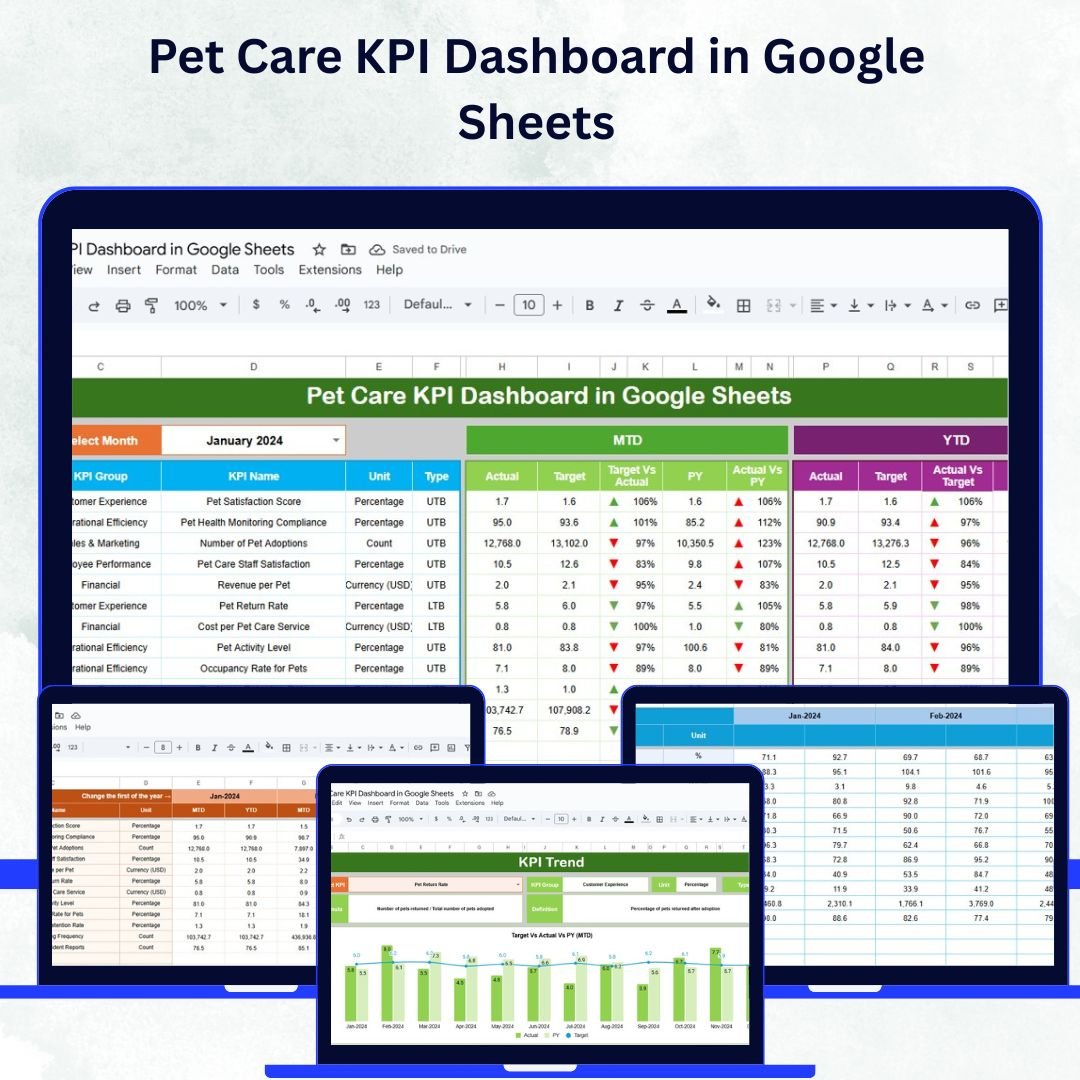

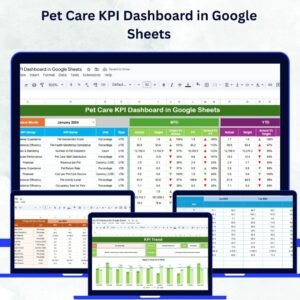
Running a successful pet care business requires consistent tracking of performance indicators such as appointments, grooming sessions, health checkups, and customer satisfaction. The Pet Care KPI Dashboard in Google Sheets is a ready-to-use, data-driven, and fully customizable tool that helps pet clinics, veterinary hospitals, and grooming centers monitor operations and improve efficiency. 🩺🐾
With this dashboard, managers and veterinarians can analyze Month-to-Date (MTD) and Year-to-Date (YTD) metrics, compare Actual vs Target vs Previous Year (PY) data, and visualize performance trends through interactive charts — all within the simplicity of Google Sheets. 🚀
🔑 Key Features of the Pet Care KPI Dashboard
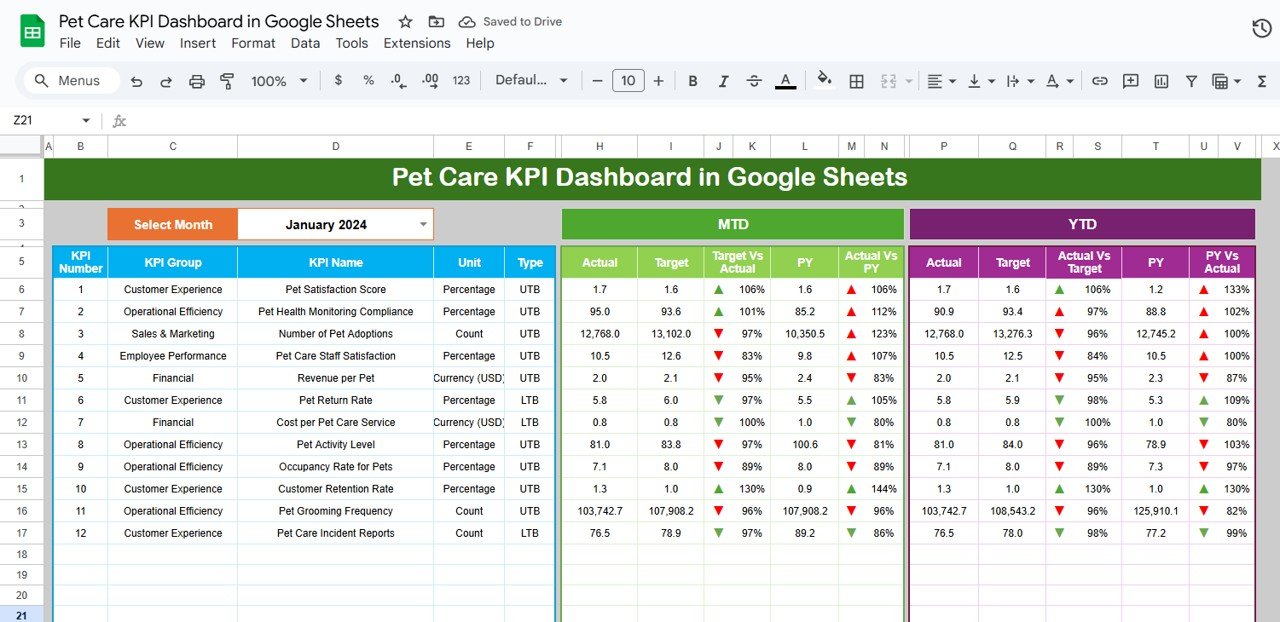
📋 1. Dashboard Sheet Tab
High-level performance overview for the selected month (via dropdown in Range D3)
MTD KPIs: Actual, Target, and Previous Year comparisons
YTD KPIs: Cumulative performance data for the year
Target vs Actual & PY vs Actual: Quick evaluation using conditional formatting arrows
Real-time insights into appointments, treatments, and client satisfaction
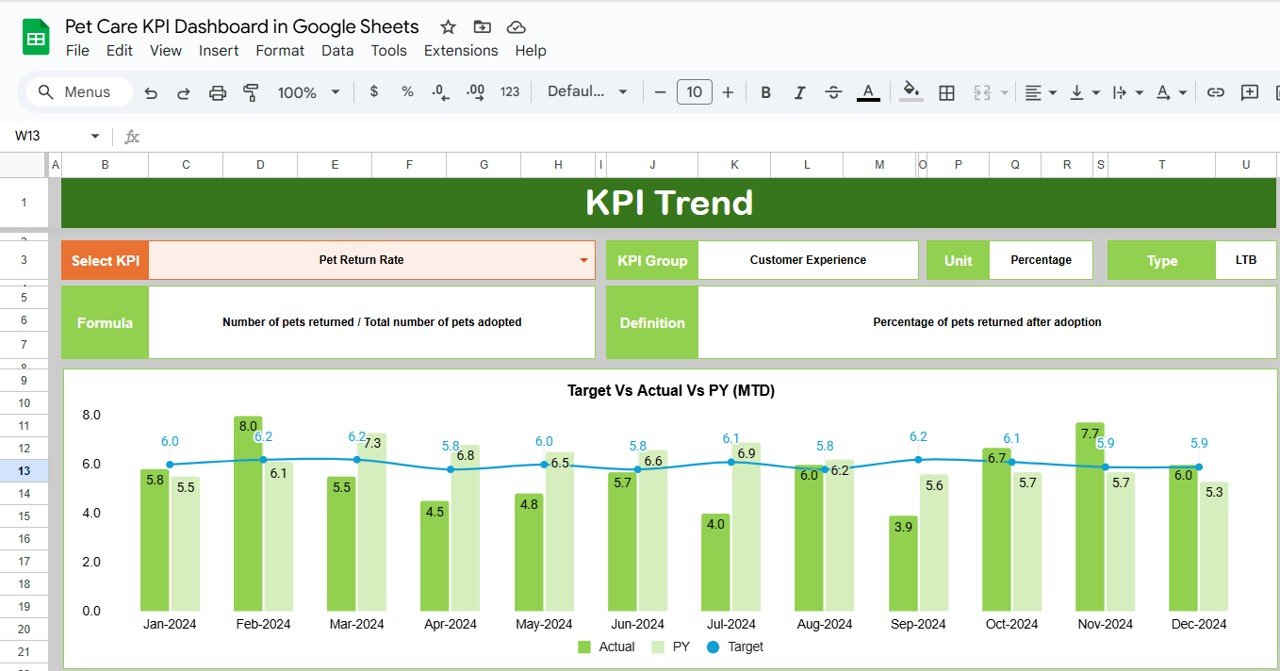
📈 2. KPI Trend Sheet Tab
Select any KPI from a dropdown (Range C3) to analyze its trend over time
Displays KPI Group, Unit, Formula, and Type (Upper or Lower the Better)
Dynamic charts for historical trend visualization
Identifies underperforming KPIs and operational bottlenecks
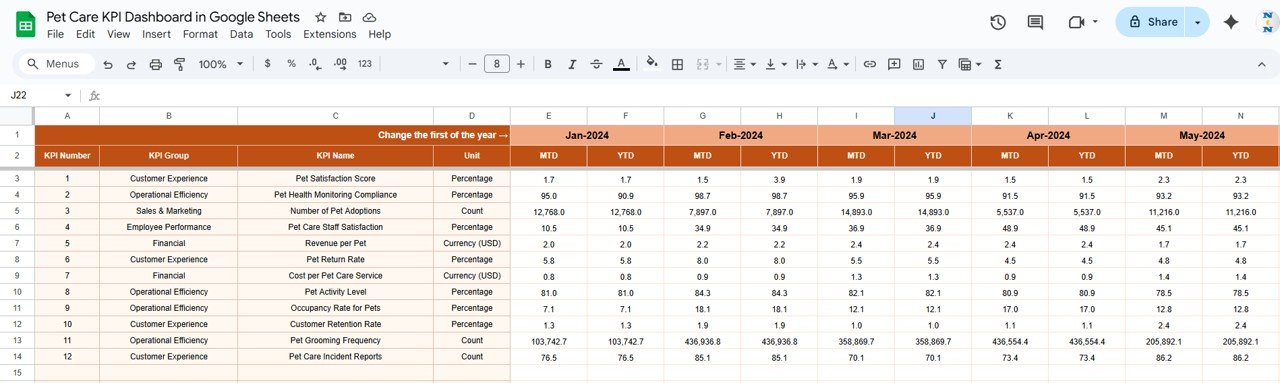
📊 3. Actual Numbers Sheet Tab
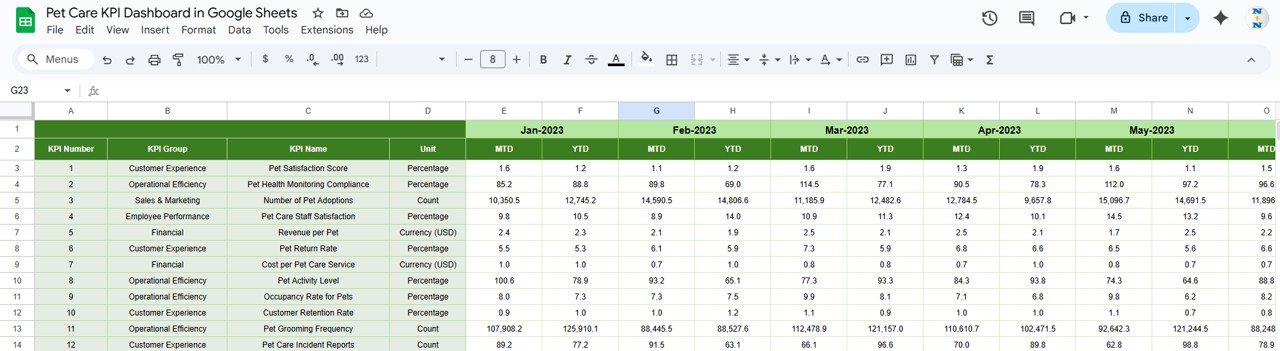
Input monthly Actual data for each KPI
Linked with Dashboard for instant updates
Dynamic start month setup (via Range E1) to adjust reporting year automatically
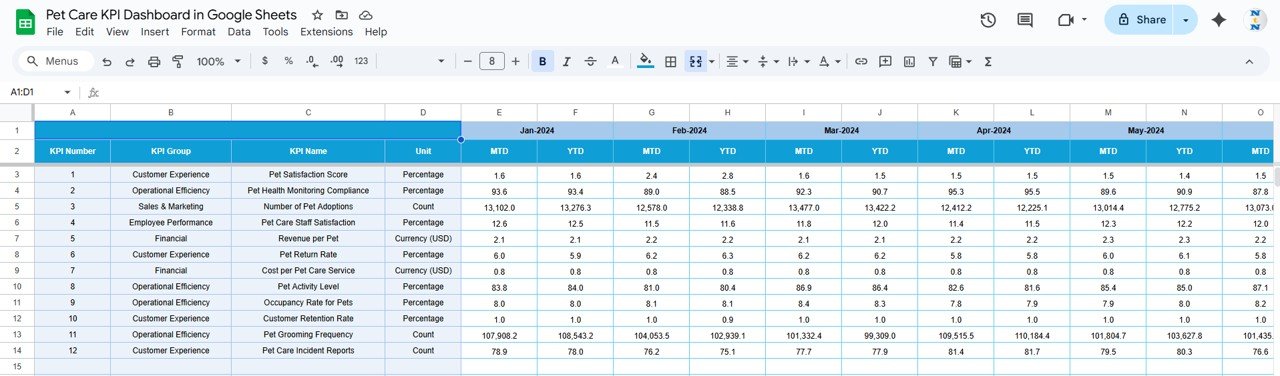
🎯 4. Target Sheet Tab
Set monthly and yearly targets for each KPI
Compare actual results against predefined goals
Helps align business objectives with daily operations
📅 5. Previous Year Numbers Sheet Tab
Stores last year’s data for year-over-year comparison
Highlights seasonal performance and long-term trends
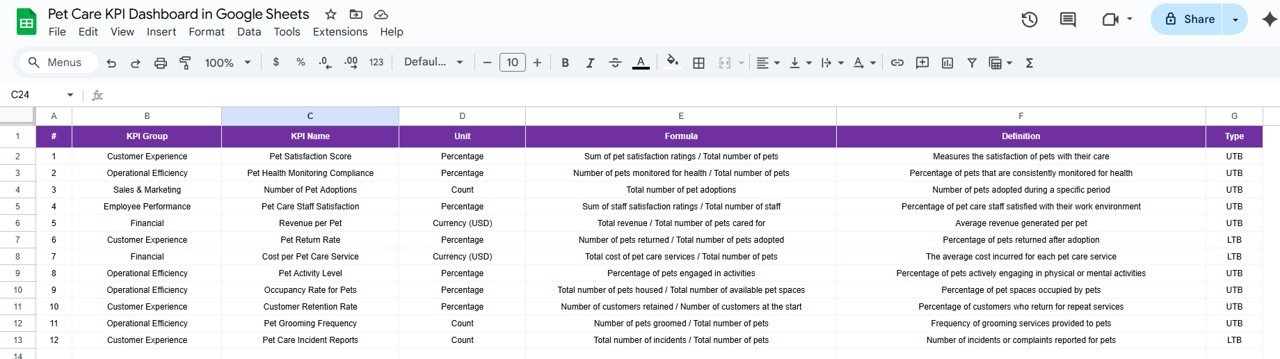
📘 6. KPI Definition Sheet Tab
Document KPI Group, Name, Unit, Formula, Definition, and Type (UTB/LTB)
Ensures clarity and consistency in performance measurement across teams
🐕🦺 What’s Inside the Dashboard?
When you download this template, you’ll get:
✅ Dashboard Sheet – Interactive summary of MTD and YTD KPIs
✅ KPI Trend Sheet – Detailed trend analysis of any KPI
✅ Actual, Target, & Previous Year Data Sheets – Complete dataset tracking structure
✅ KPI Definition Sheet – Clear reference for all metrics
✅ Pre-filled Sample Data – Understand structure instantly
✅ Auto-linked Visuals – Charts update dynamically as data changes
🧑💼 Who Can Benefit from This Dashboard?
🎯 Veterinary Clinics – Monitor treatment rates, client feedback, and appointment efficiency
🎯 Pet Grooming Centers – Track grooming sessions, time efficiency, and satisfaction scores
🎯 Pet Boarding Services – Analyze occupancy, booking trends, and customer loyalty
🎯 Pet Care Chains & Franchises – Manage performance across multiple locations
🎯 Pet Supply Stores with Add-on Services – Evaluate service growth alongside retail KPIs
🧪 How to Use the Pet Care KPI Dashboard
Enter KPI Definitions – Define KPIs in the KPI Definition sheet
Set Targets – Input monthly and yearly targets
Enter Actual Data – Record real performance metrics each month
Compare & Analyze – Use Dashboard & Trend sheets for visual insights
Review Monthly – Identify strengths, weaknesses, and improvement opportunities
🌟 Why Choose This Dashboard?
📊 Centralized KPI tracking for all pet care services
⚙️ Real-time updates across linked sheets
📈 Trend visualization for long-term planning
🧠 Data-driven decision-making for staff and service optimization
🎨 Fully customizable design to suit any pet business model
🌍 Collaborative Google Sheets format — access anytime, anywhere
With the Pet Care KPI Dashboard in Google Sheets, pet businesses can ensure efficiency, maintain client trust, and achieve consistent growth through data transparency and smart analytics. 🌟




















Reviews
There are no reviews yet.