


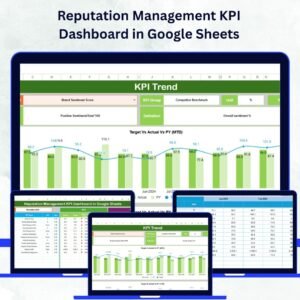
In today’s digital era, your online reputation defines your brand’s success 🌟. Every review, comment, and customer mention shapes how your audience perceives you. The Reputation Management KPI Dashboard in Google Sheets empowers you to take complete control — tracking sentiment, engagement, and brand health from one interactive, cloud-based dashboard.
This ready-to-use Google Sheets template helps you measure and improve your brand reputation effortlessly. Whether you’re a marketing manager, PR expert, or business owner, this dashboard simplifies data tracking and visualization — giving you clarity, confidence, and actionable insights.Reputation Management KPI Dashboard in Google Sheets
⚙️ Key Features of the Reputation Management KPI Dashboard in Google Sheets
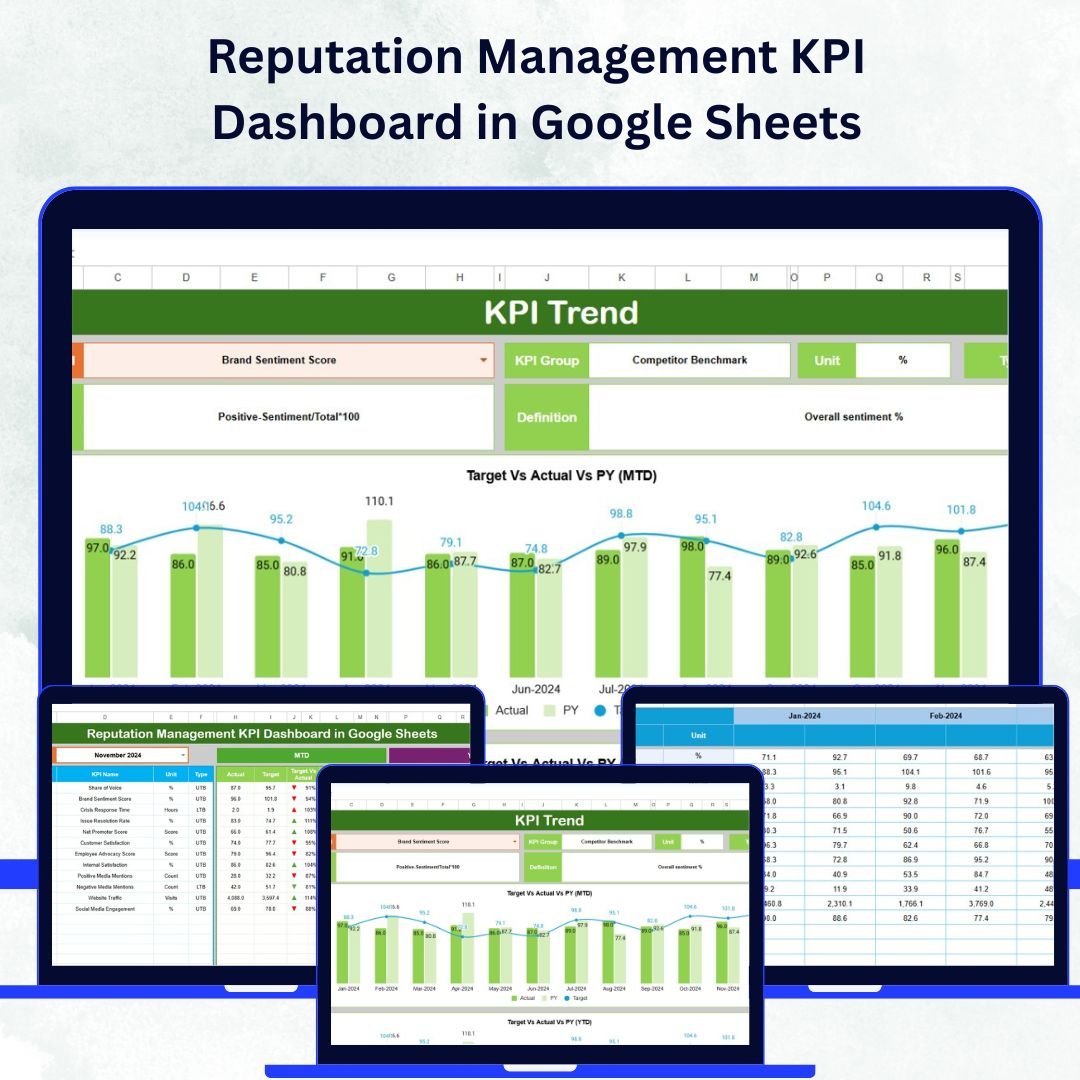
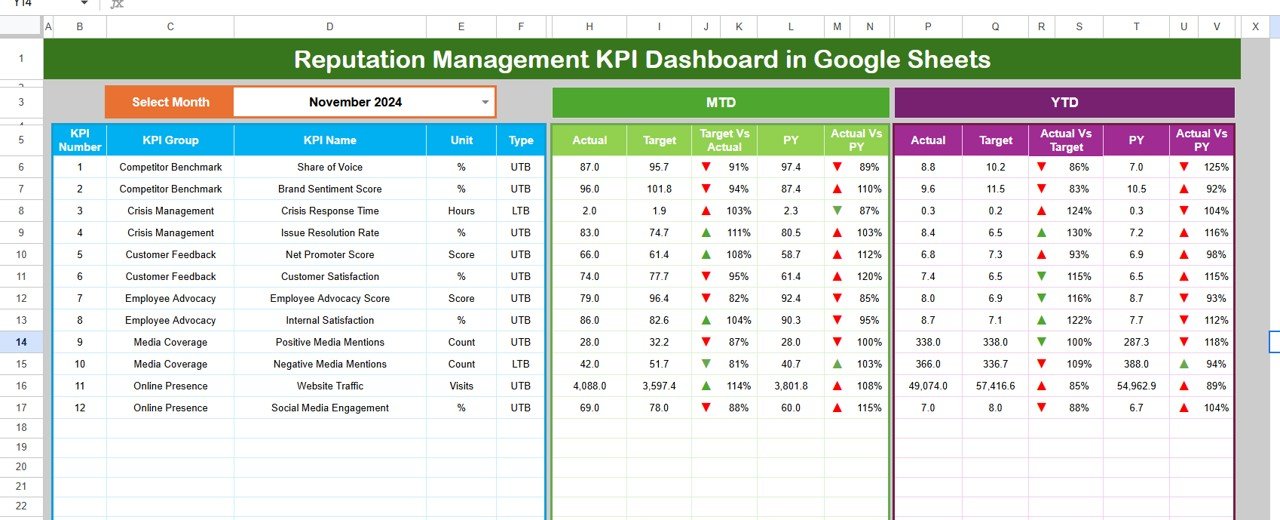
✨ Dynamic Month Selection: Instantly switch between months using a dropdown and watch the data refresh automatically.
📊 MTD & YTD Tracking: Monitor both Month-to-Date and Year-to-Date results for a complete performance overview.
🎯 Target vs. Actual Comparison: Quickly compare current performance against goals and previous year data.
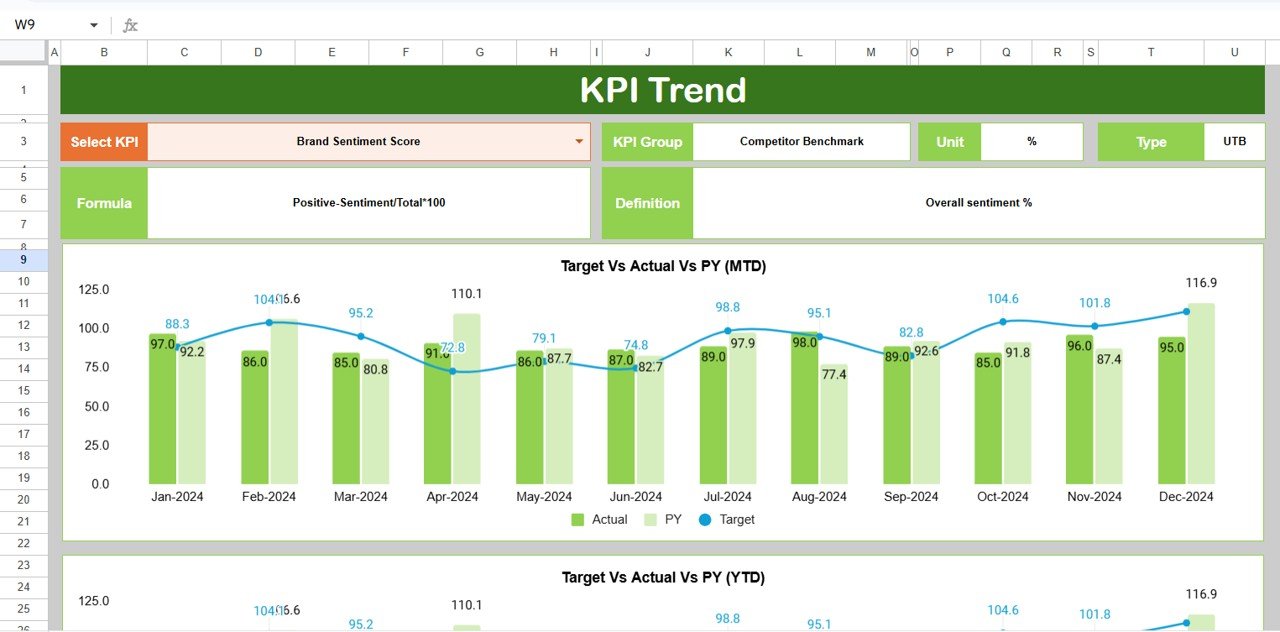
📈 Trend Visualization: Interactive charts highlight progress patterns and help spot issues early.
🔍 Conditional Formatting: Color-coded arrows reveal performance improvements or declines at a glance.
🧩 Real-Time Collaboration: Built in Google Sheets for easy sharing and teamwork without software installation.
💡 Customizable KPIs: Add, edit, or redefine KPIs to match your brand’s specific reputation goals.
⏱️ Automated Calculations: Smart formulas reduce manual work and ensure accuracy.
🗂️ All-in-One View: Get a 360° snapshot of brand performance metrics in one simple dashboard.
🌐 Cloud-Based Access: Access your data anytime, anywhere, on any device.Reputation Management KPI Dashboard in Google Sheets
📂 What’s Inside the Reputation Management KPI Dashboard
This comprehensive Google Sheets template includes six pre-built worksheet tabs, each with a clear purpose:
1️⃣ Dashboard Sheet – The main control panel showing all KPIs with dynamic updates and visual indicators.
2️⃣ Trend Sheet – Interactive line charts and detailed breakdowns for analyzing performance trends.
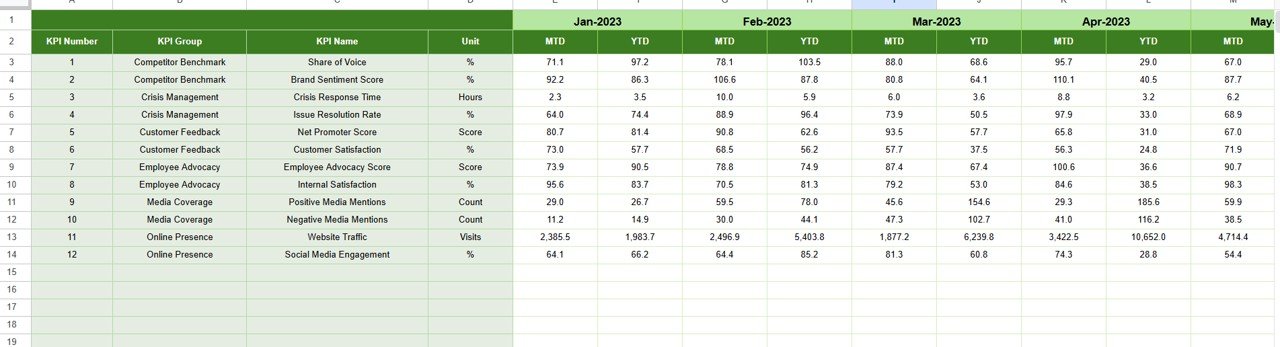
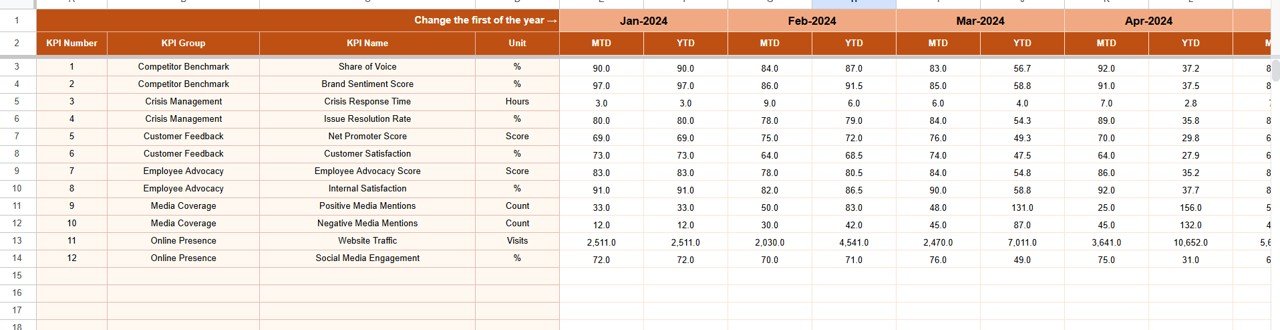
3️⃣ Actual Numbers Input Sheet – A clean section to enter real-time MTD and YTD performance data.
4️⃣ Target Sheet – Define monthly and yearly goals for easy variance comparison.
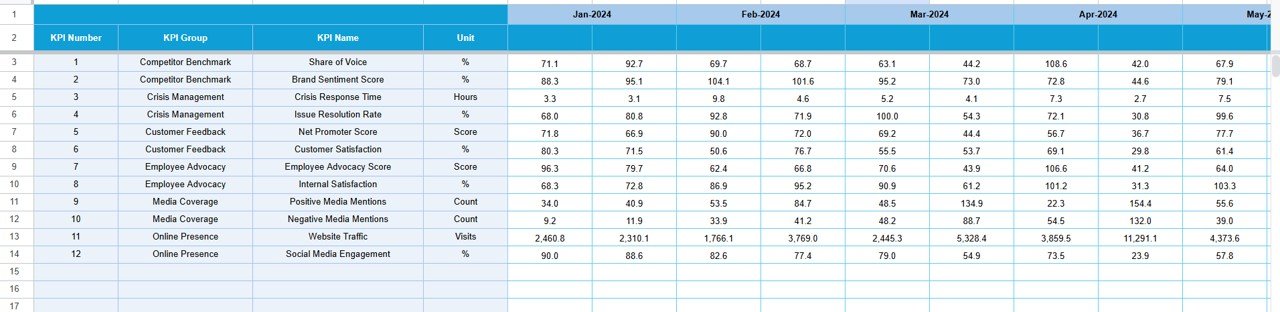
5️⃣ Previous Year Sheet – Review past performance to measure growth and stability.
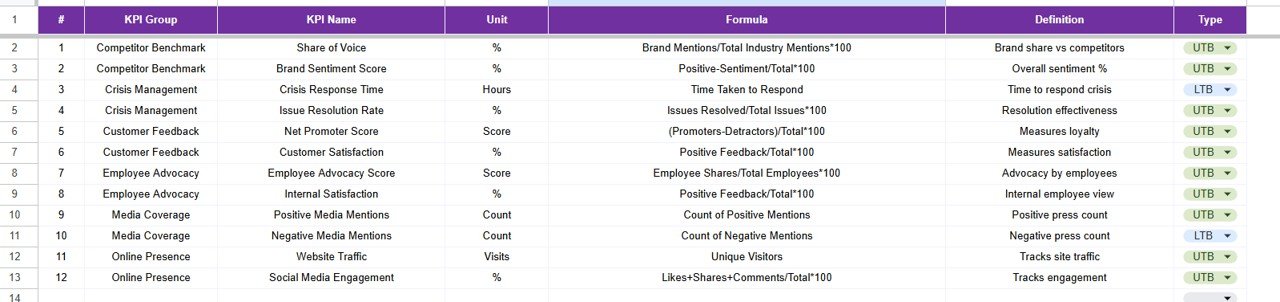
6️⃣ KPI Definition Sheet – A glossary of metrics including KPI Name, Group, Unit, Formula, and Definition.
Each sheet is interlinked, ensuring your dashboard updates instantly when you modify data — saving time and eliminating manual recalculations.Reputation Management KPI Dashboard in Google Sheets
🚀 How to Use the Reputation Management KPI Dashboard
1️⃣ Set Up Your KPI Definitions: Start by defining each KPI in the KPI Definition Sheet.
2️⃣ Input Actual Data: Update your MTD and YTD numbers regularly in the Actual Numbers Input Sheet.
3️⃣ Define Your Targets: Enter performance goals in the Target Sheet for each KPI.
4️⃣ Track Monthly Progress: Use the dropdown in the Dashboard to switch months and review progress.
5️⃣ Analyze Trends: Explore the Trend Sheet to visualize improvements or problem areas.
6️⃣ Compare Year-over-Year: Check the Previous Year data to assess long-term success.
7️⃣ Share Insights: Collaborate with your team via Google’s cloud sharing options for real-time updates.
Within minutes, you’ll have an automated and interactive dashboard that provides actionable insights into your brand reputation — without needing any coding or complex setup.
👥 Who Can Benefit from This Reputation Management KPI Dashboard
💼 Marketing Teams: Monitor brand sentiment and optimize campaigns.
📣 PR Departments: Track media impact, reviews, and public perception.
💬 Social Media Managers: Measure engagement, response time, and feedback quality.
📊 Customer Support Teams: Evaluate customer satisfaction and service reputation.
🏢 Small & Medium Businesses: Get a scalable, cost-effective alternative to paid reputation tools.
🏆 Corporate Communication Units: Align reputation KPIs with organizational goals.
Whether you’re managing a single brand or multiple client accounts, this dashboard empowers teams to act on data — not assumptions.



















Reviews
There are no reviews yet.