

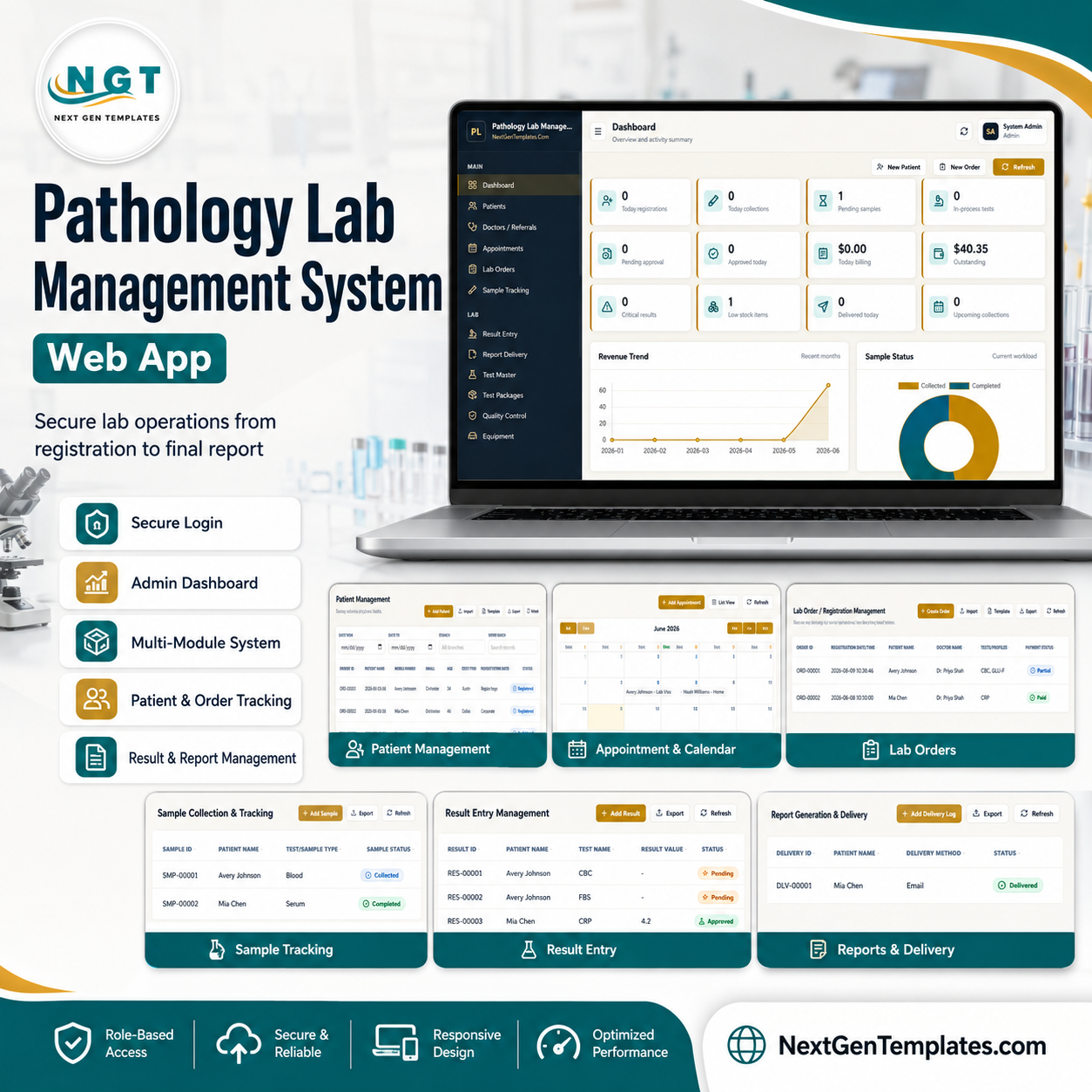

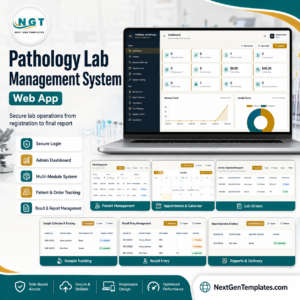
Pathology Lab Management System Web App is a Google Sheets and Apps Script lab operations system with 24 connected screens, 12 dashboard KPI cards, and workflow pages for registration, samples, results, approvals, billing, inventory, quality control, staff, users, audit, and reports. It is built for pathology labs that want one browser workspace instead of separate patient, order, result, billing, and stock files. Join 10,000+ customers in 180+ countries using NextGenTemplates to replace subscription tools with one-time template systems. Instant download, one-time payment, no per-user fee, and lifetime file access.
Key Features of Pathology Lab Management System Web App
- Secure Apps Script login: Deploy the app in your own Google account and control access through user roles.
- 12-card operations dashboard: Track today registrations, sample collections, pending samples, in-process tests, approvals, billing, outstanding balance, critical results, low stock, deliveries, and upcoming collections.
- Patient-to-report workflow: Register patients, create orders, collect samples, enter results, approve reports, and log delivery from one connected system.
- Master data control: Maintain tests, packages, doctors, staff, users, dropdown lists, branch values, and lab profile settings.
- Finance and stock modules: Manage invoices, payment collections, reagent inventory, equipment records, and stock transactions.
- Audit-ready structure: Review login, create, update, delete, export, approval, billing, email, and settings activity from the audit log.
What’s Inside the Pathology Lab Management System Web App
The product includes a complete pathology lab workflow, from patient intake to final report delivery. The screenshots below show the main screens included in the system.
Login and Dashboard
The sign-in page protects the lab workspace, while the dashboard gives admins a quick operational summary with KPI cards, revenue trend, sample status, top tests, recent activity, and upcoming collections.
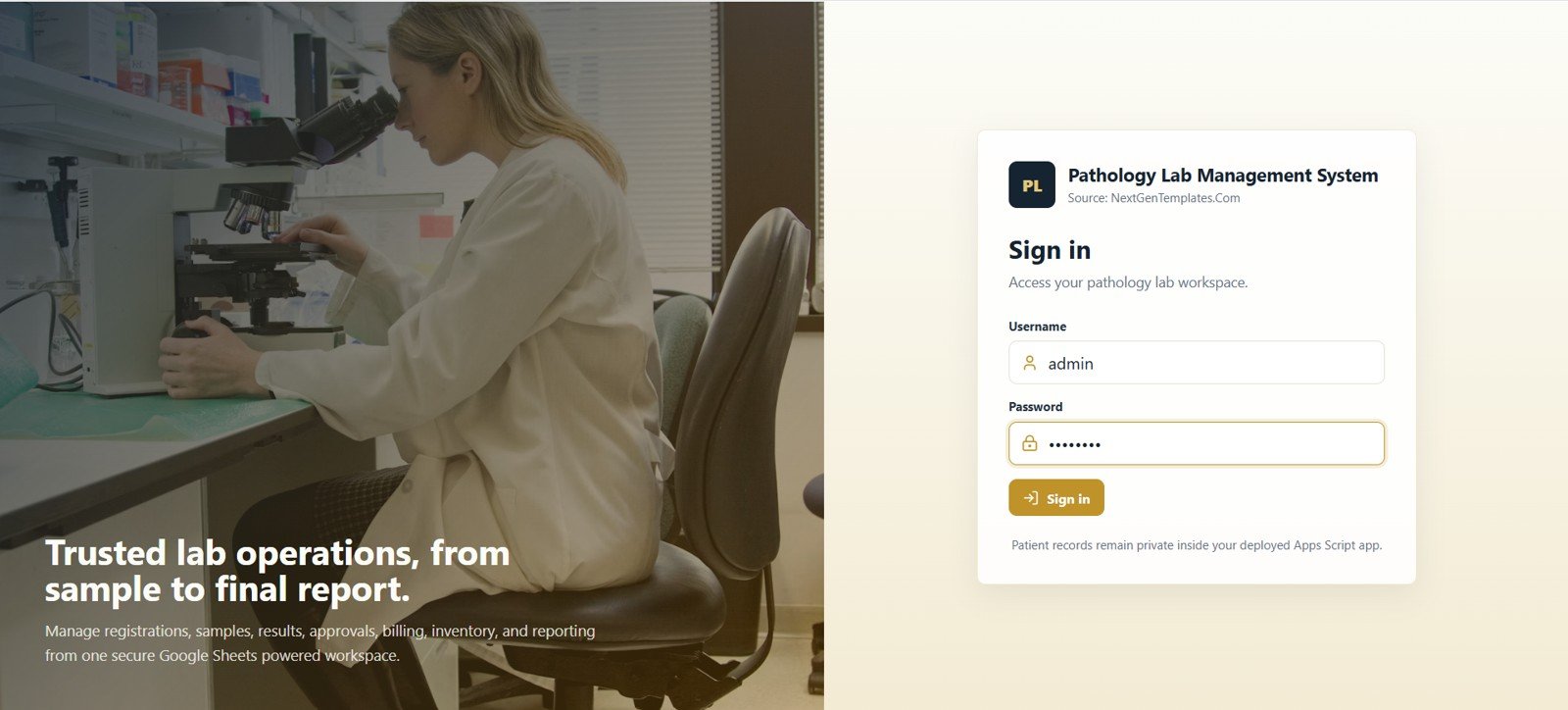
Login screen
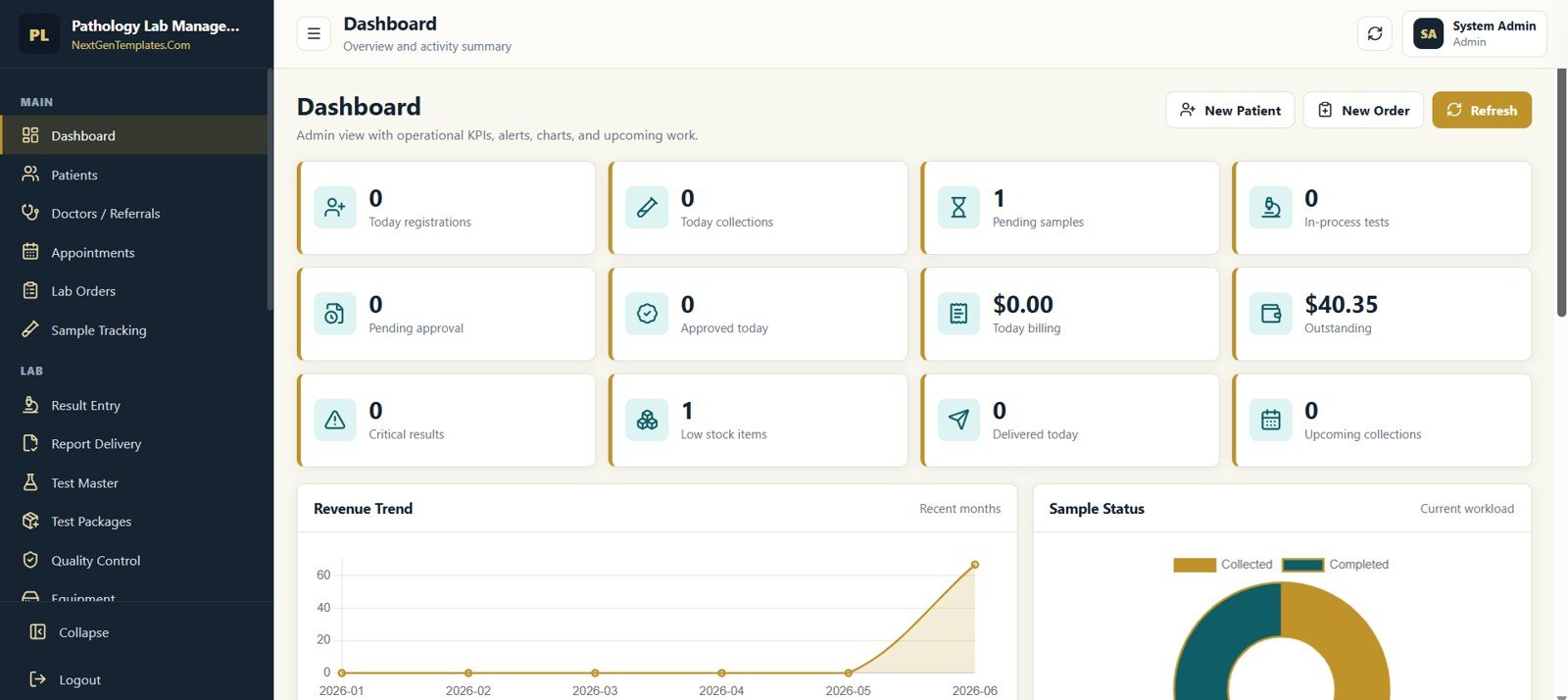
Dashboard KPI summary
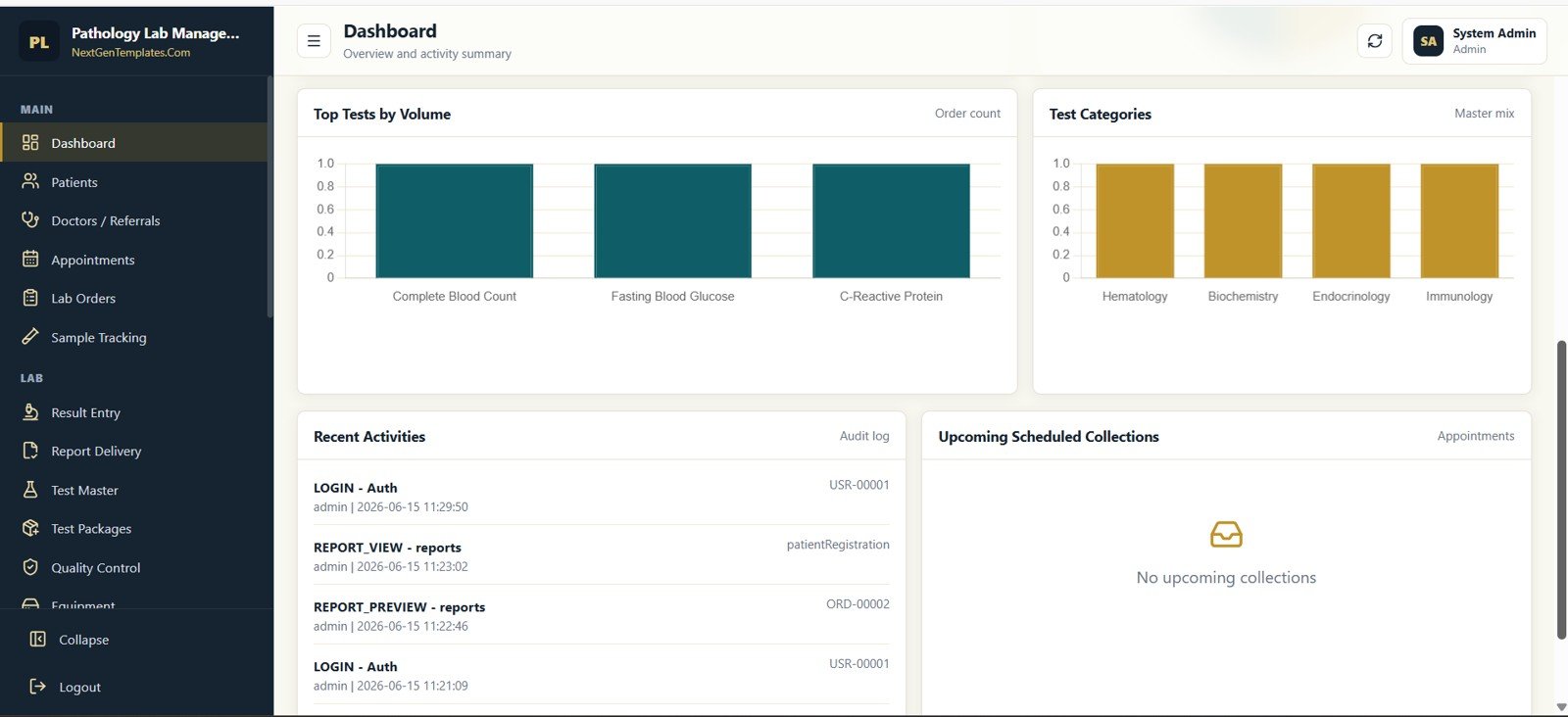
Dashboard charts and activity log
🚀 Try the Live Demo Before You Buy
We have deployed this web app in our own Google account so you can test every page, every role — with real sample data — before purchasing. No signup, no email required.
🔑 Test Login Credentials
Sign in as admin for full control of the system, or explore the role-based workflow: reception registers patients and books test orders, technician enters sample results, and pathologist reviews and approves the final reports.
💡 What you get after purchase: The full source code (Code.gs + Index.html) plus a step-by-step deployment guide so you can deploy your own private instance in your own Google account in under 15 minutes.
Front Desk and Lab Workflow
Patient, doctor, appointment, order, sample, result, and delivery pages give the lab team a clear handoff path from registration to completed report.
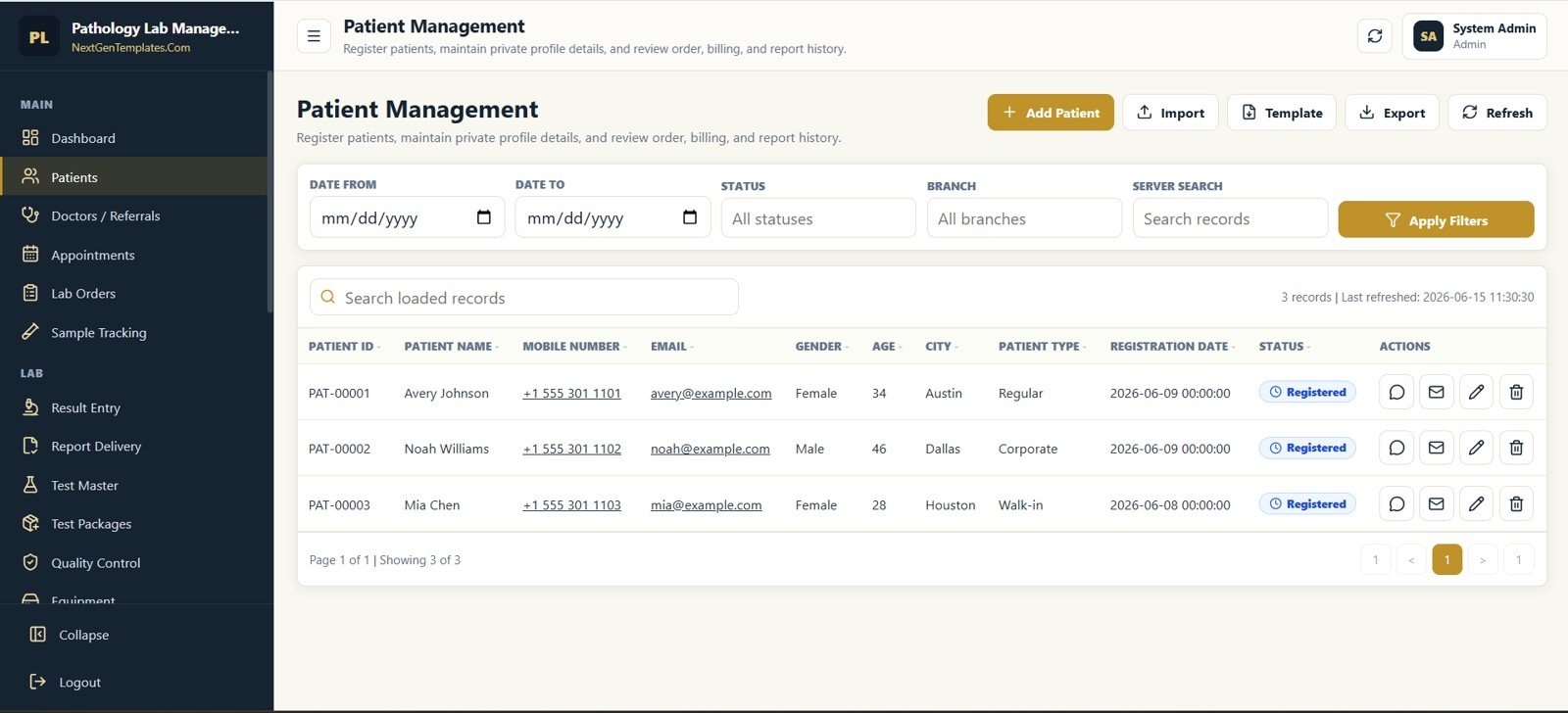
Patient Management
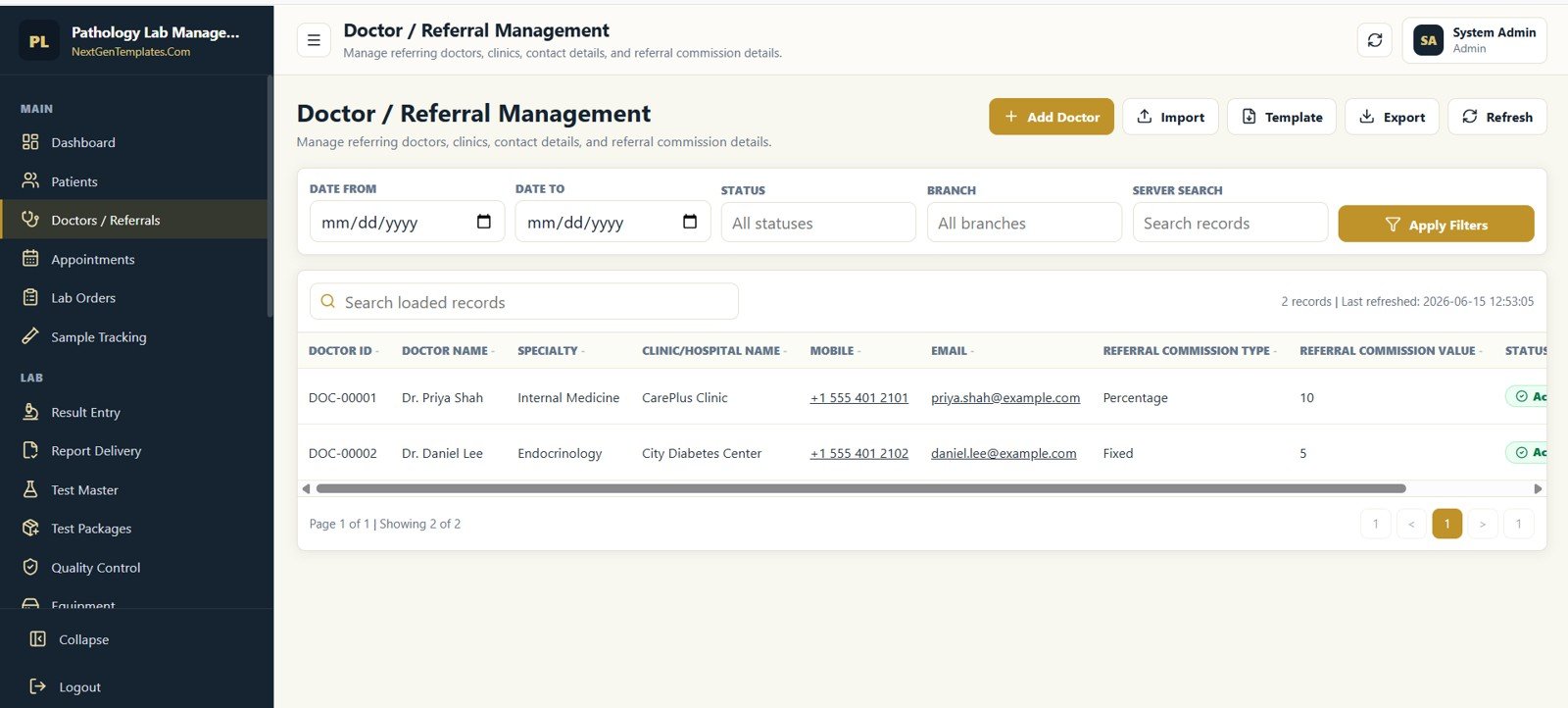
Doctor and Referral Management
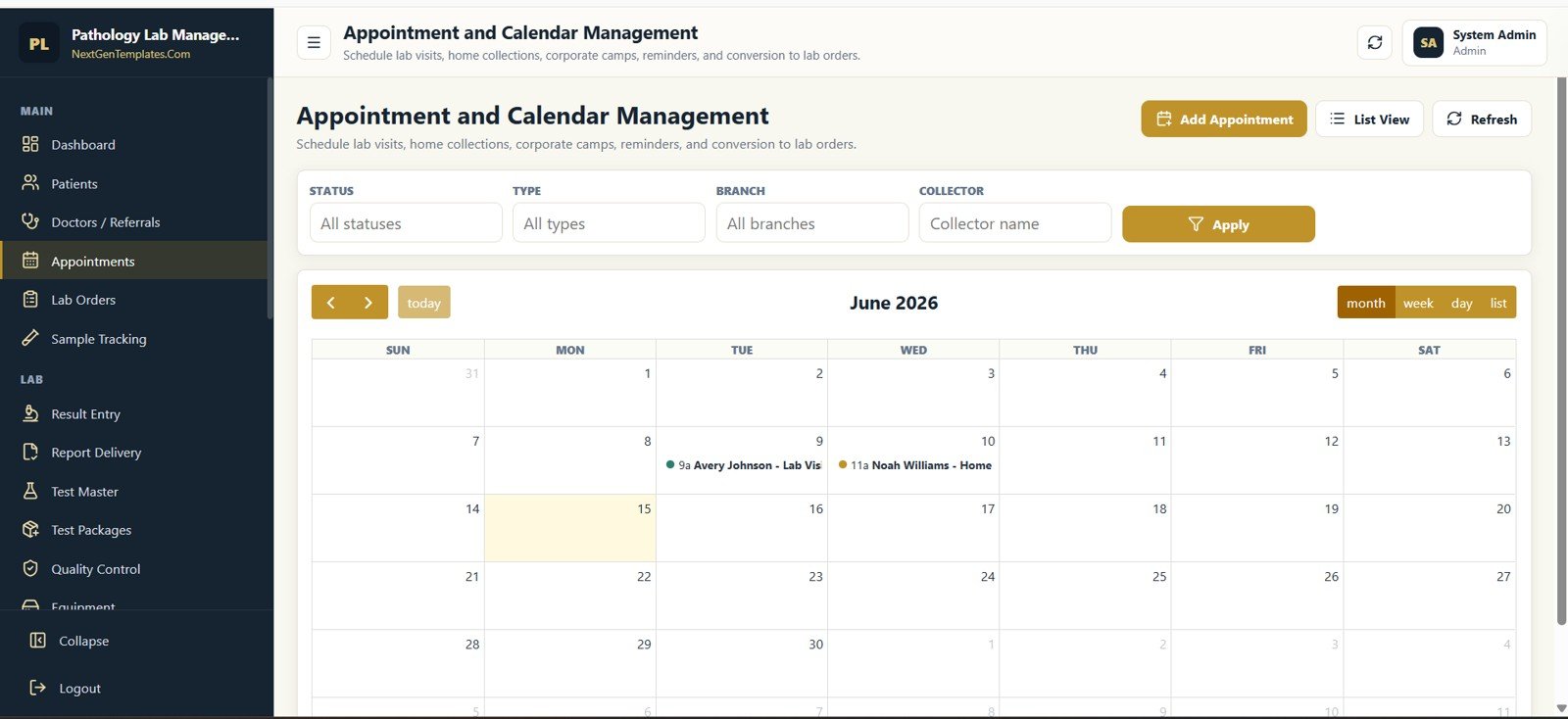
Appointment and Calendar Management
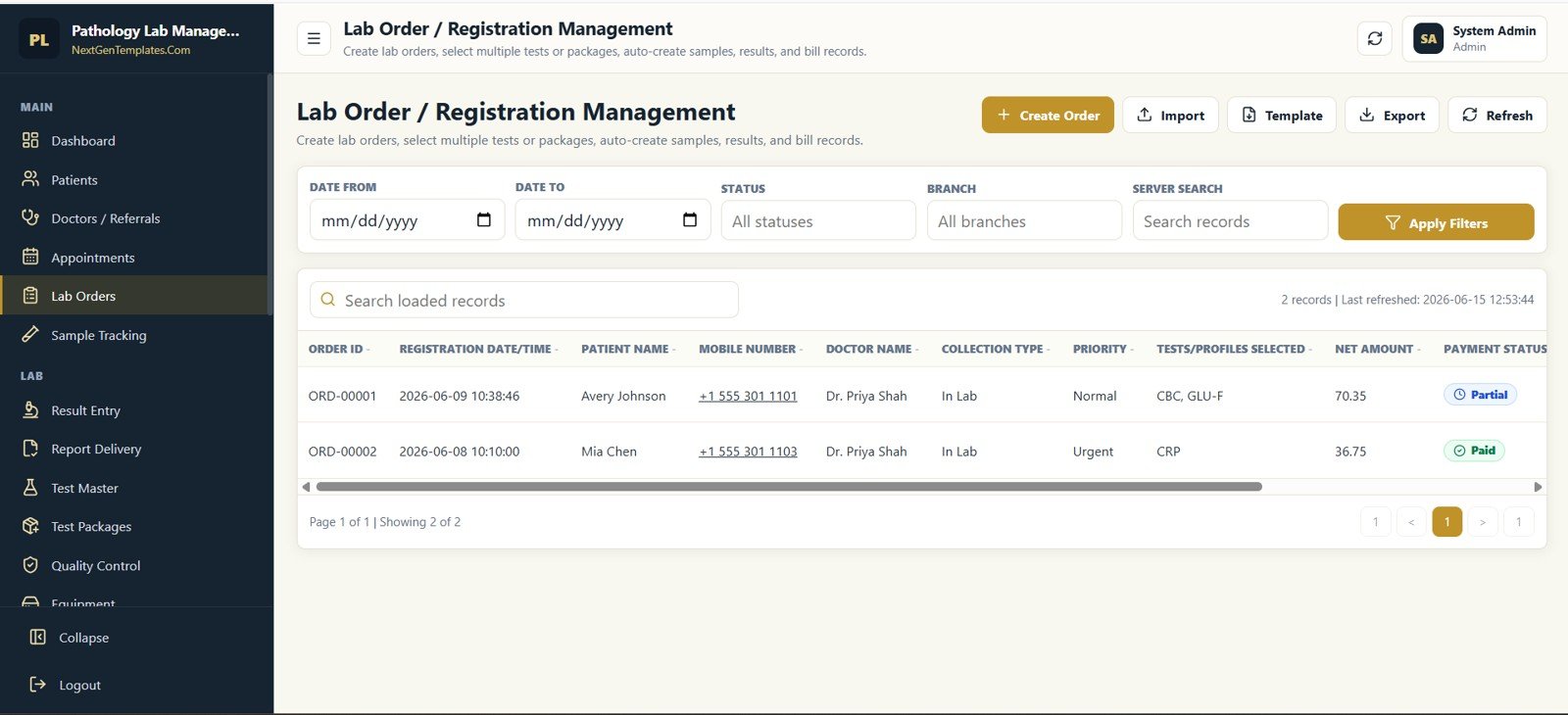
Lab Order / Registration Management
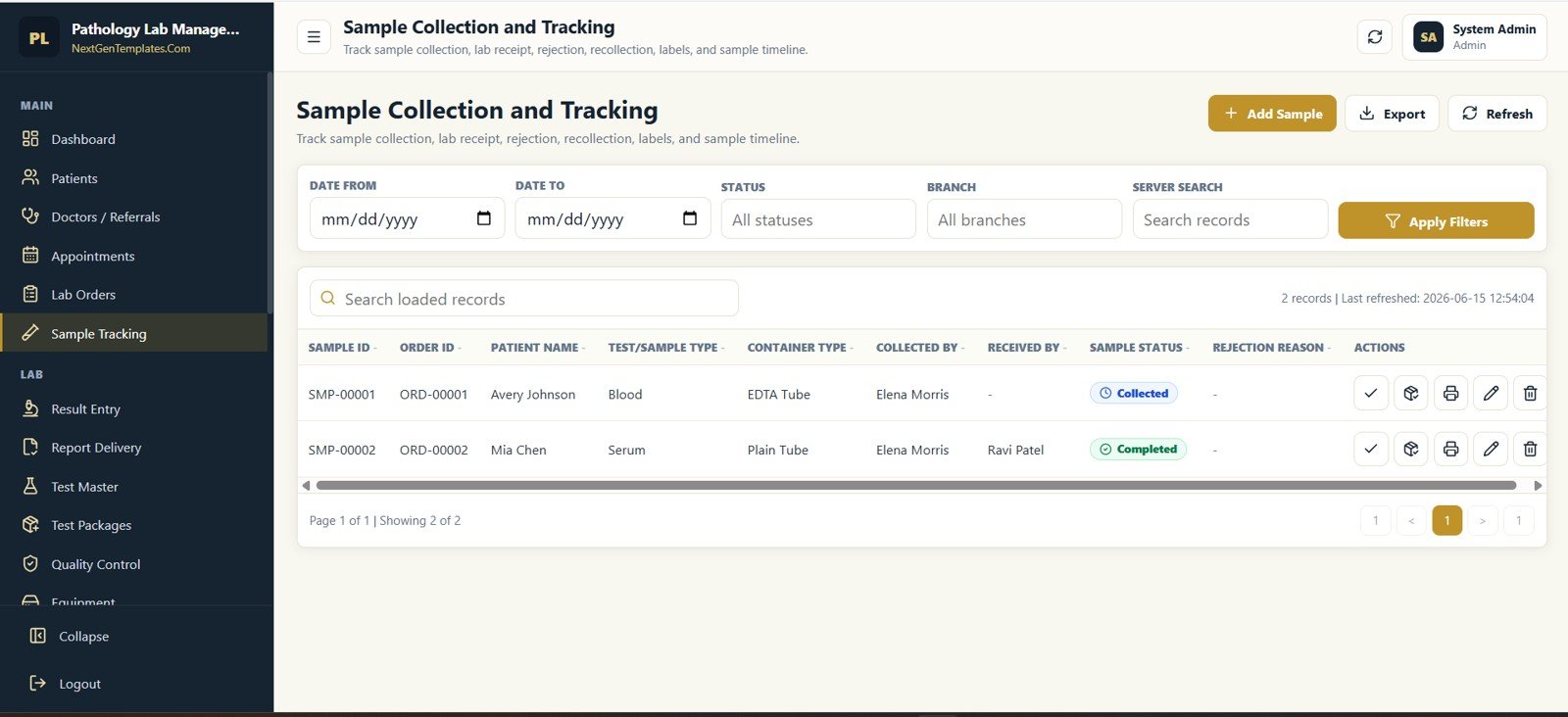
Sample Collection and Tracking
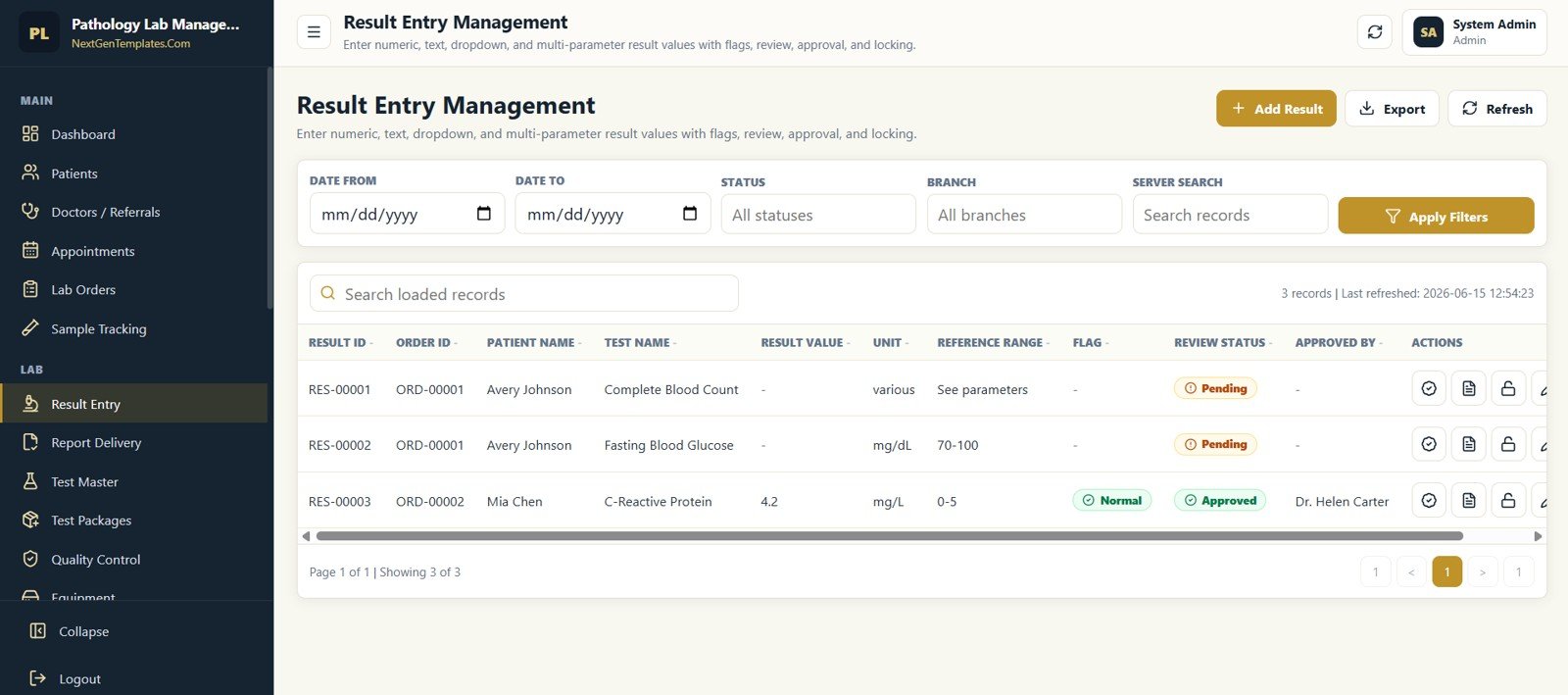
Result Entry Management
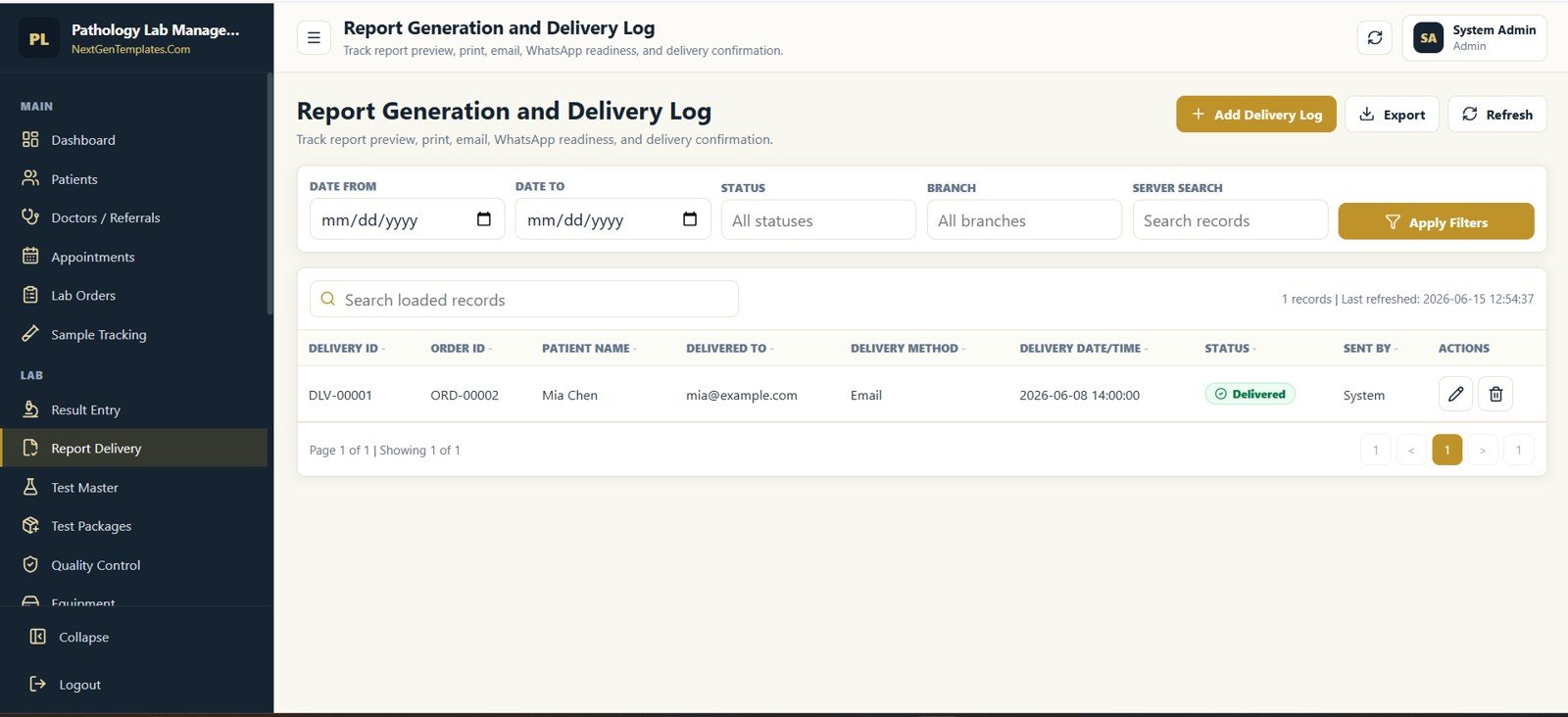
Report Generation and Delivery Log
Masters, Quality, Finance, Stock, and Admin
Admin users can configure test masters, packages, QC, equipment, invoices, payments, inventory, transactions, reports, audit trails, staff, users, dropdown lists, and lab settings.
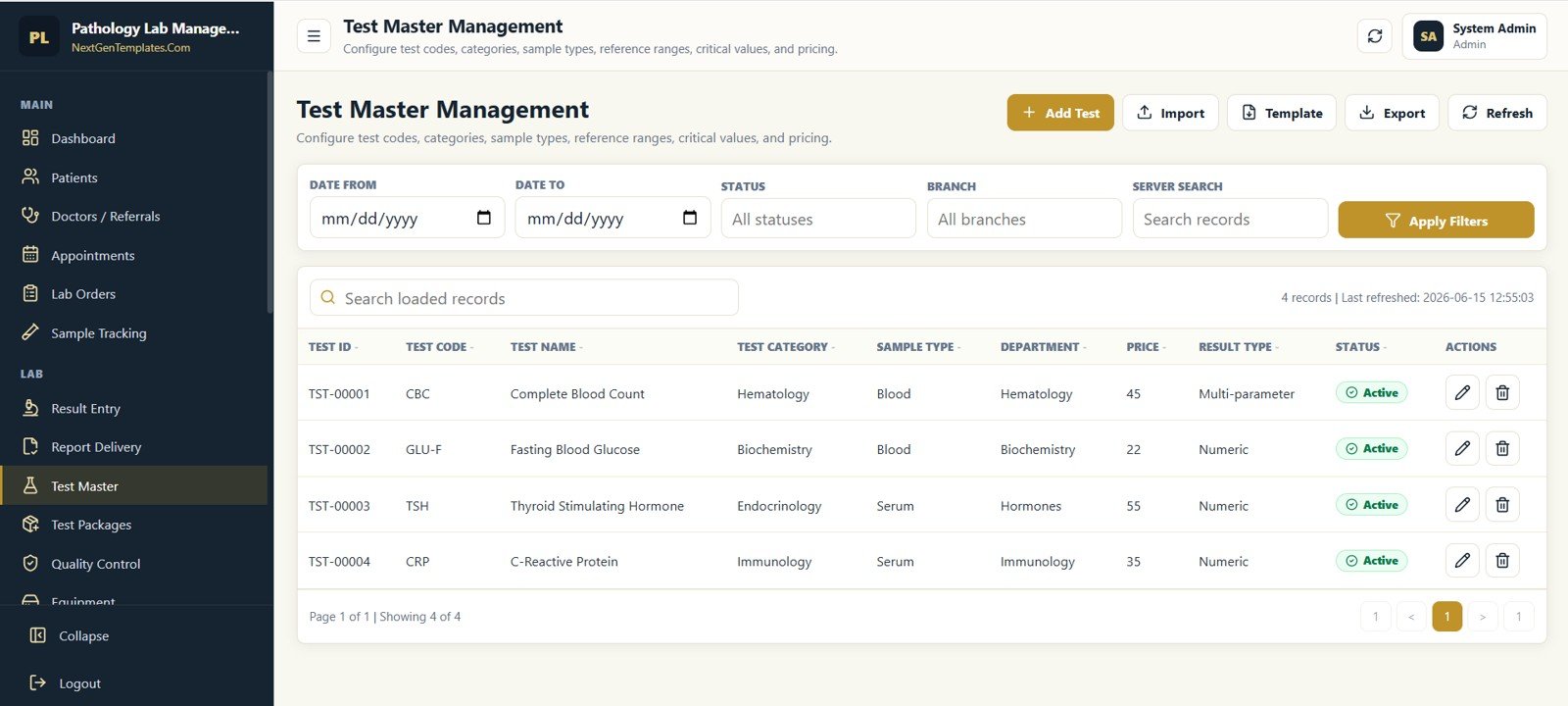
Test Master Management
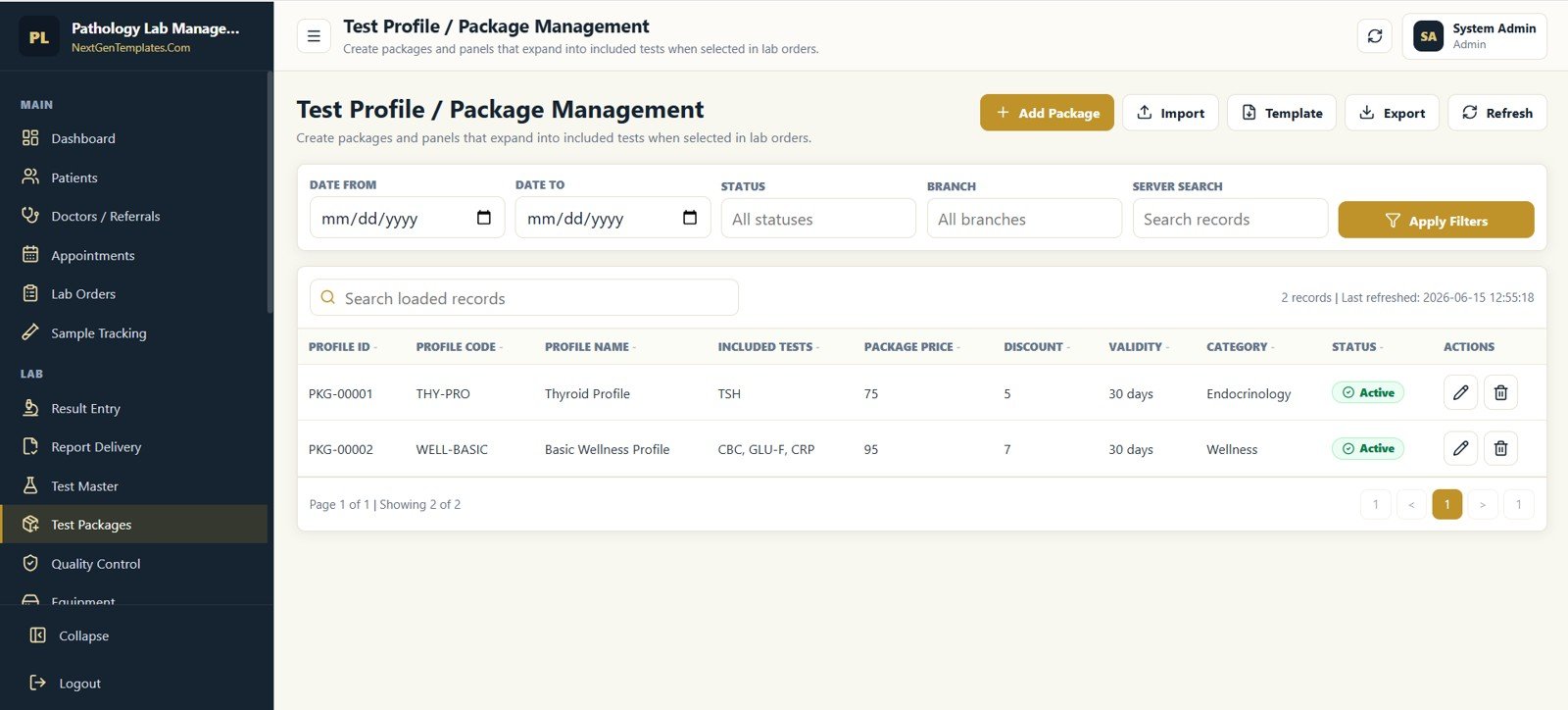
Test Profile / Package Management
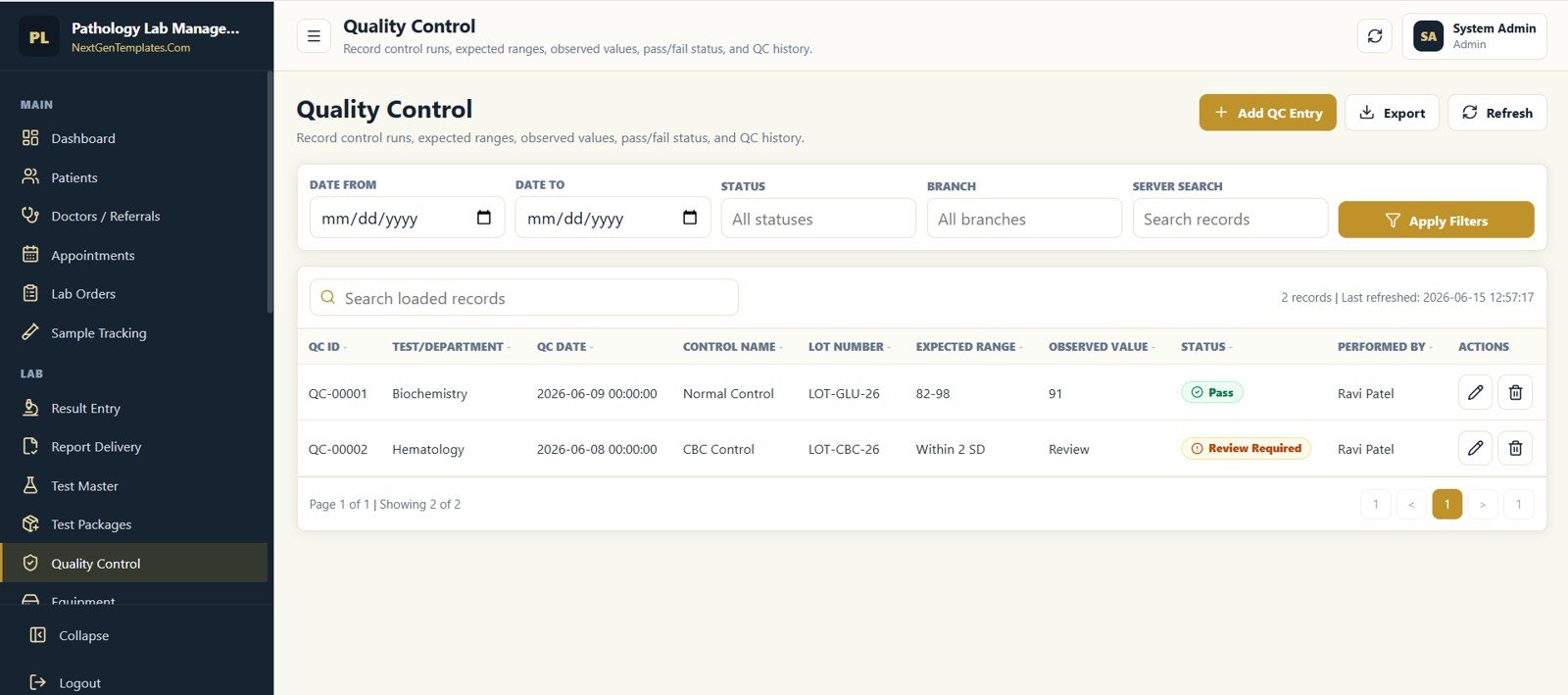
Quality Control
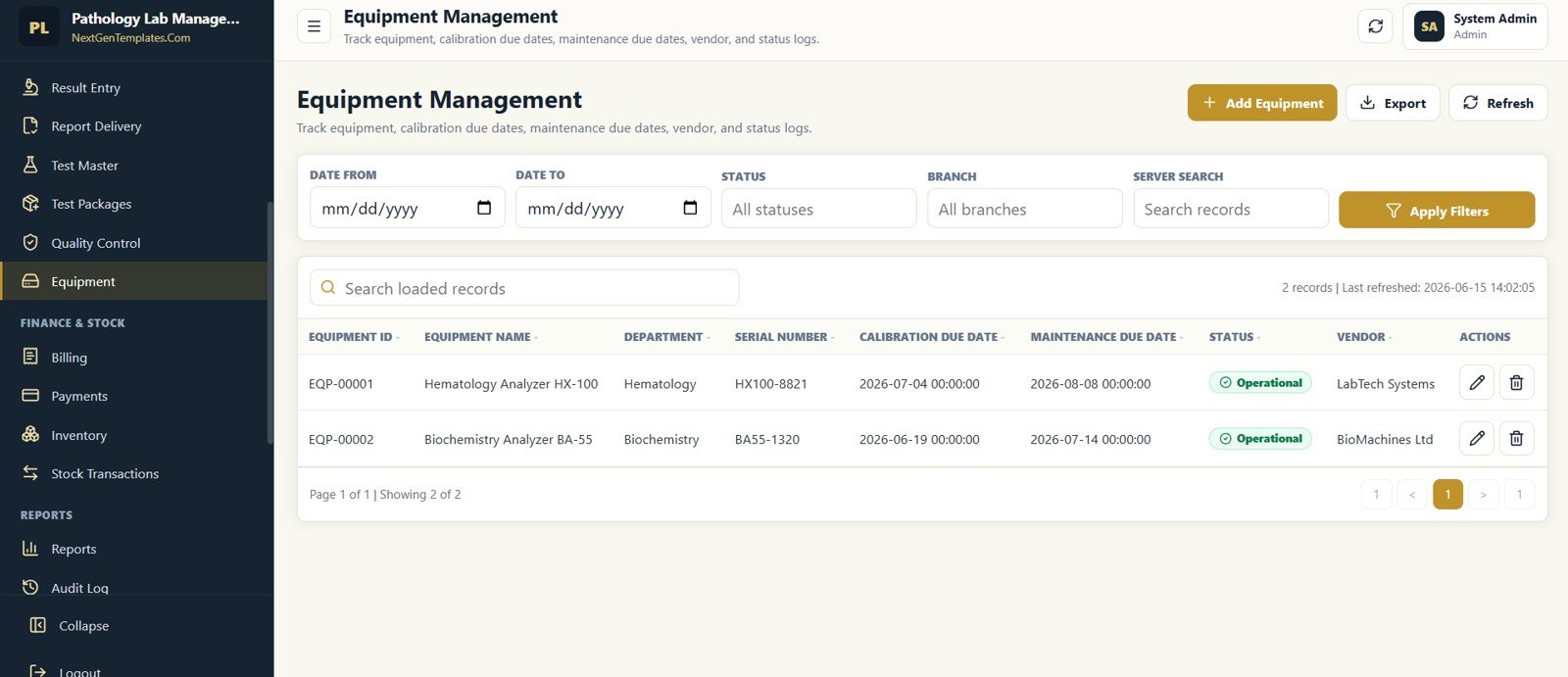
Equipment Management
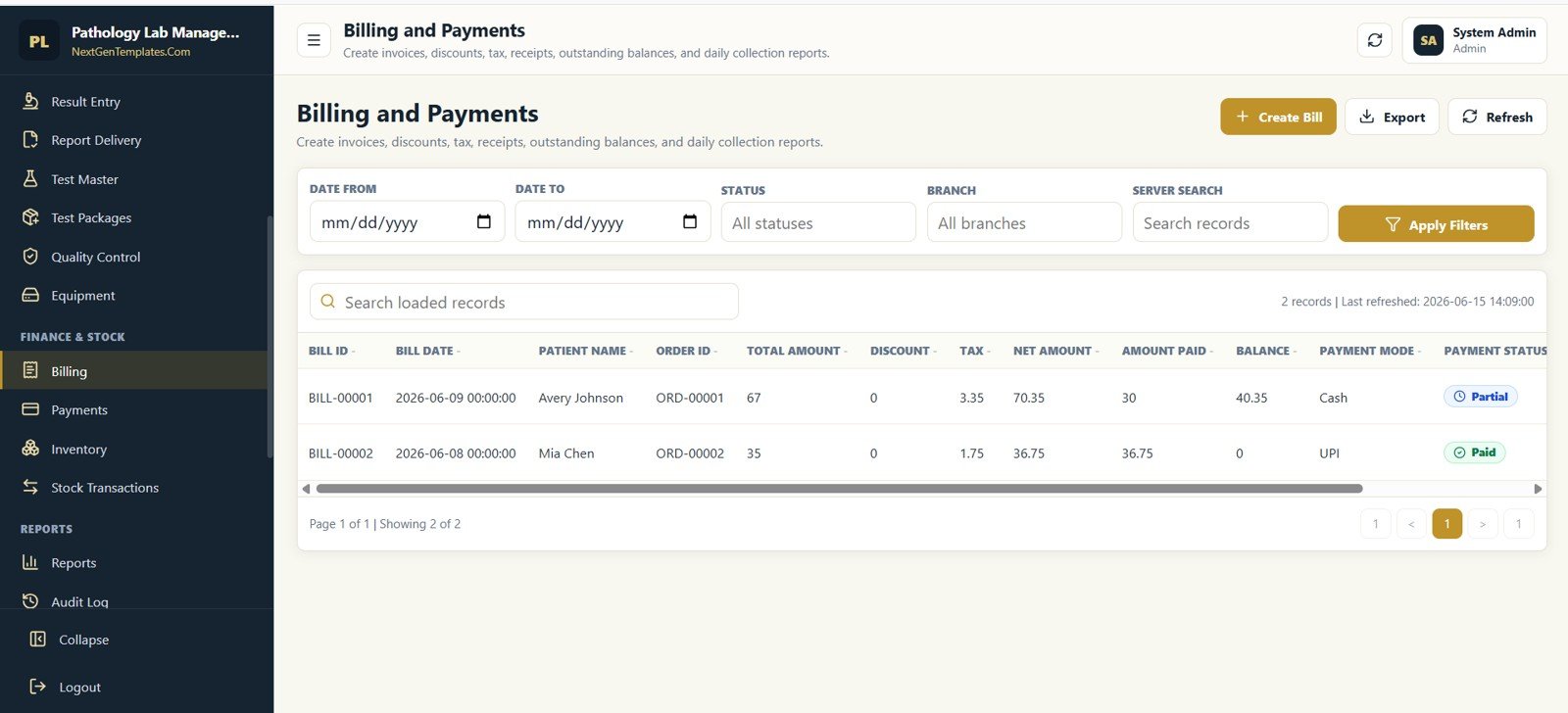
Billing and Payments
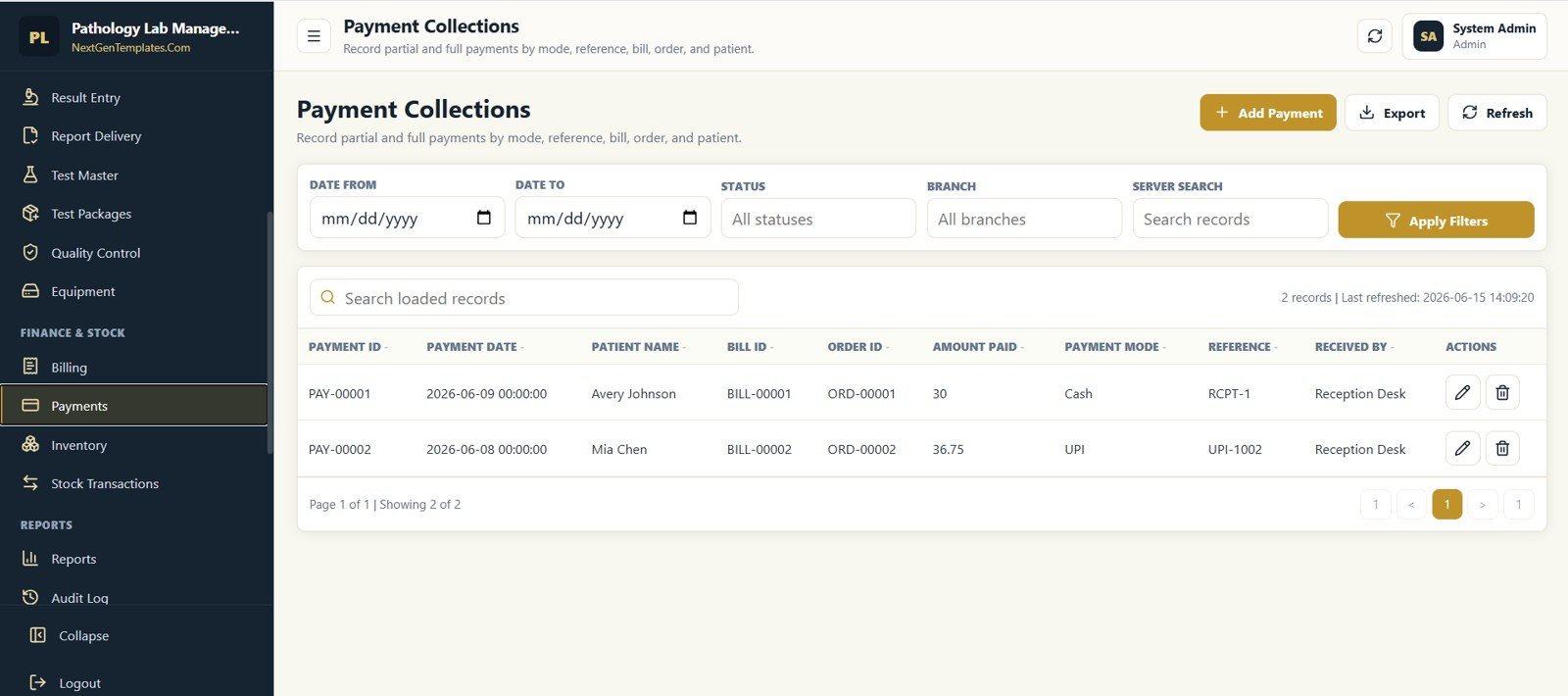
Payment Collections
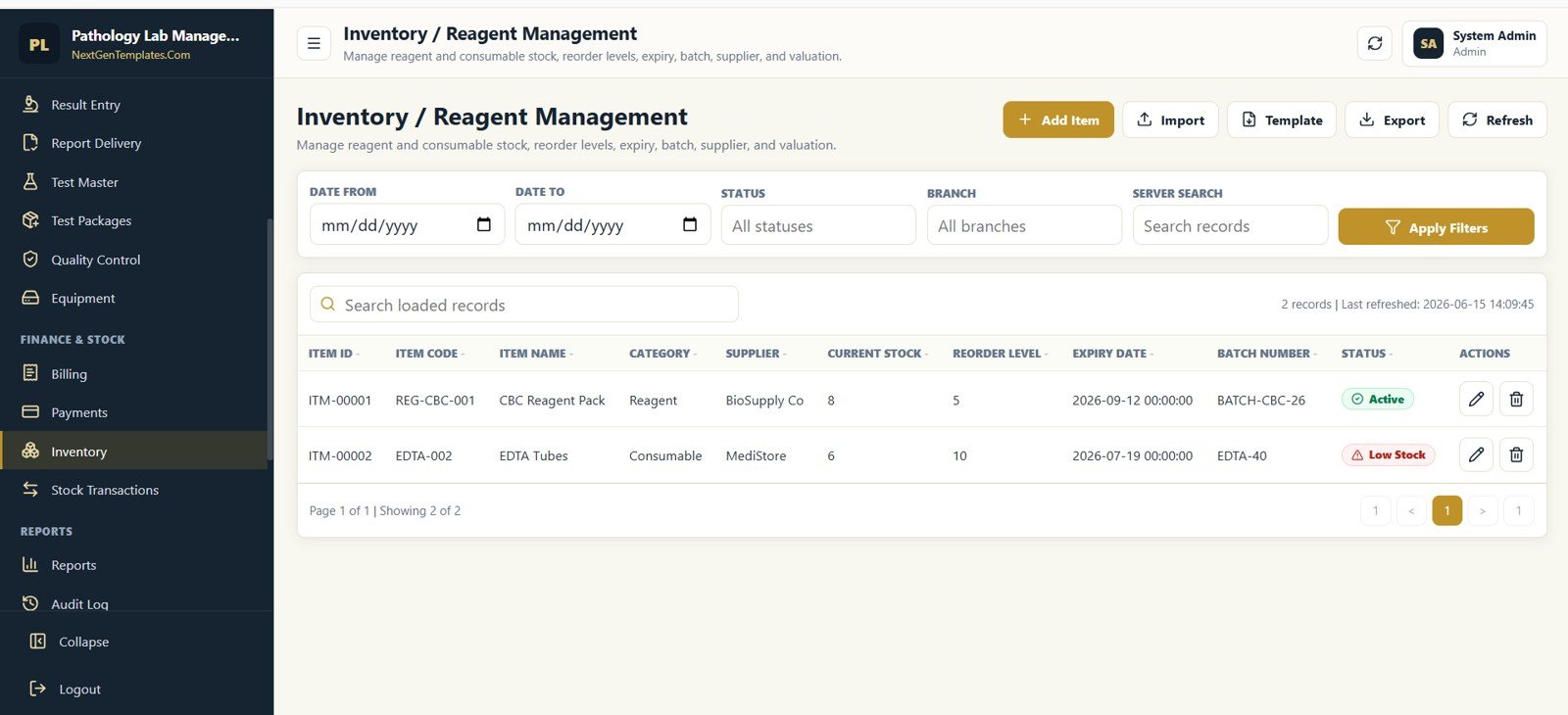
Inventory / Reagent Management
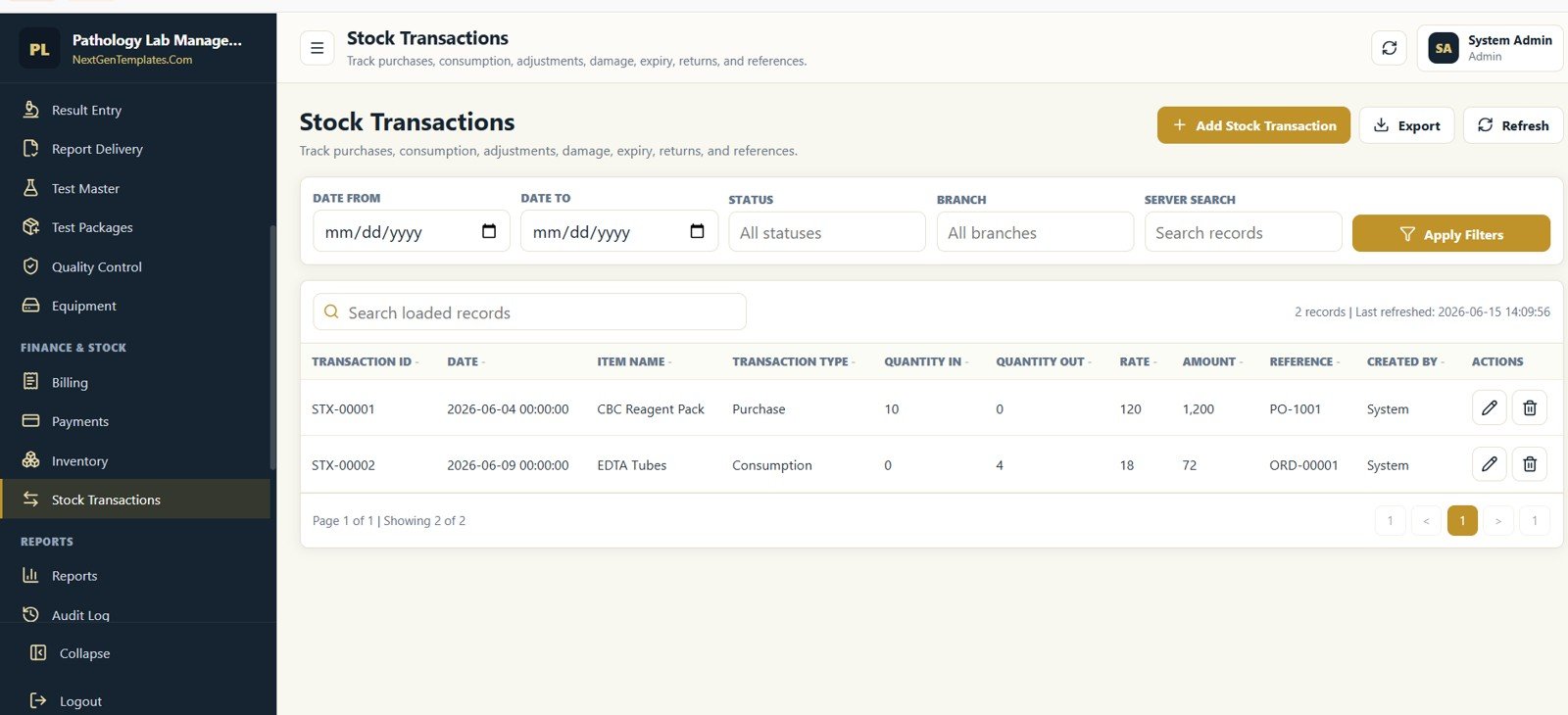
Stock Transactions
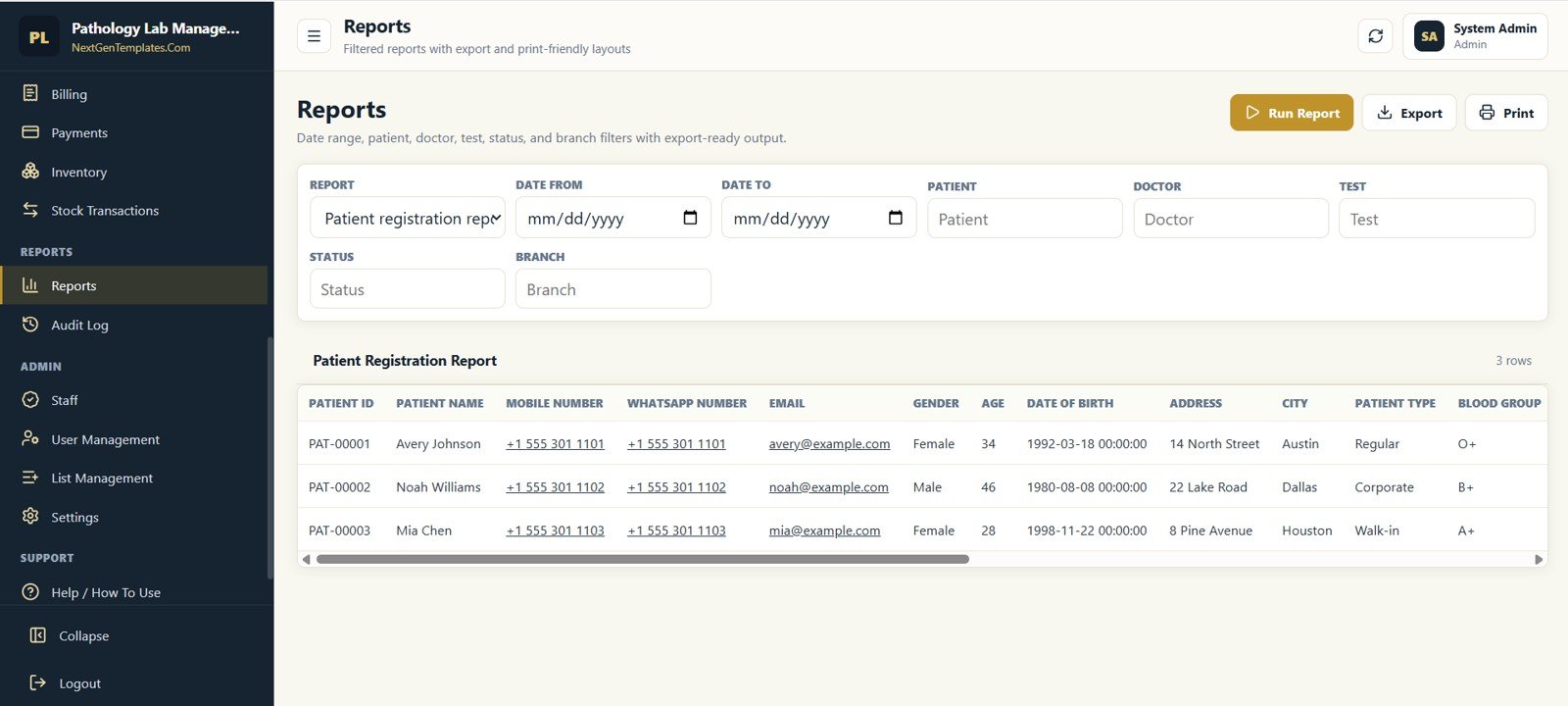
Reports
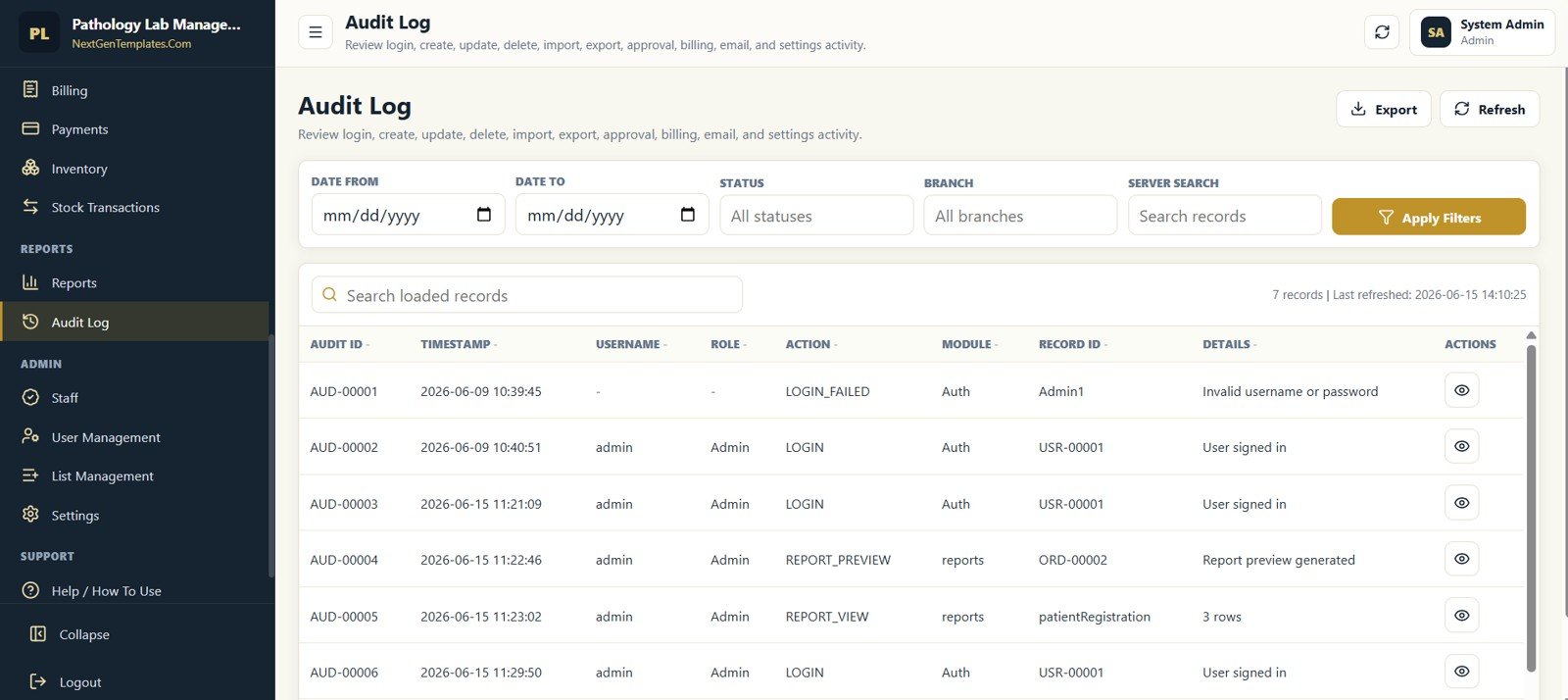
Audit Log
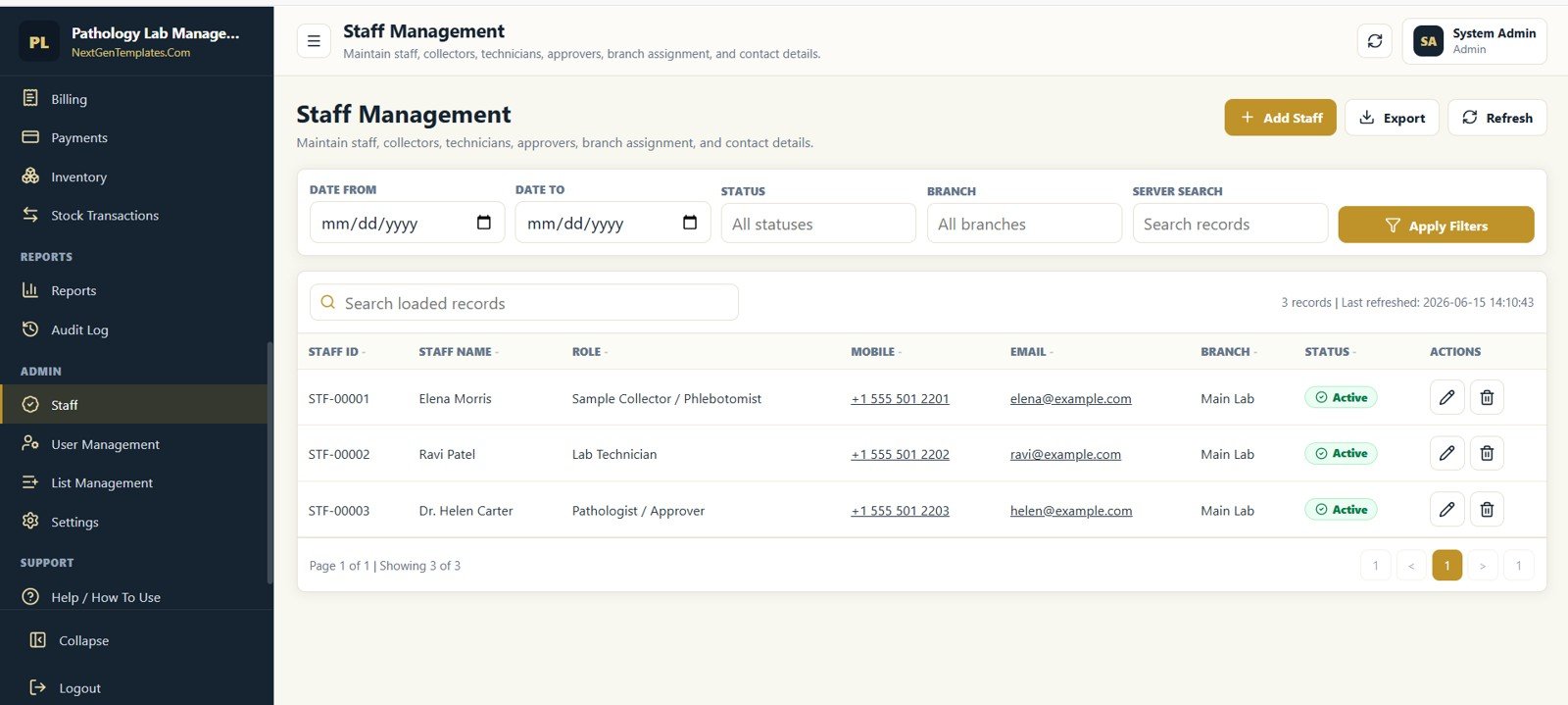
Staff Management
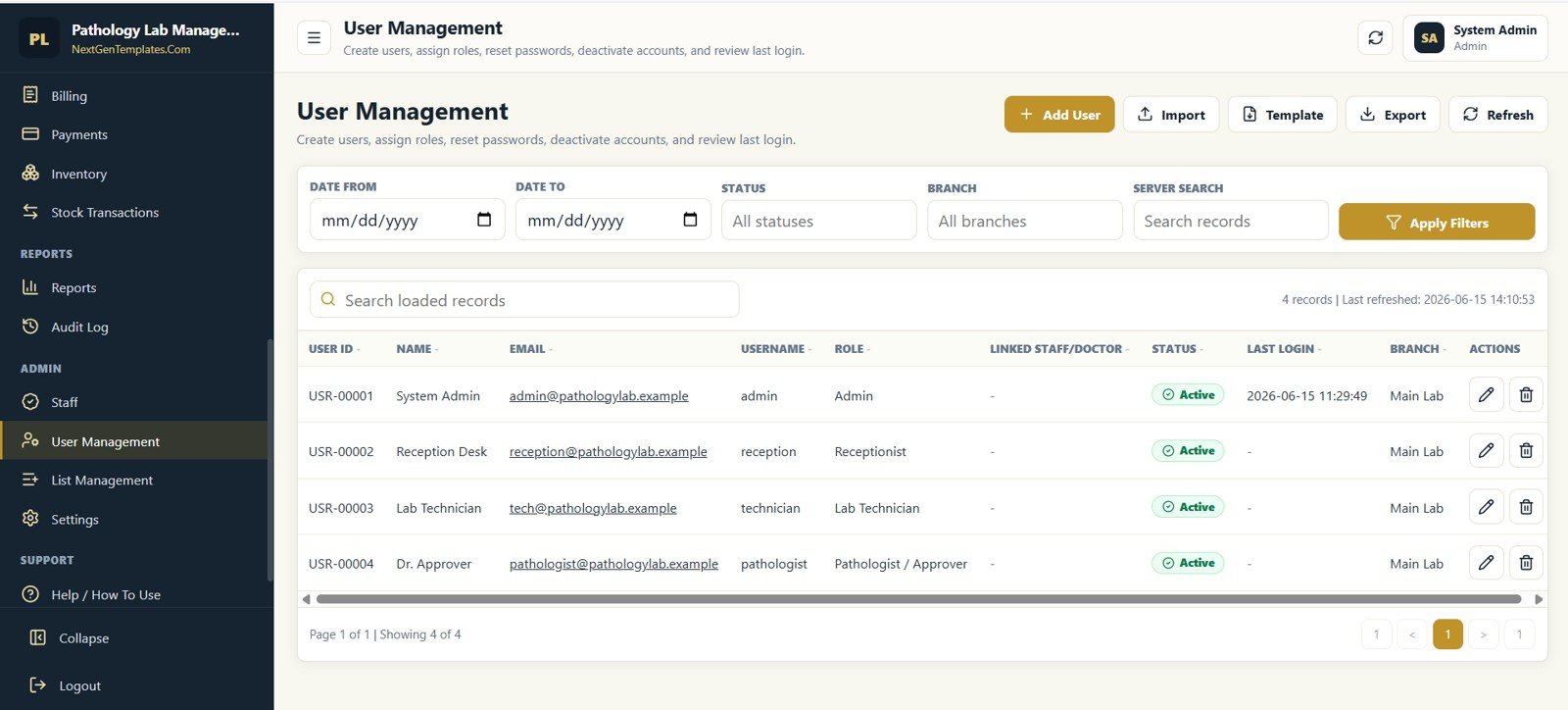
User Management
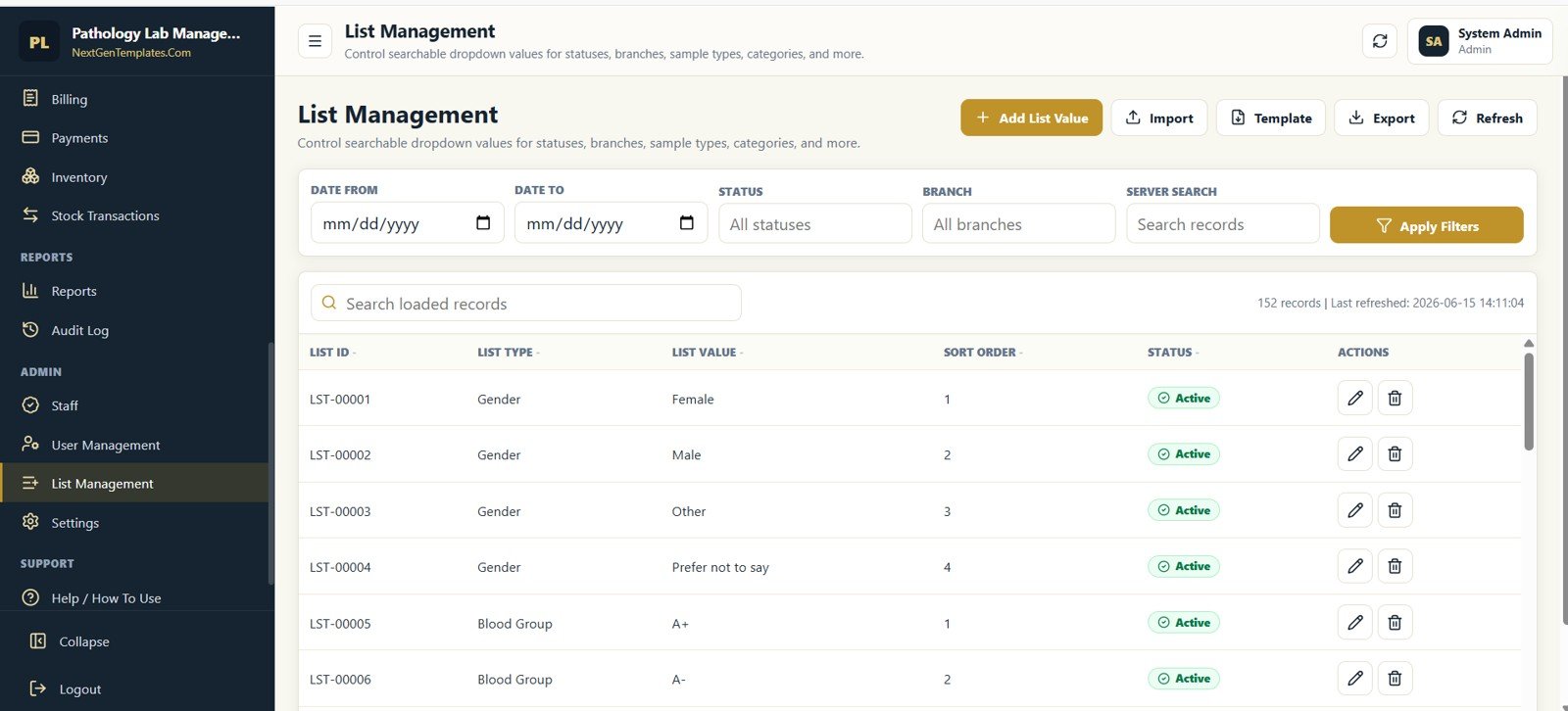
List Management
Settings
Pathology Lab Management System Web App vs. Excel/VBA Tool vs. Paid LIS SaaS – Where This Fits
| Feature | This web app | Excel/VBA lab workbook | Paid LIS SaaS |
|---|---|---|---|
| Cost | $39.99 one-time | Lower cost, usually desktop-based | Subscription or implementation fees |
| Platform | Google Sheets database plus Apps Script browser app | Microsoft Excel desktop file | Vendor-hosted cloud system |
| Setup time | Deploy from included files and start with sample data | Enable macros and customize workbook | Vendor onboarding and configuration |
| Real-time team collaboration | Yes, through one deployed web app | Limited unless stored in a shared drive | Usually included |
| Mobile access | Browser-based access | Limited on mobile | Usually included |
| Customizable fields | Editable code, sheets, lists, and settings | Editable workbook and VBA | Depends on vendor plan |
| Share with link | Yes, after Apps Script deployment | No native app link | Login portal |
| Year-1 cost at 5 users | $39.99 plus your Google account | Workbook price plus local maintenance | Often recurring per user or per site |
| Lab workflow coverage | Patients, orders, samples, results, billing, QC, stock, users, audit | Usually narrower unless custom-built | Broad, but less owner-controlled |
Who This Template Is For – and Who It’s Not For
This template is for small and mid-sized pathology labs, diagnostic centers, clinic labs, collection centers, and healthcare consultants who need a structured web app for patient registration, lab orders, sample tracking, result entry, billing, reagent stock, QC, and reporting.
It is not for enterprise hospitals that need HL7/FHIR integrations, analyzer-machine interfaces, insurance claim clearinghouse workflows, or regulated clinical decision support. It is a management and workflow template, not a medical device or replacement for validated enterprise LIS software.
How to Use the Pathology Lab Management System Web App
- Download and unzip the product file.
- Open the included setup guide and copy the Google Sheets database or prepare your own copy.
- Add the Apps Script source files to your Google Apps Script project.
- Deploy the project as a web app from your own Google account.
- Sign in as admin, update lab settings, users, staff, test masters, packages, and dropdown lists.
- Start entering patients, appointments, lab orders, samples, results, bills, payments, and reports.
Real-World Use Cases
Ravi, lab owner: Ravi uses the dashboard every morning to review pending samples, outstanding billing, low stock items, and reports due for delivery before the reception desk opens.
Meera, lab technician: Meera works from the sample and result screens to record collected samples, mark completion, enter result values, and send approved reports to delivery.
Anita, clinic administrator: Anita checks payment collections, billing status, doctor referrals, and monthly reports without building separate spreadsheets for every process.
Frequently Asked Questions
What platform does the Pathology Lab Management System Web App use?
It is designed as a Google Sheets and Google Apps Script web app. Your data stays in your own Google Sheet after deployment.
How many screens are included?
The product screenshots show 24 connected screens covering login, dashboard, patient records, doctors, appointments, lab orders, sample tracking, results, reports, masters, QC, equipment, billing, payments, inventory, audit, staff, users, lists, and settings.
Can multiple users access the system?
Yes. The app includes user management and is intended for browser-based multi-user access after deployment. Final sharing permissions depend on how you deploy it in Google Apps Script.
Does it replace a hospital LIS?
No. It is a ready-made management web app template for operational tracking. Enterprise analyzer integrations, regulatory validation, and advanced medical system integrations may require custom development.
Can I customize lab branding and prefixes?
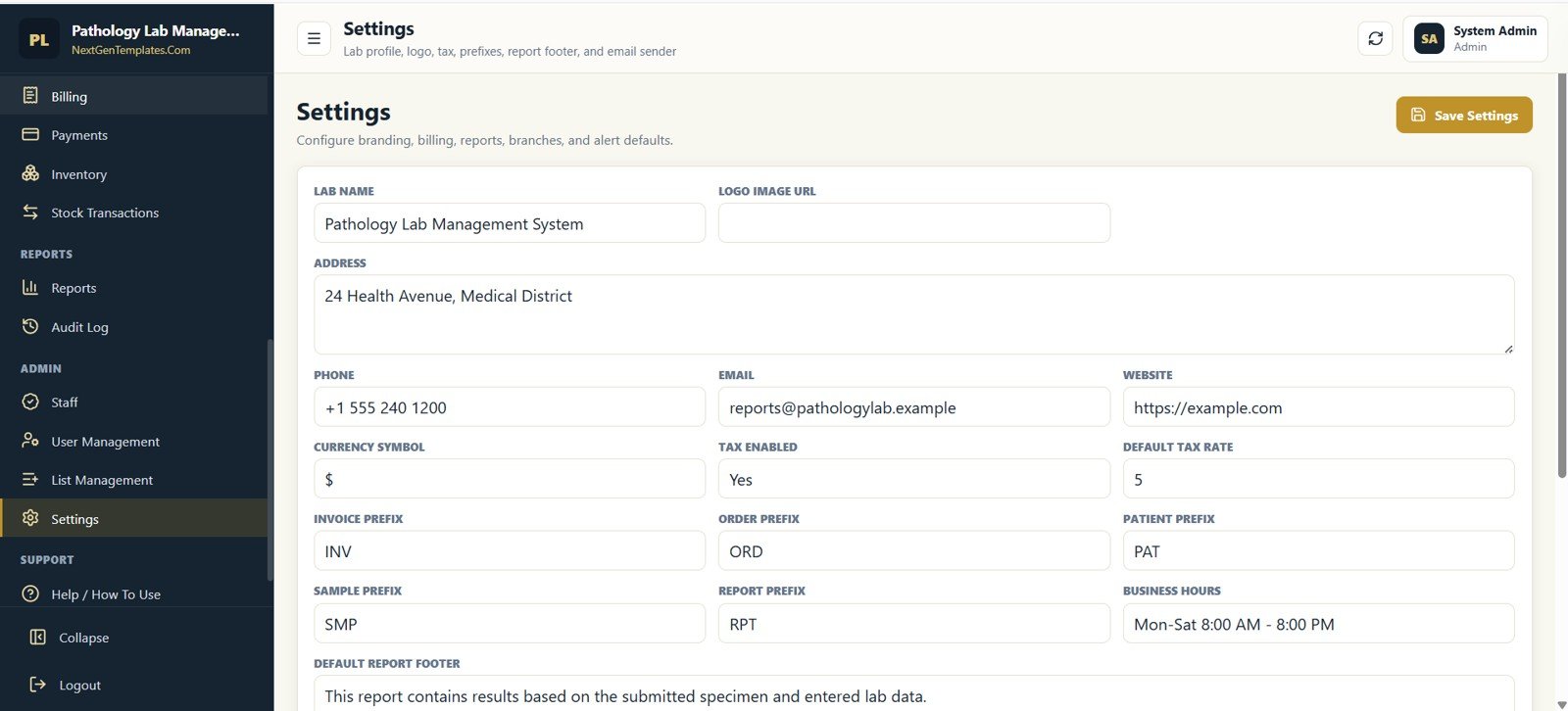
Yes. The Settings screen includes lab name, contact details, logo URL, tax settings, invoice prefix, order prefix, patient prefix, sample prefix, report prefix, business hours, and report footer fields.
Are reports and exports included?
Yes. The app includes report screens with filters and export-ready layouts, plus module-level import, template, export, refresh, and search controls where applicable.
About the Author
Built by PK – Microsoft Certified Professional with 15+ years of Excel, Google Sheets, and Power BI experience. Founder of NextGenTemplates, reaching 300K+ subscribers across YouTube channels. Every template is hand-built and tested before release.
Explore Related Templates
Browse more Web Apps templates from NextGenTemplates. Related products include Hospital Management System V1.0, Dialysis Centers Dashboard in Excel, Dialysis Centers Dashboard in Power BI, Healthcare Analytics Dashboard in HTML, and Construction Project Management System Web App.
Ready to run your lab workflow from one private web app? Download the Pathology Lab Management System Web App, deploy it in your Google account, update your lab settings, and start managing patients, samples, results, billing, inventory, QC, and reports from one place.
Watch the step-by-step video Demo:
Last updated: June 2026




























Reviews
There are no reviews yet.