

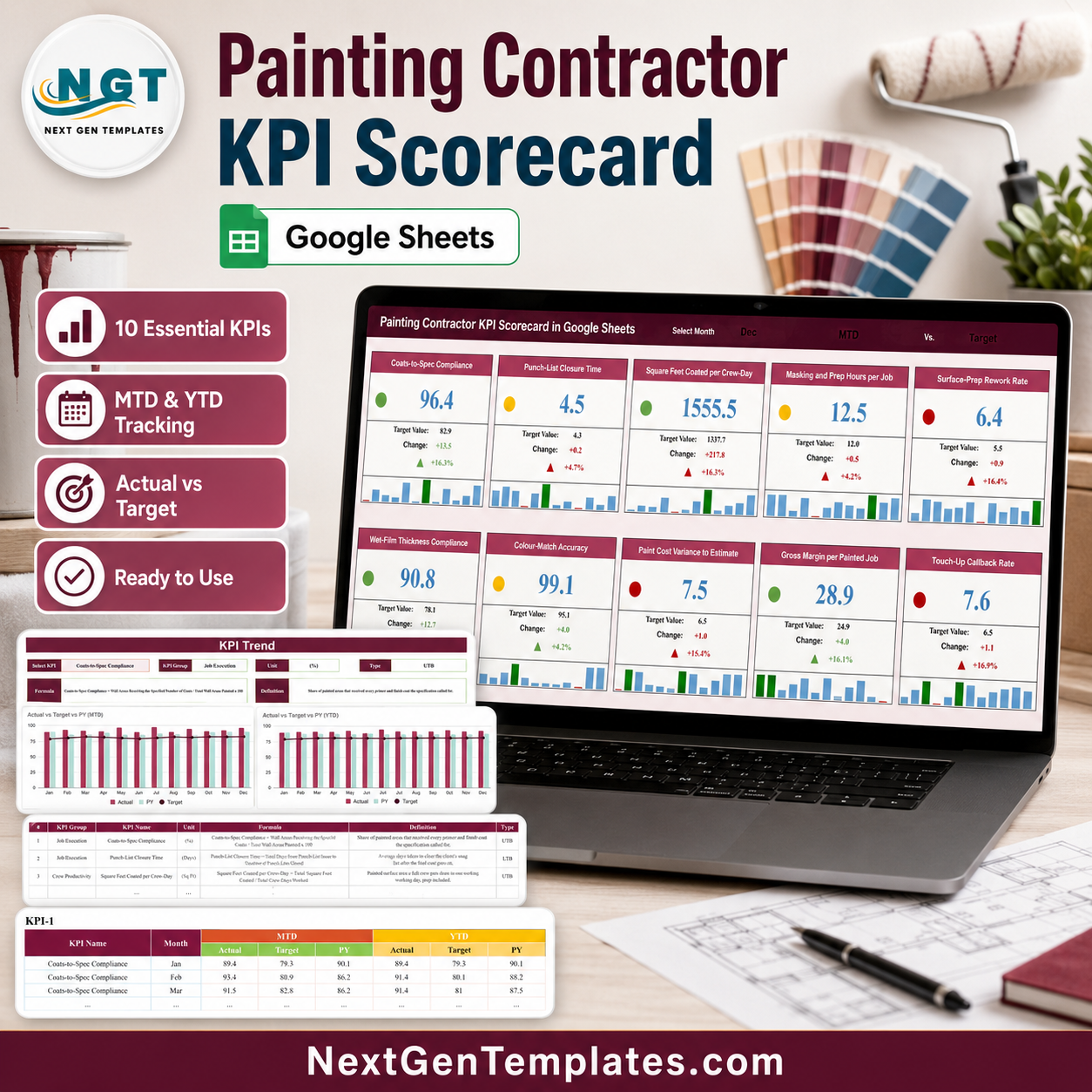

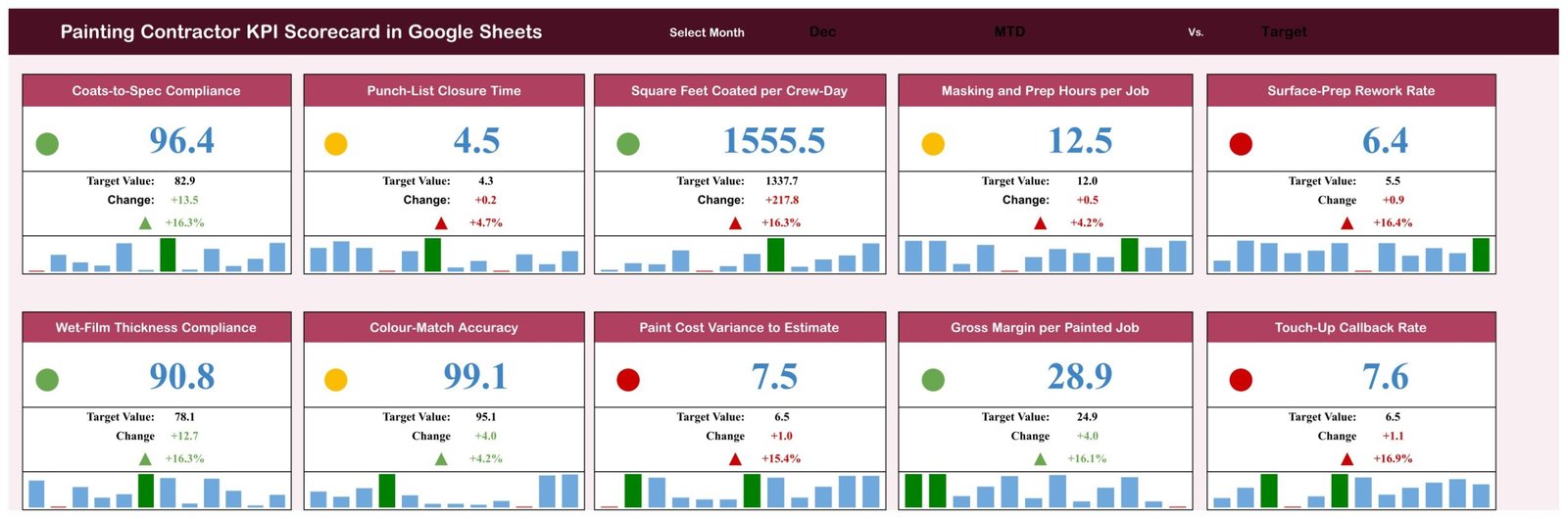
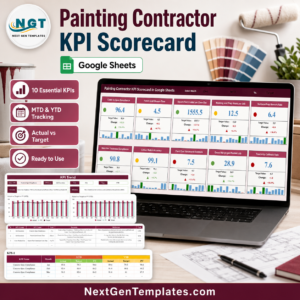
The Painting Contractor KPI Scorecard in Google Sheets puts 10 painting-business KPIs on a single page and scores every one of them against that month’s target. Pick a month from the dropdown and the whole board redraws: Coats-to-Spec Compliance at 96.4 against a target of 82.9, Square Feet Coated per Crew-Day at 1,555.5 against 1,337.7, Touch-Up Callback Rate at 7.6 against 6.5. In the sample December shown in the screenshots that reads as 4 green, 3 amber and 3 red – a two-second read of where the month actually landed. It is a finished Google Sheets file, not a course: buy it, open the PDF, click the copy link and it is yours. One-time purchase, no subscription and no per-seat fee.
Key Features of the Painting Contractor KPI Scorecard in Google Sheets
- 10 painting KPIs in 5 groups – Job Execution, Crew Productivity, Quality and Rework, Financial and Customer, all visible without scrolling.
- Month picker – one Select Month dropdown moves the entire scorecard from January to December.
- Comparison switch – the banner also carries the basis (MTD or YTD) and the benchmark (Target or PY), so the same 10 cards can be read four ways.
- Direction-aware traffic lights – each card shows a green, amber or red dot based on how far the month sits from its target, with lower-is-better KPIs such as Punch-List Closure Time and Surface-Prep Rework Rate scored in reverse.
- Target, change and percentage move – printed on every card with a coloured up or down arrow, so a 4.7% slip and a 16.4% slip do not look the same.
- 12-month mini bar chart inside every card – the year’s shape at a glance, with the selected month highlighted.
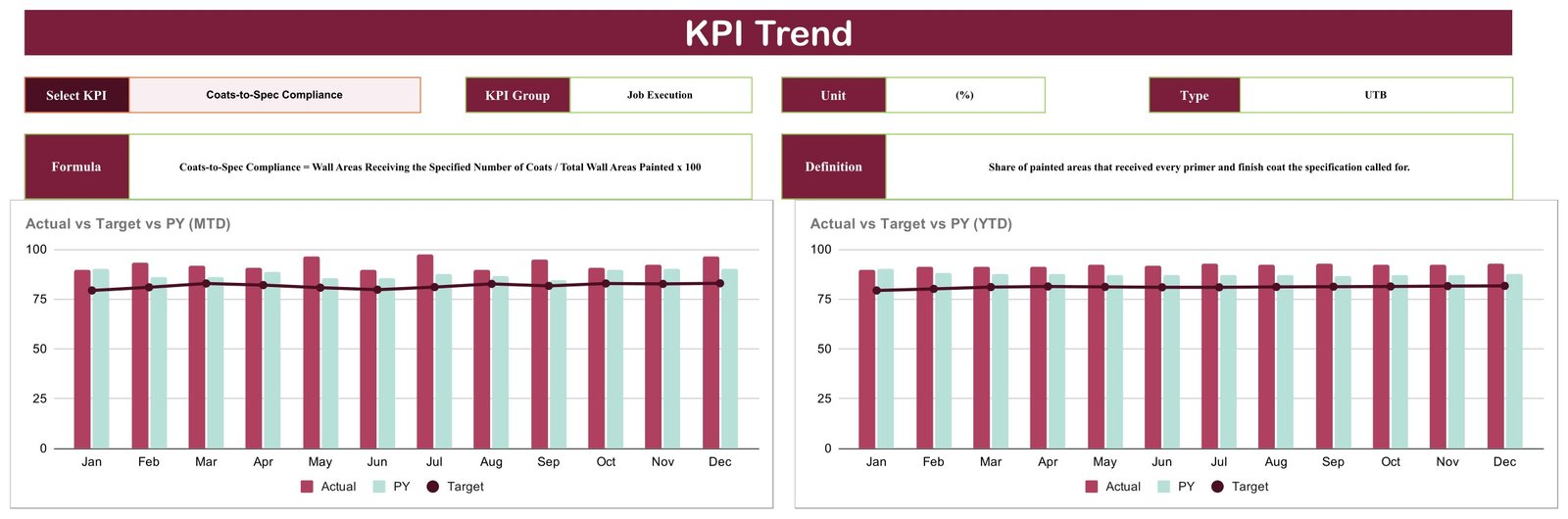
- KPI Trend page – pick any one KPI and get its formula, definition, group, unit and direction type, plus Actual vs Target vs PY charts on both an MTD and a YTD basis.
- KPI Analysis page – the full reference table: number, group, name, unit, formula, definition and UTB/LTB direction for all 10 KPIs.
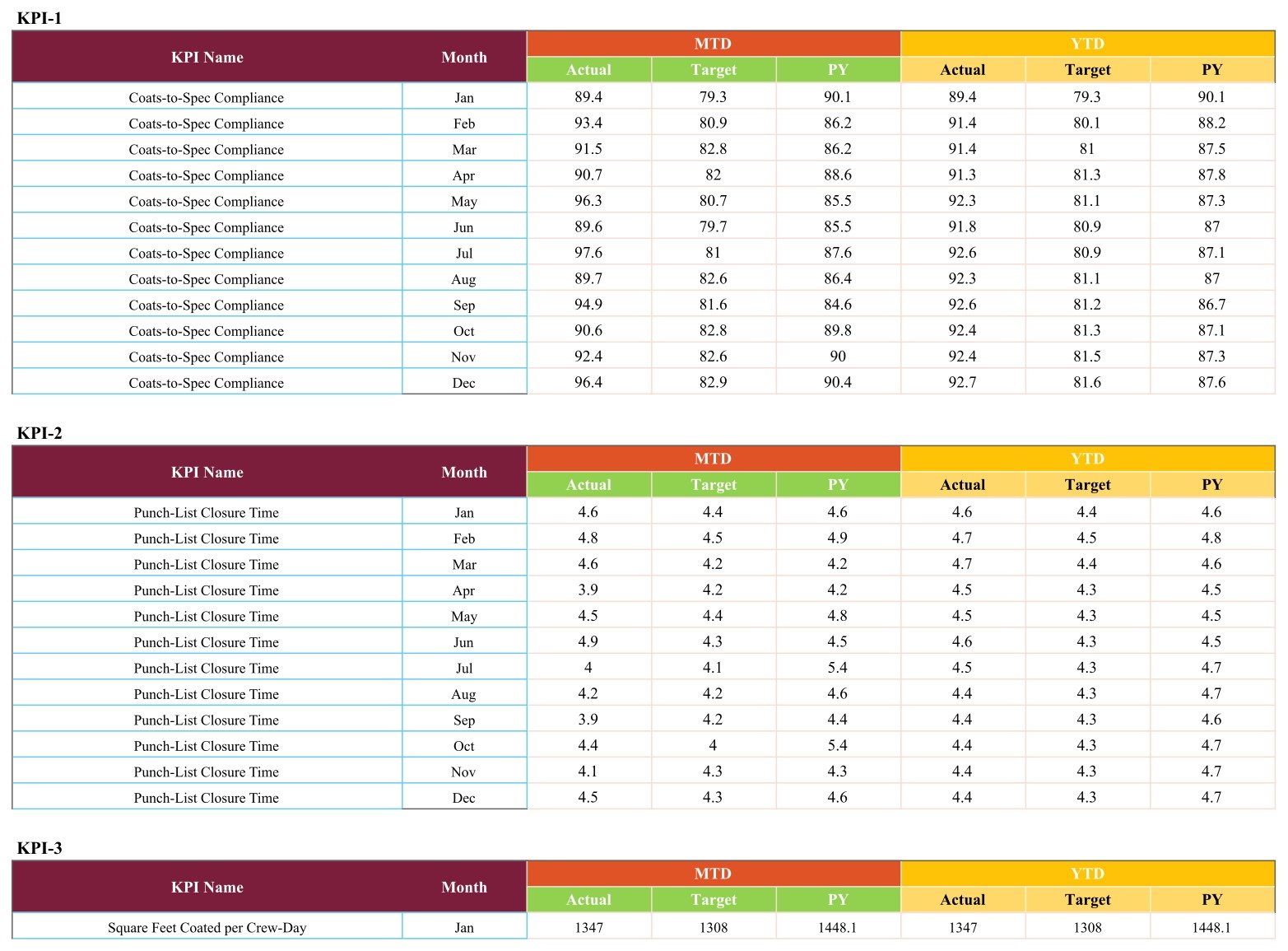
- One monthly data sheet – twelve rows per KPI holding MTD Actual, Target and PY alongside the YTD Actual, Target and PY. Type the month, everything above it recalculates.
- Works in any browser – no add-ons, no macros, no scripts to authorise.
What’s Inside the Painting Contractor KPI Scorecard
Four pages, in the order you will use them.
1. KPI Scorecard. The board itself – 10 cards in two rows of five: Coats-to-Spec Compliance, Punch-List Closure Time, Square Feet Coated per Crew-Day, Masking and Prep Hours per Job, Surface-Prep Rework Rate, Wet-Film Thickness Compliance, Colour-Match Accuracy, Paint Cost Variance to Estimate, Gross Margin per Painted Job and Touch-Up Callback Rate.
2. KPI Trend. Choose a KPI from the dropdown and the page fills in its group, unit and type, the exact formula (Coats-to-Spec Compliance = Wall Areas Receiving the Specified Number of Coats / Total Wall Areas Painted x 100) and a plain-English definition. Two charts sit underneath: Actual vs Target vs PY on an MTD basis, and the same three series on a YTD basis, January to December.
3. KPI Analysis. The reference table for the whole scorecard – every KPI with its group, unit, formula, definition and whether it is Upper-The-Better or Lower-The-Better. This is the page you hand a new foreman so nobody argues about what “rework” means.
4. Data. One sheet, ten blocks, twelve rows each. Enter the month’s actual, its target and last year’s figure; the MTD and YTD columns carry through to the cards and to both trend charts.

Painting Contractor KPI Scorecard vs. an Excel Scorecard vs. Paid Field-Service SaaS – Where This Fits
| This Google Sheets scorecard | An Excel KPI scorecard | Paid field-service / job-costing SaaS | |
|---|---|---|---|
| Cost | One-time purchase | One-time purchase | Per-user subscription, billed monthly or annually |
| Platform | Google Sheets, any browser | Microsoft Excel desktop | Vendor web app plus a mobile app |
| Setup time | Copy the file and replace the sample month – under an hour | Open the workbook and replace the sample data | Onboarding, data migration and crew training |
| Real-time team collaboration | Yes – native Google Sheets sharing | Only via a shared drive or Microsoft 365 | Yes |
| Mobile access | Google Sheets mobile app | Excel mobile app | Yes, purpose-built |
| Customisable KPIs | Yes – rename any of the 10, change the formula text and the target | Yes | Limited to the fields the vendor exposes |
| Share with a link | Yes | No – you send a file | Yes, inside the licence |
| Year-1 cost at 5 users | The purchase price, once – no per-seat fee | The purchase price, once | Scales with headcount; five seats cost five times one |
| Traffic-light scoring against target | Yes, direction-aware on all 10 KPIs | Yes | Usually, if the plan includes reporting |
| Where the numbers come from | You type them into the Data sheet each month | You type them in | Captured from the crew’s own job entries |
Who This Template Is For – and Who It’s Not For
It fits residential and commercial painting contractors running two to twenty crews who already close jobs out on paper or in a job-management app, and who want one monthly page that says whether prep quality, coating spec, crew output and margin moved the right way. It suits an owner who reviews the month with a foreman, a small operations lead reporting to a partner, and anyone who has been asked for “a KPI report” and does not want to build one from scratch.
It does not fit if you need live job data. This scorecard does not connect to accounting, estimating or field-service software, does not import anything automatically, and does not send alerts or reminders – somebody types twelve numbers per KPI per year into the Data sheet. It is also not an estimating tool, not a scheduler and not a per-job costing system; it reports the month, it does not run it.
How to Use the Painting Contractor KPI Scorecard in Google Sheets
- Open the PDF in your download and click the copy link – Google Sheets creates your own editable copy in your Drive.
- Open the KPI Analysis page and read the 10 definitions. Rename any KPI that does not match how your business measures it, and edit its formula text to suit.
- Go to the Data sheet and replace the sample year. Each KPI block takes twelve months of MTD Actual, Target and PY, plus the YTD columns.
- Return to the KPI Scorecard, pick your month, and set the comparison switch to MTD or YTD and to Target or PY.
- Use KPI Trend on anything that came up amber or red – the twelve-month chart usually shows whether it is a bad month or a drift.
- Share the file with your foremen through Google Sheets’ own sharing, view-only if they should not edit the targets.
Real-World Use Cases
Dana runs an 11-painter residential outfit. Her monthly review used to be a stack of punch lists. Now she opens the scorecard, sees Surface-Prep Rework Rate at 6.4 against a 5.5 target in red, and spends the meeting on prep instead of guessing.
Marcus is operations lead for a commercial painting firm. He reports to two partners who want margin and productivity, not anecdotes. Gross Margin per Painted Job and Square Feet Coated per Crew-Day sit next to each other on one page, both with a twelve-month bar strip, and the partners stopped asking for extra spreadsheets.
Priya took over her family’s painting company. She used the KPI Analysis page as the definition sheet for her three foremen so “callback” means the same thing to all of them, then set targets one KPI at a time on the Data sheet.
Frequently Asked Questions
Is this the KPI Scorecard or the KPI Dashboard?
This is the KPI Scorecard line: a month picker, 10 KPI cards with traffic lights, a KPI Trend page, a KPI Analysis page and one monthly data sheet. Our KPI Dashboard and analytical Dashboard products are different templates with a different layout, and several carry similar names – check the page images before you buy.
Does it pull data from my accounting or job-management software?
No. There is no connector and no automatic import. You enter the monthly figures on the Data sheet yourself, which is also why it works no matter what software you already run.
Can I change the 10 KPIs?
Yes. Rename any KPI, edit its formula and definition text on the KPI Analysis page, set your own targets on the Data sheet, and switch a KPI between Upper-The-Better and Lower-The-Better so the traffic light scores it the right way round.
Will it send me an alert when a KPI goes red?
No. Nothing in this file emails, notifies or reminds. The colour changes on the card the next time you open it.
Do I need a paid Google Workspace account?
No. A free Google account is enough. There are no add-ons, macros or Apps Script permissions to approve.
Is the sample data real painting-industry data?
No – the twelve months in the file are demonstration figures so that every chart and traffic light has something to draw. Replace them with your own.
How many people can use it?
As many as you share the sheet with. It is a one-time purchase with no per-seat charge.
About the Author
Built by PK – Microsoft Certified Professional with 15+ years of Excel, Google Sheets, and Power BI experience. Founder of NextGenTemplates, reaching 300K+ subscribers across YouTube channels. Every template is hand-built and tested before release.
Explore Related Templates
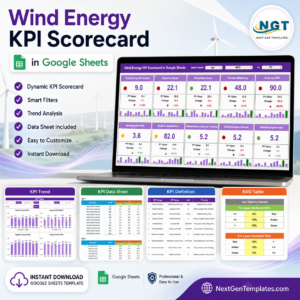
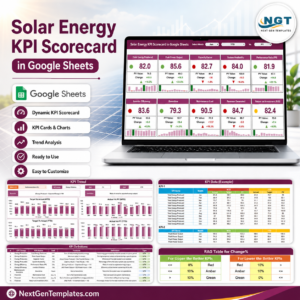
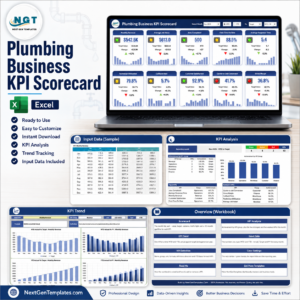
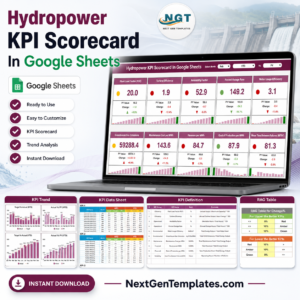
Same scorecard engine, different industry: the Solar Energy KPI Scorecard in Google Sheets, the Wind Energy KPI Scorecard in Google Sheets and the Hydropower KPI Scorecard in Google Sheets. If your team lives in Excel rather than Sheets, the Plumbing Business KPI Scorecard in Excel is the same idea as a workbook.
For the work behind the numbers, pair it with the Home Renovation Budget and Project Tracker in Google Sheets or the Architecture and Design Dashboard in Google Sheets. Browse everything in Google Sheets templates, or narrow it to Google Sheets KPI dashboards and scorecards.
Add the Painting Contractor KPI Scorecard in Google Sheets to your cart and you will have your first scored month on screen tonight. Download, click the copy link, type one month of numbers, and the traffic lights do the rest.
Watch the step-by-step video Demo:
Last updated: August 2026.
























Reviews
There are no reviews yet.