


The Irrigation Installation KPI Scorecard in Google Sheets tracks 10 irrigation installation KPIs in five groups (Installation Delivery, Quality & Reliability, Financial Performance, Sales & Estimating and Efficiency & Sustainability) on one scorecard page of 10 traffic-light cards, each with its own 12-month mini chart. A KPI Trend page charts any single KPI for all 12 months against Target and prior year (PY), and the sample file ships with 120 monthly records (10 KPIs x 12 months).
This listing is the KPI scorecard edition: a month-picker scorecard plus a KPI Trend page. It is a different product from our analytical Google Sheets dashboards and from the Google Sheets KPI Dashboard line. NextGenTemplates builds one-time-purchase templates for Google Sheets, Excel, Power BI and Apps Script, so you own the file instead of renting software.
✅ Instant download · One-time payment · No subscription · No per-user fees · Lifetime access
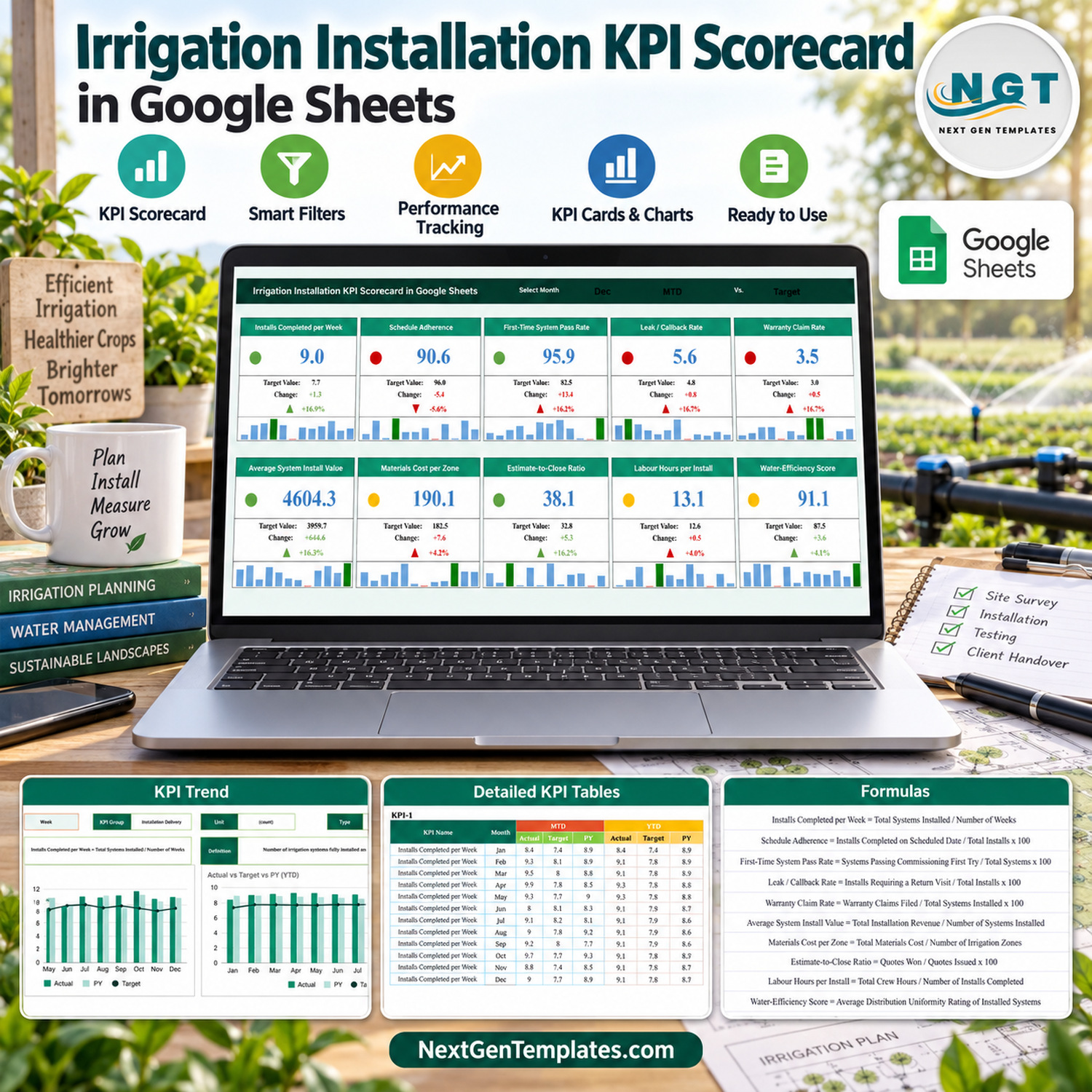
🔑 Key Features of the Irrigation Installation KPI Scorecard in Google Sheets
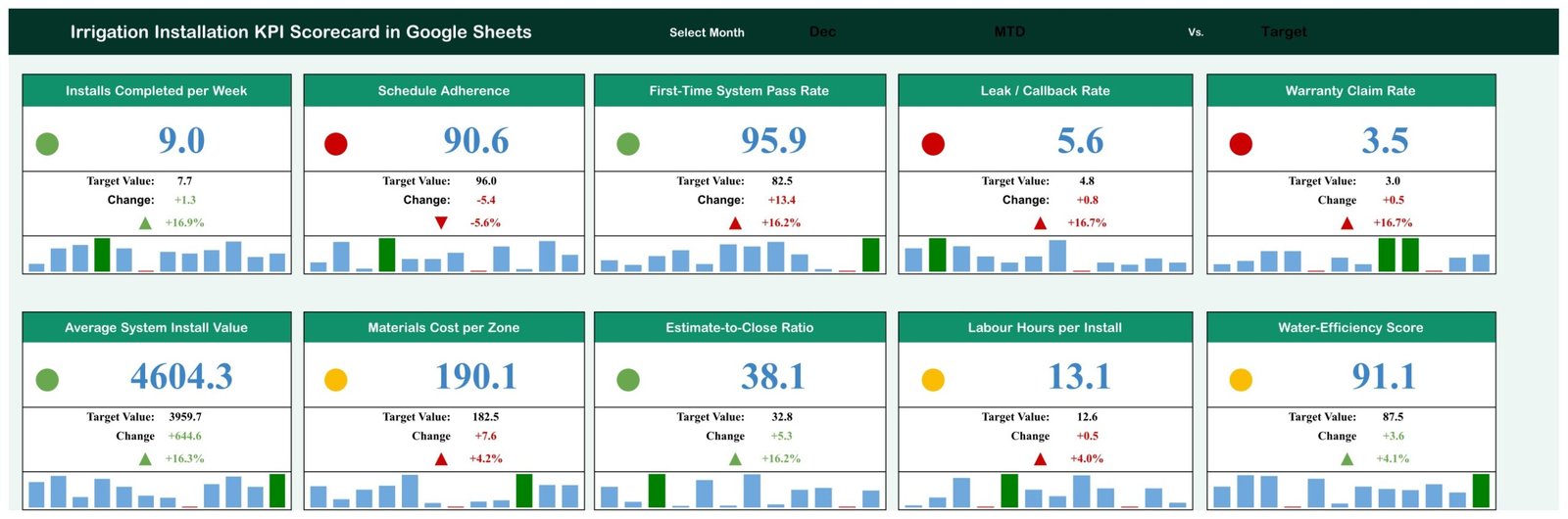
🎯 Three selectors on one page. The Scorecard has a Month drop-down (Jan to Dec), an MTD or YTD switch, and a comparison switch for Target or PY. Every card recalculates from the Input Data tab through SUMIFS lookups, with no scripts, macros or add-ons.
🚦 Direction-aware traffic lights. Six KPIs are upper-the-better (UTB) and four are lower-the-better (LTB): Leak / Callback Rate, Warranty Claim Rate, Materials Cost per Zone and Labour Hours per Install. For a UTB KPI, at or below the comparison value is red, up to 10% above is amber, and more than 10% above is green. LTB KPIs use the mirror rule.
📈 Full detail on every card. Each of the 10 cards shows the current value, the Target or PY value, the absolute change, the change %, an up or down arrow and a 12-month mini column chart that marks the highest month in green and the lowest month in red.
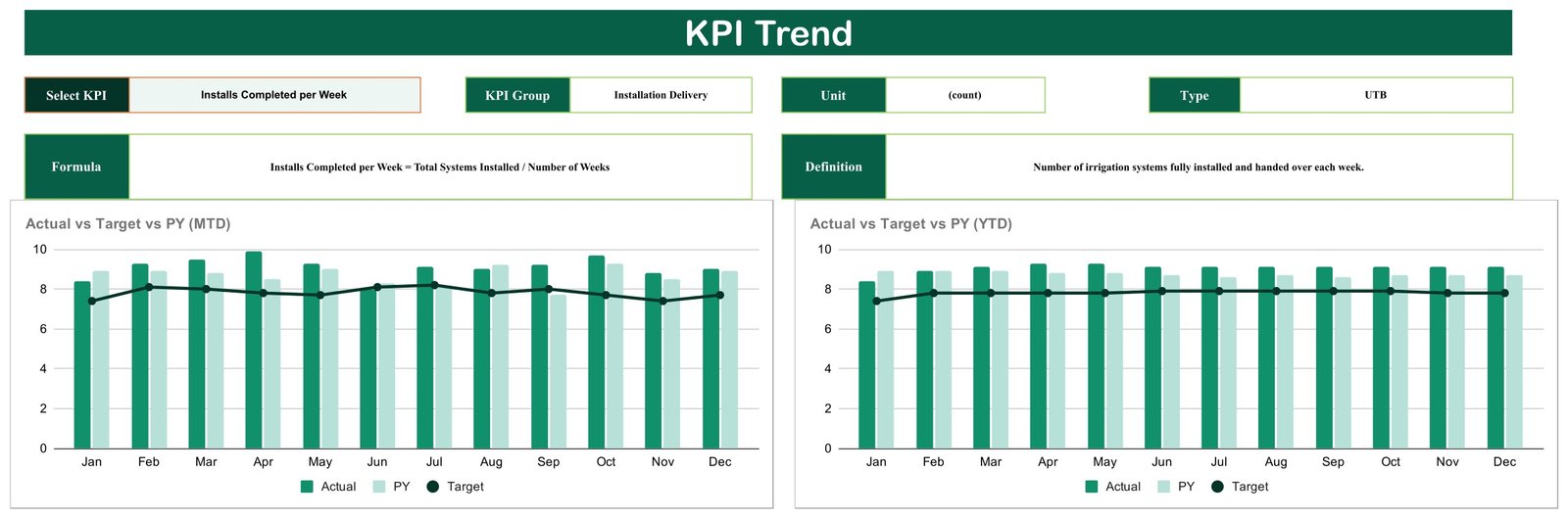
📊 KPI Trend page. Pick one KPI from a drop-down and the page fills in its group, unit, type, formula and definition, then draws two charts: Actual vs Target vs PY (MTD) by Month and Actual vs Target vs PY (YTD) by Month.
📚 Documented KPIs. The KPI Definition sheet gives every metric a group, unit, formula, plain-English definition and UTB/LTB type, for example Materials Cost per Zone = Total Materials Cost / Number of Irrigation Zones, measured in dollars.
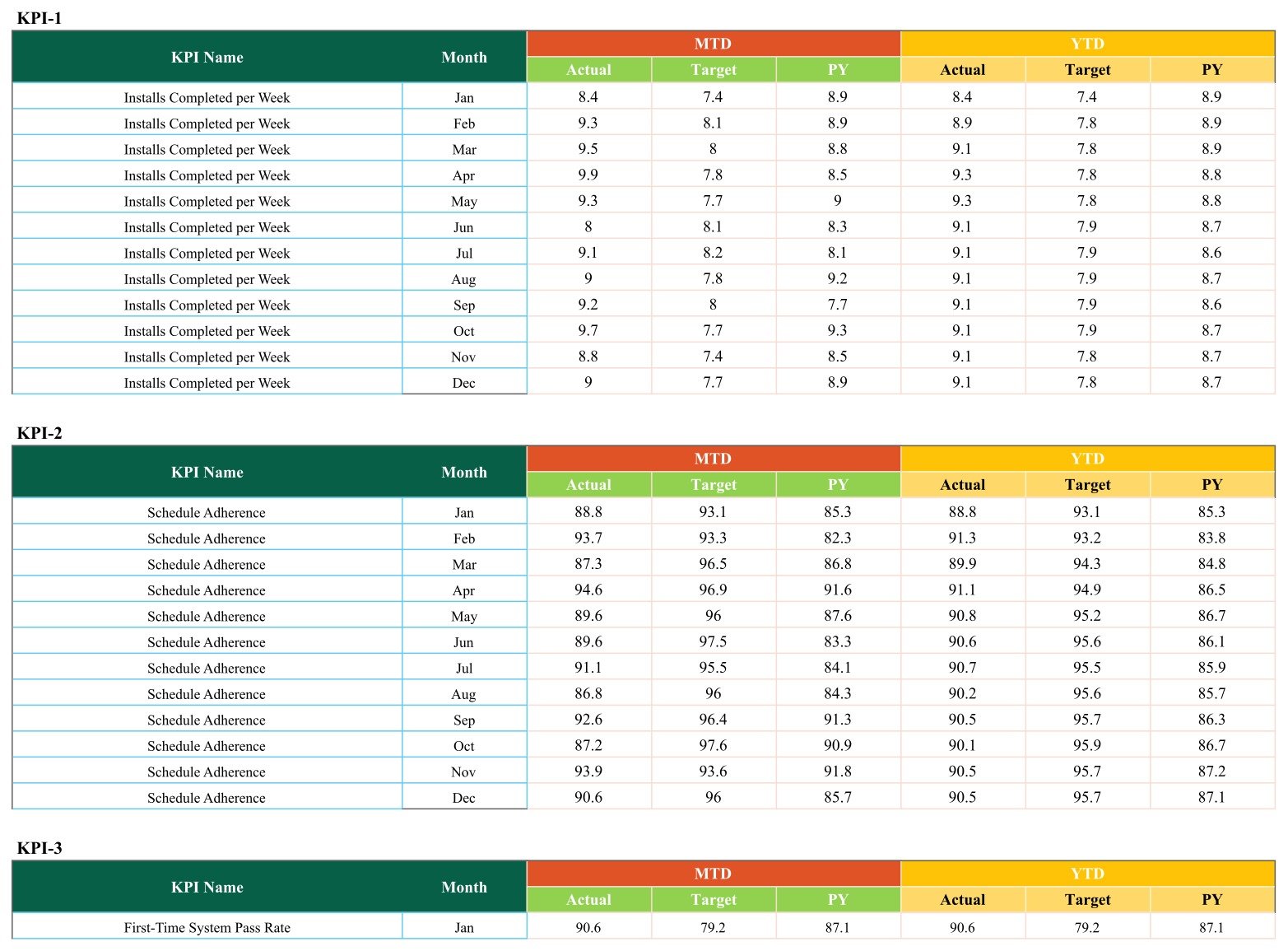
✏️ Simple monthly data entry. Input Data holds one block per KPI with MTD Actual, Target and PY plus YTD Actual, Target and PY for each month. YTD figures are typed in rather than calculated, so you control how year-to-date is defined.
📦 What’s Inside the Template
The 10 KPIs, exactly as they ship:
- 🚿 Installation Delivery: Installs Completed per Week (count), Schedule Adherence (%)
- 🔧 Quality & Reliability: First-Time System Pass Rate (%), Leak / Callback Rate (%, LTB), Warranty Claim Rate (%, LTB)
- 💰 Financial Performance: Average System Install Value ($), Materials Cost per Zone ($, LTB)
- 📝 Sales & Estimating: Estimate-to-Close Ratio (%)
- 💧 Efficiency & Sustainability: Labour Hours per Install (hrs, LTB), Water-Efficiency Score (score)
Page 1: Scorecard
Ten KPI cards in two rows of five. With December, MTD and Target selected, the sample shows 4 green, 3 amber and 3 red lights: Average System Install Value reads 4,604.3 against a 3,959.7 target (green, up 16.3%), while Leak / Callback Rate reads 5.6 against 4.8 (red, because lower is better).
Page 2: KPI Trend
A single-KPI view with Select KPI, KPI Group, Unit, Type, Formula and Definition boxes, plus Actual vs Target vs PY charts for MTD and YTD across Jan to Dec. The sample shows Installs Completed per Week, which finishes December at 9.0 against a 7.7 target.
Page 3: KPI Definition
A reference table of all 10 KPIs with columns for #, KPI Group, KPI Name, Unit, Formula, Definition and Type. Edit it to rename a metric, change its unit or switch it between UTB and LTB.

Page 4: Input Data
Ten blocks labelled KPI-1 to KPI-10, each with 12 monthly rows of MTD and YTD Actual, Target and PY. This is the only sheet you type into each month.
The file also contains a Read Me tab, a Color Settings tab and two helper tabs (Support and Trend_Support) that feed the cards and charts.
⚠️ Known issues in this build, stated up front: the Month drop-down lists “June” and “July” while Input Data stores “Jun” and “Jul”, so picking either month blanks all ten cards until you change those two drop-down entries to Jun and Jul (a one-minute Data validation edit, covered in the steps below). The Read Me tab is empty. The Color Settings tab is not linked to the lights; the red/amber/green bands live in the Support tab (cells Z4:AE6). On the First-Time System Pass Rate card, the change figures and arrow show in red even when the result is favourable. The Month, MTD/YTD and Target/PY selector text is dark on the dark header, so click the cells to read them.
📊 Google Sheets Scorecard vs. Excel Workbook vs. Field Service SaaS: Where This Fits
| Feature | Irrigation Installation KPI Scorecard (Google Sheets) | Excel KPI scorecard workbook | Field service SaaS (Jobber / ServiceTitan) |
|---|---|---|---|
| Cost | ✅ $8.99 one-time | One-time, plus an Excel licence | Recurring subscription |
| Platform | ✅ Browser, any OS | Desktop Excel | Vendor web and mobile apps |
| Setup time | ✅ Minutes: make a copy, enter figures | Minutes | Days to weeks of onboarding |
| Real-time team collaboration | ✅ Native Google Sheets sharing | Limited without OneDrive/SharePoint | ✅ Yes |
| Mobile access | Google Sheets app (view and edit) | Excel mobile | ✅ Dedicated apps |
| Customisable KPIs | ✅ Edit names, units, formulas, UTB/LTB | ✅ Yes | Within vendor limits |
| Share with a link | ✅ Yes | File attachment | User seats |
| Year-1 cost at 5 users | ✅ $8.99 total | Template plus licences | Per-seat fees |
| Traffic-light monthly scorecard | ✅ Built in | ✅ Built in | Usually a custom report |
| Job scheduling, dispatch and invoicing | No, monthly totals only | No | ✅ Yes |
For an irrigation contractor that wants a one-page monthly KPI review without paying for a field service platform, this Google Sheets scorecard sits in the sweet spot.
👥 Who This Template Is For, and Who It’s Not For
✅ This template is built for:
- Owners and operations managers at irrigation and sprinkler installation companies who review performance once a month
- Landscape contractors with an irrigation crew who want installs, callbacks and margins on one shared page
- Sales and estimating leads watching close ratio and average install value against target
❌ This template is NOT for:
- Teams that need job scheduling, crew dispatch, quoting or invoicing; the file works on monthly totals you type in
- Anyone looking for a backflow testing, licensing, water-rights or water-authority compliance record; this is a reporting scorecard only
- Businesses that want several years of history in one file; each copy covers one Jan to Dec year
⚙️ How to Use the Scorecard
- Open the PDF in your download and click the Google Sheets link, then choose Make a copy to save your own editable version in Google Drive.
- Fix the month list once: on the Scorecard tab select cell N1, open Data > Data validation, and change “June” and “July” to “Jun” and “Jul”.
- Review the KPI Definition sheet and rename KPIs, units, formulas or UTB/LTB types to match your business.
- Keep KPI names identical in Input Data column A, because the cards look figures up by name.
- Replace the sample MTD and YTD Actual, Target and PY figures in Input Data with your own.
- On the Scorecard, pick a month, MTD or YTD, and Target or PY, then open KPI Trend and select a KPI to see its 12-month history.
💼 Real-World Use Cases
Dan owns a 12-person residential sprinkler installation company. At month end he checks Installs Completed per Week and Schedule Adherence against target, then flips to PY to see whether the spring rush went better than last year, and shares the link with his crew leads.
Maria runs quality for a commercial irrigation contractor. She keeps First-Time System Pass Rate, Leak / Callback Rate and Warranty Claim Rate side by side, and uses a red callback light as the prompt to review fittings and pressure testing with the install team.
Ken is the estimator at a landscape design-build firm. He watches Estimate-to-Close Ratio and Average System Install Value in YTD mode, next to Materials Cost per Zone, so pricing conversations start from the same numbers the owner sees.
❓ Frequently Asked Questions
What KPIs does this irrigation installation scorecard track?
It tracks 10 KPIs: Installs Completed per Week, Schedule Adherence, First-Time System Pass Rate, Leak / Callback Rate, Warranty Claim Rate, Average System Install Value, Materials Cost per Zone, Estimate-to-Close Ratio, Labour Hours per Install and Water-Efficiency Score. Each has a unit, formula, definition and UTB or LTB type you can edit.
Is this the KPI Scorecard or the KPI Dashboard?
This listing is the Google Sheets KPI Scorecard: 10 traffic-light cards with a month picker, MTD/YTD and Target/PY switches, plus a KPI Trend page. The KPI Dashboard and the analytical dashboards are separate products with different layouts and page counts.
How long does setup take?
Making your copy takes under a minute. Fixing the June and July drop-down entries takes about a minute more. After that, setup time is simply how long it takes to type 12 months of MTD and YTD figures for your 10 KPIs into the Input Data sheet.
Can I change the red, amber and green thresholds?
Yes, but not from the Color Settings tab, which is not linked to the cards in this build. The bands are the small RAG table in the Support tab (cells Z4:AE6): at or below 0% variance, up to 10%, and above 10%. Edit those cells and all 10 lights follow.
How does this compare to Jobber or ServiceTitan?
Jobber and ServiceTitan are subscription platforms for scheduling, dispatch and invoicing. This scorecard is a one-time $8.99 Google Sheets file for monthly KPI reporting only. It suits irrigation installers who already have their numbers and want a clear monthly review without per-seat fees.
Does it check water-efficiency or regulatory compliance?
No. Water-Efficiency Score is a 0-100 figure you enter, and the file makes no water-authority, WaterSense, backflow or licensing claim. It does not record inspections or permits. The supplied figures are fictional sample data.
👤 About the Author
Built by PK, Microsoft Certified Professional with 15+ years of Excel, Google Sheets and Power BI experience. Founder of NextGenTemplates, reaching 300K+ subscribers across YouTube channels (@PKAnExcelExpert, @NextGenTemplates, @NeoTechNavigators). Every template is hand-built and tested before release.
🔗 Explore Related Templates
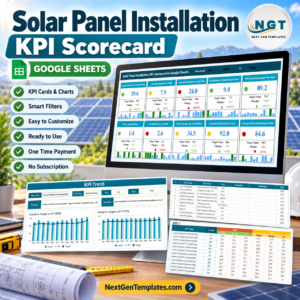
🌱 Working across outdoor trades? The Swimming Pool Service KPI Scorecard in Google Sheets, Fencing Contractor KPI Scorecard in Google Sheets and Solar Panel Installation KPI Scorecard in Google Sheets use the same month-picker scorecard layout for neighbouring installation businesses.
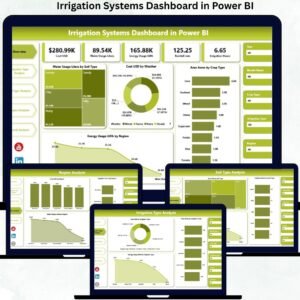
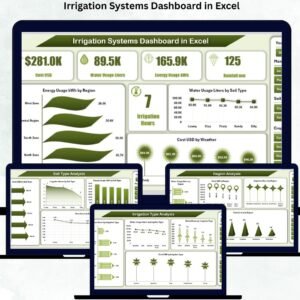
📊 Want deeper analysis? The Landscaping Dashboard in Google Sheets is a separate analytical dashboard, and the Irrigation Systems Dashboard in Excel and Irrigation Systems Dashboard in Power BI are separate dashboard builds on a different irrigation dataset, not editions of this scorecard.
📂 Browse every Google Sheets KPI template in the store.
📘 New to drop-down lists? Google’s own guide explains how to create and edit a drop-down list in Google Sheets.
📖 Click here to read the Detailed Blog Post
🎥 Visit our YouTube channel for step-by-step video tutorials
👉 YouTube.com/@NextGenTemplates
Watch the step-by-step video Demo:
📅 Last updated: September 2026
























Reviews
There are no reviews yet.