



Waste management is no longer just an environmental concern—it is a cost control, compliance, and sustainability priority for modern offices. Every day, organizations generate different types of waste such as recyclable, reusable, compostable, and disposed waste. However, when waste data remains scattered across spreadsheets or stays untracked, teams struggle to reduce landfill impact, control disposal costs, and measure sustainability performance accurately.
That is exactly why the Office Waste Management Dashboard in Google Sheets is a must-have solution.
This ready-to-use dashboard transforms raw waste data into clear, visual, and actionable insights. It helps facility teams, sustainability managers, and leadership monitor waste generation, recycling efficiency, composting performance, vendor costs, and monthly trends—all from a single Google Sheets dashboard. Instead of manual reporting, teams get automatic charts, KPI cards, and analysis pages that update instantly as data changes.
Because the dashboard is built entirely in Google Sheets, it is cloud-based, collaborative, cost-effective, and extremely easy to use. No BI tools. No coding. No complex setup.

⭐ Key Features of the Office Waste Management Dashboard
♻️ Centralized office waste tracking
📊 Automated KPI cards & charts
🏢 Department-wise waste analysis
🤝 Vendor performance comparison
📈 Monthly waste and cost trends
🔍 Smart search functionality
☁️ 100% Google Sheets based
🚀 Ready to use & fully customizable
This dashboard turns sustainability goals into measurable results.
📂 What’s Inside the Office Waste Management Dashboard
📊 Dashboard Sheet Tab – Executive Overview
This is the main dashboard view that gives leadership an instant snapshot of waste performance.
🔹 KPI Cards Displayed
💰 Cost (USD) – Total waste management cost
🗑️ Disposed Waste – Waste sent to landfill or incineration
🔄 Reused Waste – Waste reused internally or redirected
🌱 Composted Waste – Organic waste diverted from landfill
These cards instantly show whether waste reduction initiatives are working.
🔹 Dashboard Charts
♻️ Total Waste by Waste Type
💵 Cost (USD) by Disposal Method
🌱 Composted Waste by Waste Type
📆 Total Waste by Month
This page is ideal for sustainability reviews and management meetings.
🔍 Waste Analysis Section
This section provides deeper insight into waste behavior.
📌 Charts Included
🔄 Reused Waste by Waste Type
♻️ Total Waste by Waste Type
♻️ Recycled Waste by Waste Type
It helps teams identify high-impact waste streams and improvement opportunities.
🏢 Department Analysis Section
Different departments generate waste differently. This section highlights those differences.
📌 Charts Included
🔄 Reused Waste by Department
💰 Cost (USD) by Department
♻️ Recycled Waste by Department
These insights support internal awareness programs and targeted waste-reduction actions.
🤝 Vendor Analysis Section
Waste vendors directly impact cost and sustainability outcomes.
📌 Charts Included
🔄 Reused Waste by Vendor
💰 Cost (USD) by Vendor
♻️ Recycled Waste by Vendor
This helps organizations compare vendors, control costs, and negotiate better contracts.
📈 Monthly Trends Section
Tracking trends over time is critical for sustainability planning.
📌 Charts Included
🔄 Reused Waste by Month
💰 Cost (USD) by Month
♻️ Recycled Waste by Month
These trends show whether sustainability initiatives are delivering consistent results.
🔍 Smart Search Functionality
The dashboard includes a Smart Search Panel.
You can search using:
🔎 Search Keyword
🏷️ Field Name (Department, Vendor, Waste Type, Month, etc.)
✅ Why It Matters
Faster audits and reviews
Instant answers for management
No manual filtering or scrolling
🧭 How to Use the Dashboard
1️⃣ Enter waste data regularly
2️⃣ Review KPI cards for quick insights
3️⃣ Analyze department & vendor charts
4️⃣ Track monthly trends
5️⃣ Use search for instant lookup
6️⃣ Improve sustainability decisions
No technical skills required.
👥 Who Can Benefit from This Dashboard
Facility & Admin Teams
Sustainability & ESG Teams
Operations Managers
Procurement Teams
Corporate Offices & Campuses
### 📖 Click here to read the detailed blog post
Watch the step-by-step video tutorial:
📺 Visit our YouTube channel to learn step-by-step video tutorials
👉 Youtube.com/@NeotechNavigators
Compatibility and Requirements
- Works in Google Sheets. You need a free Google account and a web browser.
- The dashboard uses charts and KPI cards that update when you change the data. Google explains charts in Add and edit a chart.
Frequently Asked Questions
Which KPI cards does the dashboard show?
Four cards: Cost (USD), Disposed Waste, Reused Waste and Composted Waste.
Which charts are included?
The Dashboard sheet has charts for total waste by waste type, cost by disposal method, composted waste by waste type and total waste by month. Separate sections cover waste analysis, department analysis, vendor analysis and monthly trends.
Can I compare vendors and departments?
Yes. The Vendor Analysis section shows reused waste, cost and recycled waste by vendor. The Department Analysis section shows the same three measures by department.
How do I find a specific record?
Use the Smart Search panel. Enter a keyword and pick a field name such as Department, Vendor, Waste Type or Month.
Is there an Excel or Power BI version?
Yes. See the Office Waste Management Dashboard in Excel and the Office Waste Management Dashboard in Power BI.
Related Office Templates
- Office Waste Management Dashboard in Excel: the same waste dashboard in Excel
- Office Waste Management Dashboard in Power BI: the Power BI edition
- Office Energy Consumption Dashboard in Excel: track office energy use alongside waste
- Office Task Management Performance Dashboard in Google Sheets: another office dashboard in Google Sheets
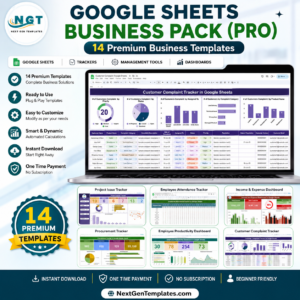
- Google Sheets Business Pack (Pro): 14 business templates in one download
Browse all Google Sheets dashboards.















Reviews
There are no reviews yet.