



Efficient office space utilization has become more important than ever with the rise of hybrid work, flexible seating, and multi-location teams. Organizations must ensure that their workspaces are being used effectively—not only to reduce costs but also to improve employee experience. The Office Utilization Dashboard in Power BI is a ready-to-use, interactive solution designed to help facilities teams, HR departments, and managers track, analyze, and optimize office usage.
This dashboard consolidates critical metrics like booking rates, occupancy, space type utilization, and departmental efficiency into one interactive platform. With real-time visualization and drill-down capabilities, it enables smarter workplace decisions backed by data.
✨ Key Features of the Office Utilization Dashboard
1. Overview Page
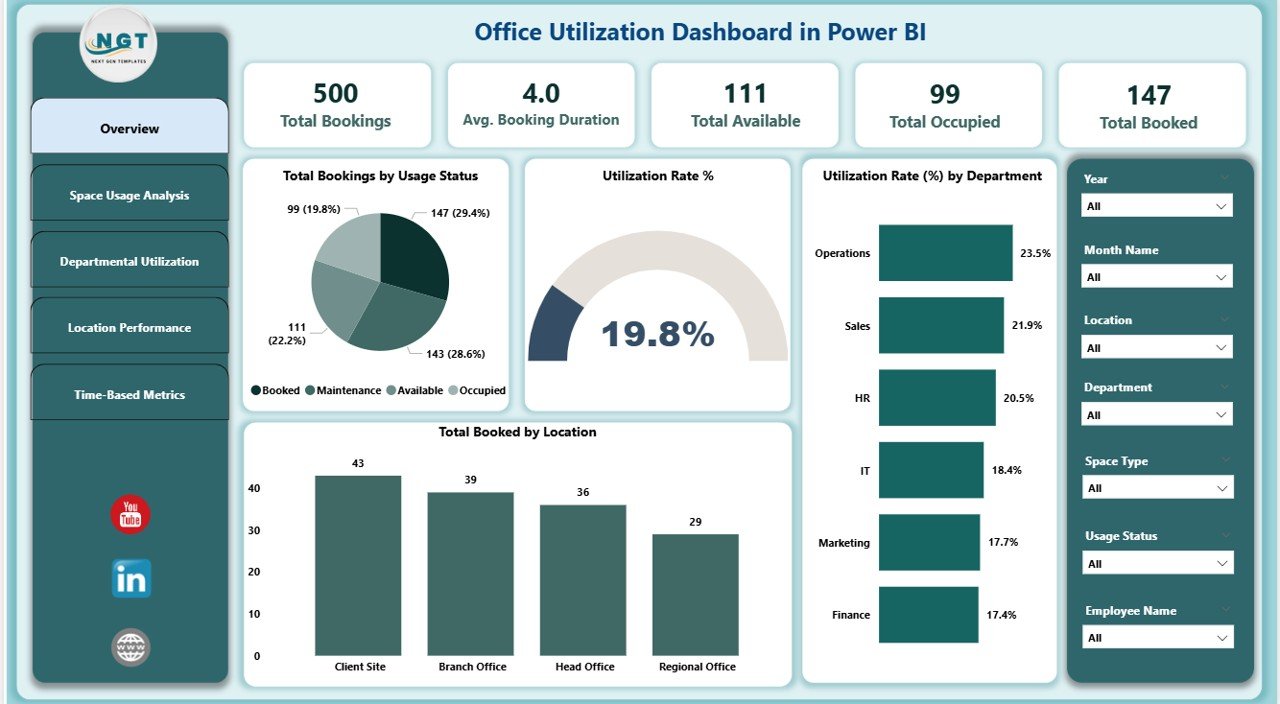
The Overview Page gives you a high-level snapshot of office usage.
📊 Cards: Total Bookings, Avg. Booking Duration, Total Available, Total Occupied, and Total Booked.
📈 Charts: Utilization Rate %, Bookings by Status, Departmental Utilization %, and Bookings by Location.
This summary allows you to instantly see space efficiency, identify bottlenecks, and track occupancy trends across the organization.
2. Space Usage Analysis Page
Gain insight into how different types of spaces are being used:
🏢 Total Bookings by Space Type (conference rooms, workstations, pods, etc.)
📉 Utilization Rate (%) by Space Type
⏱ Avg. Booking Duration by Space Type
These insights help managers identify underutilized areas and make better allocation decisions.
3. Departmental Utilization Page
Understand which departments are using office spaces most effectively.
🔹 Total Bookings by Department
⏱ Avg. Booking Duration by Department
🏬 Total Occupied vs Total Available
This ensures equitable space distribution and highlights departments with either high demand or unused allocations.
4. Location Performance Page
For organizations with multiple offices, the Location Performance Page is a game-changer:
📍 Utilization Rate (%) by Location
📊 Booked vs Available Spaces per Location
🏢 Capacity Distribution across branches
This feature enables leaders to evaluate high-performing offices and repurpose underutilized spaces.
5. Time-Based Metrics Page
Analyze utilization over time to identify patterns:
📅 Bookings by Month
⏱ Avg. Booking Duration Trends
🏬 Occupancy & Booking vs Available Spaces
Time-based insights help forecast demand, plan resources, and make proactive real estate decisions.
📦 What’s Inside the Office Utilization Dashboard
A fully functional Power BI dashboard file (.pbix)
Multiple pages of interactive visuals
Predefined slicers, filters, and drill-downs
Ready-to-use sample dataset for instant demo
Structured data model for easy customization
⚙️ How to Use the Office Utilization Dashboard
Open in Power BI Desktop – Load the .pbix file.
Input Your Data – Replace the sample dataset with your office utilization data.
Explore Insights – Use interactive filters to drill into departments, locations, and timelines.
Share with Teams – Publish to Power BI Service for organization-wide access.
Customize as Needed – Add KPIs or adjust visuals to align with your workplace policies.
👥 Who Can Benefit from This Dashboard?
🏢 Facilities Managers – Optimize office space and reduce costs.
👩💼 HR Teams – Plan hybrid work schedules and employee seating.
📊 Business Analysts – Drive data-backed decisions on workplace strategy.
🏬 Executives – Monitor multi-location performance and utilization trends.
👨💻 IT/Operations Teams – Integrate booking software and occupancy sensors for real-time analysis.
✅ Advantages of Using This Dashboard
Centralized visibility of all office spaces
Real-time analysis of bookings, occupancy, and availability
Drill-down by department, location, and time period
Helps identify underutilized areas for repurposing
Supports hybrid work and flexible seating strategies
🚀 Opportunities for Improvement
Integration with meeting room booking software for real-time updates
Adding employee feedback/satisfaction metrics
Cost analysis per square foot for financial planning
Predictive analytics for future space requirements
🏆 Best Practices
Update data weekly for accurate insights
Review departmental and location utilization monthly
Use time-based analysis to forecast peak usage periods
Combine with HR/IT data for hybrid workforce planning
Click here to read the Detailed blog post
Watch the step-by-step video Demo:
Visit our YouTube channel to learn step-by-step video tutorials
Compatibility and Requirements
- Works in Power BI Desktop, which is free. You open the .pbix file there and replace the sample dataset with your own booking data.
- Power BI Desktop is available from Microsoft: Get Power BI Desktop.
Frequently Asked Questions
What file do I get?
A Power BI dashboard file (.pbix) with several pages of interactive visuals, slicers, filters, drill-downs and a sample dataset.
Which pages does the dashboard have?
It has an Overview page, a Space Usage Analysis page, a Departmental Utilization page, a Location Performance page and a Time-Based Metrics page.
Can I use my own data?
Yes. Open the file in Power BI Desktop and replace the sample dataset with your office utilization data. The data model is structured so you can adjust visuals or add KPIs.
Can I compare departments and office locations?
Yes. The Departmental Utilization page shows bookings, average booking duration and occupied vs available spaces by department. The Location Performance page shows utilization rate and booked vs available spaces for each location.
Is there an Excel or Google Sheets version?
Yes. See the Office Utilization Dashboard in Excel and the Office Utilization Dashboard in Google Sheets.
Related Office Dashboards
- Office Utilization Dashboard in Excel: the same dashboard in Excel
- Office Utilization Dashboard in Google Sheets: a Google Sheets edition
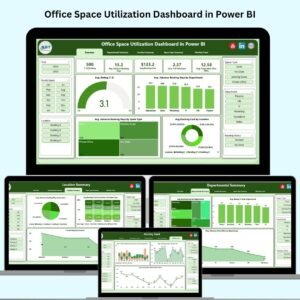
- Office Space Utilization Dashboard in Power BI: another Power BI view of office space
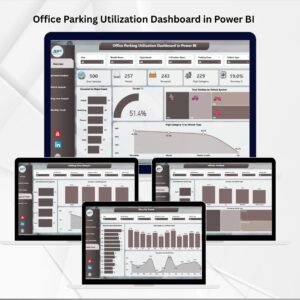
- Office Parking Utilization Dashboard in Power BI: track parking use in Power BI
- Office Budget Utilization Dashboard in Power BI: follow office budget use in Power BI
Browse all Power BI dashboards.































Reviews
There are no reviews yet.