


Organizations today face growing pressure to reduce operational costs, improve workspace efficiency, and meet sustainability and ESG goals. However, sustainability data such as energy usage, water consumption, seat occupancy, and waste generation often sits across multiple spreadsheets, utility bills, and manual reports. As a result, tracking sustainability performance becomes slow, fragmented, and ineffective.
That is exactly why the Office Sustainability Dashboard in Google Sheets becomes a powerful and practical solution.
This ready-to-use dashboard converts raw sustainability and facility data into clear KPIs, visual insights, and actionable trends—all inside Google Sheets. Instead of switching between reports, facility managers and sustainability teams can monitor energy usage, water costs, occupancy, and environmental impact from one centralized dashboard.
Because the dashboard is built in Google Sheets, it is cloud-based, collaborative, cost-effective, and easy to customize, without the need for complex BI tools or technical expertise.
🌍 Key Features of the Office Sustainability Dashboard
⚡ Centralized Sustainability Monitoring
Track energy, water, occupancy, and waste KPIs in one place.
📊 KPI-Driven Visual Layout
Instant insights using cards, bar charts, line charts, and trends.
🔍 Advanced Filters & Slicers
Analyze data by region, department, city, workspace type, and more.
🔄 Automatic Updates
Update data once—every chart and KPI refreshes instantly.
🤝 Real-Time Collaboration
Share and review sustainability performance across teams.
📦 What’s Inside the Office Sustainability Dashboard
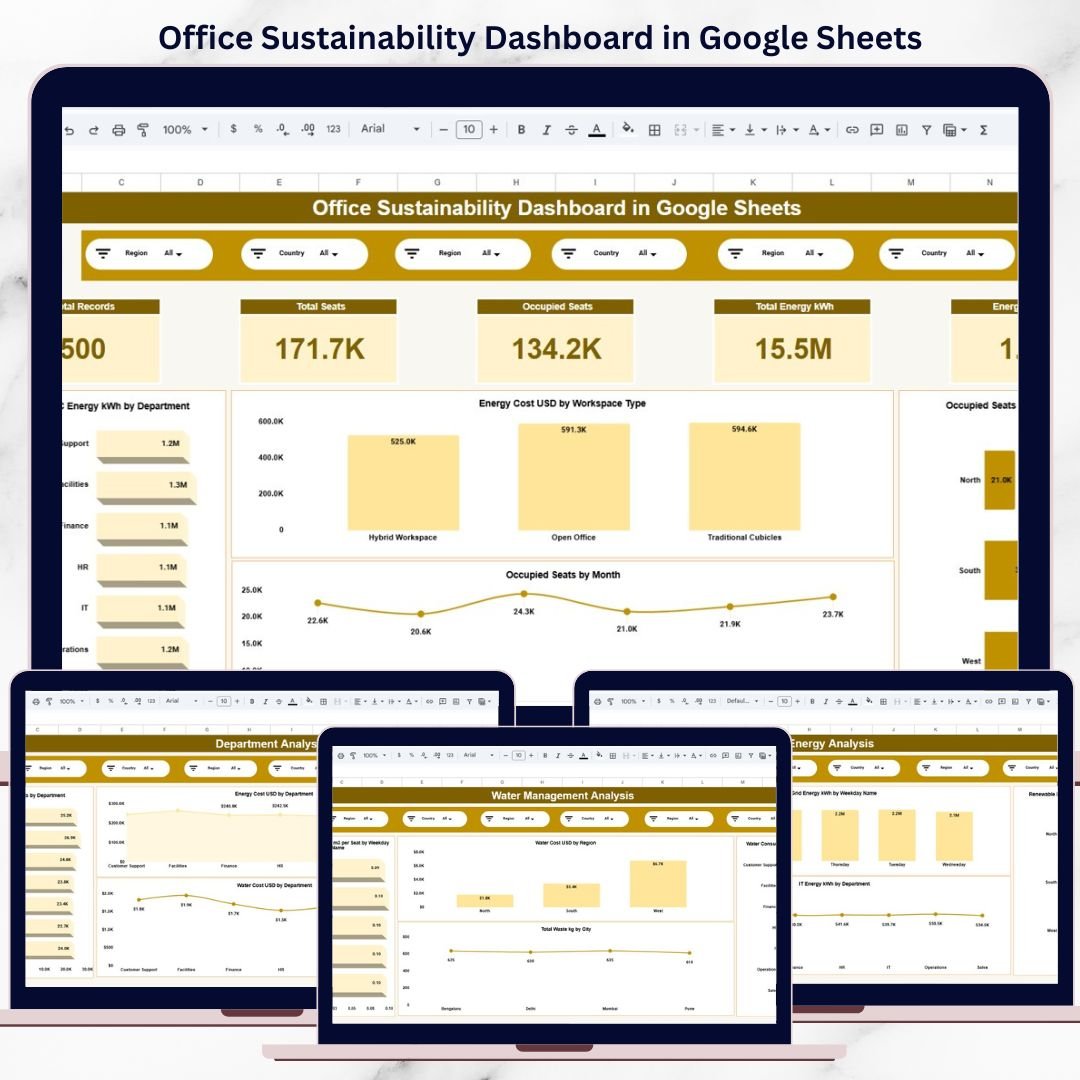
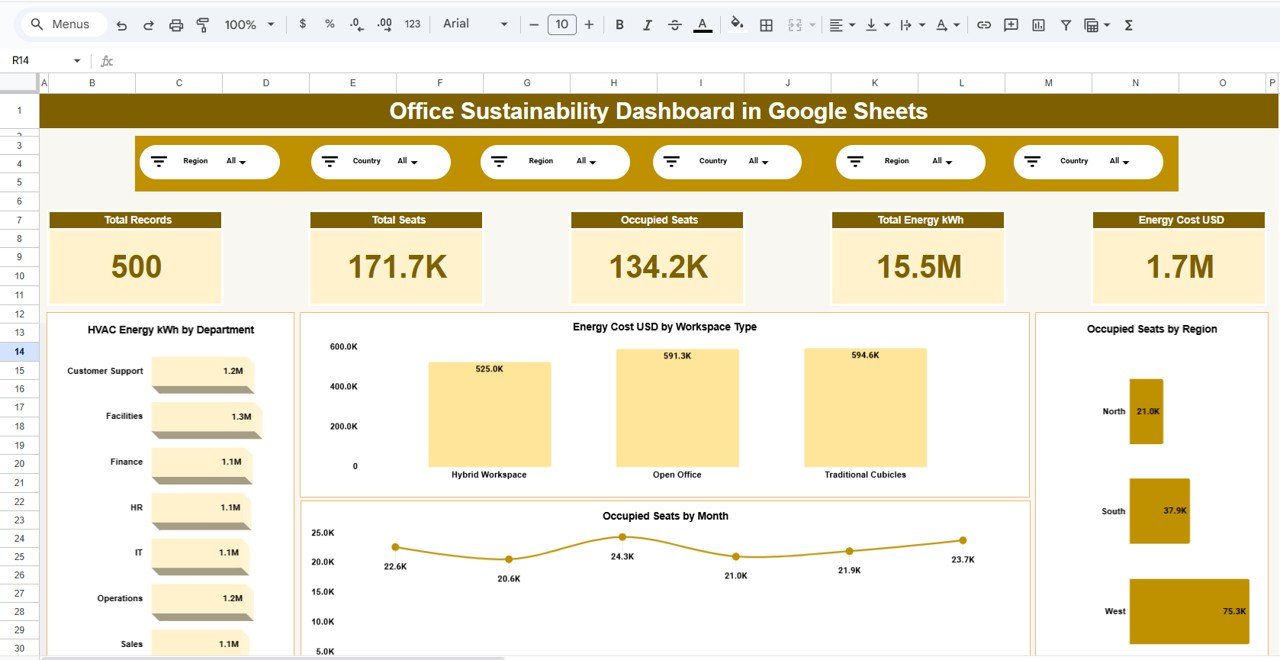
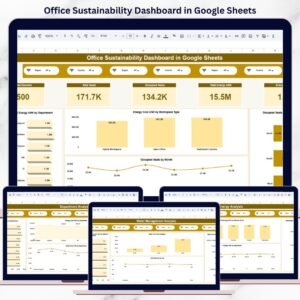
🧭 Overview Page – Sustainability Snapshot
This page provides a high-level summary of office sustainability performance.
KPI Cards Include:
Total Records
Total Seats
Occupied Seats
Total Energy Consumption (kWh)
Total Energy Cost (USD)
Charts Included:
HVAC Energy Consumption by Department
Energy Cost by Workspace Type
Occupied Seats by Region
Occupied Seats Trend by Month
This page helps leadership quickly understand overall sustainability health.
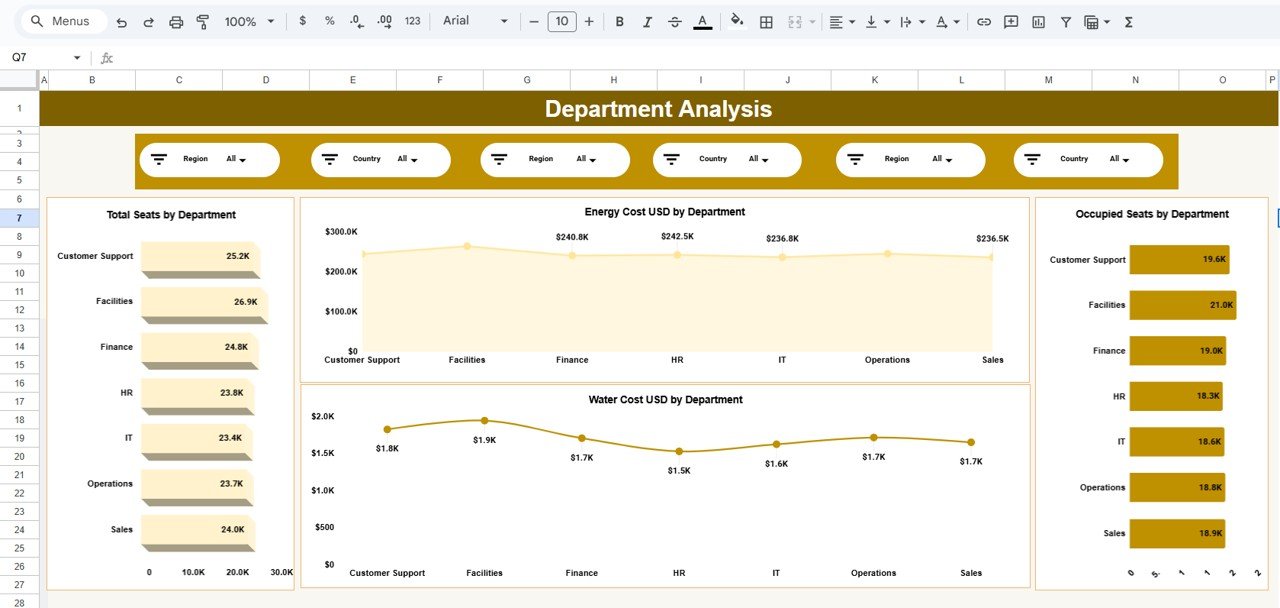
🏢 Department Analysis – Team-Level Insights
This page highlights sustainability metrics by department.
Charts Included:
Total Seats by Department
Occupied Seats by Department
Energy Cost (USD) by Department
Water Cost (USD) by Department
It helps identify departments with higher consumption and optimization opportunities.
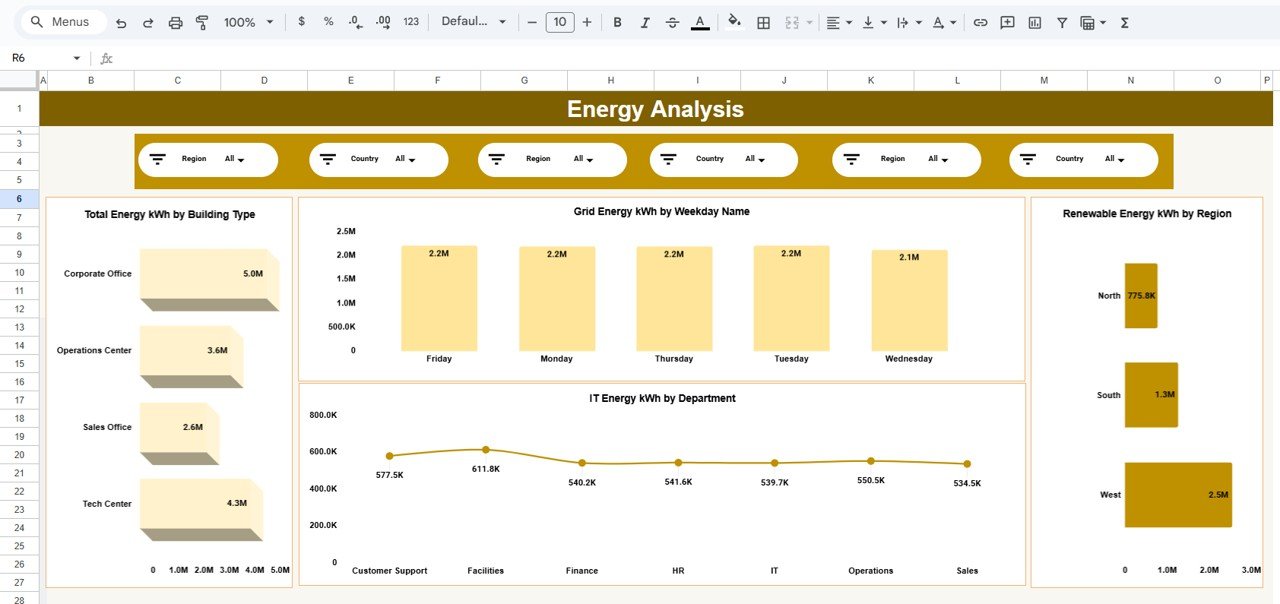
⚡ Energy Analysis – Power Consumption Intelligence
This page focuses on electricity usage and efficiency.
Charts Included:
Total Energy (kWh) by Building Type
Grid Energy (kWh) by Weekday
IT Energy (kWh) by Department
Renewable Energy (kWh) by Region
This analysis supports energy-saving initiatives and renewable adoption planning.
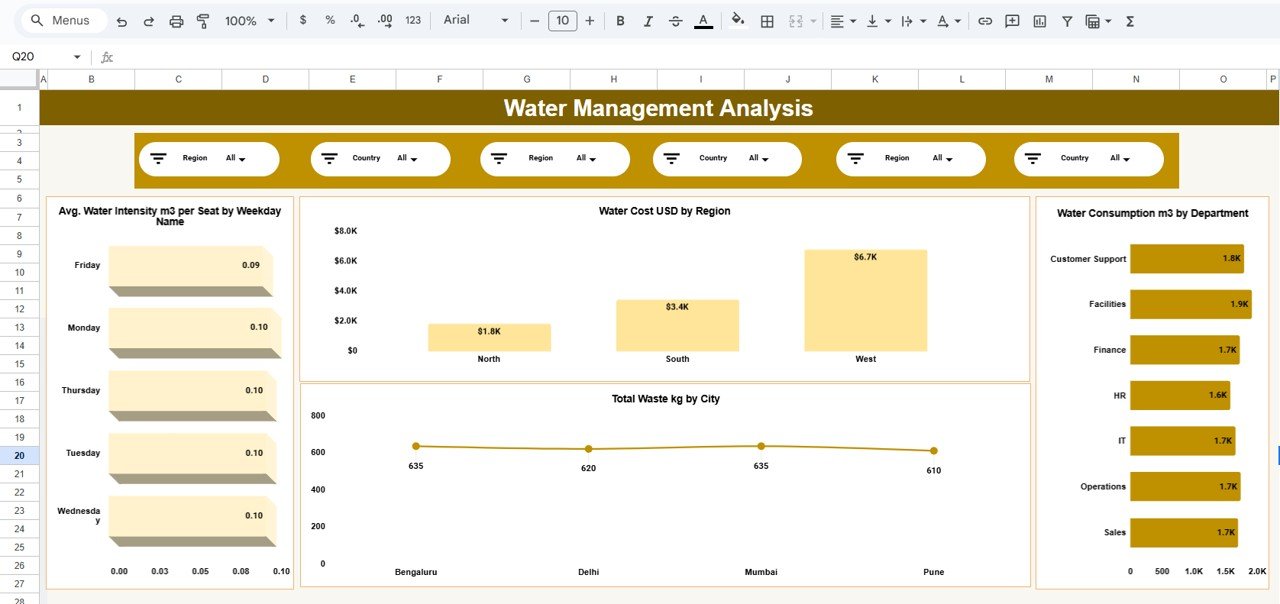
💧 Water Management Analysis – Environmental Impact
This page tracks water usage and waste generation.
Charts Included:
Average Water Intensity (m³ per seat) by Weekday
Water Cost (USD) by Region
Water Consumption (m³) by Department
Total Waste (kg) by City
It helps reduce water waste and manage environmental impact effectively.
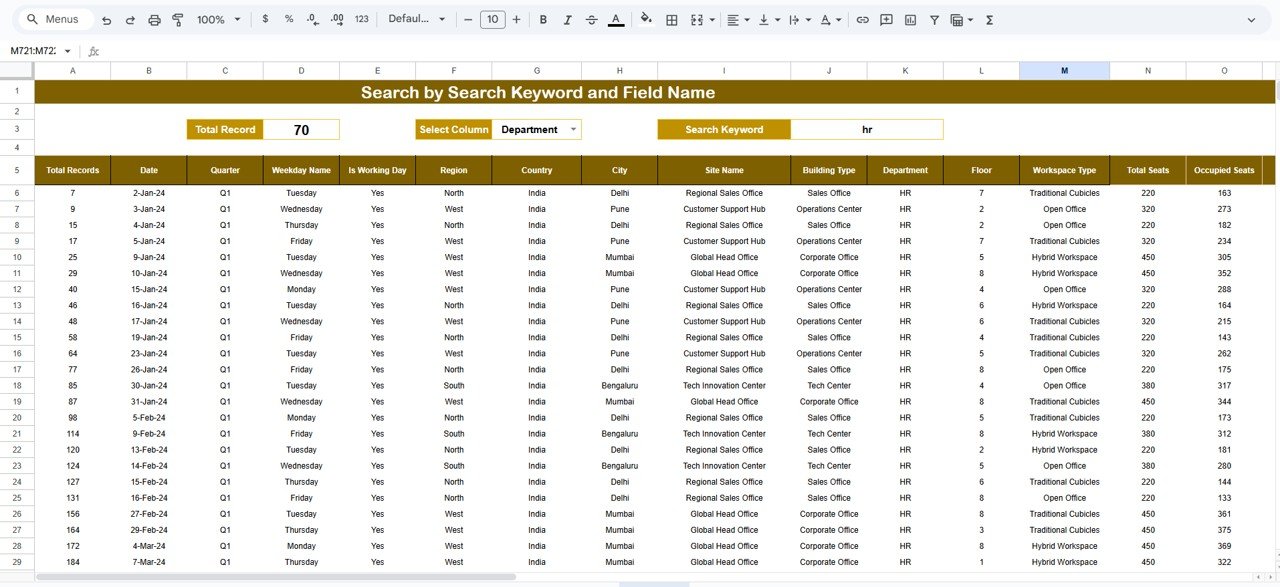
🔎 Search & Detailed Data View
This page allows users to explore underlying sustainability records.
Key Capabilities:
Search by keyword
Search by selected column (Department, City, Region, etc.)
Instantly filter large datasets
Review detailed sustainability transactions
This feature is especially useful for audits, reviews, and compliance reporting.
👥 Who Can Benefit from This Dashboard
Facility Managers
Sustainability & ESG Teams
Operations Managers
Corporate Real Estate Teams
Compliance Officers
Green Building Consultants
Shared Workspace Operators
The dashboard works for single offices and multi-location organizations.
⚙️ How to Use the Office Sustainability Dashboard
Enter sustainability data in the data sheet
Apply slicers for focused analysis
Review KPIs and visual trends
Identify inefficiencies and high-cost areas
Take data-driven sustainability actions
No advanced Google Sheets skills required.
### Click here to read the Detailed blog post
Watch the step-by-step video tutorial:
### Visit our YouTube channel to learn step-by-step video tutorials
👉 https://youtube.com/@NeotechNavigators
Compatibility and Requirements
- Works in Google Sheets. You need a free Google account and a web browser.
- The dashboard uses slicers and charts built in Google Sheets. Google explains how charts work in Add and edit a chart or graph.
Frequently Asked Questions
Which pages does the dashboard include?
Five pages: Overview, Department Analysis, Energy Analysis, Water Management Analysis, and a Search and detailed data view.
Which KPIs show on the Overview page?
Total Records, Total Seats, Occupied Seats, Total Energy Consumption (kWh) and Total Energy Cost (USD).
Can I filter the data by department or region?
Yes. Slicers let you filter by region, department, city and workspace type, and the charts update with your selection.
How do I update the dashboard?
Enter your sustainability data in the data sheet. The KPI cards and charts refresh from that data.
Is there an Excel or Power BI version?
Yes. See the Office Sustainability Dashboard in Excel and the Office Sustainability Dashboard in Power BI.
Related Sustainability Templates
- Office Sustainability Dashboard in Excel: the same dashboard in Excel
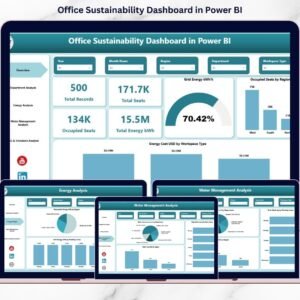
- Office Sustainability Dashboard in Power BI: the Power BI edition
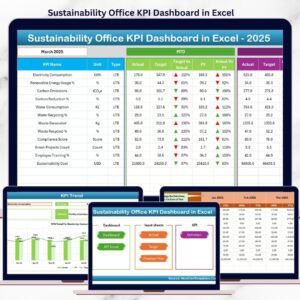
- Sustainability Office KPI Dashboard in Excel: a KPI view of office sustainability
- Office Energy Consumption Dashboard in Excel: a closer look at office energy use
- Energy & ESG Sustainability Bundle: 8 Excel and Power BI templates in one download
Browse all Google Sheets dashboards.































Reviews
There are no reviews yet.