

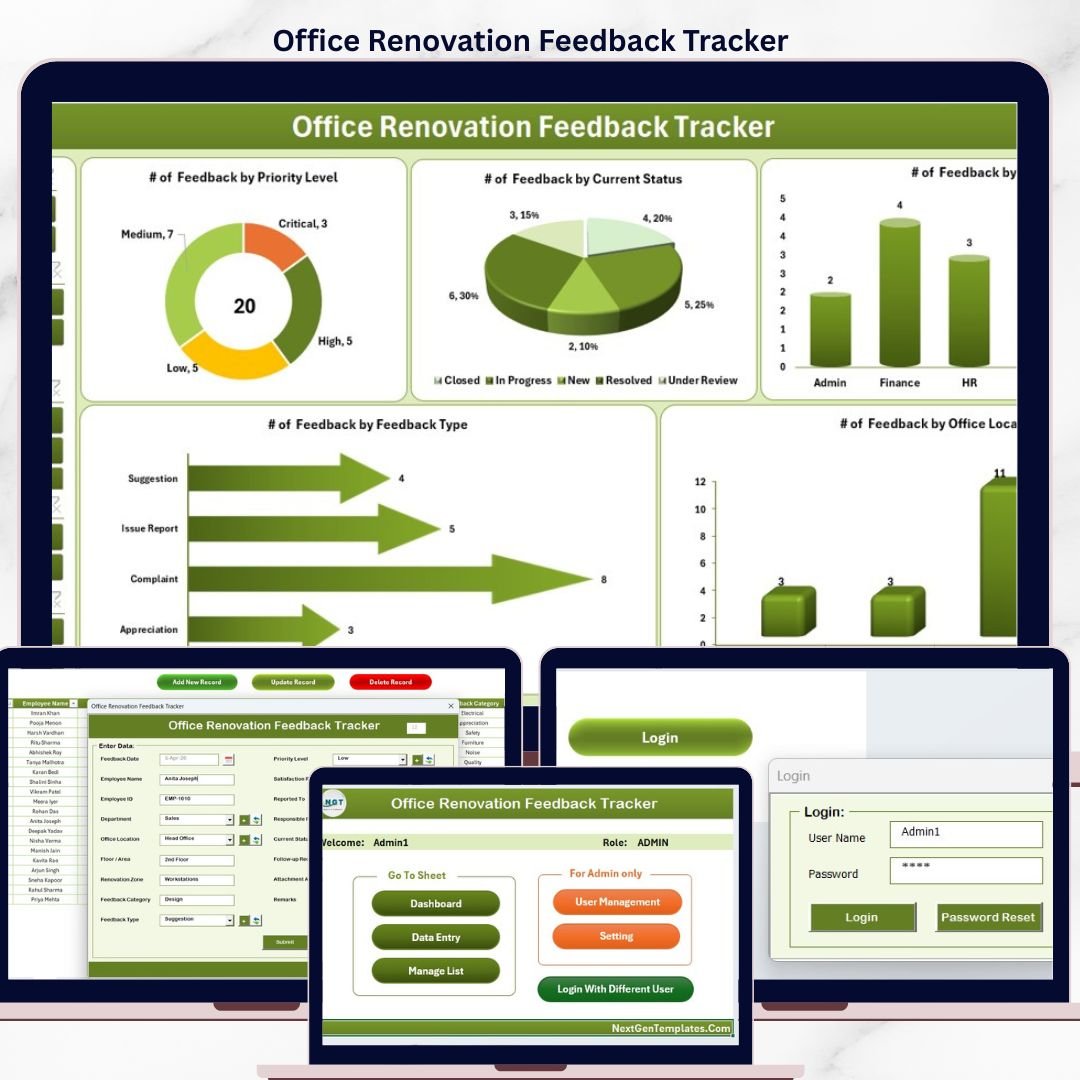

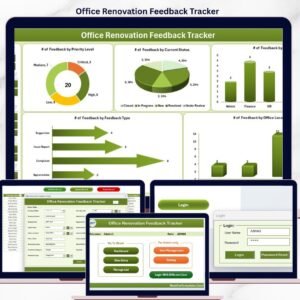
The Office Renovation Feedback Tracker in Excel captures employee renovation feedback across 8 purpose-built worksheets, with a password-protected Login Form, a VBA-powered Data Entry form (Add / Update / Delete), a Dashboard page with 4 slicers and 5 auto-refreshing charts, plus a dedicated User Management sheet. Replace the sample feedback records and every KPI, chart, and filter updates in under 10 minutes.
🌍 Join 8,400+ teams in 40+ countries using NextGenTemplates to replace paid facility-management SaaS with one-time-purchase Excel, Google Sheets Dashboards, Power BI, and HTML templates.
✅ Instant download · One-time payment · No subscription · No per-user fees · Lifetime access
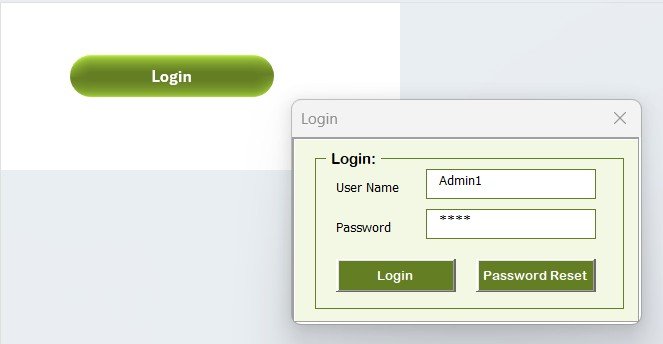
Office Renovation Feedback Tracker in Excel — Login Form
🔑 Key Features of the Office Renovation Feedback Tracker in Excel
🔹 8 integrated worksheets — Login Form, Home Page, Dashboard, Data Sheet, List Sheet, Support Sheet, Settings Sheet, and User Management Sheet — all linked through VBA code so every new renovation-feedback entry flows automatically into the dashboard charts and slicers.
🔹 VBA-driven Data Entry form with three action buttons on the Data Sheet — Add New Record, Update Record, and Delete Record. Click any Feedback ID and update or delete the row in two clicks; no manual sheet editing required.
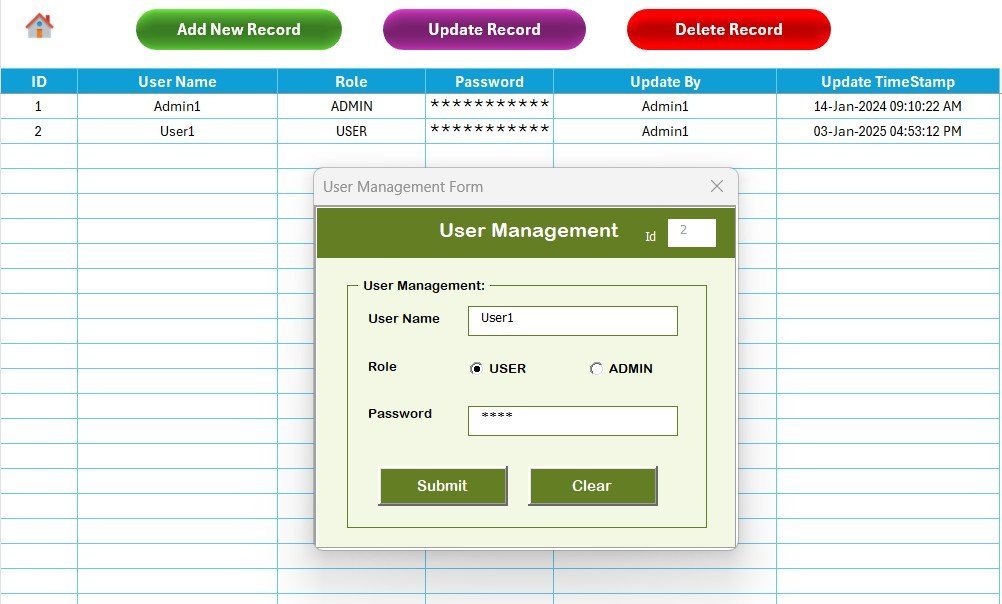
🔹 Login-protected access with a dedicated User Management sheet where you assign usernames, passwords, and roles. Stops casual viewing of sensitive employee comments and ratings during the renovation project.
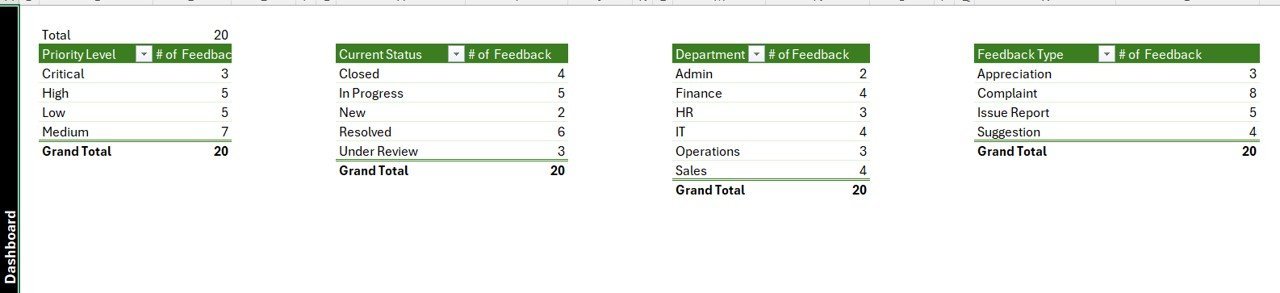
🔹 Interactive Dashboard with 4 slicers and 5 charts — slice feedback by Department, Renovation Phase, Feedback Aspect, and Sentiment. All 5 charts auto-refresh the moment you submit a new response through the form.
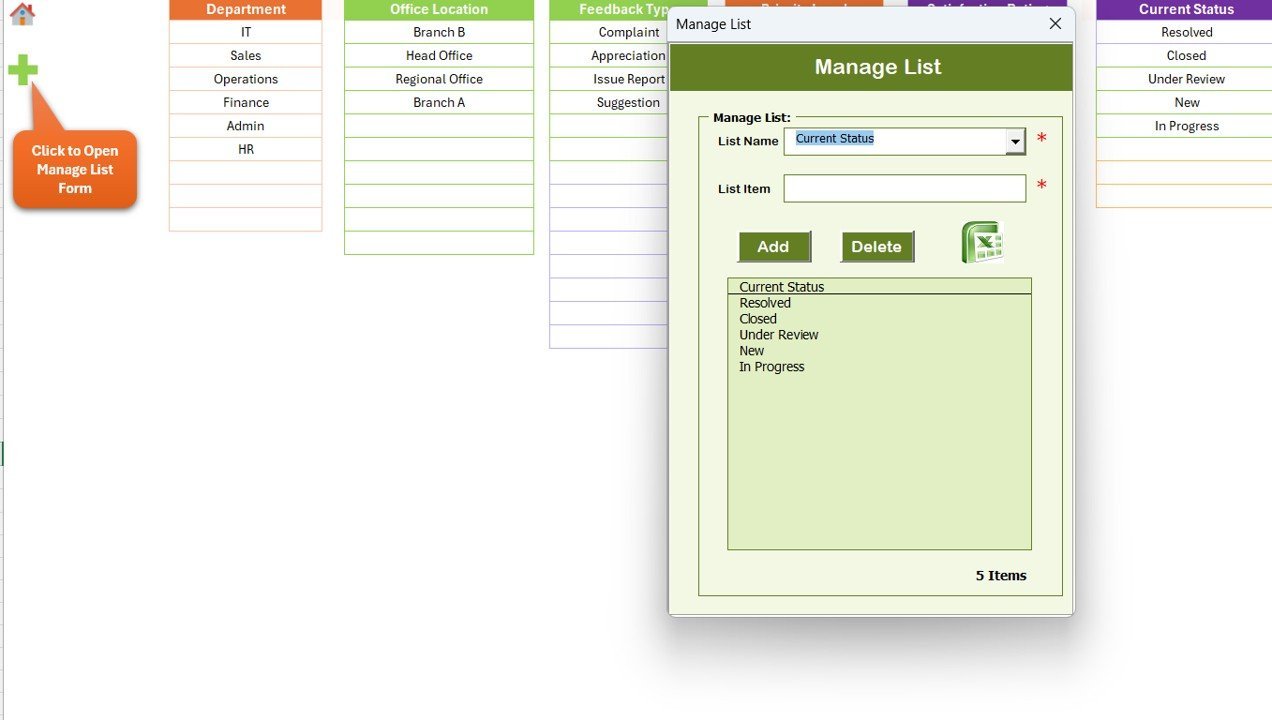
🔹 Dropdown-driven entry — the List Sheet feeds every combo box on the data entry form (Departments, Renovation Stages, Feedback Aspects, Sentiment values, Floor / Building IDs). Add a new value to the List Sheet and it appears in the form immediately.
🔹 Hidden Support Sheet with pivot tables that power the dashboard charts — you never touch it. Hide it for end users so they only interact with the front-end pages.
🔹 Settings Sheet for organisation logo, contact details, and renovation-project metadata (project name, start date, target close-out date). Personalise the workbook in under 2 minutes.
🔹 Works in Excel 2016, 2019, 2021, and Microsoft 365 on Windows. VBA macros required — Mac compatibility is limited because of UserForm rendering differences.
📦 What’s Inside the Office Renovation Feedback Tracker in Excel
The workbook contains 8 sheets organised in the order users navigate them:
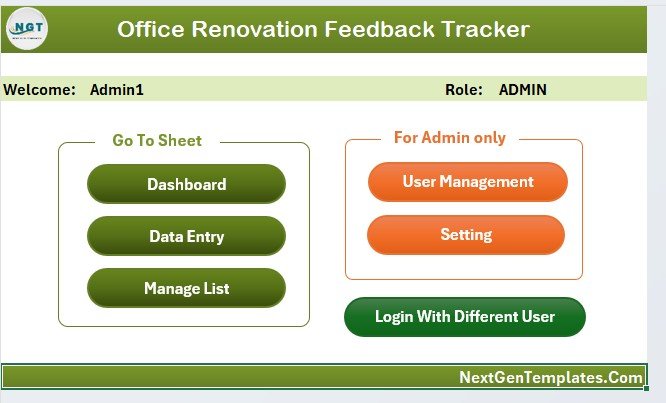
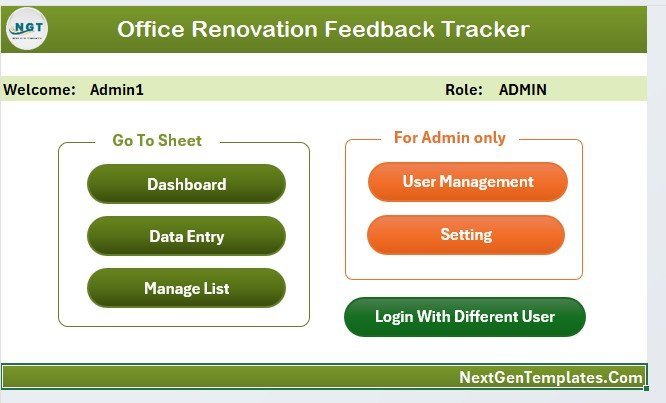
Home Page — central navigation hub
🔹 1. Login Form — entry-point password screen. Validates against the User Management sheet before opening the workbook.
🔹 2. Home Page — central navigation with one-click buttons to every sheet. The first thing users see after logging in.
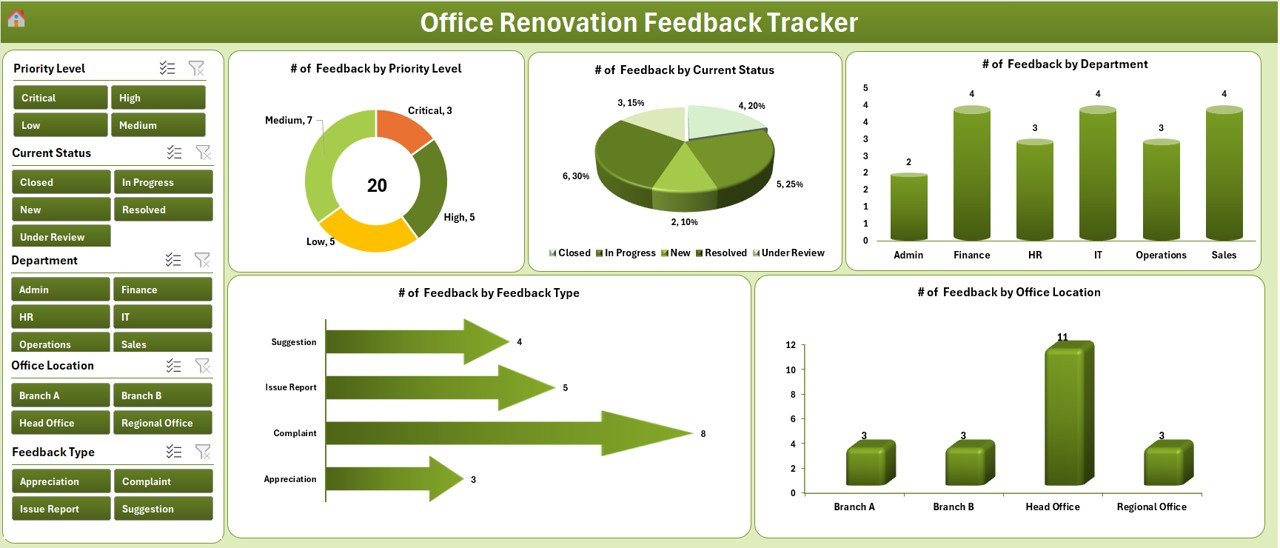
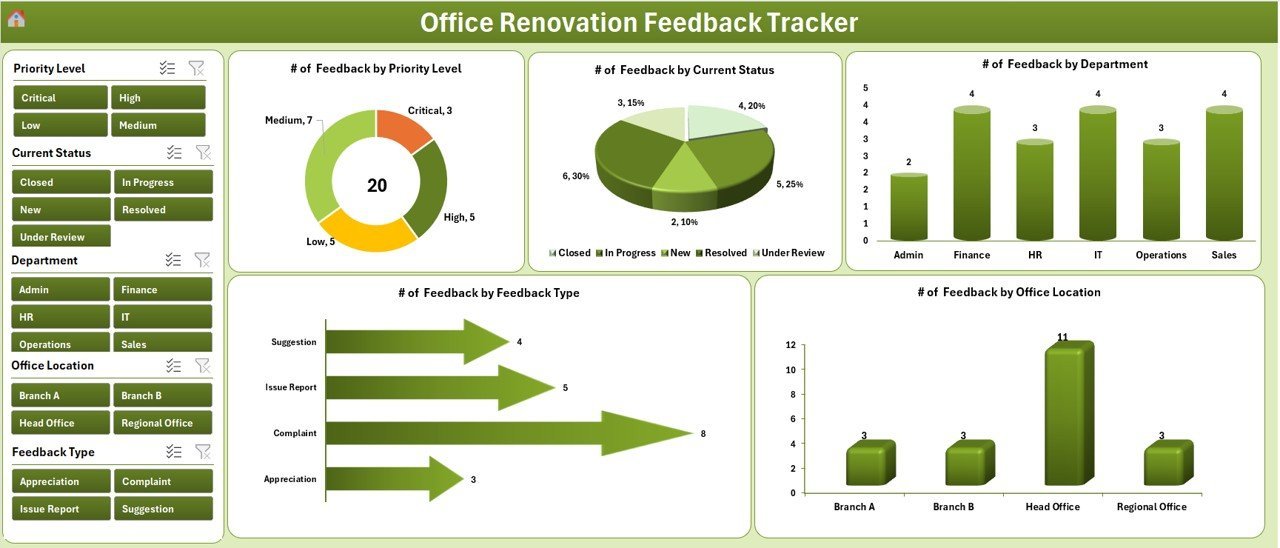
Dashboard with 4 slicers and 5 auto-refresh charts
🔹 3. Dashboard — KPI summary plus 4 slicers (Department, Renovation Phase, Feedback Aspect, Sentiment) and 5 charts visualising response volume, average satisfaction score, sentiment distribution, feedback-aspect mix, and department-wise satisfaction breakdown.
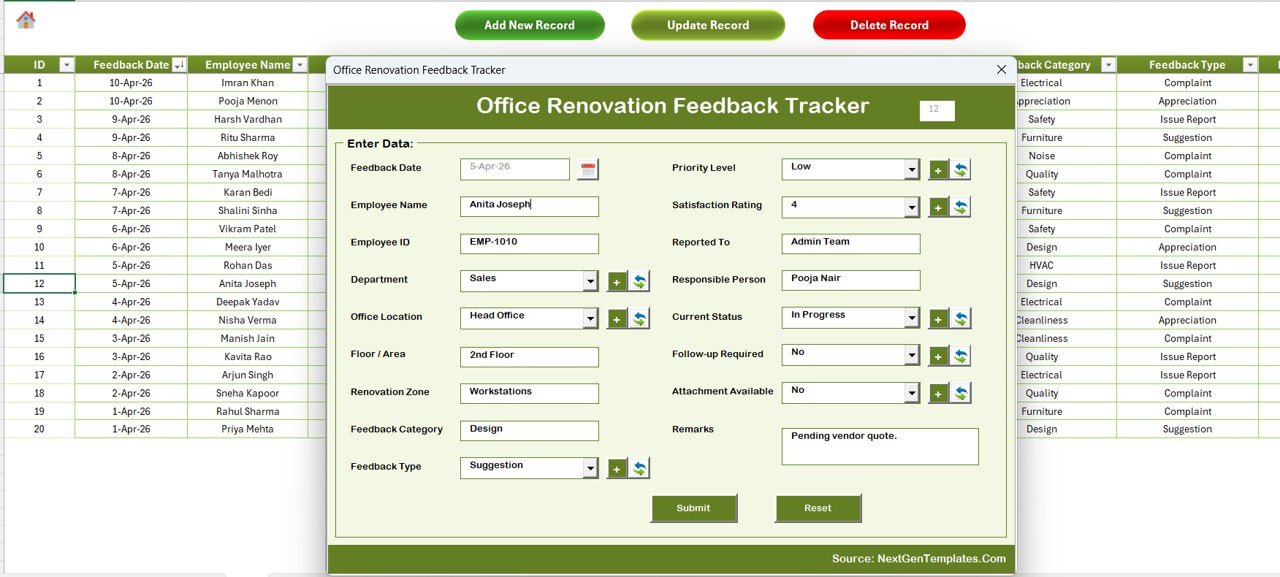
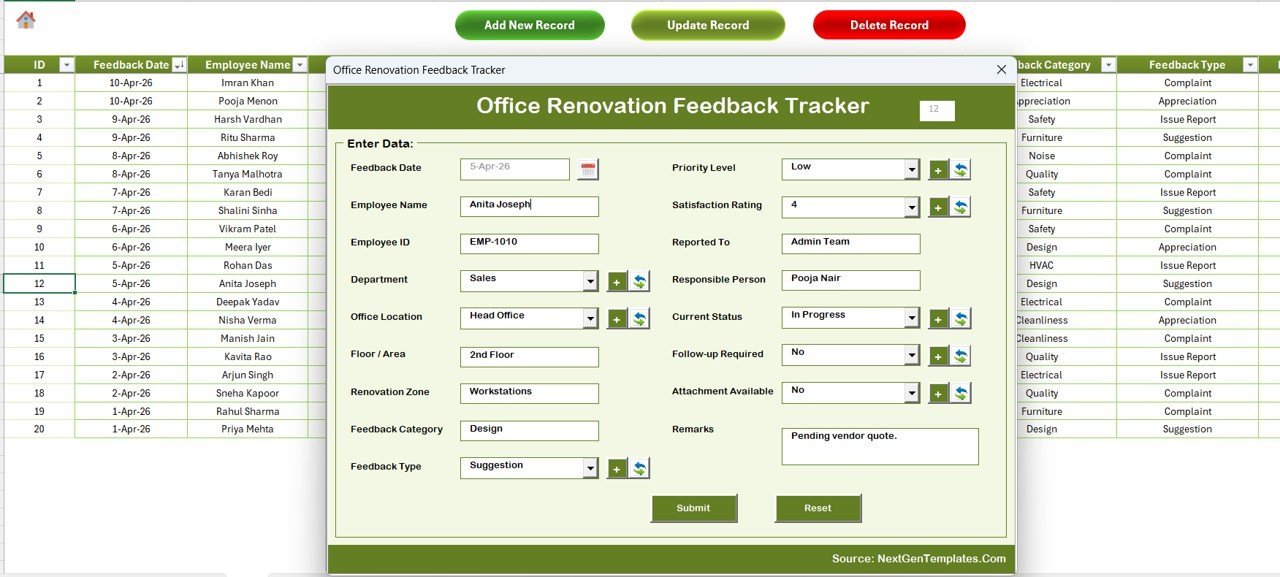
Data Sheet — Add / Update / Delete buttons drive the VBA UserForm
🔹 4. Data Sheet — the master record table with Add New Record, Update Record, and Delete Record buttons that launch the VBA Data Entry form for renovation feedback responses.
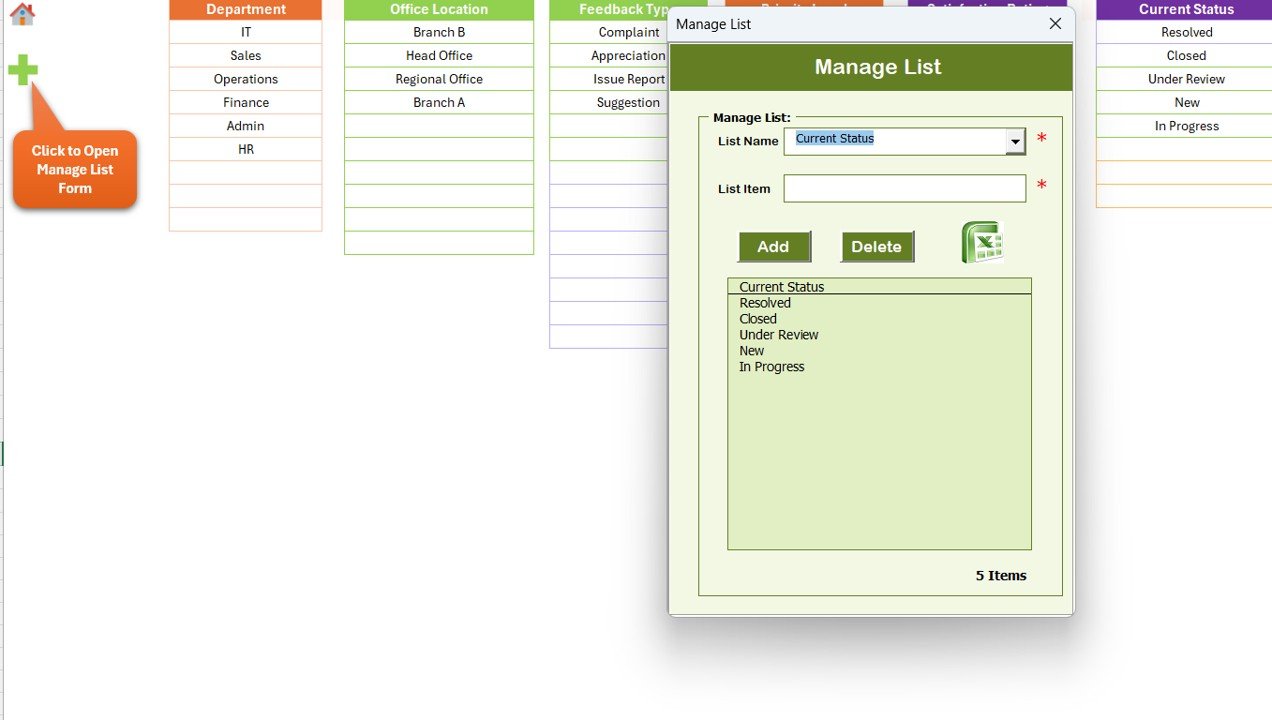
List Sheet — feeds every combo box in the form
🔹 5. List Sheet — single source of truth for every dropdown value used inside the Data Entry form combo boxes (Departments, Renovation Stages, Aspects, Sentiment).
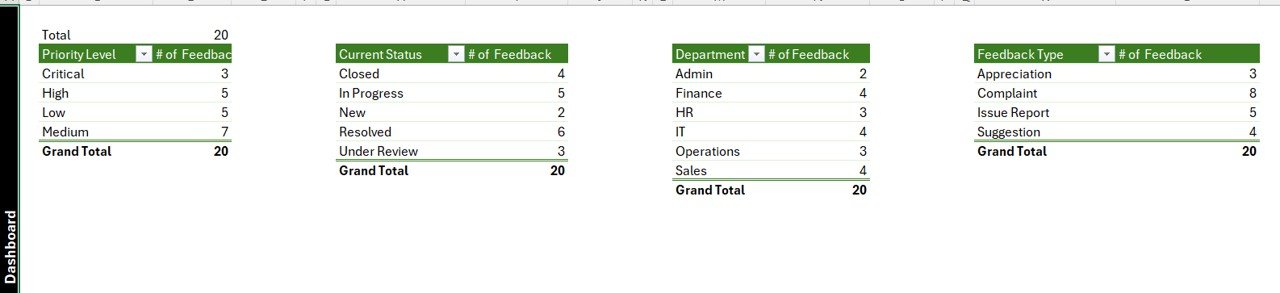
Support Sheet — hidden pivot tables that drive the charts
🔹 6. Support Sheet — hidden pivot tables that drive the dashboard charts. No user interaction needed.
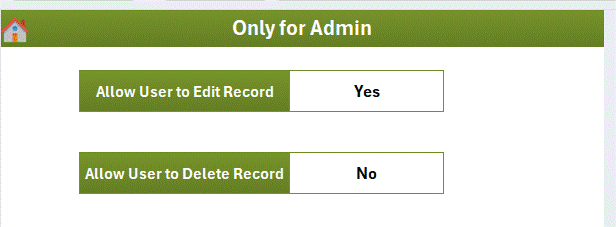
VBA Data Entry Form — used for Add, Update, and Delete operations
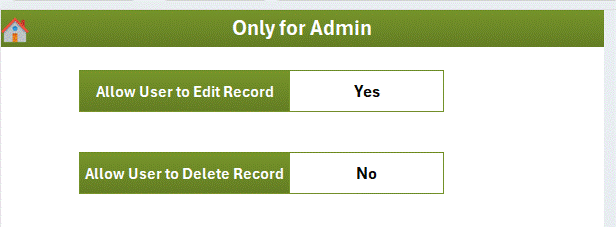
🔹 7. Settings Sheet — branding, contact details, project name, and renovation-project metadata.
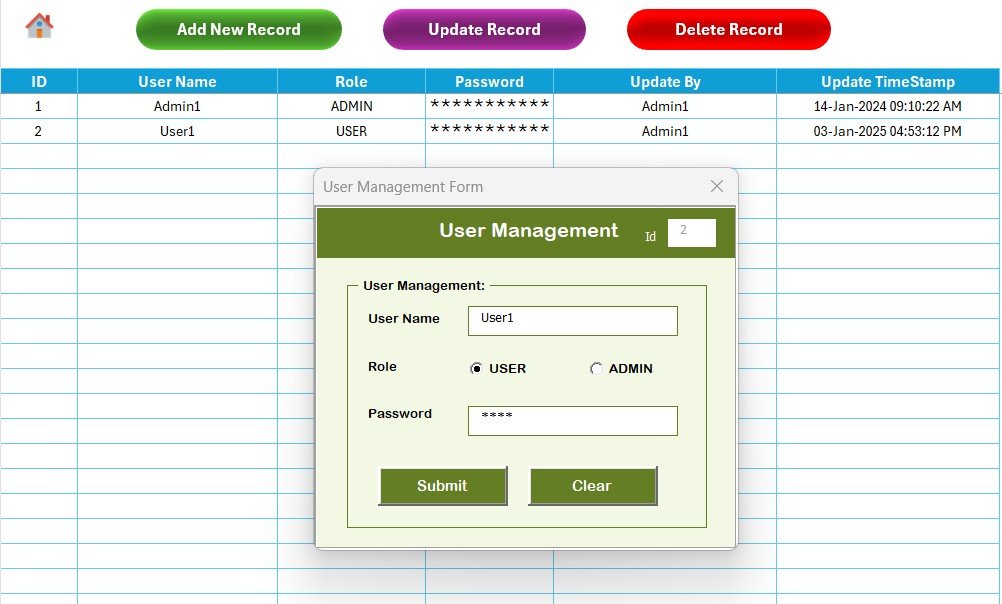
User Management Sheet — usernames, passwords, and roles
🔹 8. User Management Sheet — define users, passwords, and access roles. Add or remove users without touching VBA code.
📊 Office Renovation Feedback Tracker vs. Google Sheets Equivalent vs. Paid Facility-Feedback SaaS — Where This Fits
| Feature | Office Renovation Feedback Tracker in Excel | Google Sheets equivalent | Paid SaaS (e.g., SurveyMonkey Enterprise / Qualtrics CoreXM / Workplace from Meta) |
|---|---|---|---|
| Cost | $6.99 one-time ✅ | $6.99 one-time | $25–$120 per user per month ($1,500–$7,200/yr at 5 admins) |
| Platform | Microsoft Excel (offline, works without internet) ✅ | Google Sheets (browser-only) | Cloud SaaS — vendor lock-in |
| Setup time | Under 10 minutes ✅ | Under 10 minutes | 2–6 weeks (vendor onboarding + survey design) |
| VBA Data Entry form (Add / Update / Delete) | Yes — built-in UserForm ✅ | Apps Script form simulation | Yes (web survey) |
| Login + role-based access | Yes — User Management sheet ✅ | Sheet protection only | Yes (SSO / SOC 2) |
| Slicer-driven dashboard | 4 slicers, 5 charts, auto-refresh ✅ | Pivot filter views | Pre-built dashboards |
| Customisable feedback fields | Fully editable — own your code ✅ | Fully editable | Vendor-controlled question types |
| Year-1 cost at 5 admins | $6.99 ✅ | $6.99 | $1,500 – $7,200 |
| Mobile data entry | Excel mobile (limited) | Yes (browser + mobile app) ✅ | Yes (native app) |
For office managers and HR-Ops leads who want a slicer-driven renovation-feedback workflow without a per-seat subscription, the Office Renovation Feedback Tracker in Excel sits in the sweet spot — VBA login, Add/Update/Delete UserForm, and an interactive dashboard for the price of a single SaaS day pass.
👥 Who This Template Is For — and Who It’s Not For
✅ This template is built for:
- Office managers and admin teams running a renovation project for a 30–500 person workplace
- Facilities coordinators tracking employee feedback at planning, design, execution, and handover stages
- HR / Operations leads who want a login-protected feedback log without buying a $1,500–$7,000/year survey-software subscription
- Real-estate and workplace-strategy teams comparing satisfaction across floors, buildings, or business units
- Project managers who need to attach a quantitative feedback log to the renovation project file for audit purposes
❌ This template is NOT for:
- Enterprise teams that require SOC 2 compliance, SSO, or audit-trail logs across 5,000+ respondents
- Anonymous-only surveys with cryptographic guarantees — passwords are stored in a sheet, not an enterprise vault
- Mac-only users — the VBA UserForm features depend on Windows Excel
- Teams who need a mobile-first respondent experience for employees to submit feedback from their phones
⚙️ How to Use the Office Renovation Feedback Tracker in Excel
- Download and unzip the file, then open the .xlsm workbook in Microsoft Excel and click “Enable Macros” when prompted.
- Set up users on the User Management sheet — add usernames, passwords, and roles for each person who will access the tracker.
- Customise dropdowns on the List Sheet — enter your own Departments, Renovation Stages, Feedback Aspects, and Sentiment values.
- Brand the Settings sheet with your organisation name, project name, and renovation start / end dates.
- Log in through the Login Form to reach the Home Page, then open the Data Sheet and click “Add New Record” to enter the first feedback response.
- Track and analyse — open the Dashboard, slice by Department or Renovation Phase, and review the 5 charts that update in real time as new feedback arrives.
💼 Real-World Use Cases
Aanya runs admin at a 140-person fintech in Bengaluru that is mid-way through a two-floor refurbishment. She uses the Office Renovation Feedback Tracker in Excel to log responses after each design walkthrough, slice satisfaction by department, and present a weekly chart-pack to the project sponsor — without buying a $4,800/year survey-platform licence.
Marco manages facilities at a coworking operator in Lisbon with three buildings being renovated in sequence. He uses the tracker to capture member feedback per phase (planning, design, execution, handover), slice by building, and renew permits monthly through the Update Record button. The dashboard helps him show the landlord proof of resident satisfaction in under 30 seconds.
Priya is the HR-Ops lead at a 60-person creative agency in Mumbai that is moving from open-plan to hybrid pods. She uses the User Management sheet to give the design partner read-only access while keeping edit rights with herself. The slicer-driven dashboard helps her reply to renovation-progress questions in Slack with screenshots in under a minute.
❓ Frequently Asked Questions
What sheets are included in the Office Renovation Feedback Tracker in Excel?
The Office Renovation Feedback Tracker in Excel includes 8 sheets — Login Form, Home Page, Dashboard, Data Sheet, List Sheet, Support Sheet, Settings Sheet, and User Management Sheet — all wired together through VBA so adding a feedback record updates the dashboard automatically.
How does the VBA Data Entry form work in this tracker?
Three buttons on the Data Sheet — Add, Update, Delete — open the same UserForm. Add inserts a new feedback response; Update prefills the form when you click an existing Feedback ID; Delete confirms before removing the row. No manual data entry on the sheet itself.
How long does setup take for the Office Renovation Feedback Tracker?
Setup of the Office Renovation Feedback Tracker in Excel takes under 10 minutes — open the file, enable macros, edit the List Sheet dropdowns, configure users on the User Management sheet, and personalise the Settings sheet. The Dashboard works without any further configuration.
How does this compare to paid survey SaaS like SurveyMonkey Enterprise or Qualtrics?
Paid survey SaaS typically costs $25–$120 per user per month — about $1,500 to $7,200 per year for five admins. The Office Renovation Feedback Tracker in Excel is $6.99 one-time with no recurring fees, no per-user pricing, and full ownership of your code and feedback data.
Does the Office Renovation Feedback Tracker work on Mac?
The Office Renovation Feedback Tracker uses VBA UserForms which render reliably only in Excel for Windows (2016, 2019, 2021, Microsoft 365). Mac Excel does not fully support UserForm controls, so we recommend Windows. The Google Sheets equivalent works on any device including Mac.
Can I add custom feedback fields and dropdowns to the tracker?
Yes. All combo-box values come from the List Sheet, so adding a new Department, Renovation Stage, Feedback Aspect, or Sentiment label takes one row. For new fields, edit the UserForm in the VBA editor — full source code is included and unprotected.
Is the Office Renovation Feedback Tracker a one-time purchase?
Yes. The Office Renovation Feedback Tracker in Excel is $6.99 one-time, instant download, no subscription, no per-user fees, and lifetime access. You also get free bug fixes: if something does not work as described, we fix it and send you the corrected file.
👤 About the Author
Built by PK — Microsoft Certified Professional with 15+ years of Excel, Google Sheets, and Power BI experience. Founder of NextGenTemplates, reaching 300K+ subscribers across YouTube channels (@PK-AnExcelExpert, @NextGenTemplates, @NeoTechNavigators). Every template is hand-built and tested before release.
🔗 Explore Related Templates
🔹 Also available as: Office Renovation Feedback Tracker in Google Sheets — same feedback workflow, browser-based, mobile-friendly for respondents.
🔹 Office Parking Permit Request Tracker in Excel — same VBA login + UserForm + slicer dashboard pattern, applied to parking permit workflows.
🔹 Meeting Feedback Tracker in Excel — sister template for capturing post-meeting feedback with the same login-protected VBA architecture.
🔹 Customer Satisfaction Survey Tracker in Excel — turn the same feedback-collection pattern outward toward customers.
🔹 Facilities Management Report in Excel — pair this with the renovation feedback tracker for a complete facilities reporting stack.
🔹 Browse all Excel Tracker Templates on NextGenTemplates.
📖 Click here to read the Detailed Blog Post
🎥 Visit our YouTube channel for step-by-step video tutorials
👉 YouTube.com/@NextGenTemplates
📅 Last updated: April 2026
Watch the step-by-step video tutorial:
Compatibility and Requirements
- Runs in Excel desktop on Windows with macros enabled. It does not run in Excel for the web, Google Sheets or mobile.
- The workbook is an .xlsm file with a Login Form and a VBA Data Entry form. Microsoft explains how to turn macros on in Enable or disable macros in Microsoft 365 files.




Reviews
There are no reviews yet.