

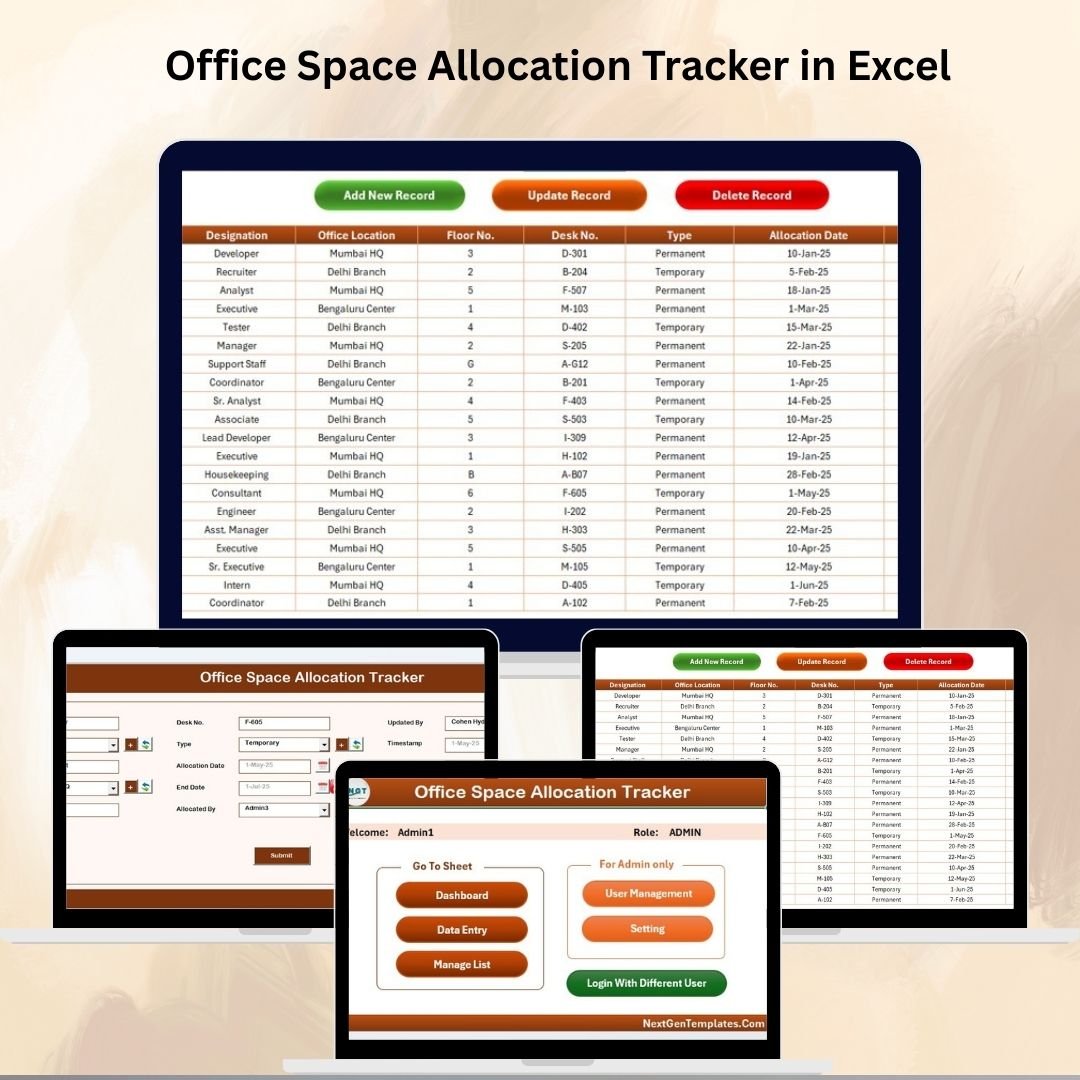

Managing office space effectively is essential for boosting productivity, controlling costs, and ensuring smooth operations. Without a structured system, companies often face overcrowding, wasted rental costs, or underutilized spaces. That’s why we built the Office Space Allocation Tracker in Excel—a ready-to-use Excel & VBA-powered tool that transforms how businesses plan, allocate, and monitor office space.
This tracker works like a mini software application inside Excel. With secure login forms, automated dashboards, interactive charts, and user-friendly data entry systems, it enables facility managers and HR teams to manage office seating, departments, floors, and employee allocations with ease.
✨ Key Features of Office Space Allocation Tracker
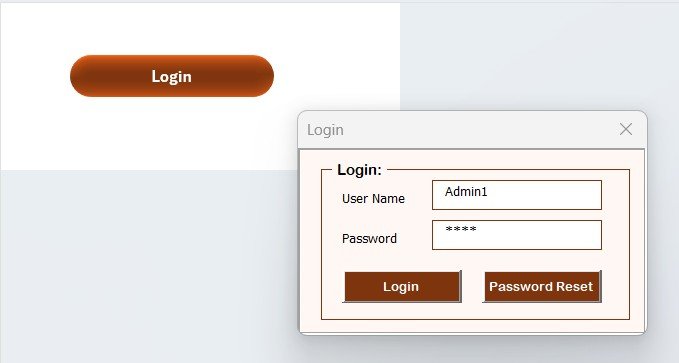
✅ Login Form Security – Protects sensitive data with user IDs & passwords.
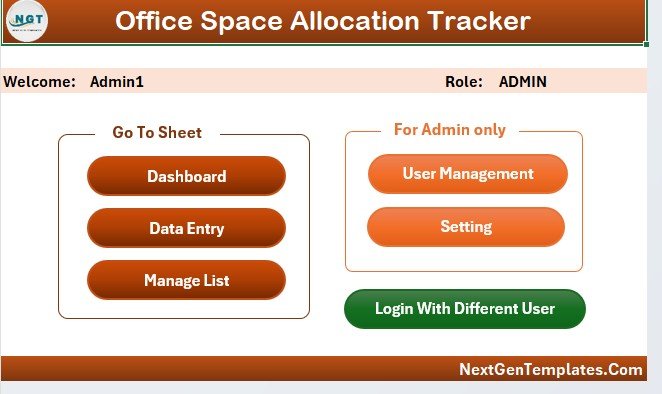
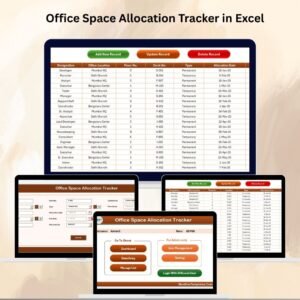
✅ Main Form Dashboard – Central hub for data entry, dashboards, and user management.
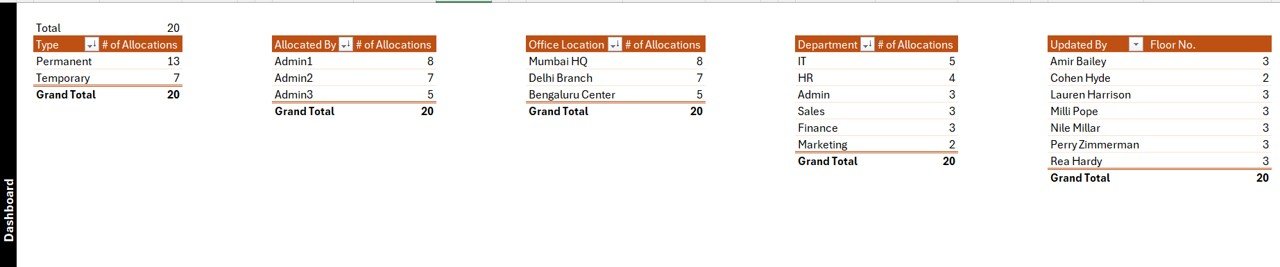
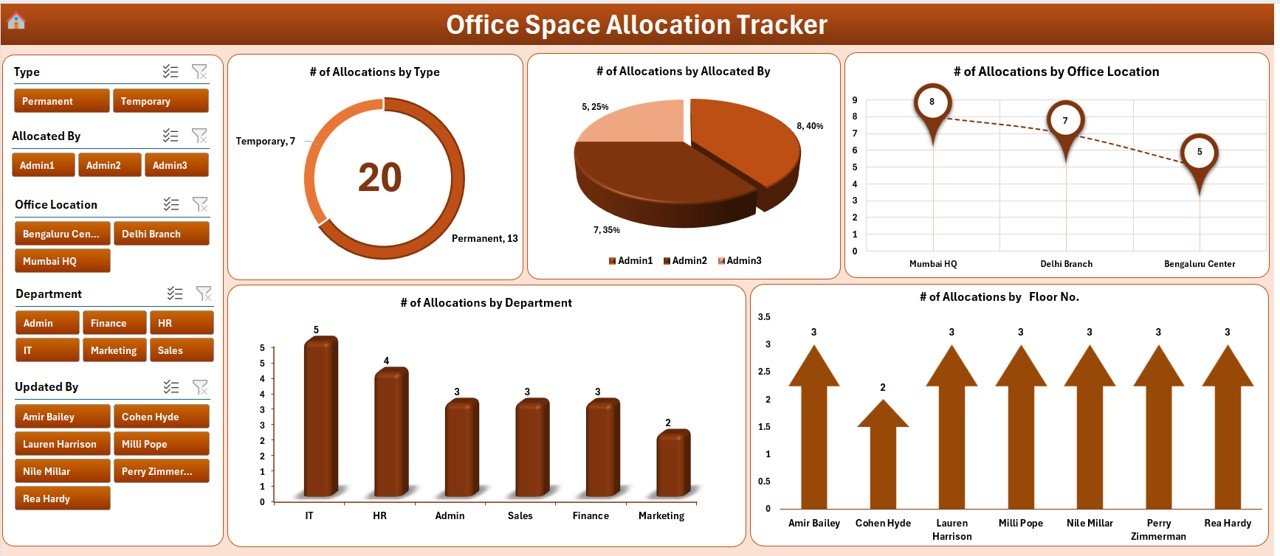
✅ Interactive Dashboard Sheet – 5 slicers and 5 charts showing allocations by type, department, floor, location, and manager/admin.
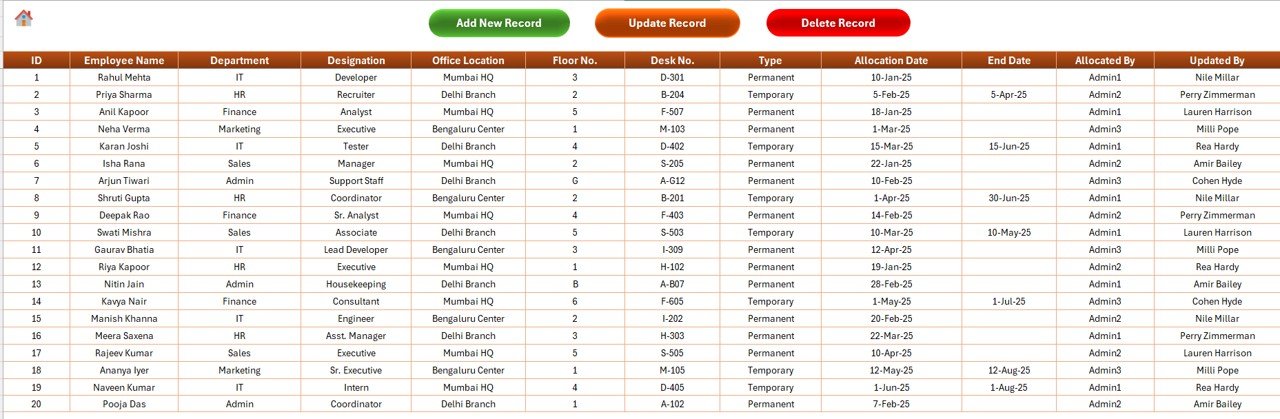
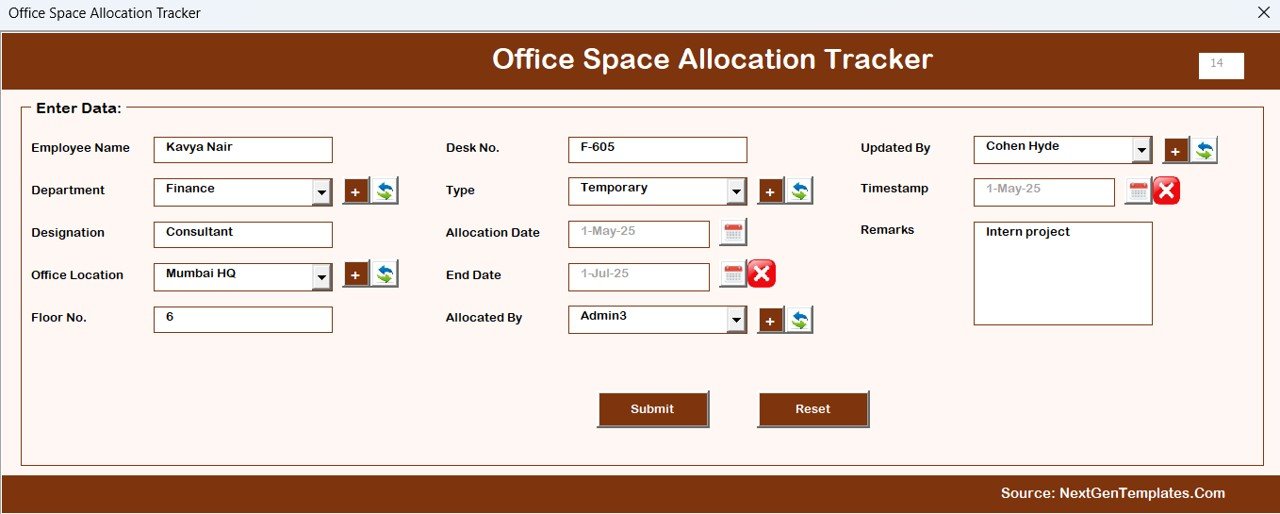
✅ Data Entry Sheet – Add, update, or delete employee allocations through simple forms.
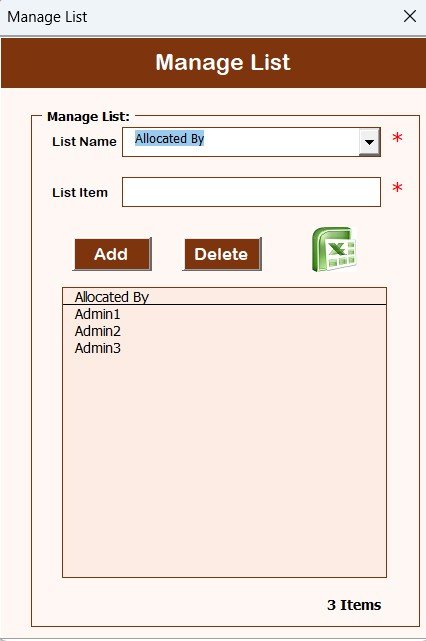
✅ Manage List Sheet – Maintain dropdown lists for departments, office locations, and allocation types.
✅ Support Sheet – Backend pivot tables powering the automated charts.
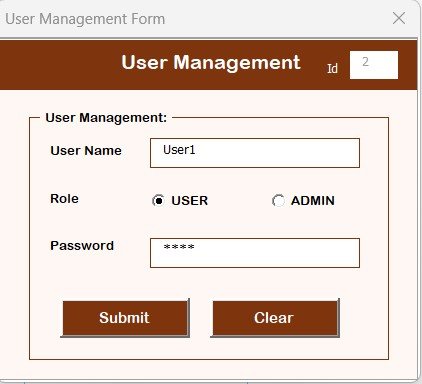
✅ User Management – Add, edit, or delete user accounts with access control.
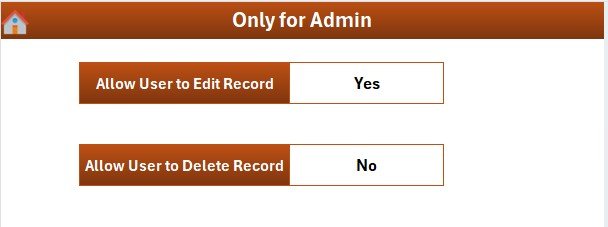
✅ Settings Sheet – Customize tracker settings for your business needs.
✅ Multi-User Access – Supports multiple logins for facility managers.
✅ Real-Time Updates – Dashboards refresh automatically when new data is entered.
📦 What’s Inside the Office Space Allocation Tracker
When you download this Excel-based tool, you get:
Login Form – Secure entry point with customizable user credentials.
Main Form – Easy navigation to dashboards, data entry, and settings.
Dashboard Sheet Tab – Visual overview with slicers and charts for quick insights.
Data Entry Sheet Tab – Manage office allocations (Add, Update, Delete) seamlessly.
Manage List Sheet Tab – Dropdown lists for consistency across records.
Support Sheet Tab – Backend system for pivot-driven automation.
User Management Feature – Role-based access control for security.
Settings Sheet – Adjust configurations for company-specific needs.
🛠️ How to Use the Office Space Allocation Tracker
Login Securely – Use unique credentials to access the tracker.
Set Up Lists – Define departments, office floors, and allocation types.
Add Employee Allocations – Record seat assignments with the Data Entry form.
Monitor with Dashboard – Use charts and slicers to analyze office space usage.
Update Records – Modify employee seat details as needed.
Manage Users – Assign facility managers or admins with controlled access.
Customize Settings – Adapt the system to match your company’s policies.
No advanced Excel knowledge required—this tool is plug-and-play and beginner-friendly.
👩💼 Who Can Benefit from This Tracker?
Facility Managers – Optimize seating plans and prevent overcrowding.
HR Professionals – Align employee allocations with department structures.
Office Administrators – Gain real-time visibility of space usage.
Finance Teams – Monitor cost efficiency and avoid wasted rental expenses.
SMBs & Large Corporations – Scalable for any office size.
Multi-Location Businesses – Manage allocations across HQ and branches.
With this tool, you can achieve cost savings, transparency, and efficiency in office space management.
👉 Click here to read the Detailed blog post
Visit our YouTube channel to learn step-by-step video tutorials
Watch the step-by-step video tutorial:
Compatibility and Requirements
- Works in Microsoft Excel desktop on Windows with macros enabled. It uses VBA, a login form and user forms, so it does not run in Excel for the web, Google Sheets or on mobile.
- Excel explains how to turn macros on in Enable or disable macros in Microsoft 365 files.
Frequently Asked Questions
What are the slicers and charts on the dashboard?
The Dashboard sheet has 5 slicers and 5 charts. They show allocations by type, department, floor, location and manager or admin.
Can more than one person log in?
Yes. The tracker supports multiple logins. The User Management feature lets you add, edit or delete user accounts with access control.
How do I add or change an employee allocation?
Use the Data Entry sheet. You can add, update or delete employee allocations through simple forms.
Can I change the dropdown lists?
Yes. The Manage List sheet holds the lists for departments, office locations and allocation types, so you can keep them in line with your company.
Is there a Google Sheets version?
Yes. See the Office Space Allocation Tracker in Google Sheets.
Related Office Space Templates
- Office Space Allocation Tracker in Google Sheets: the same tracker for Google Sheets
- Office Space Utilization Dashboard in Excel: a dashboard view of space usage
- Office Space Utilization Report in Excel: a report on how space is used
- Office Space Utilization Dashboard in Power BI: the Power BI edition
- Office Utilization Dashboard in Excel: office usage in one dashboard
Browse all Excel trackers and Excel VBA tools.




























Reviews
There are no reviews yet.