

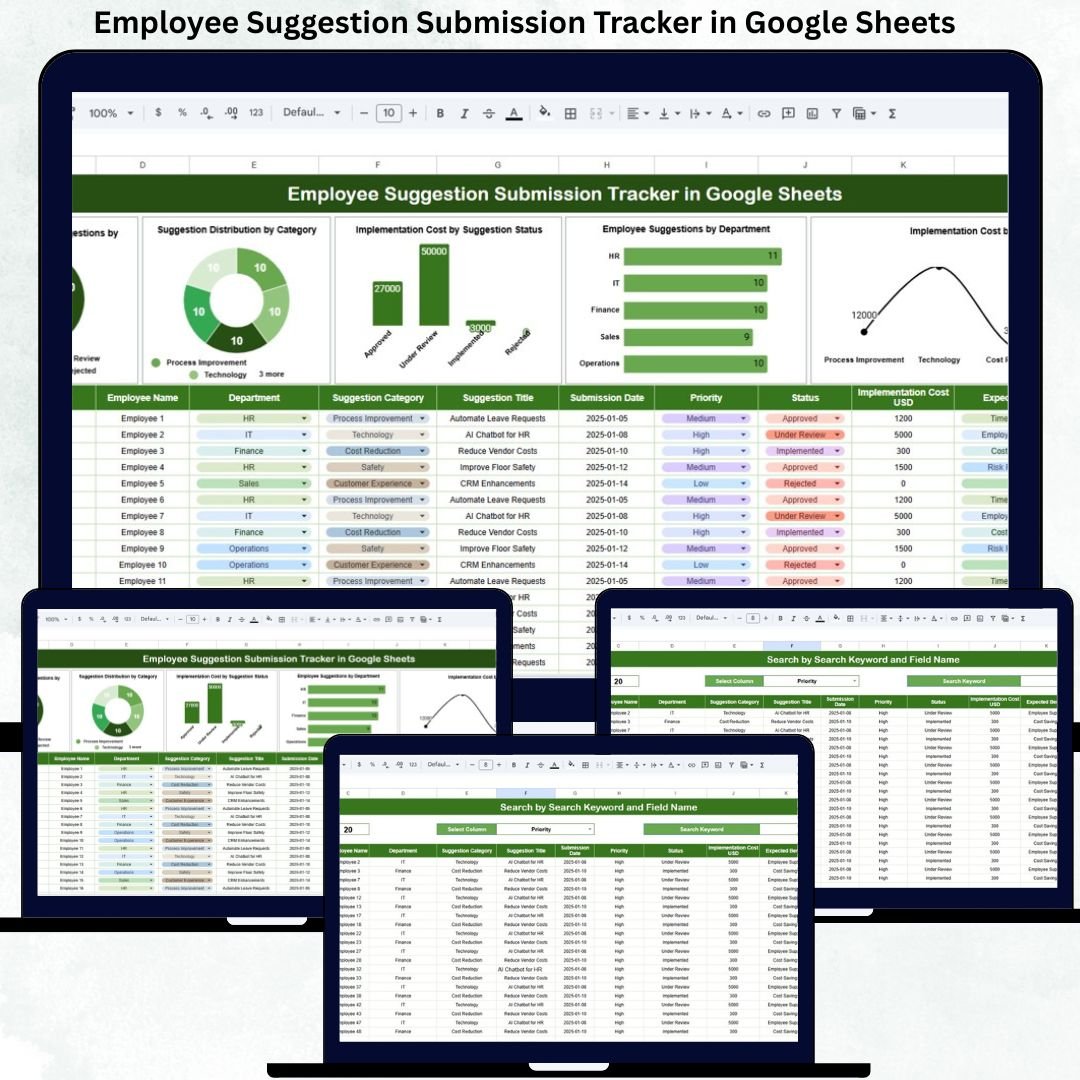

Employee ideas are one of the strongest drivers of innovation, efficiency, and workplace improvement. When employees feel encouraged to share suggestions, organizations gain valuable insights into process gaps, cost-saving opportunities, safety improvements, and employee experience enhancements. However, many organizations still rely on emails, paper forms, or unstructured spreadsheets to manage employee suggestions. As a result, ideas get lost, reviews are delayed, and employees feel unheard.
The Employee Suggestion Submission Tracker in Google Sheets solves this problem by providing a centralized, transparent, and easy-to-use system for collecting, tracking, and analyzing employee suggestions. This ready-to-use tracker helps organizations manage suggestions from submission to implementation while maintaining full visibility into status, category, department, and implementation cost.
🚀 Key Features of the Employee Suggestion Submission Tracker
💡 Centralized Idea Management
All employee suggestions are stored in one structured and secure location.
🔄 End-to-End Status Tracking
Track suggestions from Submitted to Implemented with complete transparency.
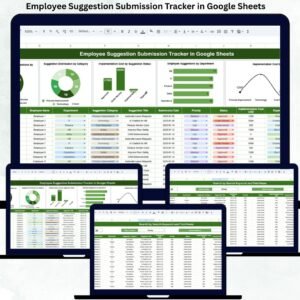
📊 Automated Charts & Insights
Visual dashboards help leaders identify trends and bottlenecks instantly.
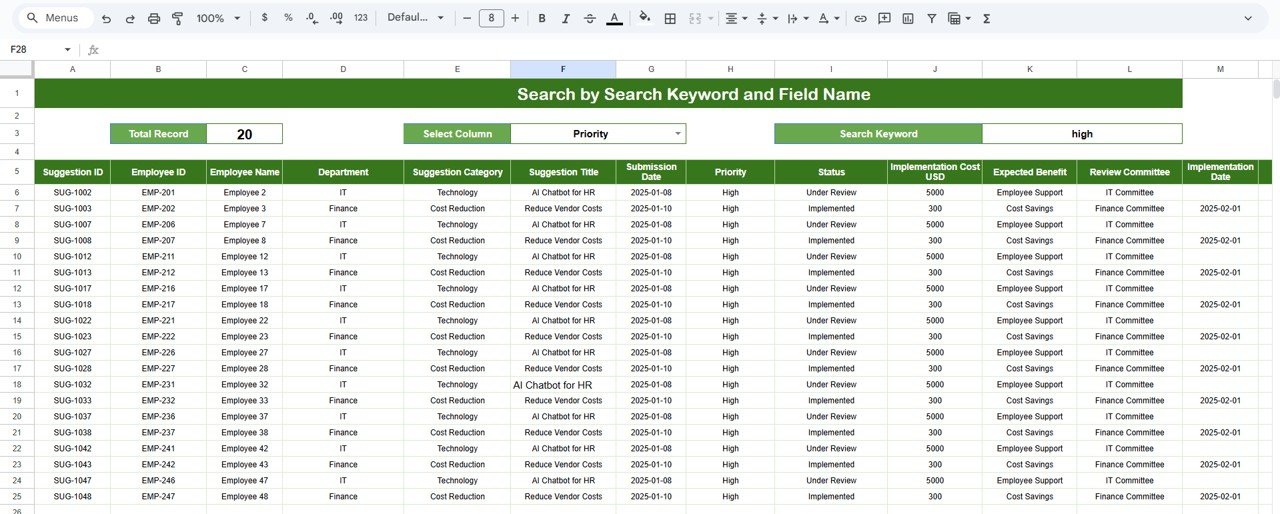
🔍 Smart Search Functionality
Find any suggestion in seconds using keyword and field-based search.
💰 Implementation Cost Tracking
Monitor budgets and control spending on improvement initiatives.
🤝 Real-Time Collaboration
Multiple users can work simultaneously without conflicts.
📦 What’s Inside the Employee Suggestion Submission Tracker
📋 Tracker Sheet Tab
This is the core data entry sheet where all employee suggestions are recorded.
Typical fields include:
Suggestion ID
Employee Name
Department
Suggestion Category
Suggestion Description
Submission Date
Suggestion Status (Submitted, Under Review, Approved, Implemented, Rejected)
Implementation Cost
Reviewer / Assigned Team
Comments
Once data is entered or updated, all charts refresh automatically. This eliminates manual reporting and ensures data accuracy.
📊 Charts Included in the Tracker
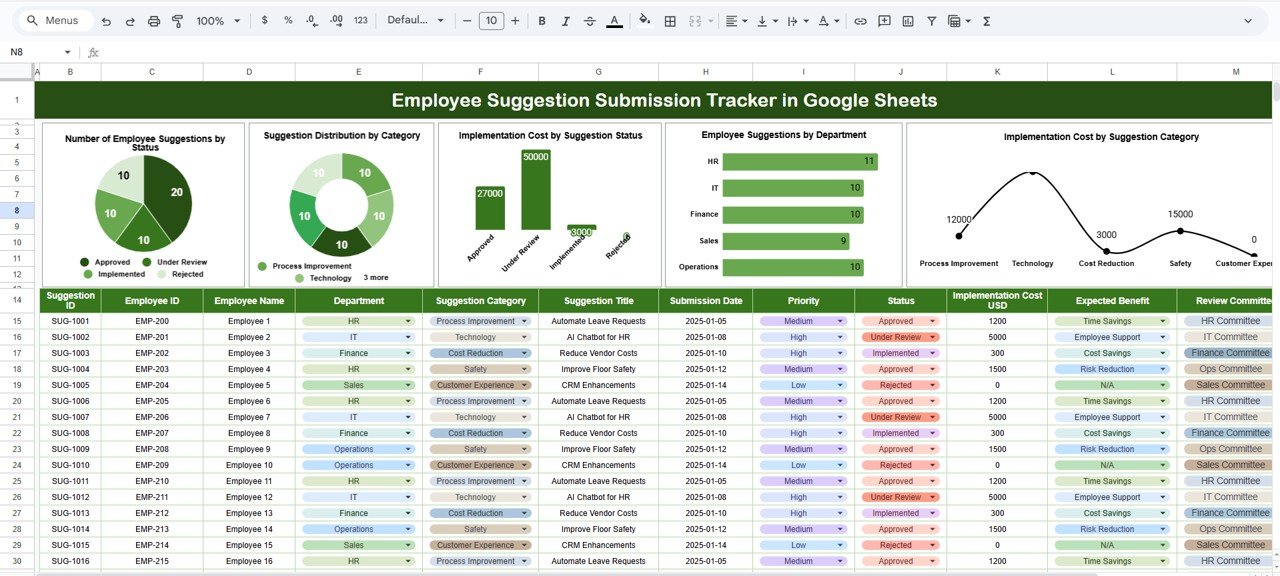
📌 Number of Employee Suggestions by Status
Shows how many suggestions are submitted, under review, approved, implemented, or rejected. This helps managers identify delays and backlogs quickly.
📌 Suggestion Distribution by Category
Visualizes ideas across categories such as Process Improvement, Cost Reduction, Safety, Technology, or Employee Welfare. It highlights where employees are most engaged.
📌 Implementation Cost by Suggestion Status
Compares costs across different statuses to improve budget control and planning.
📌 Employee Suggestions by Department
Shows which departments actively contribute ideas and which may need engagement support.
📌 Implementation Cost by Suggestion Category
Helps leaders balance cost versus impact and prioritize high-value ideas.
🛠️ How to Use the Employee Suggestion Submission Tracker
1️⃣ Encourage employees to submit ideas regularly
2️⃣ Record suggestions in the Tracker Sheet
3️⃣ Assign reviewers and update statuses
4️⃣ Track implementation cost and progress
5️⃣ Review charts weekly or monthly
6️⃣ Share implemented success stories
👥 Who Can Benefit from This Tracker
👩💼 HR Teams
🏭 Continuous Improvement Teams
🧑💼 Department Managers
🏢 Operations Teams
📊 Senior Leadership
### Click here to read the Detailed blog post
Watch the step-by-step video tutorial:
Visit our YouTube channel to learn step-by-step video tutorials
👉 https://youtube.com/@NeotechNavigators
Compatibility and Requirements
- Works in Google Sheets. You need a free Google account and a web browser.
- Several people can work in the same file at the same time. Google explains how to start in Create, view, and edit files in Google Sheets.
Frequently Asked Questions
What does the tracker record for each suggestion?
The Tracker sheet has fields for Suggestion ID, employee name, department, category, description, submission date, status, implementation cost, reviewer or assigned team, and comments.
Which statuses can I use?
Submitted, Under Review, Approved, Implemented and Rejected.
Which charts are included?
Five charts: suggestions by status, distribution by category, implementation cost by status, suggestions by department, and implementation cost by category.
Do the charts update by themselves?
Yes. When you enter or change data on the Tracker sheet, the charts refresh automatically.
Can I find a single suggestion quickly?
Yes. The template has a search function that finds suggestions by keyword and by field.
Related HR and Feedback Templates
- Employee Complaint Resolution Tracker in Google Sheets: track complaints through to resolution
- Employee Feedback Form Template in MS Word and Google Docs: a form for collecting employee feedback
- Employee Productivity Dashboard in Google Sheets: a dashboard for team output
- Employee Onboarding Tracker in Google Sheets: follow new hires through onboarding
- HR Google Sheets Pack: 10 HR templates for Google Sheets in one download
Browse all Google Sheets trackers and HR and payroll templates in Google Sheets.
































Reviews
There are no reviews yet.