

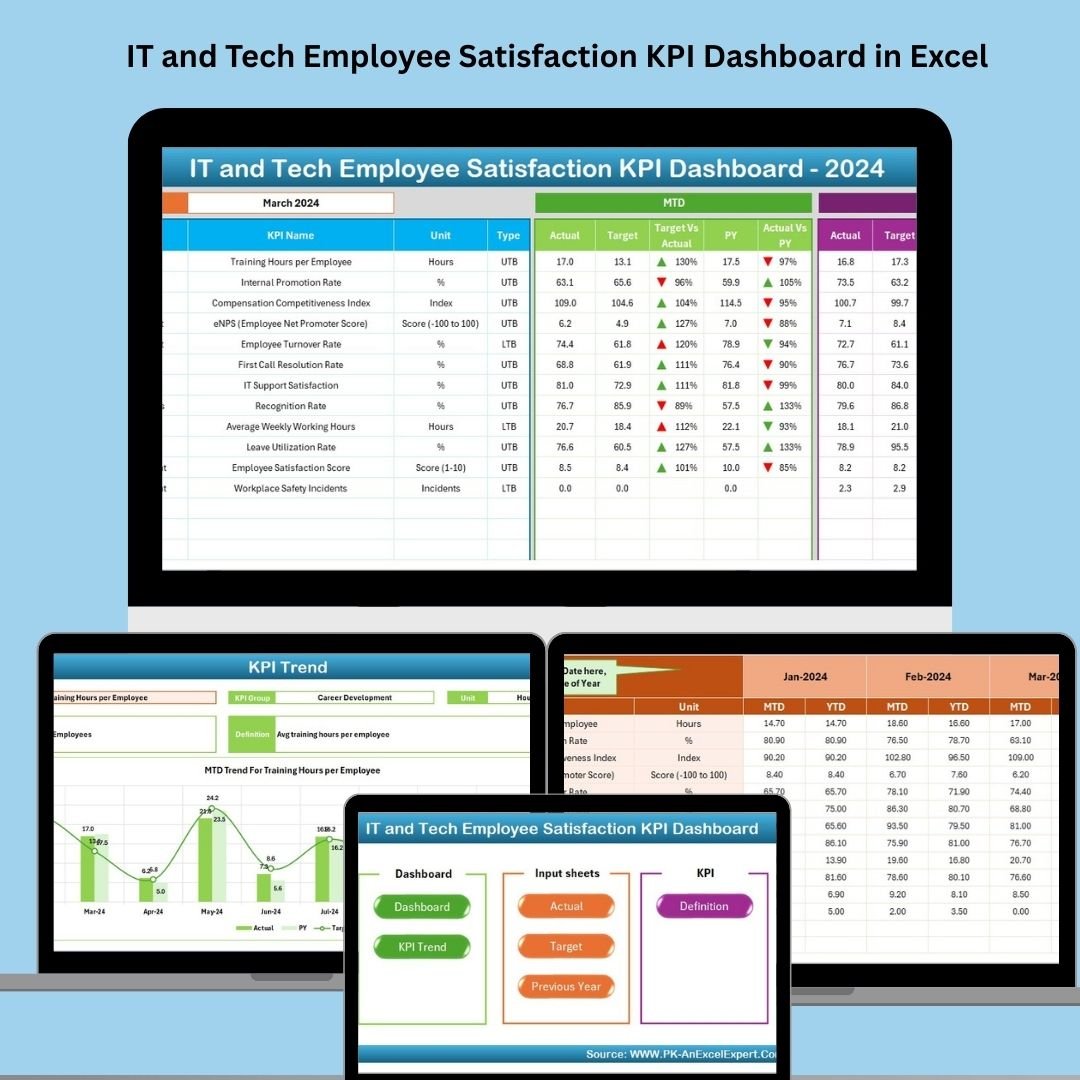

In the ever-evolving tech world, your best asset isn’t code—it’s your people. Keeping top IT talent happy, productive, and motivated requires more than casual check-ins. That’s why we created the IT and Tech Employee Satisfaction KPI Dashboard in Excel—a fully automated and visual solution to monitor employee happiness, engagement, and retention metrics in one place! 💻📈
Whether you’re managing a startup or an enterprise IT team, this dashboard gives HR professionals and managers the power to make data-driven decisions for a healthier, more loyal tech workforce.
✨ Key Features of the IT & Tech Satisfaction Dashboard
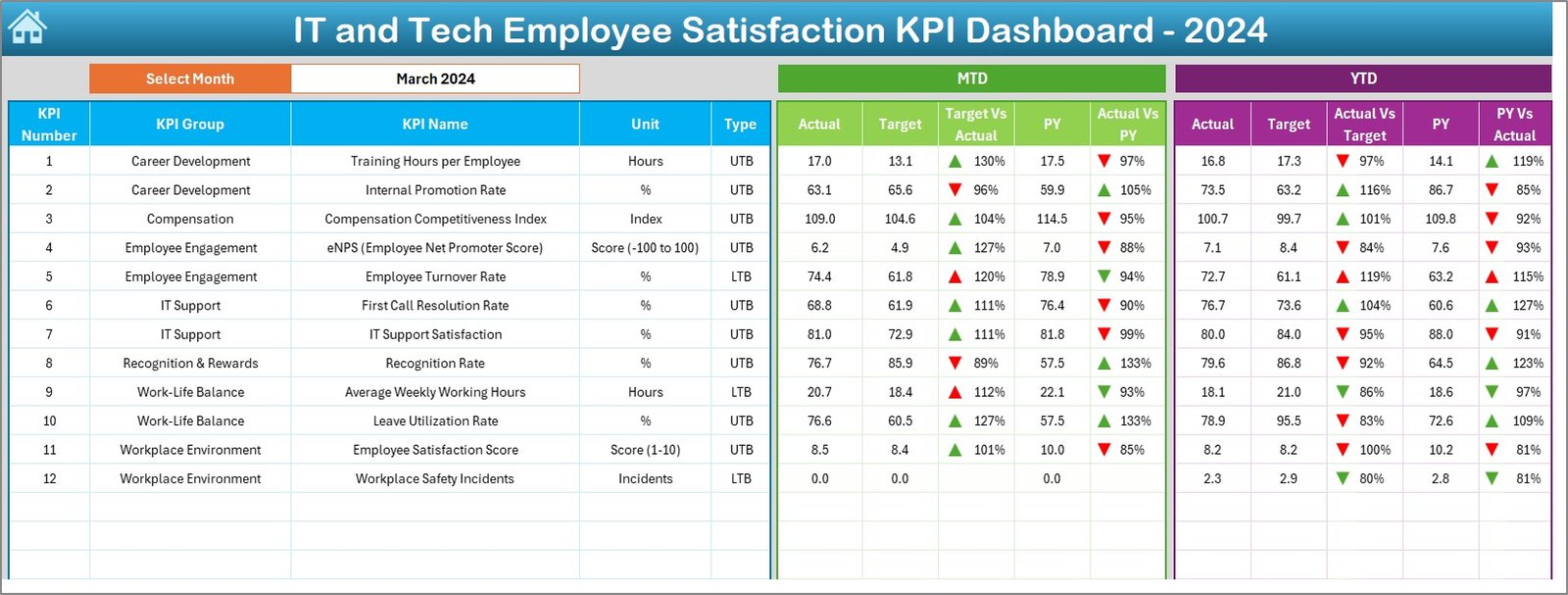
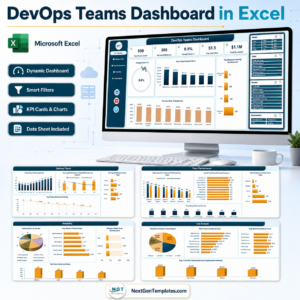
📊 Real-Time Dashboard with Monthly Filters
Track performance with ease using dropdown-based navigation for any month. See MTD, YTD, Target, and Previous Year comparisons with up/down indicators for instant clarity.
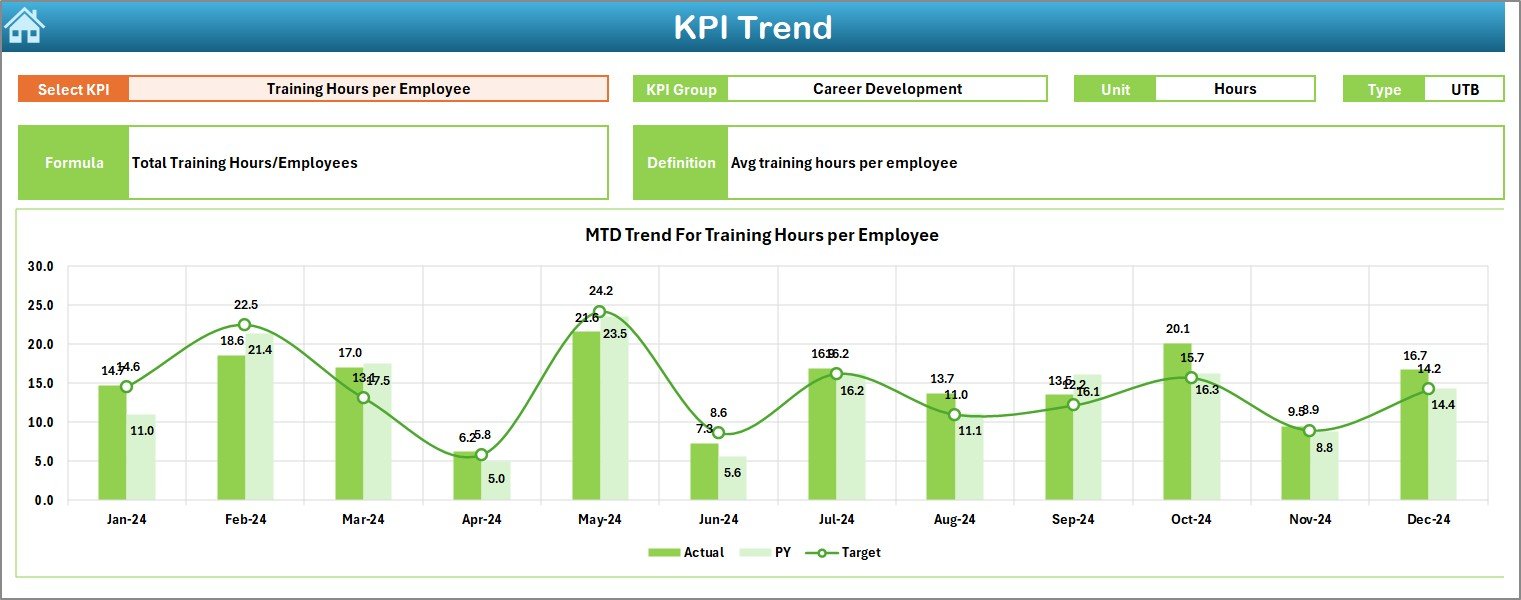
📈 KPI Trend Sheet for Deeper Insights
Select any KPI to explore monthly and yearly trends—perfect for spotting dips in engagement or peaks in productivity.
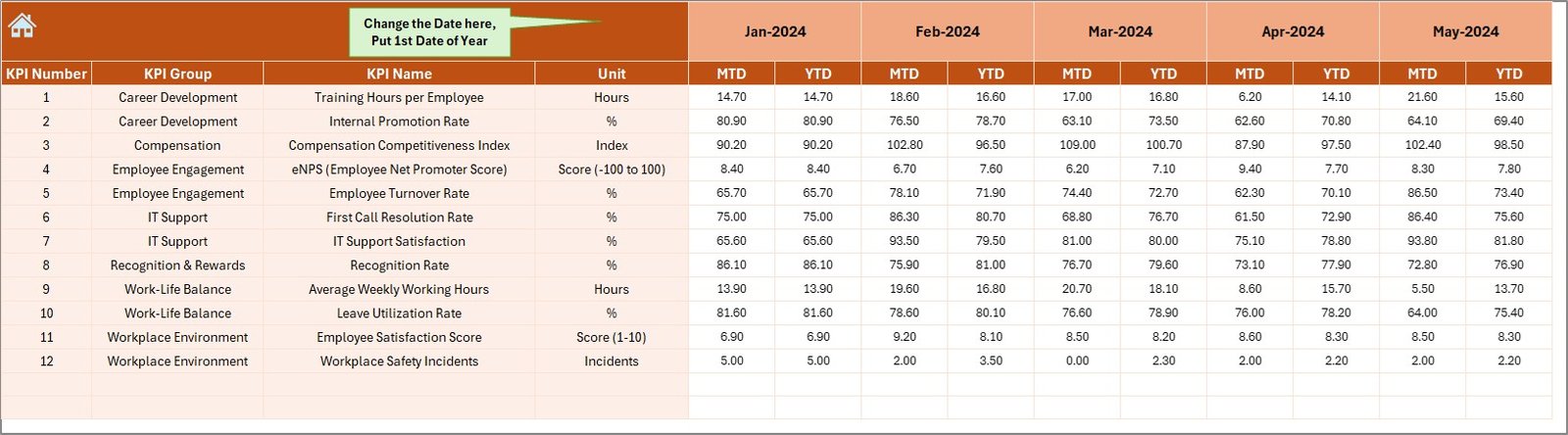
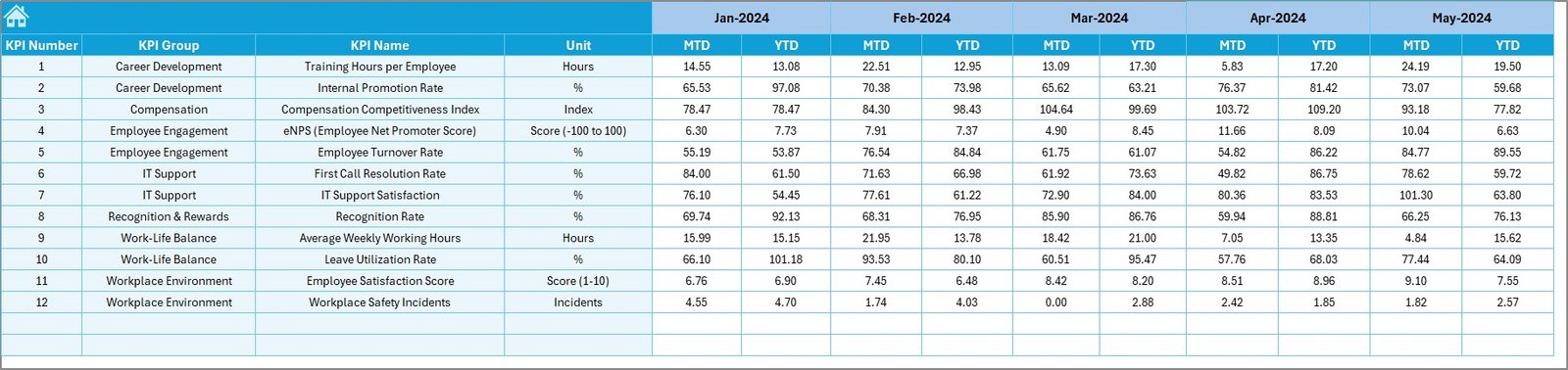
📋 Actual Numbers Input Sheet
Update performance values monthly with clearly structured rows and editable month columns.
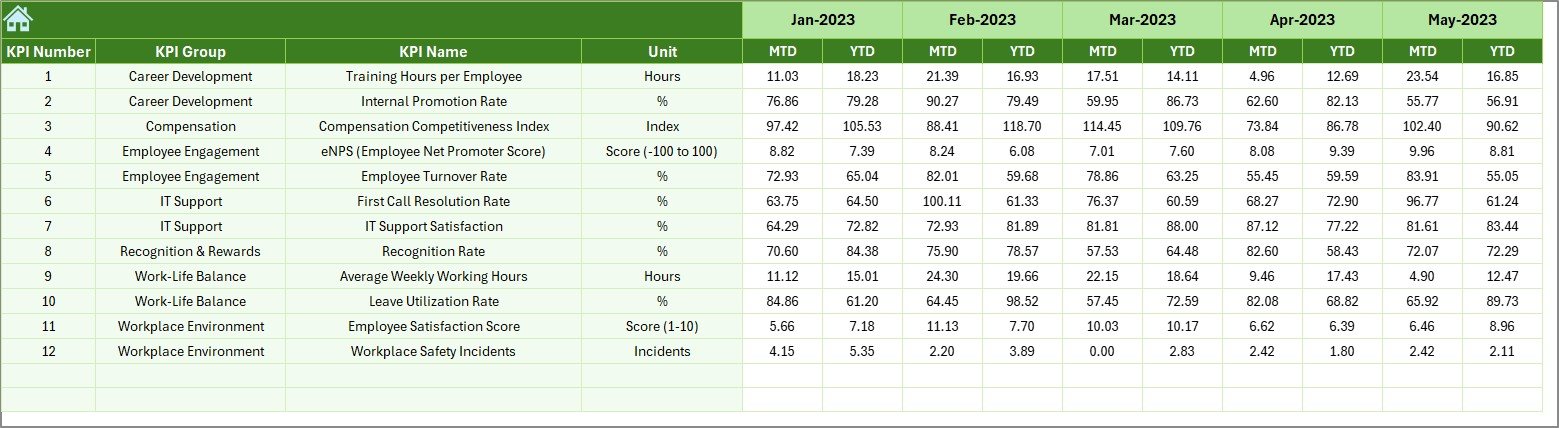
🎯 Target & Previous Year Sheets
Benchmark your goals with yearly and monthly targets. Compare with historical values to track progress and uncover issues.
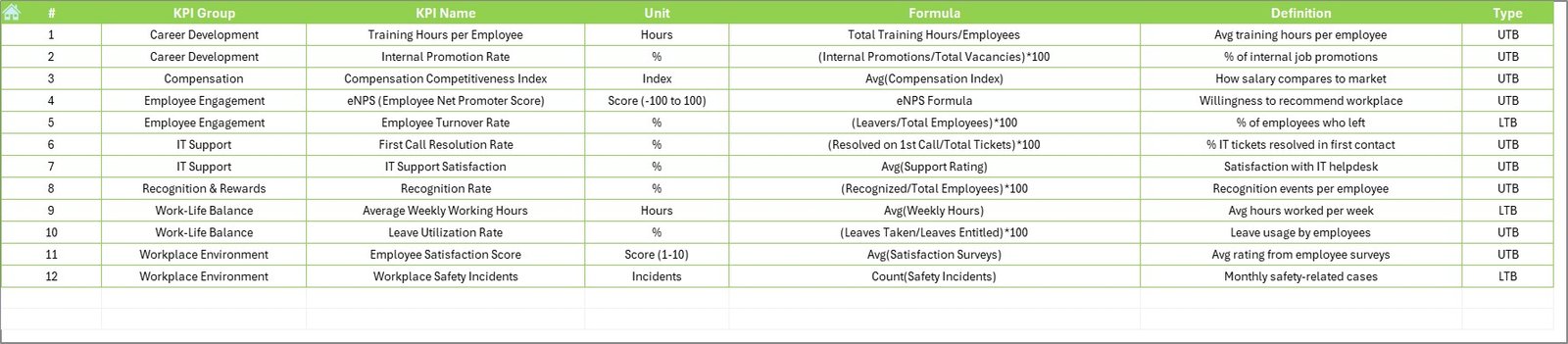
📚 KPI Definition Sheet
Understand every metric clearly with definitions, formulas, units, and performance types (UTB/LTB).
🏠 Home Sheet – One-Click Navigation
Switch between dashboard views, input sheets, and KPI definitions instantly from your homepage panel.
⚙️ Fully Customizable
Add or modify KPIs, insert departmental filters, or connect live data via Power Query or VBA.
📦 What’s Inside the Dashboard
✅ Dashboard Sheet with visual cues and dropdown filters
✅ Trendline Sheet for monthly and yearly tracking
✅ Input Sheet for actual performance data
✅ Target and Previous Year Sheets for benchmarks
✅ KPI Definition Sheet to standardize understanding
✅ Home Sheet for easy navigation
✅ Conditional formatting, up/down arrows, and charts
✅ Drop-downs for easy customization
🛠️ How to Use the Product
Download and unzip the file
Open the Excel workbook and enable macros
Head to the Home Sheet to start navigating
Enter actuals in the Input Sheet each month
Set monthly/yearly targets and compare with previous year data
Watch the dashboard update automatically—no coding needed!
You can also edit the KPI list and add team-level filters for a more granular view.
🎯 Who Can Benefit from This Dashboard?
👩💻 IT Managers & Team Leads
Quickly assess team satisfaction and spot issues early.
🧑🔧 HR Professionals in Tech Companies
Monitor engagement and optimize retention strategies.
🧠 Data-Driven Organizations
Use insights to drive action across departments.
🏢 Startups & Enterprises Alike
Whether scaling or stabilizing, this tool adapts to your needs.
🔗 Click here to read the Detailed blog post
📺 Visit our YouTube channel to learn step-by-step video tutorials
Watch the step-by-step video tutorial:
Compatibility and Requirements
- Works in Microsoft Excel desktop (Excel 2016 or later, or Microsoft 365).
- You pick the month from a dropdown on the Dashboard sheet. Microsoft explains dropdowns in Create a drop-down list.
Frequently Asked Questions
Which sheets are included?
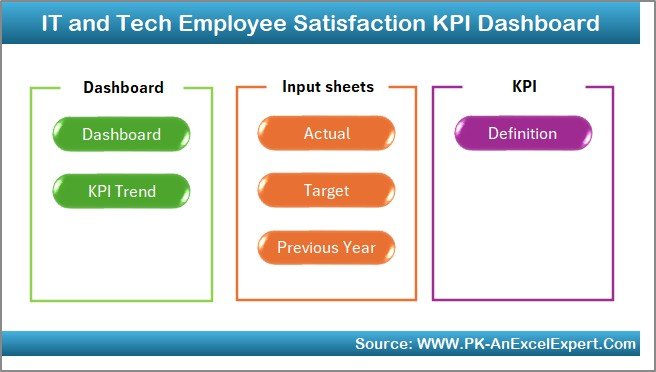
The workbook has a Home sheet, a Dashboard sheet, a KPI Trend sheet, an Actual Numbers input sheet, a Target sheet, a Previous Year sheet and a KPI Definition sheet.
How do I update the dashboard each month?
Enter the actual values in the Input sheet and set your monthly and yearly targets. Then choose the month on the Dashboard sheet and it updates.
Can I compare results with last year?
Yes. Add last year’s values to the Previous Year sheet. The Dashboard shows MTD, YTD, Target and Previous Year figures with up and down indicators.
How do I see the trend for a single KPI?
Open the KPI Trend sheet and select the KPI. It shows the monthly and yearly trend for that metric.
Can I add my own KPIs?
Yes. You can add or change KPIs and add team-level filters. The KPI Definition sheet lists the formula, unit and type (UTB or LTB) for each metric.
Related HR and Satisfaction Templates
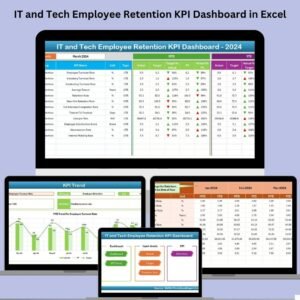
- IT and Tech Employee Retention KPI Dashboard in Excel: retention KPIs for the same IT and tech teams
- Employee Satisfaction Dashboard in Excel: a general satisfaction dashboard for any team
- Employee Satisfaction Dashboard in Power BI: the same topic in Power BI
- Employee Satisfaction Dashboard in Google Sheets: the same topic in Google Sheets
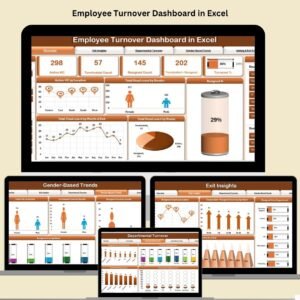
- Employee Turnover Dashboard in Excel: track turnover alongside satisfaction
Browse all Excel KPI dashboards and Excel IT templates.

















Reviews
There are no reviews yet.