


Home Décor Stores Dashboard has evolved rapidly. Customers expect stylish collections, competitive pricing, and seamless shopping experiences—both online and in-store. At the same time, store owners must manage marketing costs, promotions, operating expenses, and profit margins carefully. However, when sales and cost data stay scattered across Excel files, POS systems, and reports, decision-making becomes slow and unclear.
That is exactly why the Home Décor Stores Dashboard in Power BI becomes an essential retail analytics solution 🚀.
This ready-to-use Power BI dashboard transforms raw home décor retail data into clear, interactive, and actionable insights. Instead of manually reviewing multiple reports, store owners and managers gain a centralized view of sales performance, marketing cost, operating cost, gross profit, promotions, regions, and trends—all in one professional dashboard.
Because the dashboard runs on Power BI, users can apply slicers, filter data instantly, and drill into details without technical complexity. As a result, retailers move from reactive reporting to proactive, data-driven decision-making.
Whether you manage a single home décor store or a growing retail chain, this dashboard helps you improve visibility, protect margins, and scale operations with confidence.
🔑 Key Features of Home Décor Stores Dashboard in Power BI

🏡 Centralized Retail Performance View – Track sales, costs, and profit in one dashboard
📊 Interactive Slicers & Filters – Analyze data by customer type, product category, region, promotion, and month
💰 Marketing & Operating Cost Tracking – Control expenses with clarity
📈 Gross Profit Analysis – Identify high-margin channels and regions
🎯 Promotion Performance Insights – Focus on campaigns that deliver real value
🌍 Region-Wise Performance Comparison – Understand geographic demand and cost behavior
⚡ Real-Time Power BI Refresh – Always work with up-to-date data
🧩 Scalable & Flexible Design – Easy to customize as the business grows
📂 What’s Inside the Home Décor Stores Dashboard in Power BI
This digital product includes five professionally designed analytical pages, each answering a specific retail business question:
📌 Overview Page – Executive snapshot with KPI cards and charts for marketing cost, operating cost, and gross profit
📌 Product Category Analysis Page – Analyze marketing and operating costs by décor category
📌 Promotion Type Analysis Page – Evaluate profit, marketing cost, and operating cost by promotion type
📌 Region Analysis Page – Compare gross profit, marketing cost, and average bill value across regions
📌 Monthly Trends Page – Track net sales, operating cost, and gross profit trends over time
All pages are fully interactive and respond instantly to slicer selections.
🛠️ How to Use the Home Décor Stores Dashboard in Power BI
Using this dashboard is simple and business-friendly:
1️⃣ Connect your retail data from Excel, POS, or ERP systems
2️⃣ Refresh the Power BI dashboard
3️⃣ Use slicers to filter by category, region, promotion type, customer type, or month
4️⃣ Start with the Overview Page for instant performance clarity
5️⃣ Drill into categories, promotions, and regions
6️⃣ Review monthly trends for forecasting and planning
7️⃣ Share insights with marketing, finance, and operations teams
No manual consolidation. No complex setup. Just fast, reliable retail insights.
👥 Who Can Benefit from This Home Décor Stores Dashboard in Power BI
This dashboard is ideal for:
🏡 Home Décor Store Owners – Monitor profitability and cost efficiency
📊 Retail & Store Managers – Track performance across categories and regions
📢 Marketing Teams – Optimize promotion and campaign spend
💰 Finance & Accounting Teams – Control operating and marketing costs
📈 Business Analysts & Consultants – Deliver data-driven retail insights
🏢 Multi-Store Retail Chains – Compare stores and scale with confidence
Because of its flexibility, the dashboard works for both small retailers and large home décor brands.
📘 Click here to read the detailed blog post
▶️ Visit our YouTube channel to learn step-by-step video tutorials
Watch the step-by-step video tutorial:
Compatibility and Requirements
- Works in Power BI Desktop, which is free to download from Microsoft. Microsoft explains the install in Get Power BI Desktop.
- You connect your own retail data from Excel, POS or ERP systems, then refresh the dashboard.
Frequently Asked Questions
Which pages are included?
Five pages: Overview, Product Category Analysis, Promotion Type Analysis, Region Analysis and Monthly Trends.
Which data sources can I connect?
You can connect retail data from Excel, POS or ERP systems, then refresh the Power BI dashboard.
Can I filter the data?
Yes. Slicers let you filter by customer type, product category, region, promotion type and month. All five pages respond to your selections.
What does the dashboard measure?
It shows marketing cost, operating cost, gross profit, net sales and average bill value. You can compare them by category, promotion type, region and month.
Is there an Excel version?
Yes. See the Home Décor Stores Dashboard in Excel.
Related Home Décor and Retail Templates
- Home Décor Stores Dashboard in Excel: the same dashboard in Excel
- Home Decor Stores KPI Dashboard in Power BI: a KPI-focused view for home décor stores
- Home Decor Stores KPI Dashboard in Excel: the KPI dashboard for Excel users
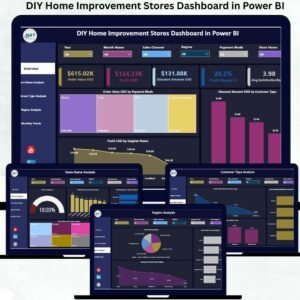
- DIY Home Improvement Stores Dashboard in Power BI: a similar retail dashboard for home improvement stores
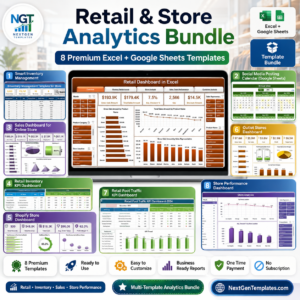
- Retail & Store Analytics Bundle: 8 retail templates in one download
Browse all Power BI dashboards.







Reviews
There are no reviews yet.