



The Holiday Card Sending Checklist in Excel is the perfect tool for individuals, businesses, or organizations looking to stay organized during the busy holiday season. Whether you’re sending cards to family, friends, clients, or employees, this easy-to-use Excel checklist helps you manage and track your holiday card sending process, ensuring that no one is left out.
With customizable fields, automatic tracking, and a user-friendly layout, this tool helps you plan and manage the holiday card process from start to finish. From tracking recipient addresses to noting down sent dates and personalized messages, this checklist ensures that your holiday greetings are sent on time and to the right people.

Key Features of the Holiday Card Sending Checklist in Excel:
📅 Recipient Tracking
Keep track of all recipients and their addresses in one place. Easily categorize them into groups, such as family, friends, employees, and clients, for more personalized and organized sending.
💌 Send Date and Message Tracking
Track when each card was sent and the message you included to ensure you don’t forget anyone and maintain a personal touch in each card.
🎁 Personalized Notes
Add columns for notes, such as special messages or details about each recipient, making it easy to tailor your cards for everyone on your list.
📝 Holiday Card Budget Management
Manage your budget by tracking the cost of cards, stamps, and any additional expenses to keep your holiday spending in check.
🔄 Automatic Updates
Easily update the status of each recipient, such as “Sent” or “Pending,” and track your progress toward completing your holiday card list.
🚀 Why You’ll Love the Holiday Card Sending Checklist in Excel:
✅ Stay Organized – Organize your holiday card sending process by keeping track of recipient addresses, messages, and send dates.
✅ Save Time and Reduce Stress – Avoid the last-minute rush by staying on top of your card-sending tasks with a simple, easy-to-use checklist.
✅ Budget-Friendly – Track costs related to holiday cards and stamps, ensuring you stay within budget for your holiday greetings.
✅ Personalize Your Cards – Add personal notes and details for each recipient, making every card feel thoughtful and unique.
✅ Never Miss a Card – Keep a complete record of whom you’ve sent cards to, and easily check off recipients to ensure no one is overlooked.
✅ Simple and Customizable – Customize the checklist to suit your needs, whether you’re sending a few cards or a large batch to clients, employees, and family.
What’s Inside the Holiday Card Sending Checklist in Excel:
- Recipient List: Track the names, addresses, and categories of all recipients (e.g., family, friends, colleagues, clients).
- Send Date Tracker: Log when each card was sent, ensuring timely delivery for the holidays.
- Personalized Message Tracker: Track the personalized message or greetings you included for each recipient.
- Budget Tracking: Monitor costs related to cards, postage, and any other expenses associated with sending your holiday greetings.
- Progress Tracker: Track the status of each card (Sent, Pending, etc.), so you can easily stay organized as you go.
- Notes Section: Add any additional notes, such as special instructions or details for each recipient.
How to Use the Holiday Card Sending Checklist in Excel:
1️⃣ Download the Template – Access your Excel file instantly upon purchase.
2️⃣ Add Your Recipients – Enter names, addresses, and categories for your recipients to get started.
3️⃣ Track Card Details – Fill in the date sent, message, and any personalized notes for each recipient.
4️⃣ Monitor Your Progress – Keep track of who has received their card and who still needs to be sent.
5️⃣ Stay Within Budget – Use the budgeting section to track costs and ensure you don’t overspend on your holiday cards.
Who Can Benefit from the Holiday Card Sending Checklist in Excel:
- Individuals and Families
- Small Business Owners
- HR and Marketing Teams
- Customer Relations Managers
- Event Planners
- Anyone who enjoys sending holiday cards
The Holiday Card Sending Checklist in Excel helps streamline your holiday card process, ensuring you never miss anyone and that your greetings are personalized and sent on time.
Click here to read the Detailed blog post
https://www.pk-anexcelexpert.com/holiday-card-sending-checklist-in-excel/
Visit our YouTube channel to learn step-by-step video tutorials
Youtube.com/@PKAnExcelExpert
Compatibility and Requirements
- Works in Microsoft Excel desktop (Excel 2016 or later, or Microsoft 365).
- New to Excel? Microsoft’s free Excel for Windows training covers the basics.
Frequently Asked Questions
What can I track in the Holiday Card Sending Checklist?
Recipient names, addresses and groups, send dates, the message for each card, notes, costs and a Sent or Pending status.
Can I group recipients?
Yes. You can sort recipients into groups such as family, friends, employees and clients.
Does it track costs?
Yes. You record the cost of cards, stamps and other expenses to keep holiday spending in check.
Does it work for business card lists?
Yes. It suits a few personal cards or a large batch for clients and employees.
Related Holiday Templates
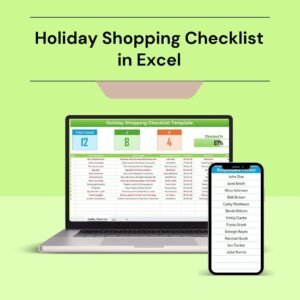
- Holiday Shopping Checklist in Excel: plan holiday gifts and purchases
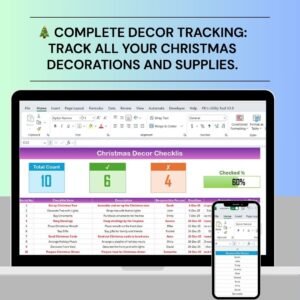
- Christmas Decor Checklist in Excel: plan holiday decorations
- Holiday & Christmas Budget Tracker in Google Sheets: track holiday spending in a browser
- Dynamic Holiday and Event Calendar in Google Sheets: plan holiday dates on a calendar
- Checklist & SOP Pack: 12 checklist templates in one download
Browse all Excel checklists or the Excel calendars.































Reviews
There are no reviews yet.