


Managing hedge fund performance without real-time visibility often leads to delayed decisions, hidden risks, and missed growth opportunities. When teams depend on static reports or disconnected spreadsheets, understanding AUM, NAV, returns, and fund activity becomes slow and reactive.
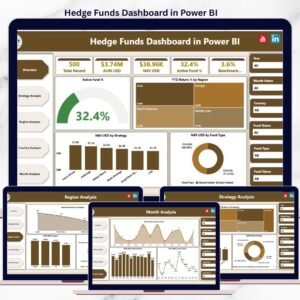
The Hedge Funds Dashboard in Power BI is a ready-to-use, professional analytics solution designed to give hedge fund managers, analysts, and leadership teams instant clarity across strategies, regions, countries, and time periods.
This Power BI dashboard transforms raw hedge fund data into interactive KPIs, dynamic visuals, and actionable insights—all in one centralized platform. With built-in slicers, trend analysis, and automated refresh, it enables faster, more confident, and data-driven investment decisions.
🚀 Key Features of Hedge Funds Dashboard in Power BI
📊 Centralized Hedge Fund Performance View
Track AUM, NAV, active funds, benchmark returns, and YTD returns in one dashboard.
🎯 Interactive Power BI Slicers
Analyze performance by strategy, region, country, and month instantly.
📈 Five Dedicated Analysis Pages
Overview, Strategy Analysis, Region Analysis, Country Analysis, and Month Analysis.
⚡ Real-Time & Automated Refresh
Always work with the latest hedge fund data.
🔍 Multi-Dimensional Performance Insights
Compare strategies, geographies, and time-based trends with ease.
🔐 Enterprise-Ready Power BI Design
Clean, professional layout suitable for leadership and investor reviews.
🎨 Decision-Focused Visuals
KPI cards, charts, and trends designed for clarity and speed.
📦 What’s Inside the Hedge Funds Dashboard in Power BI
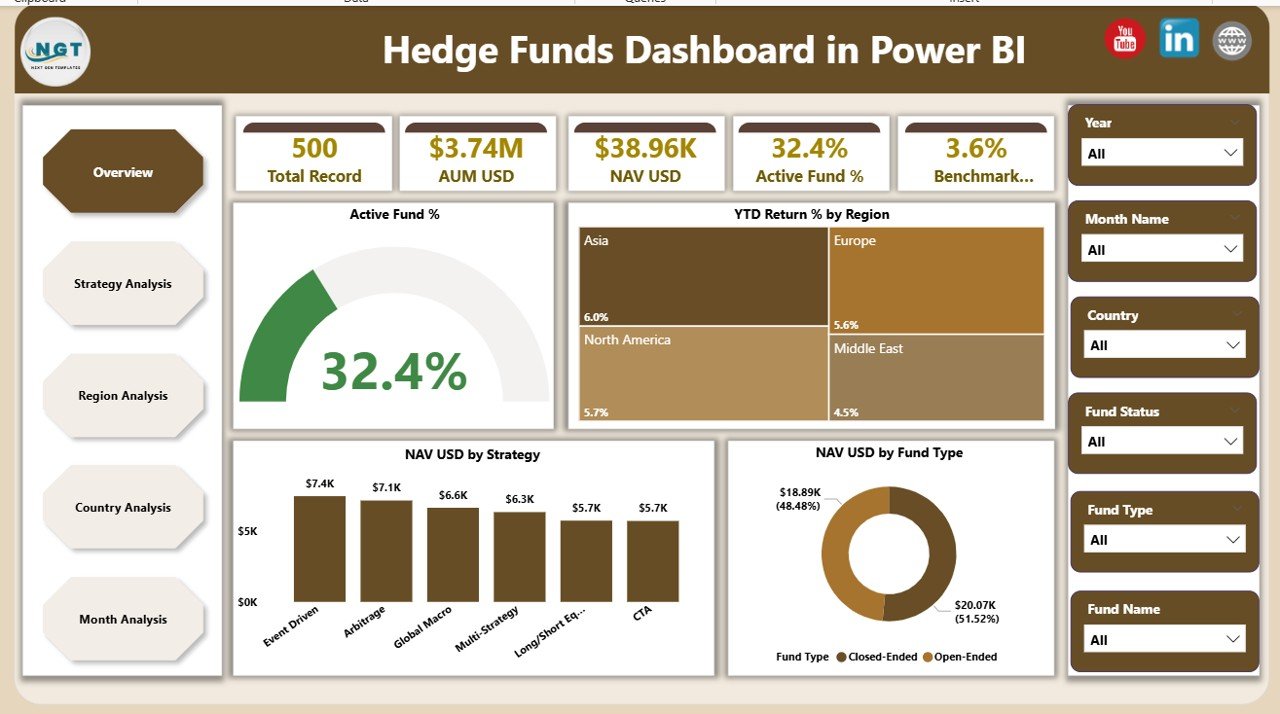
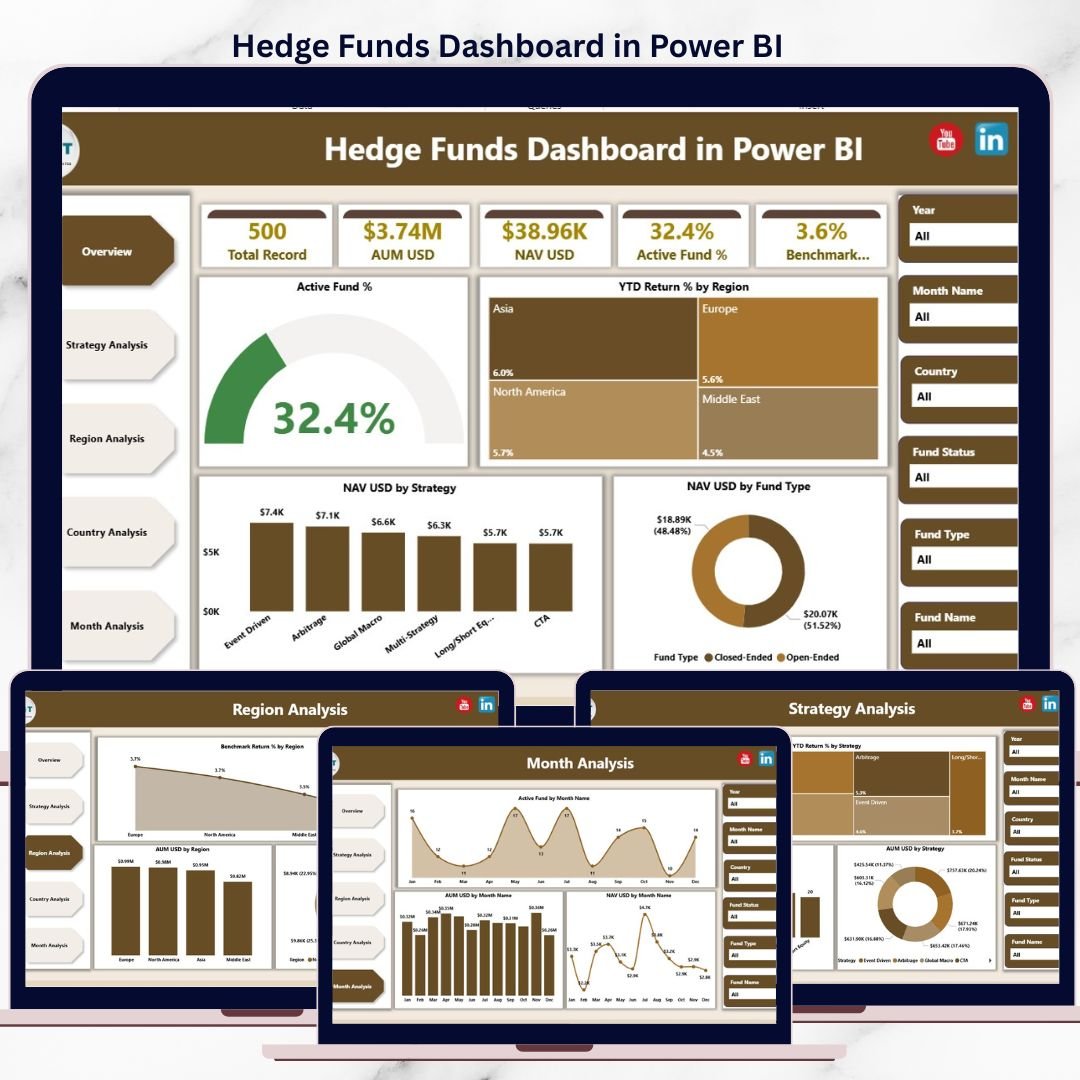
📁 Overview Page
High-level snapshot of overall hedge fund performance, including:
Active Fund %
YTD Return % by Region
NAV USD by Strategy
NAV USD by Fund Type
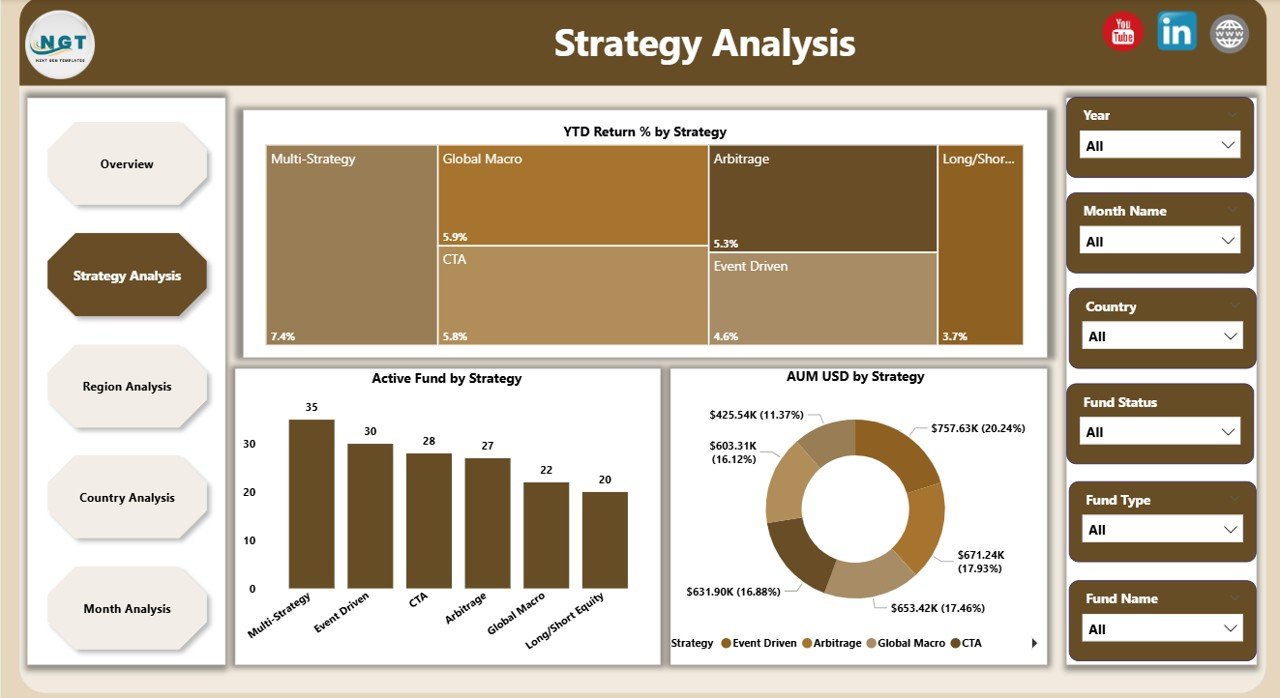
📁 Strategy Analysis Page
Evaluate hedge fund strategies using:
YTD Return % by Strategy
AUM USD by Strategy
Active Fund by Strategy
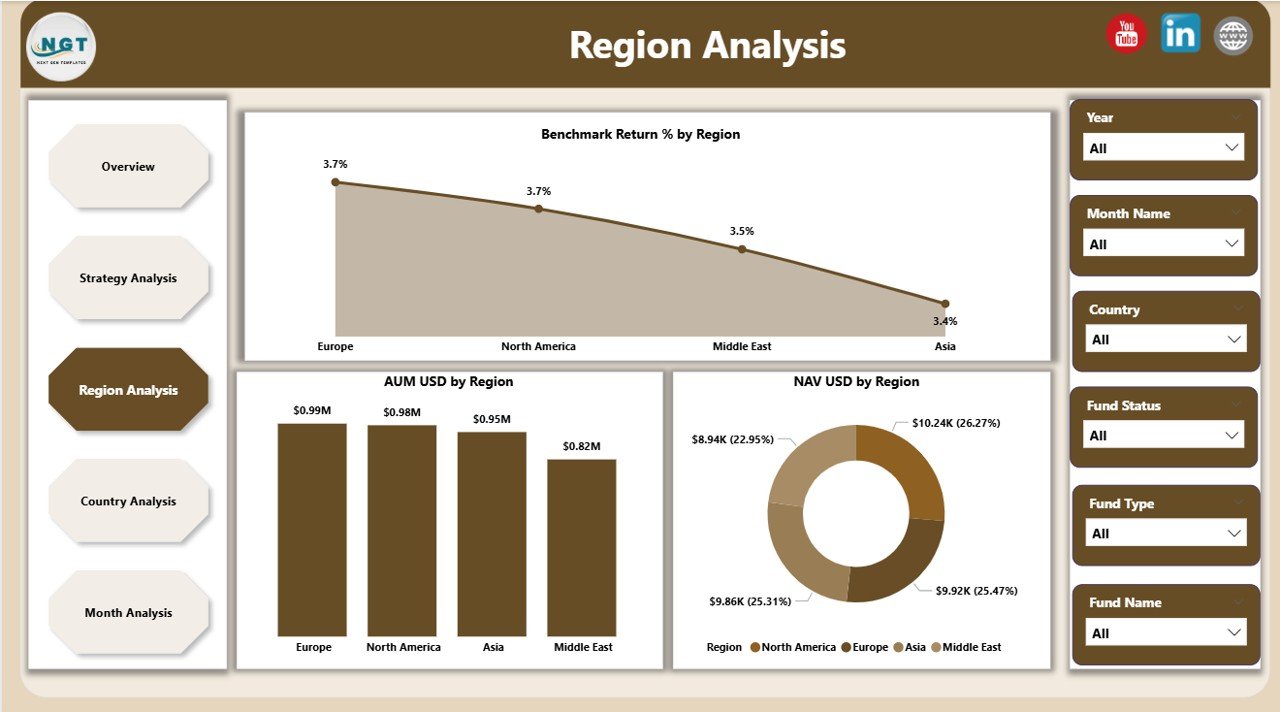
📁 Region Analysis Page
Compare geographic performance with:
Benchmark Return % by Region
AUM USD by Region
NAV USD by Region
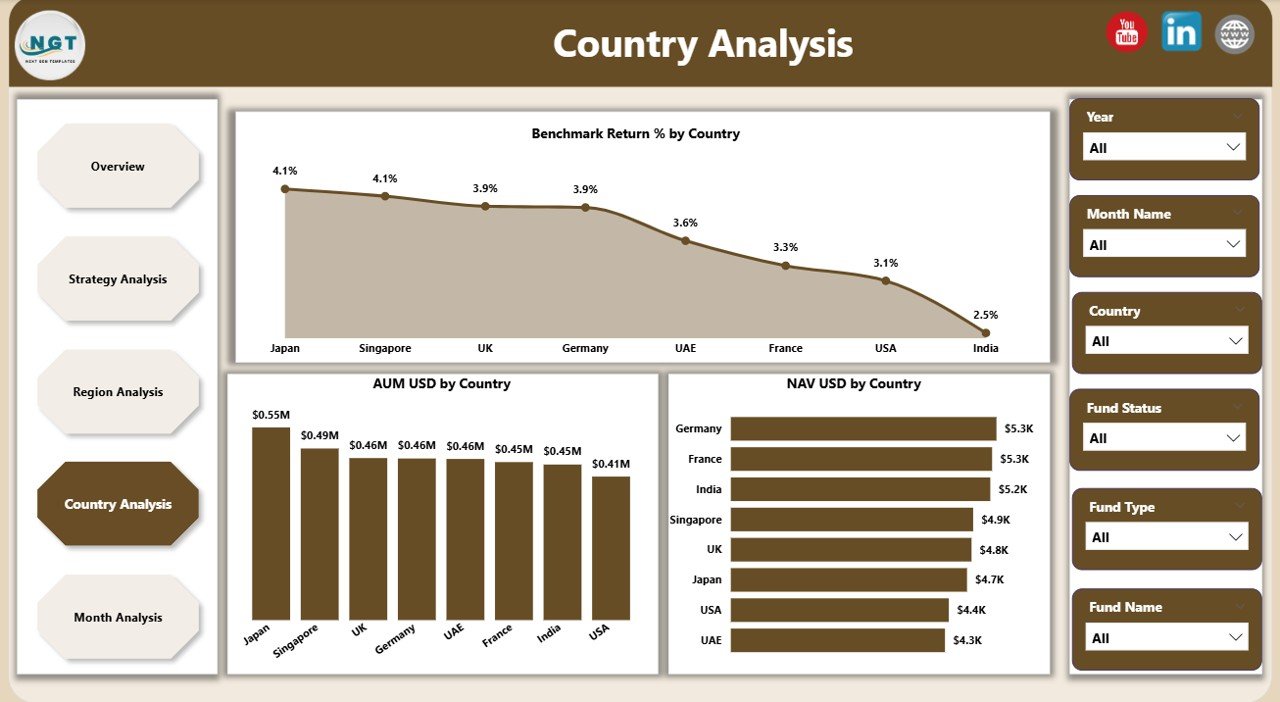
📁 Country Analysis Page
Drill down into country-level insights:
Benchmark Return % by Country
AUM USD by Country
NAV USD by Country
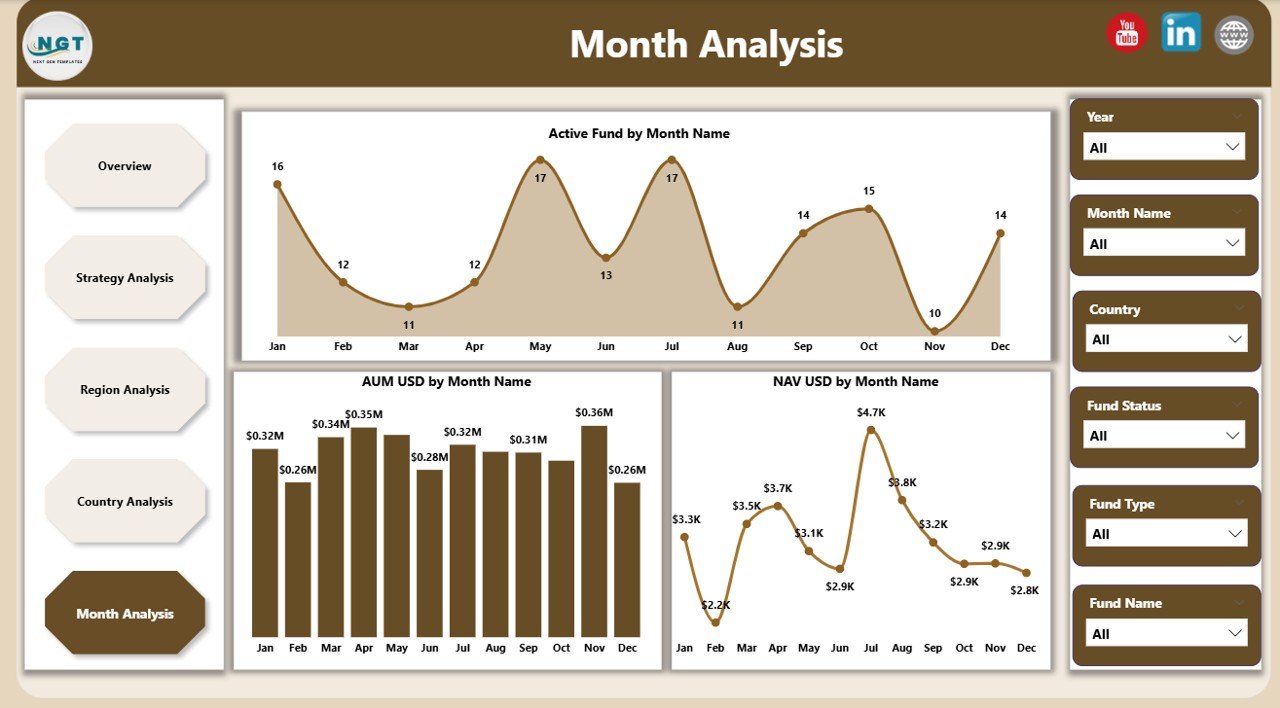
📁 Month Analysis Page
Track trends over time using:
Active Fund by Month
AUM USD by Month
NAV USD by Month
📁 Interactive Filters & KPI Cards
Instant insights with no manual calculations.
🛠️ How to Use the Hedge Funds Dashboard in Power BI
1️⃣ Load hedge fund data from Excel or a database
2️⃣ Refresh the Power BI dataset
3️⃣ Use slicers to filter by strategy, region, country, or month
4️⃣ Review KPIs and performance trends instantly
5️⃣ Drill down into underperforming areas
6️⃣ Export insights for reports or presentations
No coding required—Power BI handles modeling, calculations, and visuals.
👥 Who Can Benefit from This Hedge Funds Dashboard
💼 Hedge Fund Managers – Monitor fund performance and exposure
📈 Portfolio Managers – Compare strategies and returns
📊 Investment Analysts – Analyze trends faster
⚠️ Risk Management Teams – Track regional and country exposure
🏦 Finance & Reporting Teams – Reduce manual reporting effort
👔 Executive Leadership & Investors – Gain high-level clarity
If your role involves hedge fund analytics, this dashboard is built for you.
📘 Click here to read the Detailed blog post
🎥 Visit our YouTube channel to learn step-by-step video tutorials
👉 Youtube.com/@PKAnExcelExpert
Watch the step-by-step video tutorial:
Compatibility and Requirements
- Works in Power BI Desktop, which is free. Microsoft explains how to get it in Get Power BI Desktop.
- You load your hedge fund data from Excel or a database, then refresh the Power BI dataset.
Frequently Asked Questions
Which pages are included?
Five pages: Overview, Strategy Analysis, Region Analysis, Country Analysis and Month Analysis.
What can I filter by?
Slicers let you filter by strategy, region, country and month.
Which figures does the dashboard show?
It shows AUM in USD, NAV in USD, active funds, benchmark return % and YTD return %. You can see them by strategy, region, country and month.
Where does the data come from?
You load your hedge fund data from Excel or a database and refresh the Power BI dataset. The dashboard then updates its visuals.
Is there an Excel or Google Sheets version?
Yes. See the Hedge Funds Dashboard in Excel and the Hedge Funds Dashboard in Google Sheets.
Related Hedge Fund Templates
- Hedge Funds Dashboard in Excel: the same dashboard in Excel
- Hedge Funds Dashboard in Google Sheets: a browser-based version
- Hedge Funds KPI Dashboard in Power BI: a KPI-focused Power BI view
- Hedge Fund Administration Dashboard in Power BI: a dashboard for fund administration
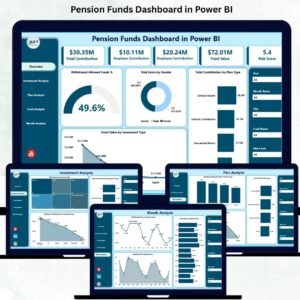
- Pension Funds Dashboard in Power BI: a similar fund dashboard for pension funds
Browse all Power BI dashboards.































Reviews
There are no reviews yet.