

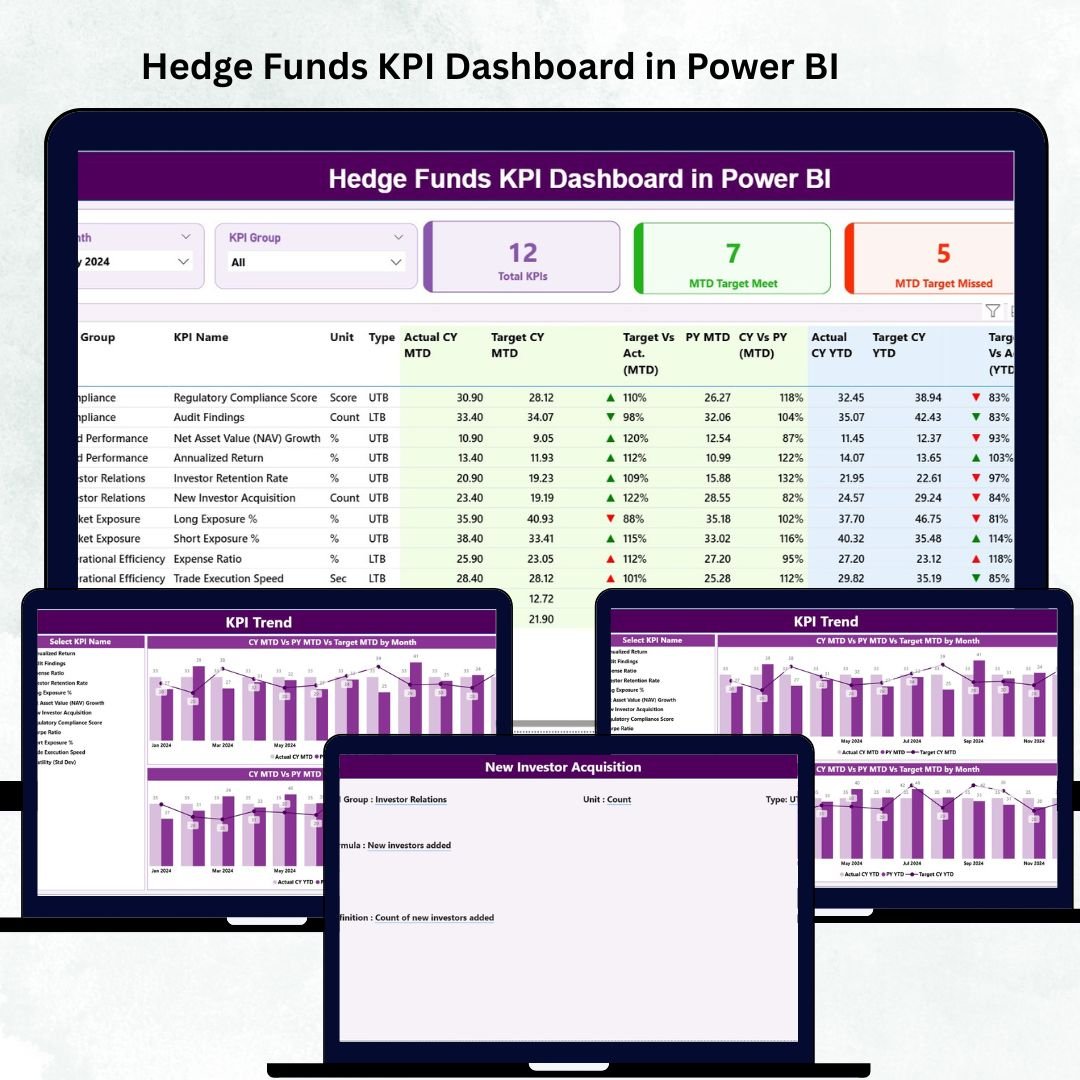

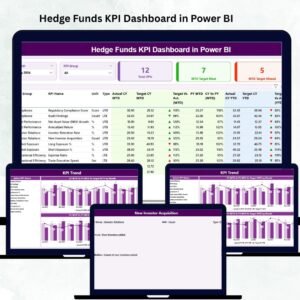
Managing hedge funds requires razor-sharp accuracy, real-time performance tracking, and complete visibility into risks, returns, and market behavior. But when investment teams rely on scattered spreadsheets or slow manual reports, decision-making becomes delayed and unclear. That’s why the Hedge Funds KPI Dashboard in Power BI is designed to simplify everything — giving fund managers, analysts, risk teams, and leadership a powerful way to monitor performance in seconds.
This ready-to-use dashboard transforms raw financial data into interactive charts, trend visuals, KPI scorecards, and drill-through details. You can track profitability, risk exposure, liquidity, volatility, AUM growth, strategy KPIs, and performance comparisons — all in a clean, dynamic layout. Whether you analyze multiple funds or manage a single portfolio, this Power BI dashboard helps you make faster, smarter, and more confident investment decisions.
⭐ Key Features of the Hedge Funds KPI Dashboard in Power BI
✨ All-In-One Summary Page
Get a consolidated view of all hedge fund KPIs — performance, risk, liquidity, operations, and strategy metrics.
📅 Month Slicer for Quick Navigation
Select any month and watch the entire dashboard instantly update with real performance numbers.
🎯 KPI Group Filters
Switch between Profitability KPIs, Liquidity KPIs, Risk KPIs, AUM KPIs, and Operational KPIs with one click.
📊 MTD & YTD Performance Scorecards
Track Month-to-Date and Year-to-Date performance with icons that show ▲ (met target) or ▼ (missed target).
📈 Trend Visualization Page
Two powerful combo charts highlight monthly and yearly trends for any KPI you select.
📘 Drill-Through KPI Definition Page
Understand the logic, formula, and definition behind each metric — ideal for audits, reviews, and training.
🧩 Excel-Driven Data Source
Simply update Actuals, Targets, and KPI Definitions in Excel and refresh the report — everything updates automatically.
📌 No Coding Required
Power BI handles all calculations, comparisons, and visualizations for you.
⭐ What’s Inside the Hedge Funds KPI Dashboard in Power BI
This dashboard includes three high-performance pages, each crafted to support daily investment operations.
📌 1. Summary Page – Your Main Control Center

This is the core of the dashboard — designed for fast analysis and quick action.
You get:
Month Selector
KPI Group Selector
KPI Cards showing:
✓ Total KPIs
✓ MTD Target Met
✓ MTD Target Missed
Below these cards is a fully detailed KPI table displaying:
KPI Number
KPI Group
Unit (USD, %, Ratio, Days)
KPI Type (UTB/LTB)
Actual MTD vs Target MTD
MTD Icons & Achievement %
CY vs PY (MTD) trend
Actual YTD vs Target YTD
YTD Icons & Achievement %
CY vs PY (YTD) comparison
This page lets you instantly understand where your hedge fund stands today.
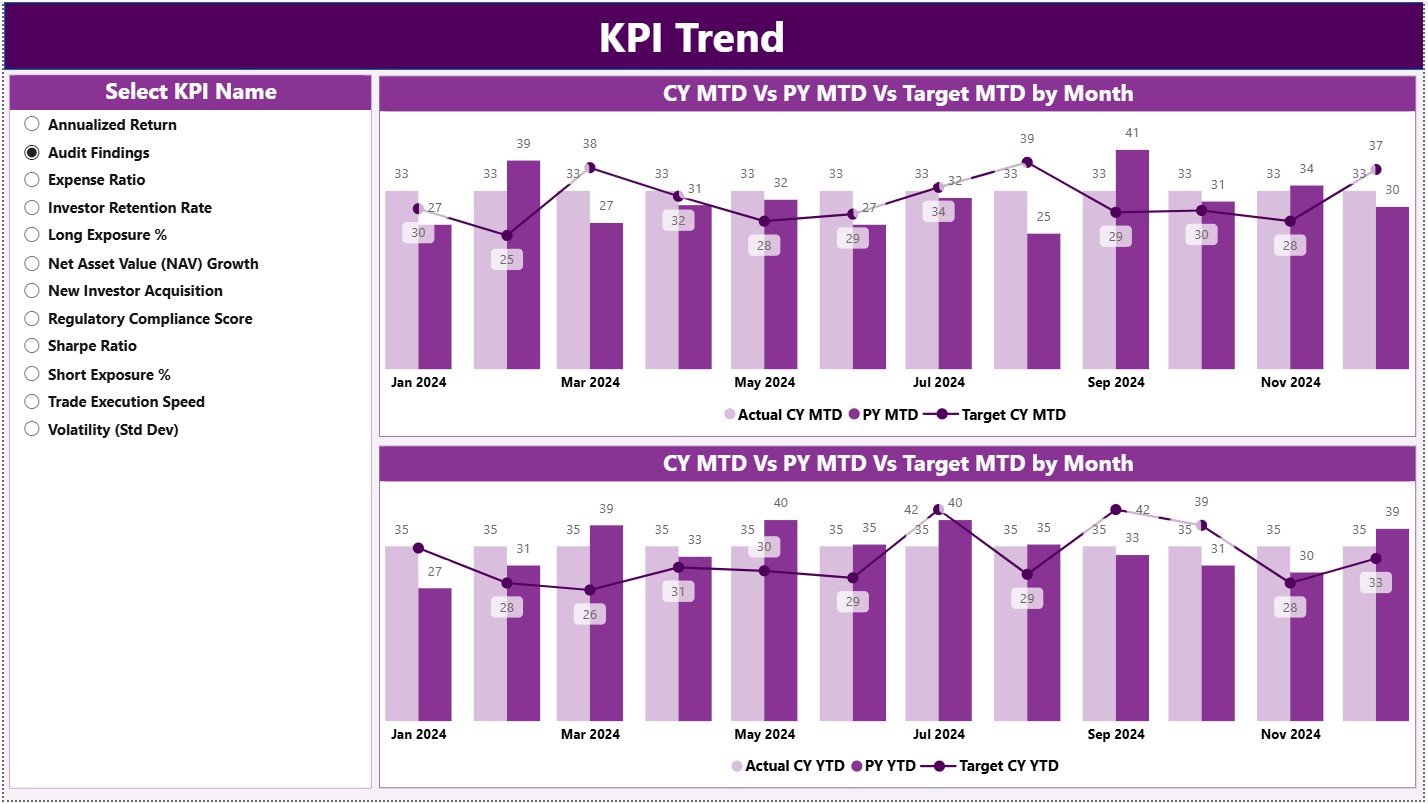
📌 2. KPI Trend Page – The Full Performance Journey
This page focuses on long-term analysis, helping you track patterns and deviations.
It includes two trend charts:
📈 MTD Trend Chart
Shows CY MTD, PY MTD & MTD Targets
📉 YTD Trend Chart
Shows CY YTD, PY YTD & YTD Targets
Using the KPI Name Slicer, you can explore trends for:
Sharpe Ratio
Net Return (%)
Drawdown %
AUM Growth
Portfolio Liquidity
Market Risk Exposure
Client Redemption Ratio
This page is ideal for investment reviews, risk analysis, and performance strategy meetings.
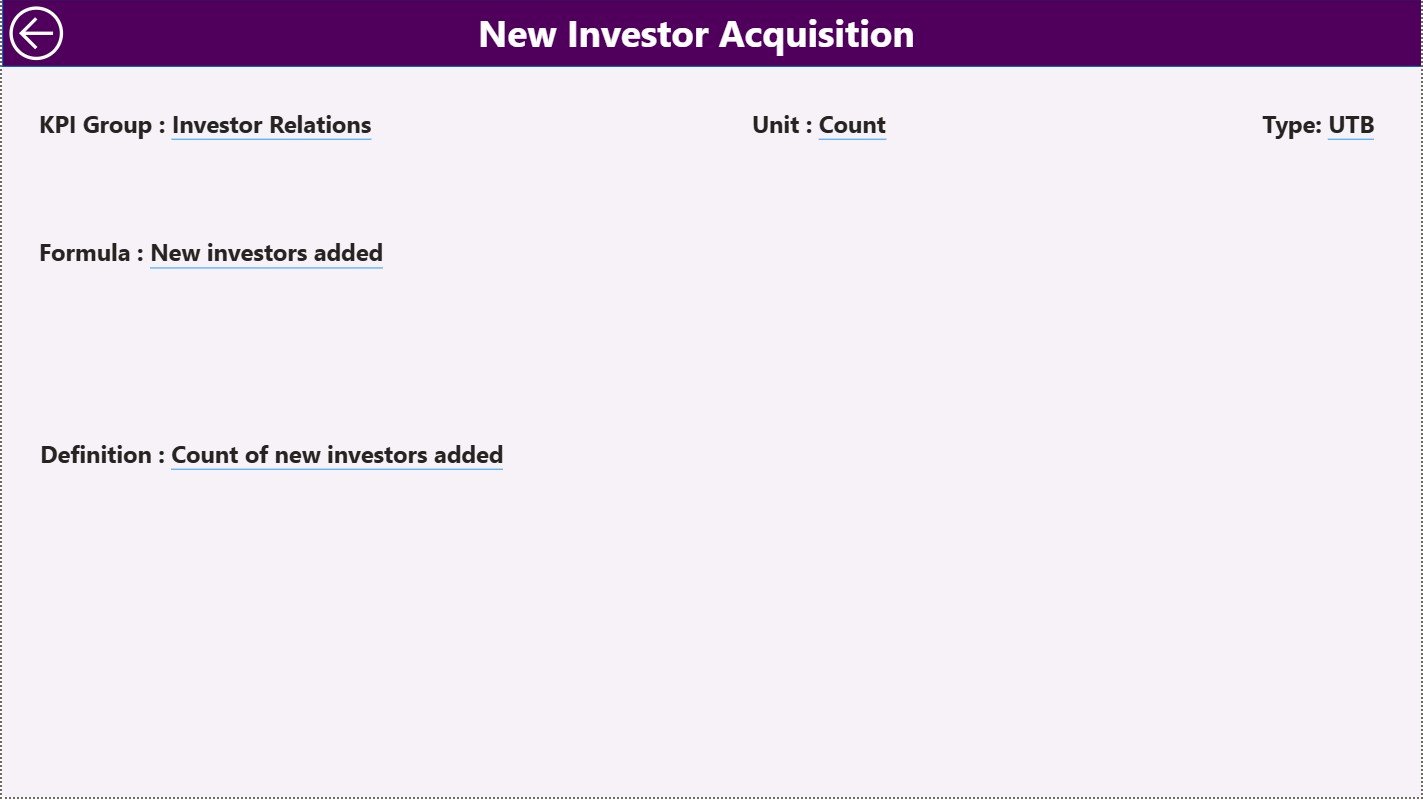
📌 3. KPI Definition Page – Complete KPI Documentation
This hidden drill-through page provides clarity for every KPI:
KPI Name
KPI Group
Unit
Formula
KPI Definition
Type (UTB/LTB)
Sequence Number
This keeps your analytics fully transparent and standardized.
⭐ How to Use the Hedge Funds KPI Dashboard in Power BI
Using this dashboard is extremely simple:
🟦 Step 1: Update Actuals (MTD/YTD) in the Input Actual sheet
🟦 Step 2: Enter monthly targets in the Input Target sheet
🟦 Step 3: Add or update KPI definitions
🟦 Step 4: Open Power BI & click Refresh
🟦 Step 5: Use filters to explore KPIs by month or category
🟦 Step 6: Check trends using the KPI Trend Page
🟦 Step 7: Drill through to KPI details when needed
No technical experience is required — Power BI handles everything.
⭐ Who Can Benefit from This Hedge Funds KPI Dashboard
This dashboard is designed for:
💼 Fund Managers – Track performance & compare strategy results.
📊 Investment Analysts – Monitor KPIs daily and analyze trends.
🛡 Risk Teams – Identify volatility & risk exposure instantly.
📈 Portfolio Managers – Compare fund performance vs targets.
📁 Compliance Teams – Use KPI definitions for transparent reporting.
👨💼 Senior Leadership – Get a complete view of fund health for decision-making.
Whether you manage multi-fund portfolios or single-strategy hedge funds, this dashboard gives you unmatched clarity and control.
### Click here to read the Detailed blog post
Visit our YouTube channel to learn step-by-step video tutorials
Watch the step-by-step video tutorial:
Compatibility and Requirements
- Works in Power BI Desktop, which is free to download. Microsoft explains how to get it in Get Power BI Desktop.
- The data lives in an Excel file with Input Actual, Input Target and KPI definition sheets. You update it there and refresh the report in Power BI.
Frequently Asked Questions
How many pages does the dashboard have?
Three pages: Summary, KPI Trend and KPI Definition. The KPI Definition page is a hidden drill-through page.
How do I update the numbers?
Enter your MTD and YTD actuals in the Input Actual sheet and your monthly targets in the Input Target sheet. Add or edit KPI definitions if needed, then open Power BI and click Refresh.
Can I look at one KPI over time?
Yes. On the KPI Trend page, pick a KPI name in the slicer. Two combo charts show CY, PY and target for MTD and for YTD.
Can I filter by KPI group?
Yes. The Summary page has a KPI group selector for Profitability, Liquidity, Risk, AUM and Operational KPIs, plus a month slicer.
Is there an Excel version?
Yes. See the Hedge Funds KPI Dashboard in Excel.
Related Hedge Fund Templates
- Hedge Funds KPI Dashboard in Excel: the same KPIs in Excel
- Hedge Funds Dashboard in Power BI: a fund dashboard in Power BI
- Hedge Funds Dashboard in Google Sheets: a fund dashboard in Google Sheets
- Hedge Fund Administration Dashboard in Power BI: a view for fund administration
- KPI Dashboard Library (Excel): 15 KPI dashboards in one download
Browse all Power BI KPI dashboards.







Reviews
There are no reviews yet.