


In today’s digital-first healthcare landscape, marketing teams operate across remote and hybrid environments — juggling campaigns, budgets, and conversions while staying compliant and efficient. The Healthcare Marketing Remote Work Report in Excel bridges that complexity by offering a centralized, interactive reporting solution built entirely in Microsoft Excel.
This ready-to-use Excel tool empowers healthcare marketers, analysts, and managers to track campaign progress, monitor conversion rates, and measure revenue — all from one structured dashboard. Whether your team works from hospital offices or remotely across regions, this report ensures data transparency, accountability, and alignment.
⚙️ Key Features of the Healthcare Marketing Remote Work Report in Excel
The template consists of three core pages and a support sheet, designed to streamline performance tracking and enable data-driven marketing management.
📊 1️⃣ Summary Page – The Central Dashboard
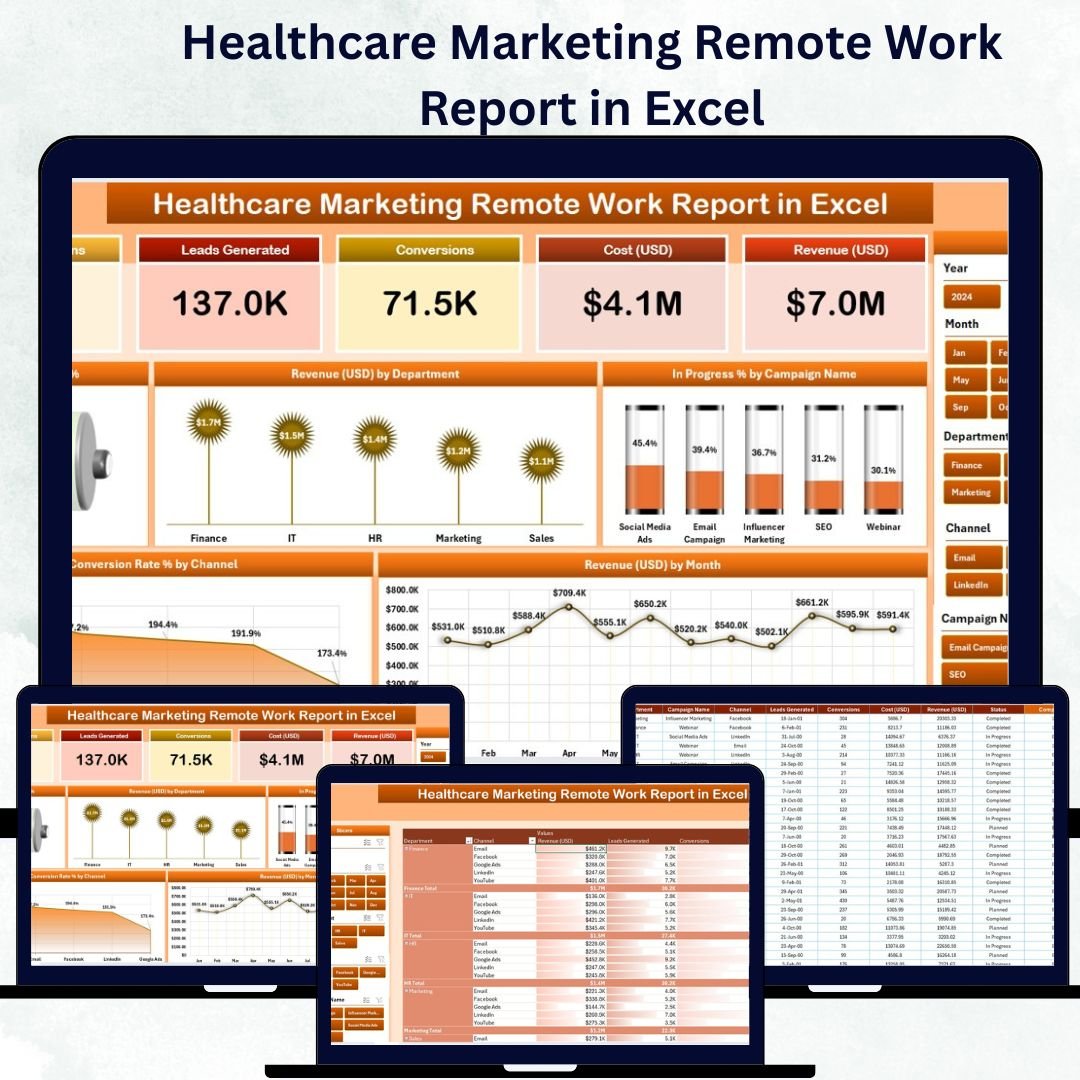
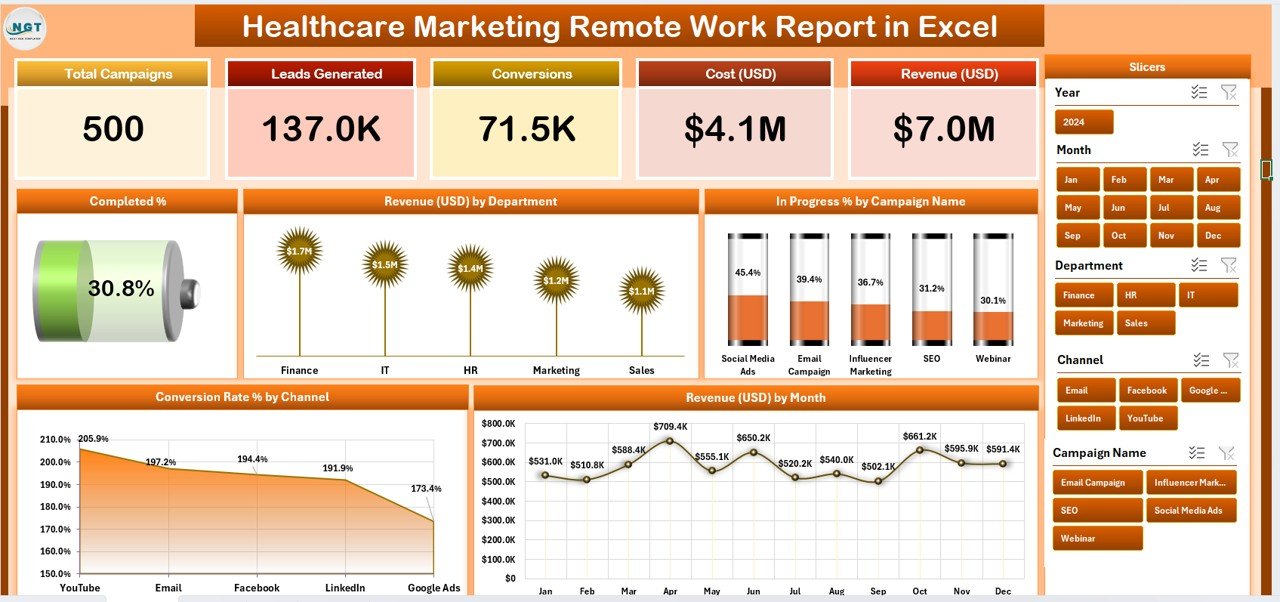
The Summary Page is your real-time command center for tracking performance and outcomes.
Top Highlights:
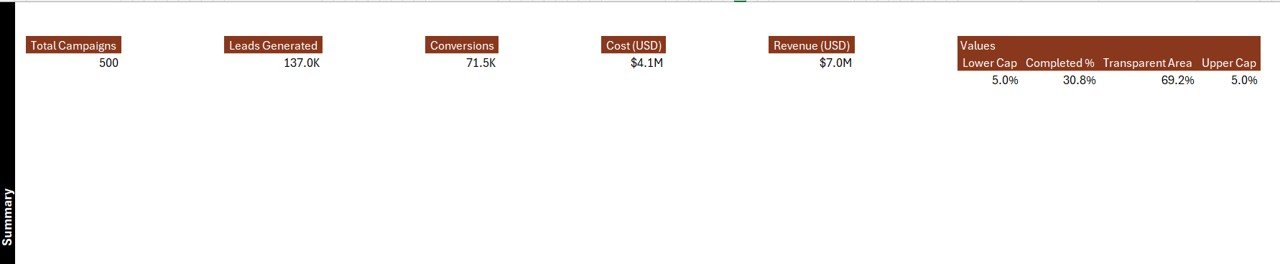
Five KPI Cards:
Total Campaigns
Completed %
In Progress %
Conversion Rate %
Total Revenue (USD)
Right-Side Slicer Panel: Filter data by department, campaign, or channel in seconds.
Dynamic Charts:
Completed %
Revenue (USD) by Department
In Progress % by Campaign Name
Conversion Rate % by Channel
Revenue (USD) by Month
These visuals bring clarity and depth to campaign analytics, enabling teams to identify bottlenecks, allocate budgets effectively, and enhance conversion performance.
📋 2️⃣ Report Page – Campaign-Level Insights
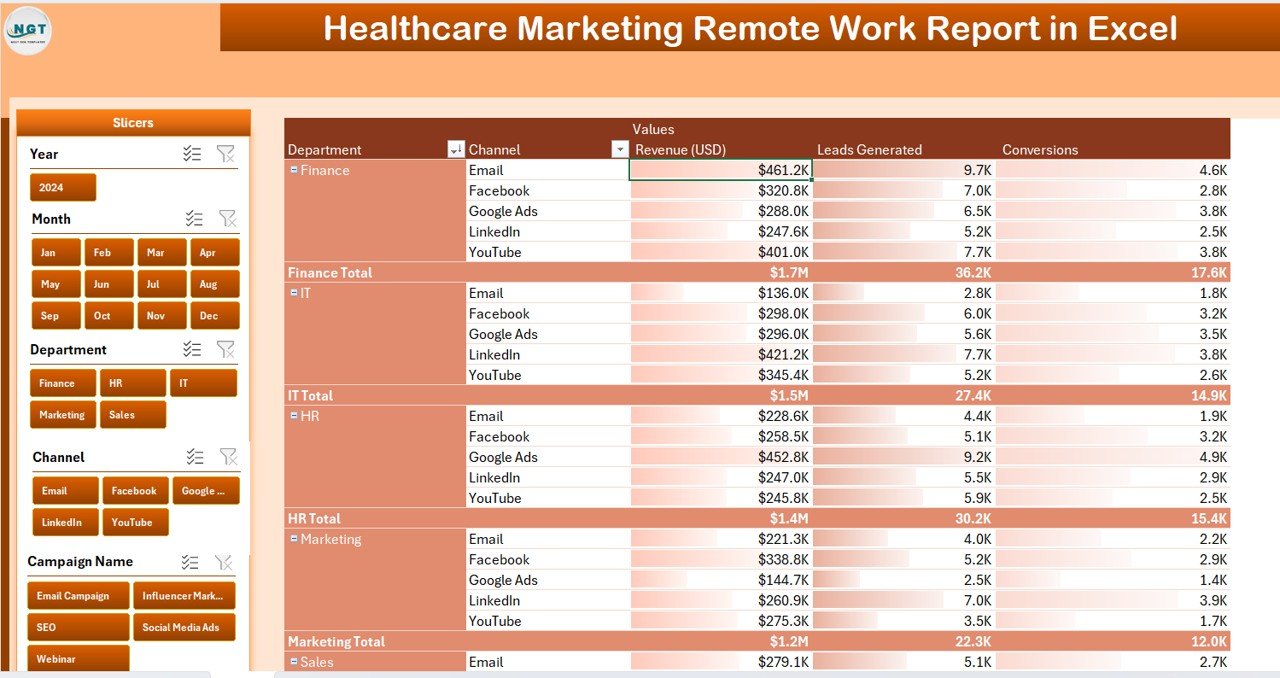
For deeper analysis, the Report Page provides tabular details and filtering options.
Features Include:
Left-Side Slicers: Filter by campaign, department, channel, or responsible person.
Interactive Table: Displays campaign name, progress %, revenue, start and end dates, and remarks.
Real-Time Updates: As slicers change, the table automatically adjusts.
This view helps marketing analysts and team leads drill into specific campaigns to evaluate performance and ROI.
💾 3️⃣ Data Sheet – The Data Backbone
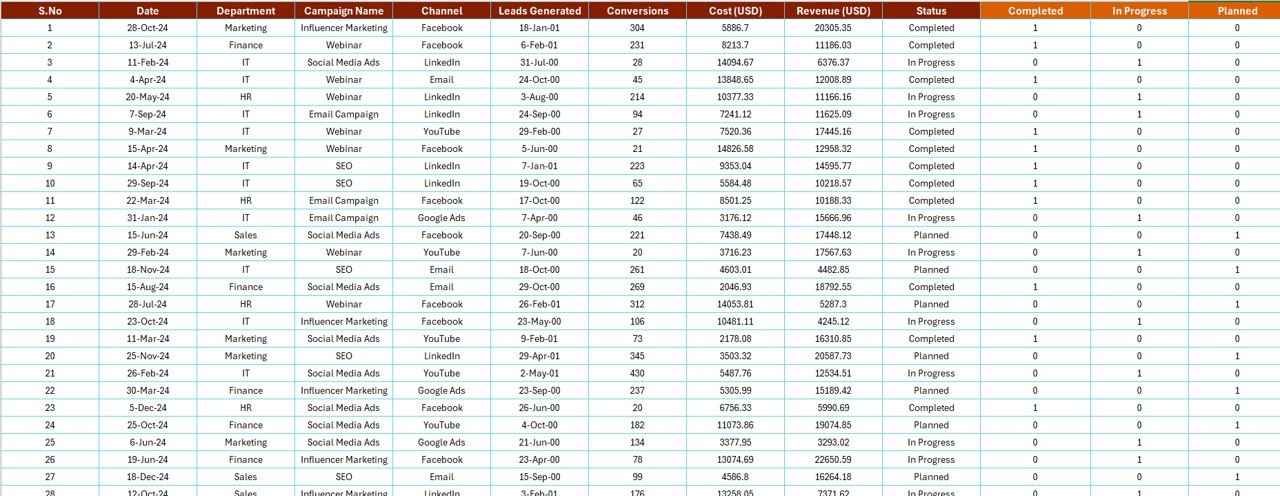
This sheet stores all raw campaign information that powers the visuals and KPIs.
Common Columns:
Campaign Name
Department
Responsible Person
Start Date / End Date
Channel
Conversion Rate %
Revenue (USD)
Status (Completed / In Progress / Not Started)
The dashboard automatically refreshes once new data is added — no manual recalculation needed.
🧩 Support Sheet – Data Consistency & Validation
The Support Sheet holds dropdown values and reference lists such as departments, campaigns, and channels. This ensures data uniformity and prevents input errors.
🩺 Why Healthcare Marketing Teams Need This Report
Remote work has transformed healthcare marketing — enabling flexibility but complicating performance tracking. This Excel report solves that problem by offering one synchronized system that helps you:
Monitor campaign completion and team progress.
Track revenue by department and channel.
Compare conversion rates across campaigns.
Identify the best-performing marketing strategies.
Manage remote teams with transparency and accountability.
🌟 Advantages of the Healthcare Marketing Remote Work Report in Excel
✅ Centralized Visibility – Keep all KPIs, campaigns, and results in one file.
✅ Improved Collaboration – Shared access through OneDrive or SharePoint keeps everyone aligned.
✅ Real-Time Insights – Pivot tables and slicers display live updates instantly.
✅ Customizable Design – Modify charts, colors, and KPIs to fit your brand.
✅ Cost-Effective – Delivers powerful analytics with no extra software costs.
✅ Easy to Use – Designed for marketers, not data scientists — no coding needed.
💡 How to Use the Report
1️⃣ Input Data: Enter campaign details into the Data Sheet.
2️⃣ Refresh Dashboard: Update pivot tables to reflect new entries.
3️⃣ Filter with Slicers: Analyze data by campaign, channel, or department.
4️⃣ Review Charts: View trends in revenue, conversion, and progress.
5️⃣ Share Insights: Export visuals to PDF or PowerPoint for management presentations.
This simple workflow ensures your marketing team stays informed and agile.
📈 Use Cases
💻 Campaign Performance Review: Evaluate multiple campaigns across departments.
💰 Revenue Analysis: Compare total revenue by channel or department.
📊 Conversion Tracking: Identify which digital channels deliver the best ROI.
👥 Remote Team Monitoring: Track productivity and completion rates.
📆 Budget Optimization: Balance spend and returns for maximum impact.
🧠 Best Practices
✔️ Keep naming conventions consistent for departments and campaigns.
✔️ Refresh pivot tables after adding data.
✔️ Protect formulas and chart layouts to avoid accidental edits.
✔️ Use color coding (green/yellow/red) for quick status visualization.
✔️ Add optional automation (macros or Power Query) for advanced efficiency.
👥 Who Can Benefit
🧑💼 Marketing Managers: Evaluate campaign and budget performance.
💻 Remote Teams: Stay aligned through a single reporting framework.
🏥 Healthcare Organizations: Track marketing effectiveness across regions.
📈 Analysts: Derive insights from data without complex tools.
💬 Executives: View concise summaries and visual trends instantly.
🔗 Integration Opportunities
🔄 Connect with Power BI for advanced visualizations.
☁️ Store on SharePoint or OneDrive for multi-user collaboration.
📊 Use Power Query to import CRM or Google Analytics data automatically.
💬 Conclusion
The Healthcare Marketing Remote Work Report in Excel is more than a spreadsheet — it’s a unified analytics solution for modern healthcare marketing teams. It ensures transparency, boosts accountability, and delivers actionable insights — even in remote or hybrid setups.
With this dashboard, marketers can track campaign success, measure conversion rates, and monitor revenue performance in real time — all within Excel. It’s the ultimate blend of simplicity, flexibility, and analytical power designed to help healthcare teams thrive in the digital era.
🔗 Click here to read the Detailed Blog Post
🎥 Visit our YouTube channel for tutorials
🔗 YouTube.com/@PKAnExcelExpert
Watch the step-by-step video tutorial:
Compatibility and Requirements
- Works in Microsoft Excel desktop (Excel 2016 or later, or Microsoft 365).
- The Summary and Report pages use slicers to filter by department, campaign, channel and responsible person. Microsoft explains them in Use slicers to filter data.
Frequently Asked Questions
Which sheets are included?
Three main pages and a support sheet: the Summary page, the Report page, the Data sheet and the Support sheet.
Which KPIs does the Summary page show?
Five KPI cards: Total Campaigns, Completed %, In Progress %, Conversion Rate % and Total Revenue (USD).
How do I update the report?
Enter your campaign details on the Data sheet, then refresh the pivot tables. The KPI cards, charts and Report page table update from that data.
Can I filter by campaign, department or channel?
Yes. The Summary page has a slicer panel on the right, and the Report page has slicers on the left for campaign, department, channel and responsible person.
Is there a dashboard version of this report?
Yes. See the Healthcare Marketing Remote Work Dashboard in Excel, the Power BI version and the Google Sheets version.
Related Remote Work and Marketing Templates
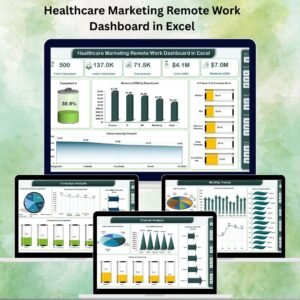
- Healthcare Marketing Remote Work Dashboard in Excel: the dashboard edition of this topic in Excel
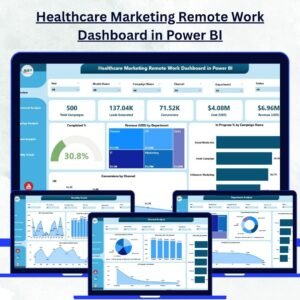
- Healthcare Marketing Remote Work Dashboard in Power BI: the same topic in Power BI
- Healthcare Marketing Remote Work Dashboard in Google Sheets: a Google Sheets version
- Marketing Remote Work Calendar in Excel: schedule remote days for a marketing team
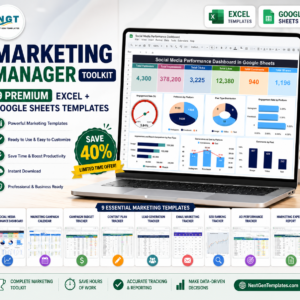
- Marketing Manager Toolkit: 9 marketing templates in one download
Browse all Excel report templates.





Reviews
There are no reviews yet.