


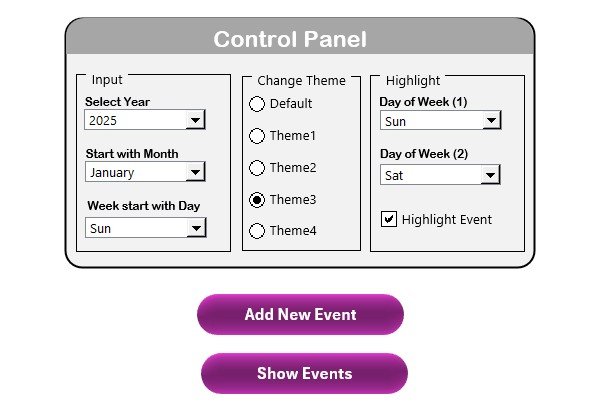


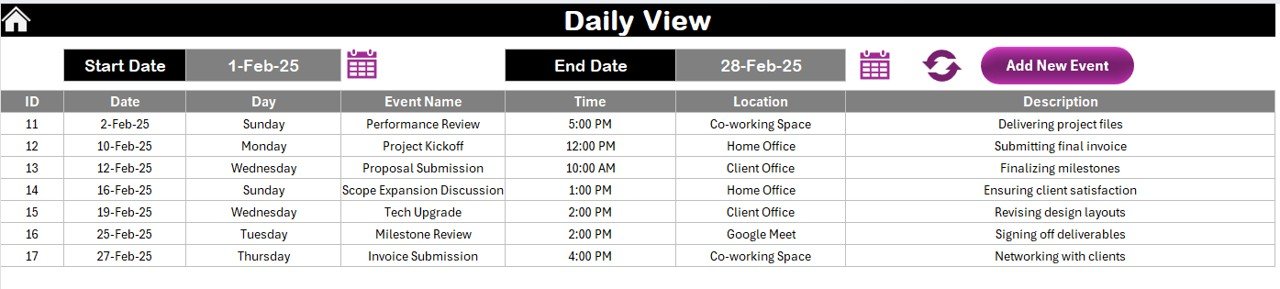
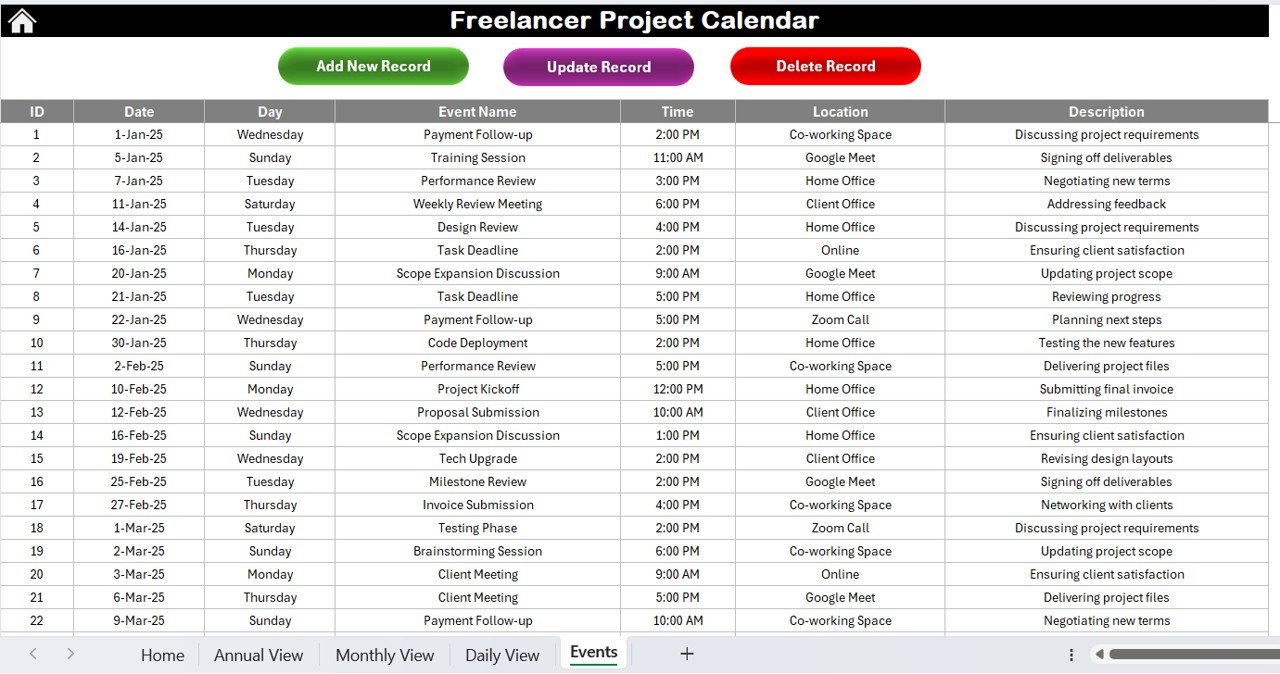

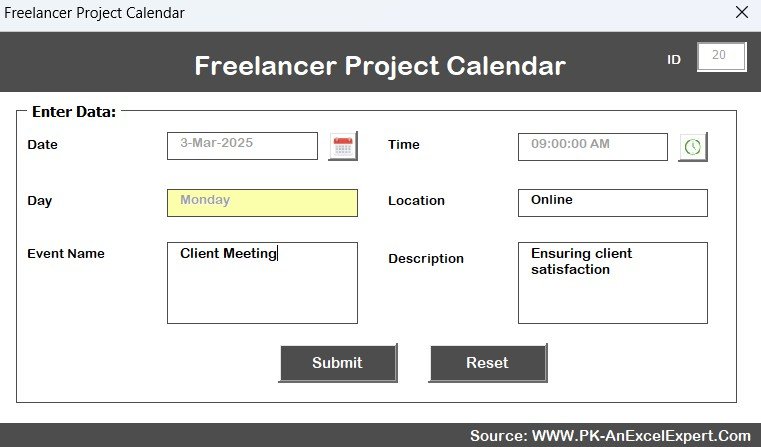

The Freelancer Project Calendar in Excel is an essential tool for freelancers and project managers who need to organize and manage their client projects, deadlines, and tasks in an efficient and easily accessible way. This customizable calendar allows freelancers to track multiple projects, client meetings, milestones, and deliverables all in one place, helping you stay on top of your schedule and manage your time effectively.
Whether you are managing a single project or juggling several client deadlines, this Excel-based calendar offers real-time tracking and insightful features that make it easy to prioritize tasks, set reminders, and ensure that every project is completed on time and within scope. Simplify your project management process and focus on delivering high-quality work with the Freelancer Project Calendar in Excel.
Key Features of the Freelancer Project Calendar in Excel
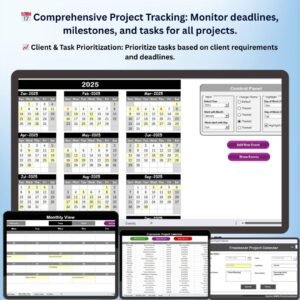
📅 Comprehensive Project Tracking
Easily track multiple projects, deadlines, and milestones with a user-friendly, color-coded interface. Stay organized and on top of your tasks with clearly marked due dates and client information.
⚡ Real-Time Task Management
Update your calendar in real time, adding tasks, notes, and reminders. Manage client meetings, deadlines, and deliverables without missing important details.
📈 Project Milestones & Deadlines
Set milestones for each project and track them along the way. Monitor project progress and keep deadlines in sight to ensure timely completion.
📋 Customizable Task Prioritization
Prioritize tasks based on deadlines, project requirements, and client needs. Customize the calendar to match your unique project management style and keep track of important tasks with ease.
🖥️ User-Friendly Excel Interface
Designed with simplicity and functionality in mind, the calendar is easy to navigate, with simple data entry and clear visual representation of your tasks and deadlines.
Why You’ll Love the Freelancer Project Calendar in Excel

✅ Efficient Project & Task Management
Keep track of all your freelance projects, deadlines, and tasks in one place, ensuring that you never miss an important deliverable or client meeting.
✅ Boost Productivity & Focus
Prioritize tasks, set deadlines, and break down your projects into manageable steps to stay focused and on track, ultimately boosting your productivity.
✅ Enhance Client Communication
With organized project tracking, you can easily communicate deadlines, milestones, and deliverables with your clients, improving transparency and trust.
✅ Easy Time Management
Optimize your time by setting clear deadlines and task priorities, ensuring that each project is completed on schedule and that you’re not overwhelmed by multiple competing deadlines.
✅ Maximize Efficiency & Organization
Reduce stress by keeping all your project information, deadlines, and milestones in one organized, easy-to-use Excel calendar that can be accessed anytime.
What’s Inside the Freelancer Project Calendar Template?
- Comprehensive Calendar View: See all your projects, deadlines, and tasks in a clear monthly view.
- Task Prioritization & Tracking: Organize tasks by priority, deadline, and client requirements.
- Client Information Management: Add and track client details, including meetings, feedback, and communication.
- Milestone Monitoring: Track important milestones to ensure you are on schedule for each project.
- Customizable Features: Tailor the calendar to your specific needs, adding or removing columns as necessary to match your project management style.
How to Use the Freelancer Project Calendar in Excel
1️⃣ Download the Template: Instantly access your Freelancer Project Calendar in Excel.
2️⃣ Input Project Data: Add details for each project, including tasks, milestones, deadlines, and client information.
3️⃣ Track & Manage Tasks: Use the calendar to prioritize tasks, set deadlines, and monitor progress.
4️⃣ Stay On Schedule: Keep track of milestones, deadlines, and meetings, ensuring that each project is completed on time and to the client’s satisfaction.
Who Can Benefit from the Freelancer Project Calendar in Excel?
🔹 Freelancers & Independent Contractors
🔹 Project Managers & Consultants
🔹 Creative Professionals (Designers, Writers, Developers)
🔹 Small Business Owners & Entrepreneurs
🔹 Anyone Managing Multiple Projects & Clients
🔹 Professionals Seeking Better Time & Task Management
Track, organize, and optimize your freelance projects with the Freelancer Project Calendar in Excel. Stay on top of deadlines, manage your tasks effectively, and streamline communication with clients for a more organized and productive workday.
Click here to read the Detailed blog post
Visit our YouTube channel to learn step-by-step video tutorials
Youtube.com/@PKAnExcelExpert
Compatibility and Requirements
- Works in Microsoft Excel desktop (Excel 2016 or later, or Microsoft 365).
- Projects and due dates are color coded. Microsoft’s guide Use conditional formatting to highlight information explains how Excel color rules work.
Frequently Asked Questions
What does the calendar show?
All your projects, deadlines and tasks in a monthly view.
Can I keep client details?
Yes. You can track client details such as meetings, feedback and communication.
Can I track milestones?
Yes. You set milestones for each project and follow them against the deadlines.
Can I change the layout?
Yes. You can add or remove columns to fit the way you work.
Related Freelancer Templates
- Freelancer KPI Dashboard in Excel: track freelance KPIs
- Freelance Business KPI Dashboard in Excel: business KPIs for freelancers
- Freelance Client Checklist in Excel: onboard each client
- Freelance Work Checklist in Excel: check off project work
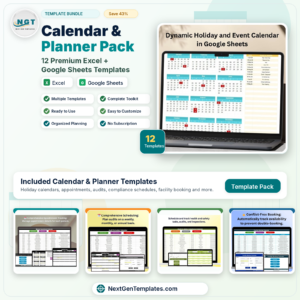
- Calendar & Planner Pack: 12 Excel and Google Sheets calendars and planners
Browse all Excel calendars or the Excel project management templates.











Reviews
There are no reviews yet.