

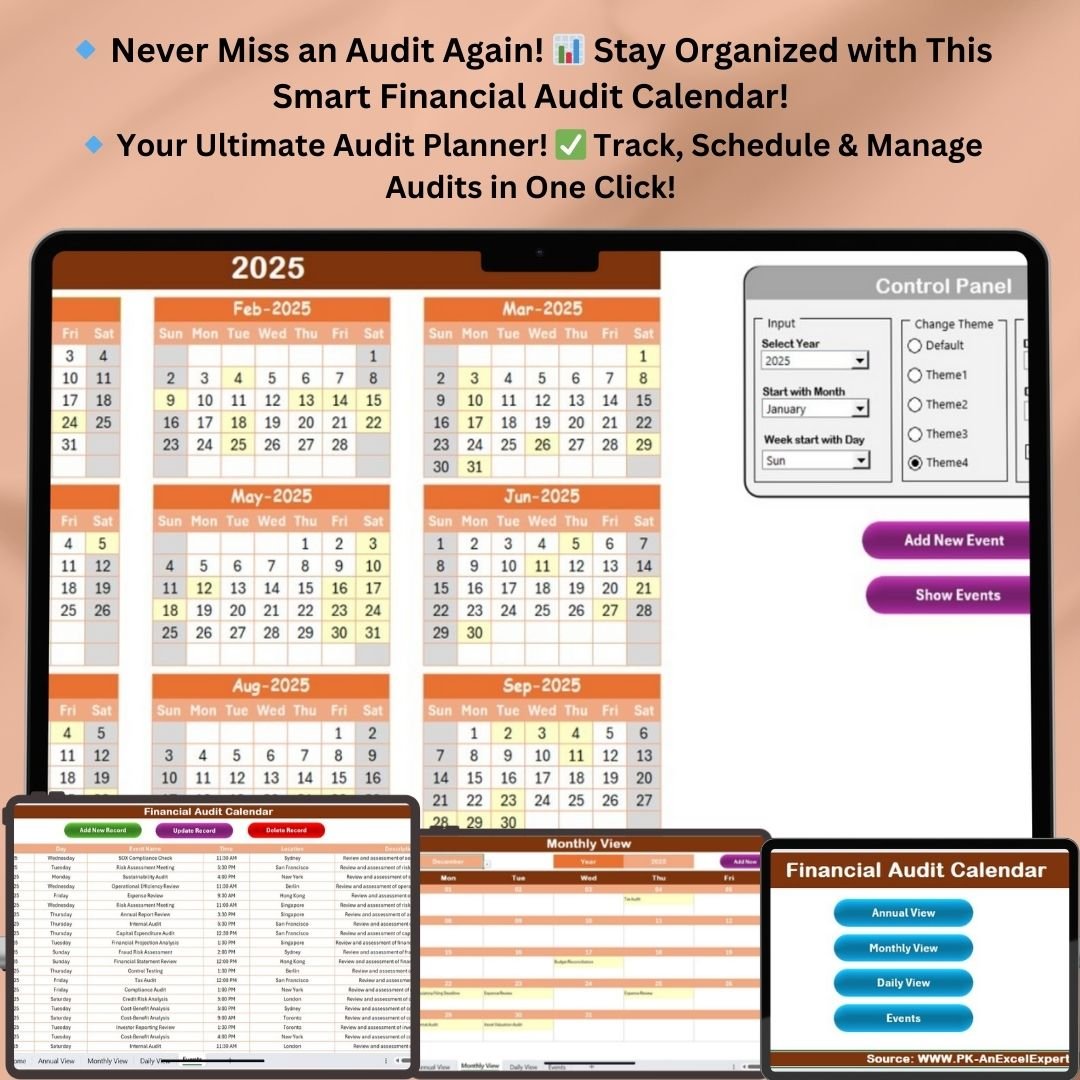


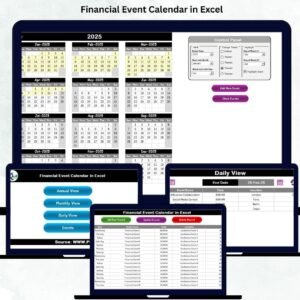
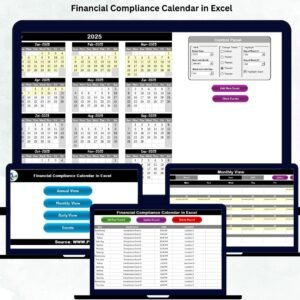
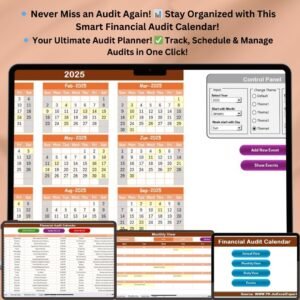
The Financial Audit Calendar in Excel is a ready-made Excel audit template for scheduling, tracking and managing financial audit events. It is built for businesses, audit teams, auditors and audit managers who need every review, meeting and deadline in one place. With annual, monthly and daily views, interactive buttons and a central event database, every audit task can be planned and completed on time.
Key Features of the Financial Audit Calendar
- Annual, monthly and daily views: see the full year, focus on one month, or review a chosen date range.
- Home dashboard with four navigation buttons: jump to the Annual View, Monthly View, Daily View or Events sheet in one click.
- Automatic calendar updates: select a year and the calendar updates. You can also set the starting month to match your fiscal year and choose the first day of the week.
- Five color themes: change the look of the calendar to suit your company.
- Highlights and color-coded events: highlight weekends (Saturday/Sunday) and turn on event highlights so key dates are easy to spot.
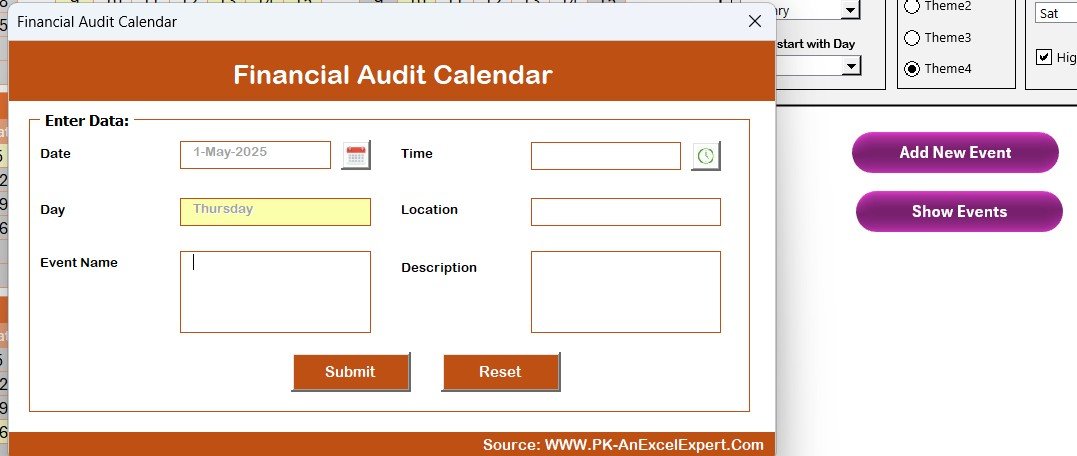
- Add New Event and Show Event buttons: schedule an audit event through a simple entry form, or view all events for a date.
- Multiple-event indicator: when a date has more than one event, the monthly calendar shows “More than 1 event…”.
- Audit event database: add, update and delete records with dedicated buttons.
What’s Inside: Five Worksheets
This audit scheduling tool has five worksheets. Each one has a specific job, and together they let you plan, track and manage financial audit events.
1. Home Sheet: The Command Center
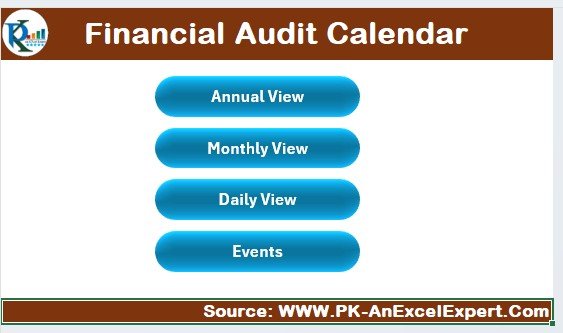
The Home sheet is the dashboard and your starting point. It has four interactive buttons:
- Annual View Button: opens the full-year calendar overview.
- Monthly View Button: opens the calendar for a selected month.
- Daily View Button: shows detailed events for a chosen date range.
- Events Button: opens the database of all scheduled audit events.
2. Annual View Sheet: Full-Year Overview
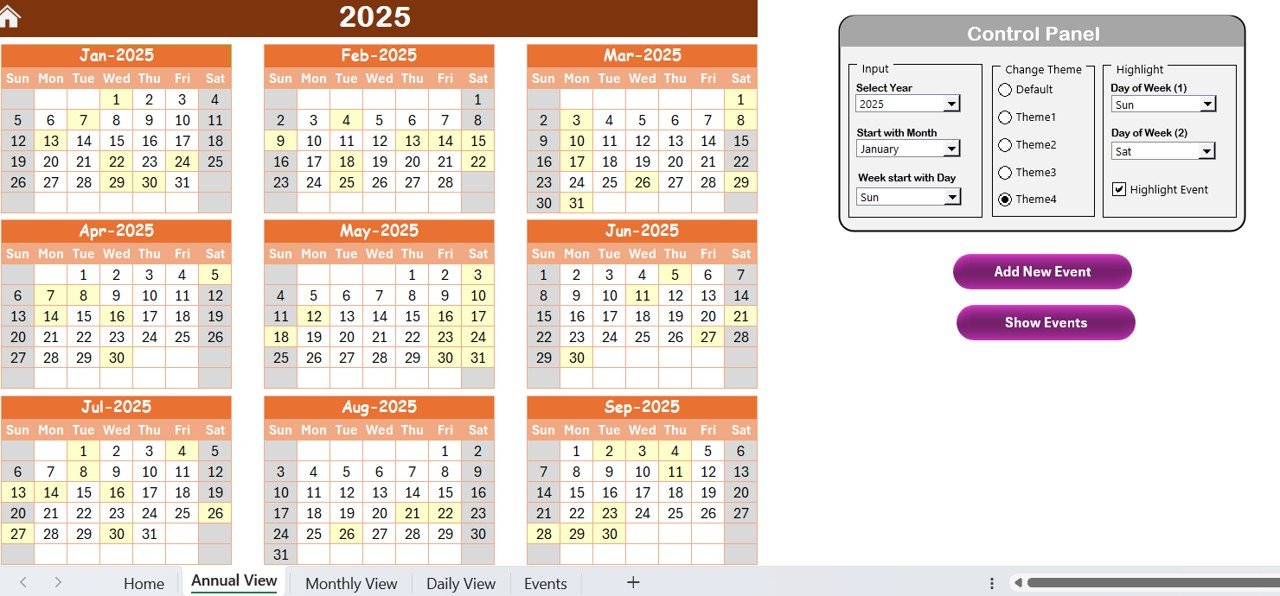
The Annual View shows a complete 12-month calendar with a control panel for customization.
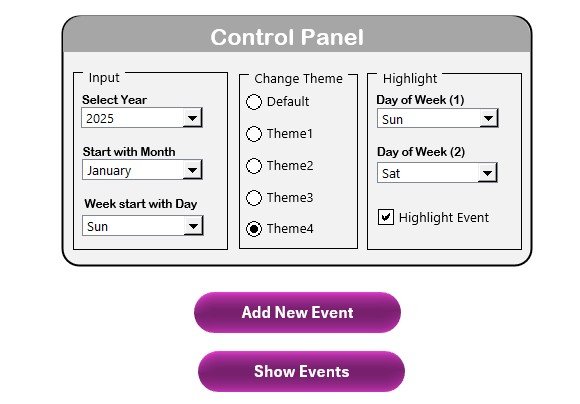
- Input group: select the year and the calendar updates automatically. You can adjust the starting month to align with your fiscal year and set the starting day of the week.
- Theme customization: choose from five color themes.
- Highlighting and event visibility: highlight weekends (Saturday/Sunday) and enable color-coded event highlights.
- Add New Event Button: schedule an audit event using a simple entry form.
- Show Event Button: view all scheduled events for a particular date.
This high-level overview helps audit teams manage audits and deadlines across the whole year.
3. Monthly View Sheet: Focused Planning
The Monthly View gives a detailed month-by-month breakdown of audit activities. Choose any month and year, and the calendar updates to match. If a date has several events, it shows “More than 1 event…” so nothing gets overlooked. The Add New Event and Show Event buttons work here too. This sheet suits short-term planning, because it focuses on the upcoming schedule rather than the whole year.
4. Daily View Sheet: Detailed Tracking
The Daily View is for tracking day-to-day audit tasks.
- Date range selection: choose start and end dates to focus on a specific audit period.
- Refresh Button: updates the event list for the selected date range.
- Add New Event Button: adds daily audit reviews or meetings instantly.
5. Events Sheet: Centralized Audit Event Database
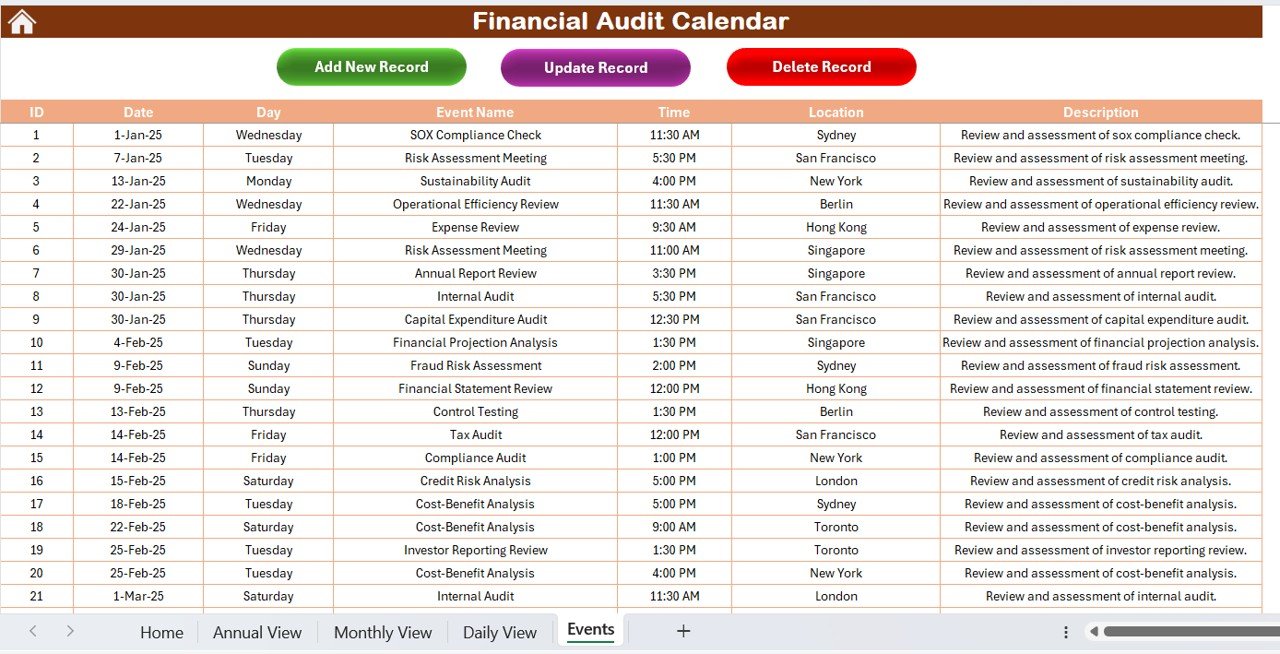
The Events sheet is the database where every scheduled audit activity is recorded.
| Field | Purpose |
|---|---|
| ID | Unique identifier for each event |
| Date & Day | Scheduled event date, with the day captured automatically |
| Event Name & Description | Clearly defines the purpose of each audit event |
| Time & Location | Shows when and where meetings or audits take place |
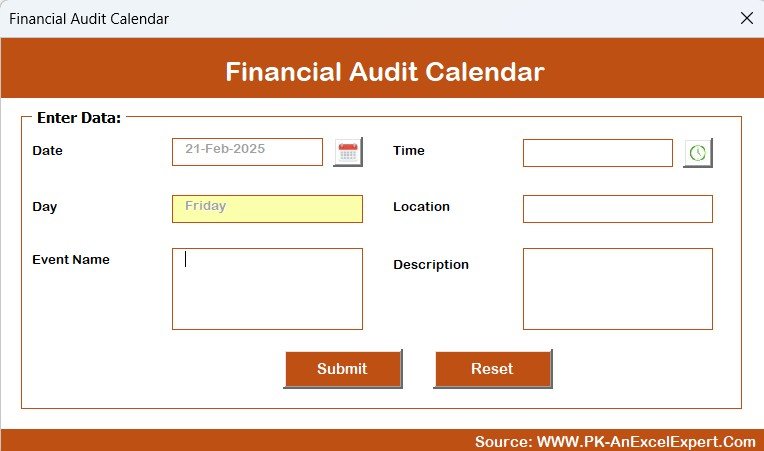
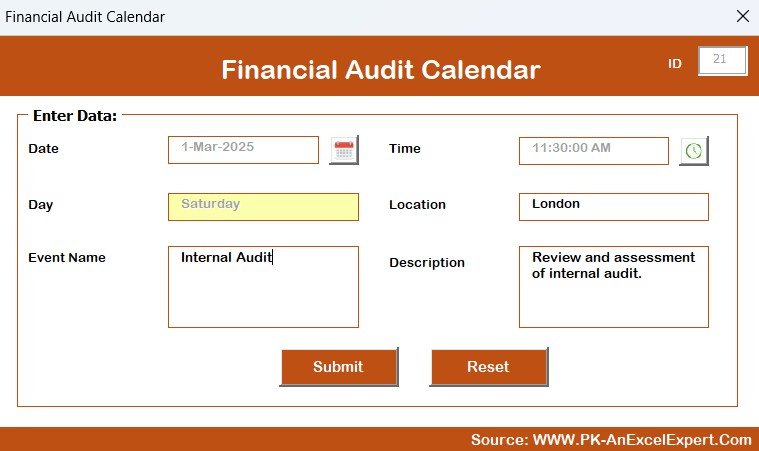
Three buttons manage the database. Add New Record creates a new entry, Update Existing Record edits an existing event, and Delete Record removes outdated or canceled events. The database keeps historical data for audit compliance and makes record-keeping simpler.
Advantages of the Financial Audit Calendar in Excel
- Streamlined audit planning: all audit tasks sit in one central system.
- Customizable and user-friendly: adjust the calendar to your business needs.
- Automated scheduling and event management: set up audit events in a few clicks.
- Color-coded highlights: identify key deadlines quickly.
- Efficient record-keeping: keep an audit trail of past and future events.
- Time-saving interactive features: move between sheets with clear buttons.
Together, these features help businesses improve accountability, prevent missed deadlines and run audits more efficiently.
Who It’s For
- Finance and accounting teams planning internal or external financial audits
- Auditors who need a clear view of daily audit tasks
- Audit managers coordinating reviews, meetings and deadlines
- Businesses that want an Excel audit template instead of scattered spreadsheets
How to Use It
- Open the file and start on the Home sheet.
- On the Annual View, select the year, starting month and starting day of the week, then pick a color theme.
- Use Add New Event to schedule audits, reviews and meetings.
- Check upcoming work in the Monthly View, and use the Daily View with a date range plus Refresh to track details.
- Manage all records on the Events sheet with the Add, Update and Delete buttons.
Frequently Asked Questions
What is the Financial Audit Calendar in Excel?
It is an Excel audit template with five worksheets: Home, Annual View, Monthly View, Daily View and Events. You use it to schedule, track and manage financial audit events.
Can I align the calendar with my fiscal year?
Yes. On the Annual View you can set the starting month to match your fiscal year, and you can also choose the starting day of the week.
What happens if a date has more than one audit event?
The Monthly View shows “More than 1 event…” on that date. You can then click Show Event to see every event scheduled for it.
What details can I record for each audit event?
Each record in the audit event database includes an ID, date and day, event name and description, and time and location.
Can I change how the calendar looks?
Yes. You can choose from five color themes, highlight weekends, and turn on color-coded event highlights.
Can I edit or remove events later?
Yes. The Events sheet has Update Existing Record and Delete Record buttons, so you can edit or remove any event you added earlier.
Learn More
Click here to read the detailed blog post.
Visit our YouTube channel for step-by-step video tutorials: Youtube.com/@PKAnExcelExpert
Last updated: October 2026
Compatibility and Requirements
- Works in Microsoft Excel desktop (Excel 2016 or later, or Microsoft 365).
- The Add New Event, Show Event, Refresh and record buttons on the calendar and Events sheets are macro buttons. Excel desktop on Windows with macros enabled is needed, and the file does not run in Excel for the web, Google Sheets or mobile. Microsoft explains the setting in Enable or disable macros in Microsoft 365 files.
More Questions About This Template
Is there a Google Sheets version of this audit calendar?
Yes. See the Financial Audit Calendar in Google Sheets.
Can I use this template to plan inventory audits?
This calendar is set up for financial audits. For stock counts, see the Inventory Audit Calendar in Excel.
Related Audit Templates
- Financial Audit Calendar in Google Sheets: the same audit calendar for Google Sheets
- Audit Schedule Calendar in Excel: a calendar for general audit schedules
- Financial Audit Checklist in Excel: a checklist to run each audit step by step
- Financial Audit Preparation Checklist in Excel: a checklist for the work before an audit starts
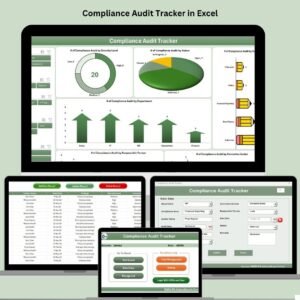
- Compliance Audit Tracker in Excel: a tracker for compliance audit items
Browse all Excel calendar templates and Excel financial tools.

















Reviews
There are no reviews yet.