

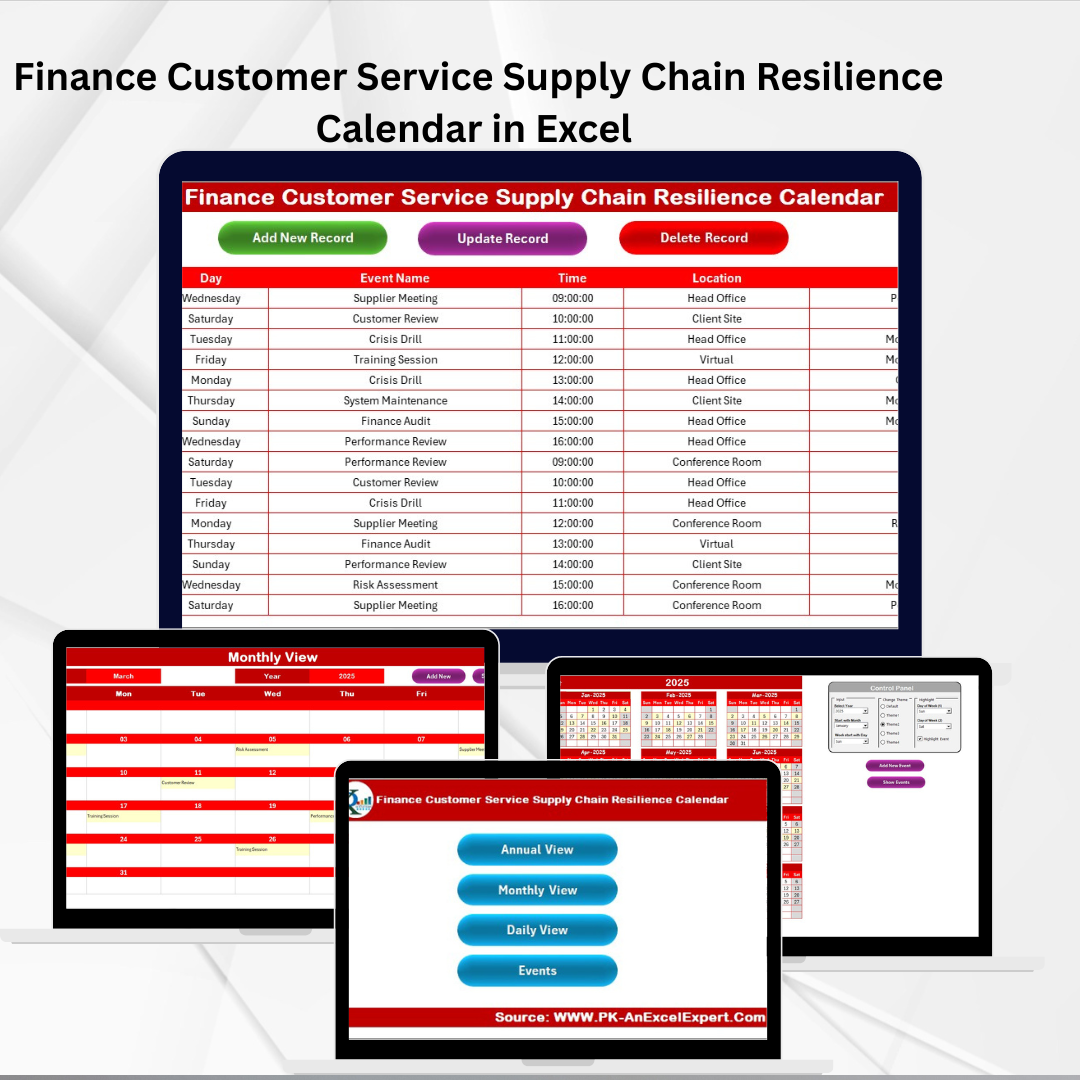

Key Features of Finance Customer Service Supply Chain Resilience Calendar in Excel ✨
In today’s finance sector, customer service and supply chain resilience go hand in hand. Businesses must ensure smooth operations, timely customer interactions, and robust planning to minimize disruptions. The Finance Customer Service Supply Chain Resilience Calendar in Excel is a ready-to-use tool that makes this possible.
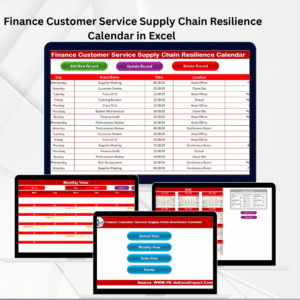
This Excel-based calendar helps finance teams plan, organize, and monitor events across the year. With its built-in navigation, customizable themes, and event management system, it transforms how finance professionals handle scheduling and customer commitments.
Key highlights include:
📅 Annual, Monthly & Daily Views – Flexible planning at every level.
✅ Event Management Tools – Add, update, or delete events instantly.
🎨 Five Color Themes – Customize your calendar for better visibility.
📊 Highlight Options – Mark weekends or key events with color coding.
📂 Events Database – Store and manage every event in one place.
🚀 User-Friendly Design – No coding or advanced Excel skills required.
This template ensures that deadlines, customer service tasks, and supply chain activities are never missed.
What’s Inside the Finance Customer Service Supply Chain Resilience Calendar 📂
The template contains five structured worksheets, each serving a unique function:
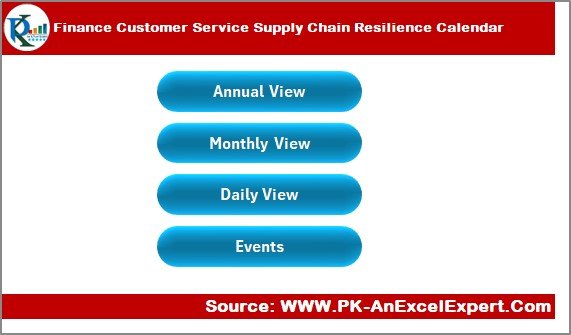
Home Sheet Tab
Acts as the index page.
Includes four navigation buttons: Annual View, Monthly View, Daily View, and Events.
Provides one-click access to every section of the workbook.
Annual View Sheet Tab
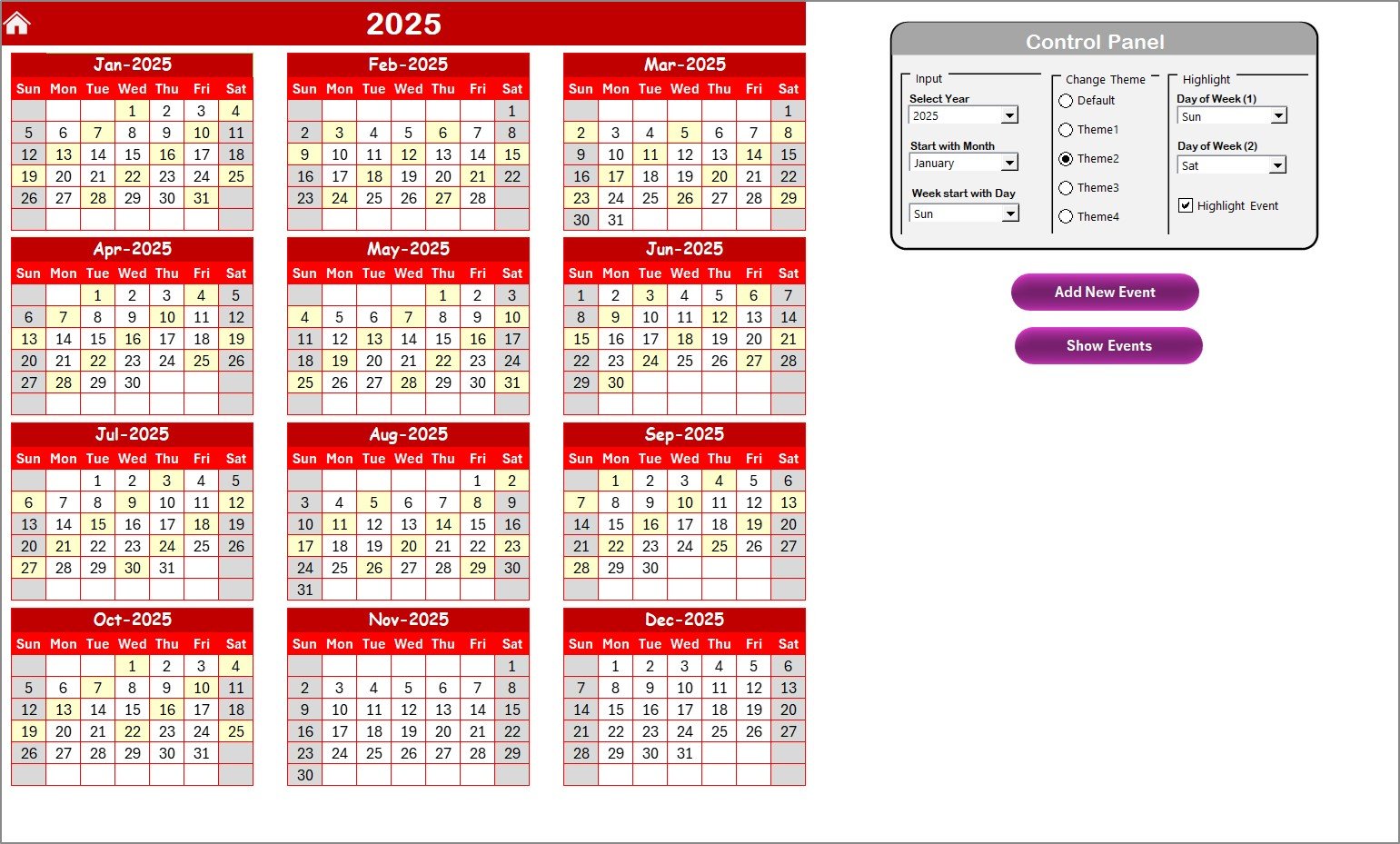
Displays all 12 months in a clean calendar format.
Control Panel:
Input Group – Change the year, start month, and starting day of the week.
Change Theme Group – Choose from five themes for the entire workbook.
Highlight Group – Highlight weekends or selected weekdays (e.g., Saturday & Sunday) in grey, and highlight events in yellow.
Add New Event Button – Add an event by selecting a date.
Show Event Button – View all events scheduled for a particular date.
Monthly View Sheet Tab
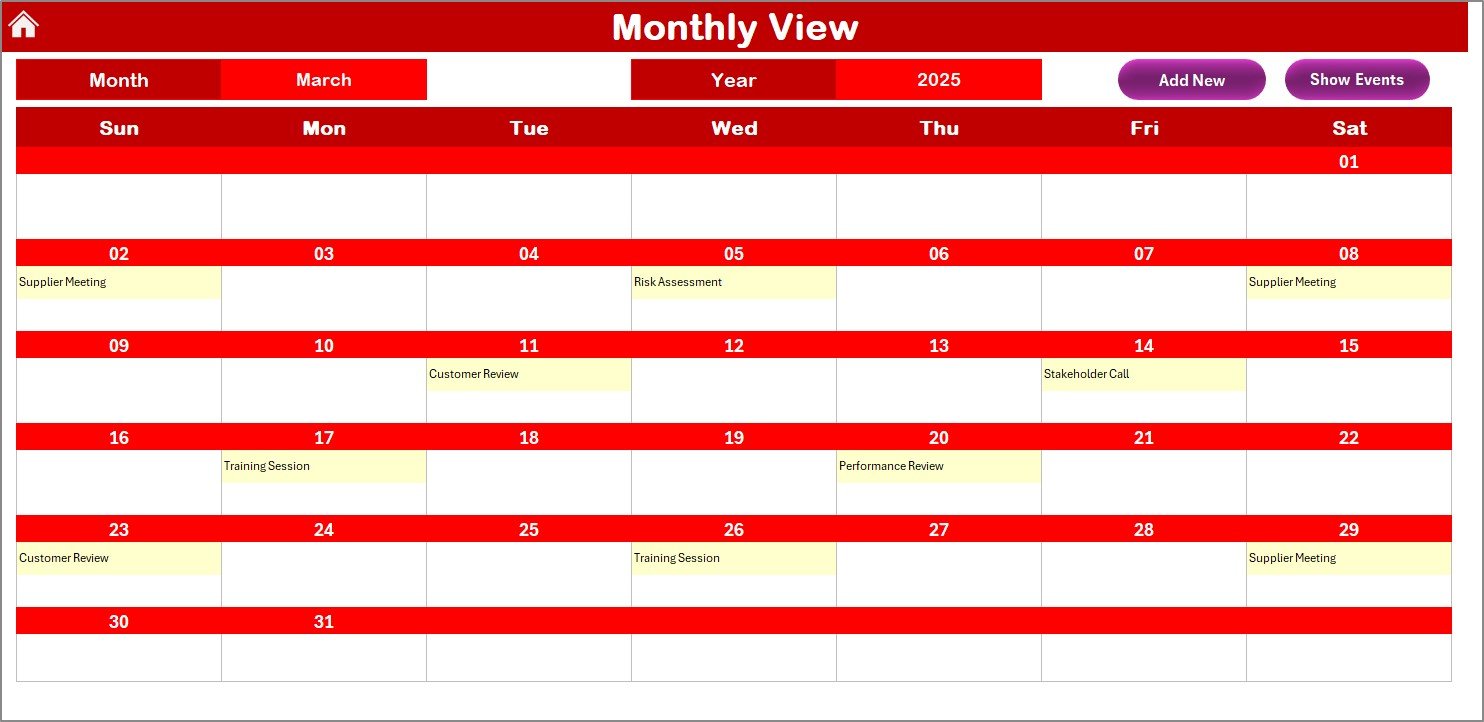
Focuses on a single month.
Select the Month and Year at the top for quick navigation.
Displays one event per day, with “more than 1…” if multiple events exist.
Includes Add New Event and Show Event buttons for quick management.
Daily View Sheet Tab
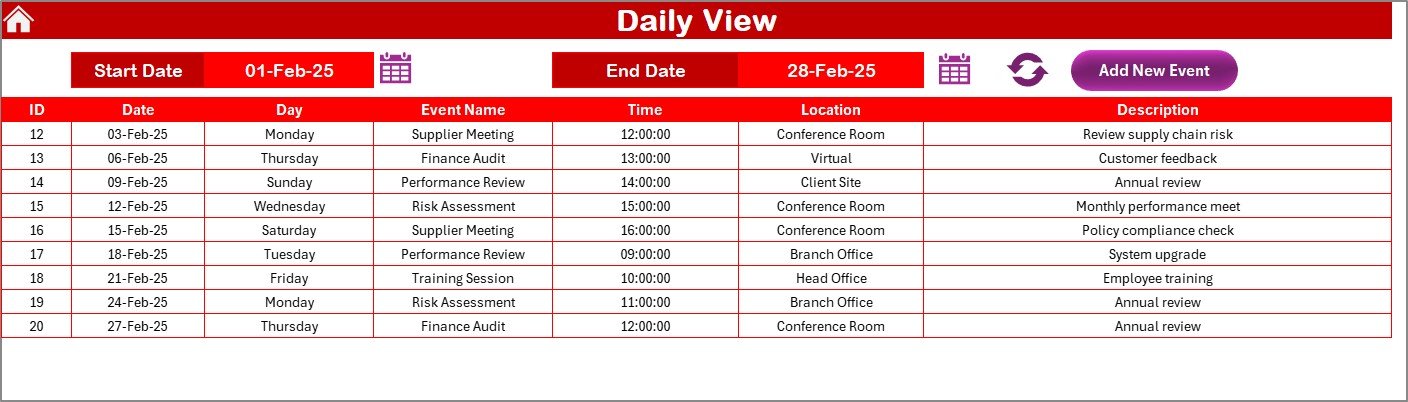
Designed for detailed daily planning.
Enter a Start Date and End Date using calendar icons.
Click Refresh to load the latest data for the chosen range.
Add events directly with the Add New Event Button.
Events Sheet Tab
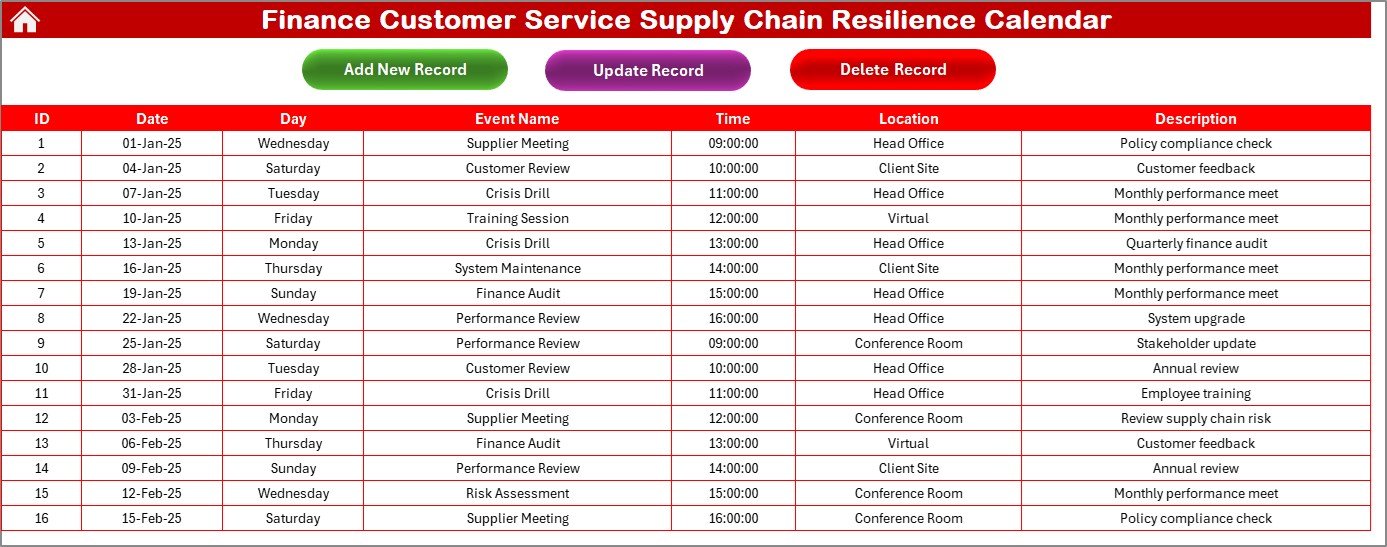
The master database of all activities.
Captures: ID, Date, Day, Event Name, Time, Location, and Description.
Action Buttons:
Add New Record – Create new entries.
Update Existing Record – Edit details with prefilled data.
Delete Record – Remove an event by selecting its ID.
This structure ensures visibility and accountability for finance and customer service teams.
How to Use the Finance Customer Service Supply Chain Resilience Calendar 🛠️
Using this template is straightforward:
Download the File – Start from the Home sheet.
Plan Annual Activities – Input yearly deadlines, compliance schedules, and customer service events.
Switch to Monthly View – Add recurring tasks, team rotations, or supply chain activities.
Use Daily View – Track detailed operations and customer interactions day by day.
Log Data in Events Sheet – Maintain a complete, searchable history of all events.
Stay Updated – Regularly update event status for accurate planning.
The template is designed to be plug-and-play, making it ideal for both small teams and large organizations.
Who Can Benefit from This Calendar 👥
This Excel calendar is perfect for:
💼 Finance Departments – Manage compliance and customer service deadlines.
👨💻 Customer Service Teams – Plan meetings, calls, and support sessions.
📊 Supply Chain Managers – Track logistics-related events and resilience planning.
🏢 Enterprises & SMEs – Coordinate schedules across departments.
🧑🏫 Supervisors & Team Leads – Monitor availability and workload distribution.
🏠 Remote Teams – Stay aligned and avoid scheduling conflicts.
Opportunities for Improvement & Best Practices 💡
While robust, the template can be enhanced by:
🔔 Automated Reminders – Add VBA or Outlook alerts.
📱 Mobile Version – Build a lighter, app-friendly design.
🌐 Cloud Collaboration – Use Microsoft 365 or Google Drive for real-time updates.
📊 Analytics Integration – Add charts to track recurring tasks or deadlines.
Best practices:
Update the calendar weekly for accuracy.
Use themes to highlight key events clearly.
Backup the Events sheet regularly.
Assign responsibilities in the Description field.
Sync the calendar with team meetings.
✅ Click here to read the Detailed blog post
📺 Visit our YouTube channel to learn step-by-step video tutorials
Watch the step-by-step video tutorial:
Compatibility and Requirements
- Works in Microsoft Excel desktop (Excel 2016 or later, or Microsoft 365).
- The Events sheet has Add New Record, Update Existing Record and Delete Record buttons, and the Daily View has a Refresh button. Colors and weekend shading are covered in Microsoft’s guide to conditional formatting in Excel.
More Questions About This Template
Which sheets are included?
Five sheets: Home, Annual View, Monthly View, Daily View and Events.
How do I add an event?
Click the Add New Event button in the Annual, Monthly or Daily view and select a date. You can also add a record directly on the Events sheet.
What details does each event store?
Every event on the Events sheet has an ID, date, day, event name, time, location and description.
Can I change the year, start month and colors?
Yes. On the Annual View, the control panel lets you change the year, the start month and the starting day of the week. You can also pick one of five color themes and highlight weekends in grey and events in yellow.
Is there a version for other teams?
Yes. For example, see the Finance Operations Supply Chain Resilience Calendar in Excel and the Customer Service Supply Chain Resilience Calendar in Excel.
Related Supply Chain Resilience Calendars
- Customer Service Supply Chain Resilience Calendar in Excel: the same calendar for customer service teams
- Finance Operations Supply Chain Resilience Calendar in Excel: a finance calendar for operations planning
- Finance Procurement Supply Chain Resilience Calendar in Excel: a finance calendar for procurement dates
- Finance Compliance Supply Chain Resilience Calendar in Excel: a finance calendar for compliance deadlines
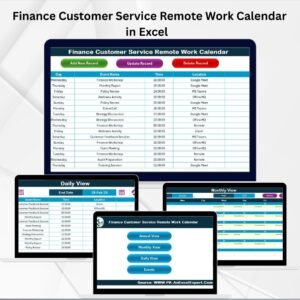
- Finance Customer Service Remote Work Calendar in Excel: a finance customer service calendar for remote work planning
Browse all Excel calendar templates.



























Reviews
There are no reviews yet.