

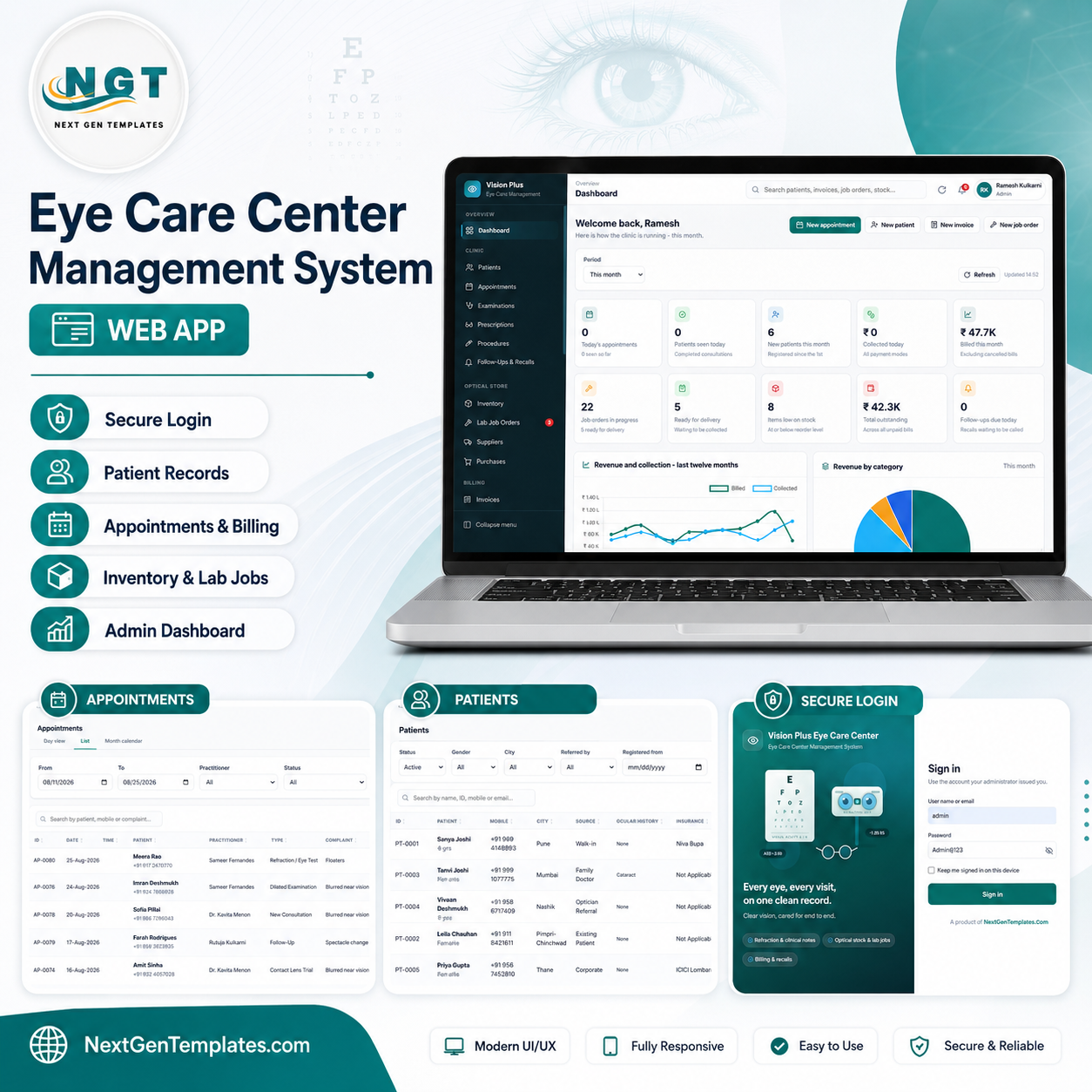
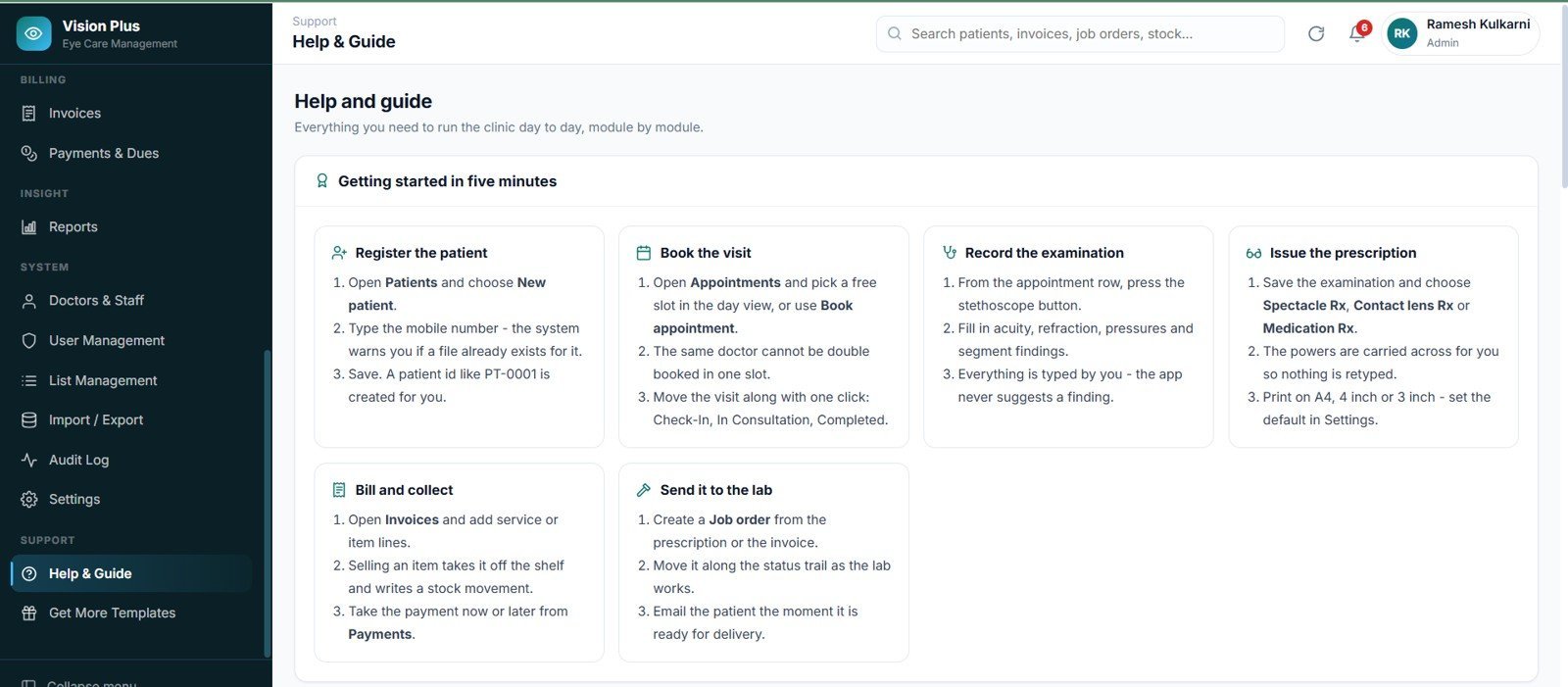
The Eye Care Center Management System Web App runs 21 modules across 22 screens, enforces 5 user roles on the server as well as in the menu, ships 20 built-in reports, and keeps everything in a 26-tab Google Sheet inside your own Google account. Installation is a copy-paste job: paste two files into Google Apps Script, deploy, click Run setup now, and the whole database builds itself in about a minute.
🚀 Try the Live Demo Before You Buy
We have deployed this web app in our own Google account so you can test every page, every role — with real sample data — before purchasing. No signup, no email required.
🔑 Test Login Credentials
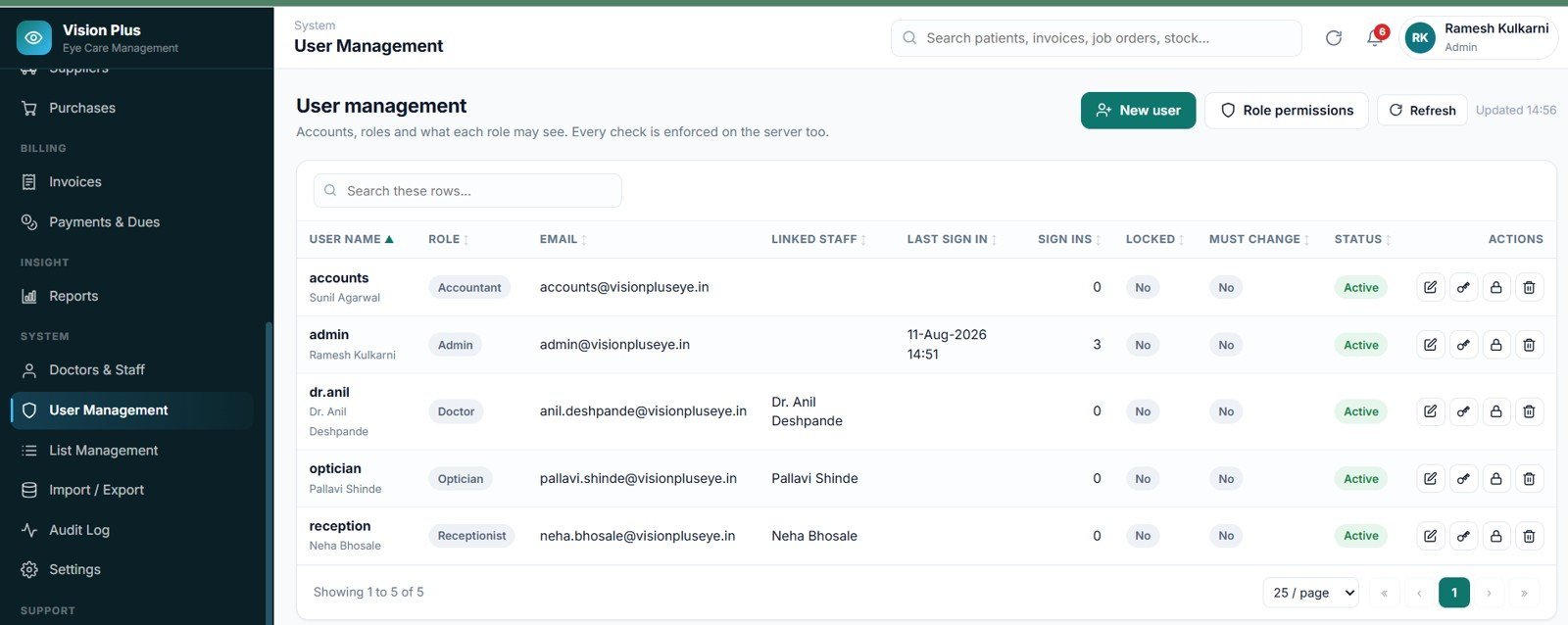
Sign in as admin to manage the whole system, as dr.anil to record eye exams and prescriptions, as reception to handle appointments and patient registration, as optician to manage eyewear inventory and sales, or as accounts to manage billing and payments.
💡 What you get after purchase: The full source code (Code.gs + Index.html) plus a step-by-step deployment guide so you can deploy your own private instance in your own Google account in under 15 minutes.
🌍 Join 8,400+ teams in 40+ countries using NextGenTemplates to replace paid SaaS tools with one-time-purchase Excel, Google Sheets, Power BI and web-app templates.
✅ Instant download · One-time payment · No subscription · No per-user fees · Lifetime access
🎥 A step-by-step deployment walkthrough is included with your download: watch the deployment tutorial.
🔑 Key Features of the Eye Care Center Management System Web App
👁️ A complete clinical record. Each examination stores visual acuity for distance and near, auto-refraction, subjective refraction with sphere, cylinder, axis and add, intraocular pressure for both eyes, anterior and posterior segment findings, assessment and plan. Nothing is auto-calculated — every clinical field is free entry or driven by a master list your clinic controls.
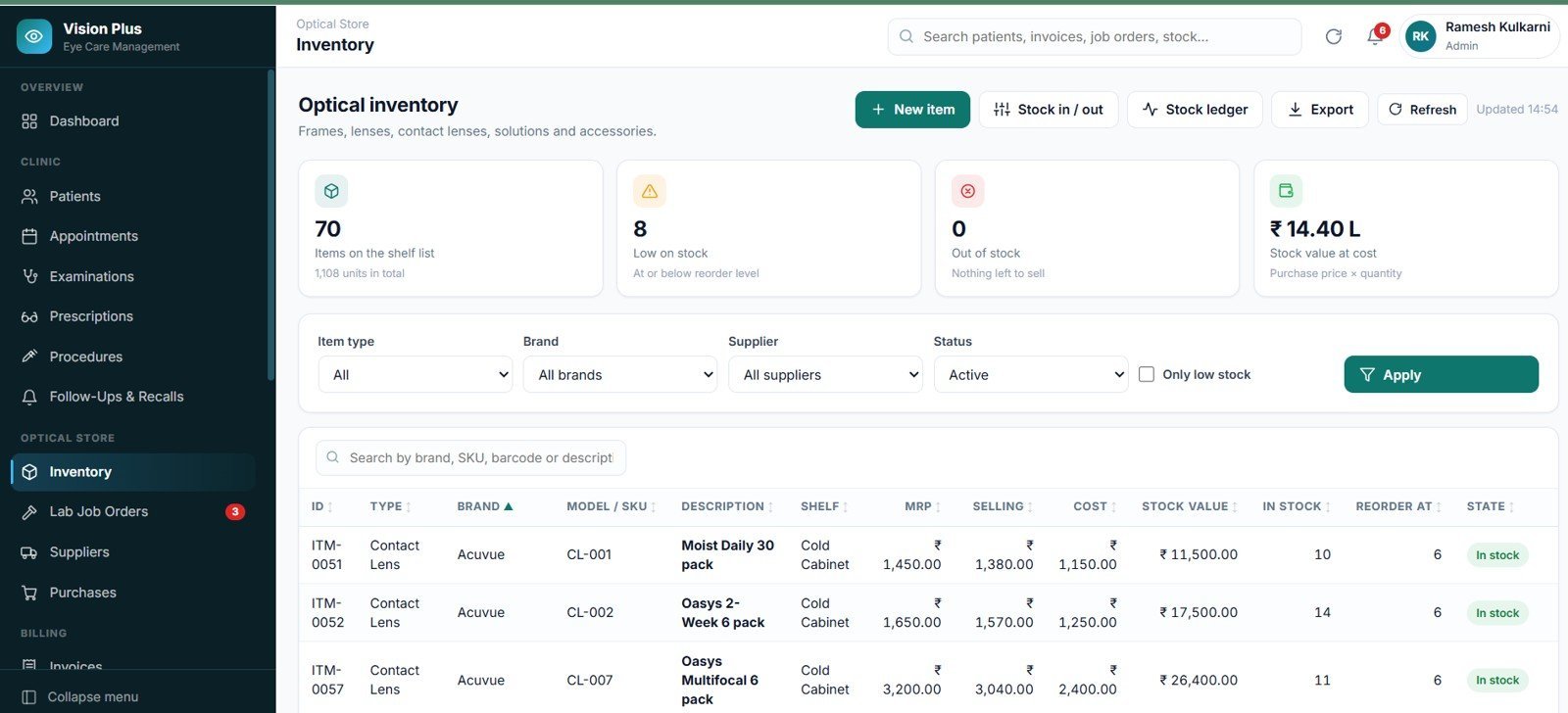
🕶️ The optical store is not an add-on. Frames, spectacle lenses, contact lenses, solutions and accessories each carry cost, MRP, selling price, shelf location and reorder level. Every sale, purchase receipt and manual adjustment writes a row to the stock movement ledger, so the ledger always nets exactly to the item balance.
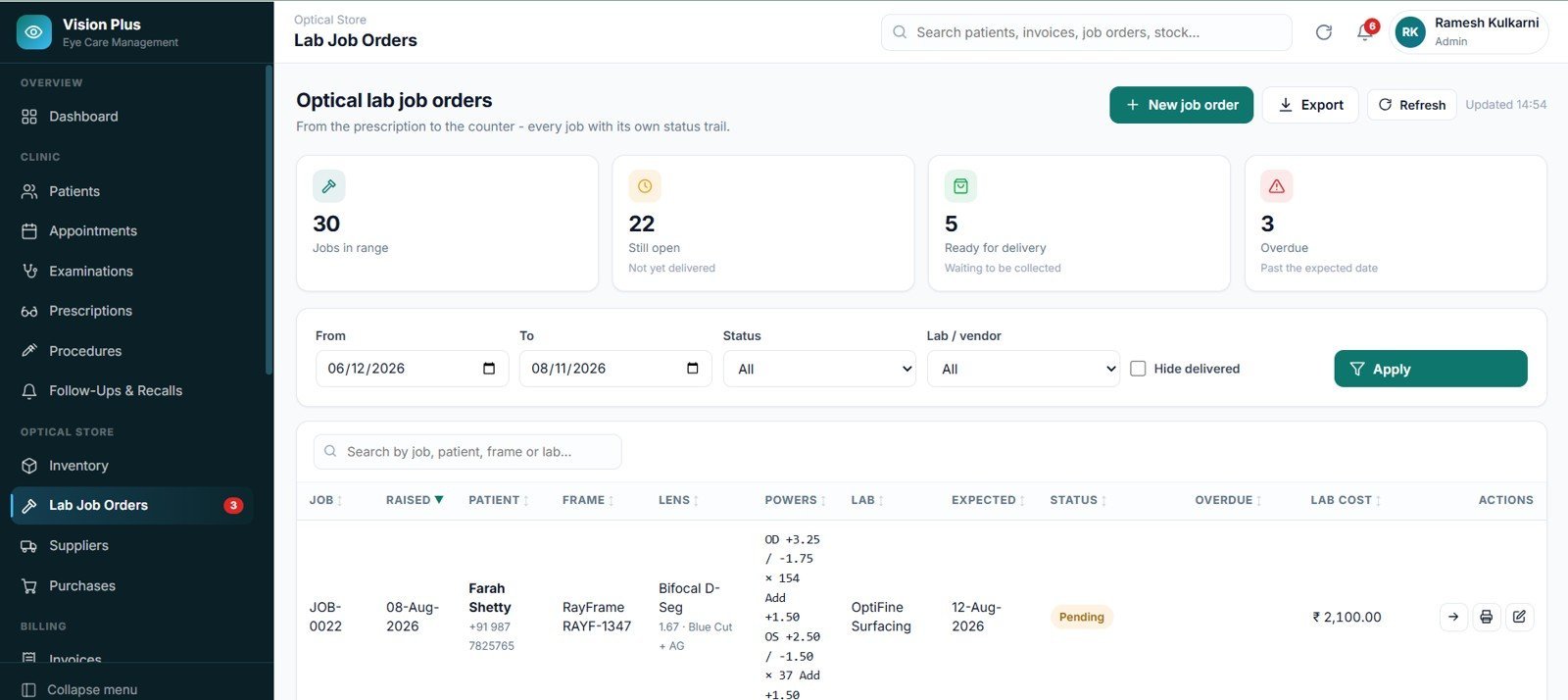
🔬 Lab job orders with a seven-step status trail. Raise a job straight from a spectacle prescription, send it to the lab, and track it through Pending, Sent to Lab, In Progress, Fitted, Quality Check, Ready and Delivered — with expected dates and automatic overdue highlighting.
💰 Billing that always reconciles. Consultation, optical, procedure and mixed invoices support line discounts, a bill-level discount as amount or percent, tax, round-off and part payments. Taxable value plus tax plus round-off equals the grand total on every bill, and payment status follows the balance automatically.
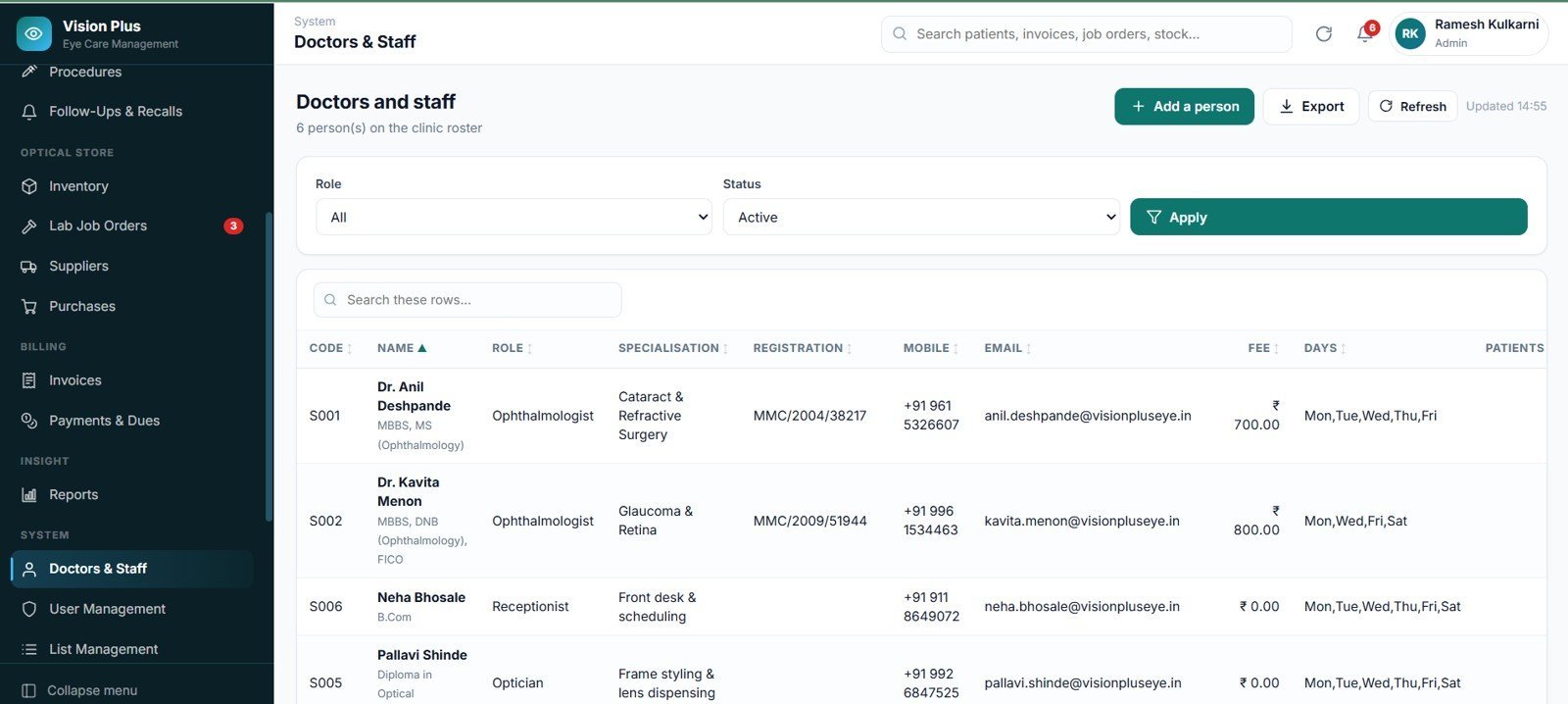
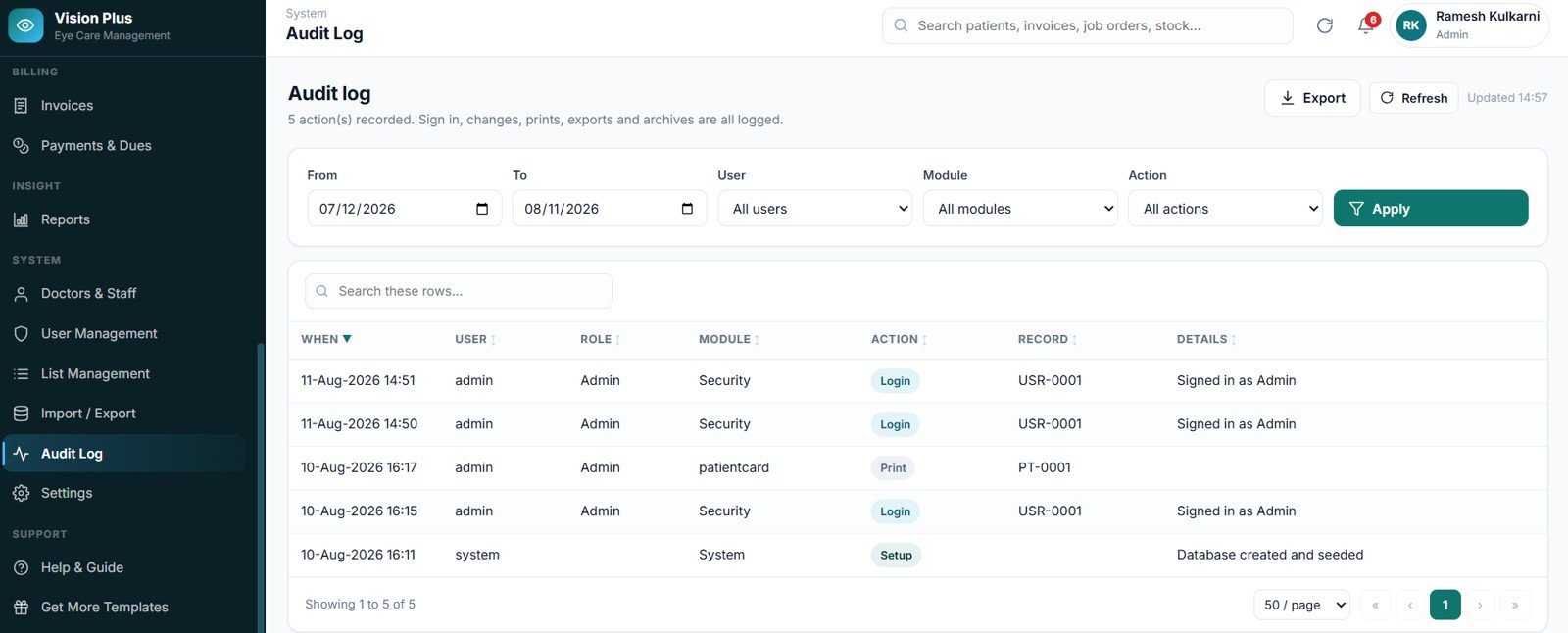
🔐 Five roles, enforced twice. Admin, Doctor/Optometrist, Receptionist, Optician/Store and Accountant each see a different menu — and every permission is re-checked on the server before any data is touched. Passwords are stored as a salted SHA-256 hash, accounts lock after 5 failed attempts, and every sign-in, edit, print, export and archive lands in the audit log.
📦 What’s Inside the Eye Care Center Management System Web App
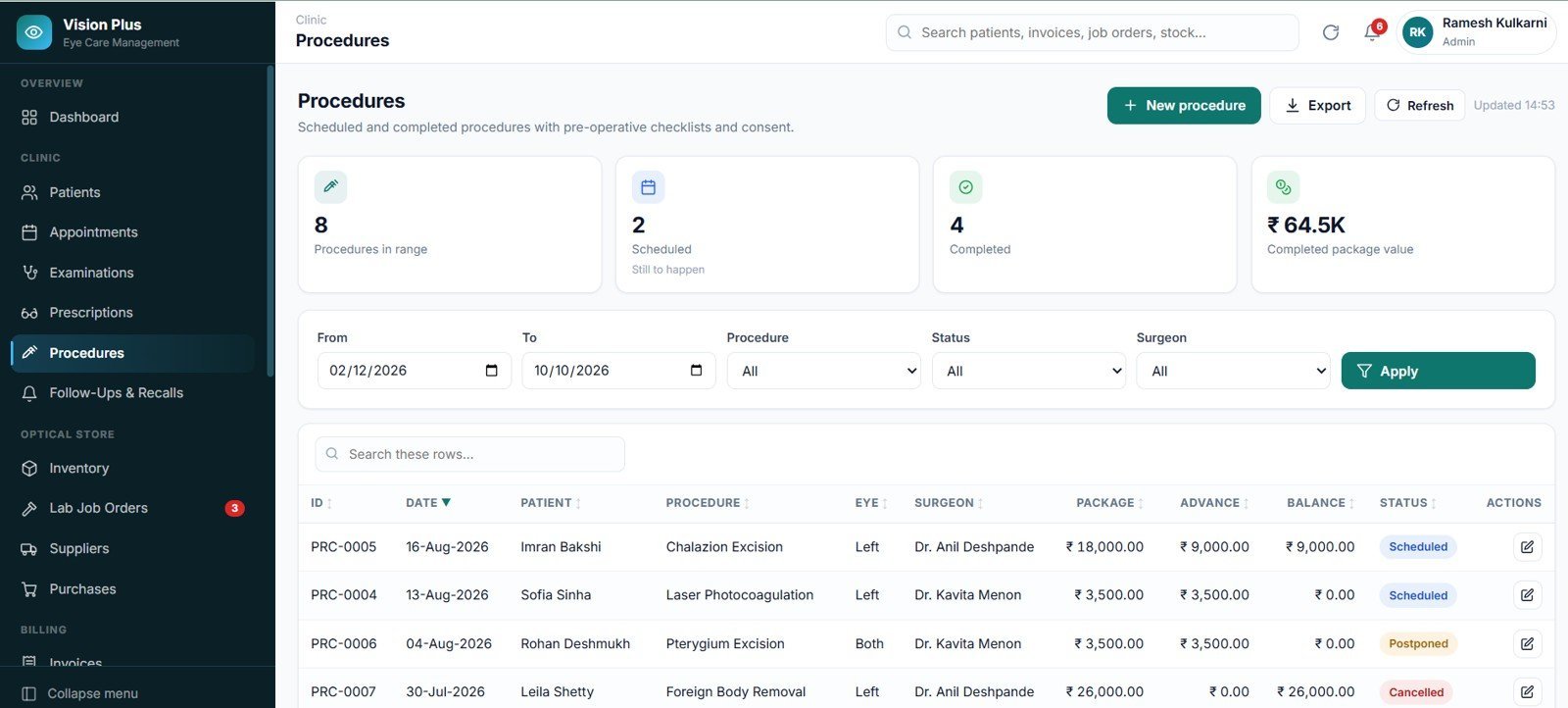
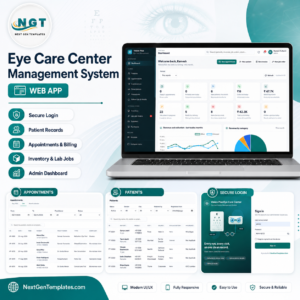
Twenty-two screens, grouped the way an eye clinic actually works: Overview, Clinic, Optical Store, Billing, Insight, System and Support. All 21 screenshots are in the gallery above; the main ones are walked through below.
Sign In
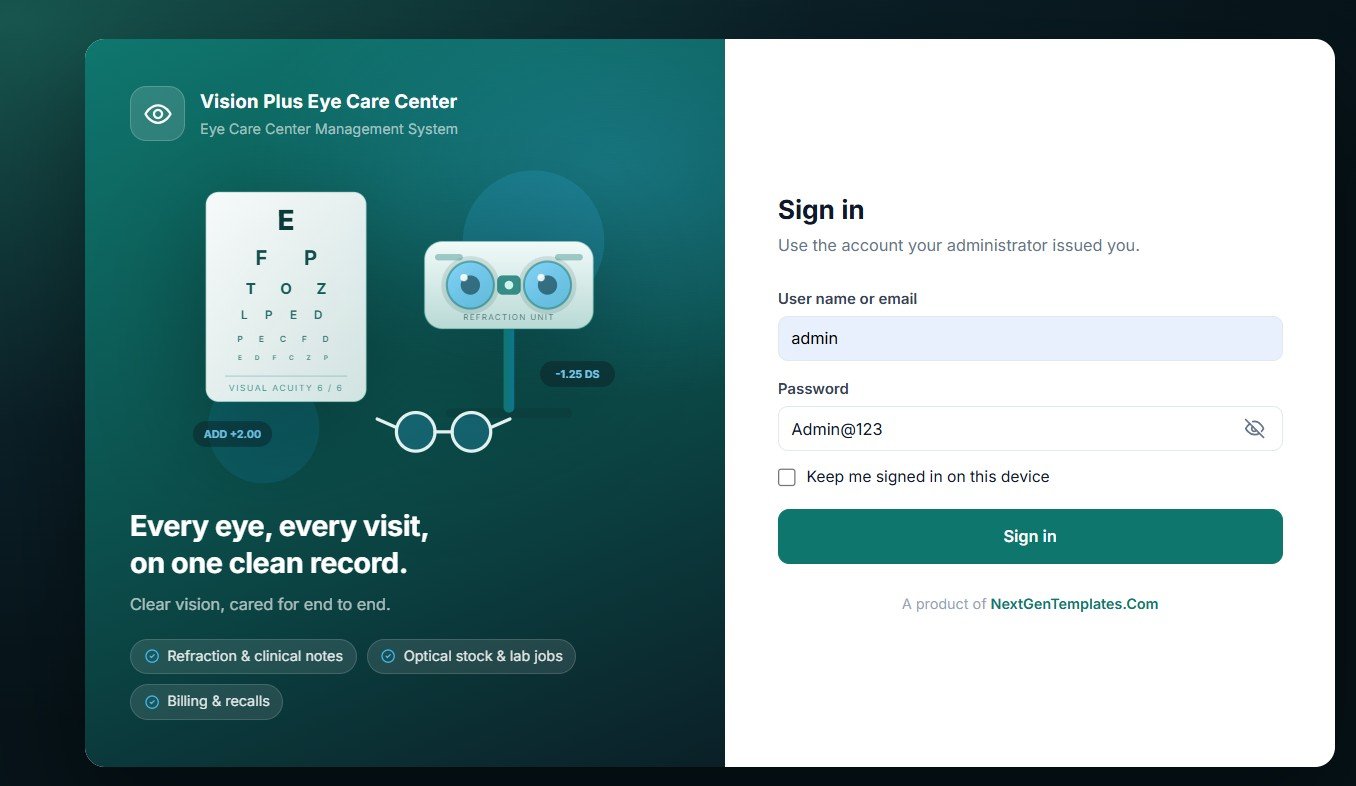
A split sign-in screen with your clinic name and logo. Users sign in with a user name or their email address, and a Keep me signed in option holds the session on trusted machines.
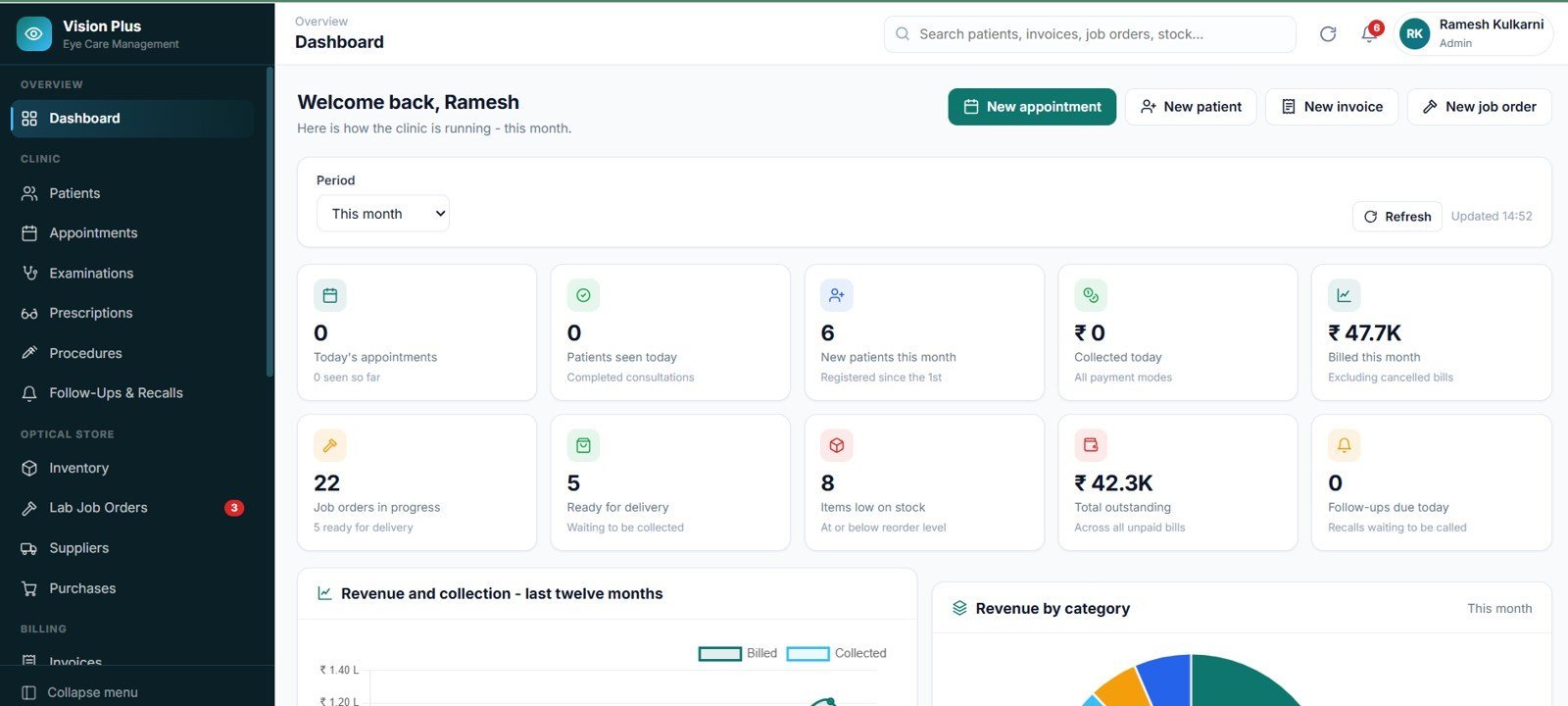
Dashboard
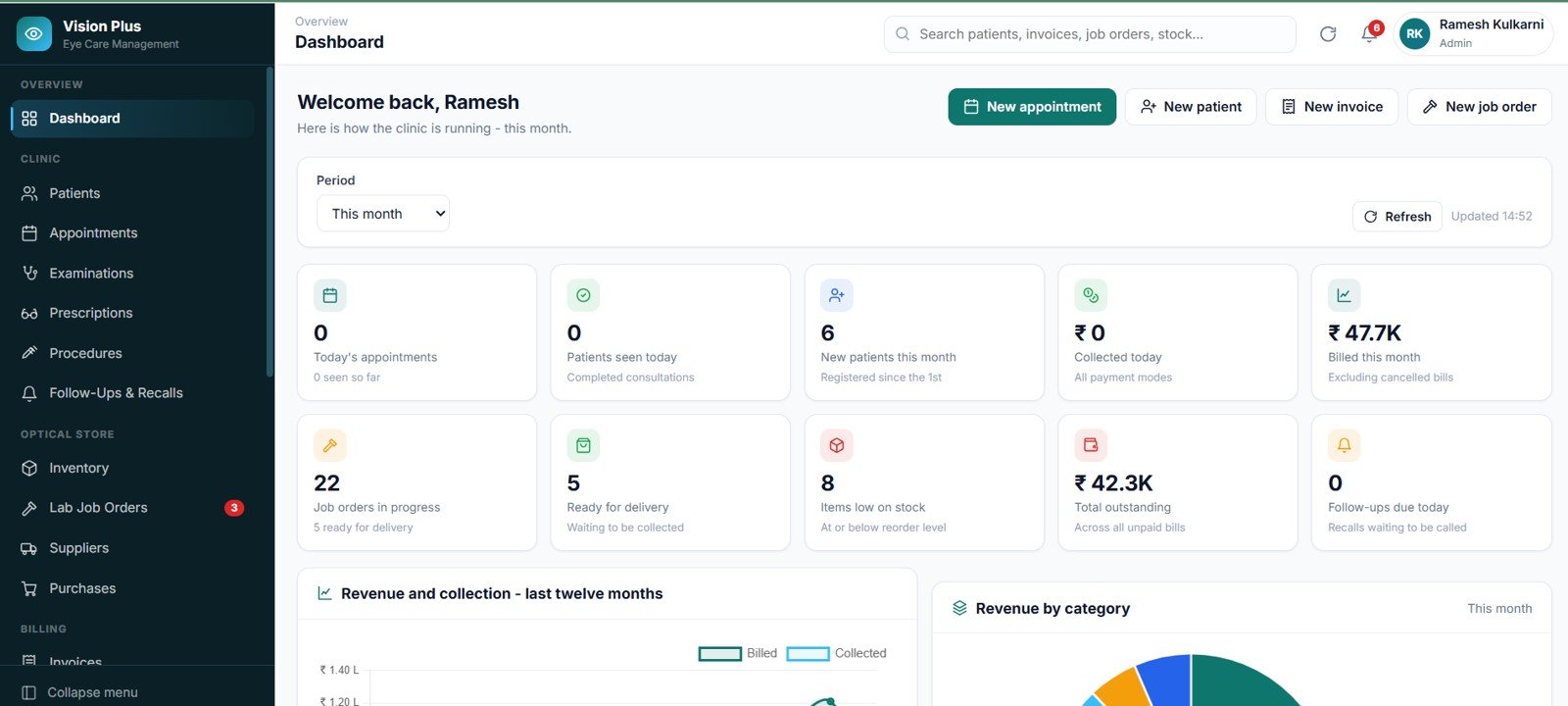
Ten live figures — today’s appointments, patients seen today, new patients this month, collected today, billed this month, job orders in progress, ready for delivery, items low on stock, total outstanding and follow-ups due today — plus Revenue and collection – last twelve months and Revenue by category.
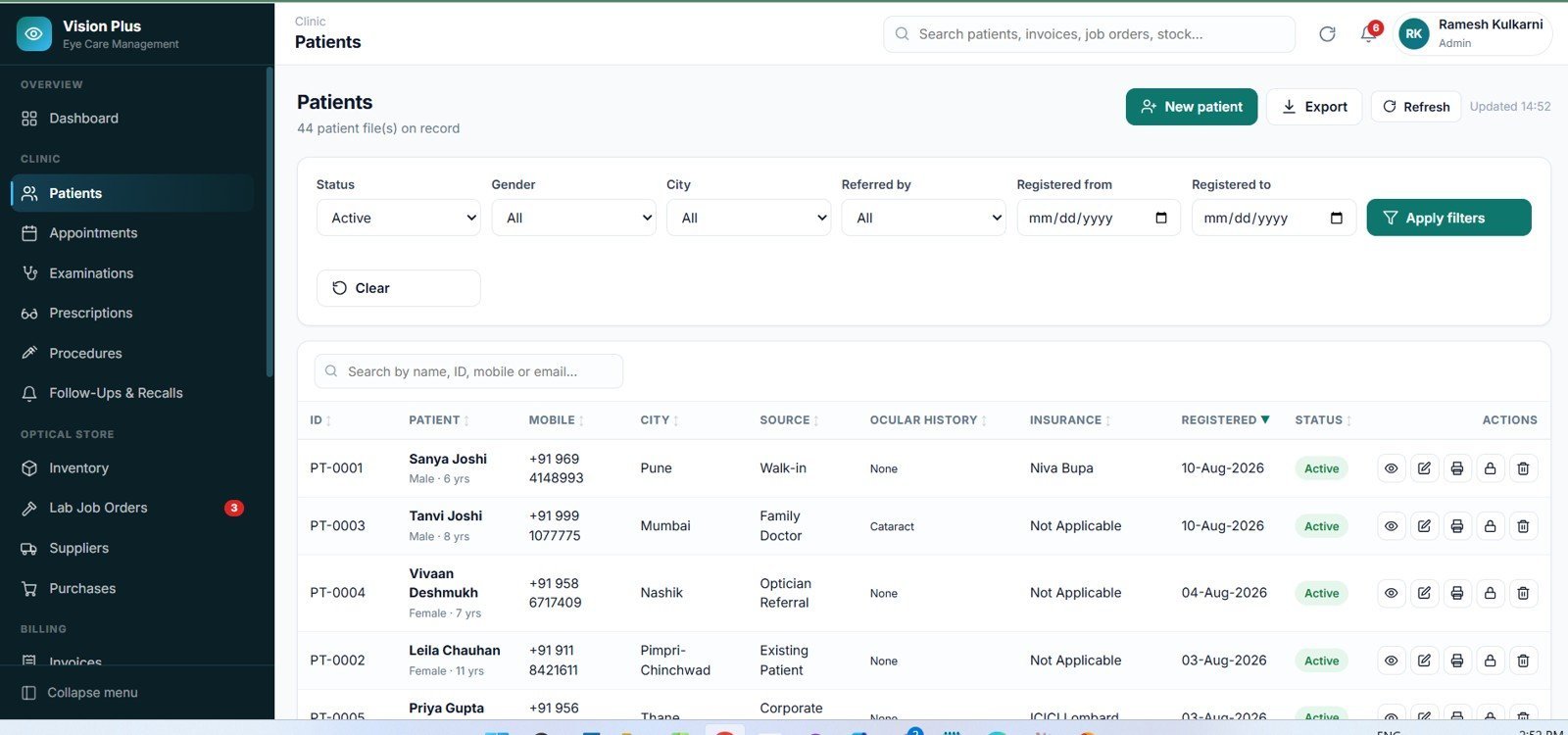
Patients
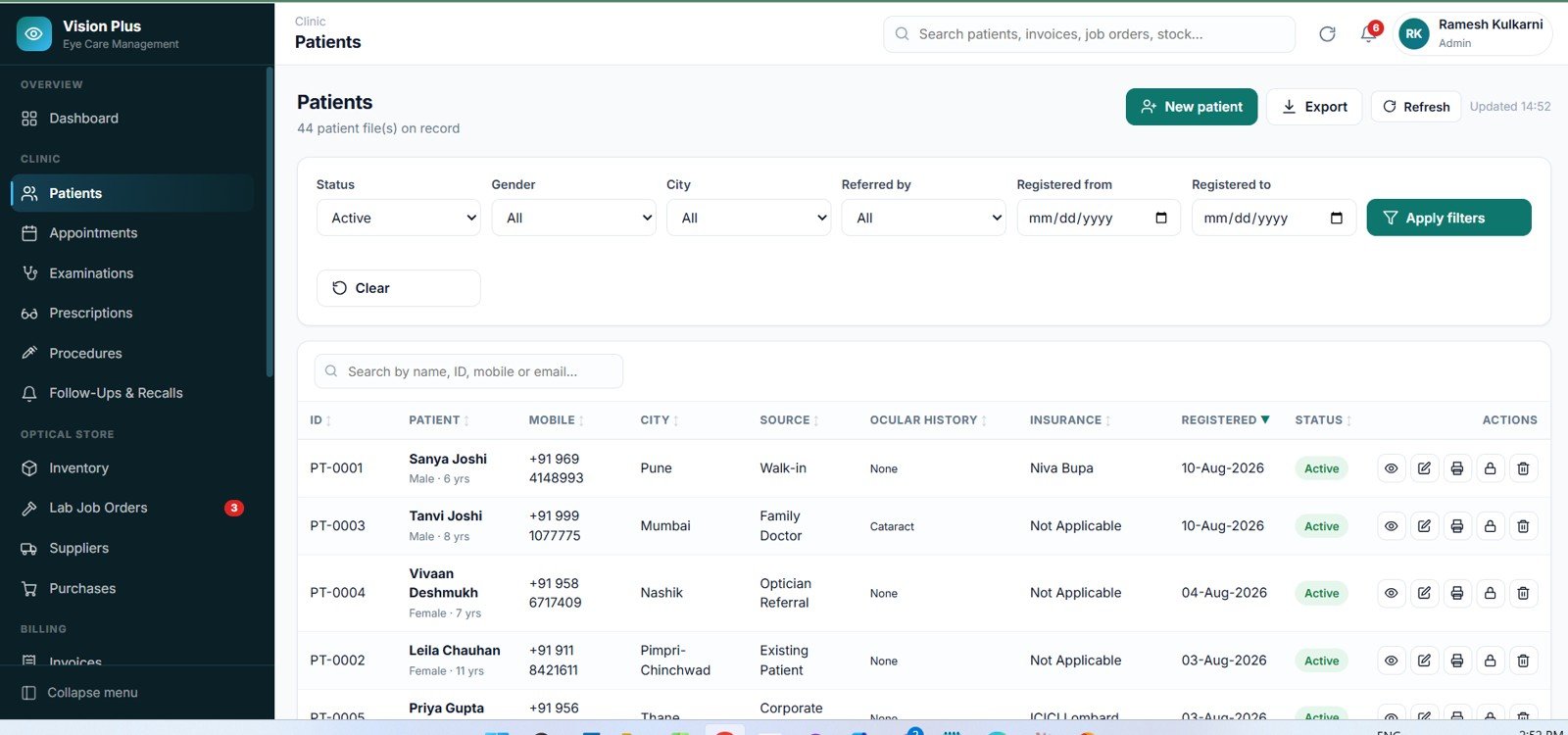
The patient register with mobile, city, source, ocular history, insurance and registration date, plus a nine-tab patient profile that pulls together every visit, examination, prescription, job order and bill for that person.
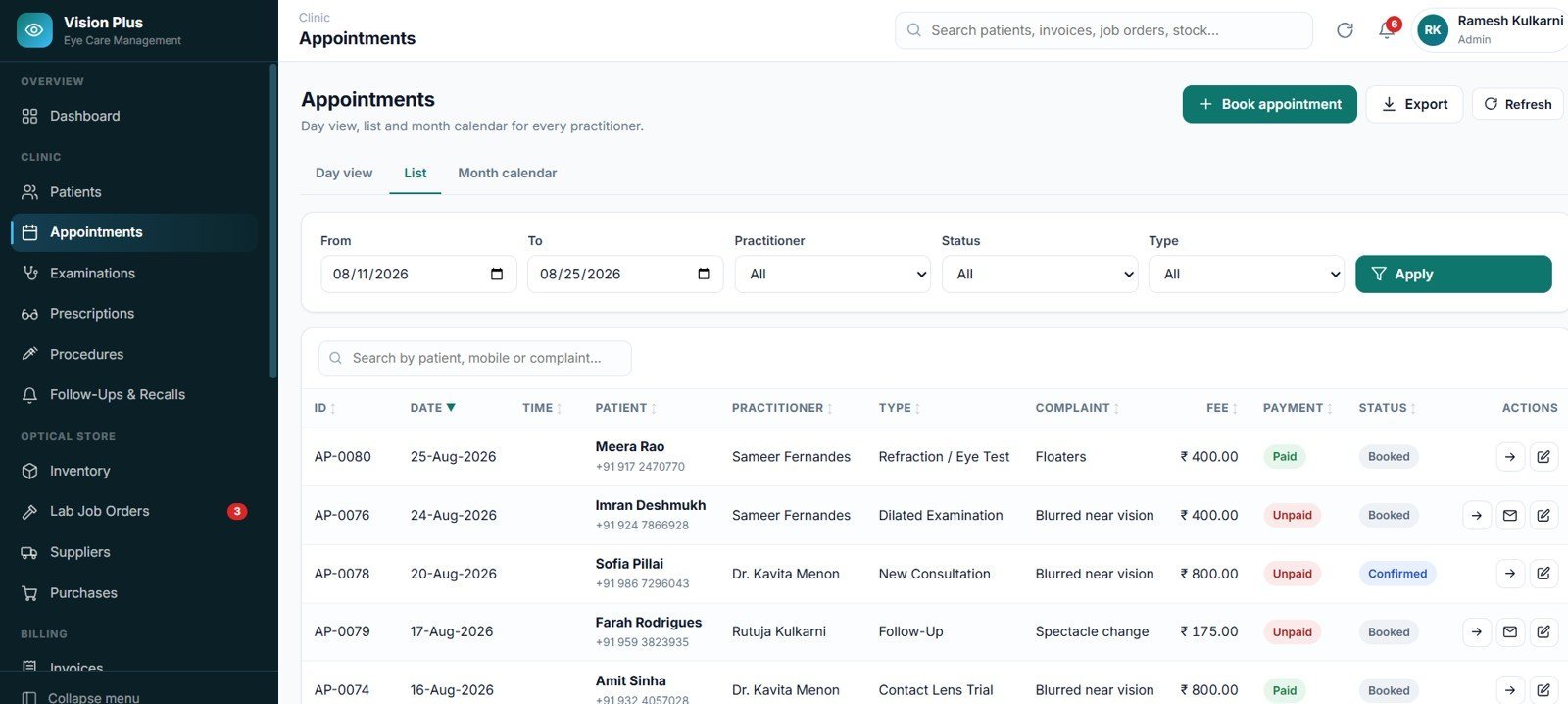
Appointments
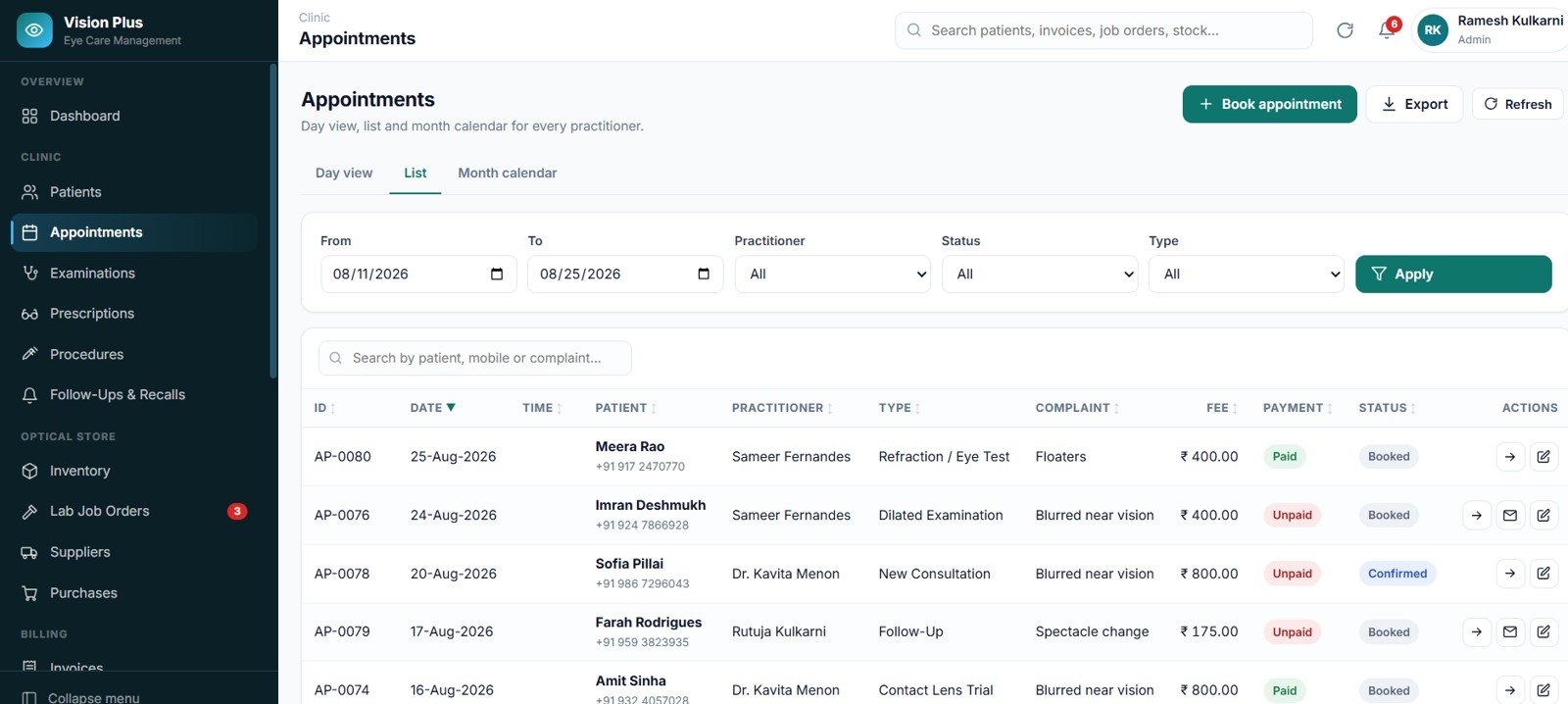
Three views of the same diary — a doctor-wise day view with time slots, a filterable list, and a month calendar. Each booking carries practitioner, type, chief complaint, fee and payment status.
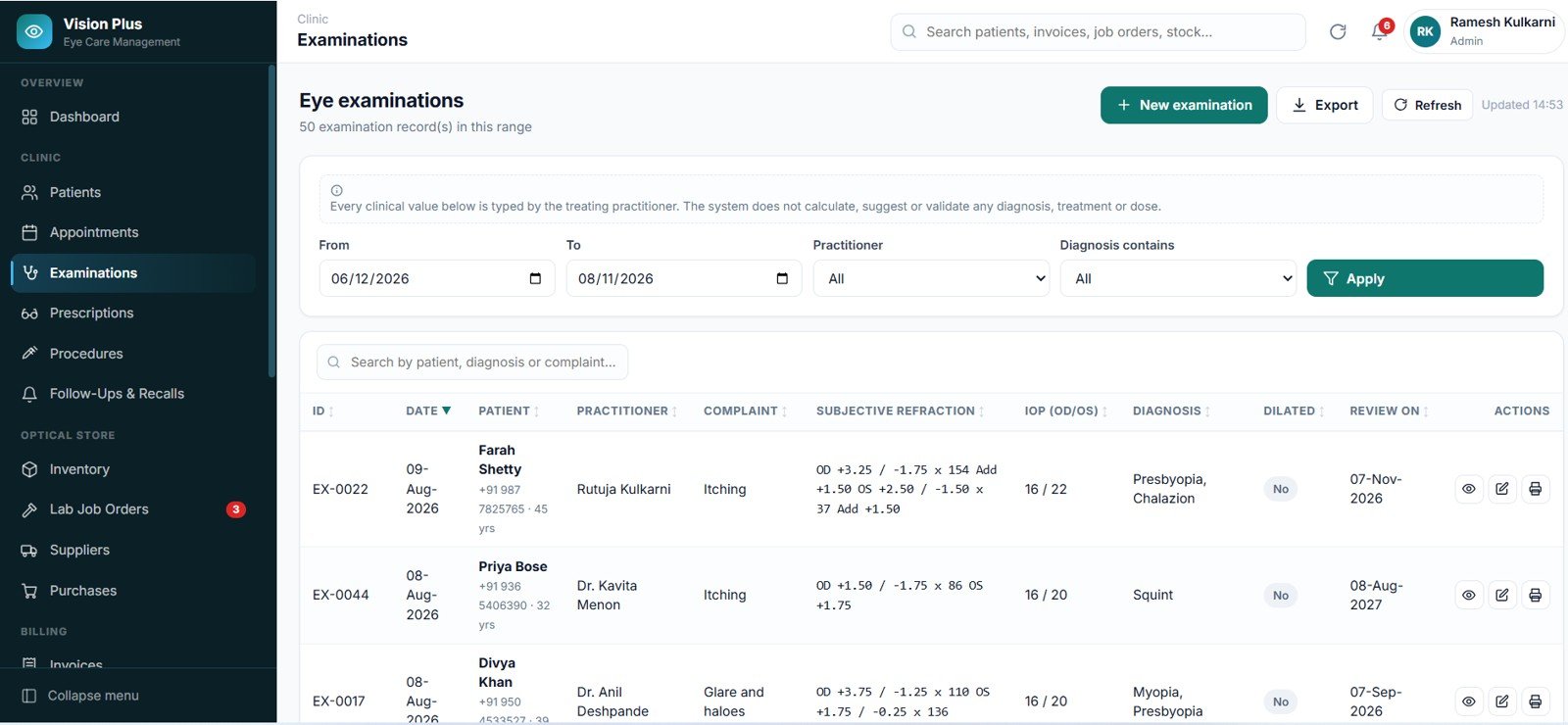
Eye Examinations
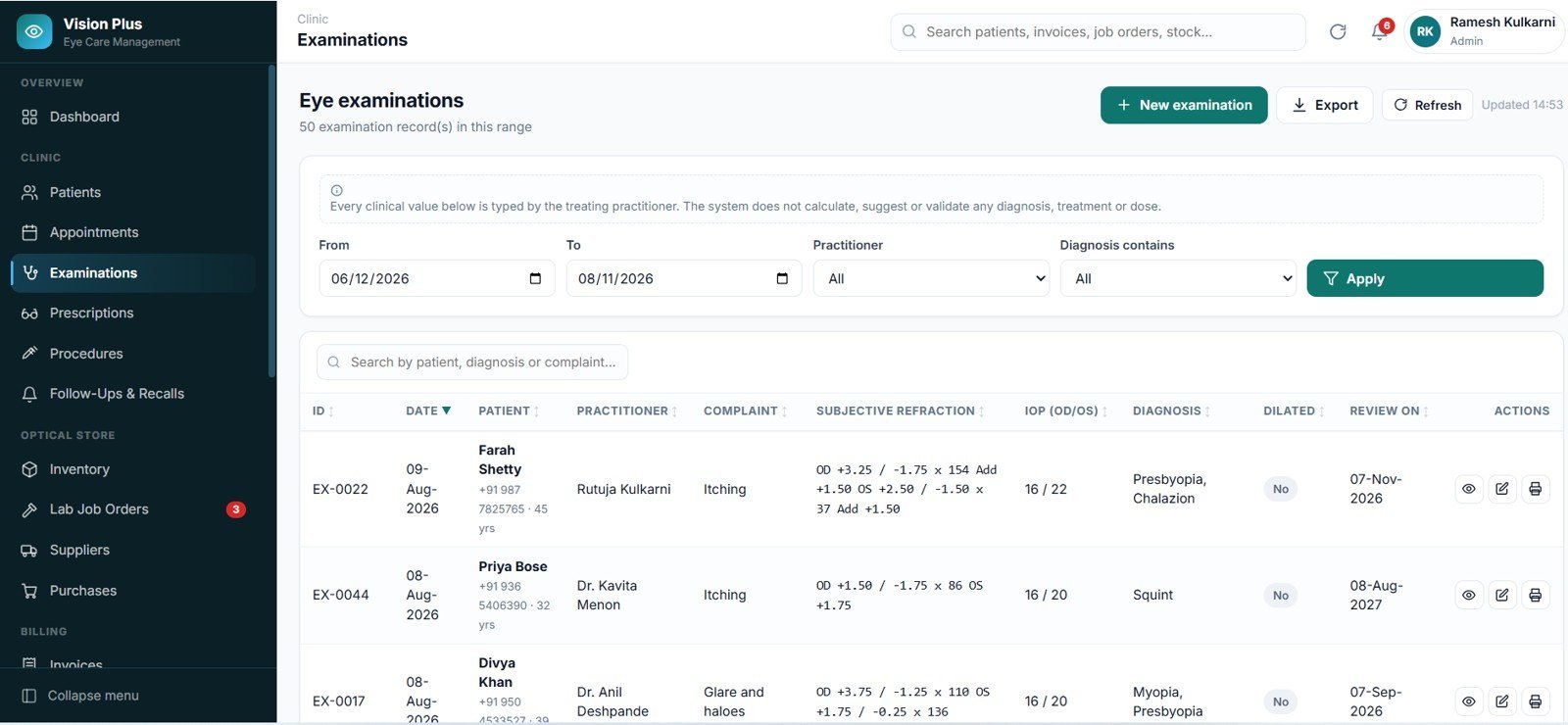
The consulting-room record: complaint, subjective refraction, IOP for both eyes, diagnosis, dilation status and review date, all filterable by date, practitioner and diagnosis.
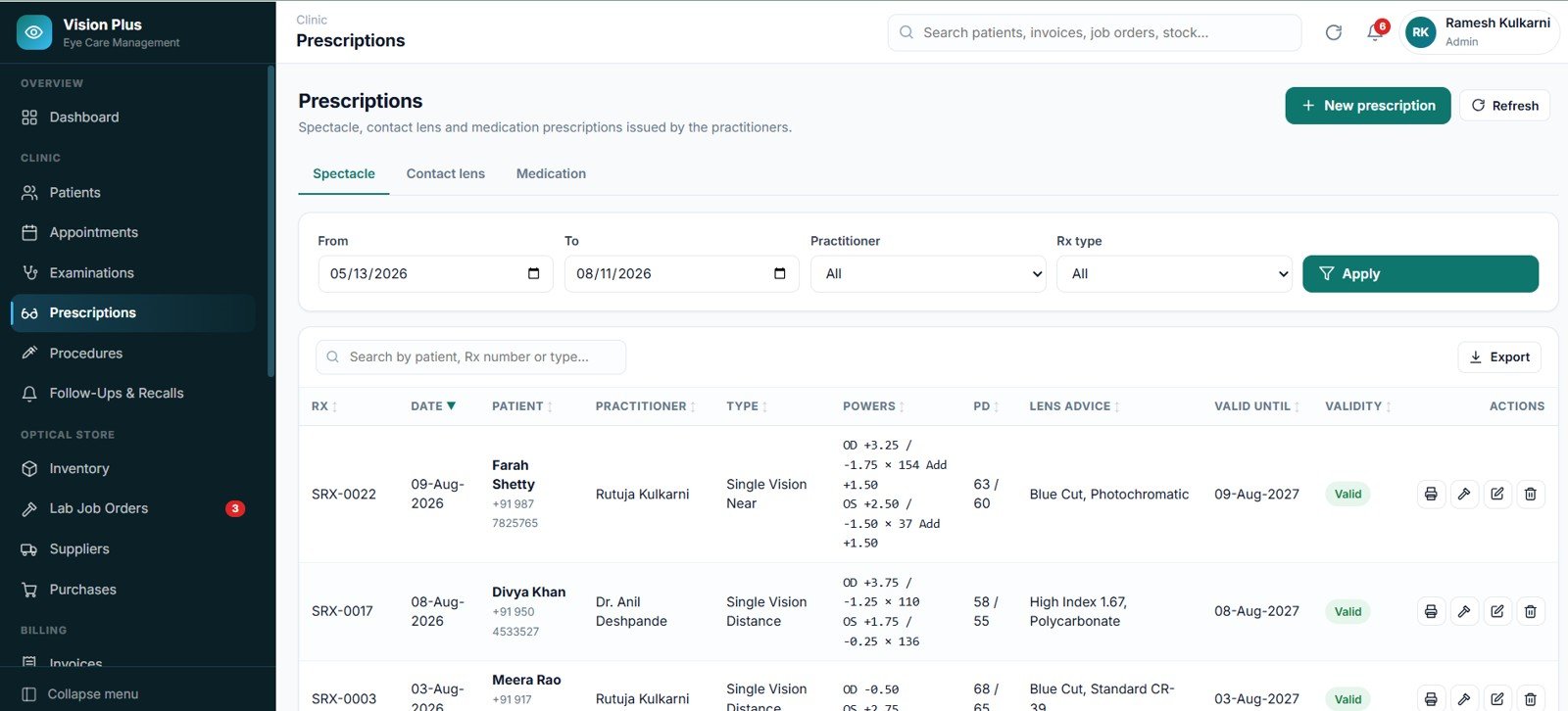
Prescriptions
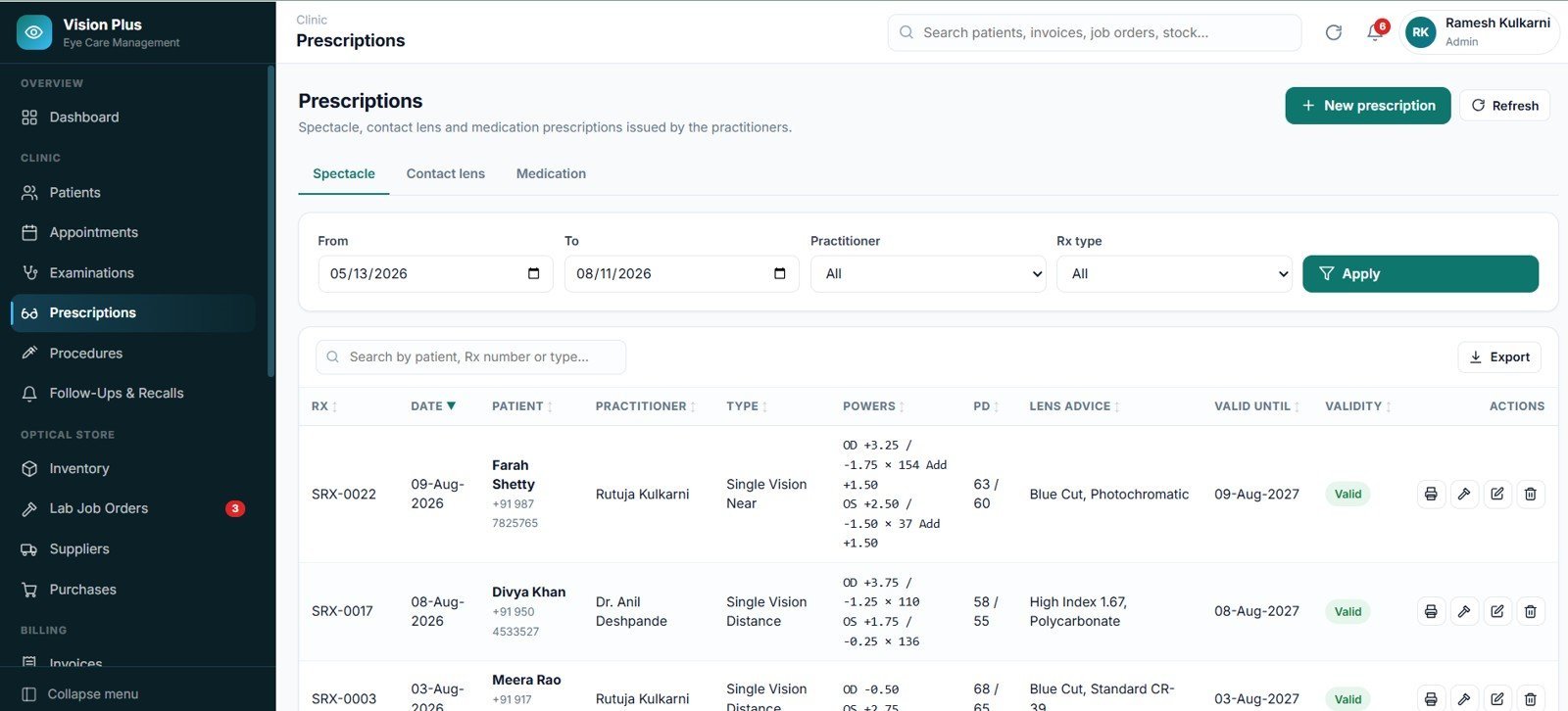
Three tabs — spectacle, contact lens and medication — each with its own numbering series, powers grid, PD, lens advice and validity date, and its own print layout.
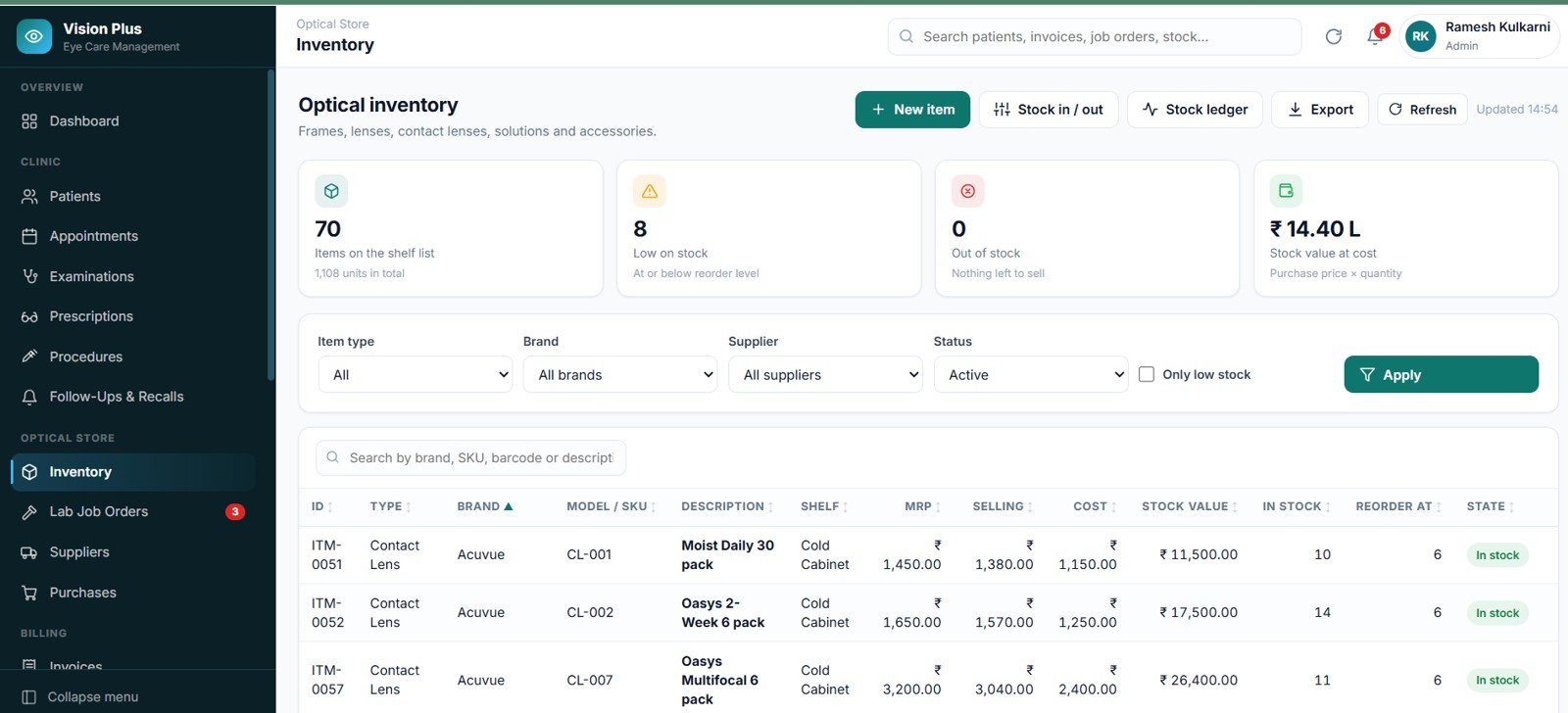
Optical Inventory
Items on the shelf list, low on stock, out of stock and stock value at cost across the top, then every item with type, brand, model, shelf, MRP, selling price, cost, stock value, quantity in stock and reorder level.
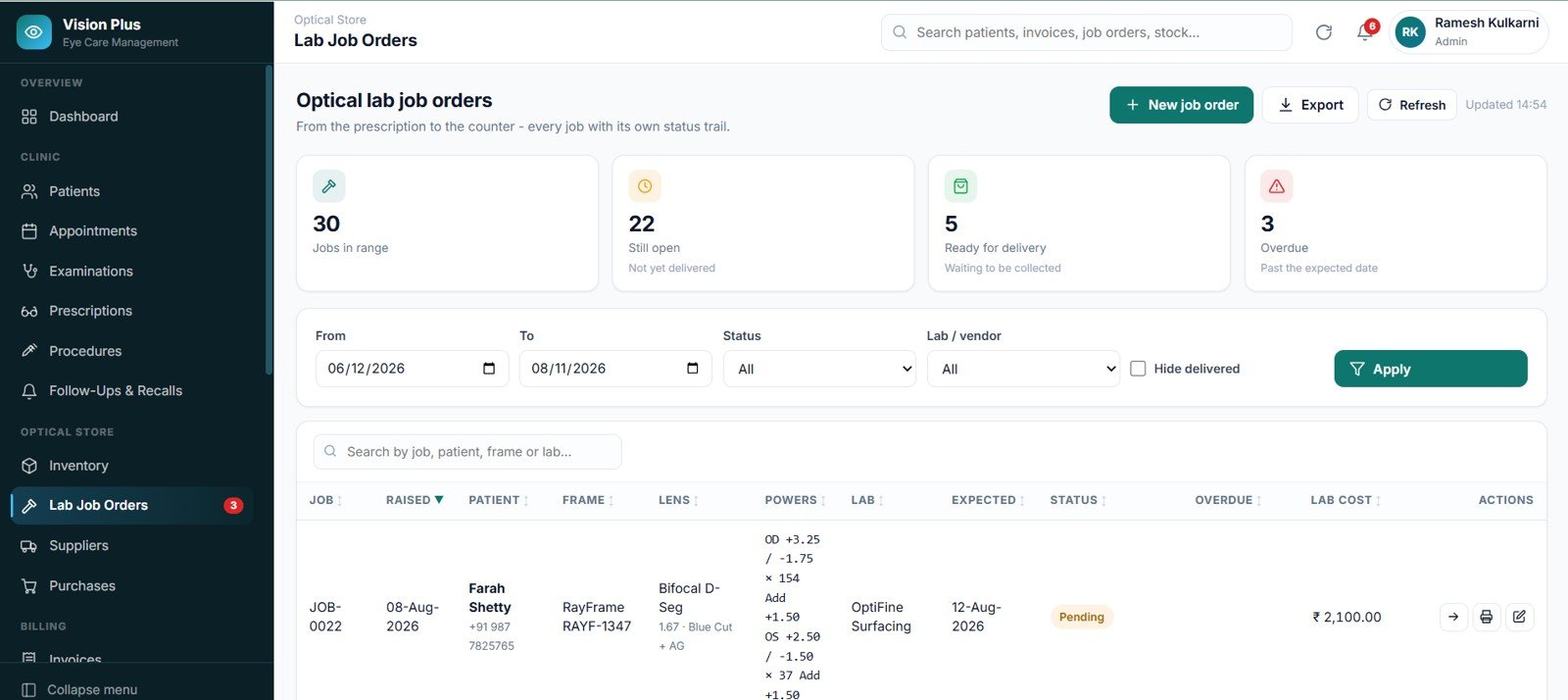
Lab Job Orders
Jobs in range, still open, ready for delivery and overdue as live counters, with frame, lens, powers, lab, expected date, status and lab cost on every row.
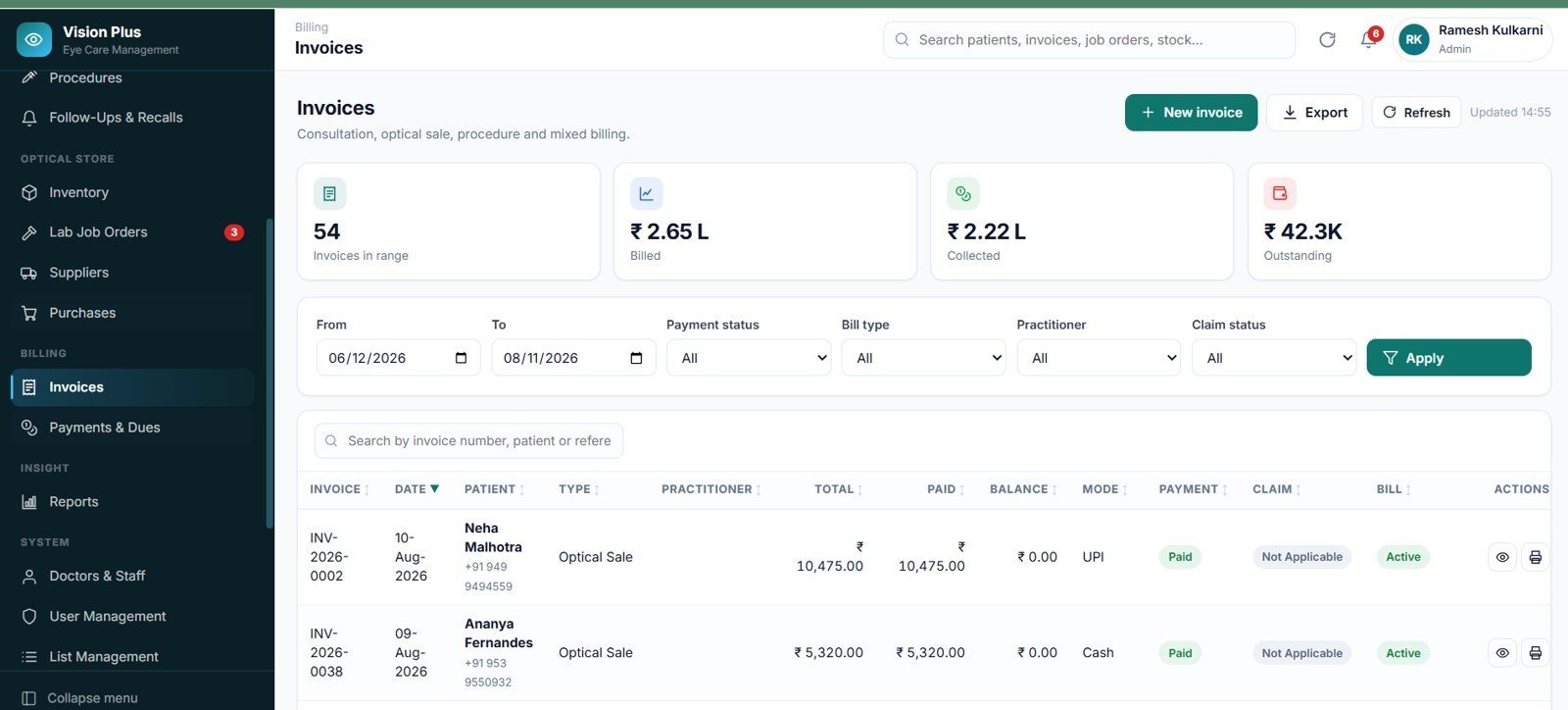
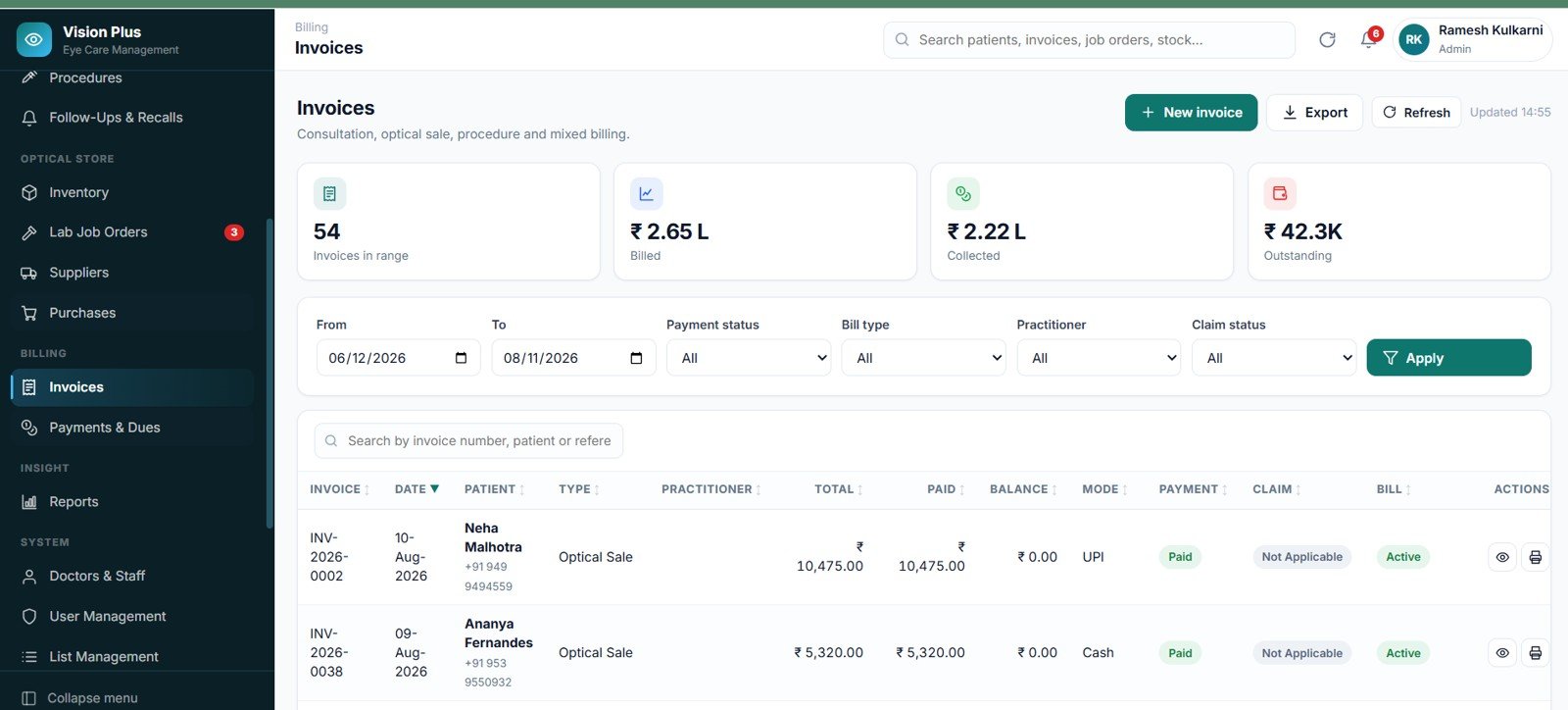
Invoices
Invoices in range, billed, collected and outstanding at the top, then every bill with type, practitioner, total, paid, balance, payment mode, payment status and insurance claim status.
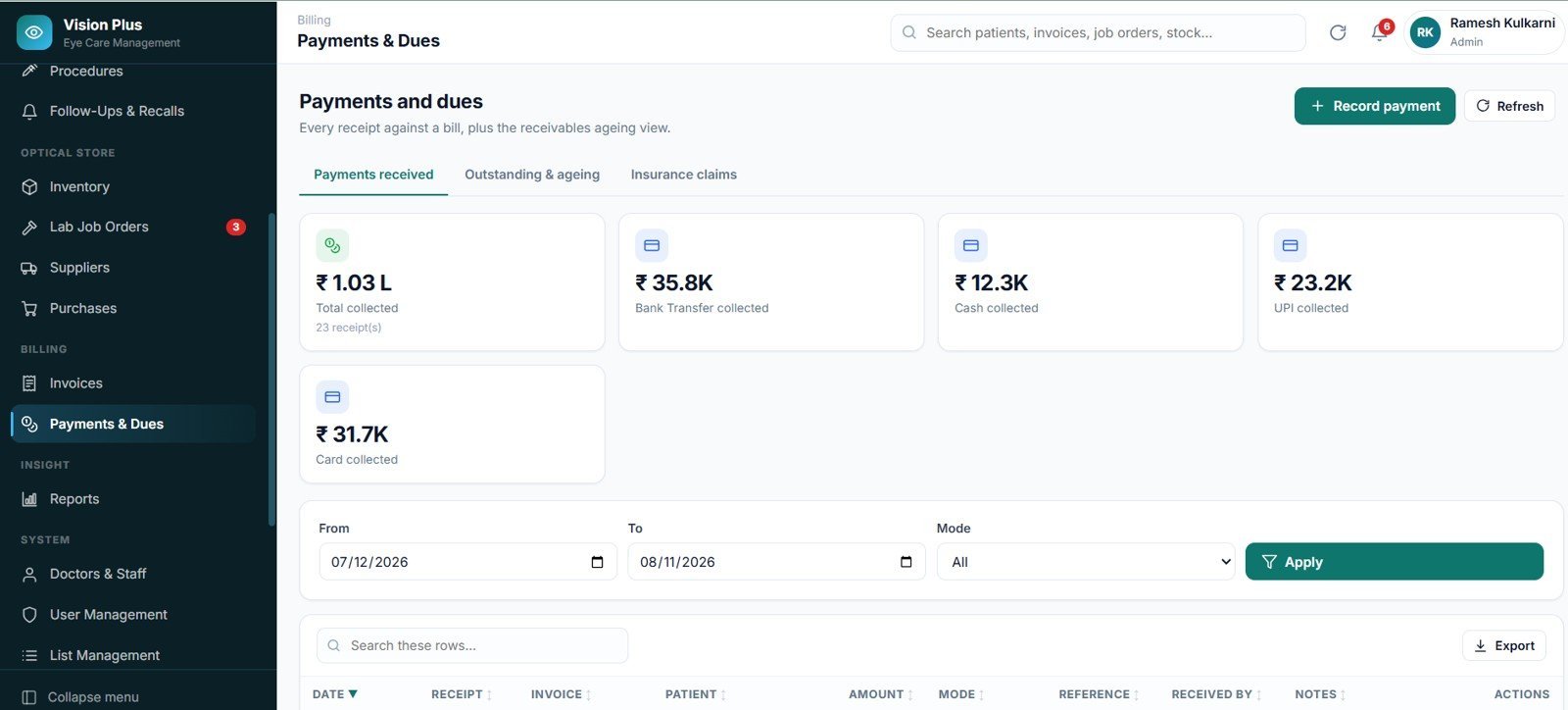
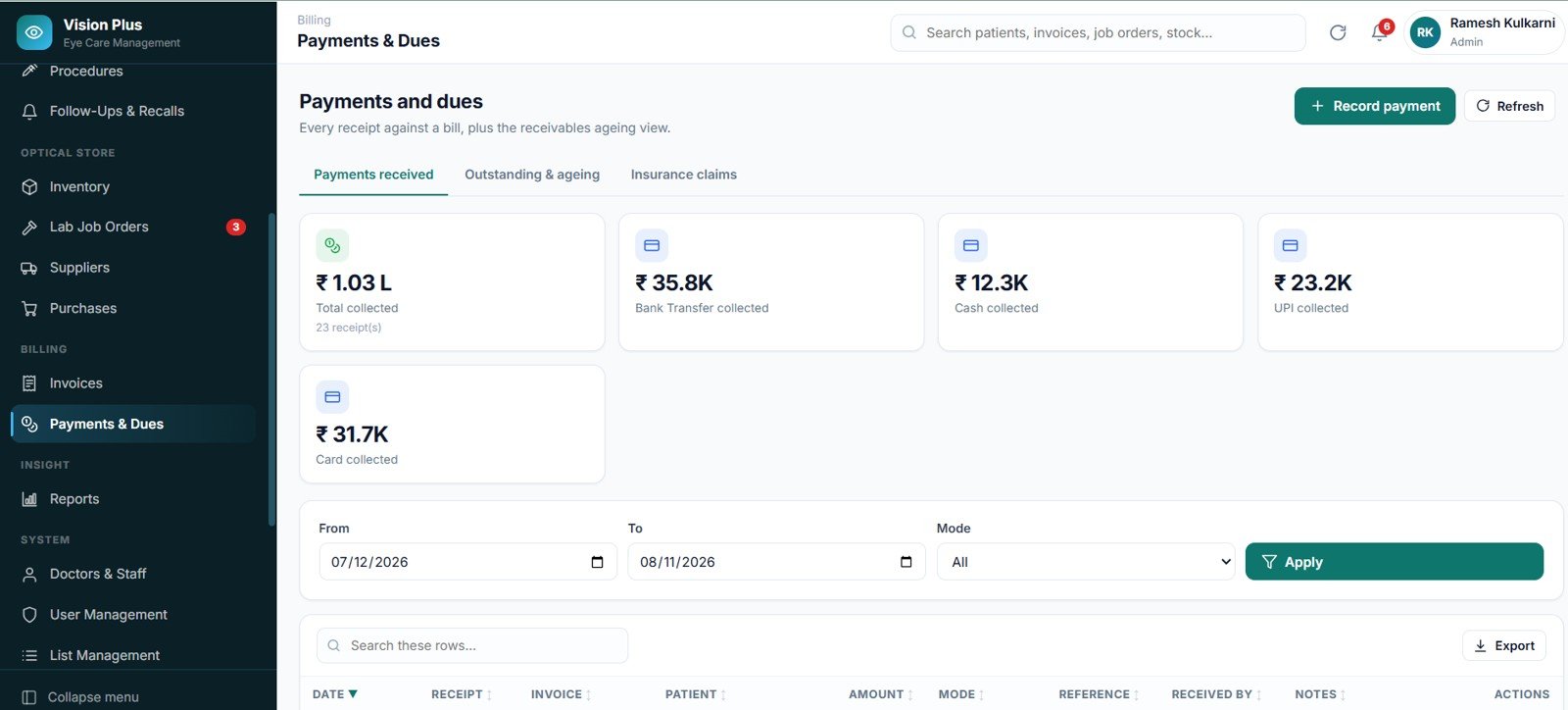
Payments and Dues
Collections split by mode — cash, card, UPI and bank transfer — across three tabs: Payments received, Outstanding and ageing, and Insurance claims.
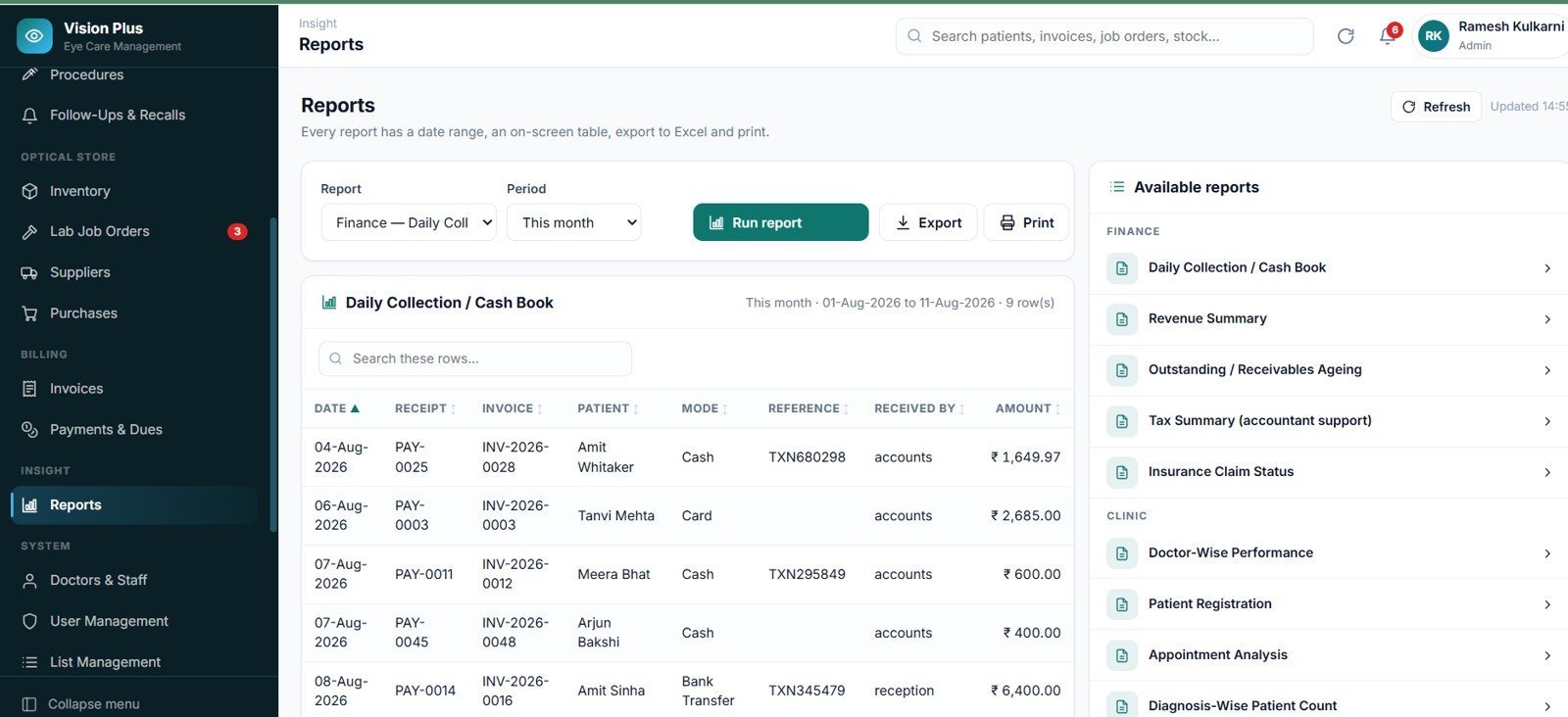
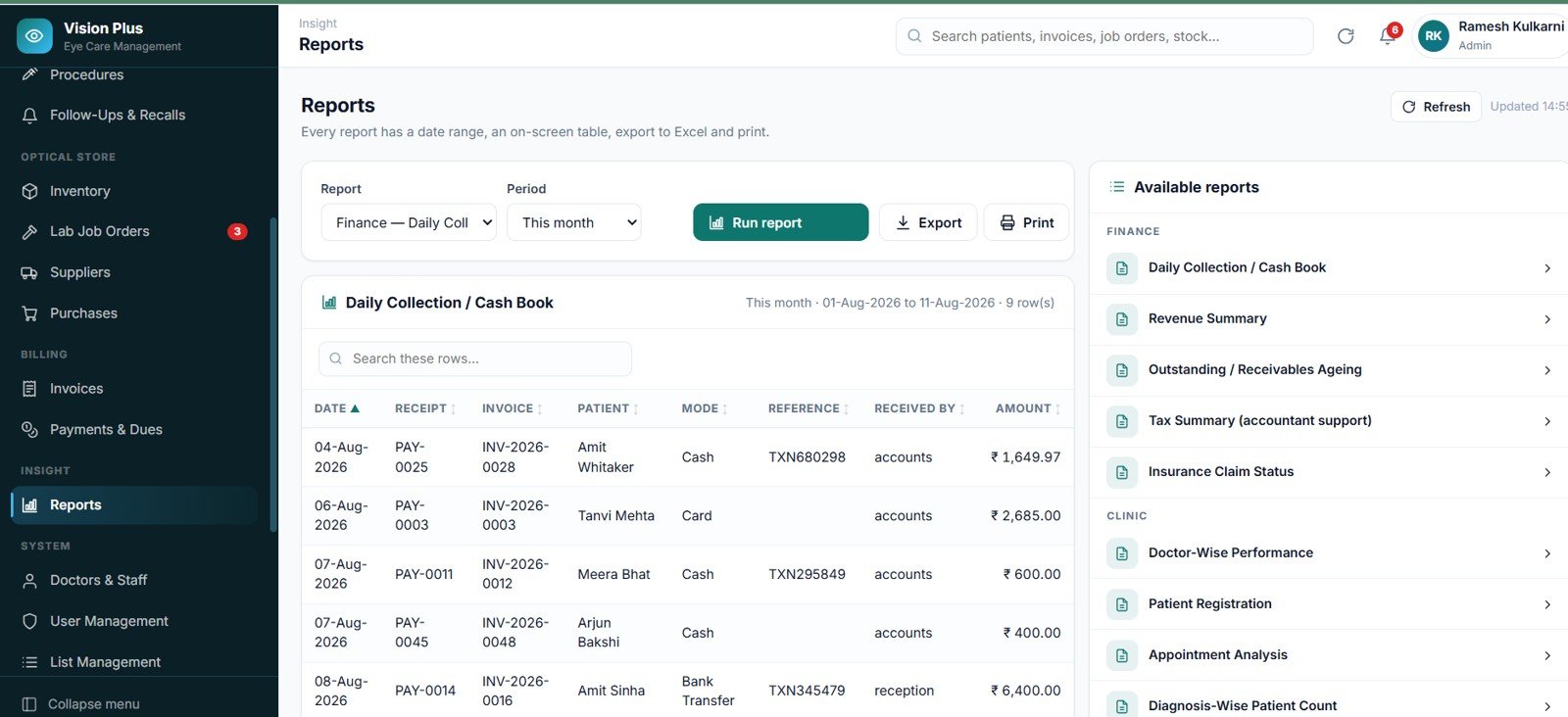
Reports
Twenty reports in five groups — Finance (5), Clinic (5), Optical (7), Purchasing (2) and System (1) — each with a period picker, on-screen result, Excel export and print.
Settings
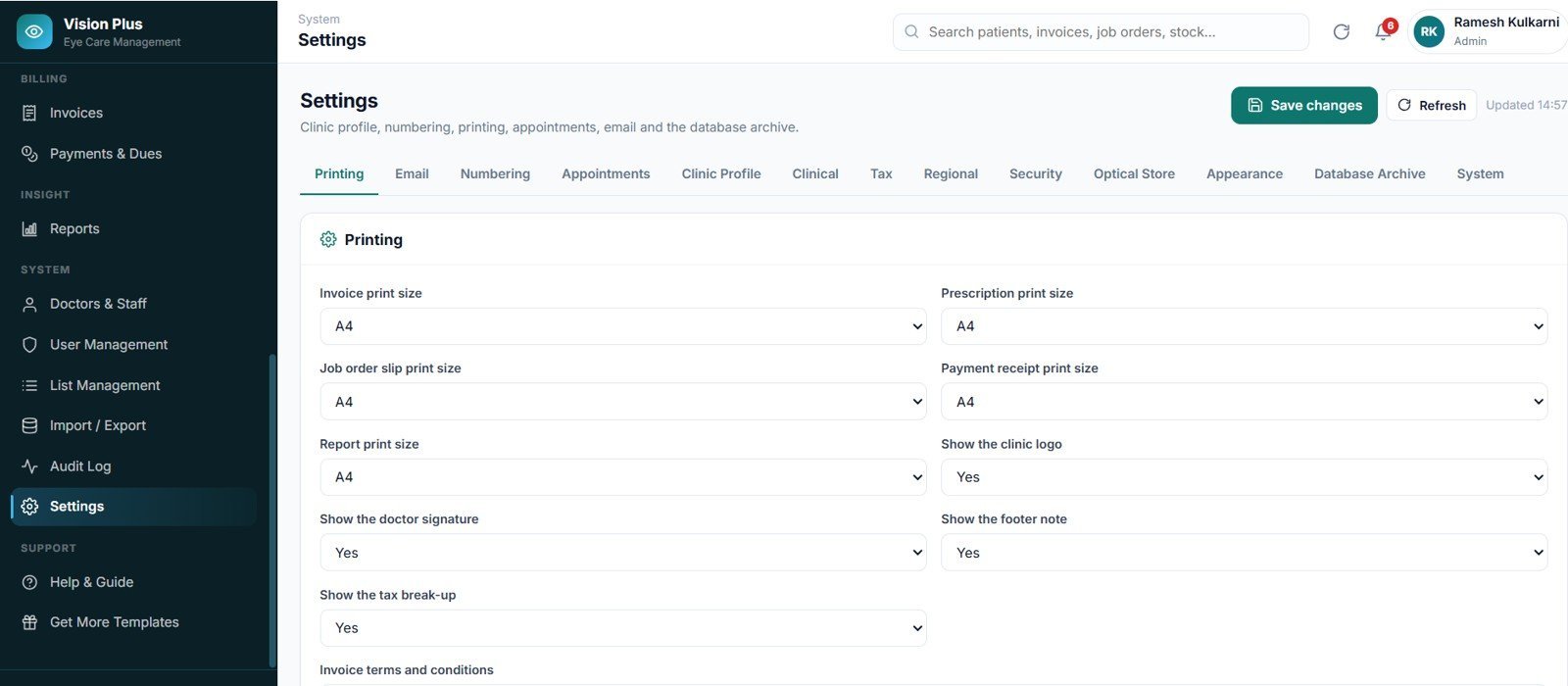
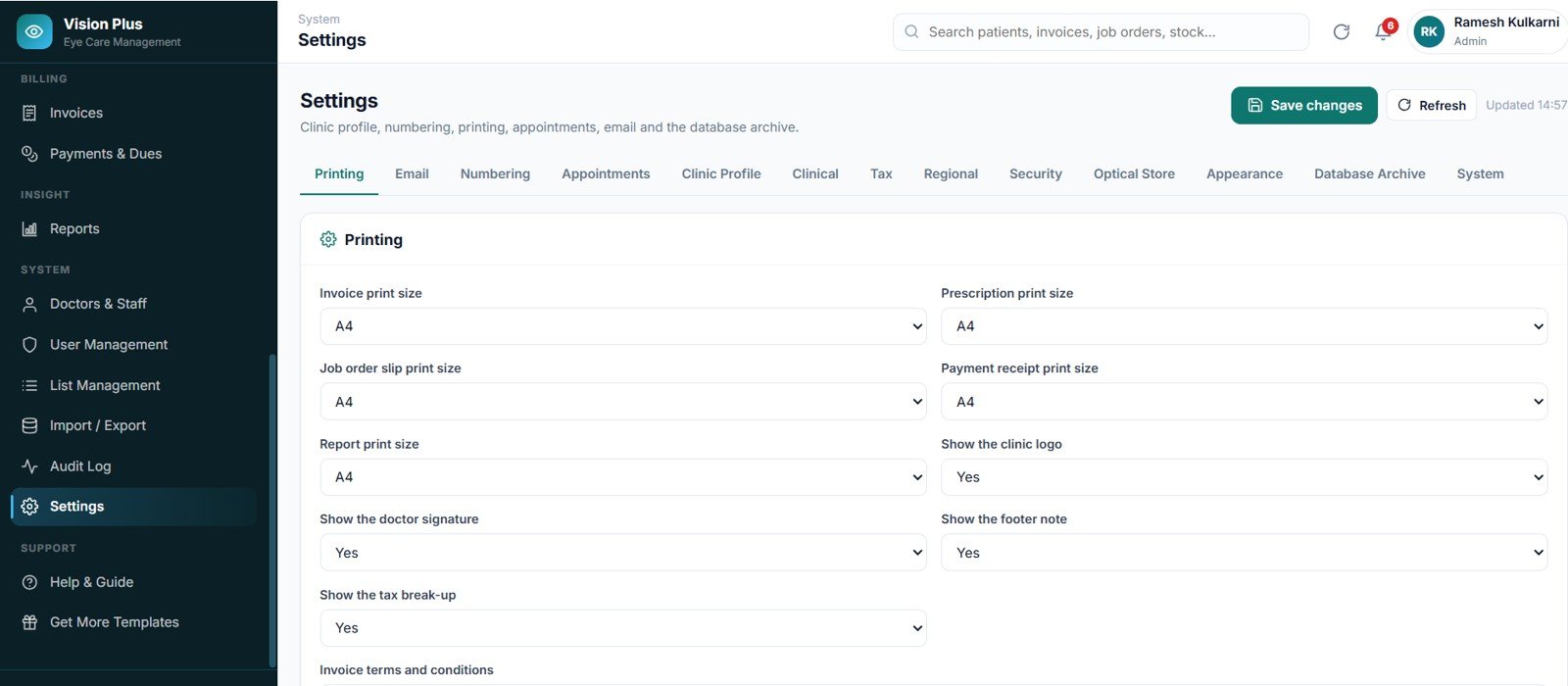
73 settings across 11 groups on 13 tabs — Clinic Profile, Printing, Email, Numbering, Appointments, Clinical, Tax, Regional, Security, Optical Store, Appearance, Database Archive and System — so the app is configured, never re-coded.
📊 Eye Care Center Management System vs. an Excel/VBA Clinic Tool vs. Paid Optometry SaaS — Where This Fits
| Feature | Eye Care Center Management System Web App | Excel / VBA Clinic Tool | RevolutionEHR / Practo Ray / Cliniko |
|---|---|---|---|
| Cost | $39.99 one-time | $50–150 one-time | $50–150 per user / month |
| Platform | Any browser — Google Sheets + Apps Script | Windows Excel with macros enabled | Vendor cloud |
| Setup time | About 10 minutes | 15–30 minutes | Days — onboarding call and data migration |
| Real-time team collaboration | ✅ Unlimited users, 5 roles | ❌ One file, one user at a time | ✅ Per seat, billed monthly |
| Mobile access | ✅ Responsive down to 390px | ❌ Macros do not run on mobile | ✅ |
| Customisable fields and dropdowns | ✅ 64 editable master lists, no code | Needs VBA edits | Limited to vendor fields |
| Optical stock + lab job orders in the same system | ✅ Built in | Rarely | Often a paid add-on module |
| Own your database | ✅ A Google Sheet in your account | ✅ A file on your PC | ❌ Vendor-hosted; export on request |
| Year-1 cost at 5 users | $39.99 | $50–150 | $3,000–9,000 |
For an eye clinic that wants a real multi-user system with an optical store and a lab bench attached, without a per-seat monthly bill, the Eye Care Center Management System Web App sits in the sweet spot.
👥 Who This Template Is For — and Who It’s Not For
✅ This template is built for:
- Independent eye clinics and optometry practices with 1–10 practitioners who also run a dispensing counter.
- Optical showrooms that need prescriptions, frame and lens stock, lab job orders and billing in one place.
- Vision centres and small eye hospitals replacing paper case sheets or a shared Excel file.
- Clinic owners who want the data to live in their own Google account rather than a vendor’s cloud.
❌ This template is NOT for:
- Practices that need HIPAA Business Associate Agreements, SOC 2 certification or single sign-on — this is a Google Apps Script app, not a certified EHR.
- Clinics that need to submit electronic insurance claims to a payer clearinghouse; the system tracks claim status but does not file claims.
- Multi-hospital groups needing tens of thousands of records per month — Apps Script quotas and Sheets row limits will become the ceiling.
- Anyone expecting the software to suggest a diagnosis or calculate a lens power. It never does — that is deliberate.
⚙️ How to Use the Eye Care Center Management System Web App
- Open script.google.com and create a new project.
- Paste Code.cs.txt into Code.gs, then add an HTML file named exactly Index and paste Index.txt into it.
- Deploy as a web app — Execute as Me, access Anyone with the link — and copy the URL.
- Open the URL and click Run setup now. All 26 sheets, settings and master lists build automatically.
- Sign in with the Admin account from Login_Details.txt, then open Settings and enter your clinic name, address, tax number and logo.
- Change all five default passwords in User Management, then start registering patients.
💼 Real-World Use Cases
Dr. Anita runs a two-chair optometry practice with a dispensing counter. Her receptionist books the slot, Anita records the refraction and issues the spectacle prescription, and the optician raises the lab job order from that same prescription with one click — so the powers can never be re-typed wrong on the way to the lab.
Ravi manages a three-branch optical chain. He signs in as Accountant, opens Outstanding and ageing, and sees exactly which bills have crossed 60 days — then runs Stock Valuation to check how much capital is sitting in slow-moving frames, without ever seeing a patient’s clinical notes.
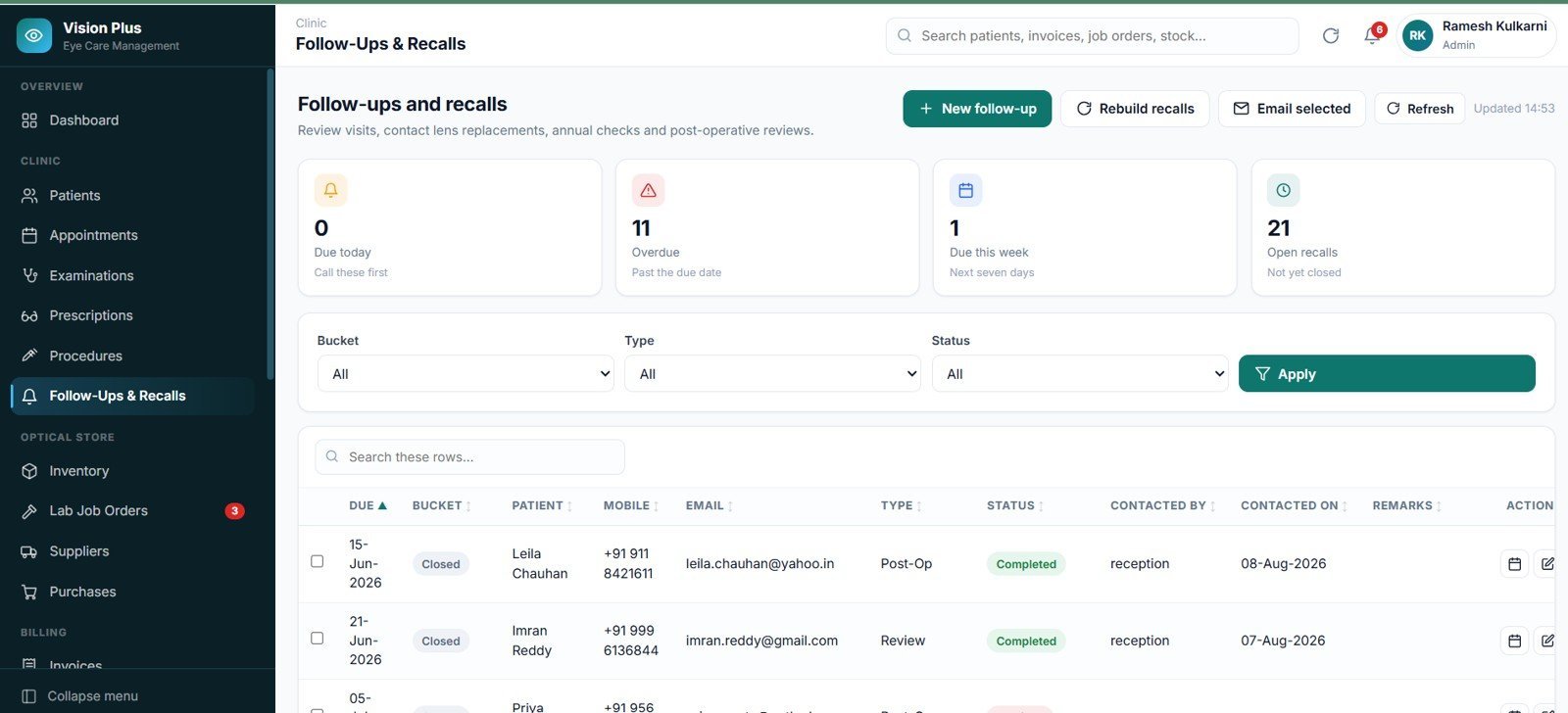
A small eye hospital replaced its paper recall register. Follow-ups and recalls are rebuilt from the clinical records themselves, so annual eye checks, contact-lens replacements and post-operative reviews surface on their due date and go out as a batch email.
❓ Frequently Asked Questions
What do I actually get when I buy the Eye Care Center Management System Web App?
You get a ZIP containing Code.cs.txt (the backend), Index.txt (the frontend), Login_Details.txt with the five default accounts, and a 43-page Word user manual covering deployment, roles, every module and an FAQ.
How long does setup take?
About ten minutes. You paste two files into Google Apps Script, deploy as a web app and press Run setup now. The Eye Care Center Management System Web App then builds all 26 sheets, 73 settings, 64 master lists and a complete working data set on its own.
How does this compare to RevolutionEHR or Practo Ray?
Those are certified cloud EHRs billed per user per month. The Eye Care Center Management System Web App is a one-time $39.99 purchase that runs in your own Google account with unlimited users. It does not carry EHR certification or file insurance claims, so choose it for practice management, not for regulated clinical certification.
Does the system suggest a diagnosis or calculate lens powers?
No, and that is deliberate. The Eye Care Center Management System Web App never generates, suggests or calculates a diagnosis, treatment or medication dose. Every clinical field is free entry or driven by a master list the clinic maintains itself.
Can my whole team use it at the same time?
Yes. There are five roles — Admin, Doctor/Optometrist, Receptionist, Optician/Store and Accountant — and any number of accounts. Every permission is checked on the server before data is read or written, not just hidden in the menu.
Can I print on a 3-inch thermal printer?
Yes. Ten document types print at A4, 4-inch or 3-inch, and you set the size separately for invoices, prescriptions, job order slips, payment receipts and reports in Settings.
Where is my data stored?
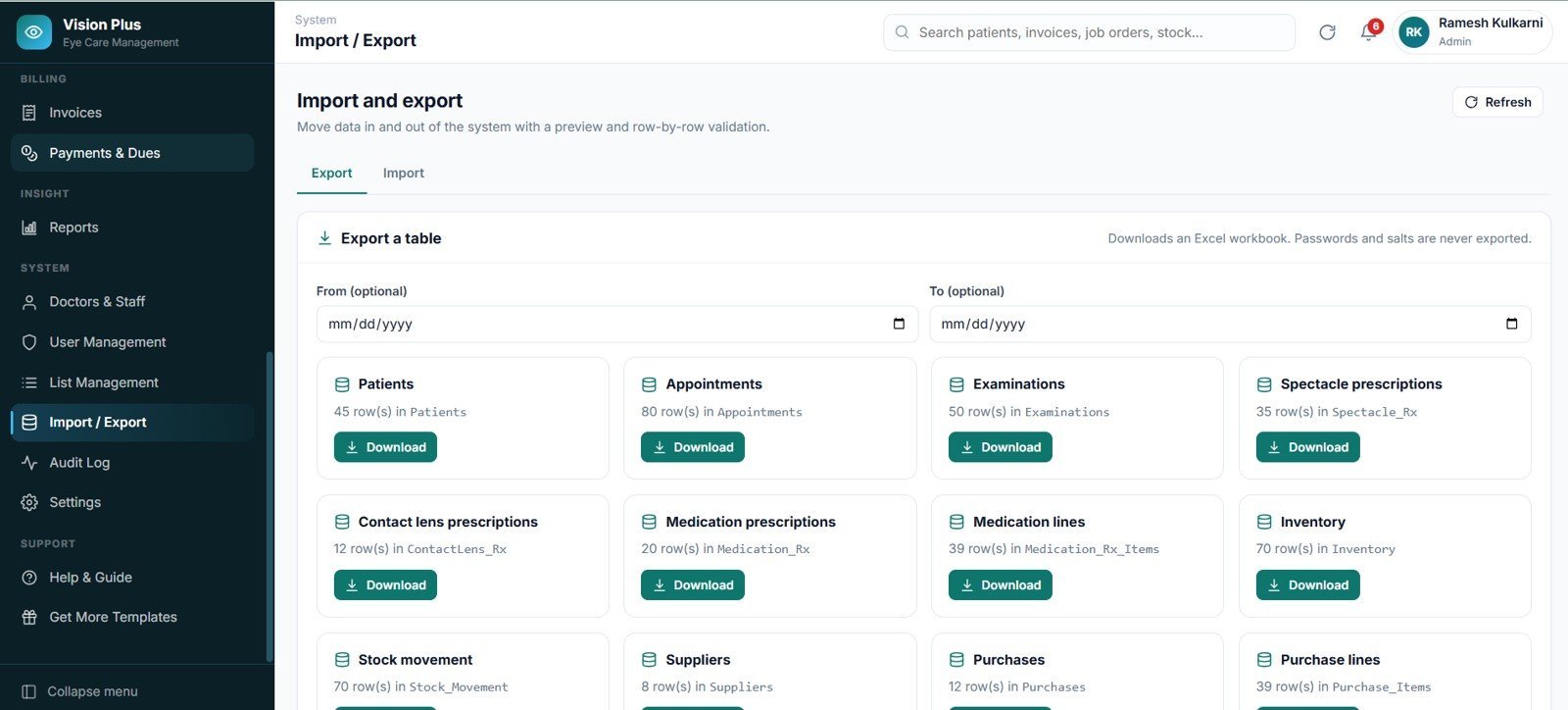
In a single Google Sheet with 26 tabs inside your own Google Drive. Nothing is sent to NextGenTemplates, and the Users export always drops the password hash and salt.
👤 About the Author
Built by PK — Microsoft Certified Professional with 15+ years of Excel, Google Sheets and Power BI experience. Founder of NextGenTemplates, reaching 300K+ subscribers across YouTube channels (@PK-AnExcelExpert, @NextGenTemplates, @NeoTechNavigators). Every template is hand-built and tested before release.
🔗 Explore Related Templates
- Dental Clinic Management System Web App — the same architecture for a dental practice, with treatment plans and tooth charting.
- Physiotherapy Clinic Management System Web App — sessions, packages and therapist scheduling.
- Pathology Lab Management System Web App — sample tracking, test panels and report release.
- Medical Practice Dashboard in Google Sheets — a lighter, reporting-only alternative.
Browse the full range of multi-user Web App templates and Google Sheets templates for other departments.
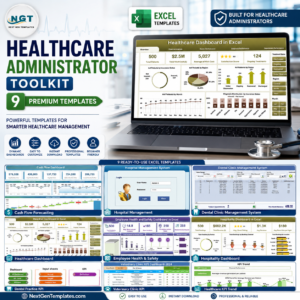
💎 Save more: the Healthcare Administrator Toolkit — 9 Premium Templates bundles the reporting side of a healthcare practice into one purchase.
📖 Click here to read the Detailed Blog Post
🎥 Visit our YouTube channel for step-by-step video tutorials
👉 YouTube.com/@NextGenTemplates
📅 Last updated: August 2026
























Reviews
There are no reviews yet.