


The Exam Invigilation Duty Calendar in Excel is a ready-to-use, macro-enabled Excel workbook for examination cells, exam coordinators, school and college administrators and heads of department who need one clear place to plan invigilation duties across an exam season. Every duty lives in a single Events list, and the same records appear in an Annual View, a Monthly View, a date-range Daily View and a This Month summary, so you can move from the whole year to a single sitting in two clicks.
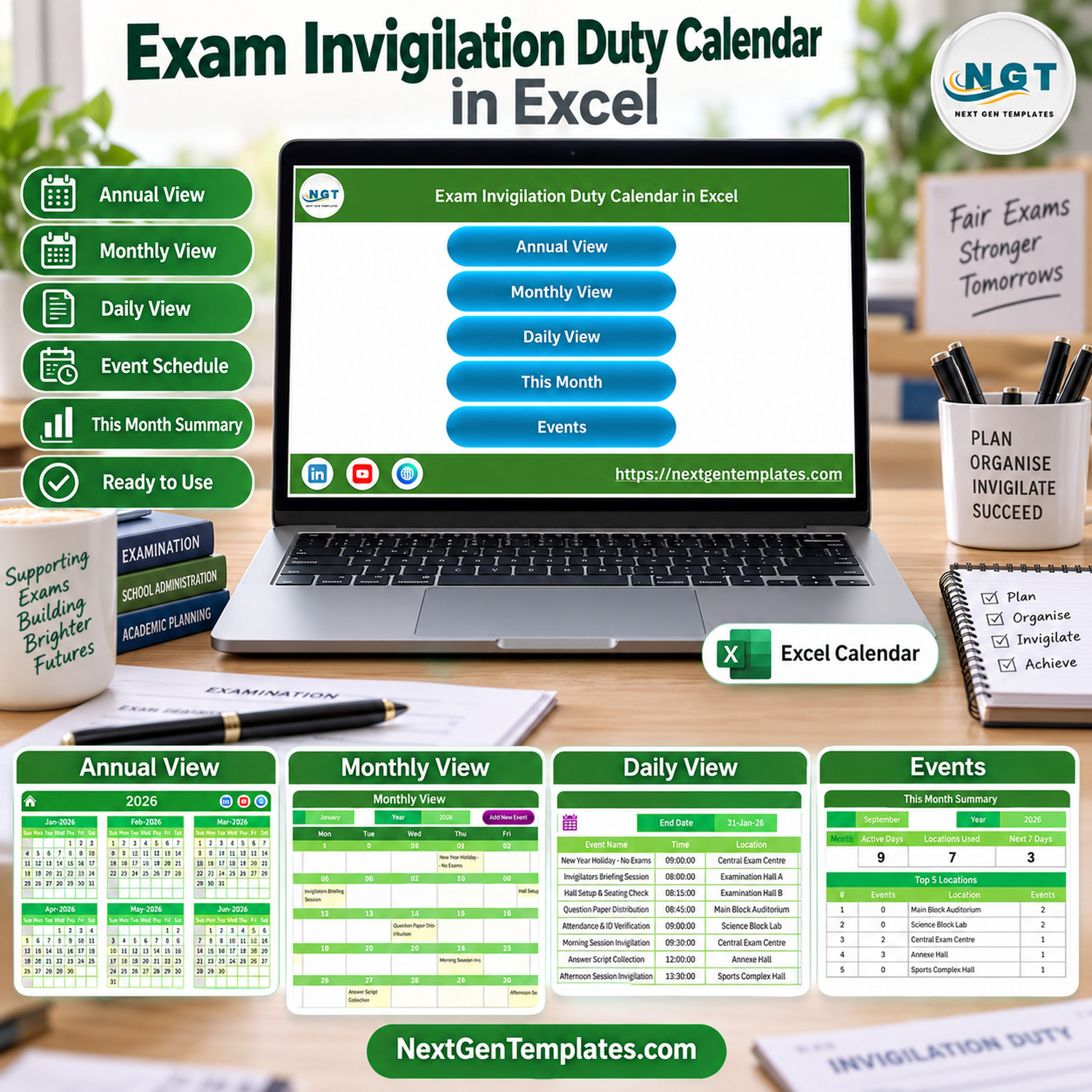
Instead of juggling a paper duty chart, a messaging group and a separate spreadsheet for hall setup, this invigilation duty roster Excel workbook keeps briefing sessions, hall setup, question paper distribution, morning and afternoon invigilation, answer script collection and handover in one exam duty calendar template. The workbook ships with 100 fictional sample duties dated 01-Jan-2026 to 31-Dec-2026 so you can see every page working before you type your own.
Key Features
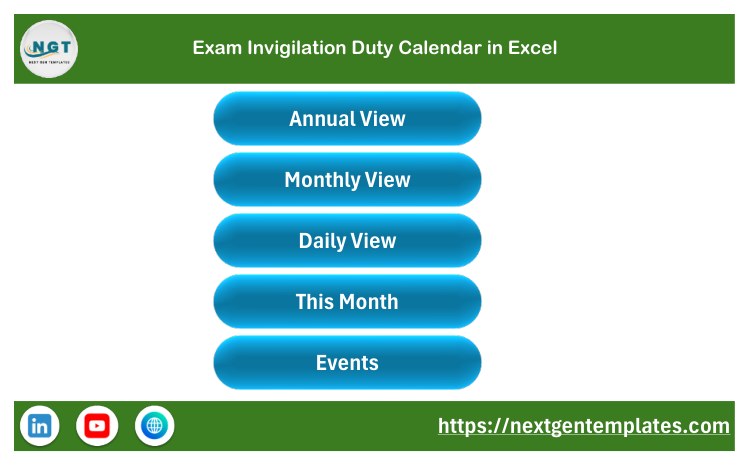
- Home page navigation with one-click buttons for Annual View, Monthly View, Daily View, This Month and Events.
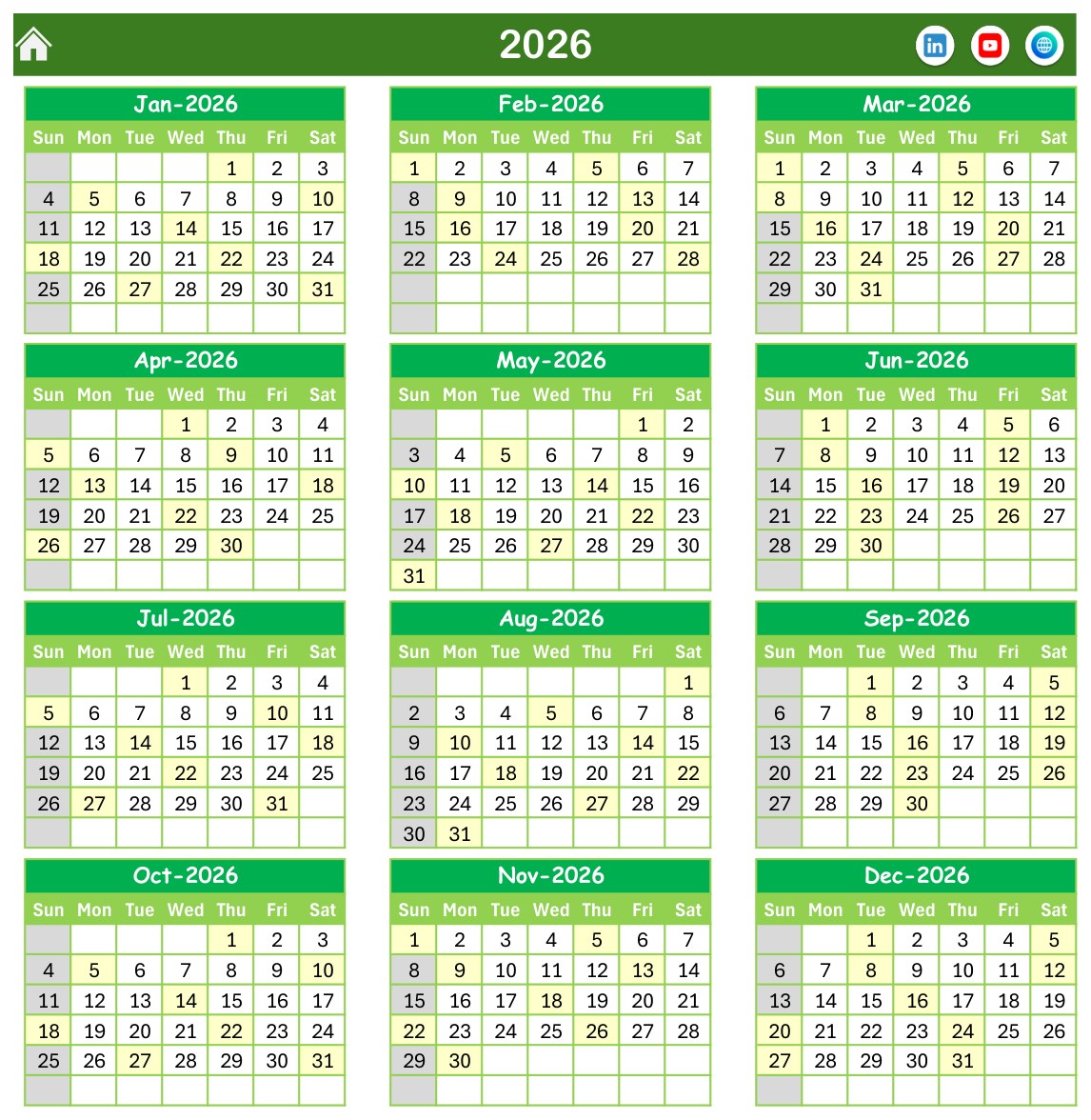
- Annual View showing all twelve months of the selected year, with every date that carries a duty highlighted.
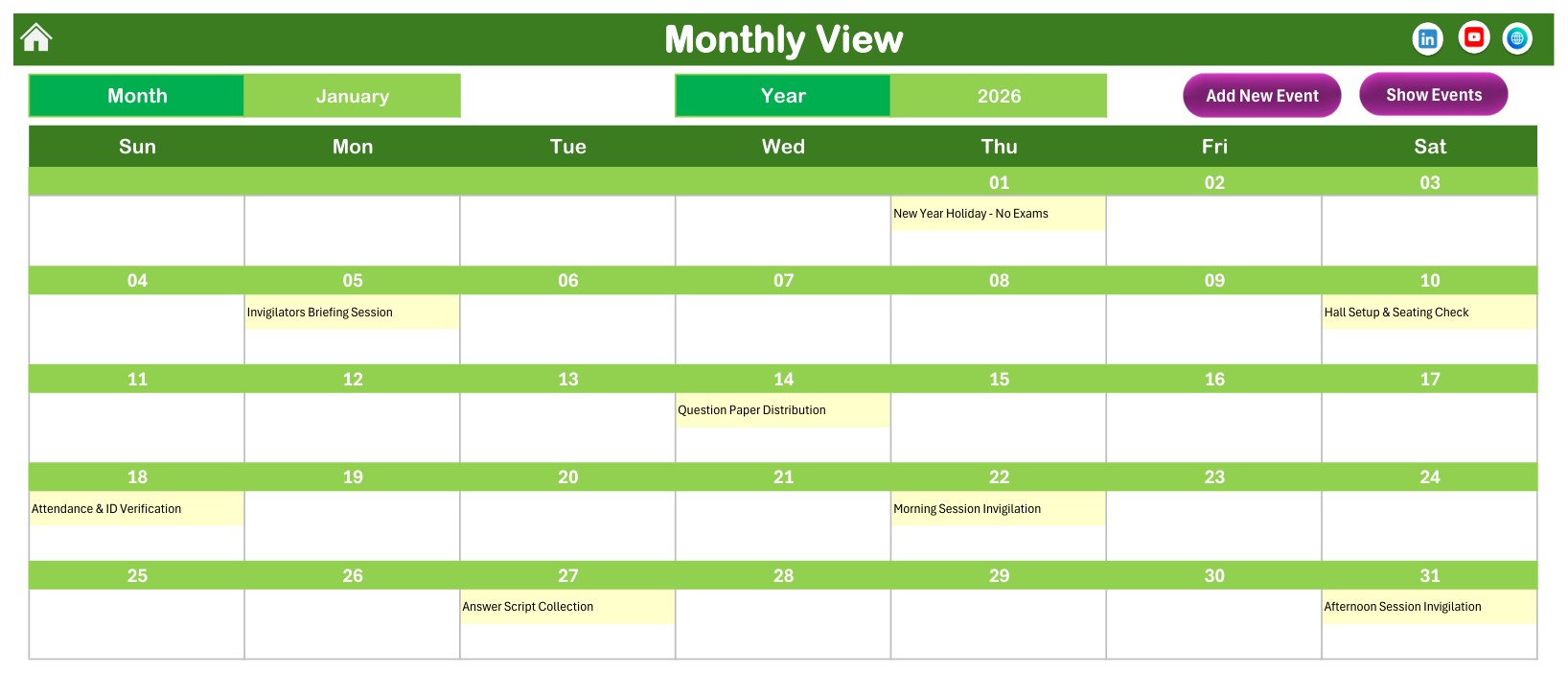
- Monthly View with Month and Year selectors, the duty name printed on its date, plus Add New Event and Show Events buttons.
- Daily View that lists every duty between a Start Date and an End Date you pick with the calendar button, showing ID, Date, Day, Event Name, Time, Location and Description.
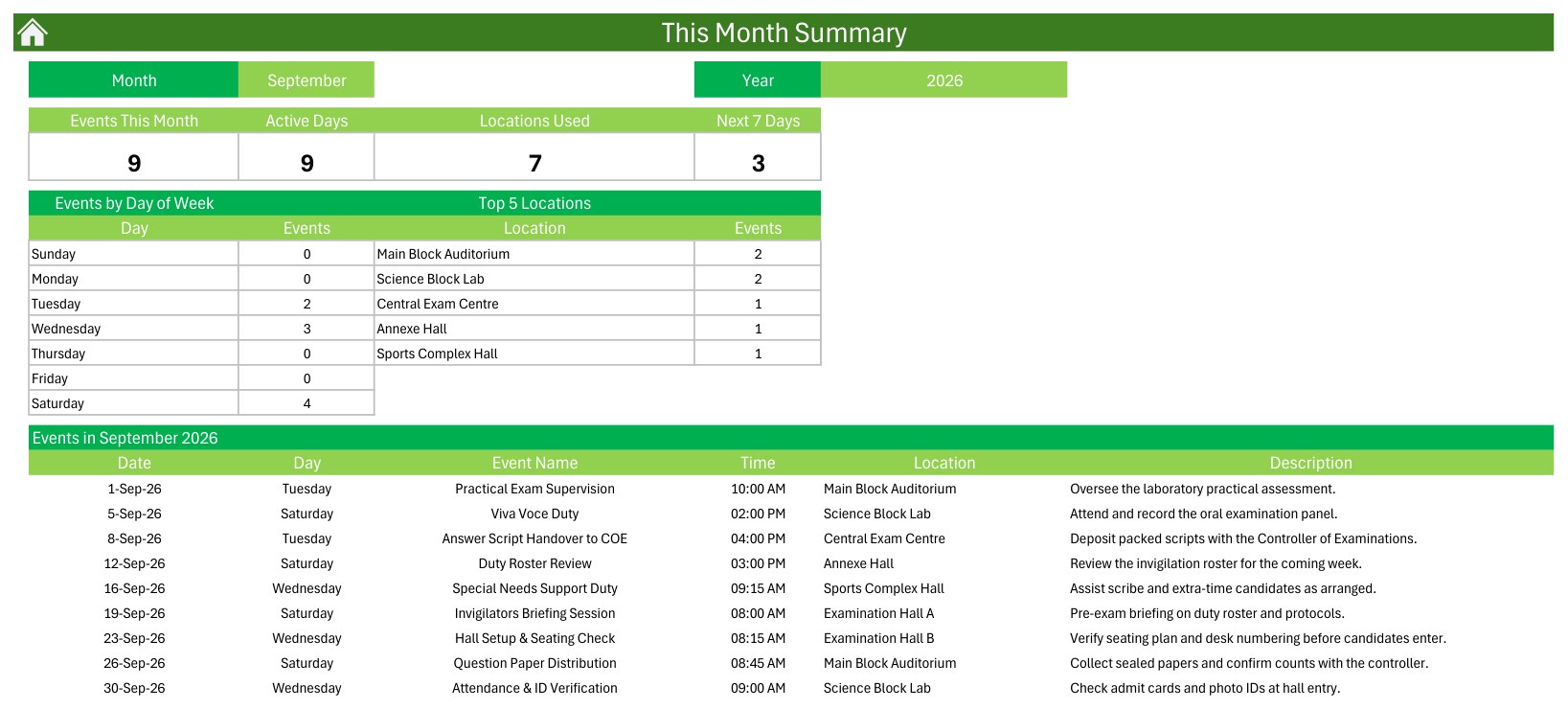
- This Month summary with four tiles (Events This Month, Active Days, Locations Used, Next 7 Days), an Events by Day of Week table, a Top 5 Locations table and the full list of the month’s duties.
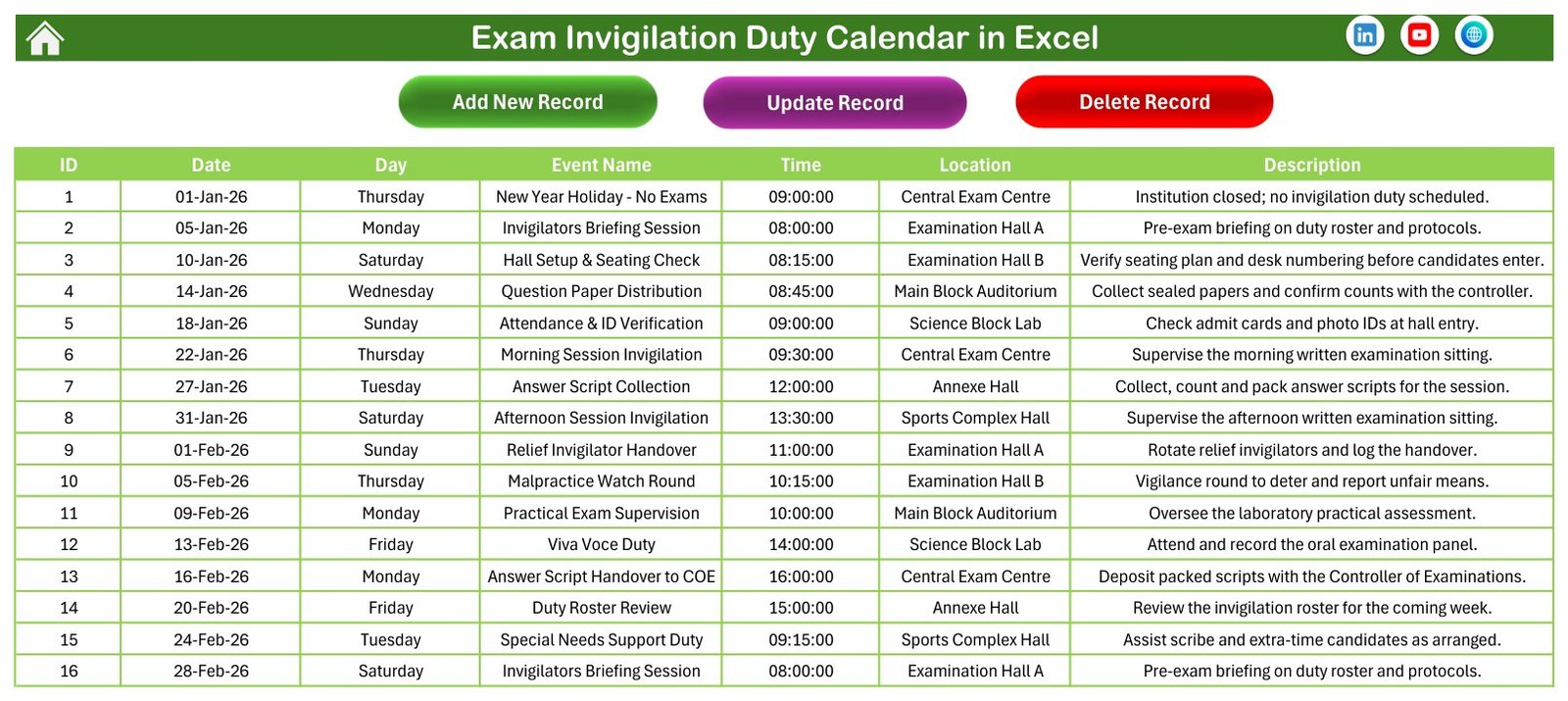
- Events sheet with Add New Record, Update Record and Delete Record buttons.
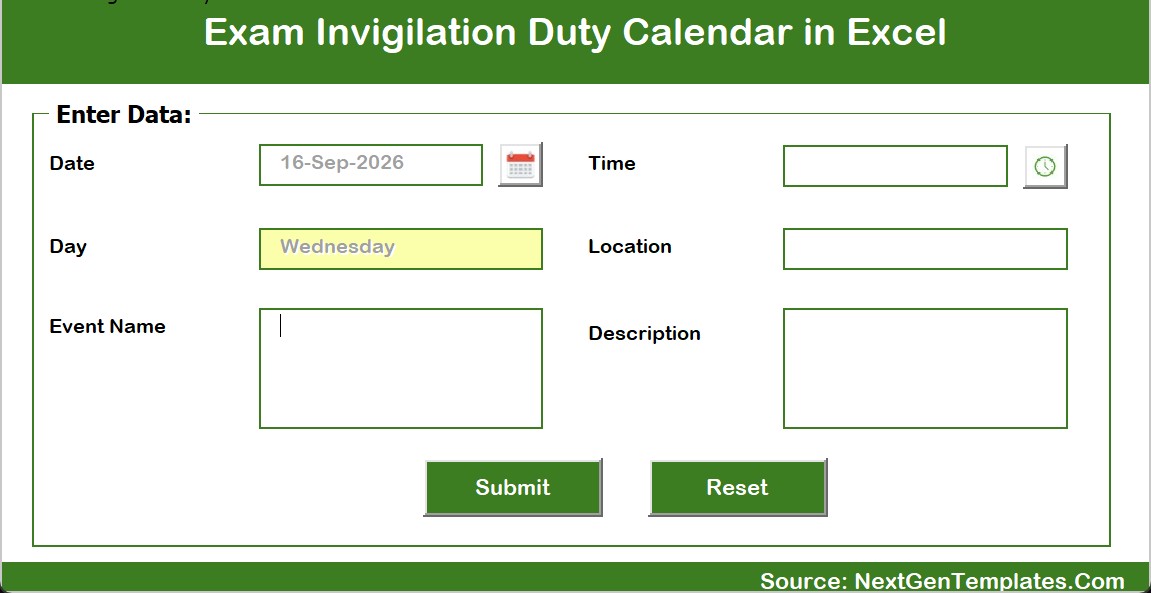
- Data entry form with a date picker, a time picker, an automatically filled Day field, Location, Event Name and Description, plus Submit and Reset.
- Setting sheet to choose the year, the starting month, the first day of the week, weekend highlight days, event highlighting on or off, and one of five colour themes (Default, Blue, Red, Black, Orange).
What Is Inside the Exam Invigilation Duty Calendar in Excel
The file has seven sheets: Home, Annual View, Monthly View, Daily View, This Month, Events and Setting. The sample data covers fourteen typical duty types used by an examination hall duty planner:
- Invigilators Briefing Session, Hall Setup & Seating Check and Question Paper Distribution
- Attendance & ID Verification, Morning Session Invigilation and Afternoon Session Invigilation
- Relief Invigilator Handover, Malpractice Watch Round and Special Needs Support Duty
- Practical Exam Supervision, Viva Voce Duty and Duty Roster Review
- Answer Script Collection and Answer Script Handover to COE
Sample locations are Central Exam Centre, Examination Hall A, Examination Hall B, Main Block Auditorium, Science Block Lab, Annexe Hall and Sports Complex Hall. Rename any of them to match your own campus.
Page-by-Page Walkthrough
Annual View
A twelve-month grid for the selected year. Dates with at least one duty are shaded, which makes it easy to spot a busy exam window or an empty week at a glance.
Monthly View
Choose a month and a year and the calendar redraws with each duty written on its date. When a date holds more than one duty, the cell shows the first duty and an “N more” counter, and the Daily View or Events sheet shows the full list.
Daily View
Pick any start and end date to produce a clean table of the duties in that window, ideal for printing the next day’s or next week’s invigilator schedule spreadsheet.

This Month
A one-page summary for the chosen month: how many duties, how many active days, how many locations are in use, what falls in the next seven days, which weekdays are busiest and which halls are used most.
Events and the Entry Form
The Events sheet is the single source for every view. Add, update or delete records with the buttons, or use the form, where the Day fills in automatically from the Date you pick.
How to Use It
- Extract the ZIP and open the XLSM file in desktop Microsoft Excel for Windows, then enable macros.
- Open Setting and choose your year, first day of the week and colour theme.
- Delete the fictional sample duties on the Events sheet.
- Add your own duties with Add New Record or the form: date, time, duty name, hall or room, and a short description.
- Review the Annual and Monthly views, then use the Daily View to print each day’s duty list.
- Use This Month to check coverage across halls and weekdays before the exam season starts.
Who It Is For
- Examination cells and controllers of examinations in schools, colleges and universities
- Exam coordinators and heads of department who allocate invigilation duties
- Coaching institutes and training centres that run internal tests
- Administrative staff who prepare hall setup, question paper and answer script schedules
Privacy Note
The sample workbook stores no student or staff names, roll numbers or candidate details. The Events sheet holds only ID, Date, Day, Event Name, Time, Location and Description. If you add invigilator assignments, we recommend staff codes or initials rather than full names, and never enter candidate personal data into the file.
Compatibility and Limitations
- Macro-enabled .xlsm workbook for desktop Microsoft Excel on Windows. Excel Online, Excel for Mac, mobile apps and Google Sheets may not run the buttons, forms or pickers.
- It is a planning calendar, not an examination management system. It does not allocate duties automatically, balance workloads, generate seating plans or connect to any student information system.
- It does not detect clashes or prevent the same hall or person being booked twice. Check overlapping duties yourself.
- It sends no email, SMS or calendar reminders.
- The Monthly View shows the first duty on each date plus an “N more” counter; use the Daily View for the full list.
- The Day column is stored as text. The form fills it for you, but if you type a new date directly into the Events sheet, update the Day cell as well.
- It makes no claim of conformity with any exam board, university or regulatory rules. Your own examination regulations always apply.
What You Receive
- One ZIP containing the Exam Invigilation Duty Calendar in Excel (.xlsm) with 100 fictional sample duties
- A PDF user manual for the Excel calendar
- Instant digital download after purchase, one-time payment
Prefer working in a browser? A separate Exam Invigilation Duty Calendar in Google Sheets edition is also available, with its own sample duties.
Frequently Asked Questions
Can I replace the sample duties?
Yes. All 100 sample duties are fictional. Delete them and add your own on the Events sheet.
Does it work on a Mac or in Google Sheets?
No. The buttons and forms use VBA macros and need desktop Excel on Windows. Use the Google Sheets edition if you work in a browser.
Can I track which invigilator is on each duty?
There is no dedicated invigilator column. Many users add a staff code to the Event Name or Description. Avoid full names and never store candidate data.
Will it warn me about a double booking?
No. It does not check for clashes, so review overlapping times and halls in the Daily View.
Can I use it for a different year?
Yes. Choose the year on the Setting sheet or in the Monthly View selector and enter duties for that year.
Is a user manual included?
Yes. The ZIP includes a PDF user manual.
Related Templates
Read the full walkthrough on the PK: An Excel Expert blog, explore the Exam Timetable Calendar in Excel and the Teacher Substitution Calendar in Excel, or browse all Excel calendar templates and education templates. Macro help: Microsoft macro guidance.





























Reviews
There are no reviews yet.