

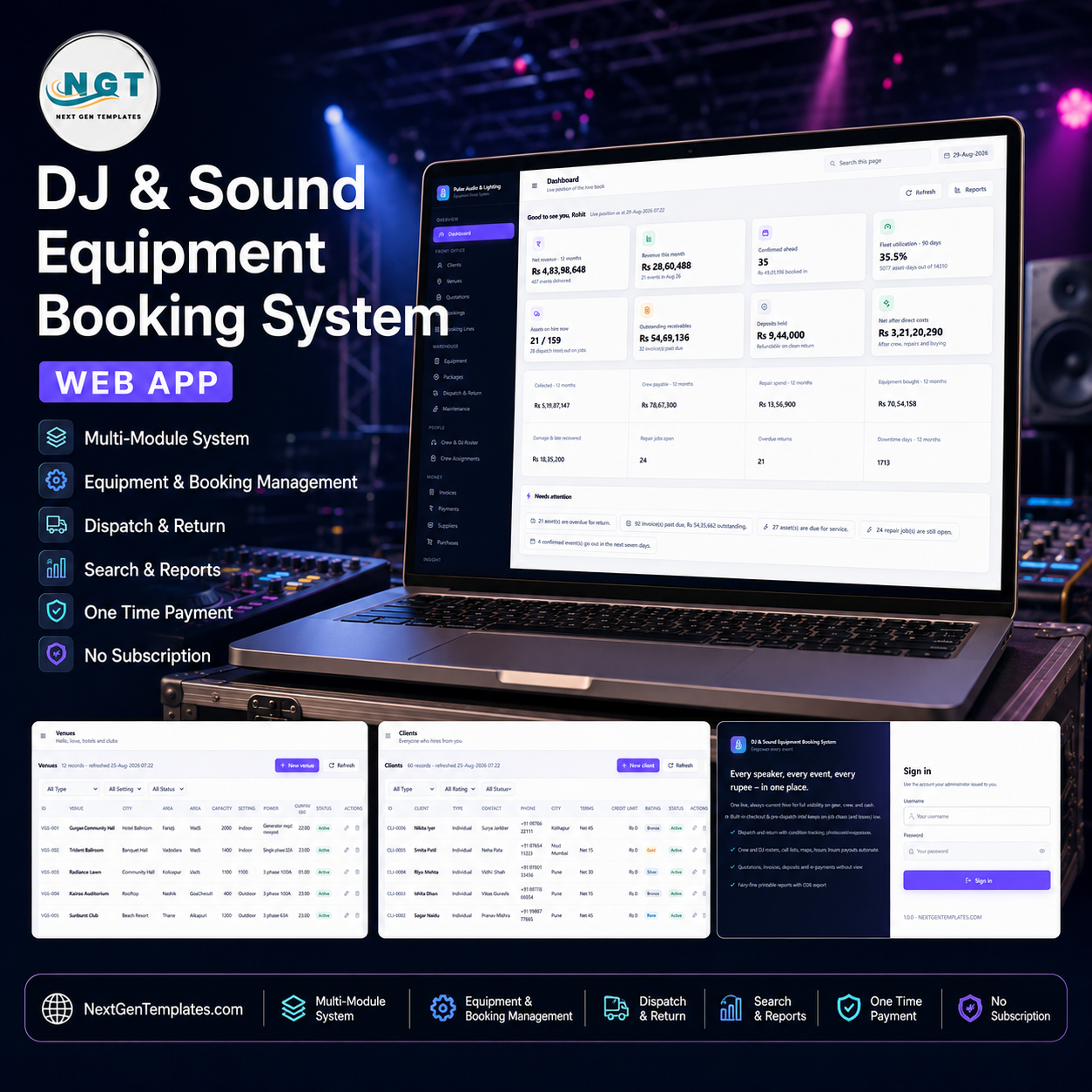

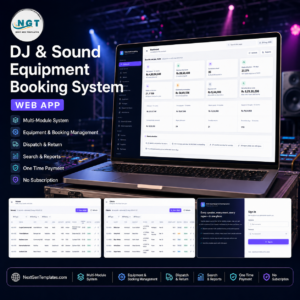
The DJ & Sound Equipment Booking System Web App is a complete hire desk for a sound, light and stage rental business, built as a single Google Apps Script web app that runs inside your own Google account. It ships seeded with 12,936 rows across 25 database tabs – 182 tagged assets, 60 clients, 32 venues, 541 bookings, 3,460 booking lines, 2,903 dispatch records and 453 invoices – so every screen and all 49 reports are populated the minute you sign in. One payment, no monthly platform fee, no data leaving your Drive. Try the live demo below before you spend anything, then deploy your own private copy in about fifteen minutes. DJ & Sound Equipment Booking System Web App
🚀 Try the Live Demo Before You Buy
We have deployed this web app in our own Google account so you can test every page, every role and every printable document – with a full year of realistic sample data – before purchasing. No signup, no email required.
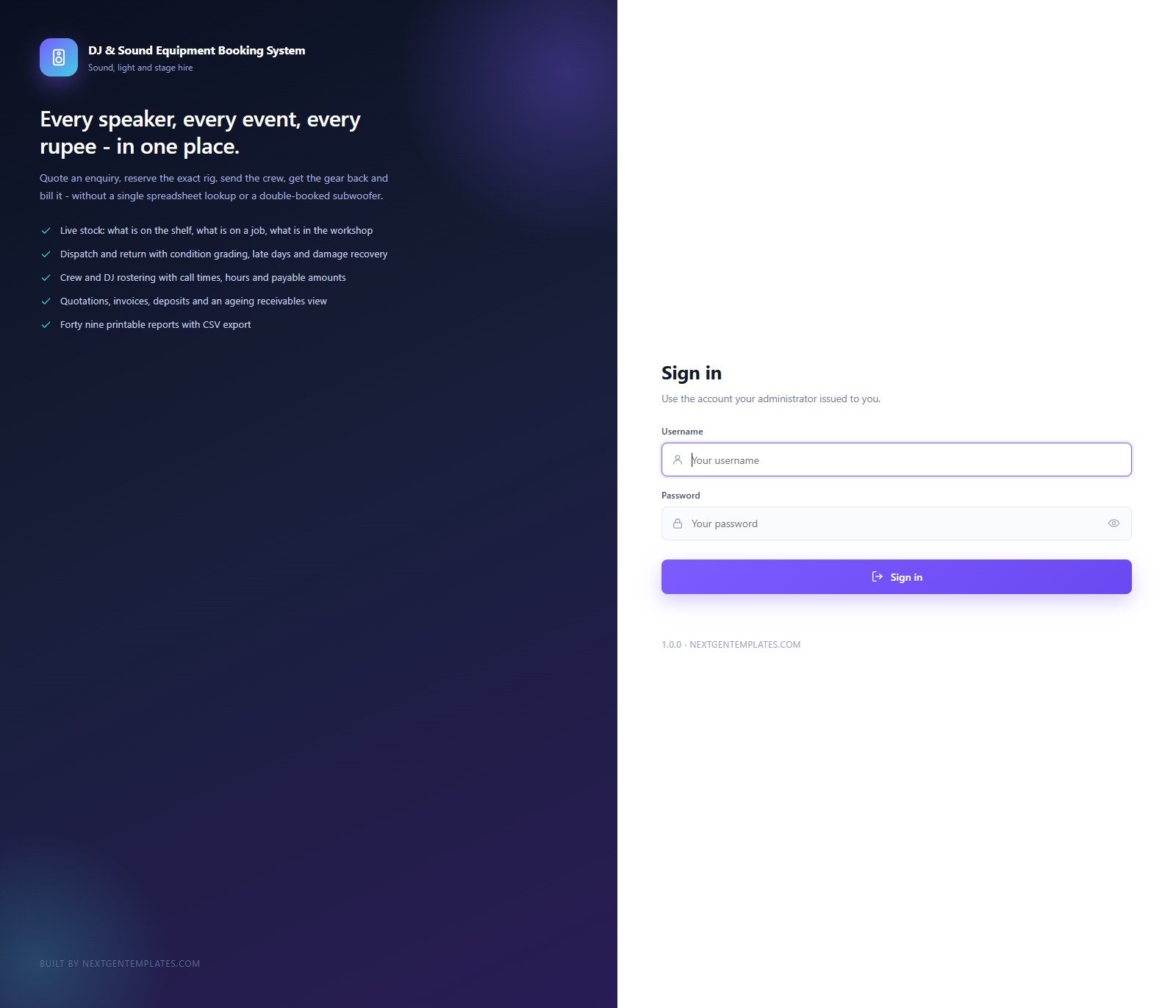
🔑 Test Login Credentials
Sign in as admin to see every module including Users, Settings and the Archive, or as dj.arjun to see how little a crew member is shown – the schedule and the gear, read only, with no money columns at all. That contrast is the product: the role controls the menu and what the server will accept.
💡 These credentials are public on purpose – they are the seeded logins of a shared demo instance that resets, not of anybody’s live system. What you get after purchase: the full source code (Code.gs + Index.html) plus a step-by-step deployment guide so you can deploy your own private instance in your own Google account in under 15 minutes.
Key Features of the DJ & Sound Equipment Booking System Web App
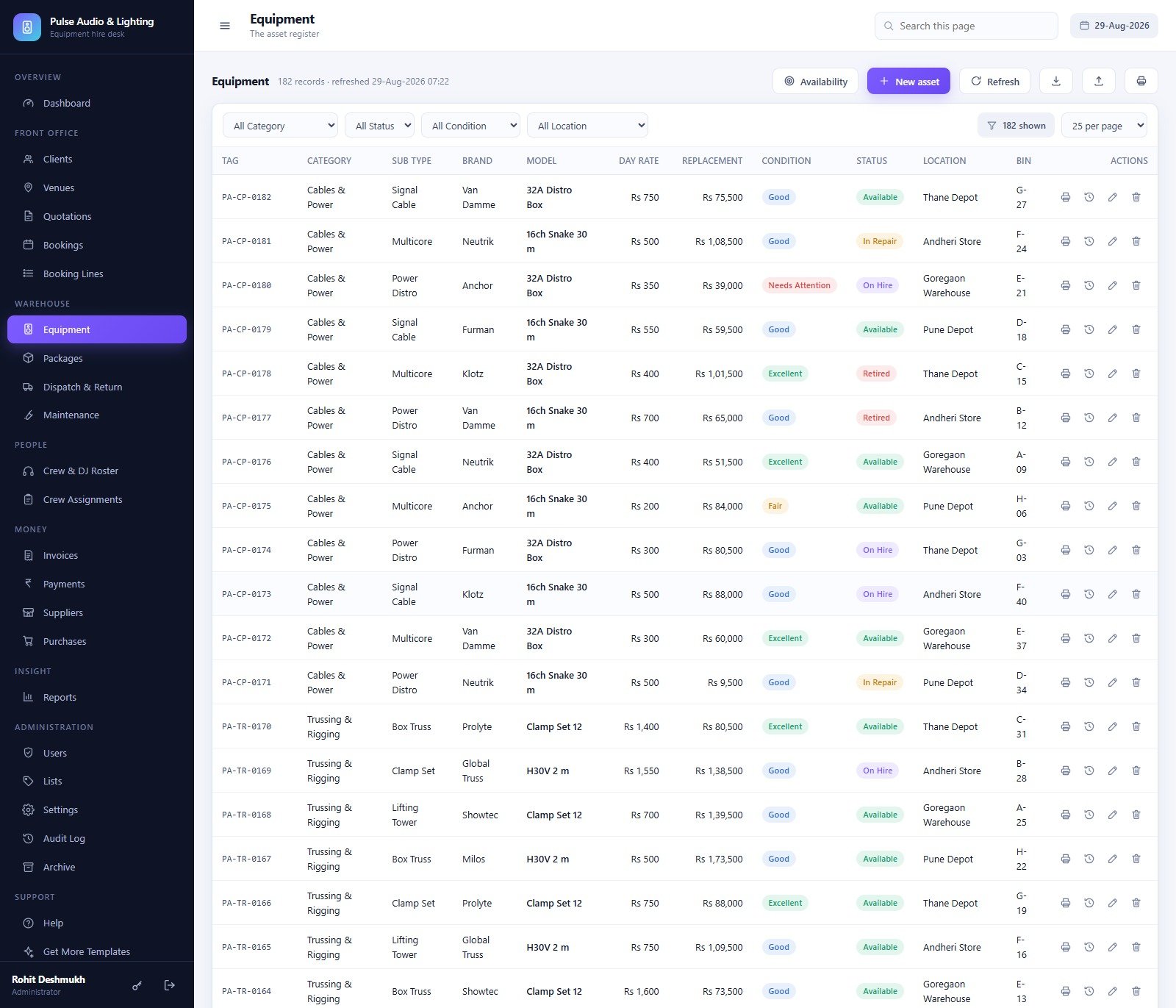
- Asset-level availability, not a guess. 182 tagged assets across Main PA Speakers, Subwoofers, Stage Monitors, Amplifiers, Microphones, Mixers & Processors, DJ Gear, Lighting, Trussing & Rigging and Cables & Power, each with day rate, replacement value, condition, status, depot and bin. The Availability button checks a whole date window before you commit a rig.
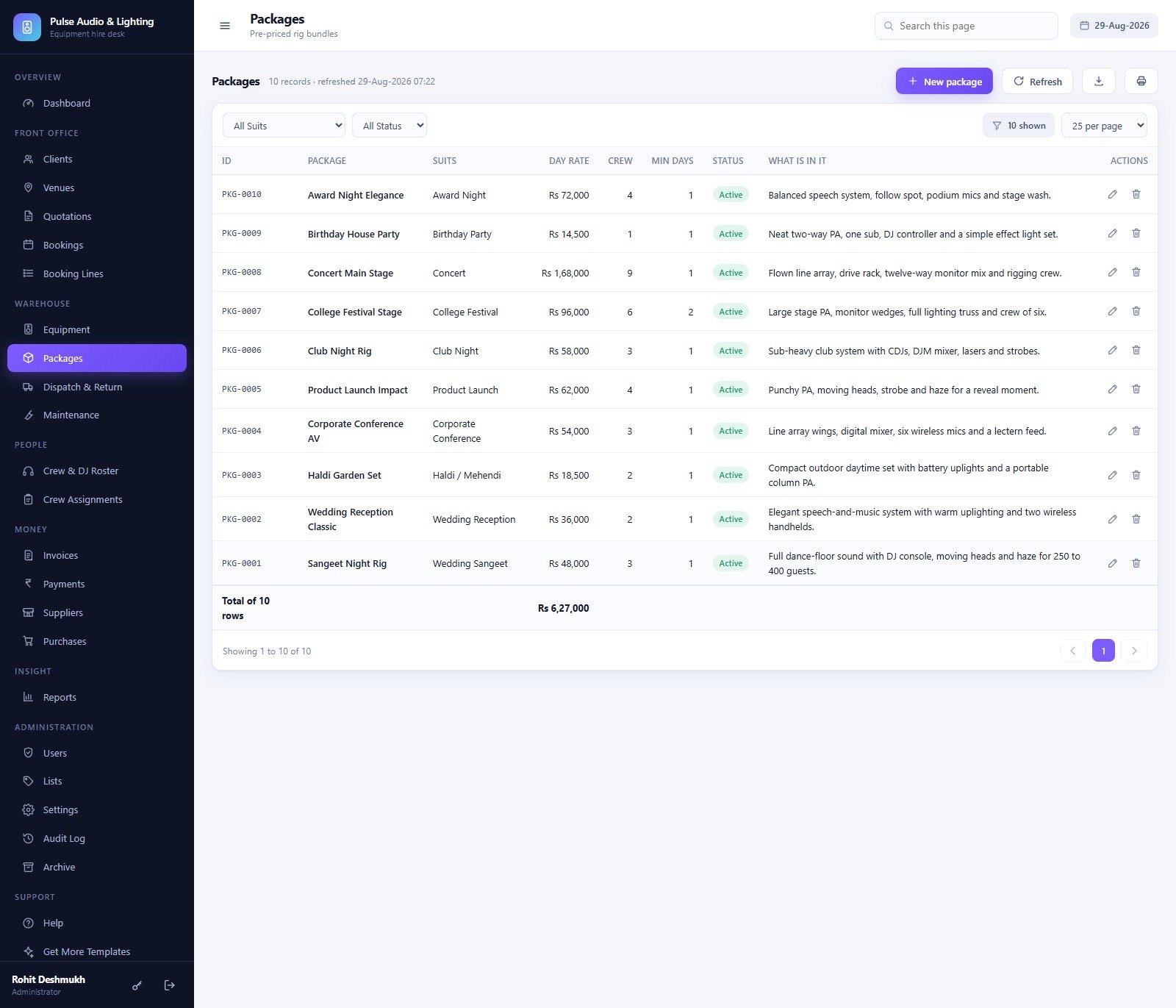
- Ten pre-priced package rigs so a coordinator quotes a Sangeet Night Rig (Rs 48,000, 3 crew) or a Concert Main Stage (Rs 1,68,000, 9 crew) in seconds instead of picking twenty line items by hand. DJ & Sound Equipment Booking System Web App
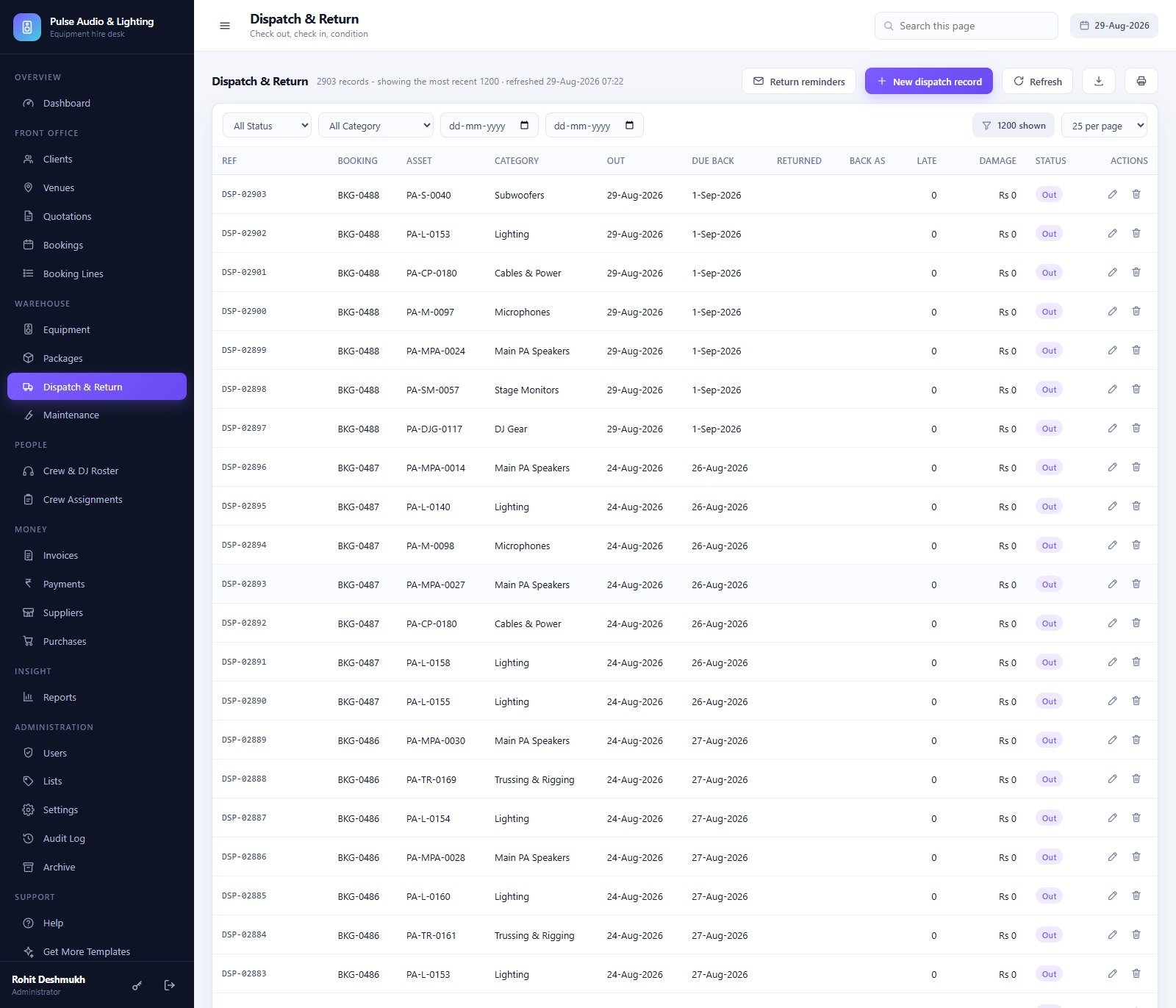
- Dispatch and return with condition grading – one row per asset per booking recording condition out, condition back, days late and any damage charge, plus a one-click return-reminder email to every client whose gear is overdue.
- Quotation to booking to invoice in one chain. Version a quote, mark it Accepted, convert it straight into a booking, print the event sheet and the dispatch note, then raise the invoice and record the payment.
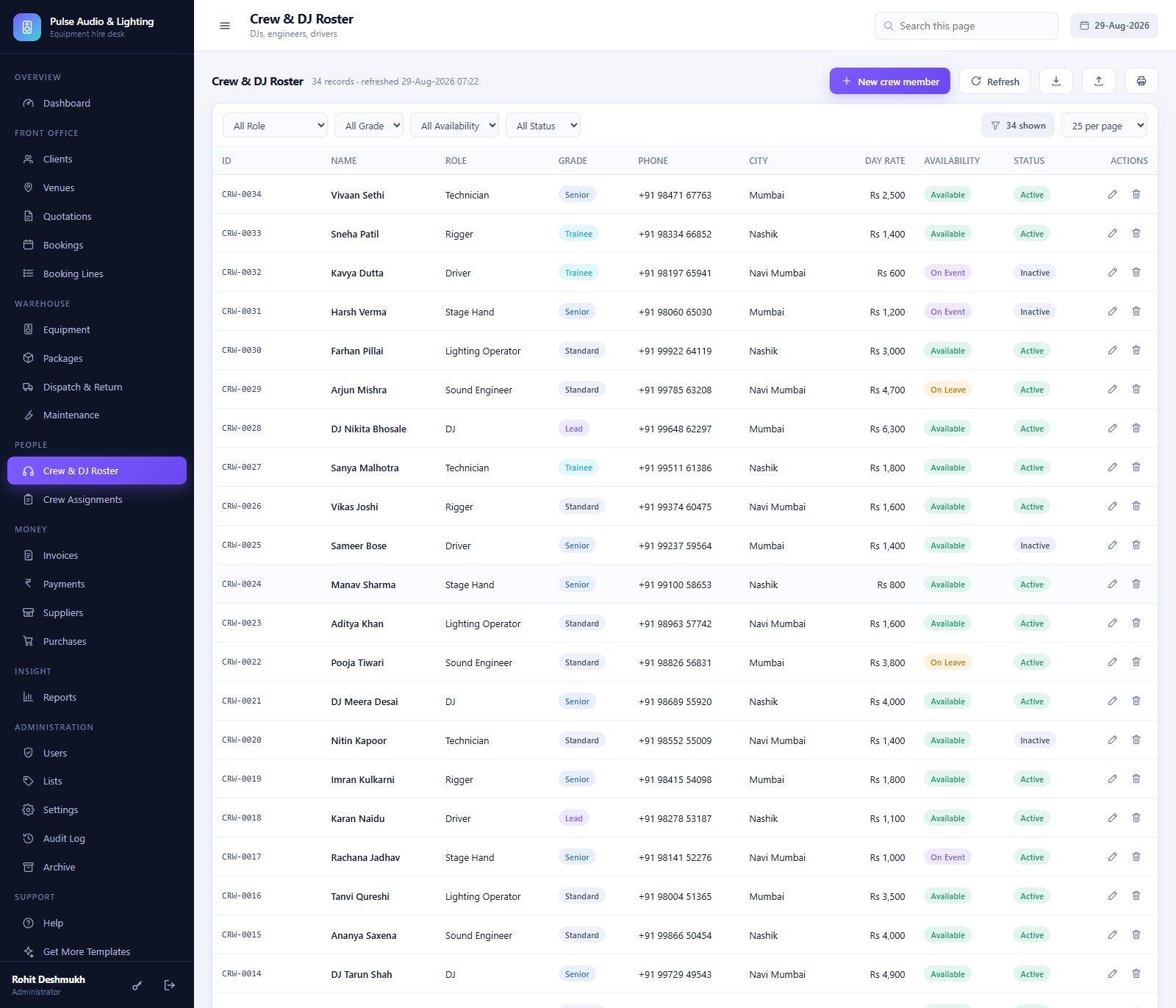
- Crew and DJ rostering – 34 crew with skill grade, day rate and availability, and 1,456 assignments carrying call time, hours and the payable amount, with a three-week call sheet you can print.
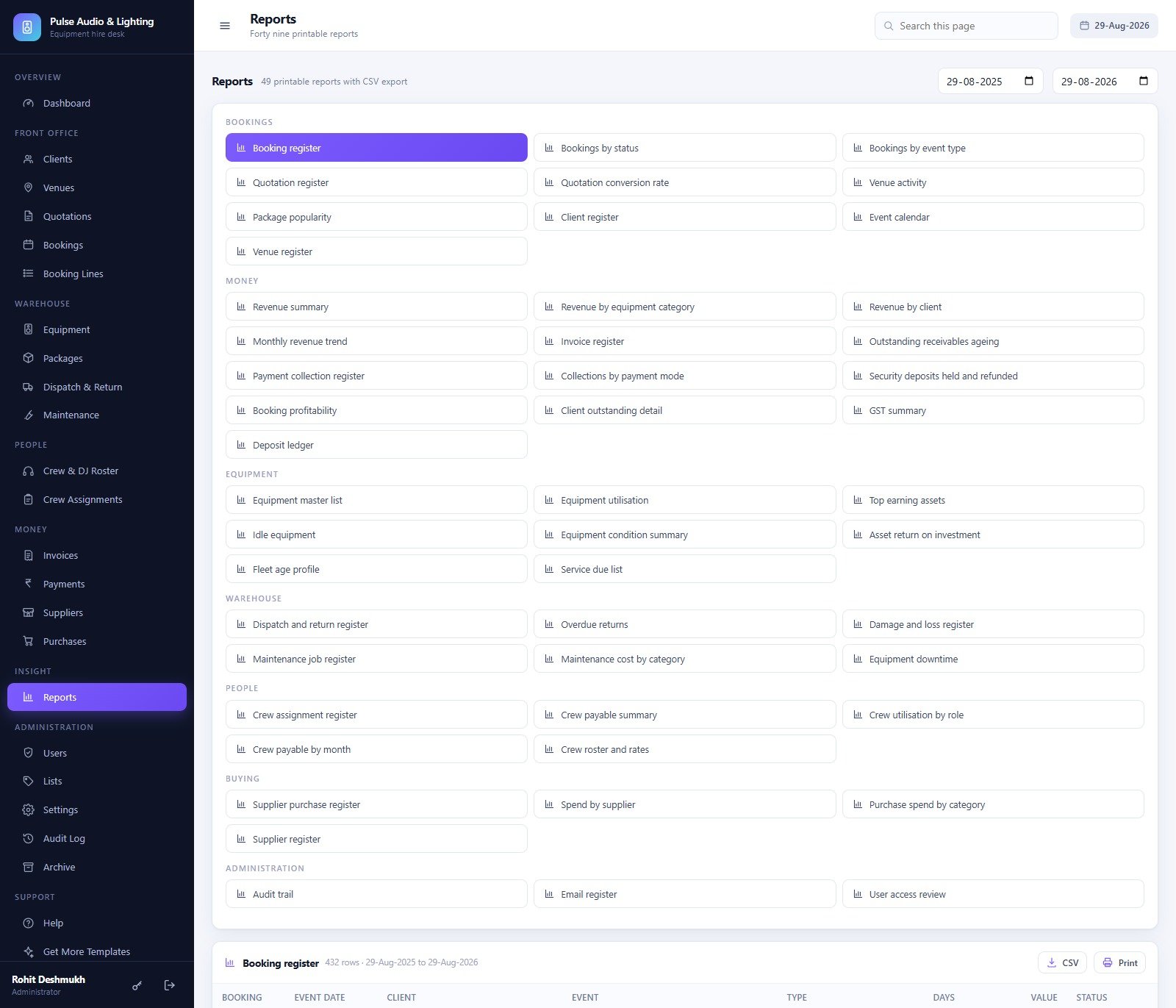
- 49 printable reports with CSV export across Bookings (10), Money (13), Equipment (8), Warehouse (6), People (5), Buying (4) and Administration (3) – including Outstanding receivables ageing, Booking profitability, Asset return on investment, Equipment downtime and a GST summary.
- Six roles the server actually enforces. A DJ who cannot see the money columns is also refused if the request arrives another way – the role gates the menu and the server call.
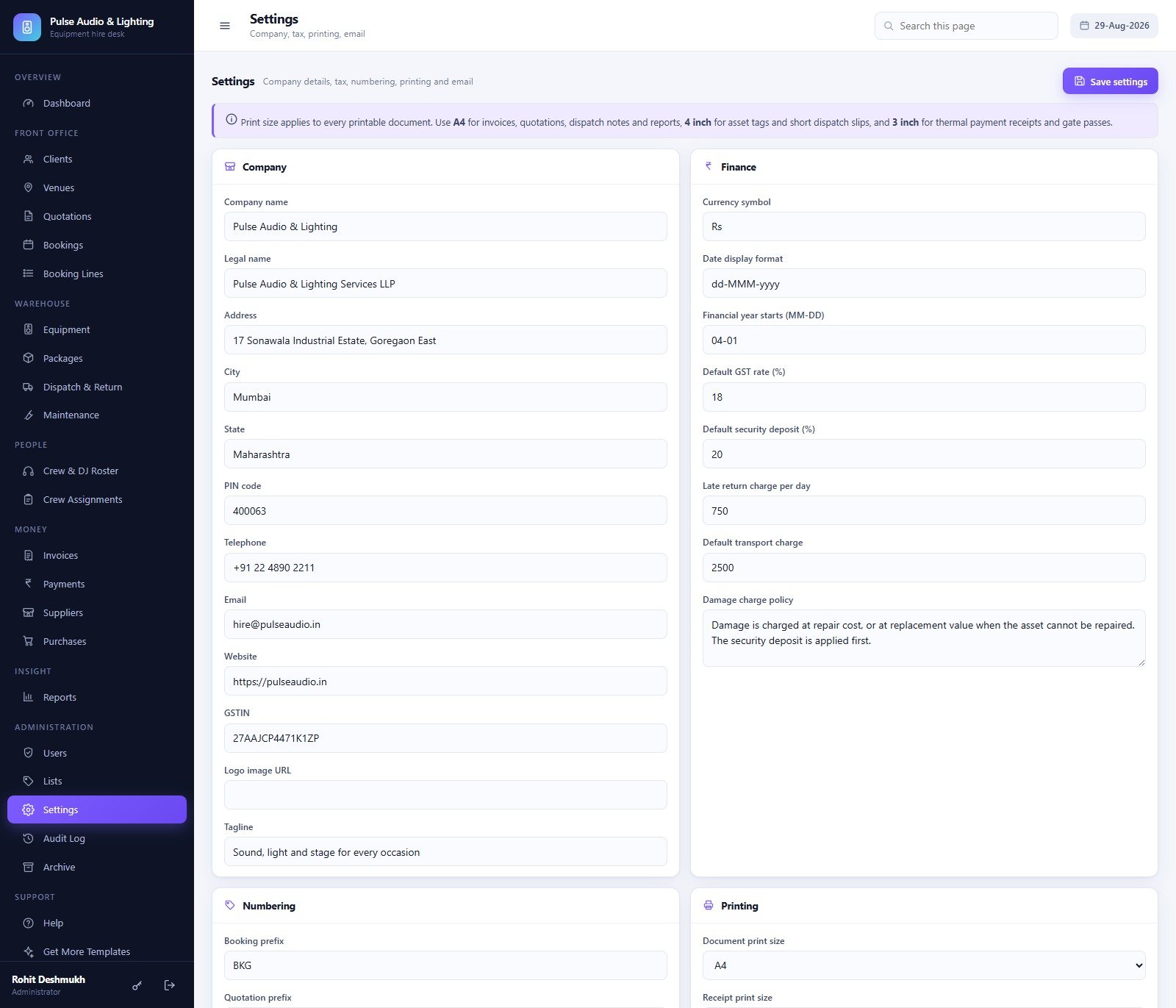
- Print sizes that match the job: A4 for invoices, quotations, dispatch notes and reports, 4 inch for asset tags and short dispatch slips, 3 inch for thermal payment receipts and gate passes.
- A full audit log and a database archive. Every create, update, dispatch and payment is written to the audit trail; the archive copies the database to Drive, registers the copy, and only then removes closed transactions – master data always stays live.
What’s Inside the DJ & Sound Equipment Booking System Web App
Twenty-four working screens, grouped the way a hire desk actually thinks:
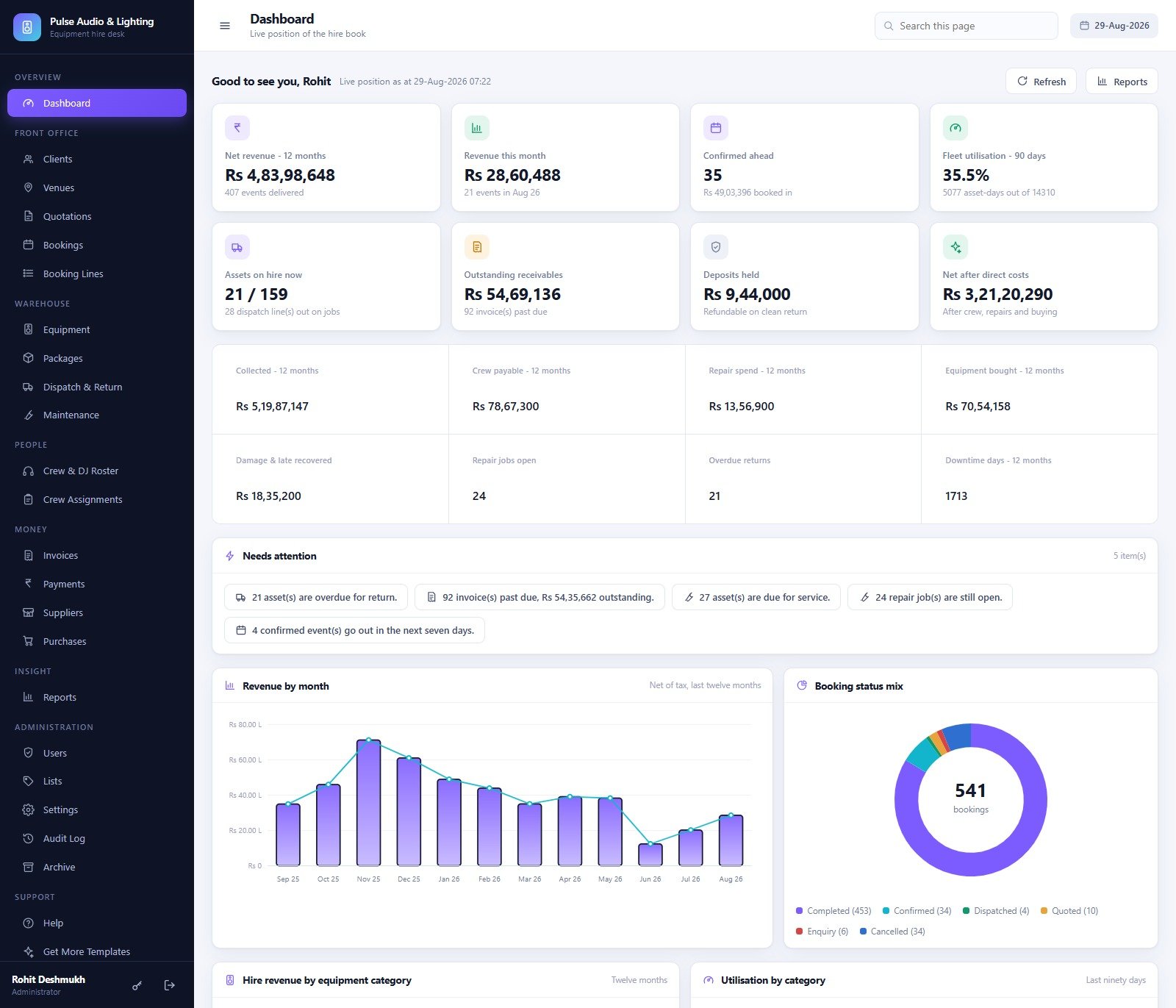
- Overview – Dashboard: net revenue over twelve months, revenue this month, confirmed events ahead, fleet utilisation (asset-days used against asset-days available over 90 days), assets on hire now, outstanding receivables, deposits held and net after direct costs, plus Revenue by month, Booking status mix, Hire revenue by equipment category and Utilisation by category.
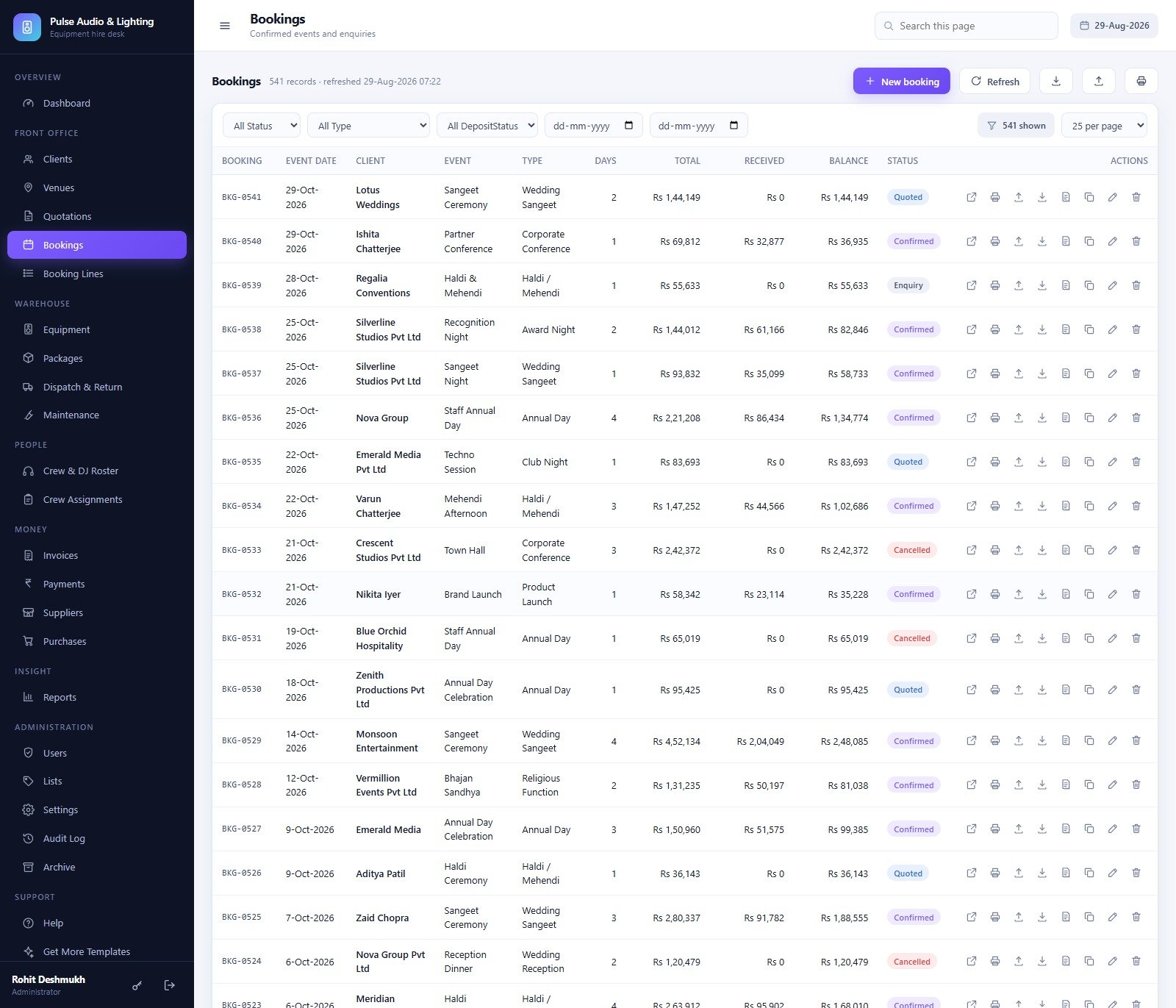
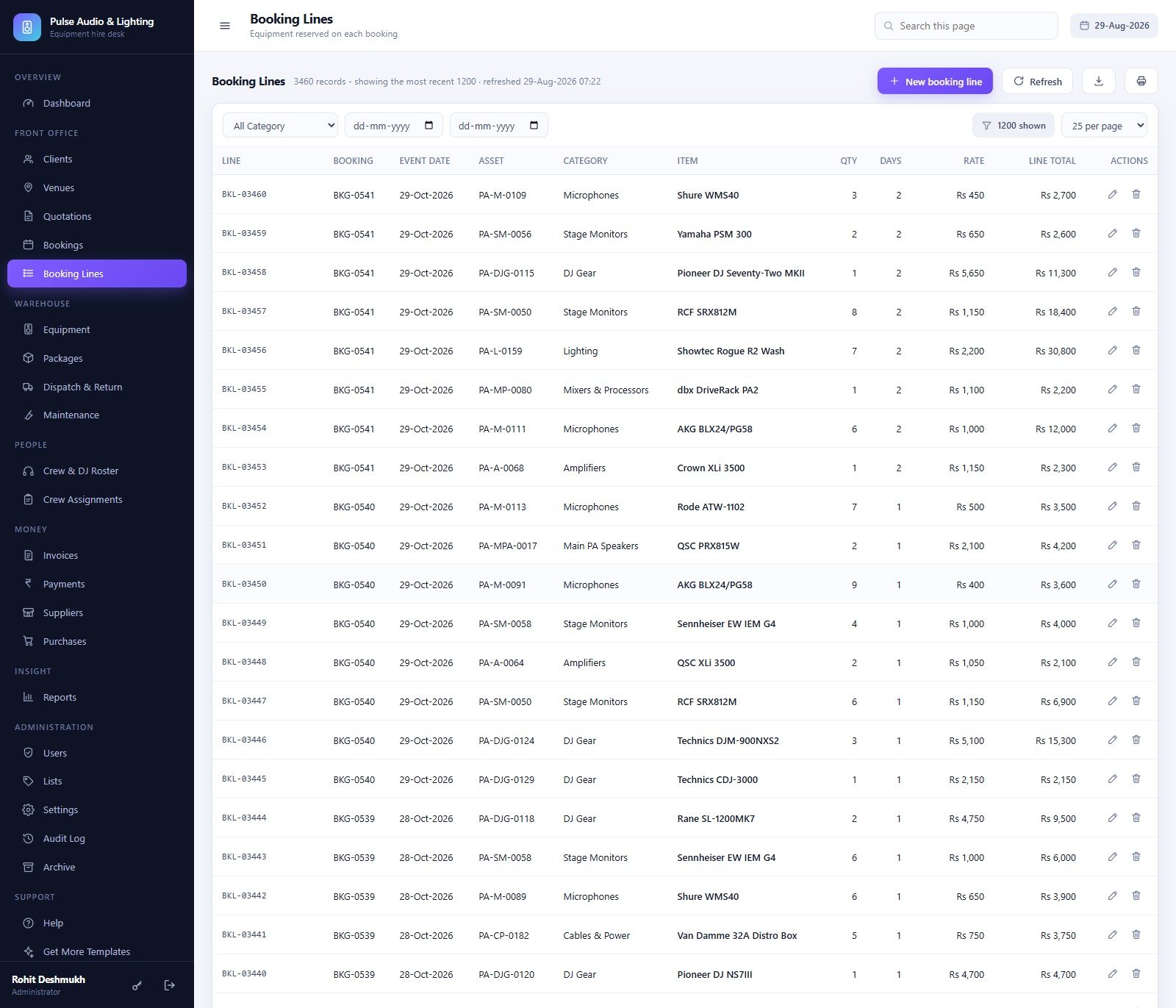
- Front office – Clients (type, contact, payment terms, credit limit, rating), Venues (capacity, indoor or outdoor, power available, curfew time), Quotations (222 seeded, versioned, convertible), Bookings (541 seeded with total, received and balance) and Booking Lines (3,460 rows of exactly what was reserved, at what rate, for how many days).
- Warehouse – Equipment, Packages, Dispatch & Return, and Maintenance (170 repair jobs with fault type, severity, vendor, downtime days and cost; an open job automatically shows the asset as In Repair so nobody quotes it).
- People – Crew & DJ Roster and Crew Assignments.
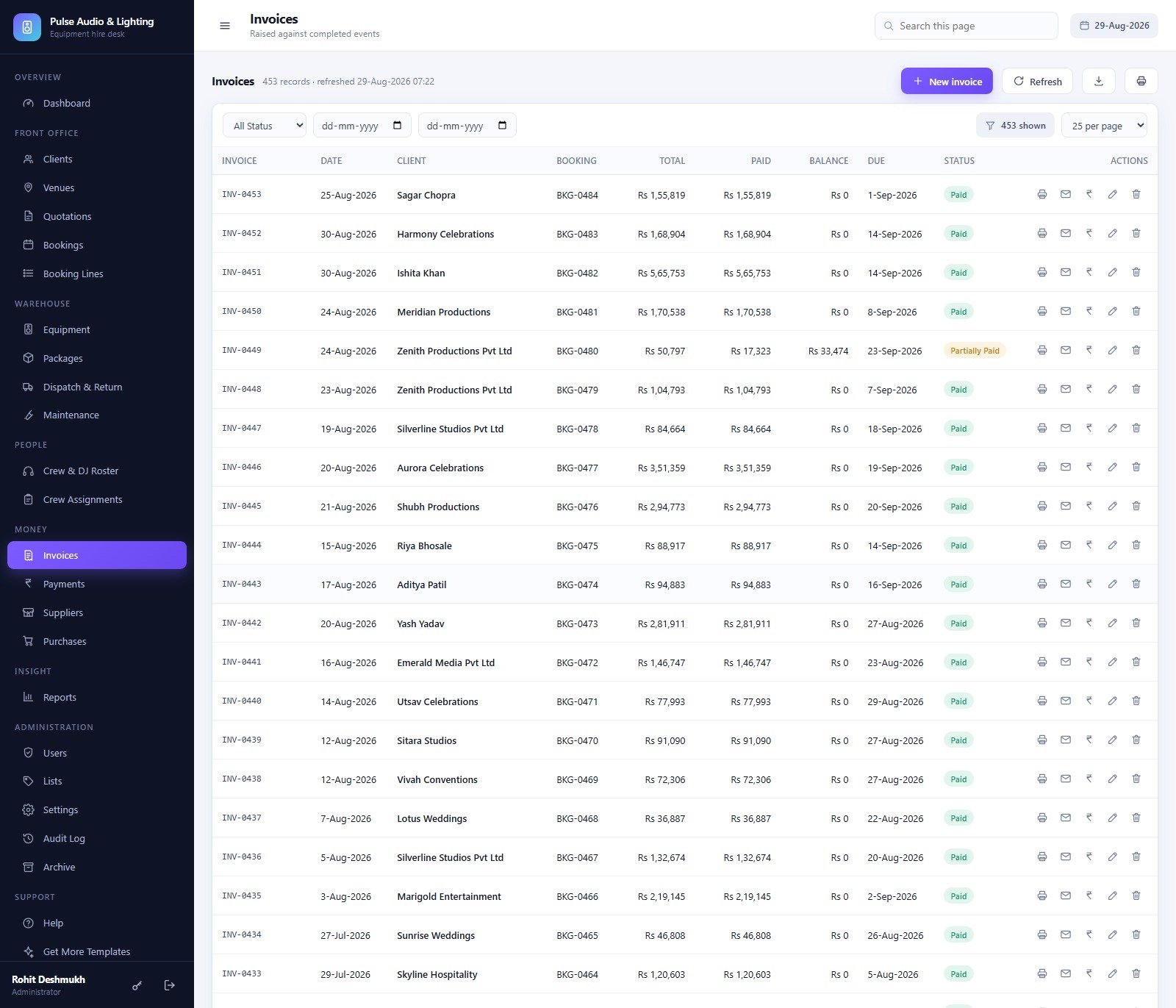
- Money – Invoices with the GST split and a running balance, Payments (advances, balances, security deposits, refunds, damage recovery and late charges, each with a mode and reference), Suppliers and Purchases.
- Insight – the 49-report library, every report filtered by date range, totalled, printable and exportable to CSV.
- Administration – Users, Lists (215 dropdown values you extend without touching code), Settings, Audit Log and Archive.
- Support – Help, which explains every screen in one page, and Get More Templates.DJ & Sound Equipment Booking System Web App
DJ & Sound Equipment Booking System vs. a Spreadsheet Hire Book vs. Paid Rental SaaS – Where This Fits
| This web app | Spreadsheet hire book | Paid rental SaaS | |
|---|---|---|---|
| Cost | One payment, no renewal | Free | Roughly USD 40-100 per user per month |
| Platform | Google Apps Script in your own Google account | Excel or Google Sheets | Vendor cloud |
| Setup time | About 15 minutes – one paste, one deploy | Immediate, then endless upkeep | Days, plus onboarding calls |
| Real-time team collaboration | Yes, concurrent users with their own logins | Fragile once two people edit | Yes |
| Mobile access | Yes, responsive in any browser | Painful | Yes, usually a native app |
| Asset-level double-booking check | Yes, across a whole date window | Manual and easy to get wrong | Yes |
| Role-based access enforced on the server | Yes, six roles | No | Yes |
| Where your data lives | Your Drive, your spreadsheet | Your file | Vendor servers |
| Source code you can change | Yes, all of it | Not applicable | No |
| Thermal receipt and asset-tag printing | Built in – 3 inch, 4 inch and A4 | No | Usually an add-on |
| Year-1 cost at 5 users | The purchase price, once | Zero, plus the cost of the mistakes | Roughly USD 2,400-6,000 |
Who This Template Is For – and Who It’s Not For
It fits a sound and lighting hire company, a DJ collective that sub-hires gear, an event production house running crew and rigs together, an AV department inside a hotel, club or college, or any rental desk with roughly 50-500 tagged assets and a handful of coordinators.DJ & Sound Equipment Booking System Web App
It does not fit if you need a public online booking page your customers self-serve – this is a staff-facing back office. It has no payment gateway or card processing: payments are recorded, never taken. There is no barcode scanner integration, and a fleet in the tens of thousands of assets is past the point where a spreadsheet-backed database is the right storage. It is also not an accounting package; it produces a GST summary and an invoice register, not a general ledger.
How to Use the DJ & Sound Equipment Booking System Web App
- Try the demo first with the credentials above – sign in as
admin, then again asdj.arjun, and you will know inside two minutes whether the role model suits your team. - Create a new Apps Script project, paste
Code.cs.txtintoCode.gsandIndex.txtinto an HTML file named exactlyIndex. - Deploy as a web app – Execute as Me, Who has access Anyone – and authorise it.
- Open the URL and press Build the database now on the first-run panel. Setup is staged, resumable and idempotent, so it is safe to run again.
- Sign in as
admin, change every seeded password, and delete the accounts you do not need. - Set Settings > Company, Finance (currency symbol, tax rate, security deposit percentage, late return charge, transport charge), Numbering and Printing before you take a real booking.
- Load your own assets and clients – the warehouse screens accept a spreadsheet import – then clear the sample transactions, or delete the database and rebuild it empty.
Real-World Use Cases
Rohit runs a 180-asset PA and lighting hire in Mumbai. On a Friday he opens the Dashboard, sees 21 assets overdue for return and 4 confirmed events going out within seven days, sends the return reminders from Dispatch in one click, and prints the crew call sheet for the weekend.
Priya keeps the books for the same company. She signs in as Accountant, works the Outstanding receivables ageing report, records a UPI advance against a booking, prints a 3-inch thermal receipt for it, and never sees the Users or Settings screens at all.
Imran runs the warehouse. He checks a truss set back in with condition grading, raises a repair job against the asset – which immediately flips it to In Repair so nobody quotes it – and orders replacement cable from a supplier through Purchases.
Frequently Asked Questions
Can I try it before buying?
Yes. The green box above is a live deployment with a full year of sample data and all nine seeded accounts. Nothing you do there affects a real business, and the instance resets.
What exactly do I download?
A ZIP containing Code.cs.txt (the complete Apps Script server code), Index.txt (the whole single-page front end) and a user manual PDF covering deployment, every role, every module and the troubleshooting list.
Do I need a Google Workspace subscription?
No. A free personal Google account runs it. Apps Script quotas – in particular the daily email quota used by invoice emails and return reminders – belong to the account that owns the deployment, so a Workspace account gets more headroom.
Where is my data stored?
In a Google Sheets database the app creates in your own Drive, named “DJ & Sound Equipment Booking System – Database”, plus a Drive folder tree for equipment photos, damage reports, dispatch notes, invoices, imports and backups. Nothing is sent anywhere else.
Is the seeded data in Rupees, and can I change the currency and tax?
The demo seed is Indian – Rs, an 18% GST default, a 20% security deposit and a Rs 750 per day late charge. Currency symbol, tax rate, deposit percentage, late charge, transport charge and every numbering prefix are Settings fields, so a new deployment can use any currency. The sample figures stay in Rs until you replace them with your own data.
Can I add a module or a report?
Yes – you own the source. Add list values from the Lists screen without touching code, or edit Code.gs directly. Remember that Apps Script keeps serving the last deployed version, so redeploy a new version after any change.
How many users can it handle?
The seed ships nine accounts across six roles and the Users screen adds more. It is built for a hire desk team – a few coordinators, warehouse staff, accounts and crew – not for thousands of concurrent users.
About the Author
Built by PK – Microsoft Certified Professional with 15+ years of Excel, Google Sheets, and Power BI experience. Founder of NextGenTemplates, reaching 300K+ subscribers across YouTube channels. Every template is hand-built and tested before release.
Explore Related Templates
If you hire out venues or catering alongside the rig, the Banquet Hall Management System Web App and the Catering Business Management System Web App use the same architecture and the same role model. For a different booking shape, see the Adventure Sports Booking Management System Web App. If you want the reporting without deploying an app, the Banquet Hall Tracker in Google Sheets and the Photography Dashboard in Google Sheets are lighter starting points. Browse the whole Web Apps category or the wider Google Sheets library.DJ & Sound Equipment Booking System Web App
Two honest notes before you buy. On a fresh install the Archive register is empty – that is correct, nothing has been archived yet. And on the Dashboard the “Outstanding receivables” card and the “Needs attention” strip both count 92 past-due invoices but show Rs 54,69,136 and Rs 54,35,662; the Rs 33,474 gap is a single partially-paid invoice counted at a different stage. Neither affects the underlying records or any report.DJ & Sound Equipment Booking System Web App
Buy once, deploy in your own Google account, and stop paying a monthly fee to look at your own hire book. Open the live demo, sign in as admin, and see the whole system working before you spend anything. DJ & Sound Equipment Booking System Web App
Last updated: 1 September 2026.
Compatibility and Requirements
- Runs as a Google Apps Script web app inside your own Google account. A free personal Google account and a web browser are enough.
- Setup is a paste of Code.gs and the Index HTML file, then a web app deployment. Google covers the basics in Get started with Google Sheets, since the database is a Google Sheet in your Drive.
- Daily email limits, used by invoice emails and return reminders, belong to the Google account that owns the deployment.
More Questions About This Template
Does it check whether gear is free before I quote a rig?
Yes. The Availability button checks a whole date window at asset level across the 182 tagged assets, so you see what is already booked before you commit a rig.
Can a crew member see prices and invoices?
No. The DJ / Crew role sees the schedule and the gear, read only, with no money columns. The server also refuses those requests if they arrive another way.
What happens to an asset that is out for repair?
An open maintenance job automatically shows the asset as In Repair, so nobody quotes it while it is out of service.
Is there a spreadsheet version of this booking idea?
For a lighter option without deploying an app, see the Facility Booking Calendar in Google Sheets and the Equipment Return Tracker in Google Sheets.
Related Equipment and Booking Templates
- Equipment Maintenance Management System Web App: a web app for repair jobs and servicing
- Equipment Return Tracker in Google Sheets: track gear going out and coming back
- Equipment Maintenance Log Tracker in Google Sheets: a repair log for your assets
- Web App Based: Hotel Booking Management System: another booking web app on the same platform
- Google Sheets Business Pack (Pro): 14 business templates in one download
Browse all Web Apps.


































Reviews
There are no reviews yet.