

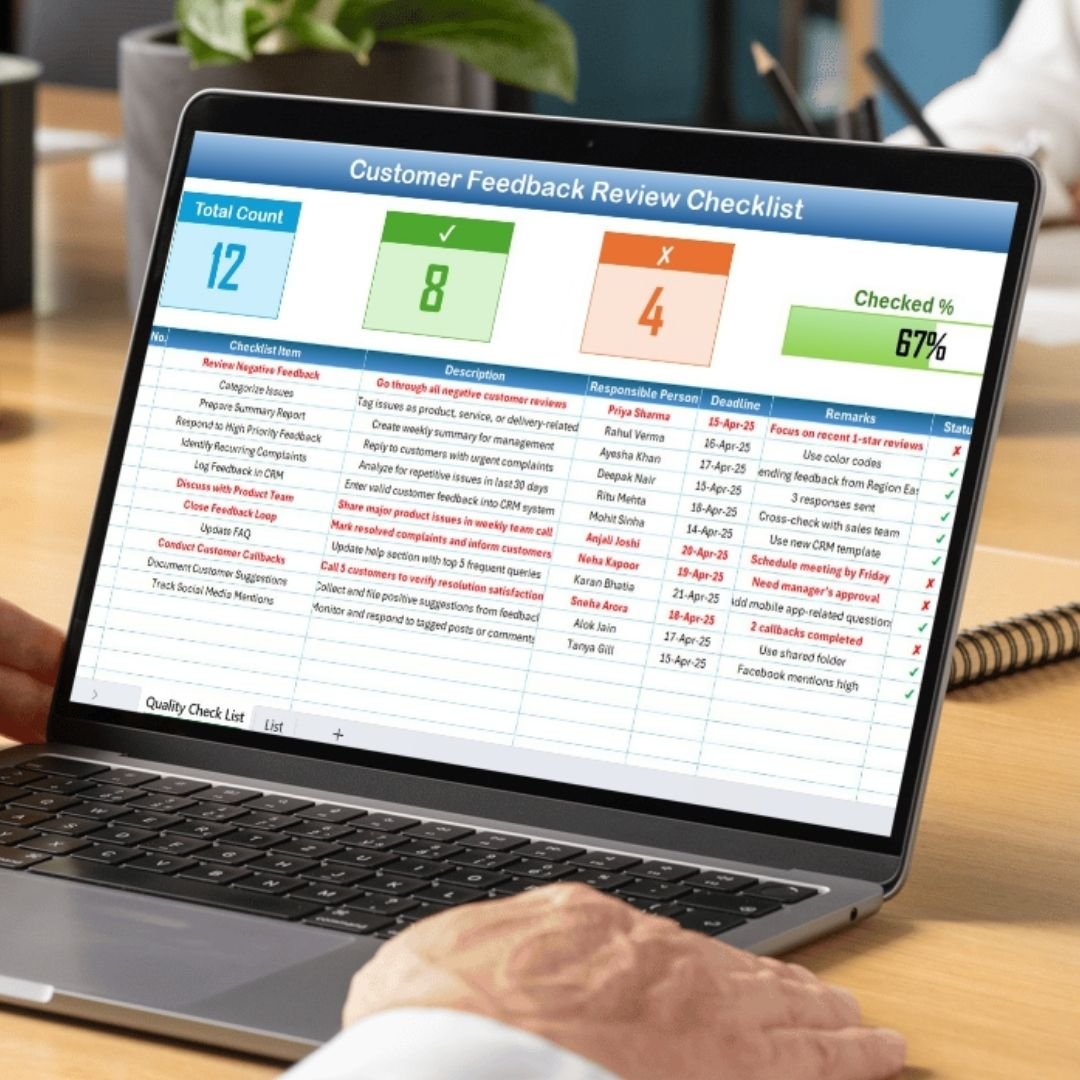


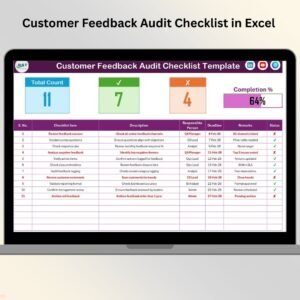
The Customer Feedback Review Checklist in Excel is a comprehensive tool designed to help businesses, customer support teams, and service providers track, manage, and analyze customer feedback. This Excel-based checklist helps you systematically collect customer insights, assess feedback quality, and implement necessary actions to improve your products, services, and overall customer experience.
By using this checklist, you can organize customer feedback, track recurring issues, prioritize improvements, and monitor customer satisfaction over time. It is an essential tool for businesses aiming to enhance their service delivery and maintain a strong relationship with their customers.
Key Features of the Customer Feedback Review Checklist in Excel
📋 Feedback Tracking & Management
Track all customer feedback received across multiple channels. Categorize feedback based on type (complaint, suggestion, praise), customer sentiment, and priority level.
📝 Action Plan Creation
Create an action plan for addressing customer feedback. Assign tasks, set deadlines, and monitor the progress of improvements to ensure customer concerns are effectively resolved.
🔍 Sentiment Analysis & Categorization
Categorize feedback based on customer sentiment—positive, neutral, or negative—and prioritize responses accordingly. This helps you address critical issues while maintaining positive relationships.
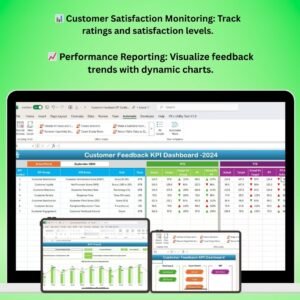
📈 Customer Satisfaction Monitoring
Track customer satisfaction over time by monitoring feedback trends. Use this data to assess whether service improvements are successfully enhancing the customer experience.
📅 Time-Based Tracking
Monitor feedback over various time periods (daily, weekly, monthly). This feature allows you to track patterns in feedback and measure the impact of changes made to products or services.
⚙️ Customizable Checklist
Customize the checklist to fit your business’s specific needs. Add or modify feedback categories, adjust task priorities, and update metrics to match your organizational goals.
Why You’ll Love the Customer Feedback Review Checklist in Excel

✅ Stay Organized & On Top of Feedback
Keep all customer feedback organized in one place, and easily track which issues need attention. Stay on top of recurring problems, and never miss a valuable suggestion or complaint.
✅ Improve Customer Satisfaction
By systematically reviewing feedback, you can take actionable steps to improve your services, leading to higher customer satisfaction and retention.
✅ Prioritize Actions Effectively
Categorize and prioritize feedback based on severity and customer sentiment. Tackle urgent issues first, while also addressing smaller concerns to ensure an all-around improved service.
✅ Monitor Long-Term Customer Trends
Track feedback trends over time to understand how customers perceive your products and services. Measure the success of implemented changes and continuously refine your approach.
✅ Customizable & Scalable
The checklist is fully customizable and can be tailored to suit businesses of all sizes. Whether you are tracking customer feedback for a small shop or managing feedback across a large enterprise, this tool scales to meet your needs.
What’s Inside the Customer Feedback Review Checklist in Excel?
Feedback Tracking: Keep track of feedback, including complaints, suggestions, and praises.
Sentiment Analysis & Categorization: Categorize feedback by sentiment and prioritize accordingly.
Action Plan Creation: Develop action plans for addressing customer concerns and suggestions.
Customer Satisfaction Monitoring: Measure customer satisfaction trends and monitor progress.
Time-Based Feedback Tracking: Analyze feedback over time to spot recurring issues and evaluate improvements.
Customizable Sections: Modify the checklist to reflect your business’s unique feedback categories and actions.
How to Use the Customer Feedback Review Checklist in Excel
1️⃣ Download the Template: Instantly access the Customer Feedback Review Checklist in Excel.
2️⃣ Input Customer Feedback: Enter feedback from your customers, categorizing by type and sentiment.
3️⃣ Create Action Plans: Develop an action plan for addressing issues raised in the feedback.
4️⃣ Track Customer Satisfaction: Monitor trends in customer satisfaction to measure service improvements.
5️⃣ Analyze & Improve: Use insights from the checklist to refine your services and enhance customer relationships.
Who Can Benefit from the Customer Feedback Review Checklist in Excel?
🔹 Customer Support Teams
🔹 E-commerce Platforms & Retailers
🔹 Service Providers & Hospitality Businesses
🔹 Marketing & Sales Teams
🔹 Business Owners & Managers
🔹 Product Development & Improvement Teams
🔹 Small & Medium Enterprises (SMBs)
🔹 Large Corporations with Customer-Centric Operations
Enhance customer relationships and optimize your services with the Customer Feedback Review Checklist in Excel. Stay organized, track actionable feedback, and make data-driven decisions that improve the overall customer experience.
Click here to read the Detailed blog post
Visit our YouTube channel to learn step-by-step video tutorials
Youtube.com/@PKAnExcelExpert
Watch the step-by-step video Demo:
Compatibility and Requirements
- Works in Microsoft Excel desktop (Excel 2016 or later, or Microsoft 365).
Frequently Asked Questions
How do I sort the feedback?
Each entry can be tagged by type (complaint, suggestion or praise), by sentiment (positive, neutral or negative) and by priority level.
Can I plan actions for each piece of feedback?
Yes. You can create an action plan, assign tasks, set deadlines and follow the progress of each improvement.
Can I look at feedback over time?
Yes. You can review feedback by day, week or month to spot recurring issues and see whether changes are working.
Can I change the feedback categories?
Yes. The checklist is editable, so you can add or change categories, task priorities and metrics.
Related Customer Feedback Templates
- Customer Feedback Checklist in Google Sheets: a feedback checklist for Google Sheets
- Customer Feedback Tracker in Excel: logs feedback as it comes in
- Customer Feedback KPI Dashboard in Excel: tracks feedback KPIs against targets
- Customer Feedback Analysis Dashboard in Excel: charts for feedback analysis
- Checklist and SOP Pack: 12 Excel and Google Sheets checklists in one bundle
Browse all Excel checklists or the MS Excel templates.



























Reviews
There are no reviews yet.