



Strategic planning is the heartbeat of every successful business—but without a practical execution plan, even the best strategies fall flat. The Business Strategy Outline Checklist in Excel is a ready-to-use, dynamic tool that transforms your ideas into actionable, trackable goals.
Designed for startups, SMEs, and large enterprises alike, this template helps you organize tasks, assign responsibilities, and track progress in real-time. Whether you’re working on a quarterly business plan or launching a company-wide initiative, this checklist will keep your team aligned, productive, and accountable.
🔑 Key Features of Business Strategy Outline Checklist in Excel
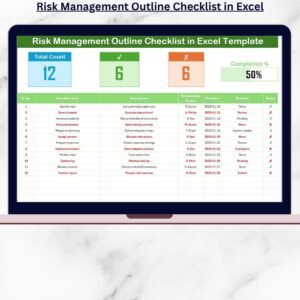
📋 Interactive Checklist Table

Track tasks with:
Serial No.
Checklist Item
Description
Responsible Person (via dropdown)
Deadline
Remarks
Status (✔/✘)
📊 Visual Progress Tracker
Summary cards at the top auto-calculate:
Total Items
Completed Tasks
Pending Tasks
Includes a live progress bar for instant status overview.
🔽 Dropdown-Based Task Assignment
Assign team members with a dropdown linked to the List Sheet, ensuring consistency and easy updates.
🔧 Customizable List Sheet
Add or modify team names, departments, or task owners—great for changing teams or rotating roles.
🔒 No Macros Needed
The tool works using Excel’s native functions. No coding knowledge required!
📦 What’s Inside the Template?
You’ll receive an Excel workbook with 2 professionally designed sheets:
Main Checklist Sheet
Interactive task table
Summary cards with real-time status
Auto-progress bar
Built-in dropdowns for task assignment
List Sheet
Store team members or departments
Easily manage dropdown options
All features are formula-based, making the checklist both lightweight and high-performing.
🧩 How to Use the Checklist
✅ Step 1: Define strategic goals and break them down into tasks
✅ Step 2: Enter tasks into the Checklist Item column
✅ Step 3: Assign responsible persons via dropdown (edit List Sheet as needed)
✅ Step 4: Add deadlines, remarks, and status (✔/✘)
✅ Step 5: Watch the summary cards and progress bar update automatically
✅ Step 6: Review the checklist weekly to maintain momentum
You can easily filter by person, deadline, or status to create focused reports or reviews.
👤 Who Can Benefit from This Checklist?
💼 Business Owners & Entrepreneurs – Stay focused on execution
📊 Strategy Teams – Align high-level goals with day-to-day tasks
🧠 Department Managers – Assign and monitor team objectives
📈 Startups – Build structure during the scaling phase
📎 Consultants & Project Leads – Use as a planning and reporting tool
This checklist is ideal for any team that wants to convert plans into progress.
🔗 Click here to read the Detailed blog post
🔗 Visit our YouTube channel to learn step-by-step video tutorials
Watch the step-by-step video tutorial:
Compatibility and Requirements
- Works in Microsoft Excel desktop (Excel 2016 or later, or Microsoft 365).
- No macros are needed. It runs on standard Excel formulas.
- Task owners are picked from a dropdown linked to the List Sheet. Microsoft explains dropdowns in Create a drop-down list.
Frequently Asked Questions
Which columns does the checklist table have?
Serial No., Checklist Item, Description, Responsible Person, Deadline, Remarks and Status (a tick or a cross).
How is progress shown?
Summary cards at the top count Total Items, Completed Tasks and Pending Tasks, and a progress bar shows the overall status.
How do I change the list of team members?
Edit the List Sheet. The Responsible Person dropdown reads its names from there.
How many sheets are in the workbook?
Two: the Main Checklist Sheet and the List Sheet.
Can I filter the checklist?
Yes. You can filter by person, deadline or status to prepare a focused review.
Related Business Strategy Templates
- Business Strategy Alignment Checklist in Excel: checks that tasks match the strategy
- Business Strategy Alignment Checklist in Google Sheets: the alignment checklist in Google Sheets
- Business Strategy Action Plan Checklist in Excel: turns the outline into an action plan
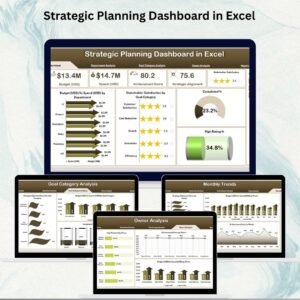
- Strategic Planning Dashboard in Excel: tracks strategic goals on a dashboard
- Checklist & SOP Pack: 12 Excel and Google Sheets checklist templates in one bundle
Browse all Excel checklists or the Excel project management templates.























Reviews
There are no reviews yet.