



The Business Networking Events Calendar in Excel is an efficient tool designed to help professionals and businesses plan, track, and optimize their participation in networking events. This Excel-based calendar provides a structured approach to managing business events, ensuring that you never miss important opportunities to network and grow your professional relationships.
By using this template, businesses and individuals can organize their networking strategies, set clear objectives for each event, and evaluate the effectiveness of their efforts.

Key Features of the Business Networking Events Calendar in Excel
📅 Comprehensive Event Planning
Annual Overview: Keep track of all the networking events happening throughout the year.
Monthly Breakdown: Easily navigate through each month, ensuring you stay on top of upcoming events.
🔧 Customizable and Flexible
Tailor the Calendar: Modify the fields to suit your specific needs, whether it’s categorizing by event type or adding special notes.
Color-Coded Categories: Use color coding to categorize events by type, priority, or outcome to streamline planning.
📈 Event Tracking and Follow-Up
Event Details: Track key information such as event name, date, location, objectives, and follow-up actions.
Post-Event Analysis: Track the outcomes of each event, plan your follow-up activities, and measure the success of your networking efforts.
💼 Collaboration and Sharing
Team Collaboration: Share the calendar with team members for collaborative planning and execution.
Cloud-Based Access: Access the calendar from anywhere, making it perfect for remote teams or those who travel often.
Benefits of Using the Business Networking Events Calendar in Excel
✅ Enhanced Organization
Keep all event-related information organized in one location, reducing the risk of missing key opportunities.
✅ Improved Time Management
Optimize your schedule by allocating specific time slots for events, ensuring better management of your workday.
✅ Strategic Networking
Ensure you attend the most relevant events, aligned with your business objectives, to build meaningful professional connections.
✅ Post-Event Evaluation
Evaluate each event’s success, ensuring that follow-up actions are tracked and that you maximize the value from your networking efforts.
Getting Started with Your Business Networking Events Calendar in Excel
Download the Template: Access the Business Networking Events Calendar template to begin customizing it for your events.
Input Event Details: Add upcoming events with all relevant details like location, time, and objectives.
Categorize Events: Use color-coding to organize events by type, importance, or target audience.
Schedule & Plan: Allocate time for each event, ensuring you’re prepared and on track.
Evaluate & Follow Up: After each event, assess its success and plan any necessary follow-up actions.
By using the Business Networking Events Calendar in Excel, your organization can enhance its networking strategy, track opportunities effectively, and optimize professional relationships.
Click here to read the Detailed blog post
Business Networking Events Calendar in Excel
Visit our YouTube channel to learn step-by-step video tutorials
YouTube.com/@PKAnExcelExpert
Watch the step-by-step video Demo:
Compatibility and Requirements
- Works in Microsoft Excel desktop (Excel 2016 or later, or Microsoft 365).
Frequently Asked Questions
What does the calendar show?
It has an annual overview of all networking events and a monthly breakdown, so you can see what is coming up each month.
What can I record for each event?
You can record the event name, date, location, objectives and follow-up actions.
Can I color-code events?
Yes. You can use color coding to group events by type, priority or outcome.
Can I track what happened after an event?
Yes. You can note the outcome of each event and plan your follow-up activities.
Related Event and Calendar Templates
- Networking and Professional Contacts Tracker in Google Sheets: keeps the contacts you meet at events
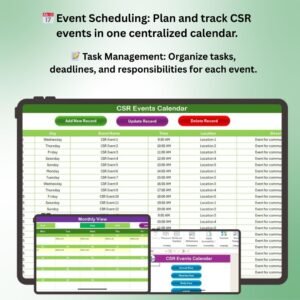
- CSR Events Calendar in Excel: plans CSR events with tasks and results
- Dynamic Holiday and Event Calendar in Google Sheets: an event calendar for Google Sheets
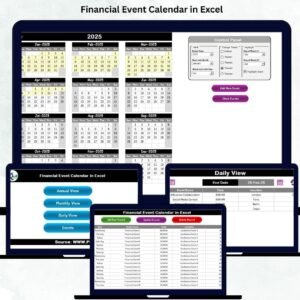
- Financial Event Calendar in Excel: plans finance events and deadlines
- Calendar and Planner Pack: 12 Excel and Google Sheets calendars in one bundle
Browse all Excel calendars or the MS Excel templates.
































Reviews
There are no reviews yet.