

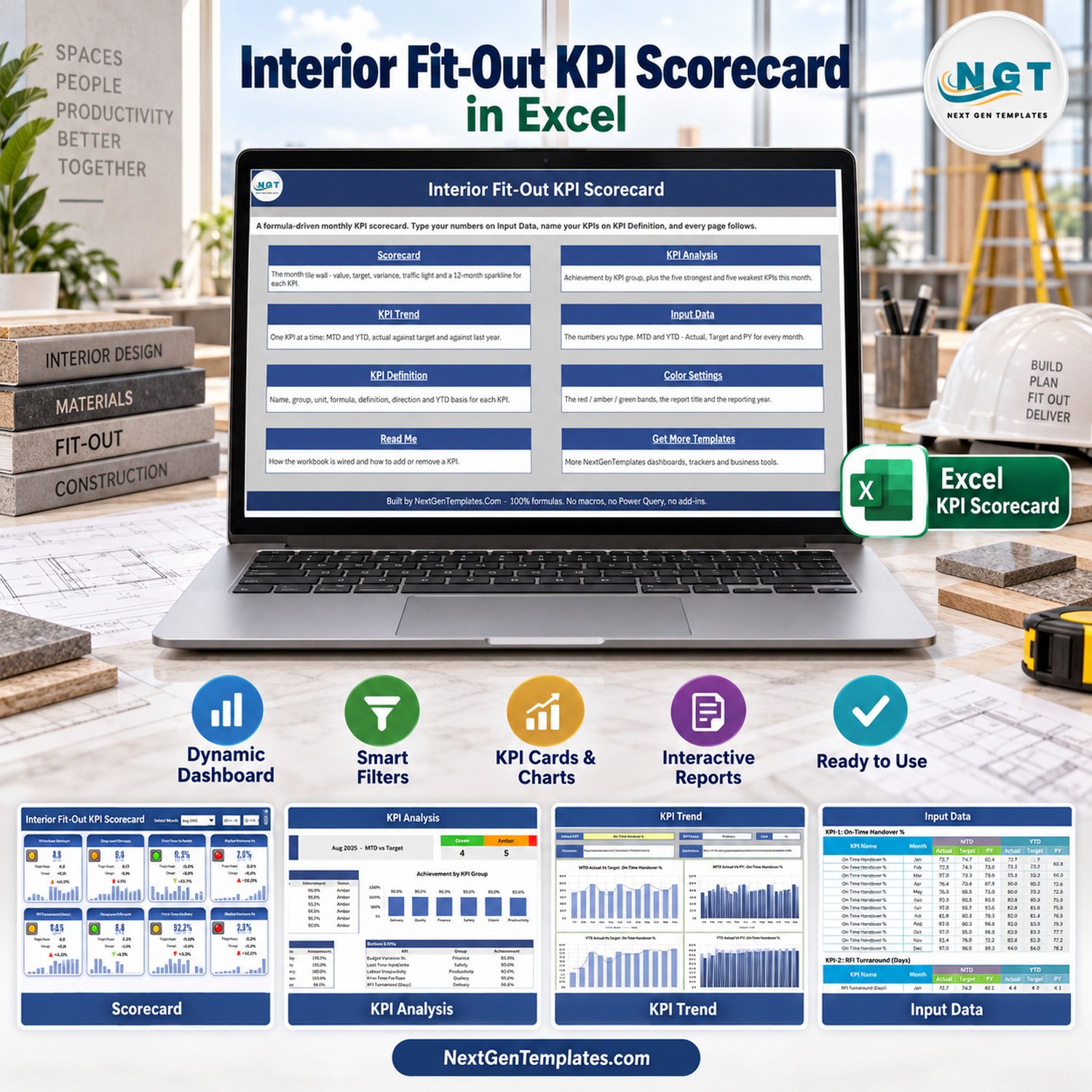


Interior Fit-Out KPI Scorecard in Excel is a formula-driven monthly KPI scorecard for interior fit-out teams, contractors, design-build businesses, and project managers who need a clean way to monitor delivery performance in Excel.
The workbook is built around the practical fit-out metrics visible in the template, including on-time handover, RFI turnaround, design variation, punch item closure, budget variance, lost-time injury rate, labour productivity, client satisfaction, rework, and change-order activity. You type monthly values into the input sheet, define the KPI names and groups, and the scorecard pages update from those entries.
This is the Excel KPI scorecard edition, not the Google Sheets scorecard and not the separate analytical dashboard line. It is designed for Excel users who want an editable workbook they can keep inside their normal project reporting process.
Interior Fit-Out KPI Scorecard in Excel Overview
This workbook gives fit-out teams a ready reporting structure for monthly review.
What Is Included
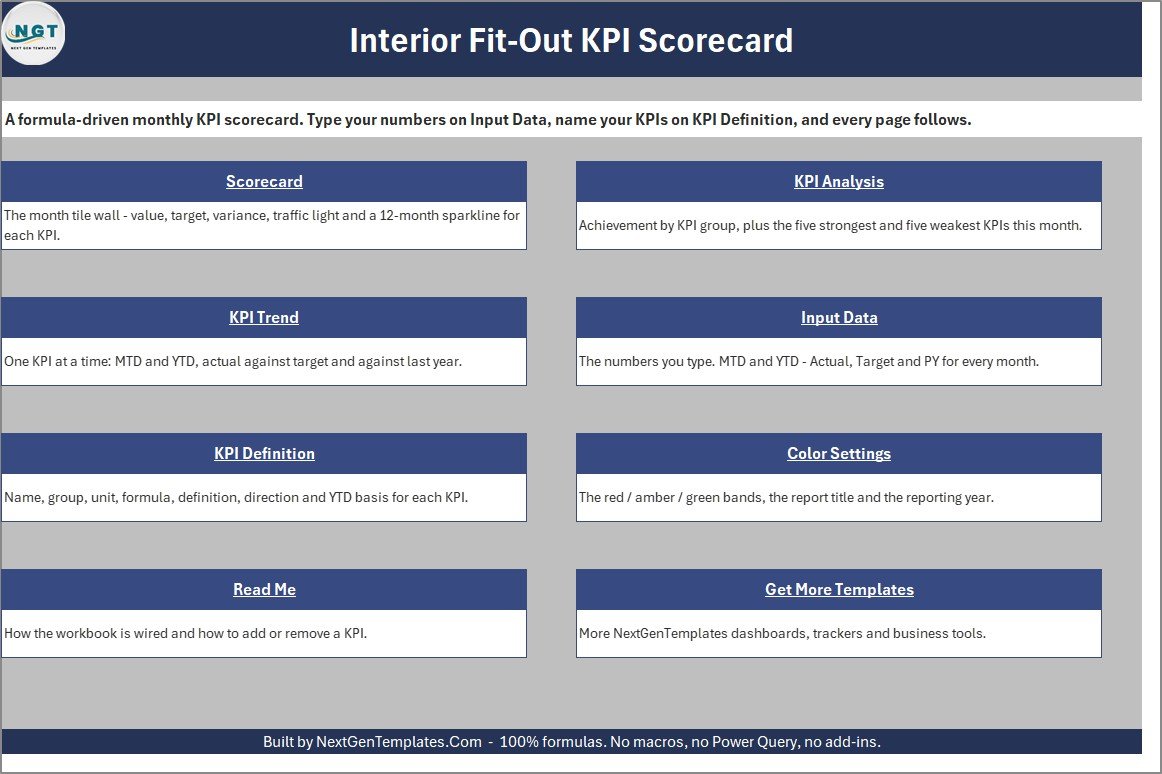
- Excel workbook for interior fit-out KPI tracking
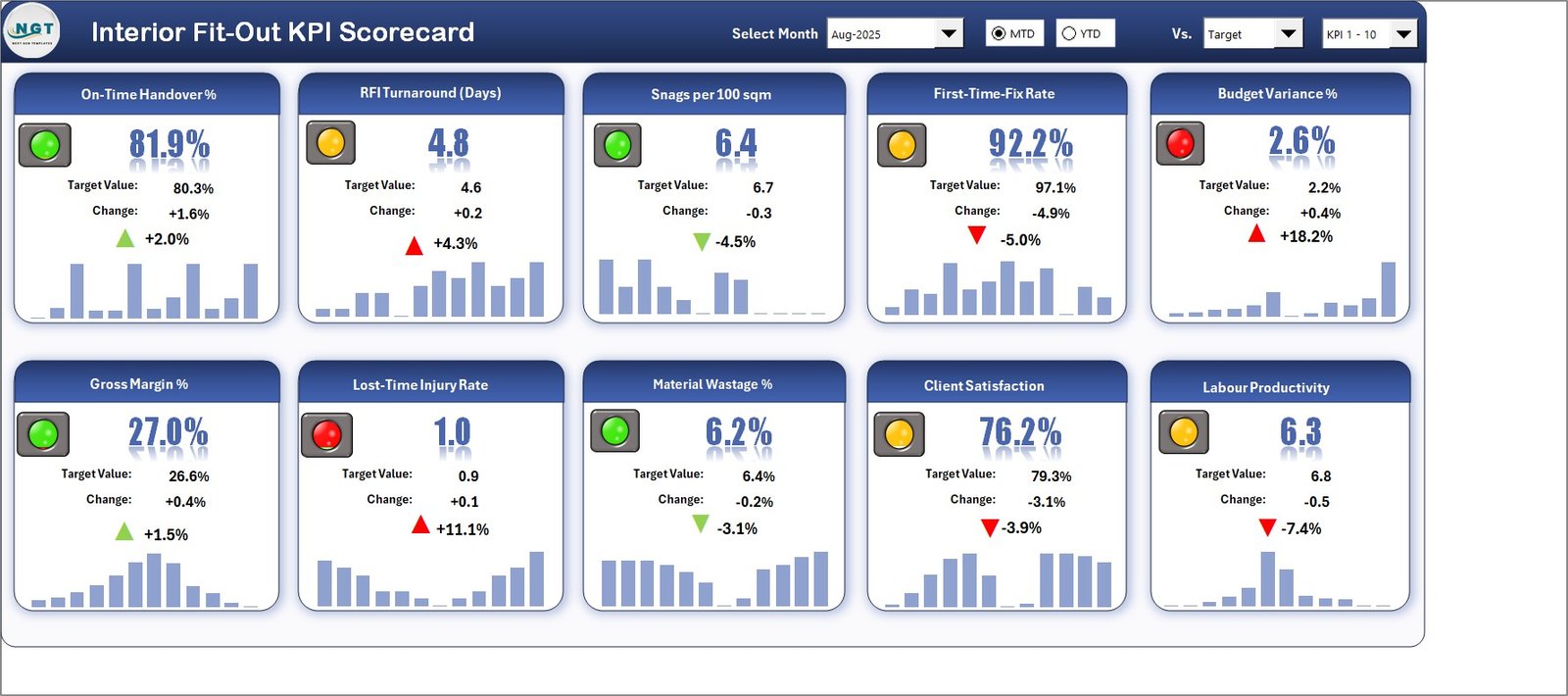
- Scorecard page with KPI cards, traffic-light status, targets, variance, and sparklines
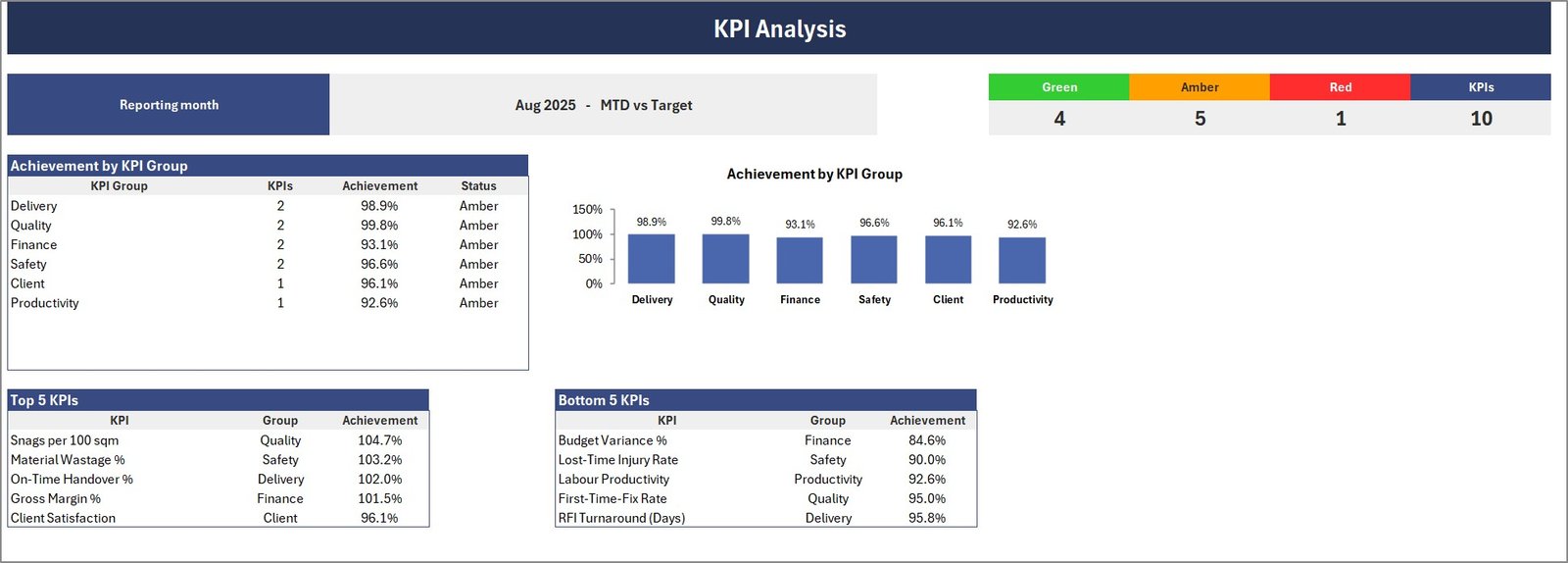
- KPI Analysis page for group-level achievement and strongest / weakest KPIs
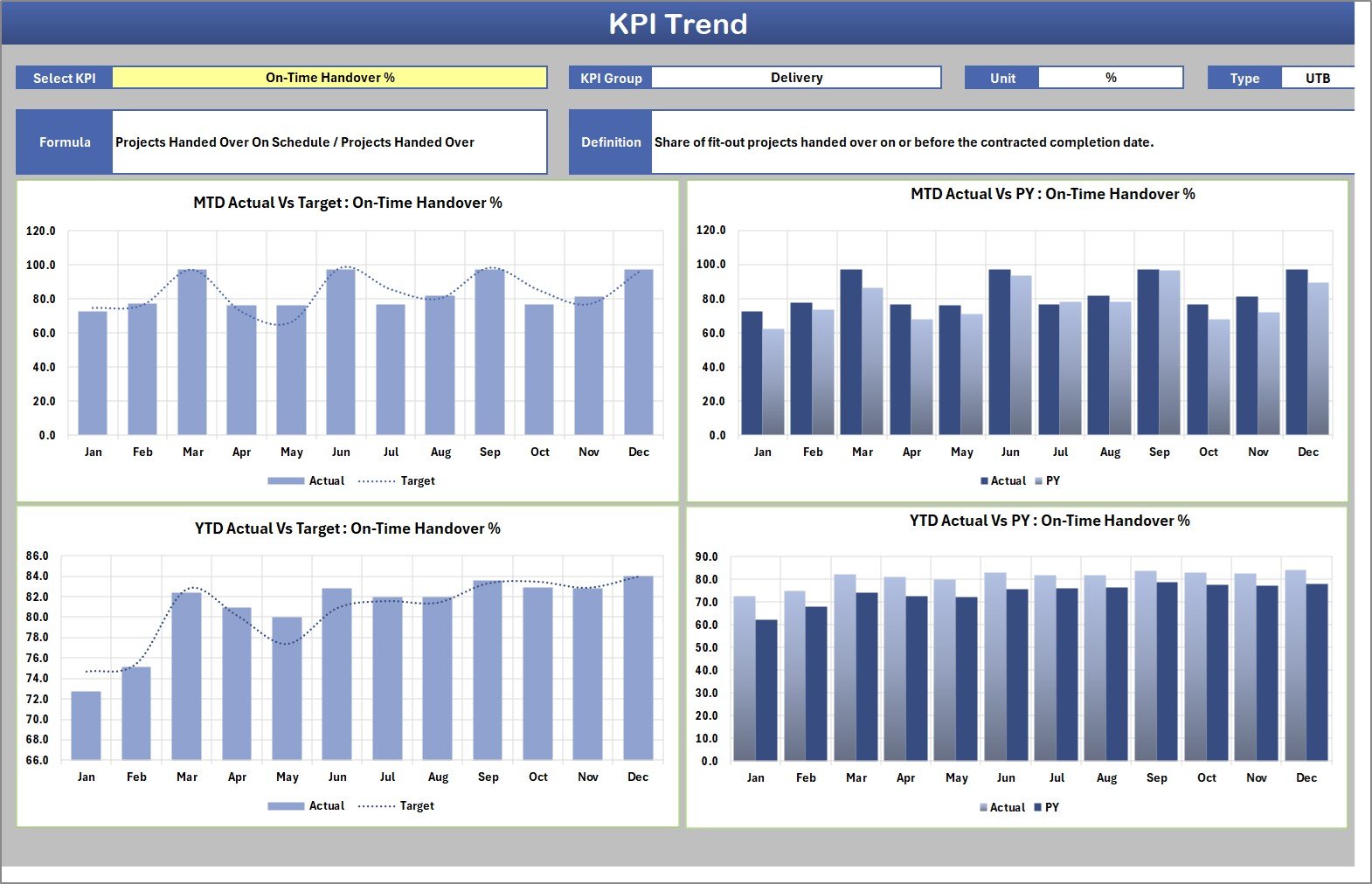
- KPI Trend page for MTD and YTD actual-versus-target review
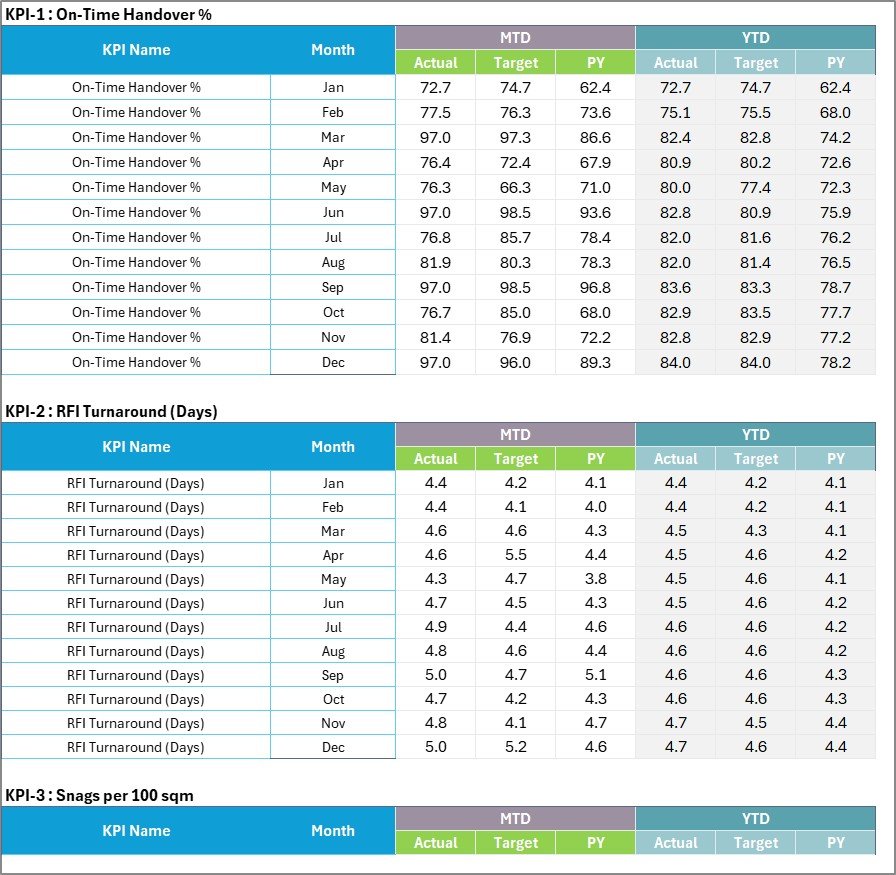
- Input Data page for monthly actual, target, and previous-year values
- KPI Definition page for names, groups, units, formulas, direction, and YTD basis
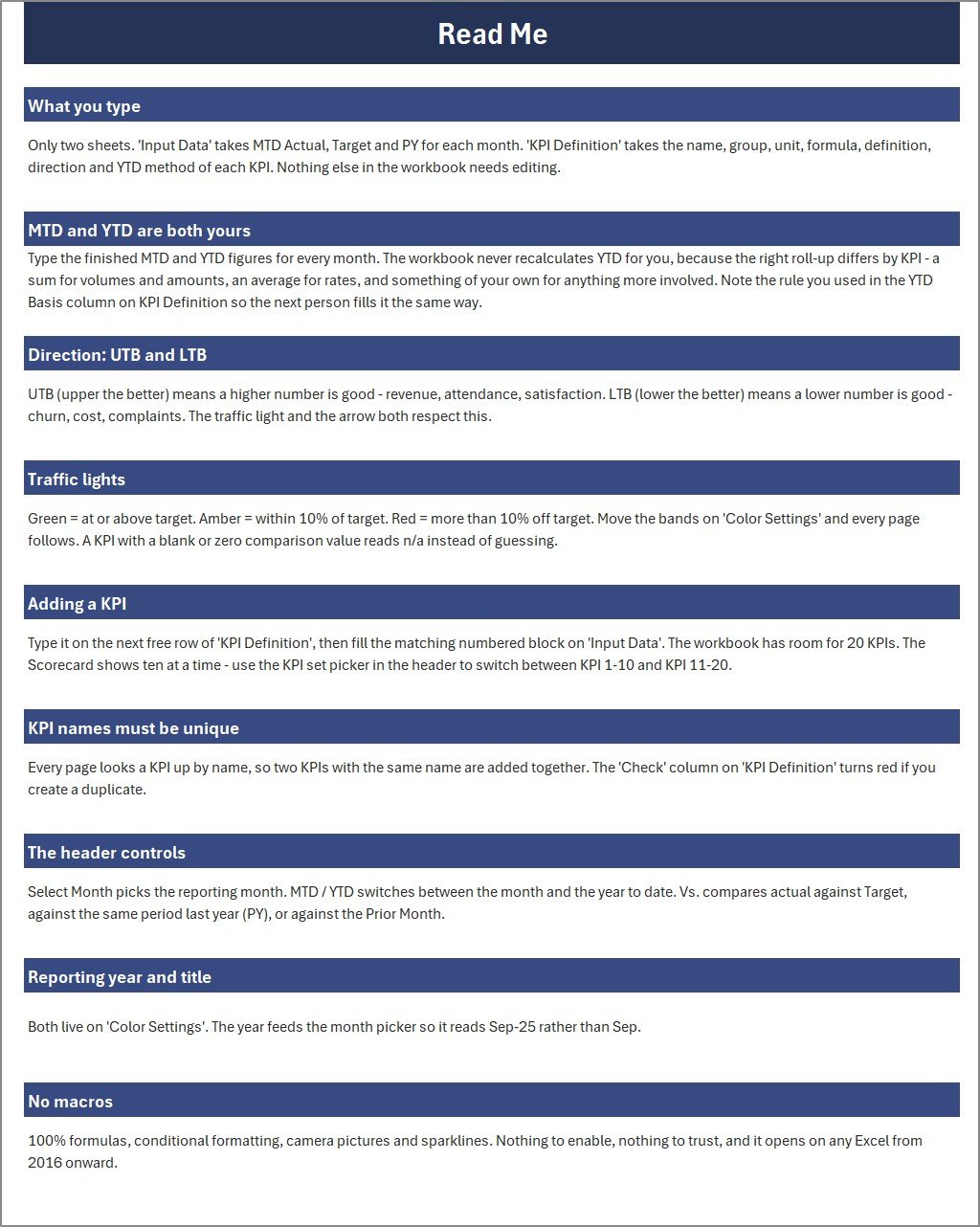
- Color Settings and Read Me pages
- PDF user manual included inside the ZIP package
Who This Template Is For
This interior fit-out KPI scorecard in Excel is suitable for fit-out contractors, interior design project teams, workplace renovation teams, commercial refurbishment managers, site coordinators, and small operations teams that need a structured performance view without building a workbook from scratch.
Key Features
- Monthly KPI scorecard with ten ready-to-edit fit-out KPIs
- Direction-aware KPI setup so higher-is-better and lower-is-better metrics can be handled correctly
- MTD and YTD reporting views
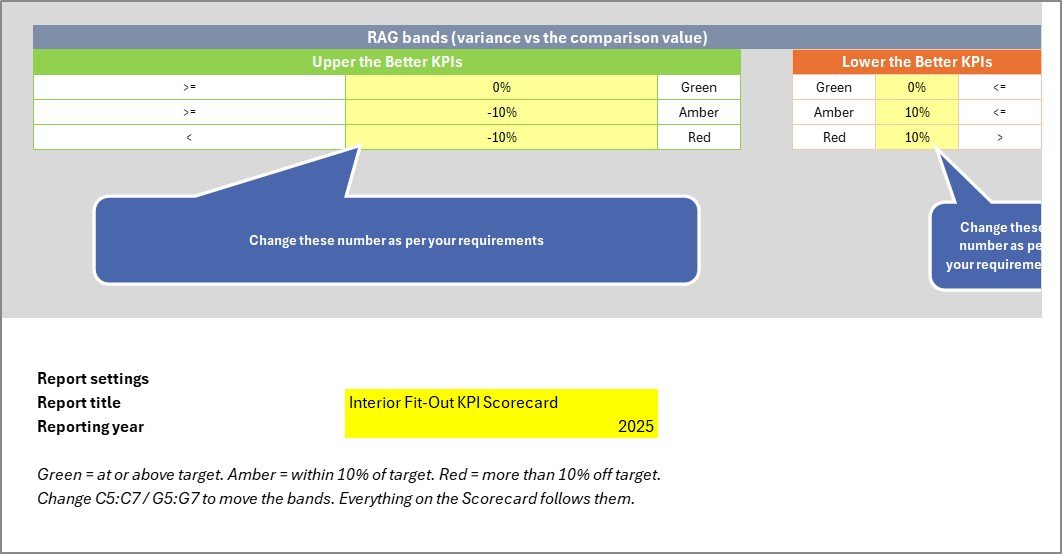
- Traffic-light status bands for faster review meetings
- Separate input and definition sheets, so the dashboard pages stay clean
- No macros, no Power Query, and no add-ins required
How To Use The Interior Fit-Out KPI Scorecard In Excel
- Open the workbook in Microsoft Excel.
- Review the KPI Definition sheet and adjust KPI names, groups, units, directions, and formulas if required.
- Enter monthly actual, target, and previous-year values in the Input Data sheet.
- Use the Scorecard page to review current performance across all KPIs.
- Use the KPI Analysis and KPI Trend pages to understand group performance and month-by-month movement.
- Update the reporting month and color settings to match your internal reporting style.
What Makes This Scorecard Different
The workbook focuses on operational fit-out performance rather than generic office dashboards. The sample metrics are written for delivery, quality, safety, client, finance, and productivity review, so the template starts close to the way a fit-out team actually discusses project performance.
Important Notes
- The file contains sample data for demonstration and should be replaced with your own figures.
- The workbook is an Excel template for performance tracking and internal review. It does not calculate contractual penalties, safety compliance, accounting treatment, or legal project obligations.
- Charts, statuses, and scores depend on the values and KPI definitions entered by the user.
Frequently Asked Questions
Is this an Excel file?
Yes. This product is the Excel edition of the Interior Fit-Out KPI Scorecard.
Does it use macros?
No. The workbook is built with formulas and standard Excel pages. It does not require macros, Power Query, or external add-ins.
Can I change the KPIs?
Yes. The KPI Definition page is included so you can adjust KPI names, groups, units, direction, and formula labels for your own reporting process.
Is this the same as the Google Sheets version?
No. This is the Excel version. The Google Sheets edition is a separate draft product for buyers who prefer a browser-based template.
Get The Template
Download the workbook to start tracking monthly fit-out performance with a clean Excel scorecard, KPI trend pages, input tables, and editable KPI definitions.
Explore more Excel templates on NextGenTemplates, or review Microsoft Excel guidance at Microsoft Support.
Watch the demo video:
Compatibility and Requirements
- Works in Microsoft Excel desktop (Excel 2016 or later, or Microsoft 365).
- The workbook uses formulas and standard Excel pages. It has no macros, Power Query or add-ins.
- New to Excel? Microsoft has a free set of lessons: Excel for Windows training.
More Questions About This Template
Which KPIs does the scorecard start with?
Ten fit-out KPIs: on-time handover, RFI turnaround, design variation, punch item closure, budget variance, lost-time injury rate, labour productivity, client satisfaction, rework and change-order activity.
Where do I enter my monthly figures?
Enter actual, target and previous-year values for each month in the Input Data sheet. The Scorecard, KPI Analysis and KPI Trend pages update from those entries.
Does it show both month-to-date and year-to-date results?
Yes. The KPI Trend page shows MTD and YTD actual versus target, and the KPI Definition sheet sets the YTD basis for each KPI.
Is there a Google Sheets or Power BI version?
Yes. See the Interior Fit-Out KPI Scorecard in Google Sheets and the Interior Fit-Out KPI Dashboard in Power BI.
Related Interior Fit-Out Templates
- Interior Fit-Out KPI Dashboard in Excel: an analytical dashboard for the same fit-out KPIs
- Interior Fit-Out KPI Scorecard in Google Sheets: the browser-based scorecard
- Interior Fit-Out KPI Dashboard in Power BI: the Power BI edition
- Interior Fit-Out Project Management System Web App: a web app for managing fit-out projects
- Interior Design KPI Scorecard in Excel: a scorecard for interior design teams
Browse all Excel KPI dashboards or Excel project management templates.






























Reviews
There are no reviews yet.