

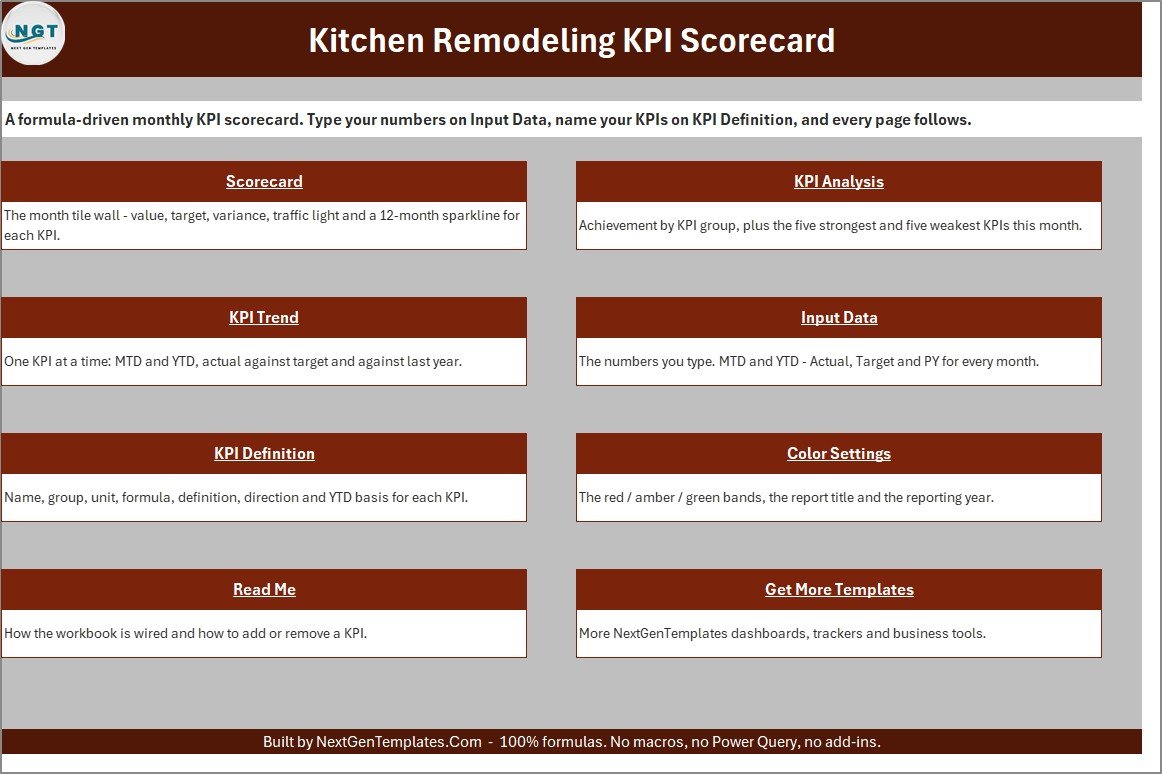



Kitchen Remodeling KPI Scorecard in Excel gives remodelers a ready Excel scorecard for watching 10 practical kitchen project metrics without building formulas from scratch. The workbook includes 9 visual pages, 12 monthly data periods, editable KPI definitions, target and actual columns, status bands, trend charts, and a clear read-me. It is a downloadable Excel template with sample data, so you can test the layout first, replace the sample rows, and keep the file locally.
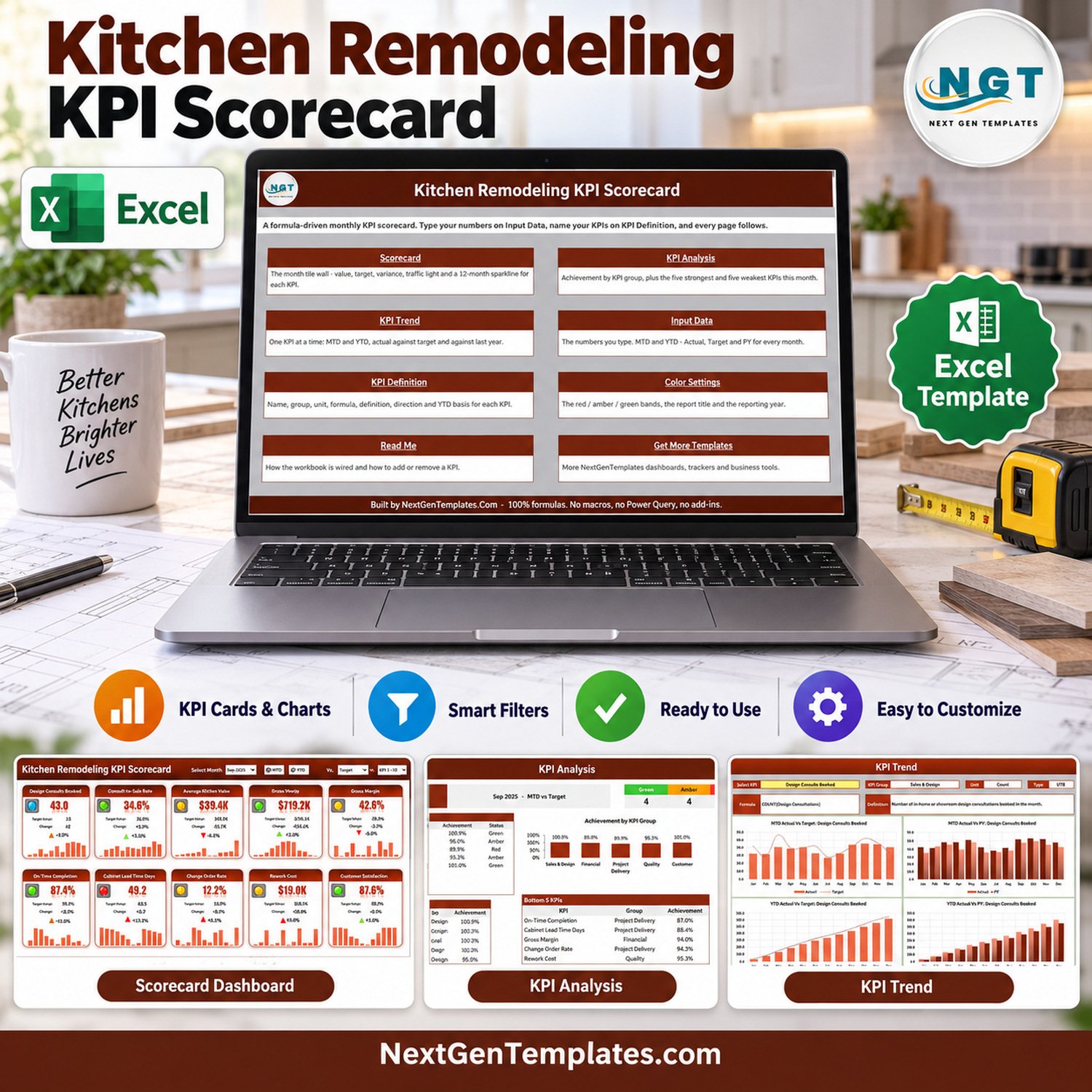
The Kitchen Remodeling KPI Scorecard is designed as a focused monthly review workbook for contractors who want Excel KPI tracking without a subscription. Use the Kitchen Remodeling KPI Scorecard as the central scorecard page for owner reviews, project manager check-ins, and consultant reporting packs. For Excel platform help, see Microsoft Excel support.
Key Features of Kitchen Remodeling KPI Scorecard in Excel
- 10 remodeling KPIs: track design cycle time, consult-to-sale rate, cost variance, project delay, callback rework, and related job-performance measures.
- Scorecard page: review KPI cards, actual results, targets, status indicators, and small monthly charts in one screen.
- KPI Analysis page: compare reporting month performance, actual values, targets, and status groups for fast review.
- KPI Trend page: select a KPI and review monthly actual-versus-target patterns across the year.
- KPI Definition sheet: document each metric, owner, unit, group, direction, and target logic.
- Input Data sheet: update monthly rows in a structured table instead of editing formulas.
- Report settings: adjust amber and red tolerance bands to match your operating standards.
What’s Inside the Kitchen Remodeling KPI Scorecard in Excel
The download is a ZIP file containing the Excel workbook and an Excel KPI Scorecard user manual. The workbook is organized for a kitchen remodeling contractor, cabinet installer, interior renovation team, or project manager who wants a light KPI review file rather than a full construction ERP.
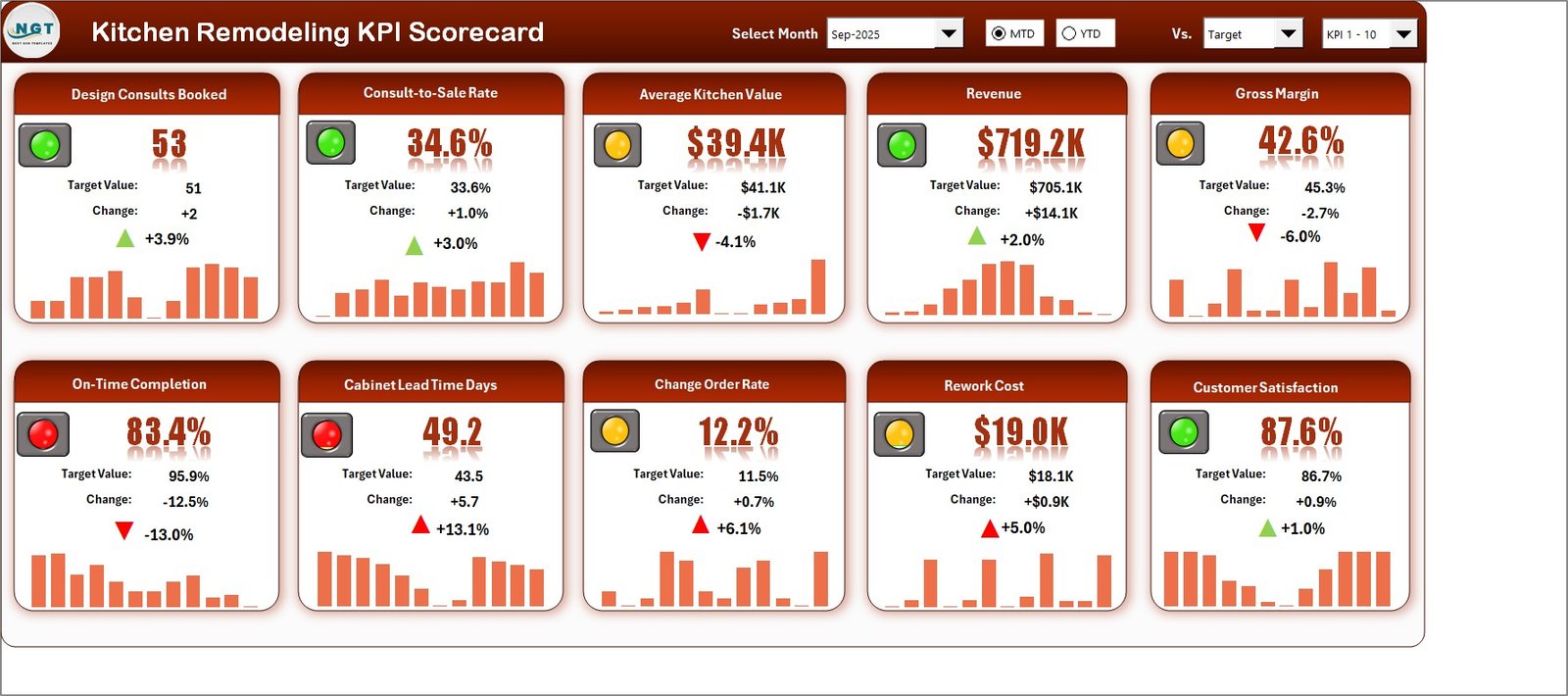
The main scorecard shows KPI tiles for average consult-to-sale time, consult-to-sale rate, average project revenue, average project margin, project delay rate, on-time job completion, callback rework, cost variance, average lead time, and customer satisfaction score. The sample values are included for demonstration only.
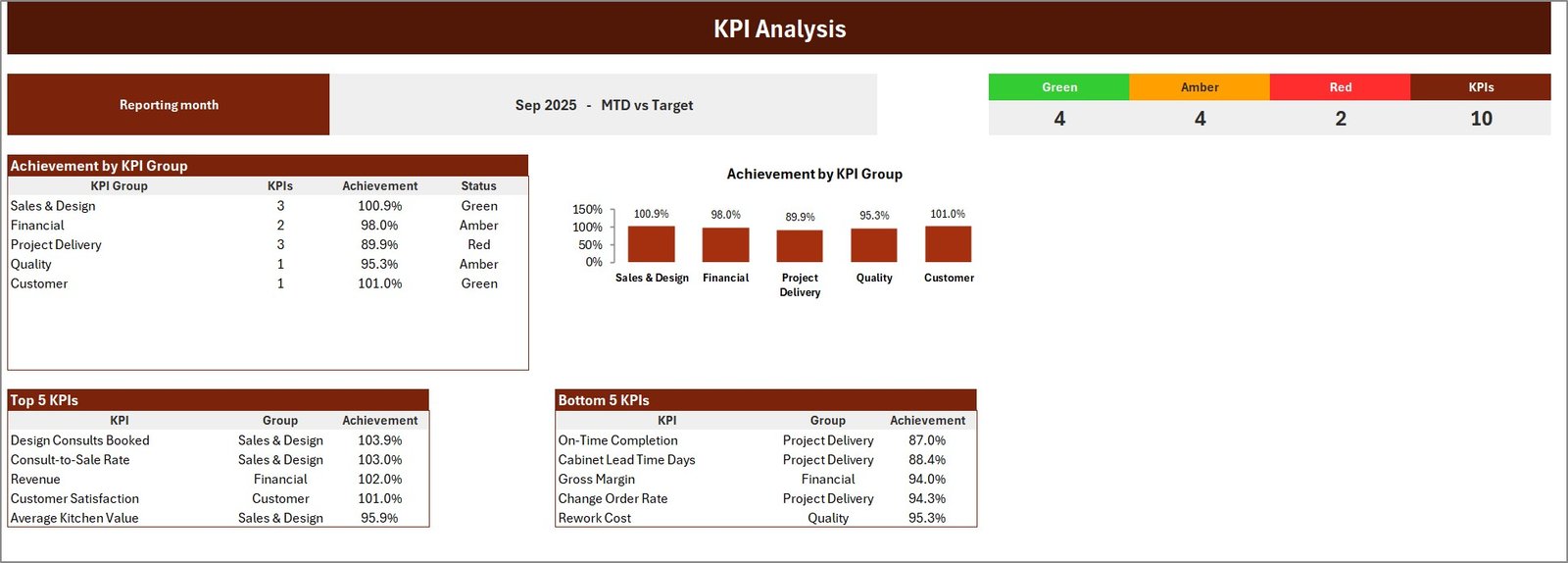
The analysis page groups performance into visual status bands and category summaries. The trend page lets you focus on one KPI at a time, which is useful when a weekly production meeting needs a cleaner story than a raw data table.
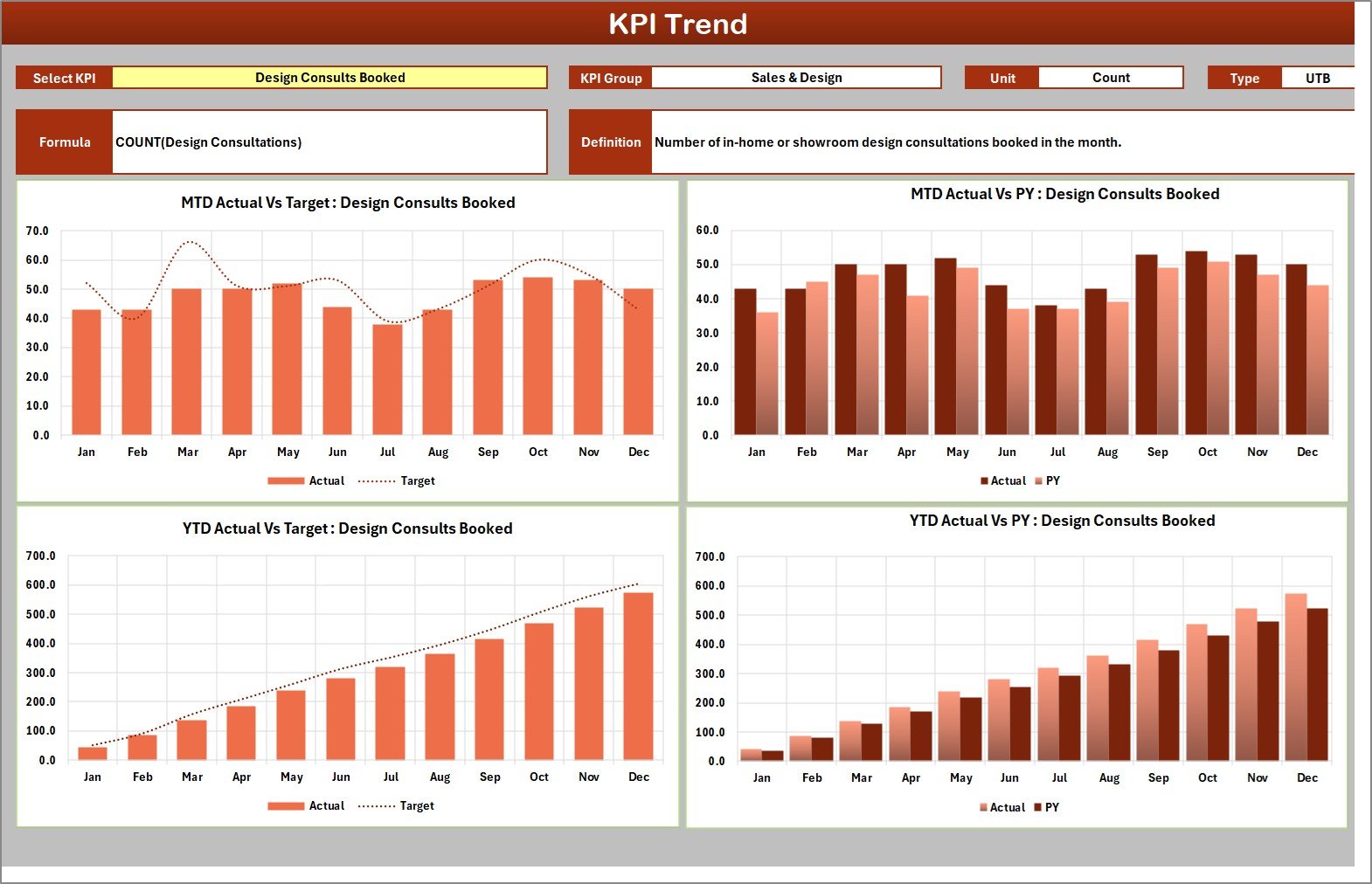
The definition and input sheets make the template editable. You can change KPI names, units, owner names, groups, threshold direction, monthly actuals, and monthly targets while preserving the reporting layout.
Kitchen Remodeling KPI Scorecard in Excel vs. Google Sheets vs. Paid CRM/SaaS – Where This Fits
| Decision point | This Excel scorecard | Google Sheets scorecard | Paid remodeling software |
|---|---|---|---|
| Cost | One-time template purchase | Lower-cost browser spreadsheet | Monthly subscription per user |
| Platform | Microsoft Excel desktop | Google Drive and browser | Cloud application |
| Setup time | Replace sample rows and review KPI bands | Make a copy and edit in Sheets | Configure account, users, jobs, and roles |
| Data control | Local workbook under your control | Cloud spreadsheet permissions | Vendor-hosted database |
| Custom KPI bands | Editable upper and lower threshold bands | Editable spreadsheet logic | Usually controlled by plan or admin settings |
| Year-1 cost at 5 users | $9.99 sale price | Separate Google Sheets template price | Often several hundred dollars or more |
| Best fit | Owner-led remodeling KPI review in Excel | Teams that need browser collaboration | Firms needing estimating, scheduling, CRM, and field operations in one system |
The Kitchen Remodeling KPI Scorecard keeps the reporting scope narrow: measure performance, review exceptions, and decide what needs attention next.
This Excel KPI scorecard is not trying to replace estimating, invoicing, scheduling, or CRM software. It fits the reporting layer: the place where owners and project leads summarize project health after the work data has been collected.
Who This Template Is For – and Who It’s Not For
This template is for kitchen remodelers, renovation contractors, project coordinators, franchise managers, and consultants who already work in Excel and want a practical KPI review file. It is a good fit when the team tracks monthly project performance but does not want to design scorecard formulas, charts, and color bands manually.
It is not a job costing system, field scheduling app, accounting package, mobile inspection form, customer portal, or estimating tool. If your team needs dispatching, purchase orders, customer messaging, or live multi-user data entry, a dedicated remodeling platform may be better.
How to Use the Kitchen Remodeling KPI Scorecard in Excel
- Download the ZIP file after purchase and extract it on your computer.
- Open the Excel workbook in Microsoft Excel desktop.
- Review the Read Me page and confirm the reporting year and KPI band settings.
- Replace the sample Input Data rows with your monthly project results.
- Edit the KPI Definition sheet if your company uses different metric names or owners.
- Open the Scorecard, KPI Analysis, and KPI Trend pages to review the results.
- Save a clean copy for each reporting cycle or business unit.
Real-World Use Cases
Owner review for a remodeling contractor
An owner can use the scorecard to compare margins, delays, rework, and satisfaction before a monthly planning meeting.
Project manager performance review
A project manager can update actual and target rows, then use the trend page to explain whether delays or callback rework are improving.
Consultant reporting pack
A business consultant can adapt the KPI definitions and bands for a kitchen remodeling client that needs a cleaner monthly review format.
Frequently Asked Questions
Is this a macro-enabled workbook?
No. This Excel KPI Scorecard is delivered as a standard Excel workbook inside a ZIP file, with a separate PDF user manual.
Can I change the KPI names?
Yes. The KPI Definition sheet is designed for editable KPI names, groups, units, owners, and target-direction settings.
Does it connect to my accounting or CRM software?
No. It is a manual Excel reporting template. Export or summarize your operational data first, then paste the monthly figures into the workbook.
Is the sample data real?
No. The workbook includes sample kitchen remodeling data so the scorecard, analysis, and trend pages are populated immediately.
Can I use it for bathroom or whole-home remodeling?
Yes, if the KPI definitions fit your workflow. You may rename the metrics and adjust threshold bands, but the product is themed for kitchen remodeling.
Is there a Google Sheets version?
A separate Kitchen Remodeling KPI Scorecard in Google Sheets exists for browser-based workflows. This listing is the Excel edition.
About the Author
Built by PK – Microsoft Certified Professional with 15+ years of Excel, Google Sheets, and Power BI experience. Founder of NextGenTemplates, reaching 300K+ subscribers across YouTube channels. Every template is hand-built and tested before release.
Explore Related Templates
- Kitchen Remodeling KPI Dashboard in Excel
- Kitchen Remodeling KPI Dashboard in Google Sheets
- Home Renovation Contractor KPI Dashboard in Power BI
- Kitchen Remodeling KPI Scorecard in Google Sheets
- Browse Excel KPI templates
Download the Kitchen Remodeling KPI Scorecard in Excel when you want a focused Excel scorecard for kitchen remodeling KPIs without rebuilding the workbook layout yourself.
Last updated: September 12, 2026.
Watch the demo video:
Compatibility and Requirements
- Works in Microsoft Excel desktop (Excel 2016 or later, or Microsoft 365).
- It is a standard workbook with no macros. The trend page uses a KPI selector, and Microsoft explains charts in Create a chart from start to finish.



























Reviews
There are no reviews yet.