

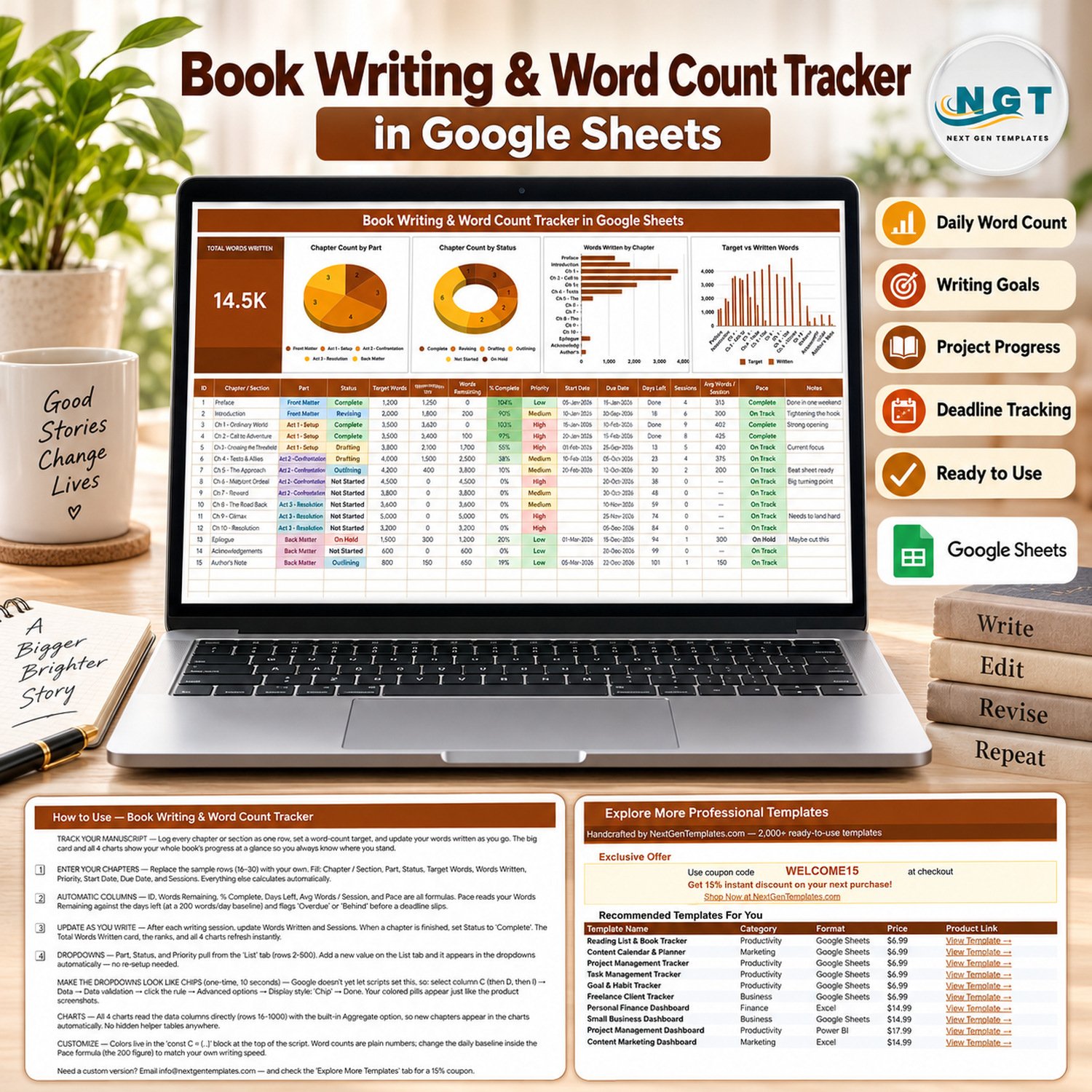
The Book Writing and Word Count Tracker in Google Sheets turns a whole manuscript into one page: a live Total Words Written card, 4 charts and a 16-column writing log that already holds 15 worked sample chapters from Preface to Author’s Note. Six of those columns are formulas, so you only ever type your target and your words written. Setup takes under 10 minutes – open the copy link, swap the sample rows for your own chapters, and every card and chart redraws itself.
🌍 Join 8,400+ teams and creators in 40+ countries using NextGenTemplates to replace subscription software with one-time-purchase Excel, Google Sheets, Power BI and HTML templates.
✅ Instant download · One-time payment · No subscription · No per-user fees · Lifetime access
🖊️ Works entirely in the browser. You get a PDF with a Make a copy link, so the only requirement is a free Google account – there are no macros, no add-ons and nothing to install.
🔑 Key Features of the Book Writing & Word Count Tracker
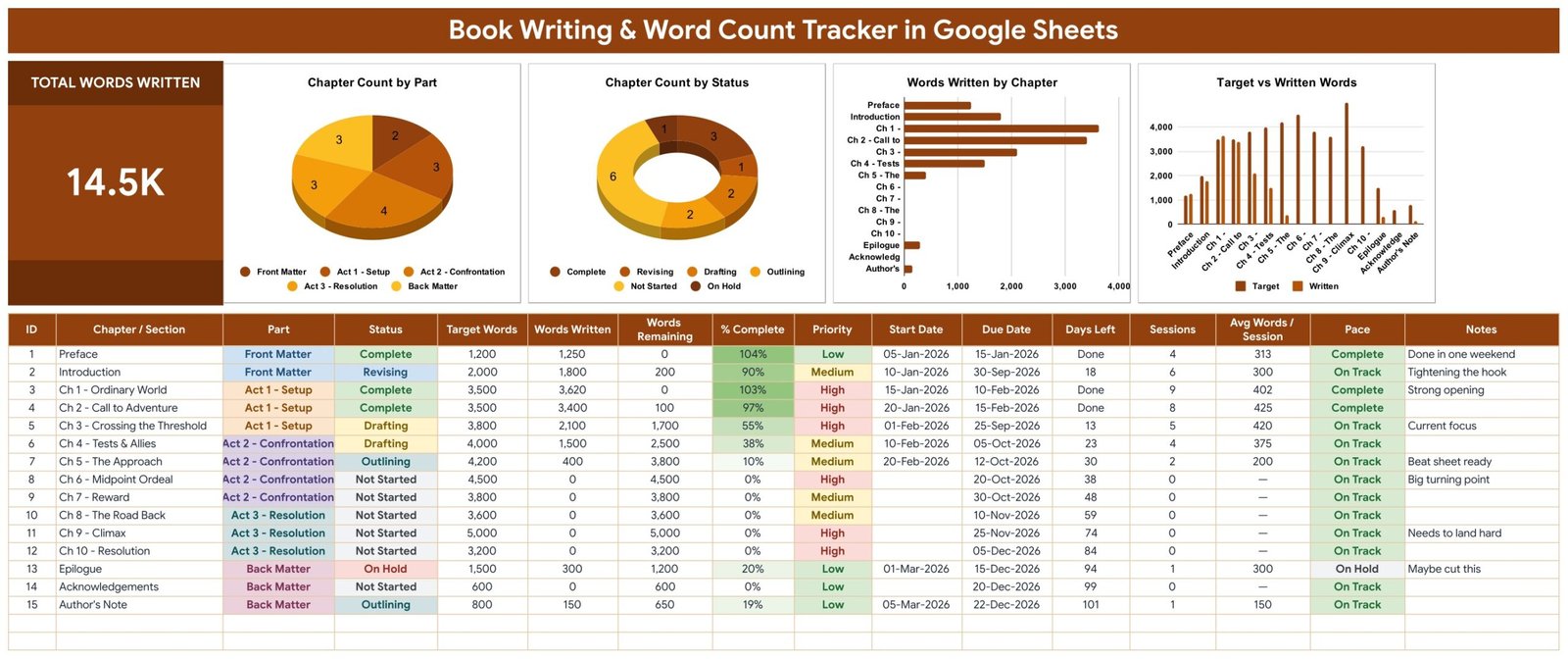
📊 One Total Words Written card. The banner card sums the Words Written column across every chapter you have logged and updates the moment you type – the sample manuscript shows 14.5K words written against a 41,400-word plan.
📈 Four charts wired straight to your data. Chapter Count by Part, Chapter Count by Status, Words Written by Chapter and Target vs Written Words all read the writing log directly through the built-in Aggregate option across rows 16-1000. There are no hidden helper tables, so a chapter you add tonight appears in all four charts immediately.
🧮 Six automatic columns. ID, Words Remaining, % Complete, Days Left, Avg Words / Session and Pace are all formulas. Pace measures your Words Remaining against the days you have left at a 200-words-per-day baseline and flags Behind or Overdue before a deadline actually slips – and the 200 figure is one number you can edit to match your own writing speed.
🔽 Three self-expanding dropdowns. Part, Status and Priority pull from a List tab across rows 2-500. Part ships with Front Matter, Act 1 – Setup, Act 2 – Confrontation, Act 3 – Resolution and Back Matter; Status ships with Complete, Revising, Drafting, Outlining, Not Started and On Hold; Priority ships High, Medium and Low. Add a value on the List tab and it appears in the dropdown with no re-setup.
🗓️ Deadline columns that do the arithmetic. Start Date, Due Date and Days Left sit beside Sessions and Avg Words / Session, so you can see both how fast you write and whether the calendar still agrees with you.
📦 What’s Inside the Book Writing & Word Count Tracker
The file opens on the tracker page and ships three supporting tabs: List (the dropdown source), How to Use and Explore More Templates.
Page 1: Manuscript Tracker
The single working page. It carries the Total Words Written card and four charts – Chapter Count by Part, Chapter Count by Status, Words Written by Chapter, and Target vs Written Words – above a 16-column writing log: ID, Chapter / Section, Part, Status, Target Words, Words Written, Words Remaining, % Complete, Priority, Start Date, Due Date, Days Left, Sessions, Avg Words / Session, Pace and Notes.
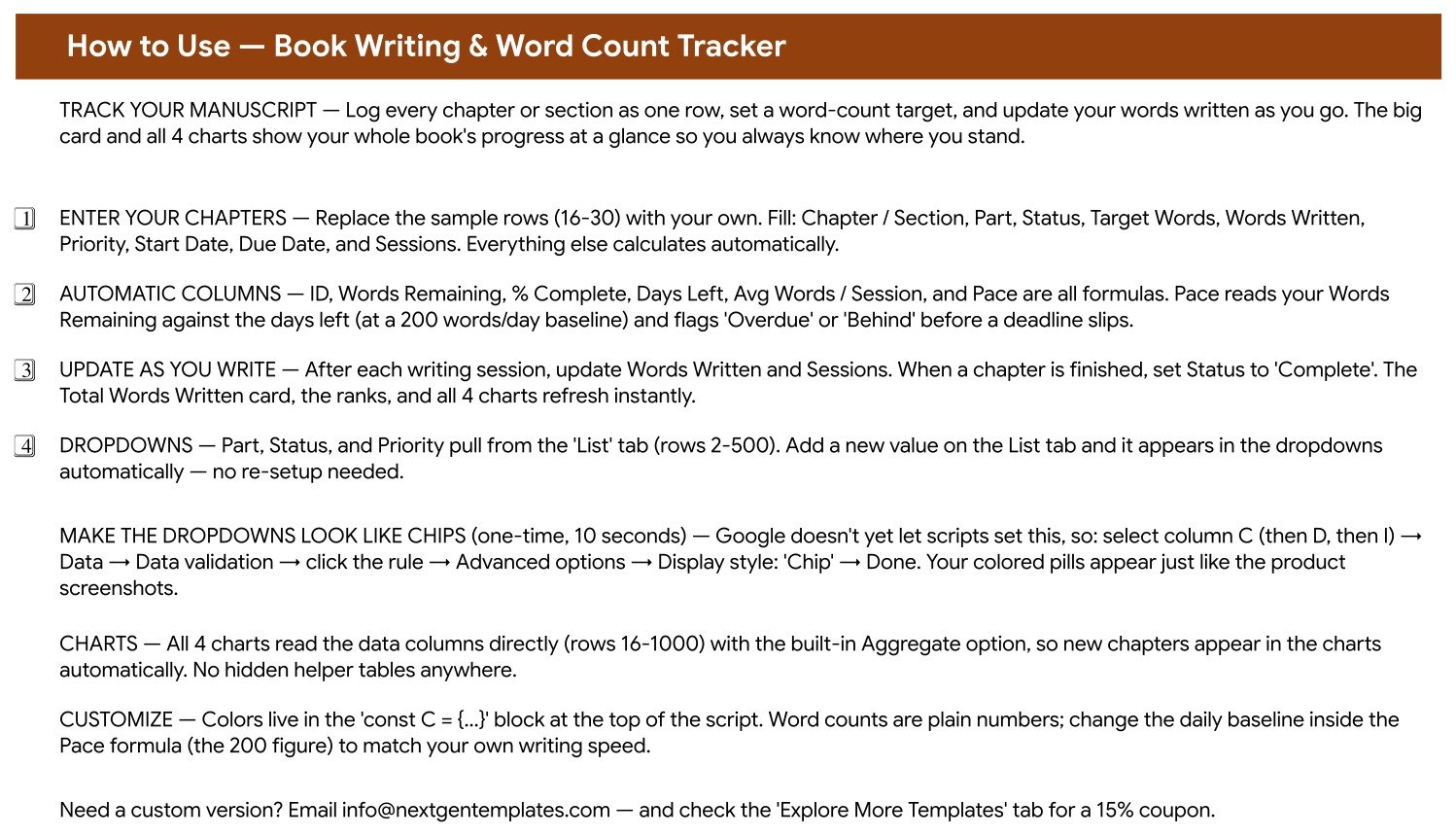
Page 2: How to Use
A plain-English setup tab: which columns you fill, which six calculate themselves, how the List tab feeds the dropdowns, and the one-time 10-second step that turns the Part, Status and Priority cells into coloured chips through Data validation, Advanced options, Display style: Chip.
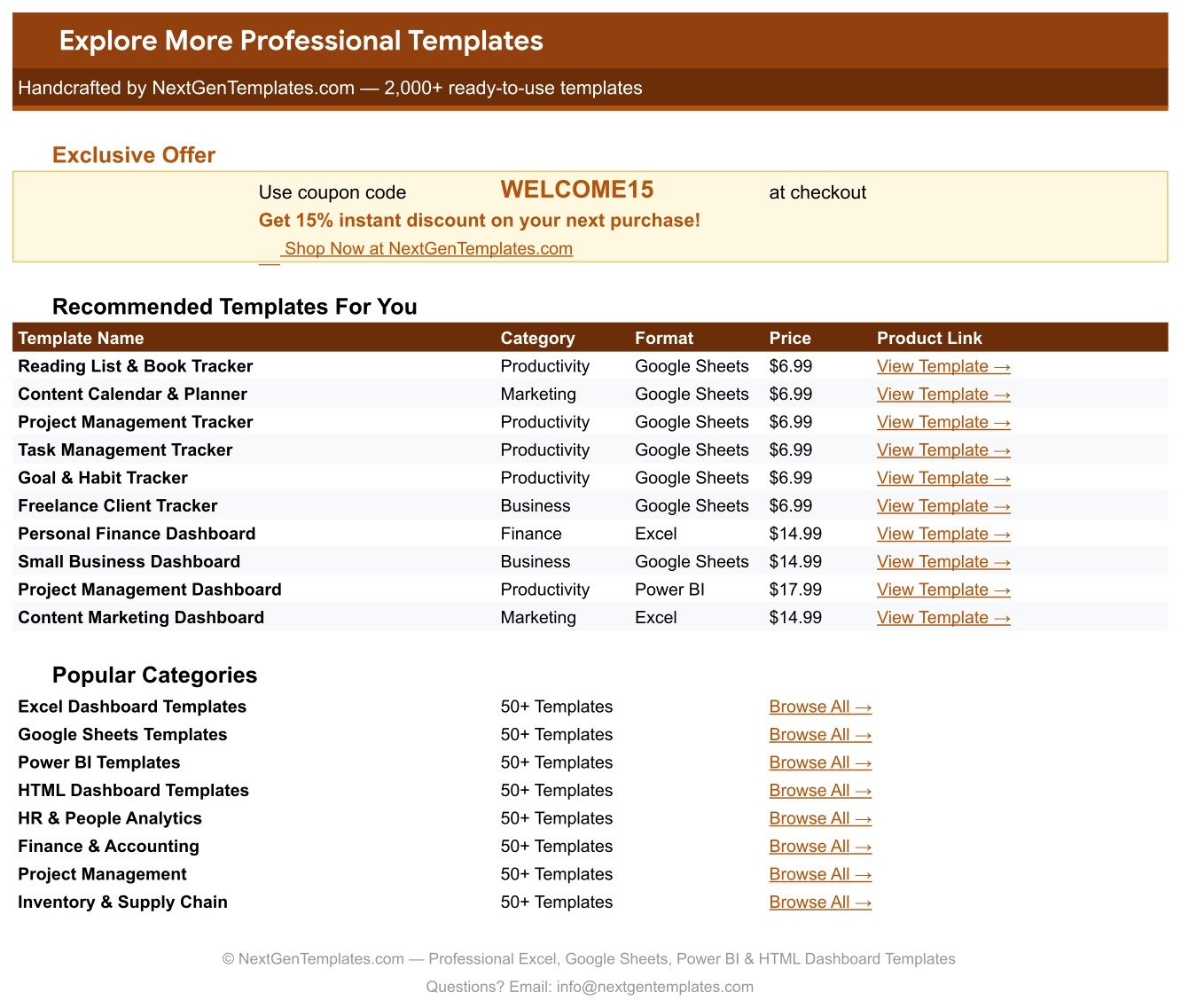
Page 3: Explore More Templates
A curated list of related NextGenTemplates products with categories, formats and links, plus a WELCOME15 coupon code worth 15% off your next purchase.
📊 Book Writing and Word Count Tracker in Google Sheets vs. Excel vs. Paid Writing Apps
| Feature | This Tracker | Excel writing tracker | Scrivener / NovelPad / Dabble |
|---|---|---|---|
| Cost | $12.99 one-time (currently $6.99) | $5-$25 one-time | $49 one-time or $10-$15 / month |
| Platform | Browser, any OS | Desktop Excel | Desktop app or web app |
| Setup time | Under 10 minutes ✅ | 15-30 minutes | 1-2 hours to learn |
| Real-time co-author access | Yes, native ✅ | Only via OneDrive | Paid tiers only |
| Mobile access | Google Sheets app ✅ | Limited | Varies by app |
| Chapter-level word targets | Built in ✅ | You build it | Yes |
| Pace and deadline warning | Automatic Behind and Overdue flags ✅ | You build it | Some apps |
| Customisable dropdowns | Edit the List tab ✅ | Manual validation lists | Fixed taxonomy |
| Year-1 cost for 5 co-authors | $12.99 total | $25-$125 | $245-$900 |
For authors who want chapter-level targets and a deadline warning without learning a writing suite or paying monthly, this tracker sits in the sweet spot.
👥 Who This Template Is For – and Who It Is Not For
✅ Built for:
- Novelists and non-fiction authors drafting a 30,000-120,000 word manuscript
- Self-publishing writers who need a visible book writing tracker and a realistic finish date
- Ghostwriters and co-authors sharing one manuscript progress tracker with an editor
- Thesis, memoir and serial writers who think in chapters rather than in days
❌ Not for:
- Writers who want a text editor – this tracks progress, it does not hold your prose
- Teams needing word counts pulled automatically from Word or Docs; you type the numbers in
- Anyone who cannot use a Google account, since the download is a Make a copy link
- Publishers wanting royalty, rights or sales reporting
⚙️ How to Use the Book Writing & Word Count Tracker
- Open the PDF in your download and click the Make a copy link to put the sheet in your own Google Drive.
- Replace sample rows 16-30 with your own chapters and sections.
- Fill Chapter / Section, Part, Status, Target Words, Words Written, Priority, Start Date, Due Date and Sessions.
- Leave the six formula columns alone – they calculate as you type.
- After each writing session update Words Written and Sessions, and set Status to Complete when a chapter is done.
- Optional: turn the Part, Status and Priority cells into chips via Data validation, Advanced options, Display style.
- Edit the 200-words-per-day figure inside the Pace formula so the warnings match your real speed.
💼 Real-World Use Cases
Maya is drafting her second novel around a day job. She logs 15 chapters across three acts, sets a 4,000-word target on each, and watches the Pace column tell her which chapters are drifting – so she reallocates a weekend instead of discovering the slip in December.
Daniel ghostwrites business books for two clients. He keeps one copy per book, shares each with the client as a viewer, and uses Target vs Written Words as the status update, which ends the weekly “how far along are we?” email.
Priya is finishing a PhD thesis. She renames Parts as chapters and appendices, uses Status for Outlining, Drafting and Revising, and reads Days Left against her submission date – a novel word count spreadsheet repurposed for academia.
❓ Frequently Asked Questions
What does this tracker actually measure?
It measures Total Words Written, Words Remaining, % Complete, Days Left, Sessions, Avg Words / Session and a Pace flag for every chapter or section, plus chapter counts by Part and by Status across four charts on a single page.
Does it count my words automatically?
No. You enter Words Written after each session and the sheet does the rest – the card, the four charts, the percentages, the remaining counts and the Pace warnings all recalculate instantly from that one number.
Do I need Excel or any software?
No. This is a Google Sheets template. Your download is a PDF holding a Make a copy link, so a free Google account and a browser are all you need. There are no macros and no add-ons.
How long does setup take?
Under 10 minutes. Copy the sheet, delete the 15 sample rows, and type your own chapters. The only optional extra is the 10-second chip display setting described on the How to Use tab.
Can I change the parts, statuses and priorities?
Yes. All three dropdowns read the List tab across rows 2-500, so adding “Act 4” or “Beta Read” on that tab makes it appear in the dropdown straight away without touching the charts.
How does it compare to Scrivener or Dabble?
Those are writing environments that hold your prose; this is a progress tracker that sits beside whatever you write in. It costs once instead of monthly, opens in any browser, and every column and dropdown is yours to rename.
Can two people use the same copy?
Yes. Share your Drive copy exactly as you would any Google Sheet – a co-author or editor can edit or view the same live tracker, which is the main advantage over a desktop spreadsheet file.
👤 About the Author
Built by PK – Microsoft Certified Professional with 15+ years of Excel, Google Sheets and Power BI experience. Founder of NextGenTemplates, reaching 300K+ subscribers across YouTube. Every template is hand-built and tested before release. Google’s own guide to dropdown lists in Sheets covers the one manual chip setting this template asks for.
🔗 Explore Related Templates
Writers running a publishing business usually pair this with the Blog Content & SEO Tracker in Google Sheets for platform-building, the Podcast Episode Planning Tracker in Google Sheets for promotion, and the Digital Product Sales Tracker in Google Sheets once the book is selling. If you publish on a schedule, the Online Course Sales & Student Tracker in Google Sheets handles the course spin-off. Browse the full Google Sheets Trackers range or every Google Sheets template we publish.
📖 Click here to read the detailed blog post
🎥 Visit our YouTube channel for step-by-step video tutorials
👉 YouTube.com/@NextGenTemplates
Watch the step-by-step video Demo:
📅 Last updated: September 2026


























Reviews
There are no reviews yet.