



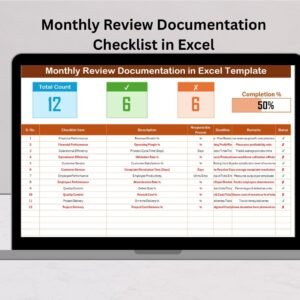
The Monthly Review Action Plan Checklist in Excel is a powerful tool designed to help businesses and professionals plan, track, and optimize their monthly reviews. This Excel-based checklist enables you to efficiently manage action items, review progress, and set actionable goals for the upcoming month. Whether you’re managing projects, operations, or team performance, this checklist provides a structured approach to monitor and drive performance improvements.
By utilizing this checklist, you can ensure that your business stays on track with its monthly objectives. It offers a comprehensive view of your monthly review process, from task delegation and priority setting to tracking milestones and outcomes. With real-time tracking, this tool helps businesses stay organized and aligned with their goals.
Key Features of the Monthly Review Action Plan Checklist in Excel
📅 Monthly Task Scheduling & Planning
Plan and schedule key tasks and action items for the month. Organize your tasks by deadlines and prioritize them according to importance, ensuring that each team member knows their responsibilities.
🎯 Goal Setting & Progress Tracking
Set clear goals for the month and track progress toward achieving them. Evaluate whether your business or team is on track to meet monthly objectives and adjust strategies accordingly.
📈 Performance Monitoring & Evaluation
Monitor team or individual performance throughout the month. Track completed tasks, milestones achieved, and areas where improvement is needed.
📊 Real-Time Data & Reporting
Visualize progress and track milestones with real-time data updates. Use interactive charts and graphs to monitor the status of each action item and evaluate overall progress.
⚙️ Customizable Categories & Metrics
Customize the checklist to suit your specific business needs. Add or adjust categories, fields, and metrics based on the unique goals of your monthly review process.
📉 Time-Based Analysis & Reflection
Reflect on past month’s performance and analyze trends. Identify successes and challenges to improve decision-making and action planning for future months.
Why You’ll Love the Monthly Review Action Plan Checklist in Excel

✅ Streamlined Task Management
Easily plan, prioritize, and track monthly tasks, ensuring everything is completed on time and aligned with your goals.
✅ Set & Monitor Monthly Goals
Set clear, actionable goals and track your progress to ensure you’re on track to meet them by the end of the month.
✅ Performance Monitoring & Improvement
Monitor your team or business performance, track milestones, and make adjustments as necessary to stay aligned with objectives.
✅ Data-Driven Decisions
Utilize real-time insights and visual reports to evaluate progress, make data-driven decisions, and optimize monthly strategies.
✅ Fully Customizable
Tailor the checklist to your business or project requirements. Adjust fields and categories to track the specific metrics that matter most to your goals.
What’s Inside the Monthly Review Action Plan Checklist in Excel?
- Monthly Task Scheduling: Plan tasks, assign deadlines, and prioritize action items.
- Goal Setting & Progress Tracking: Set monthly objectives and monitor progress throughout the month.
- Performance Monitoring: Track completed tasks, milestones, and team performance.
- Real-Time Reporting: Visualize data with dynamic charts and graphs to monitor performance.
- Customizable Metrics & Categories: Modify the checklist to fit your unique monthly review needs.
- Time-Based Analysis: Evaluate progress over time and reflect on past performance.
How to Use the Monthly Review Action Plan Checklist in Excel
1️⃣ Download the Template: Get immediate access to the Monthly Review Action Plan Checklist in Excel.
2️⃣ Set Up Goals & Priorities: Add your monthly goals and tasks to the checklist, assigning priorities and deadlines.
3️⃣ Track Progress: Monitor progress and performance throughout the month to ensure tasks are completed on time.
4️⃣ Analyze & Reflect: Use charts and reports to analyze past performance and evaluate areas of improvement.
5️⃣ Plan for Next Month: Adjust strategies based on insights and prepare for the upcoming month with a structured action plan.
Who Can Benefit from the Monthly Review Action Plan Checklist in Excel?
🔹 Business Owners & Managers
🔹 Project Managers & Team Leaders
🔹 Operations Managers
🔹 HR & Performance Management Teams
🔹 Small & Medium Enterprises (SMEs)
🔹 Corporations & Large Enterprises
🔹 Consultants & Coaches
Stay on top of your goals, track progress, and optimize monthly performance with the Monthly Review Action Plan Checklist in Excel. Plan your tasks, monitor team performance, and evaluate progress to ensure that you stay aligned with your objectives and goals.
Click here to read the Detailed blog post
Visit our YouTube channel to learn step-by-step video tutorials
Youtube.com/@PKAnExcelExpert
Watch the step-by-step video Demo:
Compatibility and Requirements
- Works in Microsoft Excel desktop (Excel 2016 or later, or Microsoft 365).
- New to Excel? Microsoft has a free guide: Excel for Windows training.
Frequently Asked Questions
What does the Monthly Review Action Plan Checklist help me do?
It helps you plan the month’s action items, set deadlines and priorities, assign responsibilities and track progress toward monthly goals.
Can I see progress on each action item?
Yes. Charts and graphs show the status of each action item and overall progress.
Can I look back at last month?
Yes. You can review the past month’s results to spot trends, successes and problems before planning the next month.
Can I change the categories?
Yes. You can add or adjust categories, fields and metrics for your own review process.
Related Monthly Review Templates
- Monthly Review Outline Checklist in Excel: outline the review meeting in Excel
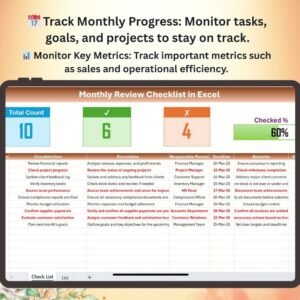
- Monthly Review Checklist in Excel: a general monthly review checklist in Excel
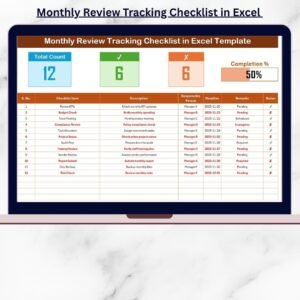
- Monthly Review Tracking Checklist in Excel: track monthly review progress in Excel
- Weekly Reflection Action Plan Checklist in Google Sheets: a weekly reflection action plan in Google Sheets
- Checklist & SOP Pack: 12 checklist templates in one download
Browse all Excel checklists.


























Reviews
There are no reviews yet.