

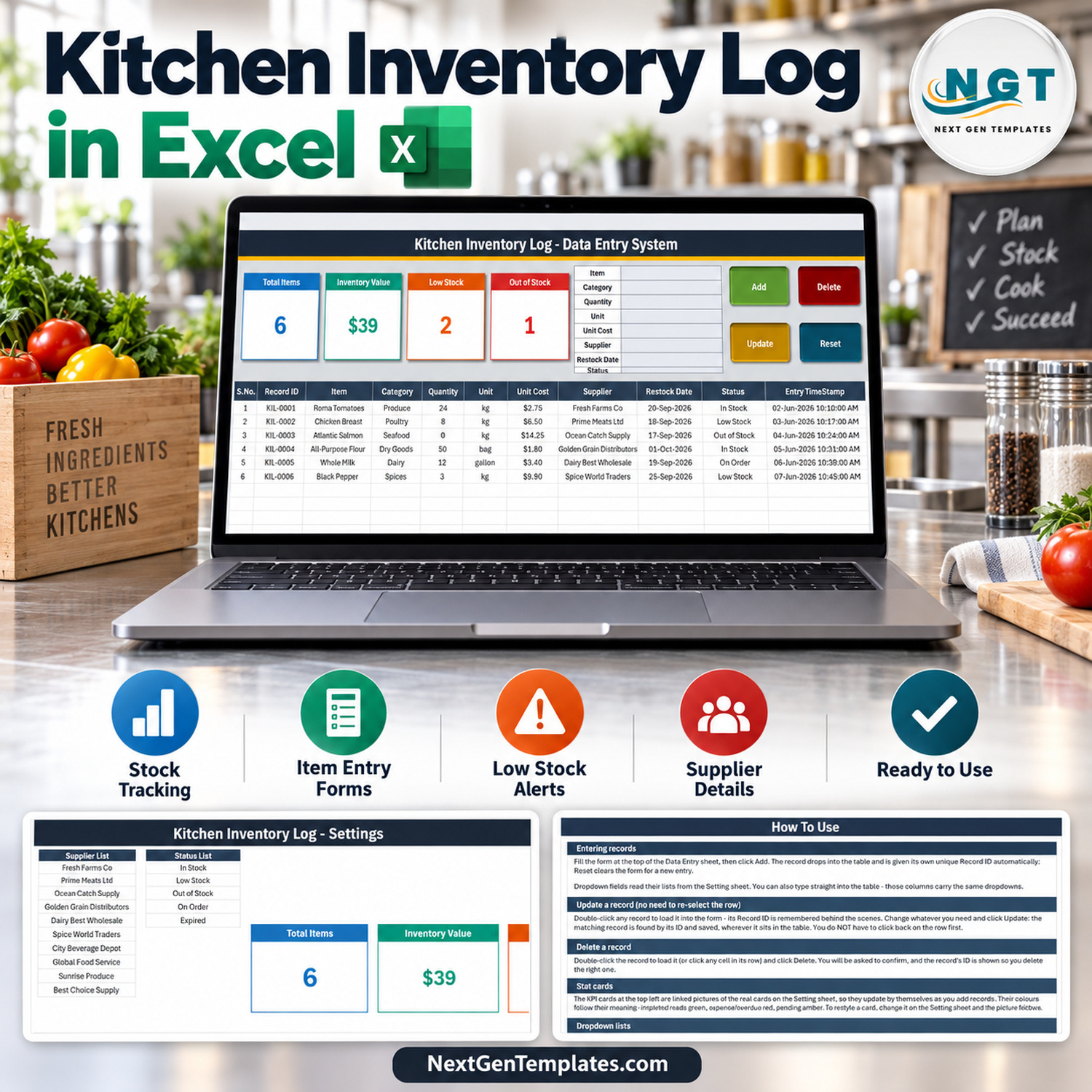

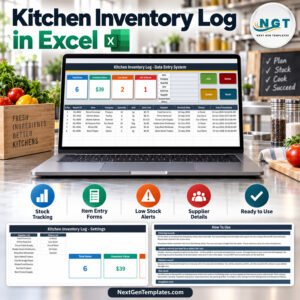
Kitchen Inventory Log Data Entry System in Excel gives you three focused worksheets, four automatically updating summary cards, and six sample records so you can understand the workflow before replacing the examples with your own kitchen items. The macro-enabled workbook keeps entry, editing, reference lists, and instructions in one local Excel file. Review the authentic screenshots below before buying: what you see is the real workbook, not a generic inventory mock-up.
This kitchen inventory log in Excel is designed for small kitchens, cafes, caterers, food-prep teams, and household managers who want structured records without moving to a monthly inventory platform. Use the form to add an item, double-click a row to load it for editing, or delete a selected record with confirmation. The included sample data demonstrates ingredients, quantities, units, costs, suppliers, restock dates, and stock status.
Key Features of Kitchen Inventory Log Data Entry System in Excel
- Guided data-entry form: capture item, category, quantity, unit, unit cost, supplier, restock date, and status from one panel.
- Four VBA actions: Add, Update, Delete, and Reset buttons support the core record workflow.
- Unique record IDs: new rows receive an ID automatically so updates can find the correct record even when its position changes.
- Editable dropdown sources: maintain category, unit, supplier, and status lists on the Setting sheet.
- Live summary cards: monitor total items, inventory value, low-stock records, and out-of-stock records.
- Restock visibility: retain the intended restock date alongside each item’s current status.
- Local ownership: the customer receives an XLSM workbook inside a ZIP, with no account or recurring subscription required.
The workbook works as an excel kitchen inventory template and a kitchen stock tracking spreadsheet. It is also a practical VBA inventory data entry system for users who prefer buttons and dropdowns over typing directly into an unstructured list.
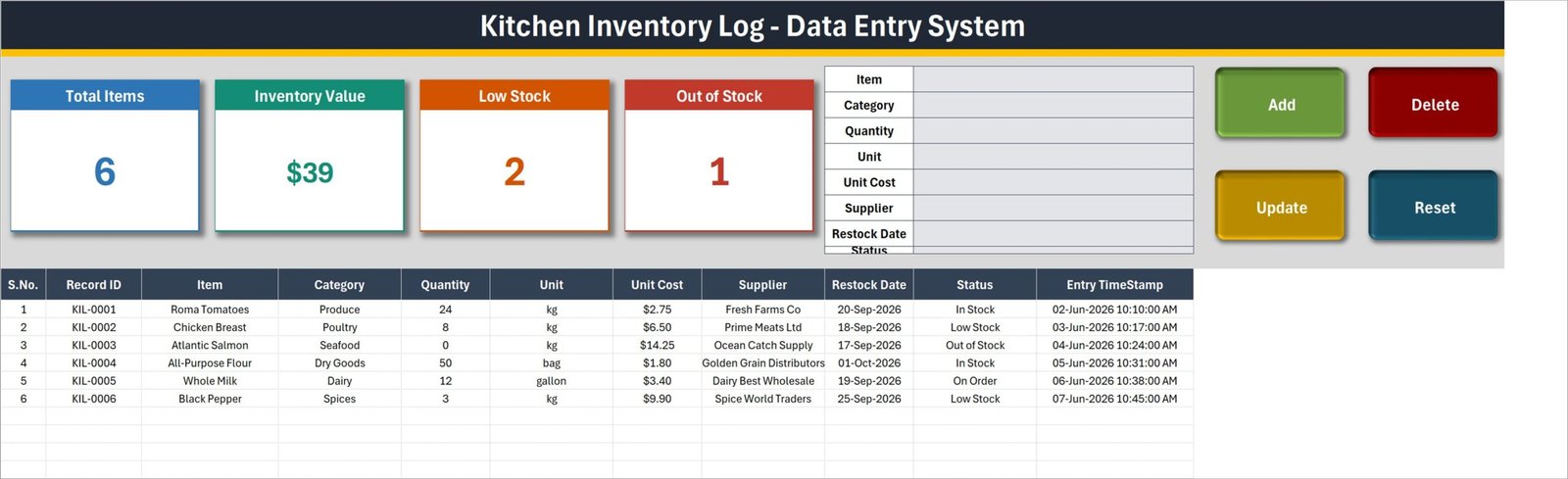
Data Entry sheet with entry form, action buttons, inventory cards, and sample records
What’s Inside the Kitchen Inventory Log Data Entry System in Excel
Data Entry sheet
The main sheet combines the input form with the inventory table. Each row stores S.No., Record ID, Item, Category, Quantity, Unit, Unit Cost, Supplier, Restock Date, Status, and Entry TimeStamp. The visible sample records include produce, poultry, seafood, dry goods, dairy, and spices, showing how different units and statuses can coexist in one list.
Setting sheet
The Setting sheet holds editable lists for categories, units, suppliers, and statuses. Its four linked cards summarize Total Items, Inventory Value, Low Stock, and Out of Stock. Edit the list rows to adapt the dropdowns to your own kitchen vocabulary.
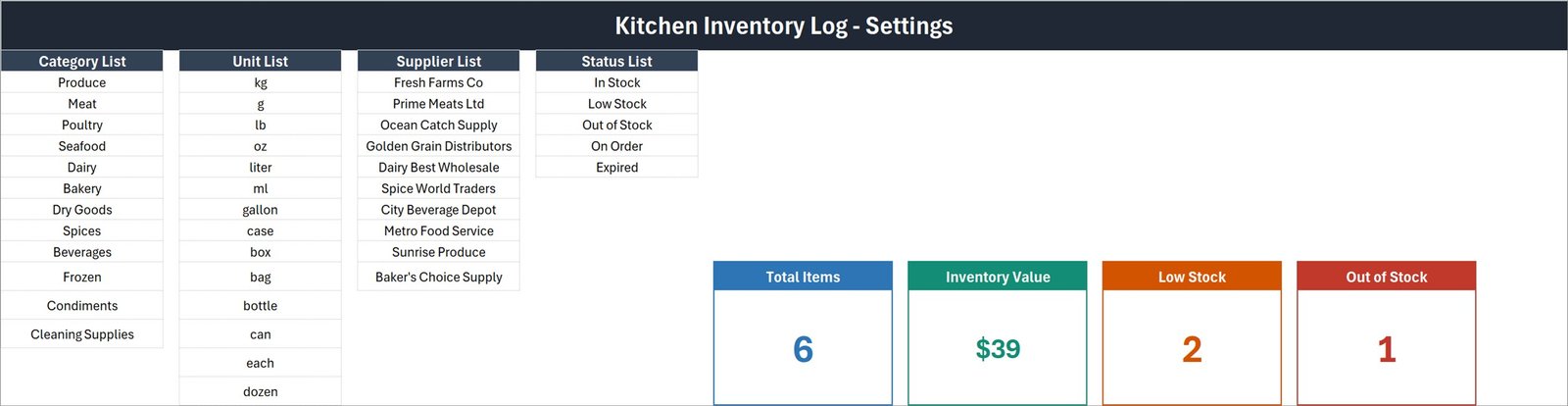
Setting sheet with dropdown source lists and linked summary cards
How To Use sheet
The in-workbook guide explains how to enter, update, and delete records; how the cards refresh; how dropdown lists are maintained; and how to enable the included macros. This reduces the need for a separate manual.
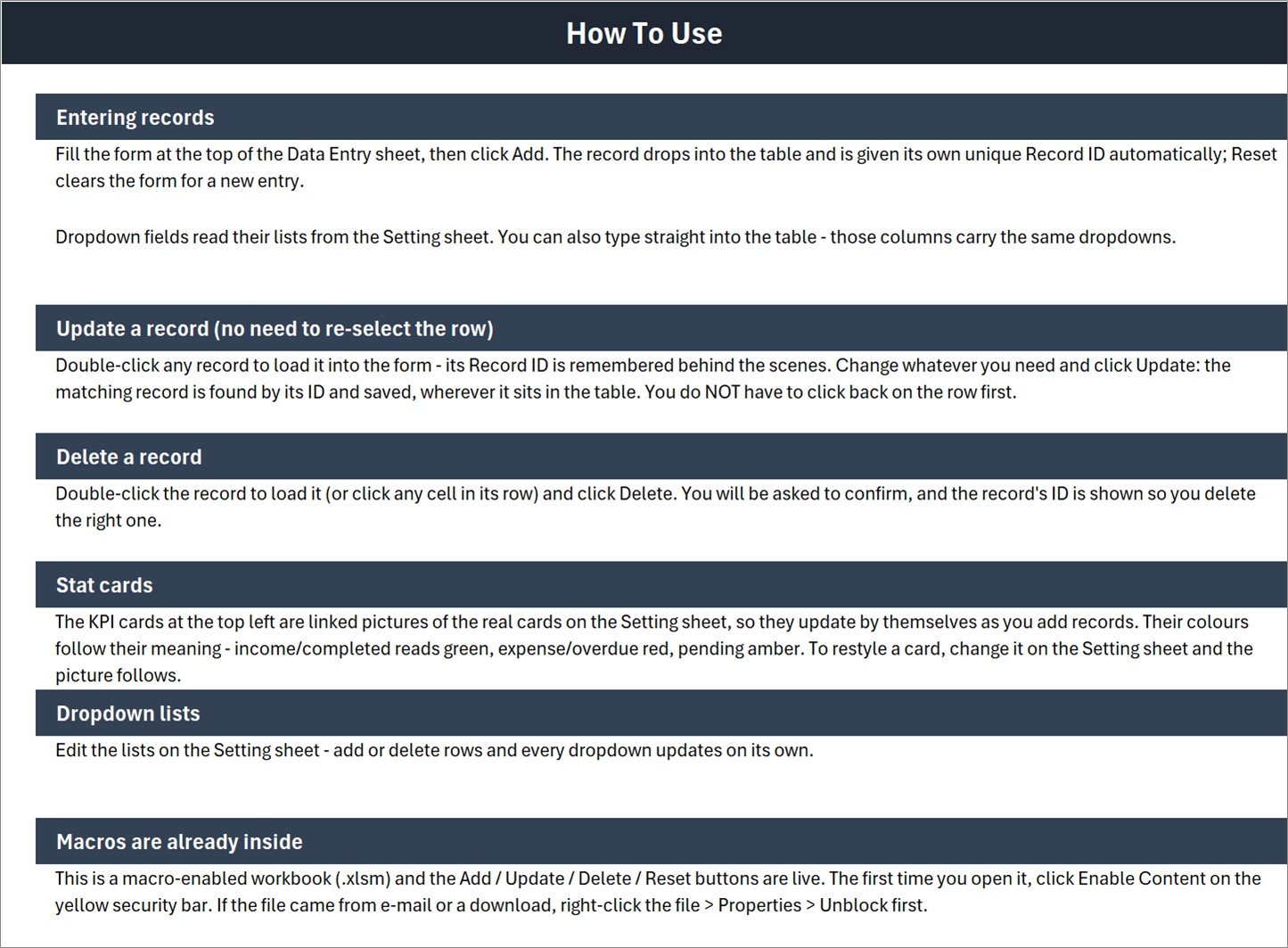
Built-in instructions for records, cards, dropdowns, and macros
Kitchen Inventory Log Data Entry System in Excel vs. Google Sheets vs. Paid Inventory SaaS – Where This Fits
| Area | This Excel system | Google Sheets alternative | Paid inventory SaaS |
|---|---|---|---|
| Cost model | One-time download | Usually free to build | Often recurring |
| Core workflow | VBA form and action buttons | Typically direct cell entry or Apps Script | Web forms and configured workflows |
| Local use | Yes, in Excel desktop | Internet is normally needed | Internet is normally needed |
| Collaboration | Best for one controlled file | Strong real-time sharing | Role-based multi-user access may be available |
| Customization | Edit lists, rows, labels, and workbook design | Edit sheets and scripts | Depends on plan and permissions |
| Stock view | Four summary cards plus the item table | Must be designed | Varies by product |
Who This Template Is For – and Who It’s Not For
It fits a cafe owner maintaining ingredient records, a catering coordinator checking supplier and restock information, a shared commercial kitchen keeping a controlled local workbook, or a household meal-prep planner who wants more structure than a handwritten list.
It is not a point-of-sale system, barcode scanner, purchase-order platform, recipe-costing engine, or multi-location cloud database. It does not claim automatic supplier ordering. Teams that need concurrent editing, mobile scanning, integrations, audit permissions, or real-time stock deductions from sales should choose a dedicated inventory system.
How to Use the Kitchen Inventory Log Data Entry System in Excel
- Download and unzip the customer file, then open the XLSM workbook in Microsoft Excel for Windows.
- If Windows blocks the downloaded workbook, use Properties > Unblock, reopen it, and choose Enable Content so the macros can run. See Microsoft’s guidance to enable or disable macros in Microsoft 365 files.
- Open the Setting sheet and adjust category, unit, supplier, and status lists for your operation.
- Return to Data Entry, complete the form, and select Add. The workbook appends the row and assigns a unique Record ID.
- To edit, double-click a record, change its values, and select Update. To remove one, load the row and select Delete.
- Review the summary cards and table routinely, and save a backup copy before major changes.
Real-World Use Cases
Independent cafe
A cafe manager can record milk, coffee, bakery ingredients, cleaning supplies, vendors, and planned restock dates while keeping low-stock and out-of-stock rows visible.
Catering preparation
A catering coordinator can organize ingredient categories and units before an event, then update quantities and status as supplies are checked.
Small hospitality kitchen
A guesthouse or small restaurant can maintain one structured file for common kitchen stock when a full ERP or inventory subscription would be excessive.
Frequently Asked Questions
Does the workbook require macros?
Yes. It is an XLSM workbook, and the Add, Update, Delete, and Reset buttons rely on VBA. Use Microsoft Excel desktop for Windows and enable content after reviewing the file.
What information can I record?
The visible form and table support item, category, quantity, unit, unit cost, supplier, restock date, status, Record ID, and entry timestamp.
Can I change the dropdown choices?
Yes. Edit the category, unit, supplier, and status lists on the Setting sheet.
Does it reorder stock automatically?
No. It records restock dates and statuses, but it does not place supplier orders or connect to external purchasing services.
Can several people edit it at the same time?
The workbook is designed as a controlled local Excel file. For simultaneous browser-based editing, a shared cloud solution may be a better fit.
Is this a recipe or food-costing calculator?
No. It tracks kitchen inventory records and unit costs; it does not calculate recipe yields, menu margins, or ingredient consumption by recipe.
About the Author
Built by PK – Microsoft Certified Professional with 15+ years of Excel, Google Sheets, and Power BI experience. Founder of NextGenTemplates, reaching 300K+ subscribers across YouTube channels. Every template is hand-built and tested before release.
Explore Related Templates
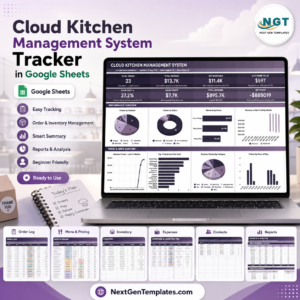
For another Excel stock workflow, see the Bar Stock Register Data Entry System in Excel or the Hardware Store Inventory Data Entry System in Excel. For broader kitchen operations, compare the Cloud Kitchen Management System Tracker in Google Sheets. You can also explore Excel inventory management templates and Excel VBA tools.
Download the Kitchen Inventory Log Data Entry System in Excel to replace scattered notes with one organized workbook for kitchen items, suppliers, costs, dates, and status. The customer ZIP contains the macro-enabled workbook shown in these screenshots.
Last updated: September 2026.











Reviews
There are no reviews yet.