

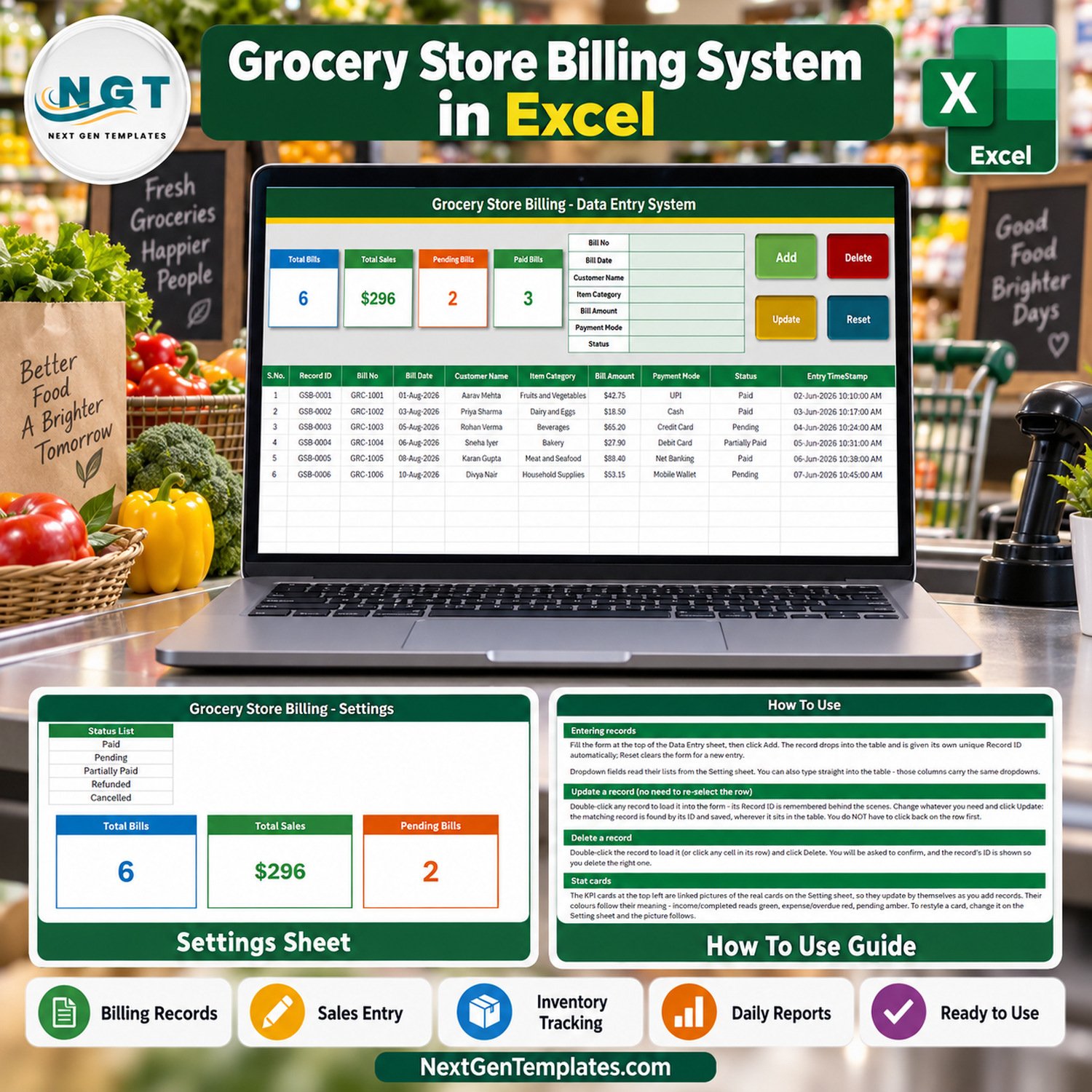

The Grocery Store Billing Data Entry System in Excel is a macro-enabled workbook for keeping a record of the bills your grocery counter has already raised: the bill number, the date, the customer, the main item category, the bill amount, how it was paid and whether it is paid, pending, partially paid, refunded or cancelled. It gives you a 7-field entry form, 4 live VBA buttons, 4 self-updating stat cards and 3 editable dropdown lists holding 25 ready values – 12 item categories, 8 payment modes and 5 bill statuses. Fill the form, click Add, and the bill lands in a 10-column records table with its own Record ID and timestamp.
Be clear about what it is: a bill register, not a point-of-sale till. It does not scan barcodes, add up items, calculate GST or any other tax, print receipts or invoices, or track stock. You total the bill on your till or calculator and log the result here, so at the end of the day you can see how many bills were entered, what they add up to and which ones are still unpaid – without flicking back through a carbon-copy bill book.
✅ Instant download · One-time payment · No subscription · No per-user fees · Fully unlocked and editable
🔑 Key Features of the Grocery Store Billing Data Entry System in Excel
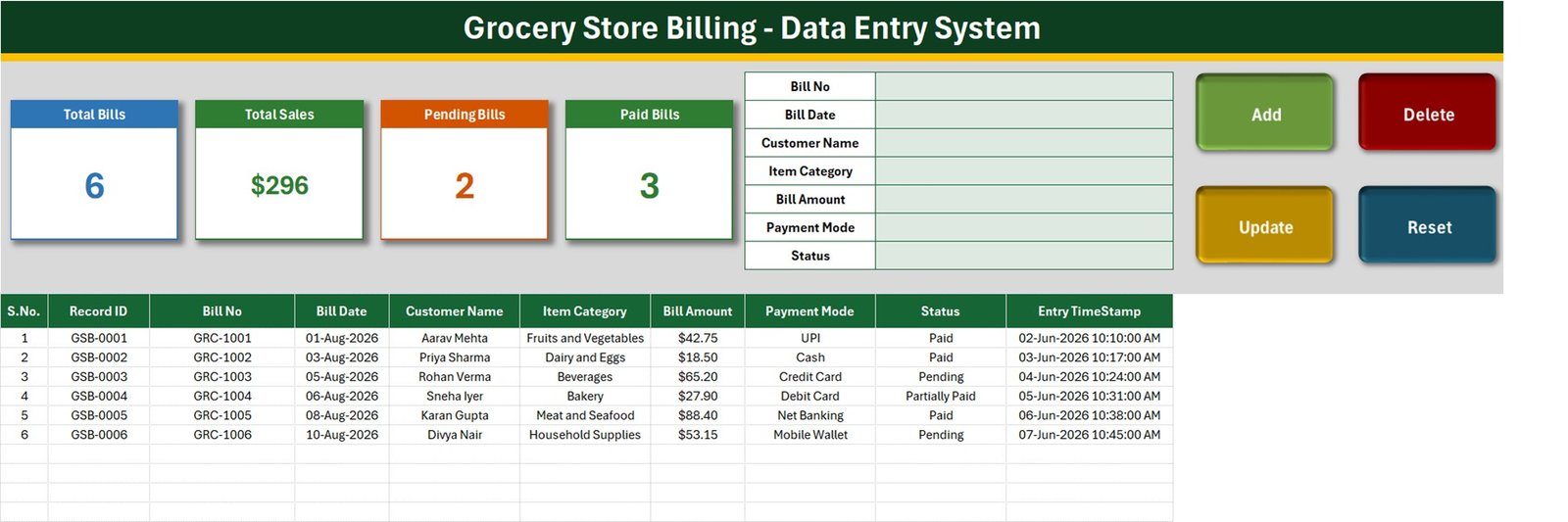
- 🧾 A seven-field bill form – Bill No, Bill Date, Customer Name, Item Category, Bill Amount, Payment Mode and Status – placed beside the stat cards on the Data Entry sheet, so one screen covers entry and review.
- 🔘 Four live VBA buttons. Add saves the form as a new bill record, Update rewrites the record you loaded, Delete removes a record after a confirmation that shows its Record ID, and Reset clears the form without touching the table.
- 🔢 Automatic Record IDs in the GSB-0001 series plus an Entry TimeStamp on every saved bill. Your own Bill No (for example GRC-1001) is stored separately, so the Record ID keeps working even if two bills are typed with the same number.
- 🖱️ Double-click editing. Double-click any saved row and it loads back into the form. The macro remembers the Record ID, so Update finds the right row even after you have clicked elsewhere, sorted or filtered the table.
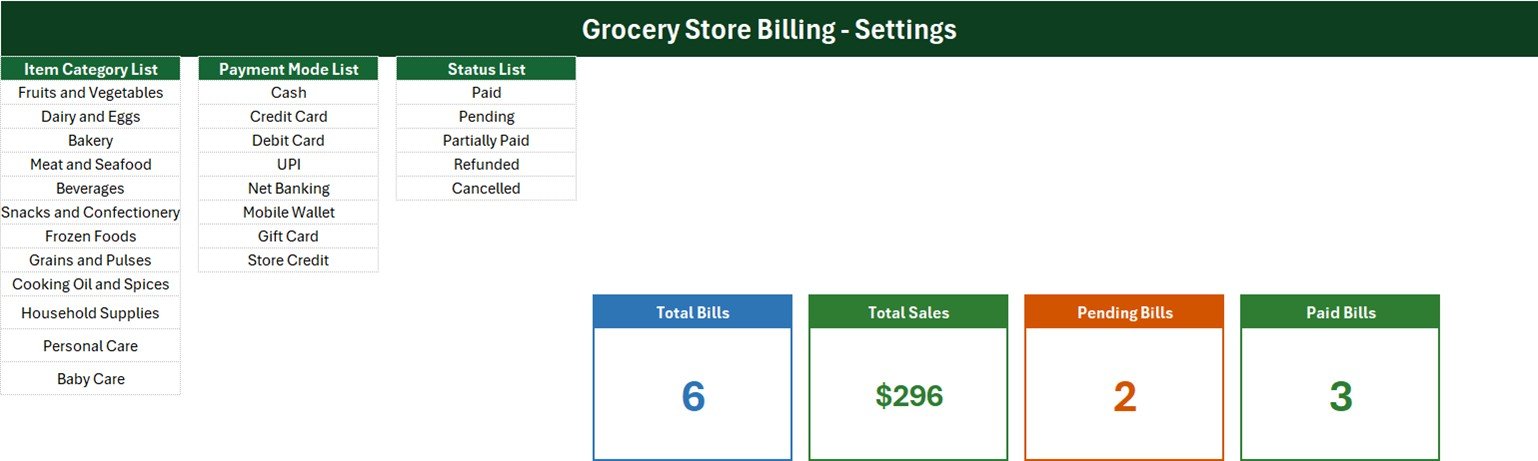
- 📋 Three dropdown lists on the Setting sheet – Item Category (Fruits and Vegetables, Dairy and Eggs, Bakery, Meat and Seafood, Beverages, Snacks and Confectionery, Frozen Foods, Grains and Pulses, Cooking Oil and Spices, Household Supplies, Personal Care, Baby Care), Payment Mode (Cash, Credit Card, Debit Card, UPI, Net Banking, Mobile Wallet, Gift Card, Store Credit) and Status (Paid, Pending, Partially Paid, Refunded, Cancelled). The same dropdowns sit on the form and on table rows 15-214.
- 📈 Four stat cards – Total Bills, Total Sales, Pending Bills and Paid Bills. They are linked pictures of formula cards on the Setting sheet, so they recalculate the moment a bill is added, updated or deleted.
- 🔓 Nothing locked. No sheet protection and no VBA password – rename a column, add a category or change a card formula yourself.
📦 What’s Inside the Workbook
One .xlsm file with four sheets: Data Entry, Setting, Instructions (headed How To Use) and Get More Templates. Six fictional sample bills are included so you can see the register working before you clear it.
Sheet 1: Data Entry
The working screen. The form and the four buttons sit at the top beside the stat cards; below them is the records table with S.No., Record ID, Bill No, Bill Date, Customer Name, Item Category, Bill Amount, Payment Mode, Status and Entry TimeStamp. The six samples read 6 bills, $296 total sales, 2 pending bills and 3 paid bills.
Sheet 2: Setting
Holds the Item Category List, Payment Mode List and Status List that feed every dropdown, plus the four formula cards the Data Entry sheet displays as pictures. Restyle a card here and the picture follows.
Sheet 3: How To Use
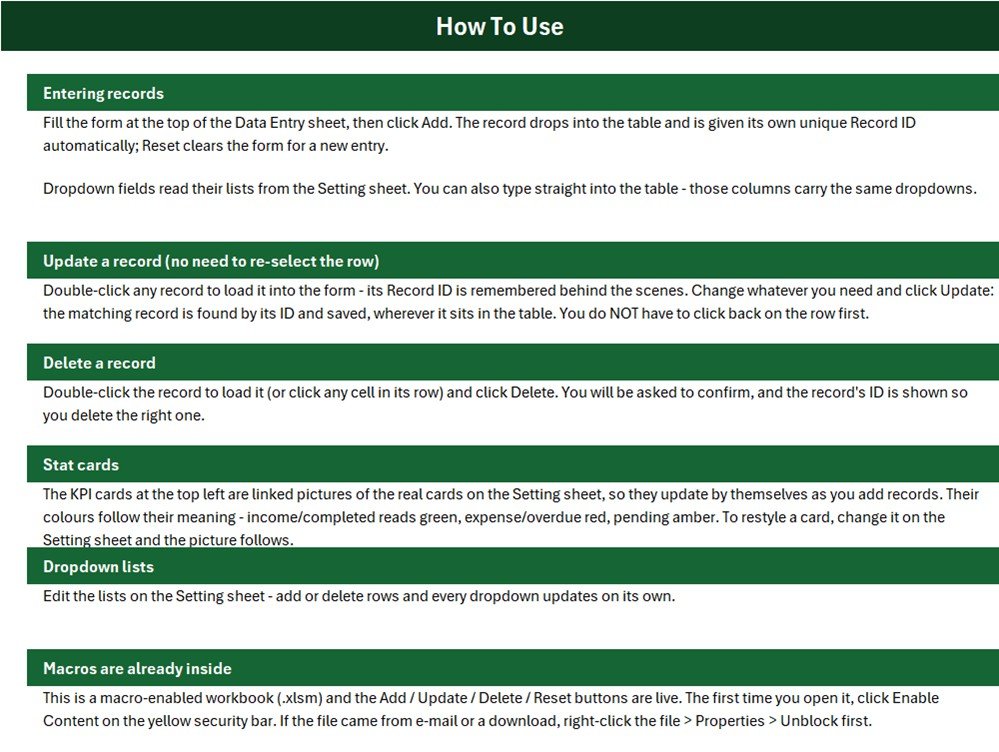
Plain-English instructions for entering, updating and deleting records, how the stat cards work, how to edit the dropdown lists, and how to enable the macros the first time you open the file.
📐 What the Four Stat Cards Actually Count
We read the workbook’s own formulas and macro before writing this page. A few things are worth knowing before you rely on the cards, each with a one-line fix:
- 💵 Bill Amount is typed, not calculated. There are no item lines, quantities, unit prices, discounts or tax fields, and Module1 simply copies the Bill Amount box into column G. Enter the final bill total from your till or calculator.
- 🧮 Total Sales has no status filter.
Setting!I13 = SUM('Data Entry'!$G$15:$G$1048576)adds every Bill Amount, so Pending, Partially Paid, Refunded and Cancelled bills are all included. The sample $296 (exactly $295.90) holds $118.35 from two pending bills and $27.90 from a partially paid one, and only $149.65 from Paid bills. For paid sales use=SUMIFS('Data Entry'!$G$15:$G$1048576,'Data Entry'!$I$15:$I$1048576,"Paid"). - 🚦 Only two of five statuses have a card. Paid Bills and Pending Bills are carded; Partially Paid, Refunded and Cancelled are not, so on the samples 3 + 2 does not reach 6. Add a card such as
=COUNTIF('Data Entry'!$I$15:$I$1048576,"Partially Paid")for any status you want to watch. There is no amount-received column, so a partially paid bill does not show how much is still owed. - 📋 The dropdown lists are fixed-length named ranges. Item_CategoryList is
Setting!$A$3:$A$14, Payment_ModeList$C$3:$C$10and StatusList$E$3:$E$7, and all three are already full. How To Use says every dropdown updates on its own; that is only true when you insert a row inside a list. A value typed below a list never appears. Either insert rows inside the block, or redefine the name as=OFFSET(Setting!$A$3,0,0,COUNTA(Setting!$A$3:$A$100),1).
The Total Bills card counts the Bill No column, which the Add button requires, so it matches the number of bills you add through the form.
📊 This Excel Workbook vs. a Google Sheets Log vs. Grocery POS Software
| Feature | Grocery Store Billing workbook (Excel) | Home-made Google Sheets log | Grocery / supermarket POS software |
|---|---|---|---|
| Cost | ✅ $6.99 one-time (regular $11.99) | Free, but you build it yourself | Recurring monthly subscription, often per till or location |
| Platform | Excel for Windows desktop | Any browser | Vendor app, till hardware or browser |
| Setup time | ✅ About 10 minutes – edit three lists | Hours to design form, lists and formulas | Days of onboarding and product import |
| Entry form with Add / Update / Delete | ✅ Built in, VBA | No – typing straight into rows | ✅ Yes |
| Barcode scanning, item totals, tax, printed receipts | No | No | ✅ Usually included |
| Real-time team collaboration | No – one file on one PC | ✅ Yes | ✅ Yes |
| Mobile access | No | ✅ Yes | ✅ Usually |
| Customizable lists and fields | ✅ Fully unlocked | ✅ Yes | Limited to vendor settings |
| Year-1 cost at 5 users | ✅ One purchase per user licence, no renewal | Free | Subscription x 12 months |
For a small grocery or kirana store that already bills on a till or by hand and just wants a tidy, searchable record of those bills and what is still unpaid, this workbook sits in the sweet spot.
👥 Who This Template Is For – and Who It’s Not For
✅ Built for:
- Small grocery, kirana and convenience stores keeping a daily record of each bill, its main category, the amount and how it was paid
- Shops that extend credit to regular customers and need to see which bills are still pending
- Owners who want paid and pending bills at a glance in a file they fully control
❌ NOT for:
- Stores that need a till, barcode scanning, item-by-item billing, GST or tax invoices, printed receipts or stock control – this is not a POS, invoicing or inventory system
- Businesses needing accounting ledgers, tax-compliant records or several users editing at once
- Anyone working on a Mac, in Excel for the web or in Google Sheets, where the VBA buttons do not run
⚙️ How to Use the Grocery Store Billing Register
- Unzip the download and open
Grocery_Store_Billing_System.xlsmin Excel for Windows. Click Enable Content; if the file came from a download, right-click it, choose Properties and tick Unblock first. - On the Setting sheet, replace the sample item categories and payment modes with your own. Each list is full, so insert a row inside the block to add a value.
- Delete the six sample rows, or keep them while you learn the buttons.
- Fill Bill No, Bill Date, Customer Name, Item Category, Bill Amount, Payment Mode and Status, then click Add. Bill No is the one field the macro insists on; a blank Bill Date is saved as today’s date.
- To change a bill, double-click its row, edit the form and click Update.
- To remove a bill, double-click it (or click any cell in its row), click Delete and confirm the Record ID.
- Decide whether you want the paid-sales formula above before you start relying on the Total Sales card.
💼 Real-World Use Cases
Ramesh runs a neighbourhood kirana store. Regular customers settle their bills at month end, so he logs each bill as Pending, switches it to Paid when the money arrives, and checks the Pending Bills card before he closes.
Maria owns a small organic grocery. She keeps Fruits and Vegetables and Dairy and Eggs at the top of the Item Category list and filters the table by category and payment mode at month end to see where her card and UPI takings come from.
A two-counter convenience store adds a Partially Paid card with a single COUNTIF and switches Total Sales to Paid-only, so the top of the sheet matches the money actually received.
⚠️ Limits to Know Before You Buy
- 🪟 Macros must be enabled, and Windows desktop Excel is required. The buttons do not run on Mac, in Excel for the web, on mobile or in Google Sheets.
- 🧾 One Item Category per bill. A basket with fruit, dairy and household items is logged under the category you choose, not split by line.
- 🔁 Record IDs are the highest existing number plus one, so if you delete the newest bill, the next bill added reuses its Record ID. Deleting an older bill never causes a repeat.
- 🕒 Update rewrites the Entry TimeStamp, so it shows when a bill was last saved, not when it was first entered.
- 🗂️ The in-table dropdowns cover rows 15-214, and Delete removes the whole worksheet row, so that formatted block shortens by one row per delete.
- 🔐 Customer names are stored in an unprotected workbook. Keep the file on a secured PC, or record a bill reference instead of a name.
- 🧪 The sample customers, bills and figures are fictional, and amounts are formatted in US dollars – change the cell format for your own currency.
❓ Frequently Asked Questions
What does the Grocery Store Billing Data Entry System in Excel record?
It records one row per bill: Bill No, Bill Date, Customer Name, Item Category, Bill Amount, Payment Mode and Status, plus an automatic Record ID and Entry TimeStamp. Four stat cards show total bills, total sales, pending bills and paid bills.
Can it create or print grocery bills and invoices?
No. It does not add up items, apply tax or GST, or print receipts or invoices. It is a register of bills you have already raised elsewhere, for tracking amounts and payment status.
Why is Total Sales higher than the cash I collected?
Because the card sums every Bill Amount regardless of Status, including Pending, Partially Paid, Refunded and Cancelled bills. On the samples it shows $296 while Paid bills total $149.65. Replace the formula with the SUMIFS version on this page to count Paid bills only.
How long does setup take?
About ten minutes. Enable macros, replace the sample categories and payment modes on the Setting sheet, delete the six sample rows and start adding bills. There is nothing to install and no account to create.
Will it work on a Mac or in Excel for the web?
The sheets open, but the Add, Update, Delete and Reset buttons are VBA macros that need Excel for Windows on the desktop with macros enabled. On a Mac, in a browser or in Google Sheets you can only type directly into the table.
Is the file locked?
No. There is no sheet protection and no VBA project password, so you can rename columns, extend lists, change card formulas or edit the macro.
👤 About the Author
Built by PK – Microsoft Certified Professional with 15+ years of Excel, Google Sheets and Power BI experience. Founder of NextGenTemplates, reaching 300K+ subscribers across YouTube channels (@PKAnExcelExpert, @NextGenTemplates, @NeoTechNavigators). Every template is hand-built and tested before release.
🔗 Explore Related Templates
- 🥐 Bakery Sales Register Data Entry System in Excel – the same form-and-cards build for a bakery counter.
- 🛒 Grocery Shopping List Data Entry System in Excel – a simple entry form for planning what to buy.
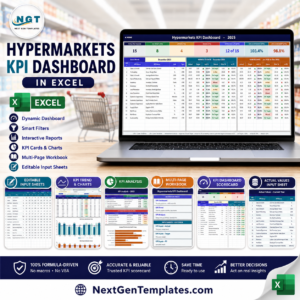
- 📈 Grocery Store KPI Dashboard in Excel and Hypermarkets KPI Dashboard in Excel – KPI tracking once you outgrow a simple register.
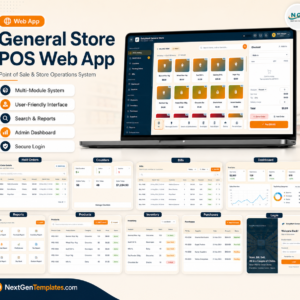
- 🖥️ General Store POS Web App – if what you actually need is a point-of-sale system rather than a bill register.
- 🧾 Optical Shop Sales and Electronics Sales Log data entry systems – sales registers for other retail counters.
Browse more Excel VBA tools and Excel sales templates in the store. New to macros? Microsoft explains how to enable or disable macros in Microsoft 365 files.
📖 Click here to read the Detailed Blog Post
🎥 Visit our YouTube channel for step-by-step video tutorials
👉 YouTube.com/@NextGenTemplates
📅 Last updated: September 2026
























Reviews
There are no reviews yet.