

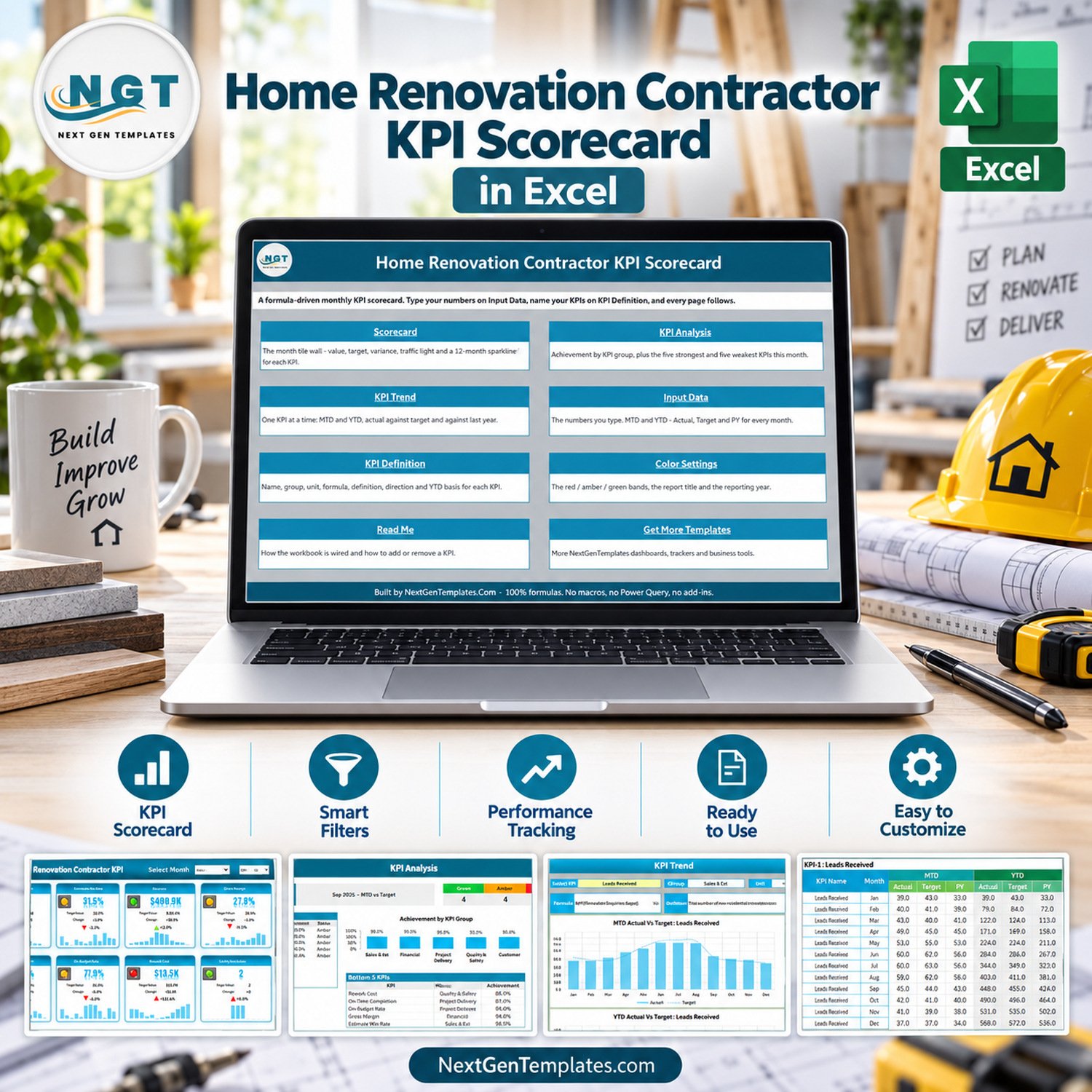

Home Renovation Contractor KPI Scorecard in Excel is a ready-to-use Excel KPI scorecard for renovation contractors who want monthly visibility across leads, estimates, revenue, margin, delivery, safety, and customer satisfaction. The workbook ships with 10 renovation KPIs, month selection, traffic-light status logic, KPI trend pages, KPI analysis, editable input data, and a user manual inside the download ZIP. It is built for Microsoft Excel users who want a practical scorecard without committing to a paid construction CRM.
Key Features of Home Renovation Contractor KPI Scorecard in Excel
- Track 10 renovation contractor KPIs across sales, estimating, financial, project delivery, quality, safety, and customer groups.
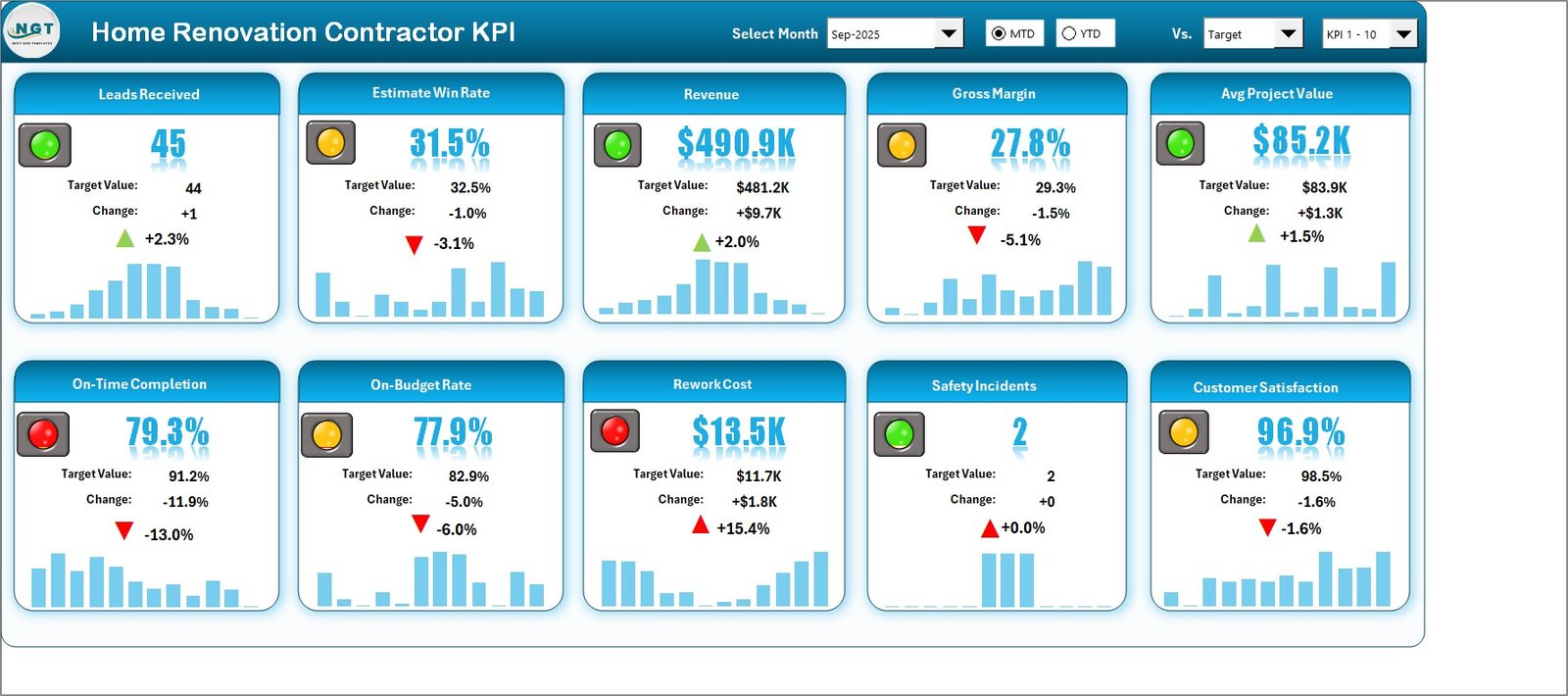
- Use monthly scorecard controls to review Actual, Target, Variance, Status, and YTD figures.
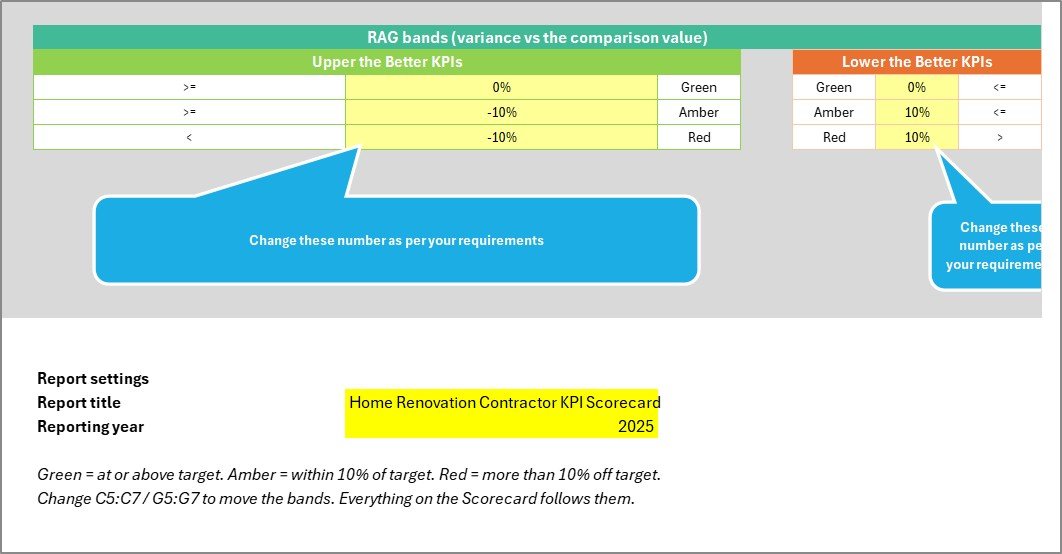
- See Red, Amber, and Green traffic-light indicators based on Upper-the-Better and Lower-the-Better KPI logic.
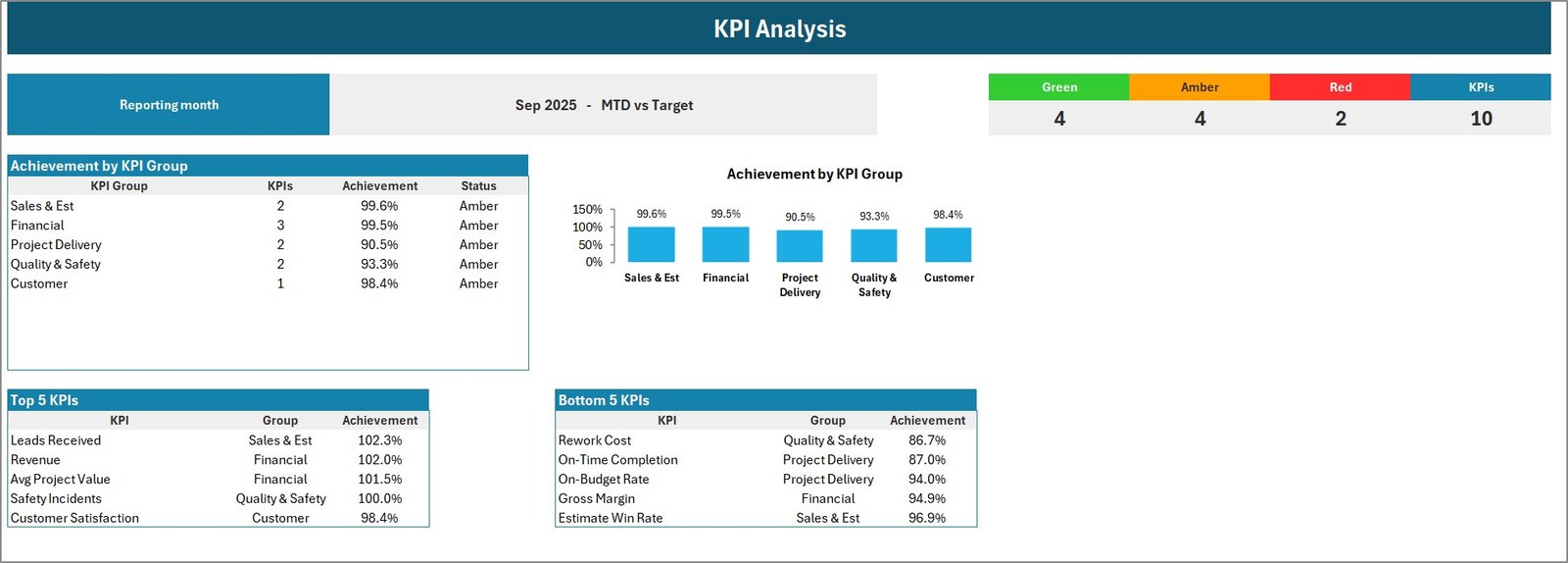
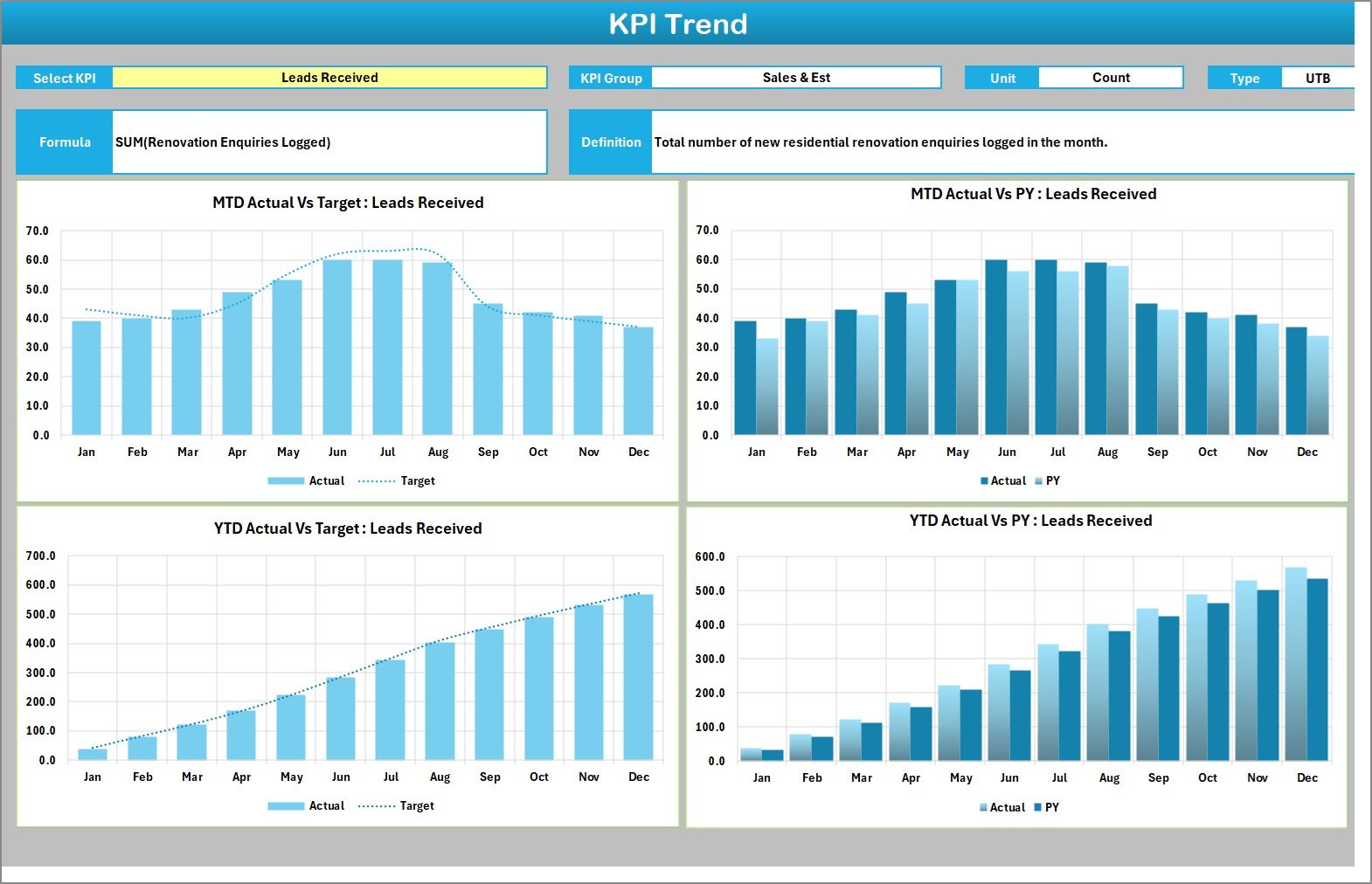
- Review KPI Analysis and KPI Trend pages for quick issue spotting before project review meetings.
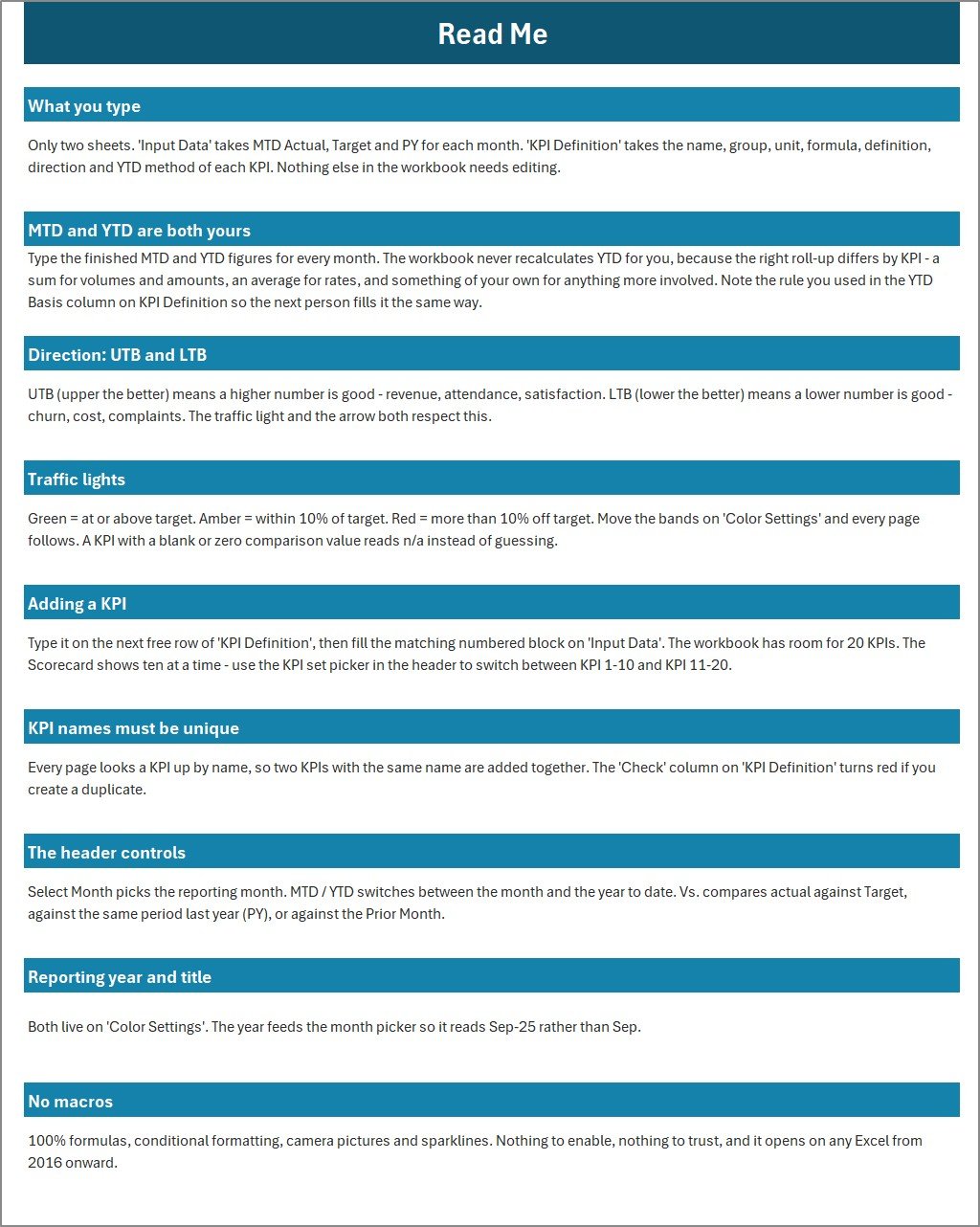
- Edit the Input Data and KPI Definition sheets to adapt the template to your renovation business.
- Download includes the Excel workbook and an Excel KPI Scorecard user manual.
What’s Inside the Home Renovation Contractor KPI Scorecard in Excel
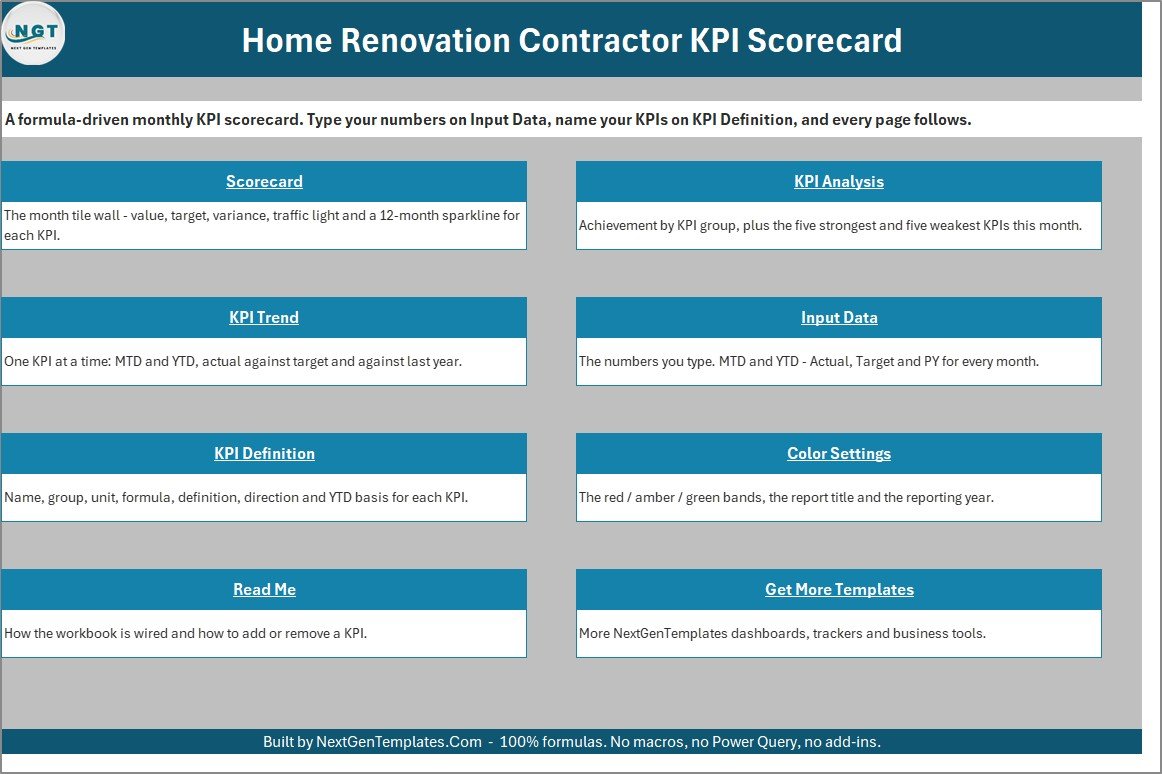
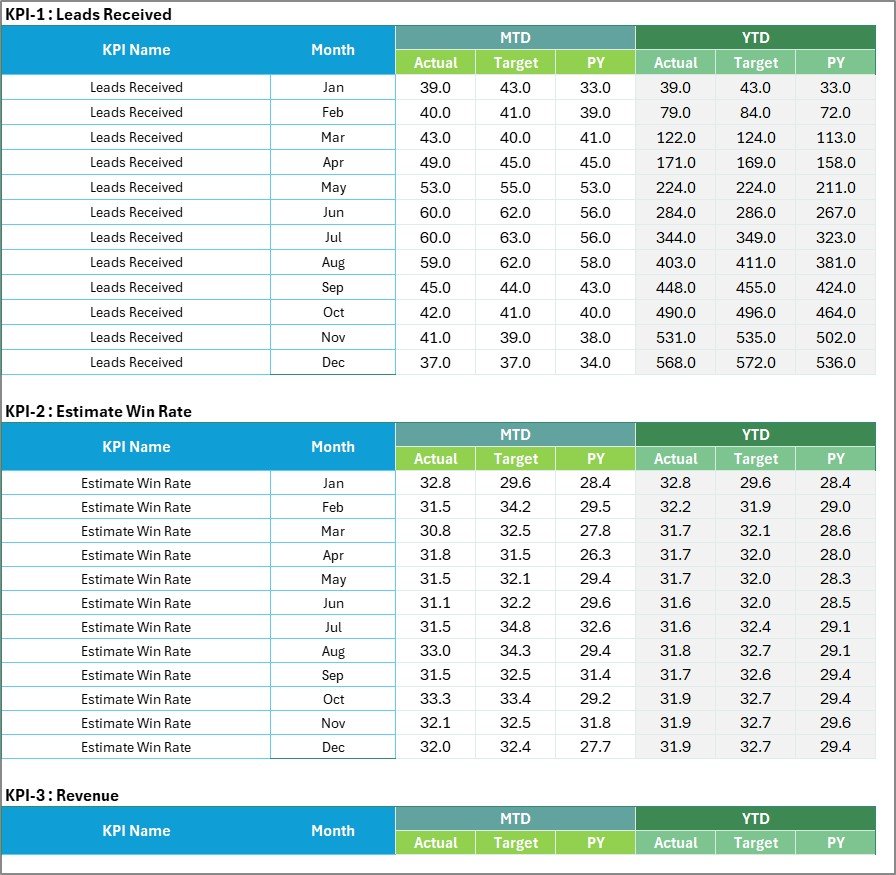
The workbook includes Home, Scorecard, KPI Analysis, KPI Trend, Input Data, KPI Definition, Color Settings, Read Me, Get More Templates, Trend Support, and Support sheets. The KPI Definition sheet includes Leads Received, Estimate Win Rate, Revenue, Gross Margin, Avg Project Value, On-Time Completion, On-Budget Rate, Rework Cost, Safety Incidents, and Customer Satisfaction.
Home Renovation Contractor KPI Scorecard in Excel vs. Google Sheets vs. Paid Construction CRM – Where This Fits
| Area | This Excel scorecard | Google Sheets alternative | Paid construction CRM |
|---|---|---|---|
| Cost | One-time template purchase | Low cost, but needs rebuilding | Monthly subscription |
| Platform | Microsoft Excel desktop | Browser-based spreadsheet | Cloud SaaS |
| Setup time | Replace sample data and adjust KPIs | Build formulas and formatting | Configure users, workflows, and permissions |
| Renovation KPI logic | Built around estimate, margin, delivery, rework, safety, and satisfaction metrics | Manual design required | Available only if the system has reporting modules |
| Best fit | Owner-led contractors and small teams needing monthly KPI review | Teams prioritizing online collaboration | Growing firms needing lead, job, payment, and field workflow management |
Who This Template Is For – and Who It’s Not For
This template is for remodelers, renovation contractors, project coordinators, estimator-led teams, and owner-managers who want a clean Excel scorecard for monthly performance meetings. It is not a CRM, job-costing system, estimating engine, accounting system, safety compliance tool, scheduling app, or legal construction document system.
How to Use the Home Renovation Contractor KPI Scorecard in Excel
- Download and unzip the buyer file.
- Open the Excel workbook in Microsoft Excel desktop.
- Review the KPI Definition sheet and adjust names, formulas, units, KPI groups, and LTB/UTB logic if needed.
- Enter monthly actual figures in the Input Data sheet.
- Select the review month on the Scorecard page and use the KPI Trend and KPI Analysis sheets for follow-up.

Real-World Use Cases
Owner-manager: review whether estimates are converting, margins are holding, and projects are finishing on time.
Project coordinator: summarize on-budget completion, rework cost, and safety incidents before a monthly operations meeting.
Estimator: compare leads received and estimate win rate while keeping financial outcomes visible.
For general workbook help and Excel guidance, see Microsoft Excel Support.
Frequently Asked Questions
Does this template require macros?
No. This KPI scorecard is an Excel workbook designed around worksheets, formulas, formatting, and charts.
Can I change the KPIs?
Yes. The KPI Definition sheet is editable, so you can adapt KPI names, groups, units, formulas, definitions, and KPI type.
Is this a construction project management system?
No. It is a KPI scorecard for performance reporting, not a job management, estimating, scheduling, CRM, compliance, accounting, or field operations platform.
What software do I need?
Use Microsoft Excel desktop for the best experience.
What is included in the download?
The ZIP includes the Excel KPI Scorecard workbook and the Excel KPI Scorecard user manual.
Can I use it for commercial projects?
You can use it inside your business reporting workflow, but it does not replace professional accounting, legal, tax, safety, or construction compliance advice.
About the Author
Built by PK – Microsoft Certified Professional with 15+ years of Excel, Google Sheets, and Power BI experience. Founder of NextGenTemplates, reaching 300K+ subscribers across YouTube channels. Every template is hand-built and tested before release.
Explore Related Templates
Browse more Excel KPI dashboard and scorecard templates, Excel project management templates, and Microsoft Excel templates from NextGenTemplates.
Ready to monitor renovation performance in Excel? Add this draft-ready scorecard to your workflow and replace the sample data with your monthly contractor figures.
Last updated: September 12, 2026.
Watch the demo video:
Compatibility and Requirements
- Works in Microsoft Excel desktop (Excel 2016 or later, or Microsoft 365).
- The workbook uses worksheets, formulas, formatting and charts. The page says it does not require macros.
- New to Excel? Microsoft has free lessons in Excel for Windows training.
Related Home Renovation Contractor Templates
- Home Renovation Contractor KPI Dashboard in Excel: a dashboard view of the same business in Excel
- Home Renovation Contractor KPI Scorecard in Google Sheets: the scorecard for Google Sheets users
- Home Renovation Contractor KPI Dashboard in Power BI: the Power BI edition
- Home Renovation Checklist in Excel: a task checklist for renovation jobs
- Project Management KPI Scorecard in Excel: a general project scorecard
Browse all Excel KPI dashboards.


























Reviews
There are no reviews yet.