

The Appliance Repair Business KPI Scorecard in Excel is a formula-driven monthly scorecard for appliance repair companies, home appliance service centres and independent repair technicians. It tracks 10 service KPIs across four groups, shows each one as a traffic-light tile with its target, change and a 12-month sparkline, and lets you flip between MTD and YTD, and between Target, Prior Year and Prior Month, from the header. There are no macros and no add-ins: you type monthly numbers on one sheet and every page follows.
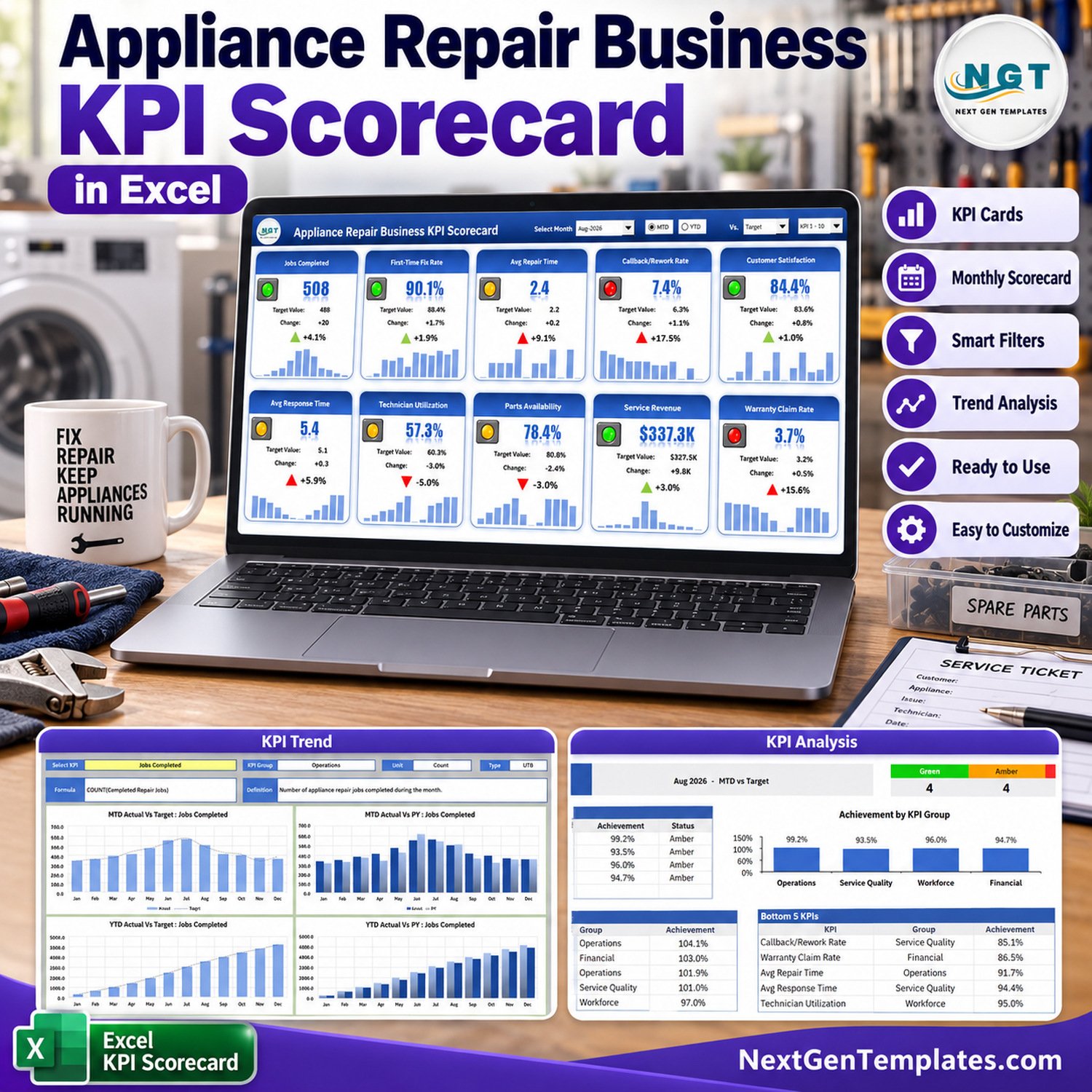
This listing is the KPI scorecard edition (the NextGenTemplates 26. KPI Scorecard family): one monthly tile wall plus KPI Analysis and KPI Trend pages. It is a different template from the Appliance Repair Business KPI Dashboard in Excel and from the analytical dashboard line, which use other layouts. Browse the full Excel KPI dashboard and scorecard category, or read the full blog walkthrough of this scorecard.
Key Features of Appliance Repair Business KPI Scorecard in Excel
- 10 appliance repair KPIs in 4 groups: Operations (Jobs Completed, First-Time Fix Rate, Avg Repair Time), Service Quality (Callback/Rework Rate, Customer Satisfaction, Avg Response Time), Workforce (Technician Utilization, Parts Availability) and Financial (Service Revenue, Warranty Claim Rate).
- Scorecard tile wall: every KPI shows its value, target, change, a direction arrow, a red/amber/green light and a 12-month bar sparkline.
- Four header controls: Select Month, an MTD / YTD switch, a Vs. picker (Target, PY or Prior Month) and a KPI 1-10 / KPI 11-20 set picker.
- Direction-aware status: 6 KPIs are upper-the-better and 4 are lower-the-better (Avg Repair Time, Callback/Rework Rate, Avg Response Time and Warranty Claim Rate), and both the light and the arrow respect that.
- KPI Analysis page: Green / Amber / Red counts, Achievement by KPI Group as a table and a column chart, plus Top 5 and Bottom 5 KPIs for the month.
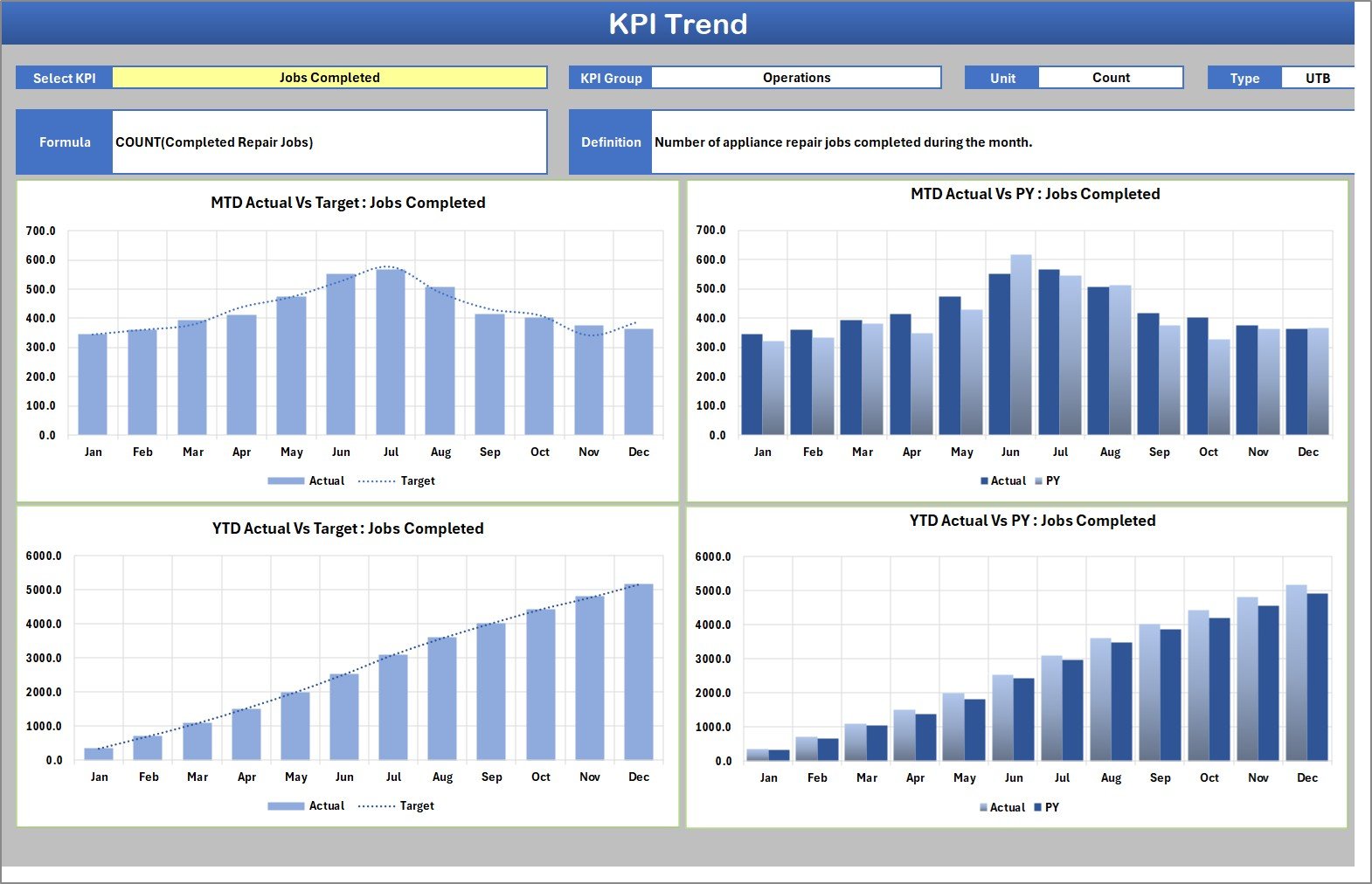
- KPI Trend page: pick one KPI and see MTD Actual vs Target, MTD Actual vs PY, YTD Actual vs Target and YTD Actual vs PY across all 12 months.
- Room for 20 KPIs: add a KPI on the next free KPI Definition row and fill its numbered block on Input Data.
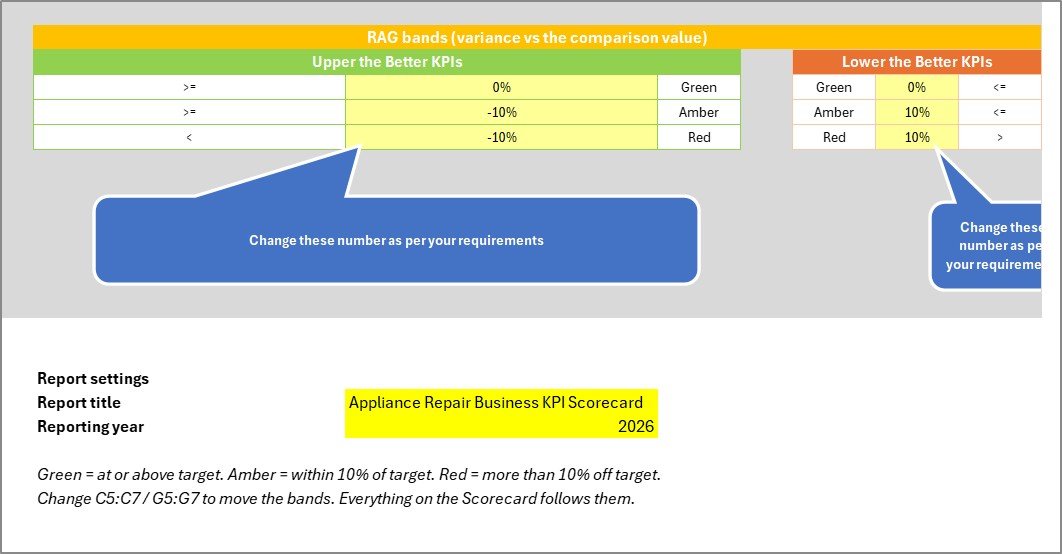
- Editable RAG bands: the Color Settings sheet holds the green, amber and red thresholds for upper-the-better and lower-the-better KPIs, plus the report title and reporting year.
What’s Inside the Workbook
The download is a ZIP holding the .xlsx workbook and the Excel KPI Scorecard user manual (PDF). The workbook has nine visible sheets, shown below with the sample data it ships with (August 2026 selected).
Home
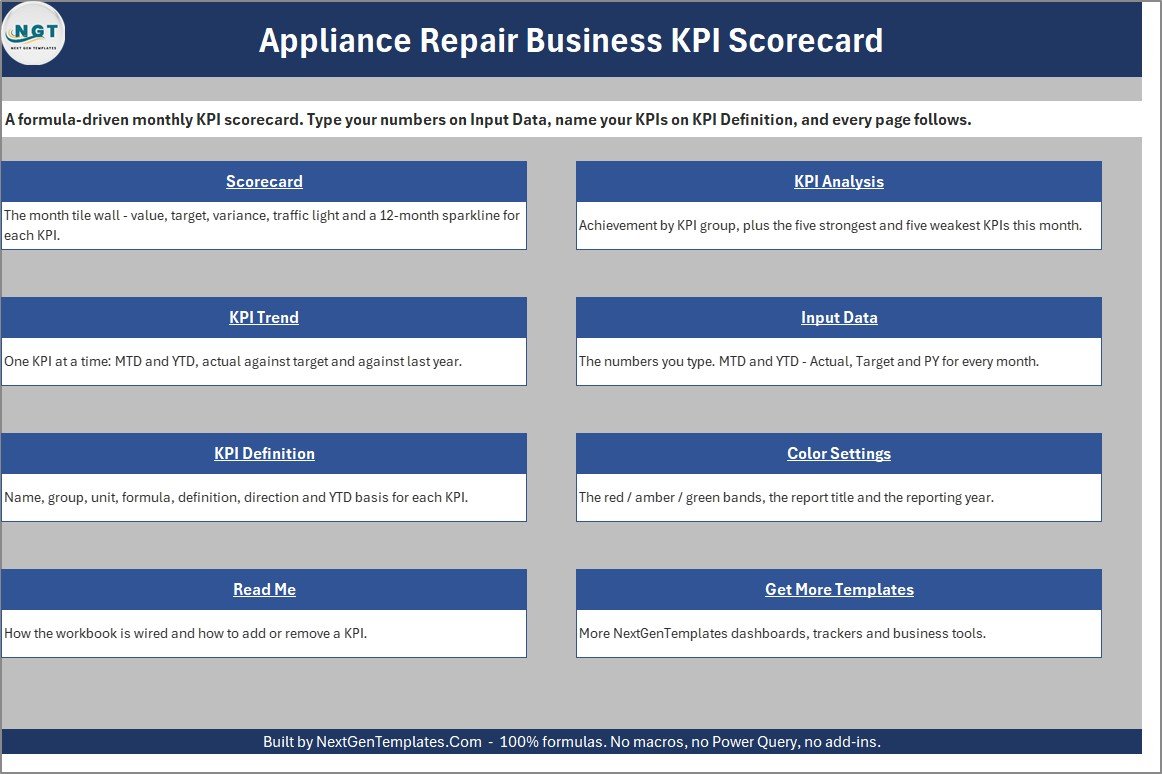
A navigation page with a short description and link card for each sheet: Scorecard, KPI Analysis, KPI Trend, Input Data, KPI Definition, Color Settings, Read Me and Get More Templates.
Scorecard
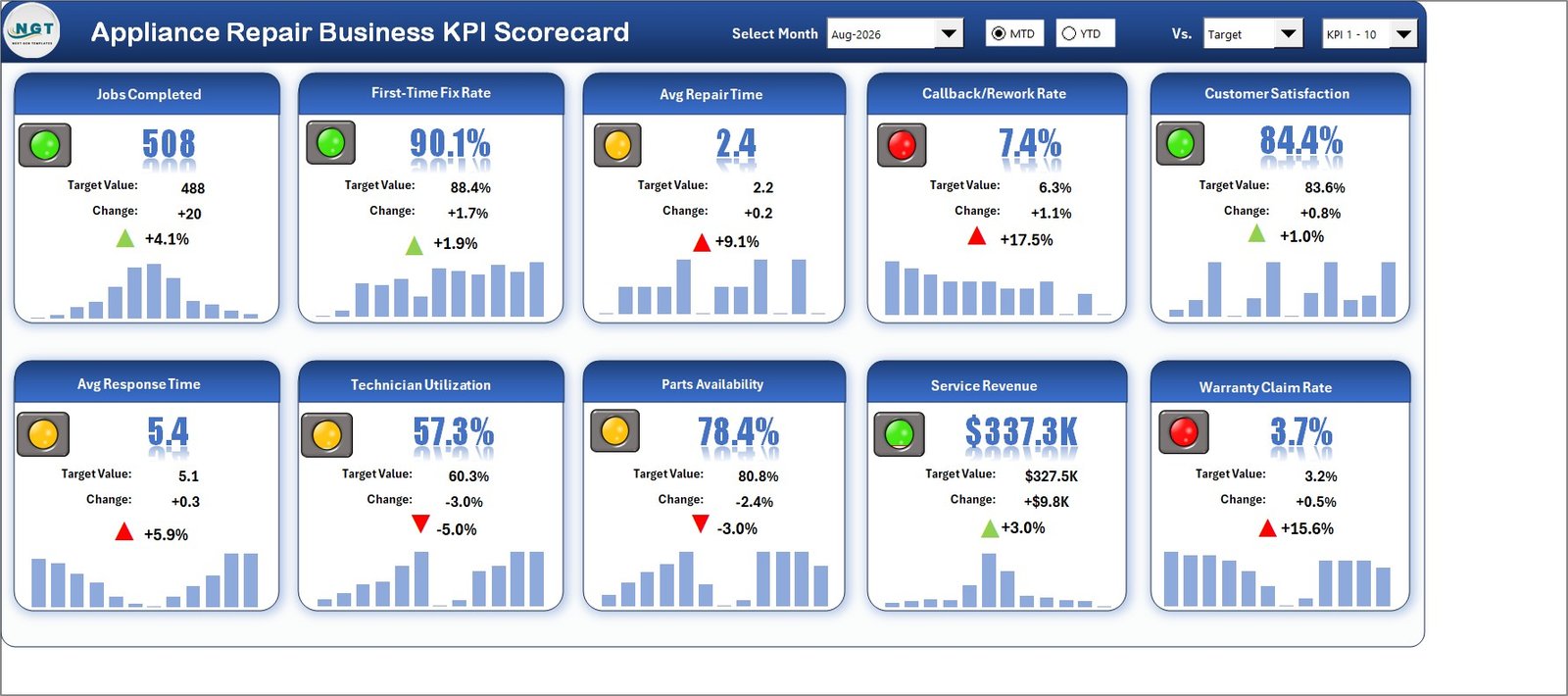
The month tile wall. In the August 2026 sample, Jobs Completed reads 508 against a 488 target, First-Time Fix Rate is 90.1% against 88.4% and Service Revenue is $337.3K against $327.5K, all green. Avg Repair Time is 2.4 hours against 2.2 and Technician Utilization is 57.3% against 60.3% (both amber), while Callback/Rework Rate is 7.4% against 6.3% and Warranty Claim Rate is 3.7% against 3.2% (both red, because lower is better). Four KPIs are green, four amber and two red.
KPI Analysis
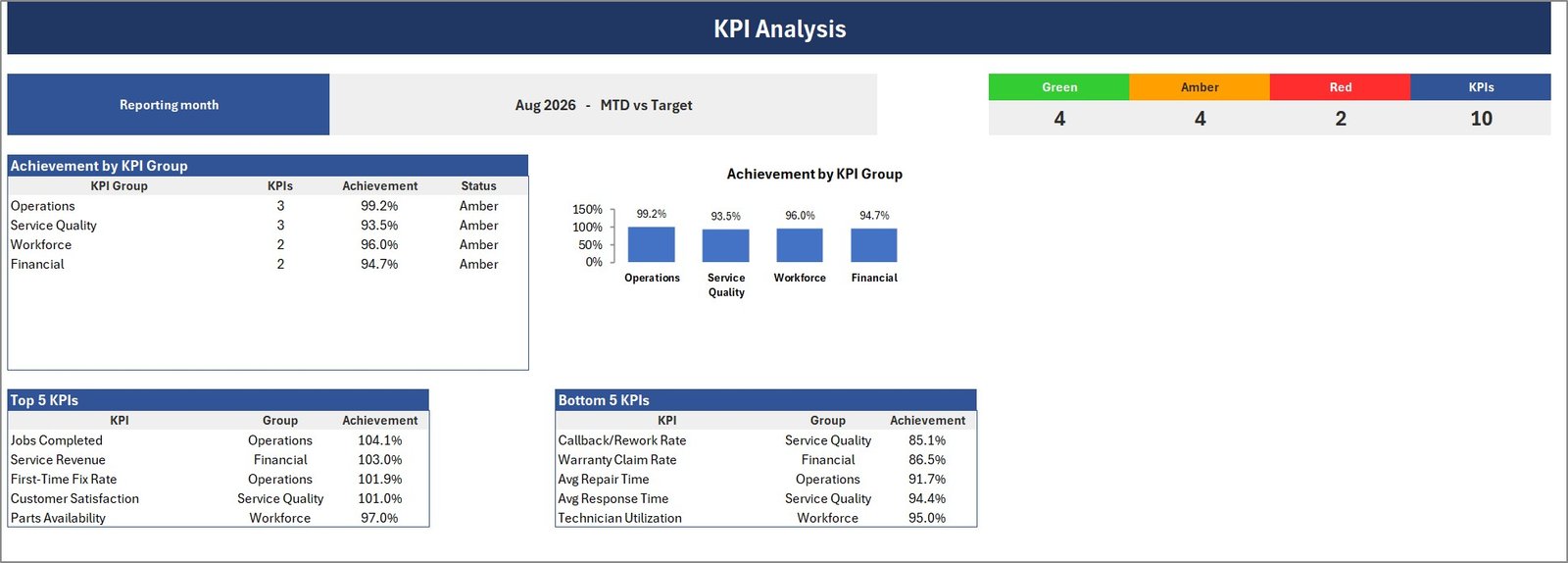
The reporting month and comparison basis, the Green / Amber / Red / KPIs counters (4 / 4 / 2 / 10 in the sample), Achievement by KPI Group (Operations 99.2%, Service Quality 93.5%, Workforce 96.0%, Financial 94.7%), and the Top 5 and Bottom 5 KPIs by achievement. In the sample, Jobs Completed leads at 104.1% and Callback/Rework Rate trails at 85.1%.
KPI Trend
Select a KPI and the page shows its group, unit, type, formula and definition, then four 12-month charts: MTD Actual vs Target, MTD Actual vs PY, YTD Actual vs Target and YTD Actual vs PY. For Jobs Completed, the June and July peak is visible at a glance.
Input Data
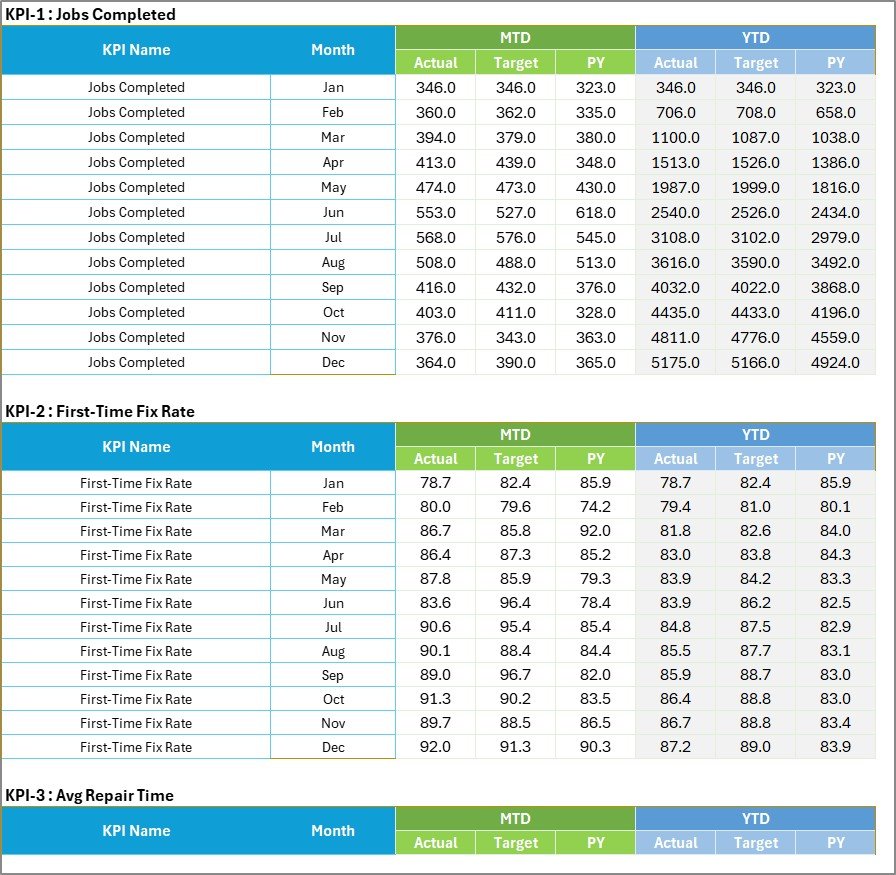
One numbered block per KPI with twelve month rows and six columns: MTD Actual, Target and PY, and YTD Actual, Target and PY.
KPI Definition
Group, name, unit, formula, definition, type (UTB or LTB) and YTD basis (Sum or Average) for each KPI, with a Check column that flags duplicate names. Jobs Completed and Service Revenue roll up as a sum; the eight rates and averages roll up as an average.

Color Settings, Read Me and Get More Templates
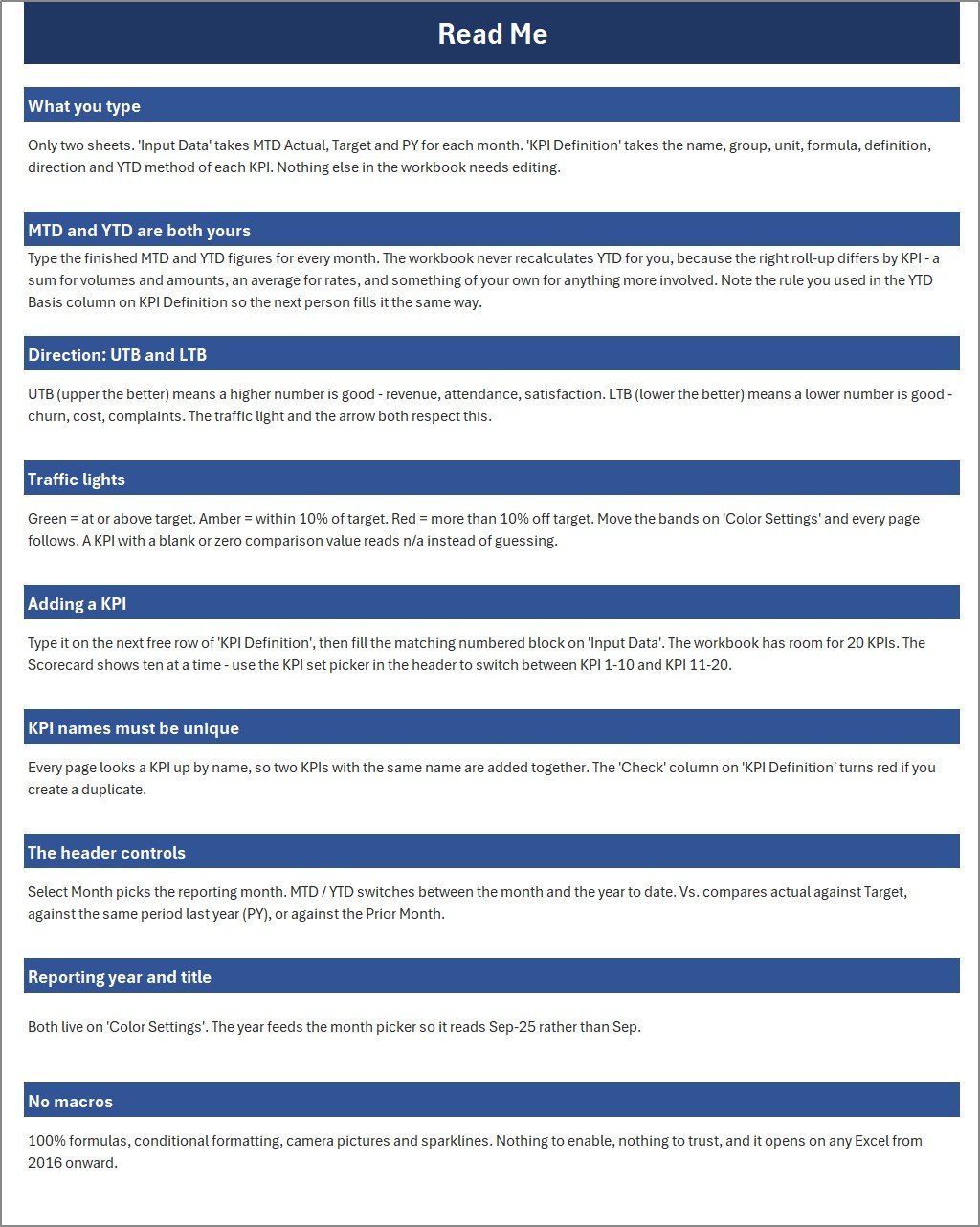
Color Settings holds the RAG bands (by default green at or above target, amber within 10%, red more than 10% off) plus the report title and year. Read Me explains how the workbook is wired, how to add a KPI and what each header control does.
Excel Scorecard vs. Repair Shop Software
| Decision point | This Excel scorecard | Repair shop / field service software |
|---|---|---|
| Cost | One-time purchase, $9.99 sale price | Monthly subscription, usually per user |
| Platform | Microsoft Excel desktop (2016 or later) | Cloud and mobile app |
| Setup | Replace sample numbers on Input Data | Account, users, jobs and integrations |
| Data control | Local file you own | Vendor-hosted |
| Macros | None – 100% formulas | Not applicable |
| Best fit | Monthly owner or manager KPI review | Dispatch, job cards, parts ordering and invoicing |
Need the day-to-day system as well? The Appliance Repair Service Management System Web App handles jobs and technicians, and the Appliance Service Data Entry System in Excel logs service calls. This scorecard sits on top of either one for the monthly review.
Who This Template Is For – and Who It’s Not For
It suits appliance repair business owners, service centre managers, operations leads for multi-technician teams and consultants who already have monthly figures and want a clean scorecard to review them. It is useful for owner reviews, technician performance discussions and monthly management packs.
It is not a job card, dispatch, scheduling, parts inventory, invoicing or CRM system, and it does not connect to any software. Every number is typed. It makes no manufacturer warranty, authorised-service or licensing claim: Warranty Claim Rate is simply a percentage you enter from your own records. The sample figures are fictional.
How to Use This Excel Scorecard
- Download the ZIP, extract it and open the .xlsx in desktop Microsoft Excel.
- On Color Settings, set the report title, reporting year and RAG bands.
- On KPI Definition, keep or rename the 10 KPIs and set each unit, type (UTB / LTB) and YTD basis.
- On Input Data, type MTD Actual, Target and PY and your finished YTD figures for each month.
- Open the Scorecard, pick the month, MTD or YTD, and what to compare against.
- Use KPI Analysis for the group view and KPI Trend for one KPI across the year.
Things to Know Before You Buy
- YTD is typed, not calculated. The workbook deliberately does not roll YTD up for you, because a sum suits jobs and revenue while an average suits rates and hours. Record your rule in the YTD Basis column.
- One reporting year per file. Save a copy for each year.
- Form controls need desktop Excel. The header dropdowns and MTD / YTD buttons are Excel form controls, which Excel for the web and mobile do not fully support.
- A zero comparison value reads n/a rather than guessing a status.
- Cosmetic note: the Read Me mentions the month picker reading “Sep-25”, while the shipped picker shows the “Aug-2026” style. The picker itself works for every month.
Frequently Asked Questions
Does it need macros?
No. It is a standard .xlsx built on formulas, conditional formatting, camera pictures and sparklines, so there is nothing to enable.
Can I change or add KPIs?
Yes. Rename any KPI on KPI Definition, or add up to 20 in total and switch between KPI 1-10 and KPI 11-20 on the Scorecard.
Can I change the red, amber and green thresholds?
Yes. Edit the bands on Color Settings and every page follows.
Does it import data from my repair shop software?
No. Export or summarise your monthly numbers first, then type or paste them into Input Data.
Is there a Google Sheets edition?
Not at the moment. This listing is the Excel edition.
Related Excel KPI Scorecards
- Plumbing Business KPI Scorecard in Excel
- Electrical Contractor KPI Scorecard in Excel
- Carpentry Workshop KPI Scorecard in Excel
- Home Renovation Contractor KPI Scorecard in Excel
Want to restyle the traffic lights? See Microsoft’s guide to conditional formatting in Excel, or the general Excel help and learning hub.
About the Author
Built by PK – Microsoft Certified Professional with 15+ years of Excel, Google Sheets and Power BI experience, and founder of NextGenTemplates. Video tutorials are on PK: An Excel Expert on YouTube.





























Reviews
There are no reviews yet.