

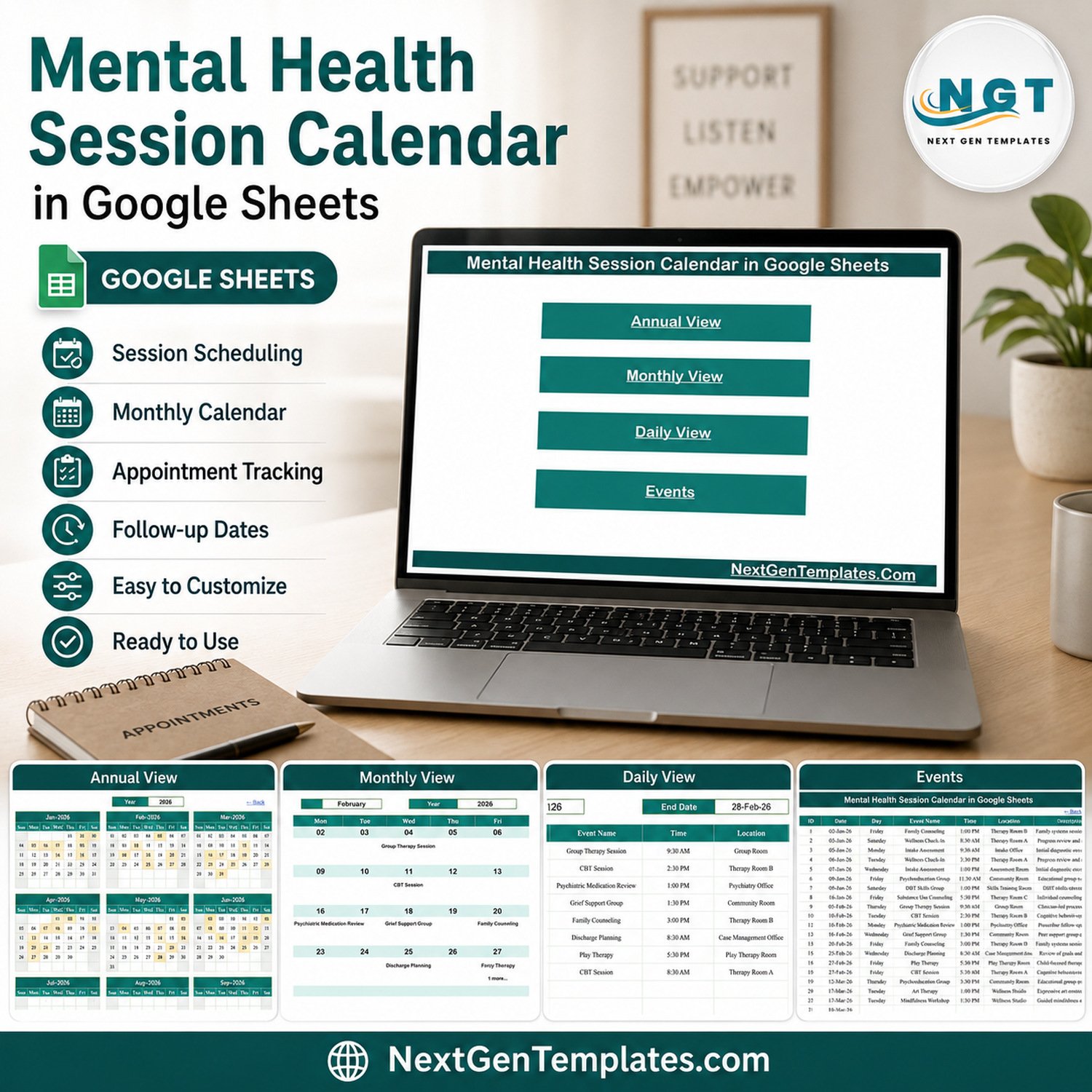

Mental Health Session Calendar in Google Sheets gives administrators one editable place to organize dates without buying a clinical practice platform. The supplied workbook contains 6 tabs, 100 example events, 20 example session labels, 17 generic locations, and 3 calendar views. Use it for non-clinical scheduling coordination, replace every demonstration row before use, and create a private working copy in your own Google Drive. You get help within 72 hours if anything in this simple calendar does not work.
Key Features of Mental Health Session Calendar in Google Sheets
- Annual overview: scan all twelve months of the selected year on one page.
- Monthly planning: choose a month and year and see the first scheduled label on each active date.
- Multiple-event indicator: dates with more than one row display an additional-event count.
- Daily range view: choose start and end dates to return the matching administrative entries.
- Editable Events table: maintain ID, date, day, event label, time, location, and a brief administrative description.
- Google Sheets sharing: collaborate through normal Drive permissions and version history.
- No scripts or add-ons: the calendar uses spreadsheet formulas and standard Google Sheets controls.
What’s Inside This Google Sheets Calendar
Home
The Home tab provides four navigation buttons for Annual View, Monthly View, Daily View, and Events.
Home navigation for the Mental Health Session Calendar in Google Sheets
Annual View
The Annual View displays January through December for the selected year. Highlighted dates show where an event row exists, making the page useful for a high-level workload scan.
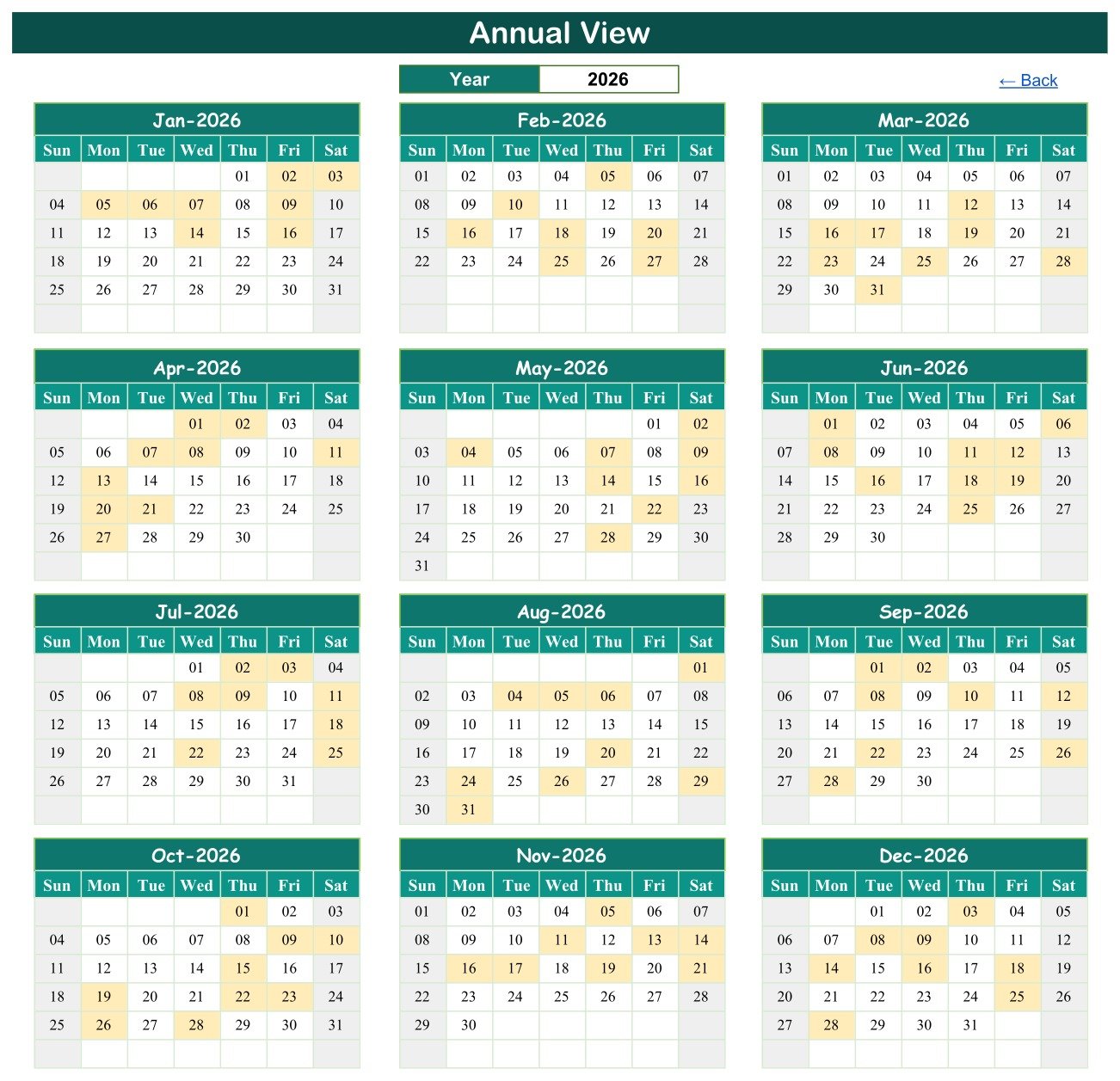
Annual View with twelve months on one page
Monthly View
Select a month and year to see a conventional calendar. The first event label appears on its date; an “N more” message identifies dates with additional rows. This is a visibility aid, not a conflict-prevention or booking engine.
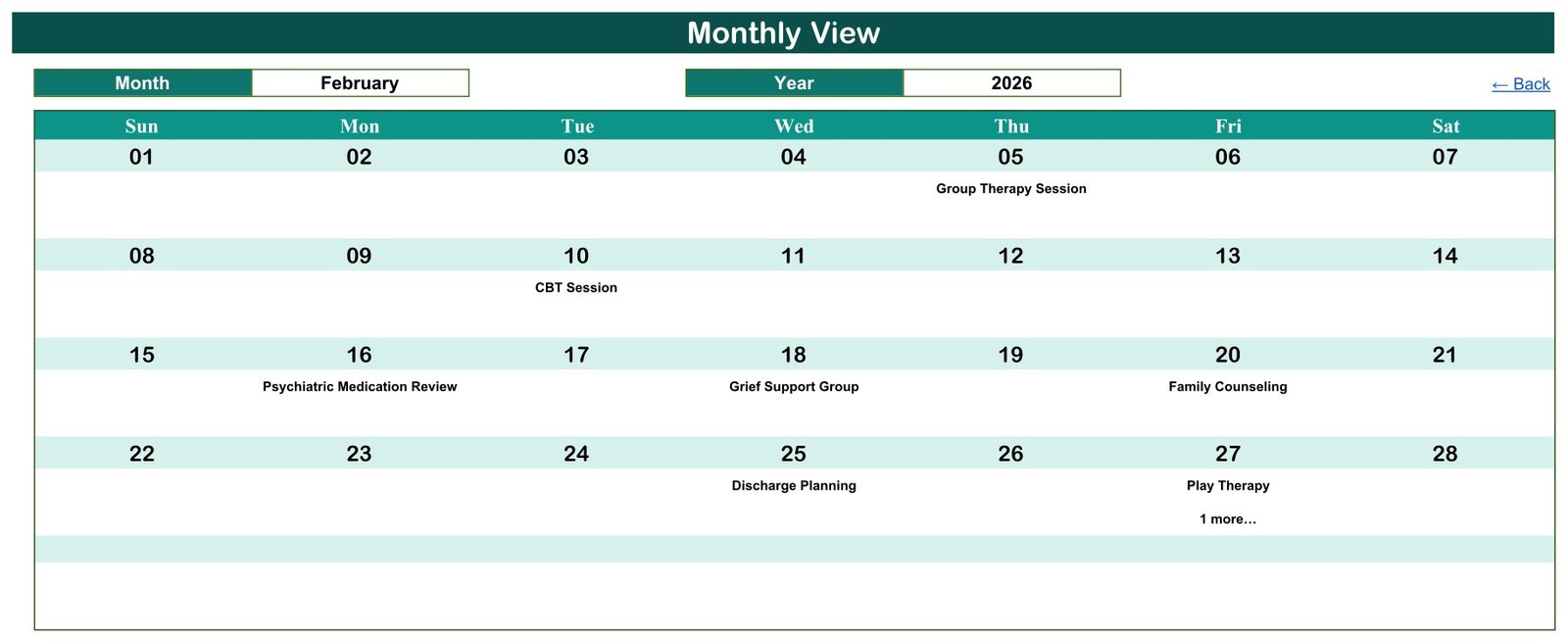
Monthly View with an additional-event indicator
Daily View
Enter a start and end date to return the rows within that range. The displayed fields support schedule coordination only; they are not a clinical chart, progress record, medication log, or patient-monitoring system.
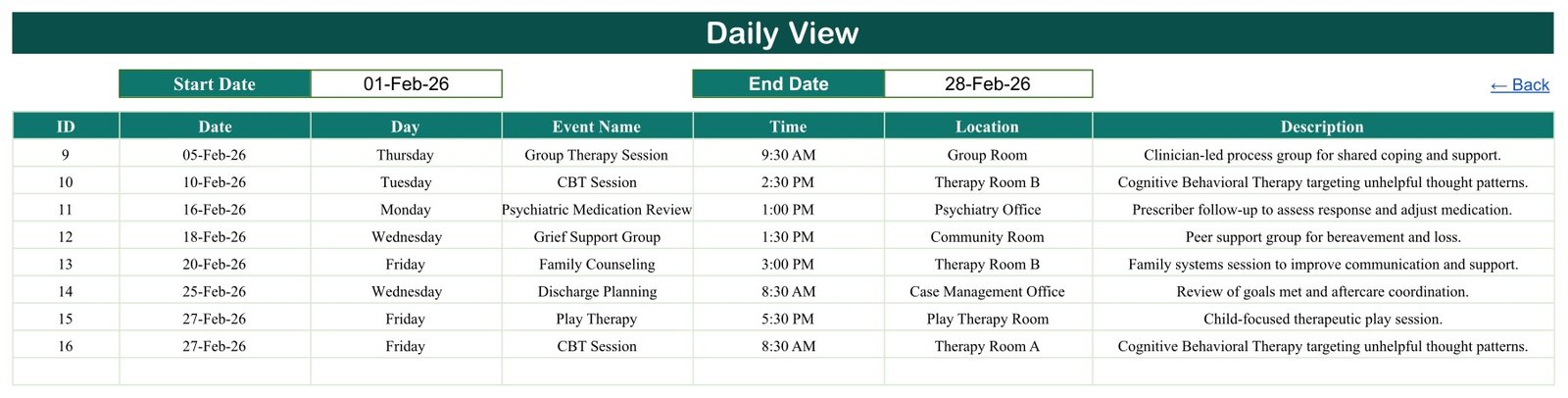
Daily View filtered between two dates
Events and List
The Events tab holds 100 demonstration rows with IDs 1-100. The List tab supports month and year controls. The demonstration descriptions include clinical-sounding wording; replace all examples and keep descriptions limited to neutral administrative notes.
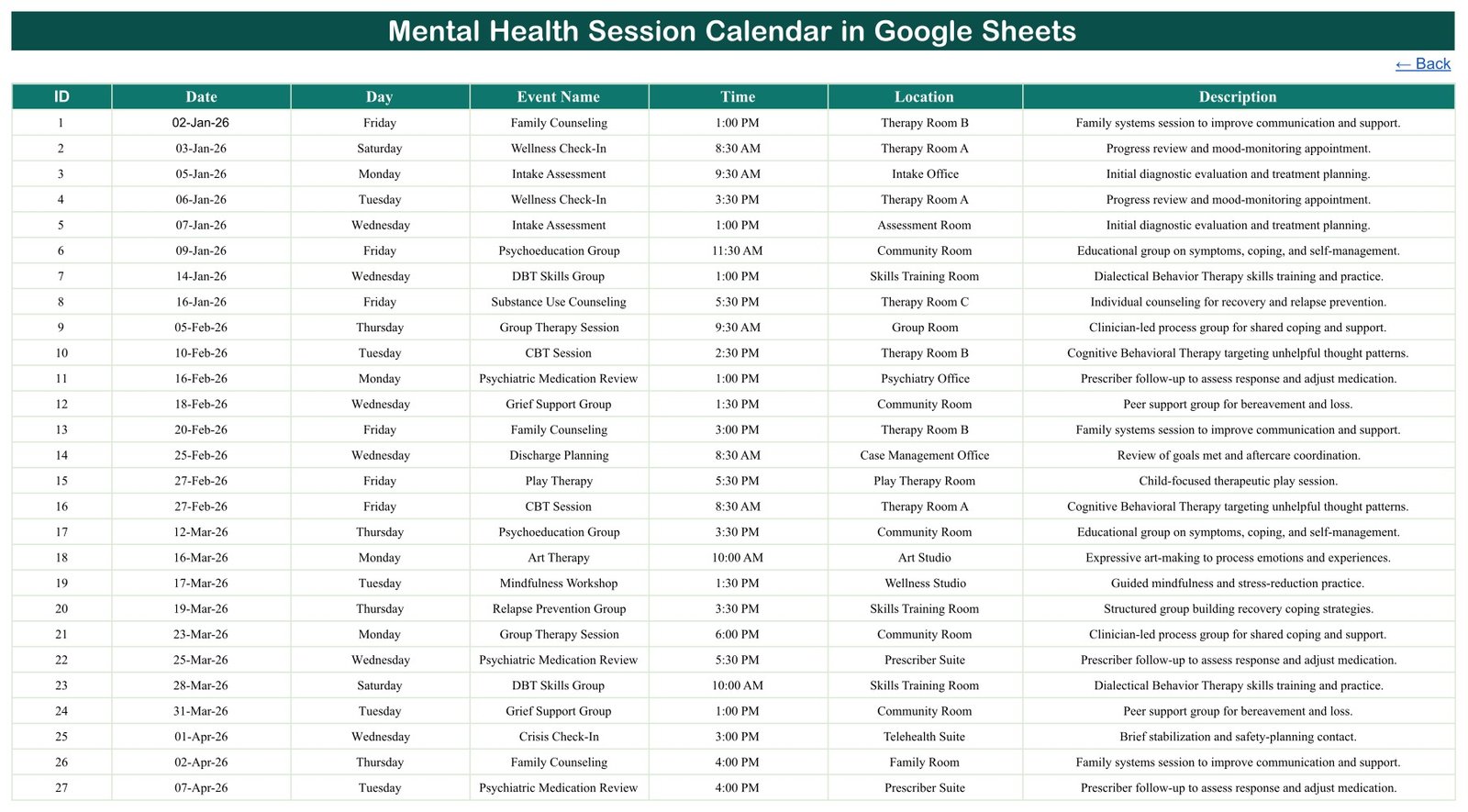
Editable Events table with demonstration data
Google Sheets vs. Excel vs. Paid Practice Software – Where This Fits
| Consideration | This Google Sheets calendar | Excel calendar | Paid practice software |
|---|---|---|---|
| Primary fit | Lightweight administrative scheduling | Desktop-first scheduling | Clinical and operational workflows |
| Setup | Copy, replace examples, set permissions | Download and configure locally | Implementation and account setup |
| Collaboration | Native Drive sharing | Depends on file storage | Role-based collaboration varies |
| Customization | Edit labels and locations directly | Edit workbook fields | Vendor-controlled configuration |
| Clinical records | Not included | Not included | May be included; verify vendor |
| Automation | No reminders or conflict prevention | Varies by workbook | Often broader, plan-dependent |
Who This Template Is For – and Who It’s Not For
It fits an office administrator, program coordinator, community-support organizer, or small team that needs a visual schedule of generic sessions, rooms, and times. It is not for storing names, diagnoses, clinical notes, prescriptions, treatment decisions, risk assessments, or crisis-response information. It does not replace an EHR, practice-management system, emergency protocol, consent workflow, billing platform, or secure messaging tool, and it makes no HIPAA or privacy-compliance guarantee.
How to Use This Administrative Calendar
- Open the downloaded PDF and use its verified link to create your own copy.
- Delete or replace all 100 demonstration rows before operational use.
- Use generic internal session codes rather than client or patient identifiers.
- Enter the date, matching day, neutral event label, time, generic location, and minimal administrative note.
- Restrict Drive access to named people who need the schedule.
- Review Annual, Monthly, and Daily views and confirm every date manually.
For permission setup, use Google’s official guidance on sharing files and controlling access in Google Drive. Your organization remains responsible for account configuration, access policies, retention, and suitability.
Real-World Use Cases
Program coordinator
Map generic group-session labels and rooms across the year without recording participant information.
Office administrator
Use Daily View to prepare a room-and-time list for a selected date range.
Community organization
Coordinate workshops and support-group slots while keeping confidential case information in an approved system.
Frequently Asked Questions
Does this store patient or client records?
No. The supplied columns are administrative schedule fields. Do not add names, case details, diagnoses, or clinical notes.
Does it send reminders?
No. It does not send email, SMS, calendar invitations, or automated follow-ups.
Does it prevent double-booking?
No. It can show more than one event on a date, but users must check room, time, and resource conflicts.
Is this a crisis-response tool?
No. A demonstration label includes “Crisis Check-In,” but the spreadsheet provides no triage, alerting, escalation, monitoring, or emergency-response capability.
Does it guarantee HIPAA or other privacy compliance?
No. Compliance depends on your data, account configuration, access controls, policies, agreements, and jurisdiction.
Can several people edit it?
Yes, through Google Drive sharing. Use least-privilege permissions and avoid public-link access for operational schedules.
About the Author
Built by PK – Microsoft Certified Professional with 15+ years of Excel, Google Sheets, and Power BI experience. Founder of NextGenTemplates, reaching 300K+ subscribers across YouTube channels. Every template is hand-built and tested before release.
Explore Related Templates
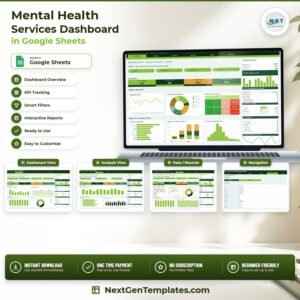
Compare the Mental Health Services Dashboard in Google Sheets, Therapy Sessions & Progress Tracker in Google Sheets, and Patient Follow-Up Visit Calendar in Google Sheets. Browse more Google Sheets calendar templates and the broader Google Sheets collection.
Choose this template when you need a simple administrative calendar, not a clinical system. Create a private copy, replace the sample rows, and verify the schedule before relying on it.
Watch the step-by-step video Demo:
Last updated: September 10, 2026.
Compatibility and Requirements
- Works in Google Sheets. You need a free Google account and a web browser.
- You share the calendar through normal Drive permissions. Google explains sharing in Get started with Google Sheets.
- The calendar uses spreadsheet formulas and standard Google Sheets controls, with no scripts or add-ons.
More Questions About This Template
How many example rows does the workbook include?
The Events tab has 100 example rows with IDs 1-100. Replace or delete them all before you use the calendar.
Which views can I use?
The calendar has an Annual View, a Monthly View and a Daily View. The Daily View returns the entries between a start date and an end date that you choose.
What does the Events table hold?
Each row has an ID, a date, the day, an event label, a time, a location and a short administrative description.
Is there an Excel version?
Yes. See the Mental Health Session Calendar in Excel.
Related Mental Health and Calendar Templates
- Mental Health Session Calendar in Excel: the same calendar for Excel
- Mental Health Services KPI Dashboard in Google Sheets: a KPI view for services
- Dynamic Holiday and Event Calendar in Google Sheets: another Google Sheets event calendar
- Mental Health Services Dashboard in Excel: the services dashboard in Excel
Browse all Google Sheets calendar templates.
































Reviews
There are no reviews yet.