

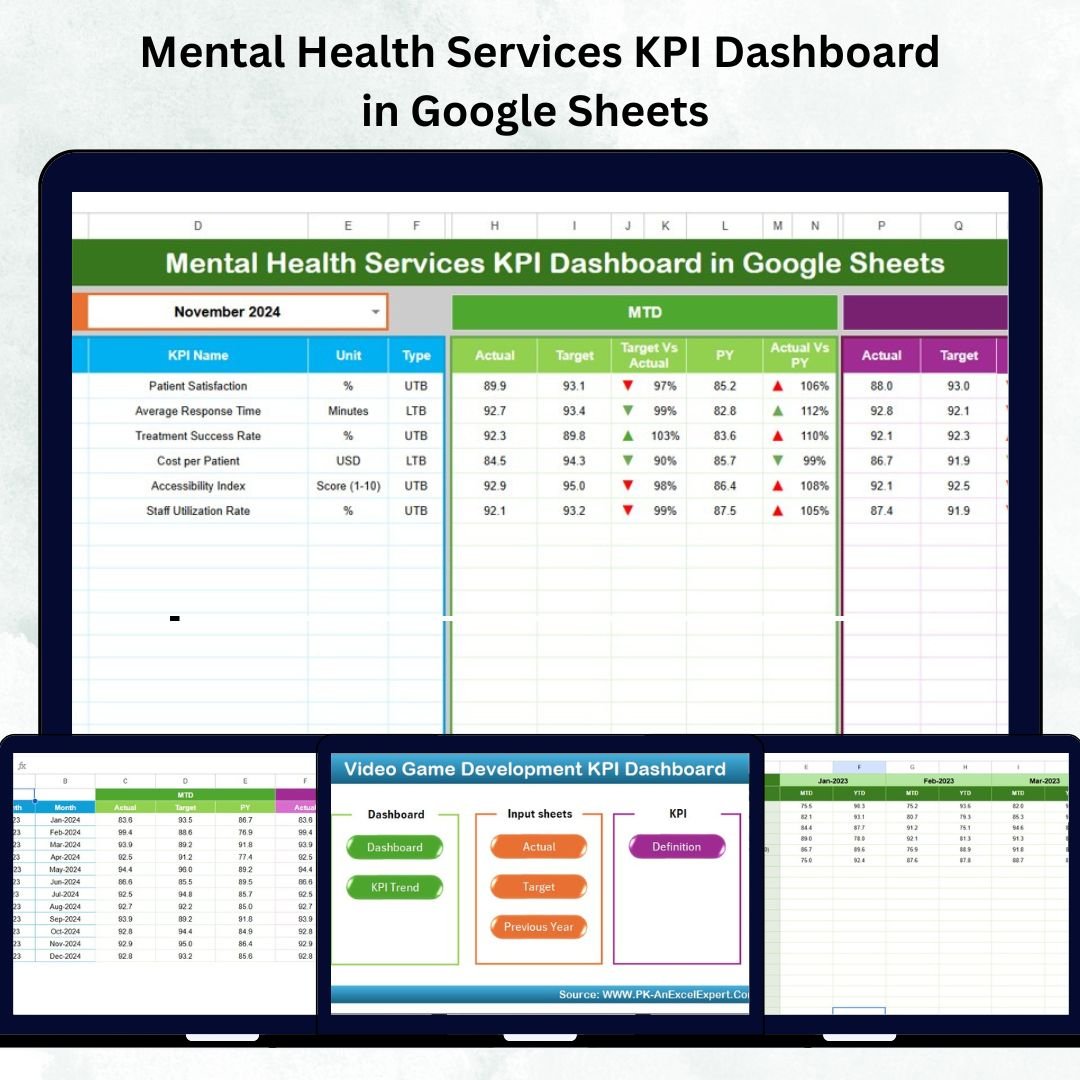

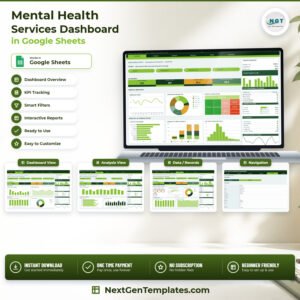
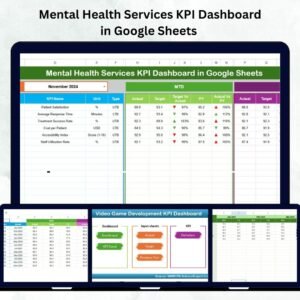
Managing mental health programs is about more than care — it’s about tracking progress, improving outcomes, and optimizing resources. The Mental Health Services KPI Dashboard in Google Sheets makes that easier than ever. Designed for healthcare professionals, administrators, and policymakers, this ready-to-use template empowers you to visualize, track, and analyze key performance indicators (KPIs) in one interactive and collaborative tool.Mental Health Services KPI Dashboard in Google Sheets
💡 Key Features of the Mental Health Services KPI Dashboard
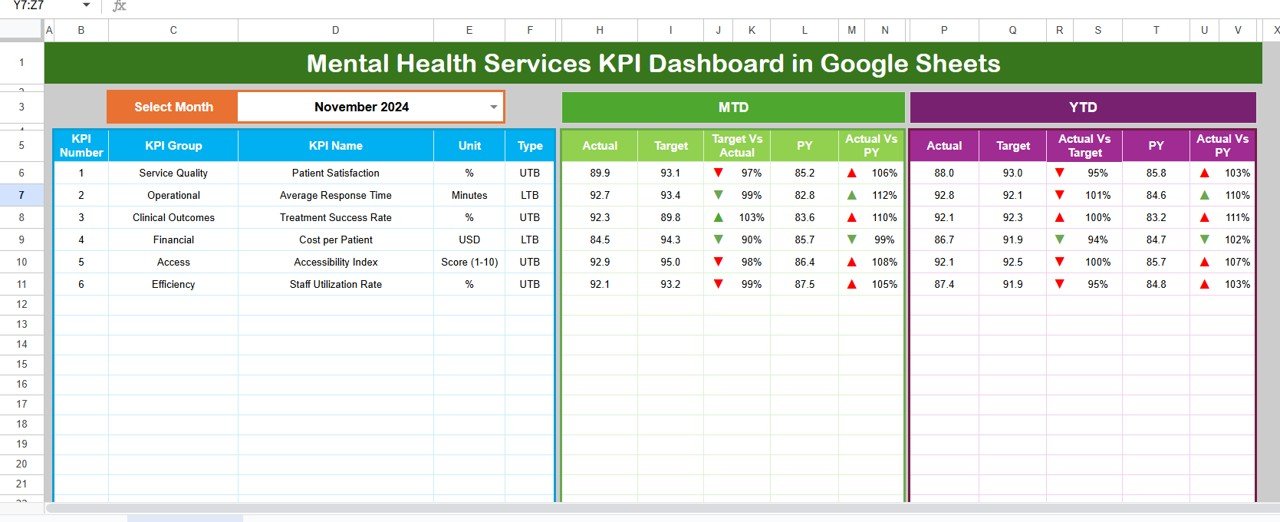
✨ Interactive Monthly Selector – Choose any month from the dropdown (cell D3) and instantly view MTD & YTD performance with dynamic visuals.
📊 Comprehensive KPI Tracking – Monitor MTD Actuals, Targets, and Previous Year data with automatic % variance calculations.
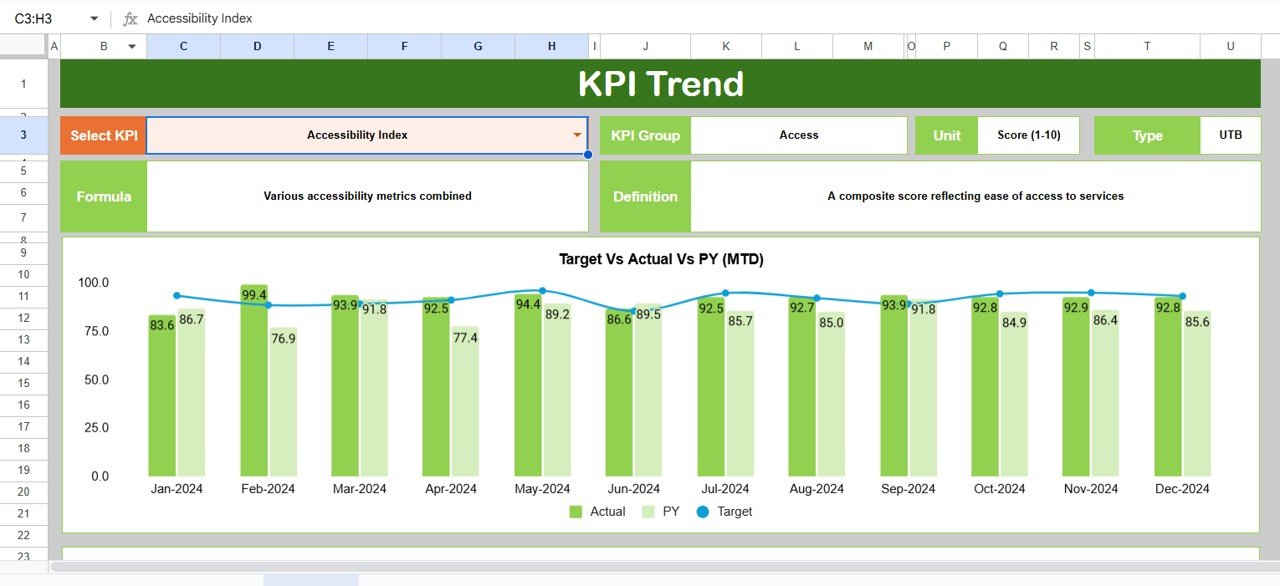
📈 Trend Analysis Sheet – Explore KPI trends across months and visualize Actual vs Target vs Previous Year performance to identify seasonal or recurring patterns.
🎯 Target Management Sheet – Define and manage monthly and yearly targets to track progress toward organizational goals.
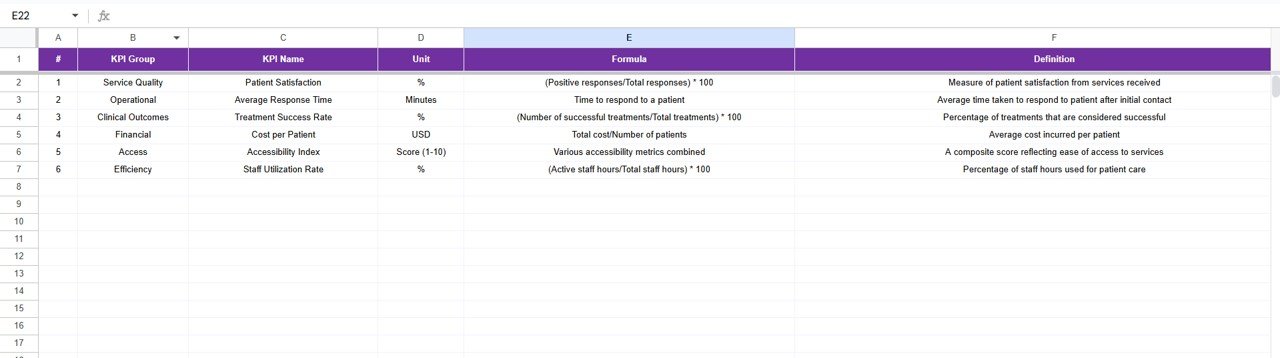
📘 KPI Definition Sheet – Maintain full clarity on KPI formulas, definitions, and measurement types (UTB/LTB). Everyone stays aligned and informed.
🔒 Secure Cloud Collaboration – Built in Google Sheets for real-time teamwork with permission-based access and auto-syncing updates.
⚡ Performance Indicators – Conditional formatting (green/red arrows) shows instantly whether KPIs are improving or need attention.
📤 Historical Comparison – Integrate previous-year data for Year-over-Year analysis to measure real growth or decline.
💰 Cost-Effective & Flexible – Get business-intelligence-level insights without expensive software — fully customizable for your organization’s KPIs.
📂 What’s Inside the Mental Health Services KPI Dashboard
The template comes with 6 structured worksheets designed for effortless navigation and analysis:Mental Health Services KPI Dashboard in Google Sheets
1️⃣ Dashboard Sheet – The main visual interface summarizing MTD & YTD results with conditional formatting and visual indicators.Mental Health Services KPI Dashboard in Google Sheets
2️⃣ Trend Sheet – Select any KPI from the dropdown to analyze monthly trends via line and bar charts.
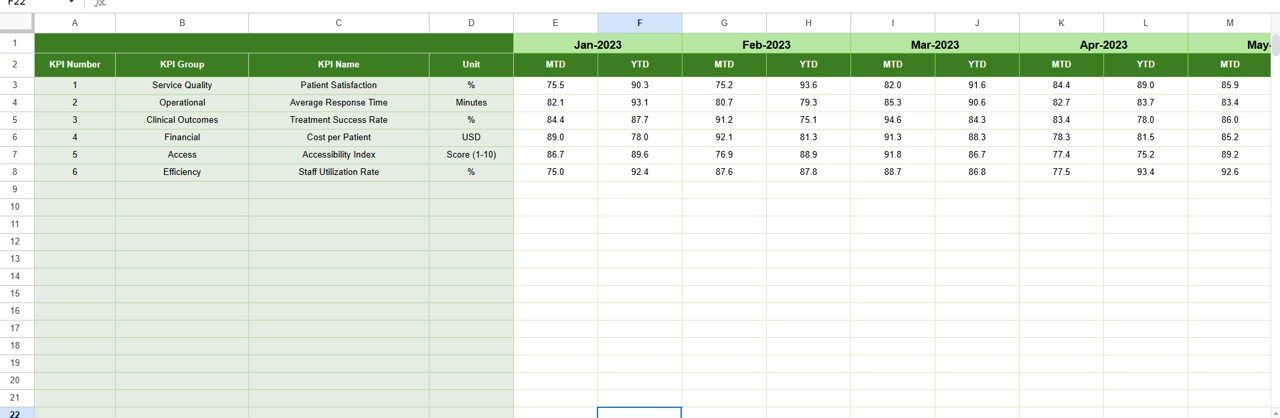
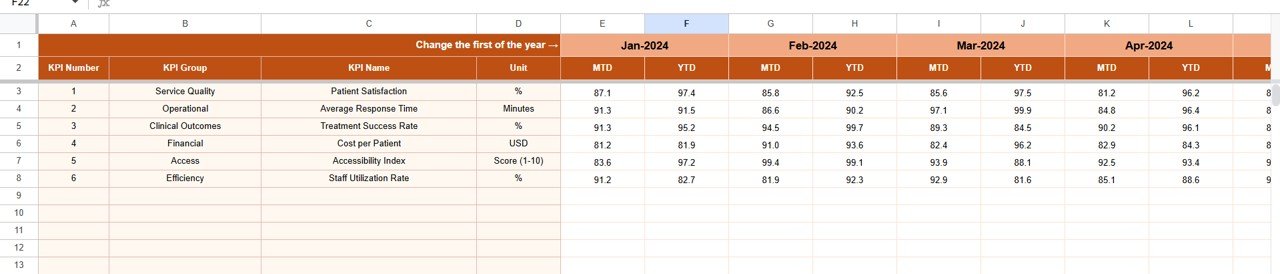
3️⃣ Actual Numbers Input Sheet – Enter real-time performance numbers; dynamic formulas update instantly across sheets.
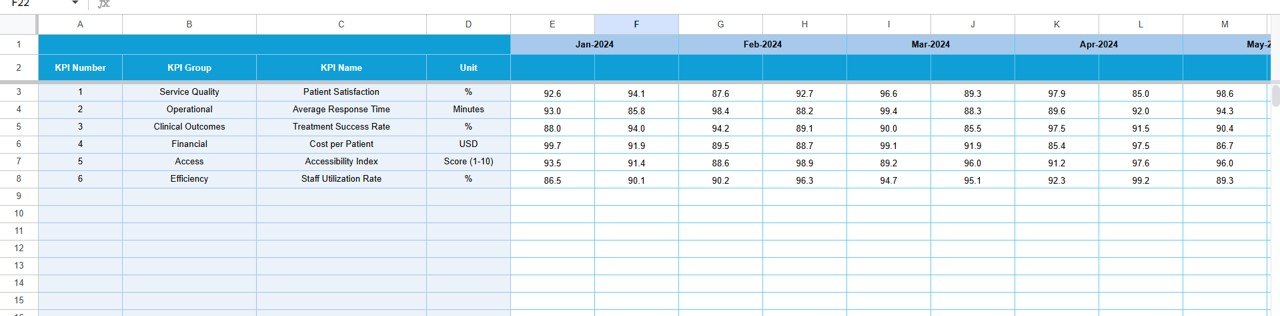
4️⃣ Target Sheet – Record KPI targets for each month and year; compare them automatically with actuals.
5️⃣ Previous Year Numbers Sheet – Store historical KPI data to enable YoY analysis.
6️⃣ KPI Definition Sheet – Document KPI name, group, formula, and type (UTB/LTB) for transparency and alignment.
This structure ensures clarity, standardization, and control — everything a healthcare team needs to make data-driven decisions.
⚙️ How to Use the Mental Health Services KPI Dashboard
🟢 Step 1: Open the file in Google Sheets and enable editing.
🟢 Step 2: Set your starting month in cell E1 of the “Actual Numbers Input” sheet.
🟢 Step 3: Enter or paste your actual data in the designated cells.
🟢 Step 4: Input your target values in the Target Sheet.
🟢 Step 5: Add previous-year data for YoY comparisons.
🟢 Step 6: Select the desired month in cell D3 of the Dashboard Sheet — watch the entire dashboard update automatically.
🟢 Step 7: Use the Trend Sheet to study long-term KPI movements and identify improvement areas.
Within minutes, your organization gains an interactive, automated, and insight-driven reporting system — no coding, no BI tools required.
👥 Who Can Benefit from This Dashboard
🏥 Hospitals & Clinics – Evaluate therapy outcomes, patient satisfaction, and staff workload.
🤝 Non-Profit Organizations – Track outreach impact, program effectiveness, and volunteer performance.
🏛️ Government Health Departments – Monitor public mental health programs and policy outcomes.
💼 Private Practices – Gain insights into client retention, appointment volumes, and recovery progress.
🎓 Research Institutions – Collect and analyze longitudinal mental-health data efficiently.
Whether you’re a hospital administrator or a community mental-health leader, this dashboard provides the clarity, control, and collaboration needed to deliver better care.
Click here to read the Detailed Blog Post
Watch the step-by-step video tutorial:
Visit our YouTube channel to learn step-by-step video tutorials
Compatibility and Requirements
- Works in Google Sheets with a free Google account and a web browser. Nothing to install.
- The month selector in cell D3 is a dropdown list. Google explains dropdowns in Create an in-cell dropdown list.
Frequently Asked Questions
Which sheets are in the dashboard?
Six: Dashboard, Trend, Actual Numbers Input, Target, Previous Year Numbers and KPI Definition.
How do I change the month?
Select the month in cell D3 of the Dashboard Sheet and every MTD and YTD figure updates.
Can I compare results with last year?
Yes. Add previous-year data in the Previous Year Numbers sheet to see Year-over-Year comparisons.
Can my team work in it together?
Yes. It is a Google Sheets file, so your team can edit it together with permission-based access.
Related Mental Health Templates
- Mental Health Services Dashboard in Google Sheets: a full services dashboard in Google Sheets
- Mental Health Services KPI Dashboard in Excel: the same KPI view in Excel
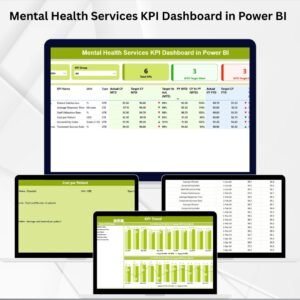
- Mental Health Services KPI Dashboard in Power BI: the same KPI view in Power BI
- Mental Health Session Calendar in Google Sheets: schedules therapy sessions
- Healthcare and Hospital Management Bundle: 8 healthcare templates in one bundle
Browse all Google Sheets KPI dashboards or the Google Sheets templates.



Reviews
There are no reviews yet.